AI Markdown Formatter: OneText
다운로드: App Store

이 페이지는 앱이나 개발자의 공식 페이지가 아니며, 정보 제공 및 논평을 목적으로 작성된 독립 편집 간행물입니다. 명시적으로 달리 언급되지 않는 한, 해당 앱이나 개발자는 MWM, Apple, Google Play, 앱 퍼블리셔 또는 앱 개발자와 제휴, 보증, 후원, 승인 또는 공식적으로 연결되어 있지 않으며, 이 페이지의 어떤 내용도 해당 앱이 MWM의 서비스를 사용하여 개발되었음을 의미하지 않습니다. 모든 상표, 로고, 스크린샷 및 기타 콘텐츠는 해당 소유자의 자산입니다.


로고: AI Markdown Formatter: OneText
다운로드: App Store

AI Markdown Formatter: OneText

크리에이터와 전문가가 마크다운을 아름다운 긴 이미지, 전문 PDF 및 Word 문서로 즉시 변환하는 데 필수적인 도구 모음 — 100% 오프라인 및 개인 정보 보호에 중점을 둡니다.

주요 수치

다운로드

1K+

사용자 평점

4.6/5

총 평가 수

0

개발사

逸文 周

카테고리

Productivity

지원 언어

11

최신 버전

1.0.18

크기

6.7 MB

출시일

2025년 3월 11일
기능

디지털 작업 공간을 향상시키세요

강력하고 개인 정보 보호 우선 유틸리티로 기술적인 마크다운과 전문적인 프레젠테이션 간의 격차를 해소하세요.

공유 가능한 시각적 콘텐츠

AI 답변과 블로그 초안을 사용자 지정 테마가 있는 고화질 긴 이미지로 변환하세요. LinkedIn, X, Threads에서 잠재고객을 늘리는 데 완벽합니다.

다양한 문서 내보내기

노트를 PDF, Word 또는 Excel로 원활하게 변환하세요. LaTeX 및 테이블 전체 지원으로 기술 데이터와 연구가 항상 완벽하게 보이도록 보장합니다.

다음 스크린샷과 설명은 앱의 공식 스토어 목록에서 직접 가져온 것이며 앱 개발자의 자산입니다.

앱 스토어

스크린샷
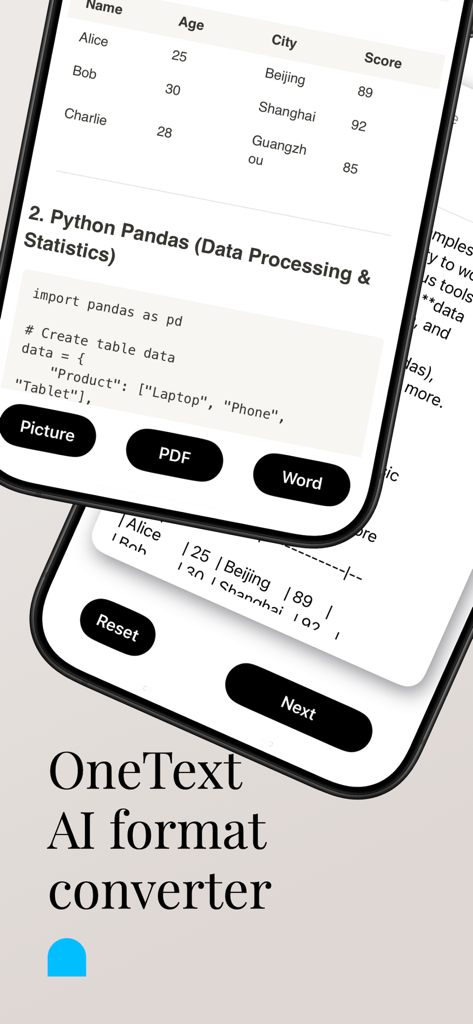
AI Markdown Formatter: OneText - OneText 앱 인터페이스는 사진, PDF 및 Word에 대한 마크다운 콘텐츠 변환 옵션을 보여줍니다.
OneText 앱 인터페이스는 사진, PDF 및 Word에 대한 마크다운 콘텐츠 변환 옵션을 보여줍니다.

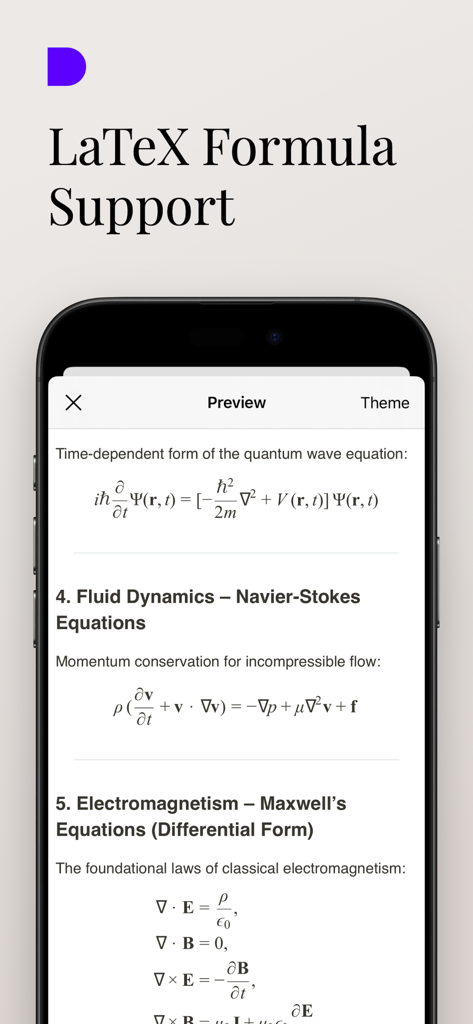
AI Markdown Formatter: OneText - OneText 앱 인터페이스는 물리학 및 수학을 위한 렌더링된 LaTeX 과학 공식 및 방정식을 표시합니다.
OneText 앱 인터페이스는 물리학 및 수학을 위한 렌더링된 LaTeX 과학 공식 및 방정식을 표시합니다.

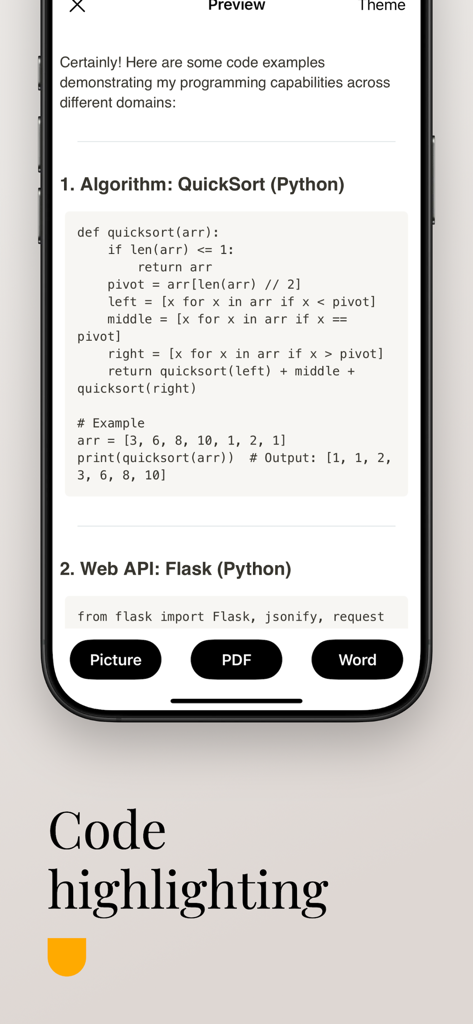
AI Markdown Formatter: OneText - OneText 앱 화면은 Python 스크립트에 대한 마크다운 코드 강조 표시를 보여줍니다
OneText 앱 화면은 Python 스크립트에 대한 마크다운 코드 강조 표시를 보여줍니다

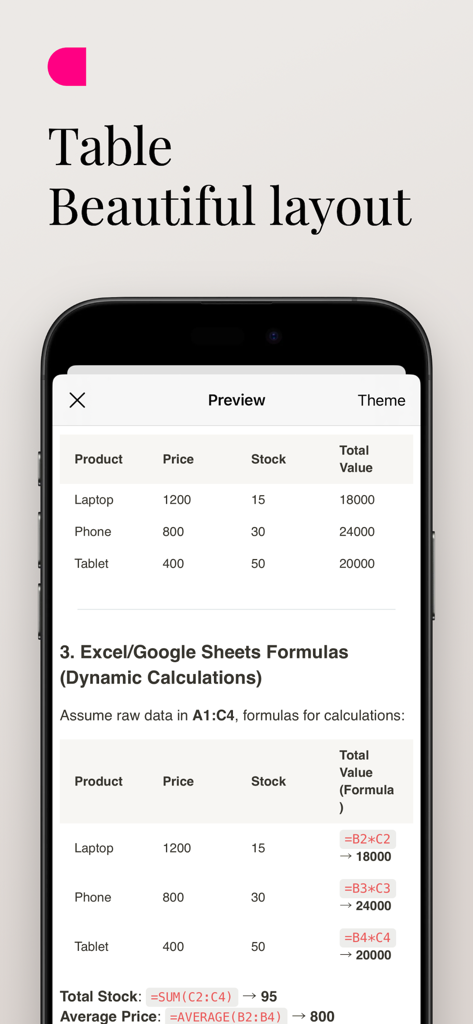
AI Markdown Formatter: OneText - OneText 앱에서 동적 공식이 있는 아름답게 형식화된 마크다운 테이블 미리 보기.

OneText 앱에서 동적 공식이 있는 아름답게 형식화된 마크다운 테이블 미리 보기.

설명

Introduction OneText is a powerful and easy-to-use content conversion tool designed for Markdown text users. It quickly converts text into beautiful long images, PDFs, or Word documents, making content sharing more convenient. Whether it’s the insightful answers generated by AI models, or your notes, blog posts, and tutorials, OneText presents them in the best format to help you efficiently share information on social platforms or professional settings. Main Functions Markdown to Long Images Convert Markdown text into high-definition long images with a single click, perfect for sharing on social platforms. Multiple theme styles are available to enhance the visual appeal of your content. Markdown to PDF Easily export your Markdown content to a standard PDF format, ideal for archiving, printing, or professional sharing, ensuring a clear and elegant layout. Markdown to Word Documents Need more flexible document editing? OneText can convert Markdown to Word format for subsequent modifications and layout adjustments. Scientific Formula Display OneText supports the display of scientific and mathematical formulas, enabling seamless rendering of LaTeX-style expressions. Markdown Table to Excel Extract tables from Markdown files and convert them to Excel format for easy data manipulation and further editing. Multiple Export Formats Supports exporting in three formats: PNG (image), PDF, and DOCX (Word). Convert and share your content effortlessly anytime, anywhere. Offline Functionality OneText works fully offline, ensuring that all conversions and edits happen locally to maintain your privacy and data security. Efficient and Fast, One-Click Sharing Quickly save your generated content or directly share it on social media platforms like WeChat Moments, Twitter, and Facebook, improving communication efficiency. Who Can Use OneText? Individuals who frequently use AI models to generate content and wish to convert it into a more visually appealing format. We-media authors, knowledge bloggers, and social media experts looking to improve content dissemination through a combination of text and images. Users who need to organize notes, write tutorials, and create documents. Workplace professionals or students who require conversion of Markdown content into PDF or Word formats. Why Choose OneText? Optimized for Markdown: Supports all key Markdown syntax, such as titles, code blocks, and lists, ensuring that the converted content is neat and beautiful. Simple and Efficient: With a user-friendly interface, you can convert and share content with just one click, eliminating unnecessary steps. Privacy and Security: All conversions happen locally on your device, meaning your data is never uploaded to the cloud, ensuring your privacy is protected. Personalized and Flexible: Tailored for those who need a fast and reliable tool for Markdown content conversion without compromising on privacy or functionality. Download OneText now and make your content more impactful!

Download

다운로드: App Store

이 페이지는 앱이나 개발자의 공식 페이지가 아니며, 정보 제공 및 논평을 목적으로 작성된 독립 편집 간행물입니다. 명시적으로 달리 언급되지 않는 한, 해당 앱이나 개발자는 MWM, Apple, Google Play, 앱 퍼블리셔 또는 앱 개발자와 제휴, 보증, 후원, 승인 또는 공식적으로 연결되어 있지 않으며, 이 페이지의 어떤 내용도 해당 앱이 MWM의 서비스를 사용하여 개발되었음을 의미하지 않습니다. 모든 상표, 로고, 스크린샷 및 기타 콘텐츠는 해당 소유자의 자산입니다.








