Amerigo - File Manager

Amerigo - File Manager

다운로드: App Store
로고: Amerigo - File Manager

Amerigo - 파일 관리자: iPhone 및 iPad를 위한 데스크톱급 제어 센터

스토리지 사일로에서 벗어나세요. 여러 클라우드 계정을 원활하게 연결하고, 가상 폴더로 다중 소스 프로젝트를 정리하고, 전문적인 수준의 도구로 파일을 관리하세요. 이 모든 것을 하나의 강력한 앱에서 경험할 수 있습니다.

개발사

IdeaSolutions S.r.l.

카테고리

Productivity

다운로드

311K+

사용자 평점

4.7/5

총 평가 수

37K+

지원 언어

6

한눈에 보는 효율성

이 인터페이스를 사용하는 311K+ 명의 사용자.

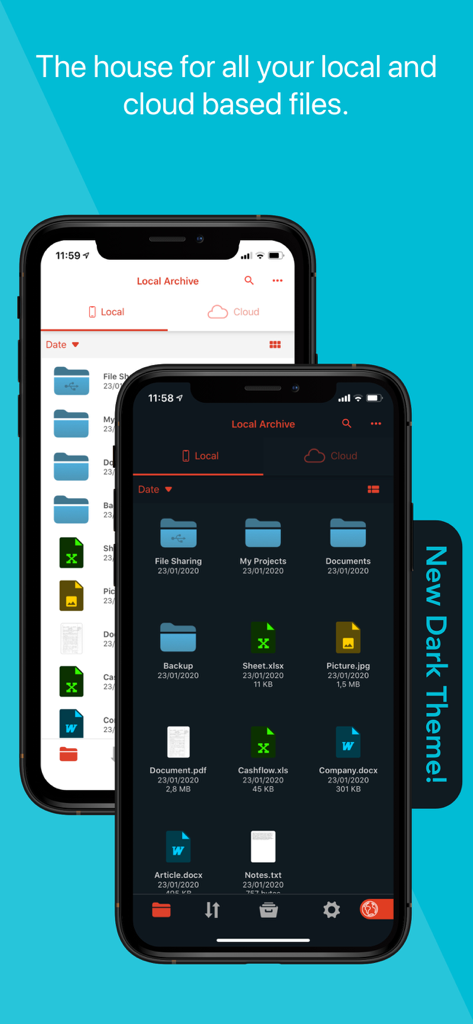
Amerigo 파일 관리자 앱 인터페이스가 로컬 및 클라우드 파일과 함께 라이트 및 다크 테마 옵션을 표시합니다.
Amerigo 파일 관리자 앱 인터페이스가 로컬 및 클라우드 파일과 함께 라이트 및 다크 테마 옵션을 표시합니다.

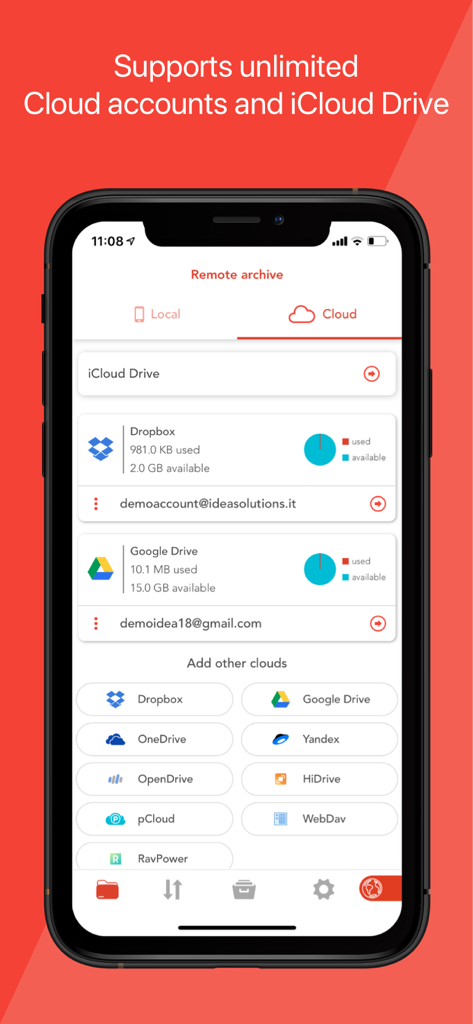
Amerigo 파일 관리자의 인터페이스에 연결된 클라우드 계정 및 스토리지 사용량이 표시됩니다.
Amerigo 파일 관리자의 인터페이스에 연결된 클라우드 계정 및 스토리지 사용량이 표시됩니다.

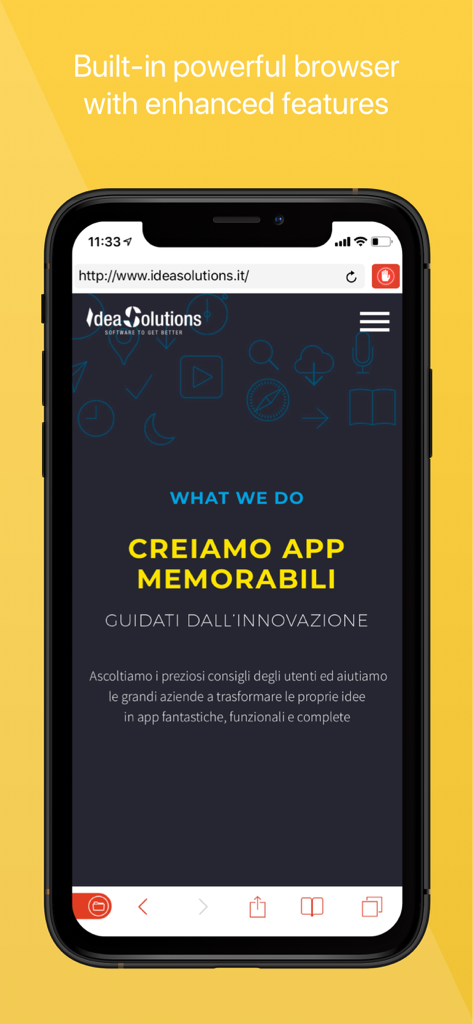
스마트폰 화면에 향상된 기능이 있는 통합 웹 브라우저를 보여주는 Amerigo 앱 스크린샷
스마트폰 화면에 향상된 기능이 있는 통합 웹 브라우저를 보여주는 Amerigo 앱 스크린샷

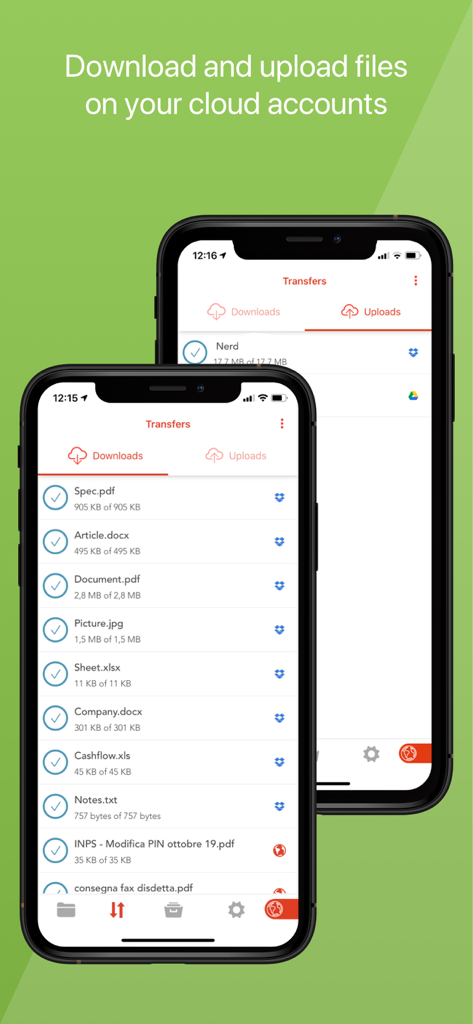
Amerigo 파일 관리자 인터페이스에 여러 클라우드 계정에 걸친 파일의 다운로드 및 업로드 상태가 표시됩니다.
Amerigo 파일 관리자 인터페이스에 여러 클라우드 계정에 걸친 파일의 다운로드 및 업로드 상태가 표시됩니다.

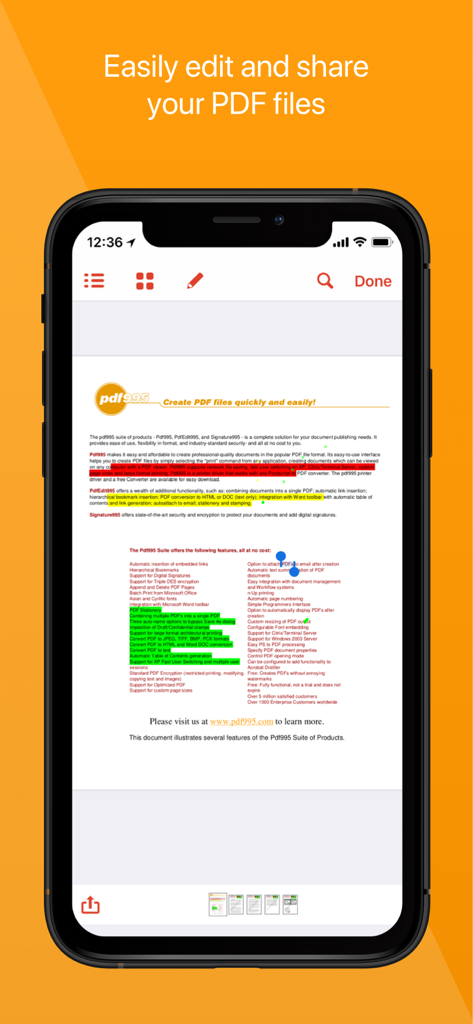
모바일 Amerigo 앱 인터페이스에 PDF 편집 및 하이라이트 주석 기능이 표시됩니다.
모바일 Amerigo 앱 인터페이스에 PDF 편집 및 하이라이트 주석 기능이 표시됩니다.

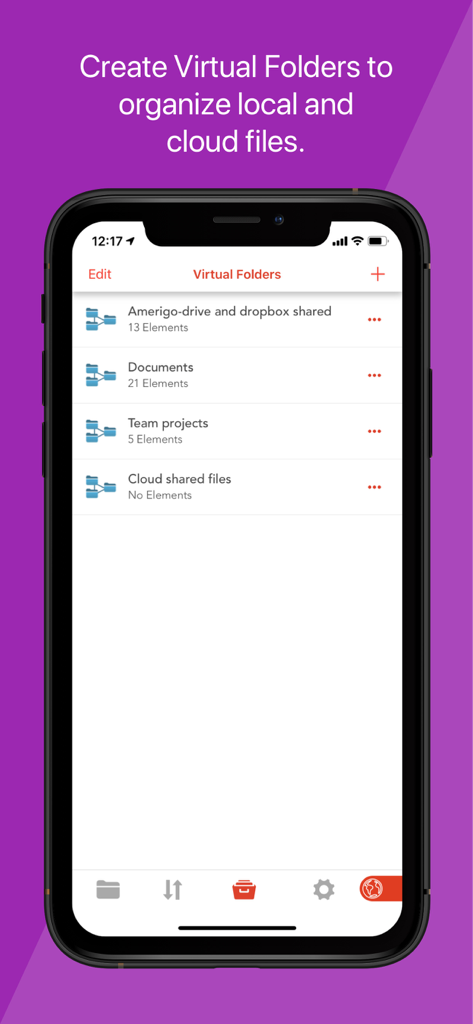
Amerigo 파일 관리자 앱의 인터페이스에 로컬 및 클라우드 파일을 한 곳에 정리하는 데 사용되는 가상 폴더가 표시됩니다.
Amerigo 파일 관리자 앱의 인터페이스에 로컬 및 클라우드 파일을 한 곳에 정리하는 데 사용되는 가상 폴더가 표시됩니다.

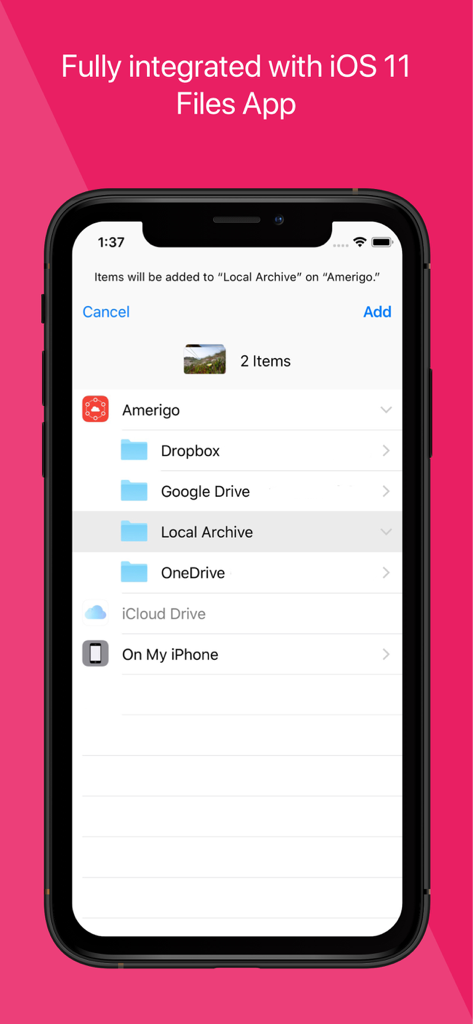
Amerigo 앱 인터페이스에 클라우드 스토리지 및 iOS 파일 앱 통합이 표시됩니다.
Amerigo 앱 인터페이스에 클라우드 스토리지 및 iOS 파일 앱 통합이 표시됩니다.

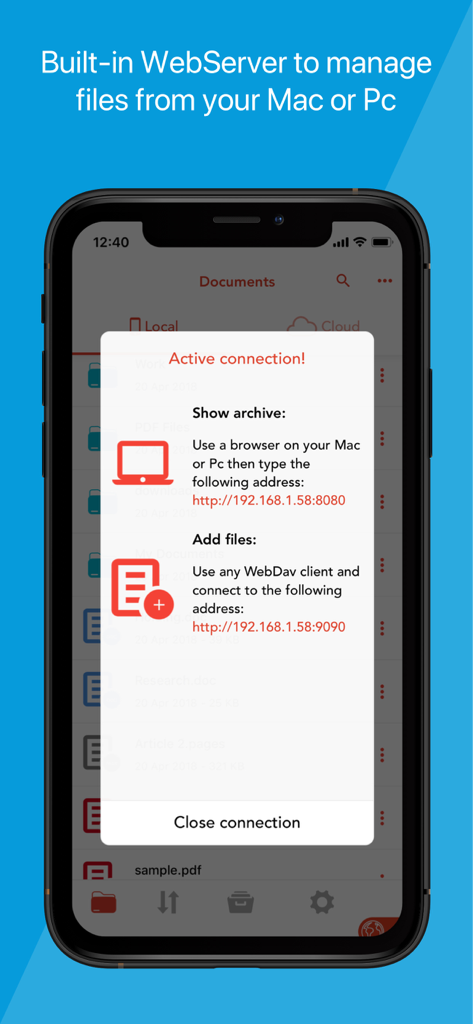
Mac 또는 PC에서 파일을 관리하기 위해 Amerigo 앱 내장 웹 서버 연결을 보여주는 스마트폰 화면
Mac 또는 PC에서 파일을 관리하기 위해 Amerigo 앱 내장 웹 서버 연결을 보여주는 스마트폰 화면

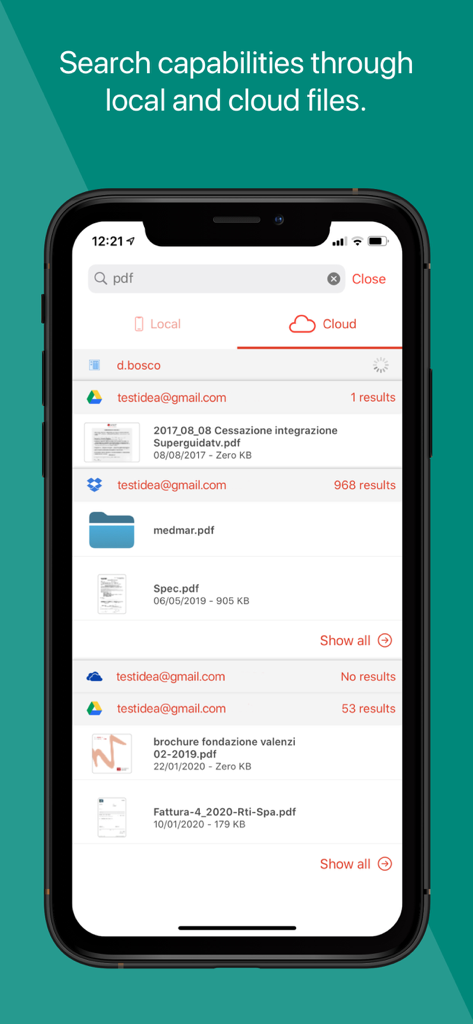
통합 클라우드 계정의 PDF 파일을 보여주는 Amerigo의 검색 인터페이스
통합 클라우드 계정의 PDF 파일을 보여주는 Amerigo의 검색 인터페이스

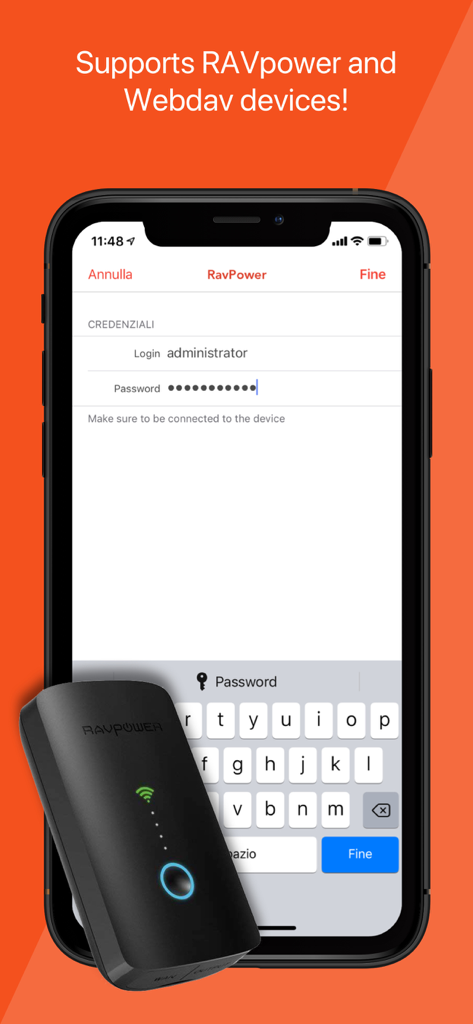
로그인 화면과 함께 RAVpower 및 WebDAV 장치에 대한 연결 지원을 보여주는 Amerigo 앱 인터페이스

로그인 화면과 함께 RAVpower 및 WebDAV 장치에 대한 연결 지원을 보여주는 Amerigo 앱 인터페이스

데스크톱급 성능으로 워크플로우를 마스터하세요

이 앱을 돋보이게 하는 도구, 311K+ 명의 사용자가 선택.

☁️

통합 멀티 클라우드 액세스

Dropbox, Google Drive, OneDrive, iCloud의 여러 계정을 연결하세요. 단일 인터페이스 내에서 다양한 제공업체 간의 파일을 원활하게 이동하고 관리할 수 있습니다.

📂

스마트 가상 폴더

원본 데이터를 이동하지 않고 다양한 클라우드 서비스와 로컬 저장소의 파일을 단일 가상 폴더에 그룹화하여 프로젝트를 효율적으로 정리하세요.

🖋️

프로 PDF 및 오피스 제품군

고급 제스처 지원으로 PDF를 읽고 주석을 달고, Microsoft Office 문서를 편집하고, ZIP 또는 RAR 아카이브를 데스크톱 수준의 기능으로 처리하세요.

앱 소개

에 대해 알아야 할 모든 것 Amerigo - File Manager.

설명

Amerigo is an enhanced file manager that allows you to manage and organize local and cloud-saved files. It's the only APP that allows to link multiple cloud (DropBox, Google Drive, OneDrive, iCloud Files) and offers iOS Files app integration to download and upload to any cloud from any app! For example if you receive an email, you can directly save the email attachments to one of the cloud linked in Amerigo, simply choosing "Save in files" in the action sheet. Virtual folders allows to group files that come from different sources (cloud/local): you can for example have a virtual folder with all the files that belongs to a project but are stored on different cloud storage providers. The Spotlight indexing of all local contents allows to immediately find and open the file you're looking for, without opening the app! You can also add more than one account for each clouds to increase your space! The integrated PDF viewer with enhanced annotation capabilities, automatically recognise common shapes and gestures, and allows to highlight paragraph by drawing a line over it. Main features: - iOS 11 Files app integration for ALL clouds linked to the app in read write mode. - Spotlight indexing of all content in the app. - Integration with the Dropbox, GDrive, OneDrive, iCloud services for remote file storage. - Search between all contents in the app and in the linked cloud storages thanks to the advanced search - Compression (zip) and decompression (zip & rar) of any files. - PDF editor with annotation, free-hand writing. - Support for all Microsoft Office files. - Simultaneous management of multiple Cloud accounts and management of folders shared with other users. - Enhanced bookmarks and history management. - URL autocomplete and search suggestions - Quick search bar, and enhanced search within all cloud and local files. - File archive with folders and subfolders capabilities. - PIN to hide selected folders. - Multi-tab fast internet browsing - Private browsing mode

최신 버전

3.13.11

크기

78.6 MB

출시일

2012년 6월 15일

iPhone 및 iPad에서 워크플로우를 마스터하세요

30만 명 이상의 파워 유저와 함께 클라우드 스토리지, PDF 편집, 파일 관리를 하나의 강력하고 데스크톱급 경험으로 통합하세요. 지금 바로 Amerigo를 다운로드하세요.

다운로드: App Store

App information, icons, screenshots, and descriptions displayed on this page are sourced from the Apple App Store and are the property of their respective developers. Download estimates and rankings are based on MWM's proprietary models and may not reflect actual figures. This page is provided for informational and analytical purposes only.

Believe this page infringes your intellectual property? File a dispute