aWallet Cloud Password Manager

aWallet Cloud Password Manager

다운로드: App Store
로고: aWallet Cloud Password Manager

aWallet Cloud 비밀번호 관리자: 일회성 결제로 전문가 수준의 보안 제공

AES-256 암호화를 사용하여 비밀번호, 은행 정보 및 개인 데이터를 안전하게 저장하세요. Dropbox 또는 Google Drive와 원활하게 클라우드 동기화하고 영원히 소유하는 금고로 구독 함정에서 벗어나세요.

개발사

Petr Synek

카테고리

Productivity

다운로드

204K+

사용자 평점

4.9/5

총 평가 수

1K+

지원 언어

10

안전한 금고 내부 살펴보기

이 인터페이스를 사용하는 204K+ 명의 사용자.

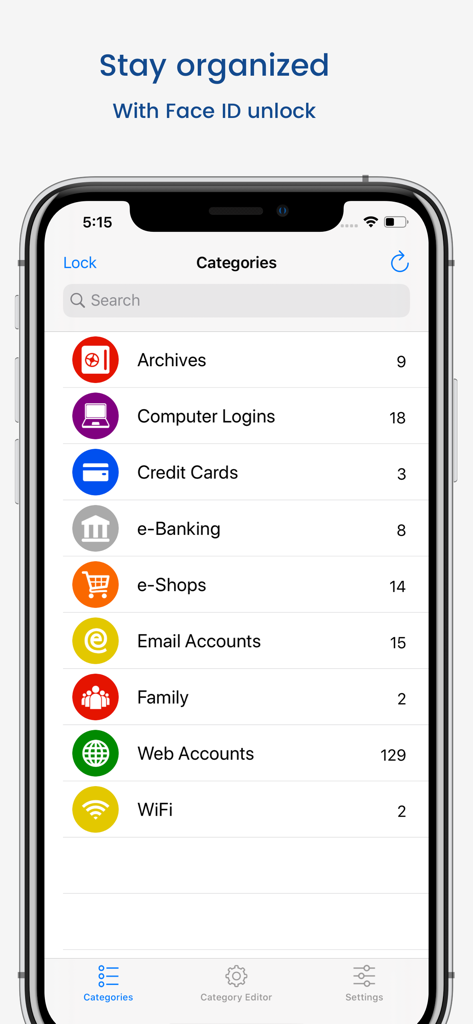
aWallet Cloud 비밀번호 관리자 앱 카테고리 화면, iPhone에서 보관물, 신용카드, 웹 계정 표시
aWallet Cloud 비밀번호 관리자 앱 카테고리 화면, iPhone에서 보관물, 신용카드, 웹 계정 표시

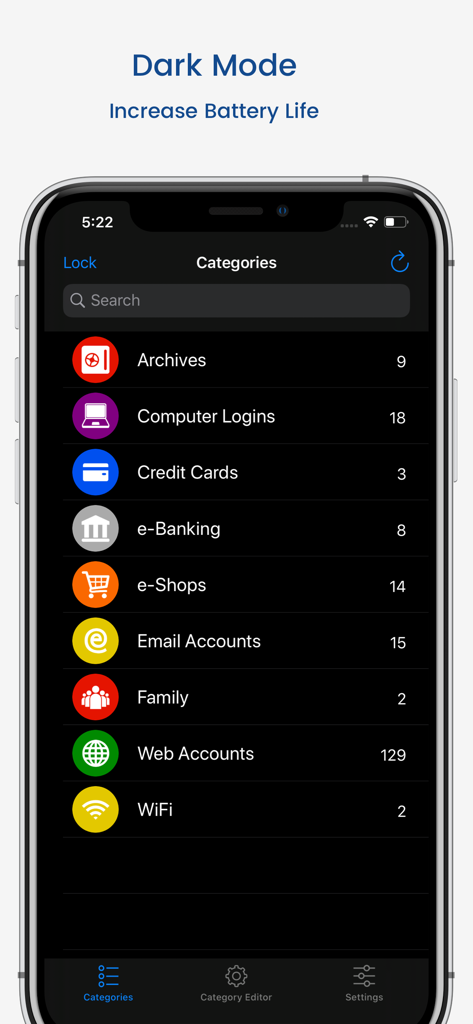
aWallet Cloud 비밀번호 관리자 앱 인터페이스, 다크 모드, iPhone 화면에서 신용카드, 전자 금융 등 여러 카테고리 표시
aWallet Cloud 비밀번호 관리자 앱 인터페이스, 다크 모드, iPhone 화면에서 신용카드, 전자 금융 등 여러 카테고리 표시

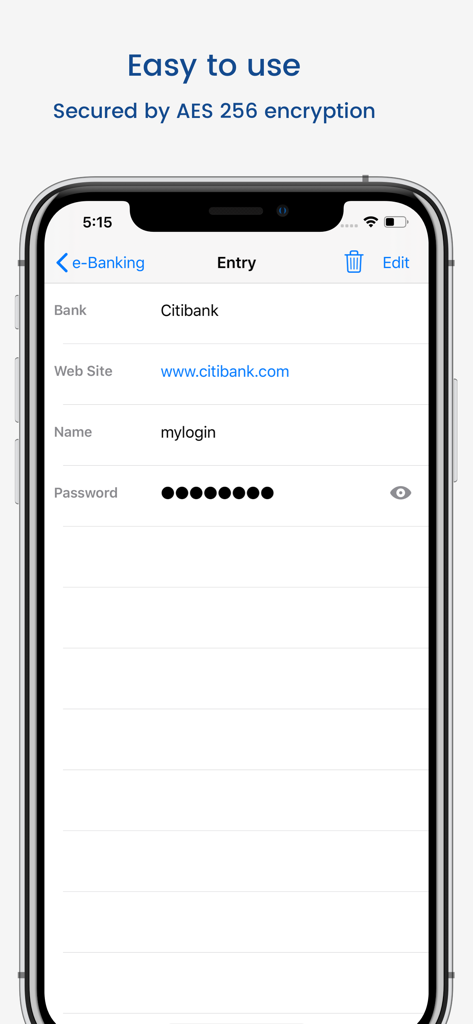
aWallet Cloud 비밀번호 관리자 은행 입력 화면, AES 256 암호화 메시지 표시
aWallet Cloud 비밀번호 관리자 은행 입력 화면, AES 256 암호화 메시지 표시

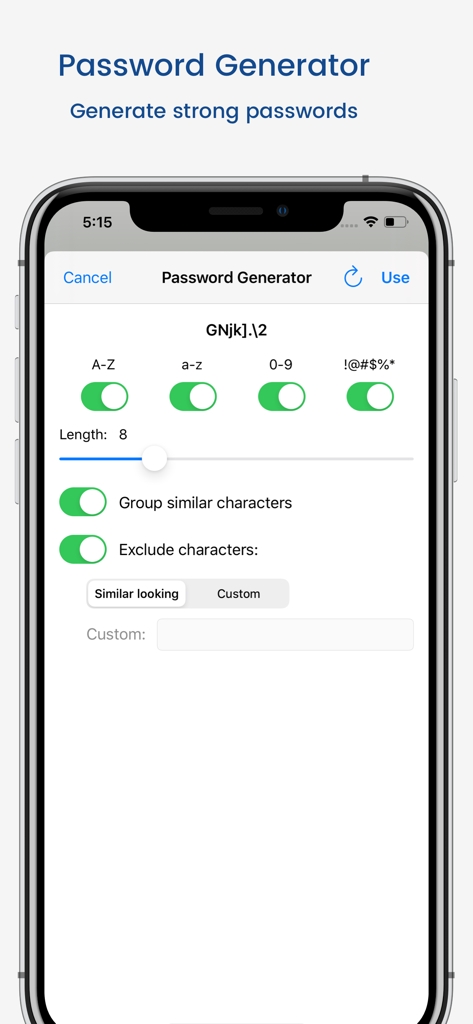
aWallet Cloud 비밀번호 관리자의 비밀번호 생성기 설정
aWallet Cloud 비밀번호 관리자의 비밀번호 생성기 설정

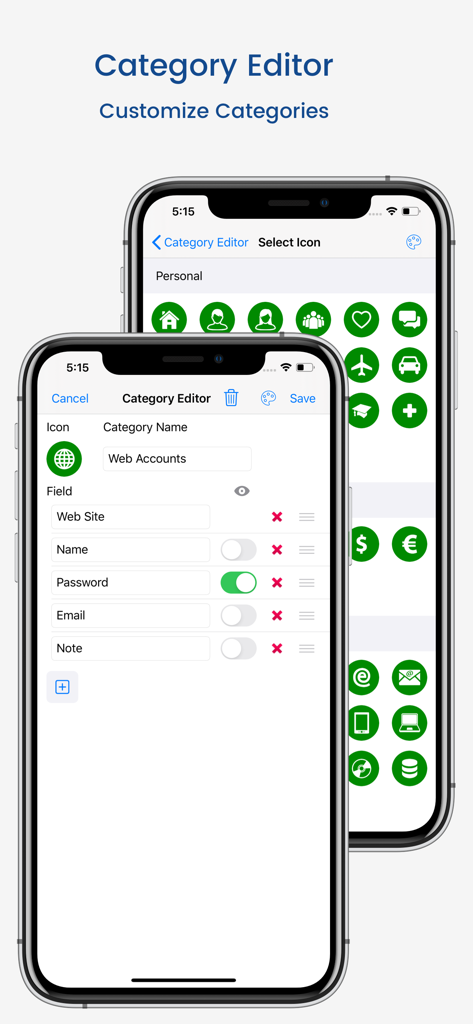
aWallet 카테고리 편집기 인터페이스, 데이터 필드 사용자 지정 및 아이콘 선택
aWallet 카테고리 편집기 인터페이스, 데이터 필드 사용자 지정 및 아이콘 선택

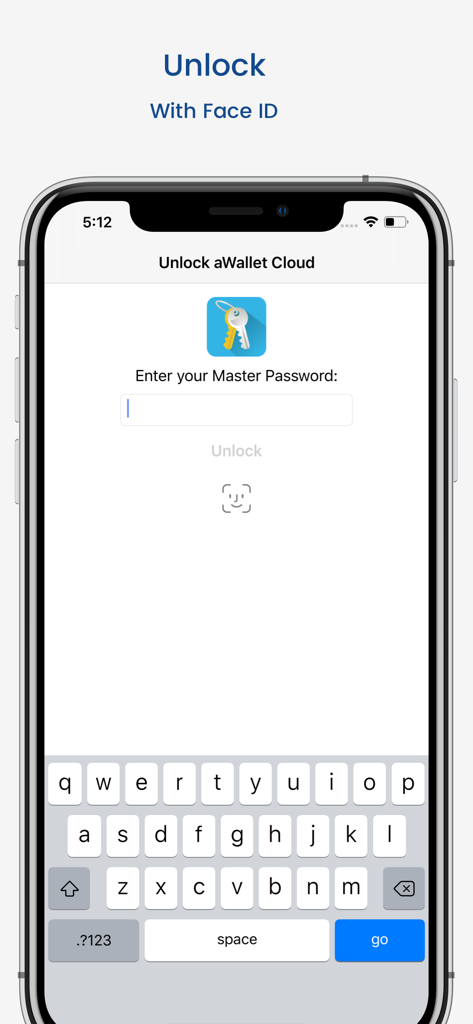
aWallet Cloud 비밀번호 관리자 잠금 해제 화면, 마스터 비밀번호 입력 및 Face ID 옵션 표시

aWallet Cloud 비밀번호 관리자 잠금 해제 화면, 마스터 비밀번호 입력 및 Face ID 옵션 표시

자신의 조건대로 디지털 생활을 안전하게 보호하세요

이 앱을 돋보이게 하는 도구, 204K+ 명의 사용자가 선택.

🏷️

일회성 결제, 평생 가치

구독 주기를 벗어나세요. 단 한 번의 투명한 구매로 Face ID 잠금 해제 및 비밀번호 생성기와 같은 모든 프리미엄 기능에 액세스하세요.

☁️

완전한 데이터 주권

금고의 열쇠는 당신이 쥐고 있습니다. 검증되지 않은 독점 서버 대신 자신의 Dropbox 또는 Google Drive 계정을 사용하여 암호화된 데이터를 동기화하세요.

🛡️

고급 기술 방어

256비트 AES 암호화 및 솔트 처리된 SHA-256 해싱으로 안심하세요. 가장 정교한 공격에도 견딜 수 있도록 설계된 전문가 수준의 보호.

앱 소개

에 대해 알아야 할 모든 것 aWallet Cloud Password Manager.

설명

• Securely stores your passwords, credit card information, e-banking credentials, web accounts and other custom data. • Synchronizes encrypted data with the Cloud: Dropbox or Google Drive. • There is a built in Editor for changing or creating new data Categories. • Search within fields. • Contains no advertisements. • One time payment - forever. • Supports backup and restore of the encrypted data file to the iTunes File Sharing folder. • Export of unencrypted data in CSV format to the iTunes File Sharing folder. • There is an Auto lock feature that can be preconfigured for a specific period of time. PRO FEATURES, included: • Cloud synchronization • Unlock with Face ID • Unlock with Touch ID • Password Generator • CSV Import SECURITY FEATURES • All data is encrypted, including Entry names, Category definitions and the data itself. • Encrypts data using AES or Blowfish algorithms with key sizes of 256, 192 or 128 bits. • When the data file is decrypted, up to all combinations of algorithm and key size are tried with the Master password to unlock the data file. The app itself does not store any hint to the actual cipher or key size. • Uses a randomly generated 'salt' combined with the Master password. Salt helps to protect from off-line dictionary attacks. • The key to open the data file is created by combining your master password with the 512-bit 'salt'. The result is hashed 1000 times by SHA-256. Repetitive hashing makes a brute force attack more difficult. • Supports auto destruction of the data file after a predefined number of unsuccessful unlocks have been tried. For more info see http://www.awallet.org/ If you like this App, rate it in the App Store. If you have any suggestions, just let me know.

최신 버전

11.0.0

크기

43.3 MB

출시일

2017년 1월 24일

단 한 번의 결제로 디지털 미래를 안전하게 보호하세요

개인 정보 보호를 위해 매월 지불하는 것을 중단하세요. 은행 수준의 암호화, 클라우드 주권 및 구독 없이 평생 보안을 제공하는 aWallet을 신뢰하는 200,000명 이상의 사용자와 함께하세요.

다운로드: App Store

App information, icons, screenshots, and descriptions displayed on this page are sourced from the Apple App Store and are the property of their respective developers. Download estimates and rankings are based on MWM's proprietary models and may not reflect actual figures. This page is provided for informational and analytical purposes only.

Believe this page infringes your intellectual property? File a dispute