Big Keys Keyboard
Big Keys Keyboard
다운로드: App Store

이 페이지는 앱이나 개발자의 공식 페이지가 아니며, 정보 제공 및 논평을 목적으로 작성된 독립 편집 간행물입니다. 명시적으로 달리 언급되지 않는 한, 해당 앱이나 개발자는 MWM, Apple, Google Play, 앱 퍼블리셔 또는 앱 개발자와 제휴, 보증, 후원, 승인 또는 공식적으로 연결되어 있지 않으며, 이 페이지의 어떤 내용도 해당 앱이 MWM의 서비스를 사용하여 개발되었음을 의미하지 않습니다. 모든 상표, 로고, 스크린샷 및 기타 콘텐츠는 해당 소유자의 자산입니다.

로고: Big Keys Keyboard
다운로드: App Store

Big Keys Keyboard

작은 버튼과 눈의 피로로 고생하지 마세요. 시니어 및 저시력 사용자를 위해 디자인된 저희의 높은 대비 키보드로 사랑하는 사람들에게 안심하고 메시지를 보낼 수 있습니다.

주요 수치

다운로드

71K+

사용자 평점

3.7/5

총 평가 수

1K+

개발사

Hassan Hattab

카테고리

Productivity

지원 언어

11

최신 버전

4.2

크기

88.2 MB

출시일

2017년 3월 7일
기능

명확성과 자신감을 위한 디자인

작은 버튼으로 고생하지 마세요. Big Keys Keyboard는 타이핑 경험을 명확하고 차분하며 쉬운 것으로 바꿔줍니다.

매우 큰 키 & 텍스트

가독성을 완벽하게 만들기 위해 글자와 타이핑 텍스트를 원하는 크기로 조절하여 눈의 피로를 제거하세요.

높은 대비 테마

글자를 돋보이게 하고 시각적 산만함을 줄이는 대담하고 높은 가독성의 레이아웃 중에서 선택하세요.

다음 스크린샷과 설명은 앱의 공식 스토어 목록에서 직접 가져온 것이며 앱 개발자의 자산입니다.

앱 스토어

스크린샷
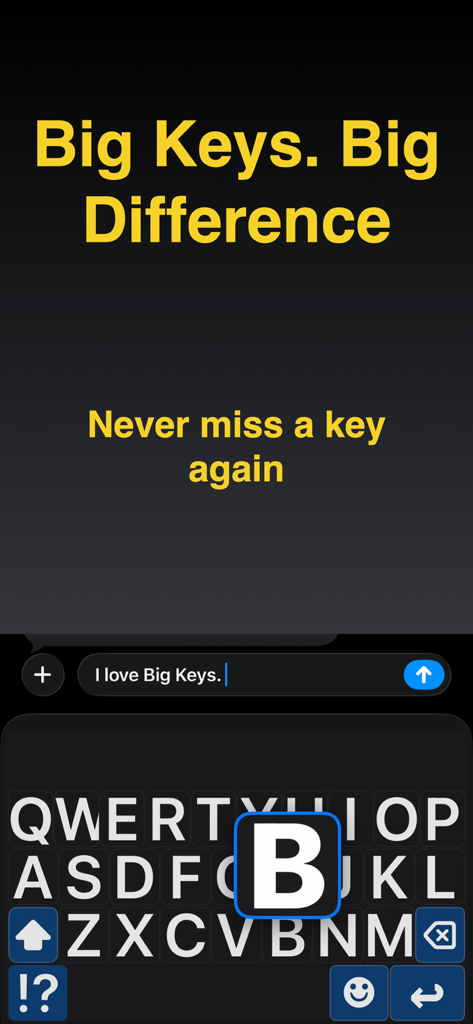
Big Keys Keyboard - 쉬운 타이핑을 위해 큰 글자와 확대된 글자 미리보기가 있는 높은 대비 키보드
쉬운 타이핑을 위해 큰 글자와 확대된 글자 미리보기가 있는 높은 대비 키보드

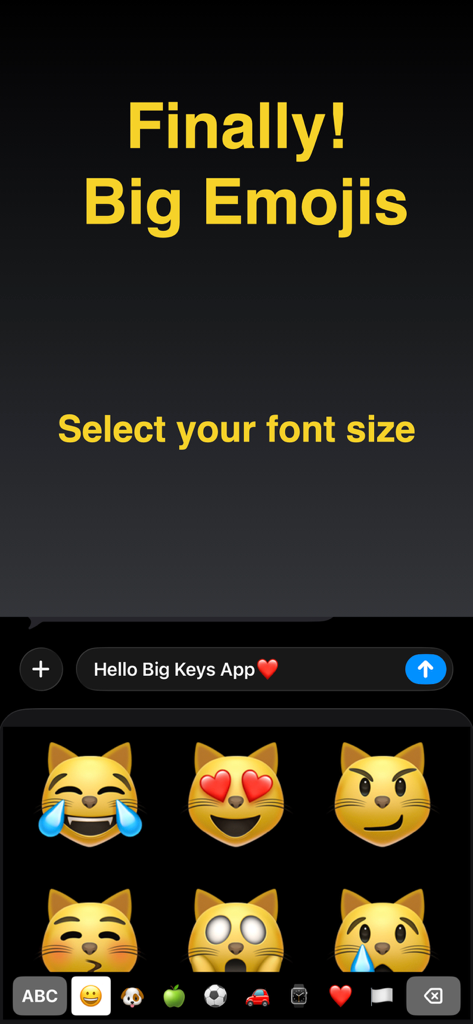
Big Keys Keyboard - 더 나은 가독성을 위해 조절 가능한 글자 크기를 나타내는 텍스트와 큰 고양이 이모지가 표시된 모바일 화면.
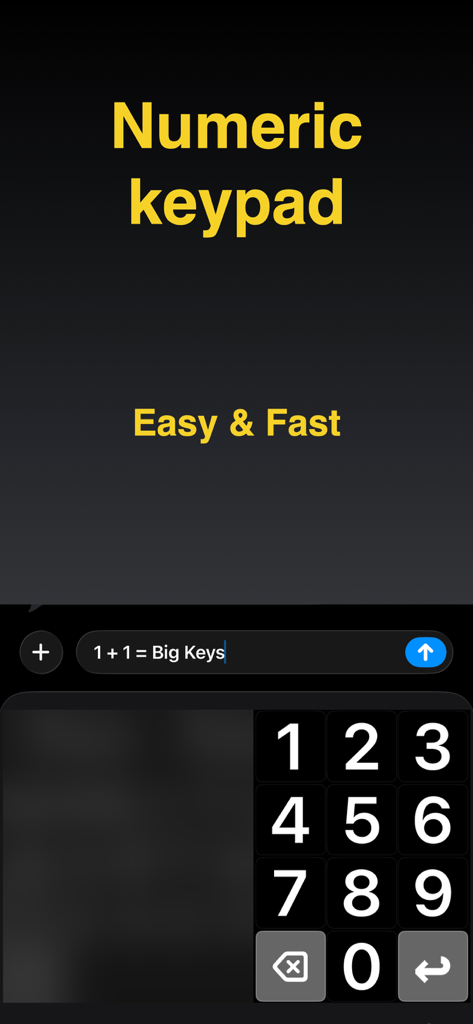
더 나은 가독성을 위해 조절 가능한 글자 크기를 나타내는 텍스트와 큰 고양이 이모지가 표시된 모바일 화면.

Big Keys Keyboard - iPhone에서 쉽게 타이핑할 수 있도록 크고 명확한 숫자 키패드를 특징으로 하는 Big Keys Keyboard 앱 스크린샷
iPhone에서 쉽게 타이핑할 수 있도록 크고 명확한 숫자 키패드를 특징으로 하는 Big Keys Keyboard 앱 스크린샷

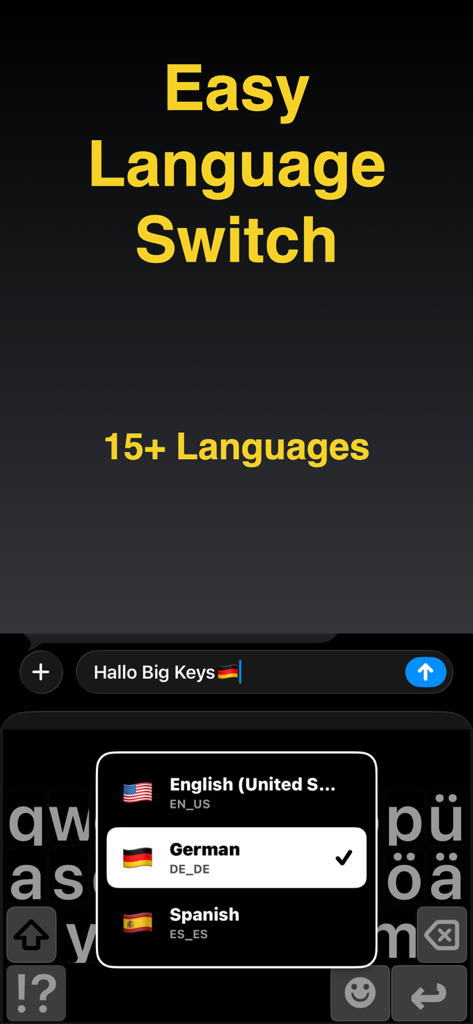
Big Keys Keyboard - 영어, 독일어, 스페인어 언어 선택 메뉴가 표시된 큰 키가 있는 높은 대비 모바일 키보드
영어, 독일어, 스페인어 언어 선택 메뉴가 표시된 큰 키가 있는 높은 대비 모바일 키보드

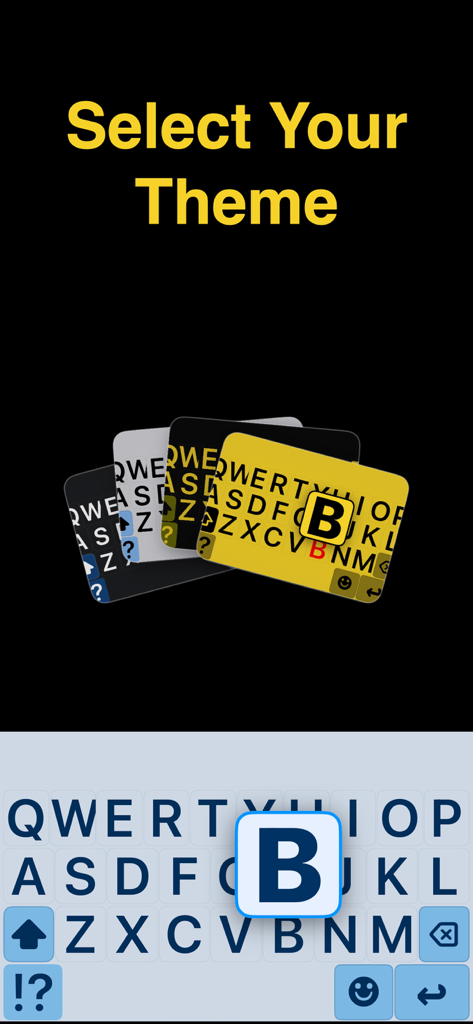
Big Keys Keyboard - 더 나은 가독성을 위한 큰 글자 키가 있는 높은 대비 키보드 테마

더 나은 가독성을 위한 큰 글자 키가 있는 높은 대비 키보드 테마

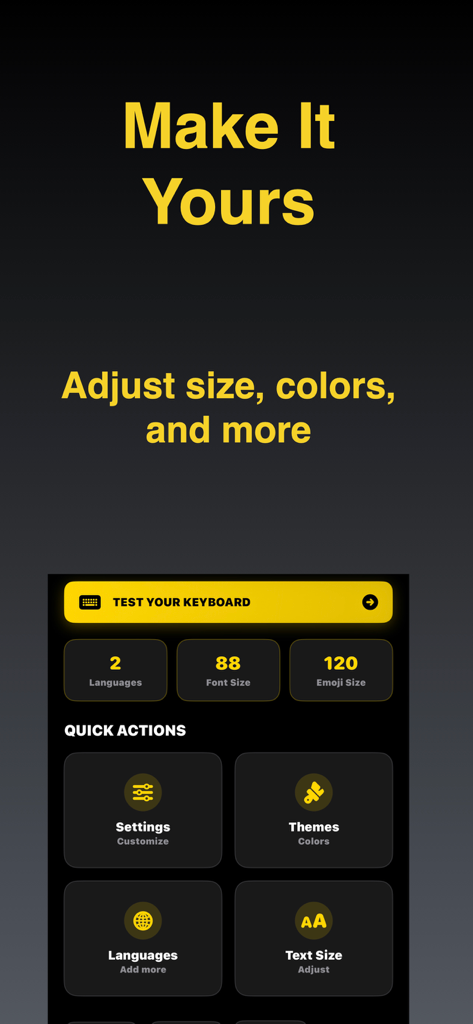
Big Keys Keyboard - 글자 크기, 이모지 크기, 테마를 조절하는 옵션을 보여주는 Big Keys Keyboard 사용자 정의 메뉴.

글자 크기, 이모지 크기, 테마를 조절하는 옵션을 보여주는 Big Keys Keyboard 사용자 정의 메뉴.

설명

Big Keys Keyboard helps you type with large keys, large text, and an accessible keypad on iPhone. It is built for low vision, seniors, and anyone who wants a clearer, calmer keyboard. Make your next message easier to write and easier to trust, starting now! Built for visibility Most keyboards assume perfect vision and tiny, precise taps. Big Keys Keyboard focuses on clarity with bigger letters, clearer spacing, and layouts that feel easier to follow so you can type with less strain. A calmer keyboard experience Some people find standard keyboards visually noisy or overwhelming. This keyboard aims to feel more predictable by keeping things clear and reducing unnecessary clutter, which may help support focused typing for users who prefer a calmer layout. Helpful for caregivers If you are setting up a phone for a parent, child, or someone who needs accessibility support, Big Keys Keyboard can be a simple helper to get them typing comfortably faster. Keys, text, and emojis Adjust key size to reduce mistaps and make each tap feel more accurate. Make the typing text larger so you can confirm words faster before you hit send. And if emojis look tiny, scale them up so your favorites are easier to see and select. Dedicated keypad Need to type digits fast? The built-in keypad is there for PINs and codes, but also for phone numbers, prices, and addresses. High contrast themes Choose a look that keeps the keyboard clear and readable. Bright light can wash things out, so stronger contrast often helps. At night, a calmer theme can feel better while the letters stay easy to see. Language support If you type in more than one language, switching should not feel like work. Use the language options in the keyboard so you can keep your flow across messages, email, and search. Less retyping Gesture shortcuts can help you reach the keypad or special characters faster. If enabled, haptic feedback can make key presses feel more certain, and a last key indicator can make quick corrections easier. Quick answers - Can I really make the keys bigger? Yes, you can adjust key size to match your comfort. - Does it help with low vision? Yes, the design focuses on large letters, clear spacing, and contrast. - Is there a number pad? Yes, there is a dedicated keypad for fast digits and codes. - Can I make emojis bigger? Yes, emoji size can be increased too. - Is setup complicated? No. Enable the keyboard once in iPhone Settings and then use it anywhere you type. - Is there an upgrade? Big Keys Keyboard may offer optional upgrades that unlock additional options. Download our app and start typing with less strain and more confidence. Set your ideal key size, pick a high contrast theme, and keep the keypad ready for numbers whenever you need it. Enable Big Keys Keyboard in minutes and enjoy a clearer keyboard every day! Terms of Use: https://www.youapps.co/privacypolicy

Download

다운로드: App Store

이 페이지는 앱이나 개발자의 공식 페이지가 아니며, 정보 제공 및 논평을 목적으로 작성된 독립 편집 간행물입니다. 명시적으로 달리 언급되지 않는 한, 해당 앱이나 개발자는 MWM, Apple, Google Play, 앱 퍼블리셔 또는 앱 개발자와 제휴, 보증, 후원, 승인 또는 공식적으로 연결되어 있지 않으며, 이 페이지의 어떤 내용도 해당 앱이 MWM의 서비스를 사용하여 개발되었음을 의미하지 않습니다. 모든 상표, 로고, 스크린샷 및 기타 콘텐츠는 해당 소유자의 자산입니다.