
이 페이지는 앱이나 개발자의 공식 페이지가 아니며, 정보 제공 및 논평을 목적으로 작성된 독립 편집 간행물입니다. 명시적으로 달리 언급되지 않는 한, 해당 앱이나 개발자는 MWM, Apple, Google Play, 앱 퍼블리셔 또는 앱 개발자와 제휴, 보증, 후원, 승인 또는 공식적으로 연결되어 있지 않으며, 이 페이지의 어떤 내용도 해당 앱이 MWM의 서비스를 사용하여 개발되었음을 의미하지 않습니다. 모든 상표, 로고, 스크린샷 및 기타 콘텐츠는 해당 소유자의 자산입니다.


Blurrr-Music video editor
사용자 지정 키프레임, AI 매팅 및 3D 카메라 기능으로 흐름을 마스터하세요. 이동 중에도 전문가 수준의 효과와 완벽한 비트 동기화를 원하는 크리에이터를 위한 최고의 모바일 편집기입니다.
다운로드
4M+사용자 평점
총 평가 수
18K+개발사
카테고리
Photo & Video지원 언어
15최신 버전
2.3.56크기
423.2 MB출시일
2021년 12월 22일콘텐츠 수준을 높이세요
차세대 크리에이터를 위해 설계된 전문가 수준의 편집 도구. Blurrr로 모바일 영상을 강력한 걸작으로 변환하세요.
바이럴 속도 마스터
고급 시간 재매핑 및 부드러운 곡선 사전 설정을 사용하여 클립을 비트에 완벽하게 동기화하여 완벽한 바이럴 흐름을 만드세요.
정밀 키프레임 편집
사용자 지정 곡선 및 다중 레이어 믹싱으로 완전한 창의적 자유를 경험하고 데스크톱 소프트웨어에 필적하는 애니메이션을 만드세요.
자주 묻는 질문
에 대해 알아야 할 모든 것 Blurrr-Music video editor
Blurrr-Music video editor란 무엇인가요?
Blurrr는 초보자와 전문가 모두를 위한 전문 비디오 편집기로, 비디오 편집을 위한 고급 효과, 풍부한 사전 설정 및 HD 품질을 제공합니다. 키프레임, 곡선 및 속도 편집과 같은 기능이 포함되어 있습니다.
Blurrr 앱은 4K 비디오 편집을 지원하나요?
네, Blurrr-Music video editor는 HDR 및 Super Resolution과 함께 4K 품질을 지원합니다. 사용자는 렌더링 중에 비디오를 최대 4배(3840x2160)까지 업스케일할 수 있습니다.
Blurrr 앱에서 속도 편집을 어떻게 만드나요?
Blurrr 앱에는 속도 비디오를 위한 Timeremap 기능이 있습니다. 비트를 자동으로 표시하고 키프레임을 이동하여 사용자가 그래프 사전 설정을 사용하여 음악과 이미지를 동기화할 수 있습니다.
Blurrr-Music video editor에서 사용자 정의 키프레임을 사용할 수 있나요?
네, Blurrr는 사용자 정의 키프레임과 곡선을 제공하여 사용자가 비디오 내의 애니메이션 효과 및 변경 사항을 완벽하게 제어할 수 있습니다. 이를 통해 역동적이고 창의적인 편집이 가능합니다.
Blurrr 앱은 몇 가지 효과와 필터를 제공하나요?
Blurrr 앱은 140개 이상의 특수 효과와 거의 100개의 필터를 제공합니다. 이러한 효과와 필터는 시각 효과 전문가가 제작하여 비디오를 향상시키고 강한 인상을 남깁니다.
Blurrr는 AI 배경 제거 기능을 제공하나요?
네, Blurrr-Music video editor에는 AI Intelligent Matting 기능이 포함되어 있습니다. 이 기능을 통해 사용자는 배경을 쉽게 제거하여 창의적인 비디오 제작에 자유를 제공합니다.
Blurrr 앱에서 3D 효과를 어떻게 적용하나요?
Blurrr 앱은 3D 및 카메라 기능을 지원하여 3차원 비디오를 만듭니다. 터널, 컨베이어 벨트, 큐브 및 VFX와 같은 다양한 3D 구성을 처리하여 사실감을 향상시킬 수 있습니다.
Blurrr-Music video editor의 구독 옵션은 무엇인가요?
Blurrr는 Yearly VIP 및 Yearly SVIP라는 구독 서비스를 제공합니다. 결제는 AppleID로 청구되며, 현재 기간 종료 24시간 전에 비활성화하지 않으면 구독은 자동 갱신됩니다.
Blurrr에서 비디오 편집을 위해 여러 레이어를 혼합할 수 있나요?
네, Blurrr에는 FREE TRACK LAYER MIX 기능이 있습니다. 이를 통해 사용자는 여러 비디오, 오디오 및 이미지 레이어를 결합하여 다양하고 풍부한 시각 효과를 만들 수 있습니다.
Blurrr 앱 구독을 어떻게 취소하나요?
Blurrr 구독을 취소하려면 현재 기간이 만료되기 24시간 전에 Apple ID 설정에서 자동 갱신을 수동으로 해제해야 합니다. iPhone 설정 > Apple ID > 구독으로 이동하세요.
Blurrr는 텍스트 애니메이션 사전 설정을 제공하나요?
네, Blurrr는 텍스트 애니메이션 사전 설정을 제공합니다. 사용자는 텍스트 레이아웃, 스타일 및 애니메이션을 자유롭게 편집할 수 있으며, 한 번의 클릭으로 적용할 수 있는 다양한 사전 설정이 있습니다.
다음 스크린샷과 설명은 앱의 공식 스토어 목록에서 직접 가져온 것이며 앱 개발자의 자산입니다.
앱 스토어
스크린샷
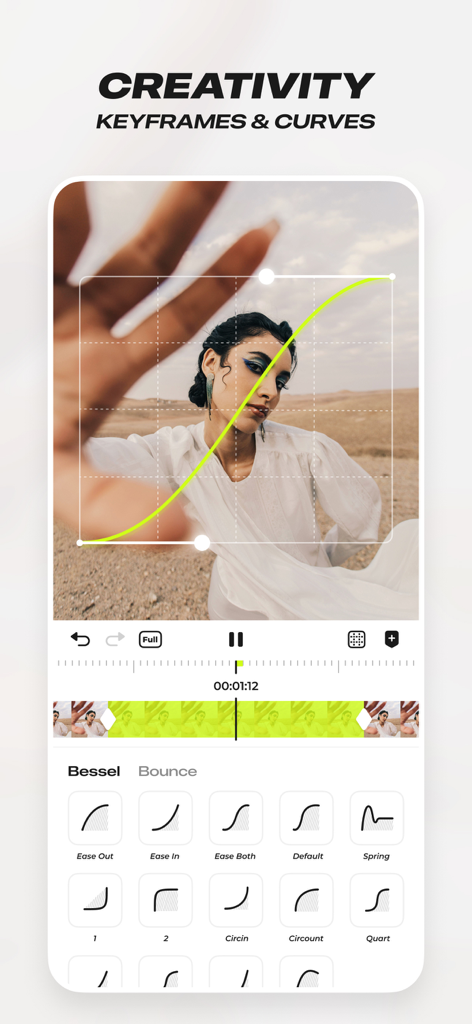
전문 비디오 편집을 위한 사용자 지정 키프레임 및 애니메이션 곡선을 보여주는 Blurrr 앱 인터페이스
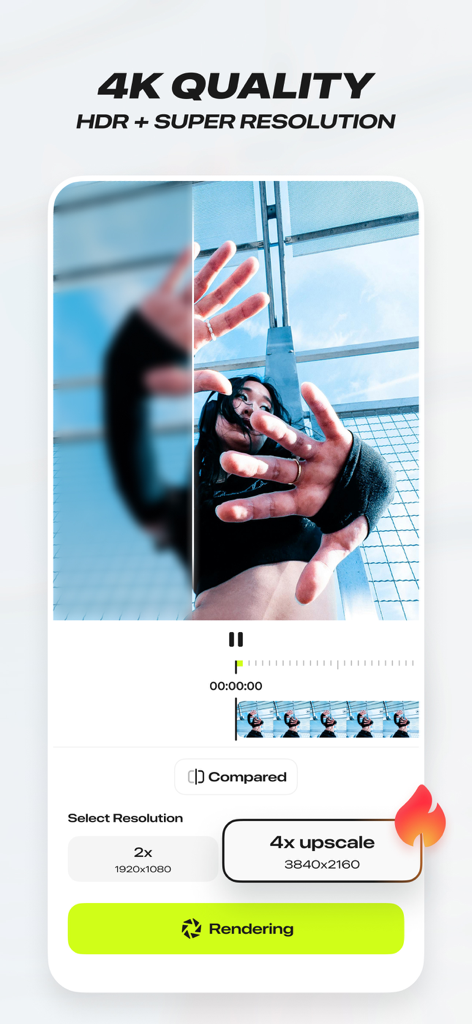
Blurrr 앱 인터페이스, 4K HDR 및 슈퍼 해상도 비디오 업스케일링 기능 표시
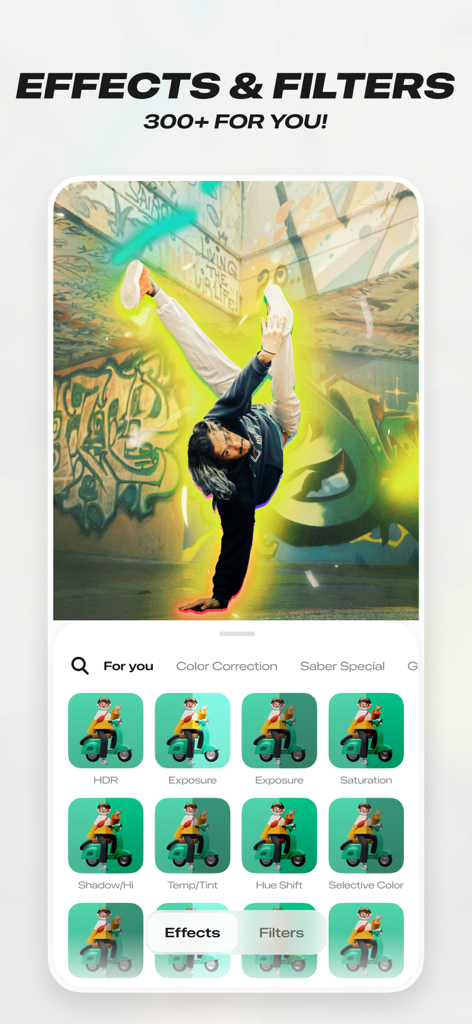
300개 이상의 효과와 필터를 보여주는 Blurrr 앱 인터페이스, 브레이크 댄서에게 빛나는 후광 효과 적용
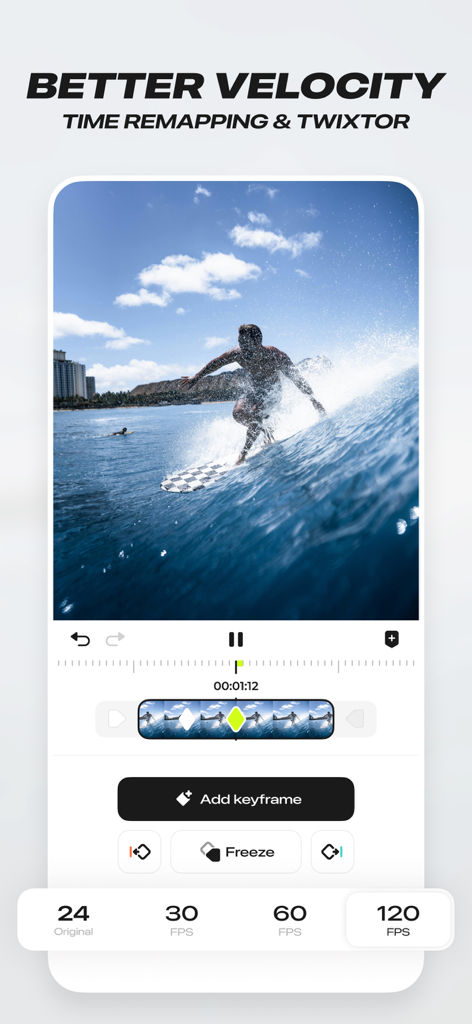
비디오 편집을 위한 시간 재매핑 및 속도 기능을 시연하는 Blurrr 앱 인터페이스
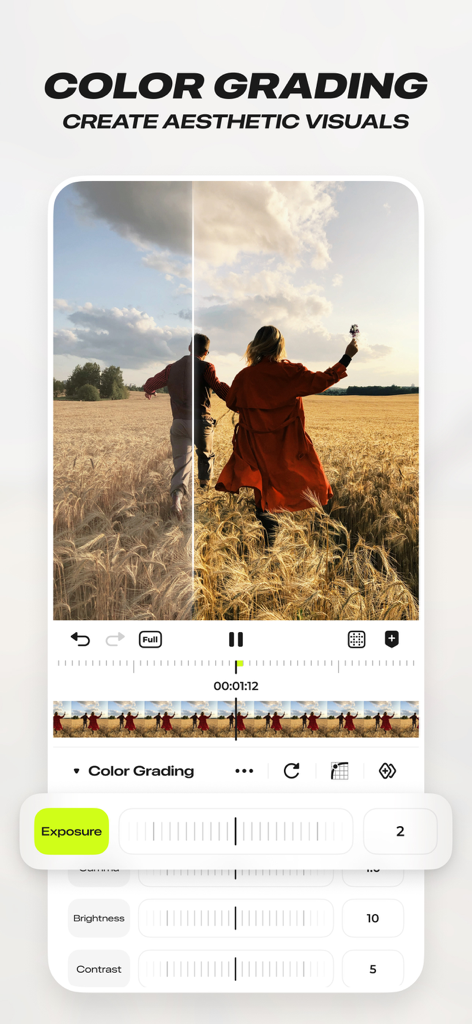
노출 및 대비 컨트롤을 보여주는 Blurrr 뮤직 비디오 편집기의 전문 색상 보정 인터페이스
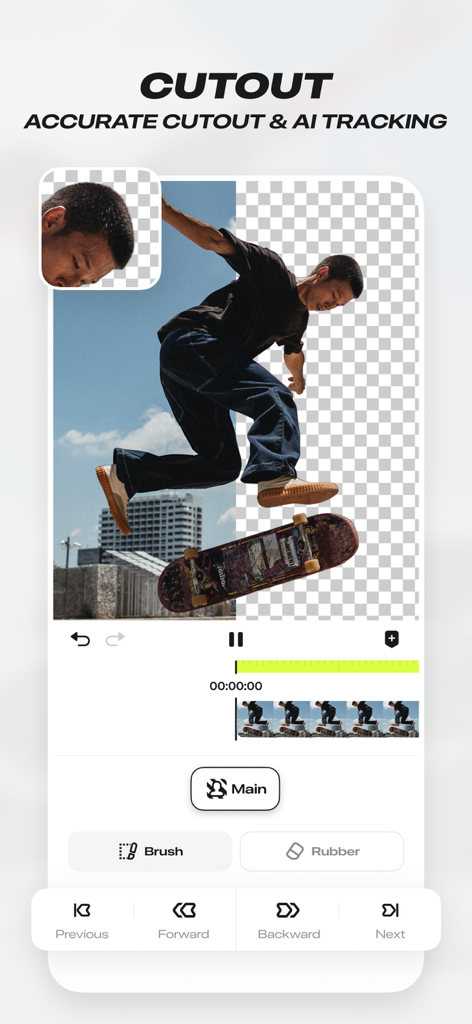
스케이트보더가 배경에서 분리된 AI 컷아웃 및 정확한 추적 도구를 보여주는 Blurrr-Music 비디오 편집기의 모바일 앱 인터페이스
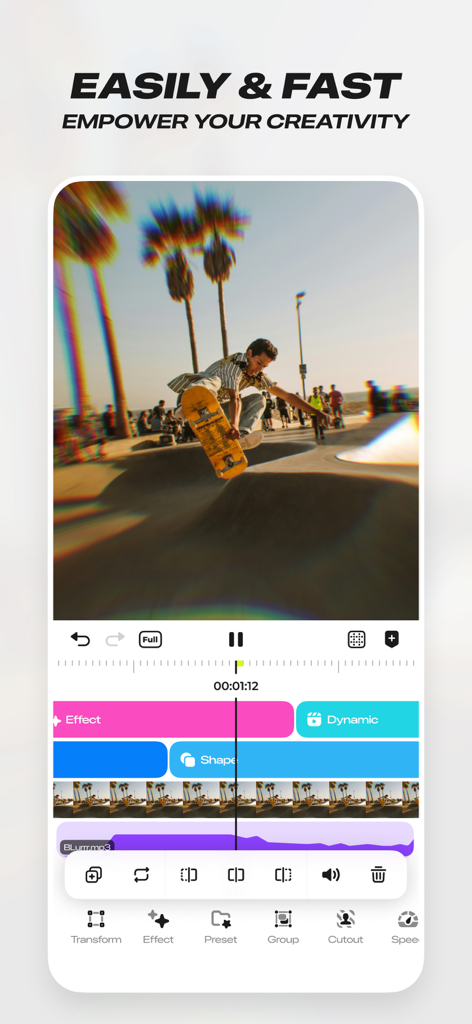
여러 편집 레이어 및 효과가 있는 스케이트보드 비디오 클립을 보여주는 Blurrr 뮤직 비디오 편집기의 인터페이스
설명
Download
비슷한 앱
유사한 기능과 사용자 경험을 가진 앱

VN: AI Video Editor
Ubiquiti Labs, LLC

Splice - Video Editor & Maker
Bending Spoons Apps ApS

Node Video
小为 罗

Filmmaker Pro - Video Editor
Tinkerworks Apps

Time Cut: Smooth Slow Motion
立亚 林

LumaFusion
Luma Touch LLC

Slow Motion Video Fx Editor
Brain Craft Ltd

WEILO - My Last Video Editor
vimosoft

Video Effects Editor: Riveo
Forge and Form GmbH
이 페이지는 앱이나 개발자의 공식 페이지가 아니며, 정보 제공 및 논평을 목적으로 작성된 독립 편집 간행물입니다. 명시적으로 달리 언급되지 않는 한, 해당 앱이나 개발자는 MWM, Apple, Google Play, 앱 퍼블리셔 또는 앱 개발자와 제휴, 보증, 후원, 승인 또는 공식적으로 연결되어 있지 않으며, 이 페이지의 어떤 내용도 해당 앱이 MWM의 서비스를 사용하여 개발되었음을 의미하지 않습니다. 모든 상표, 로고, 스크린샷 및 기타 콘텐츠는 해당 소유자의 자산입니다.