
이 페이지는 앱이나 개발자의 공식 페이지가 아니며, 정보 제공 및 논평을 목적으로 작성된 독립 편집 간행물입니다. 명시적으로 달리 언급되지 않는 한, 해당 앱이나 개발자는 MWM, Apple, Google Play, 앱 퍼블리셔 또는 앱 개발자와 제휴, 보증, 후원, 승인 또는 공식적으로 연결되어 있지 않으며, 이 페이지의 어떤 내용도 해당 앱이 MWM의 서비스를 사용하여 개발되었음을 의미하지 않습니다. 모든 상표, 로고, 스크린샷 및 기타 콘텐츠는 해당 소유자의 자산입니다.

Splice - Video Editor & Maker
이것은 모바일이 더 이상 단순한 소비 장치가 아님을 선언한다. 당신의 손안에서 데스크톱 스튜디오의 지배력을 찬탈하는 도구다.
다운로드
75M+사용자 평점
총 평가 수
1.4M개발사
카테고리
Photo & Video지원 언어
12최신 버전
4.28.60크기
161.6 MB출시일
2010년 12월 23일Splice - Video Editor & Maker 핵심 기능 분석
모바일 환경에 최적화된 강력한 동영상 편집 도구의 주요 특징 및 영향력 평가
간편한 소셜 미디어 공유
편집된 비디오를 YouTube, Instagram, TikTok 등 주요 소셜 미디어 플랫폼에 직접 공유할 수 있어 콘텐츠 배포 과정을 간소화합니다.
방대한 로열티 프리 음원 라이브러리
6,000개 이상의 로열티 프리 음원 중에서 선택하여 동영상에 적합한 배경 음악을 쉽고 안전하게 추가할 수 있습니다.
클립 편집 (트림, 컷, 크롭)
사용자가 불필요한 부분을 제거하고 원하는 길이로 영상 및 사진 클립을 조절할 수 있도록 기본적인 비디오 편집 기능을 제공합니다.
내레이션 및 음성 효과 녹음
내장된 음성 녹음기를 사용하여 동영상에 내레이션을 추가하거나 사용자 지정 음향 효과를 녹음하여 콘텐츠의 이해도와 몰입도를 높입니다.
자막, 텍스트 오버레이 및 아웃트로
제목 슬라이드, 텍스트 오버레이, 사용자 지정 아웃트로를 추가하여 정보 전달을 명확히 하고 브랜드 아이덴티티를 강화할 수 있습니다.
전환 효과 및 속도 조절
클립 사이의 전환 스타일을 선택하고 속도를 제어하여 영상의 흐름을 부드럽거나 역동적으로 만들 수 있습니다.
정교한 오디오 트랙 편집
여러 오디오 트랙을 정밀하게 다듬고 믹싱하여 최적의 사운드 밸런스를 만들고 오디오 품질을 향상시킵니다.
색상 및 시각 효과 조정
영상의 노출, 대비, 채도 등을 미세하게 조정하여 시각적 품질을 향상시키고 전문적인 분위기를 연출할 수 있습니다.
특수 시각 효과 추가
글리치, 크로마, 빈티지 등 다양한 시각 효과를 적용하여 동영상의 시각적 흥미를 더하고 독특한 스타일을 부여합니다.
재생 속도 조절 및 스피드 램핑
동영상의 재생 속도를 빠르게 하거나 느리게 조절할 수 있으며, 스피드 램핑 기능을 통해 역동적인 장면 전환 효과를 연출할 수 있습니다.
자주 묻는 질문
에 대해 알아야 할 모든 것 Splice - Video Editor & Maker
What is Splice - Video Editor & Maker?
Splice is a powerful video editor designed for iPhone and iPad, enabling users to create professional-looking videos. It offers advanced features optimized for mobile devices, making video editing accessible on the go.
Can I edit videos on my iPhone with Splice?
Yes, Splice makes it easy to create fully customized, professional-looking videos on your iPhone or iPad. It is optimized to perform like a desktop editor on your mobile device.
What editing tools are available in the Splice app?
Splice provides powerful editing tools such as trim, cut, crop, exposure adjustment, speed control, overlaying, Chroma Key, Ken Burns effect, filters, and various glitch, chroma, and vintage effects.
How can I add music to my videos in Splice?
Splice allows users to choose from over 6,000 royalty-free tracks, trim and mix audio, use songs from their iTunes collection, or record custom narration and sound effects with the built-in voice recorder.
Does Splice support Chroma Key for video editing?
Yes, Splice supports Chroma Key functionality, allowing users to remove backgrounds from their videos. This feature enables the creation of incredible overlay effects with precision.
Can Splice create slow motion videos?
Yes, Splice can create slow motion videos. Users can adjust the playback speed for fast or slow motion, and the app also includes speed ramping capabilities for dynamic effects.
How do I share videos created with Splice?
Splice makes sharing easy, allowing users to share videos directly to platforms like YouTube, Instagram, TikTok, Facebook, Mail, and Messages. Videos can also be saved to the camera roll.
What are the subscription options for Splice - Video Editor & Maker?
Splice offers weekly, monthly, and yearly subscription lengths. Payment is charged to your iTunes Account upon purchase confirmation. Auto-renewal can be managed in Account Settings.
How do I cancel my Splice subscription?
You can manage your Splice subscription and turn off auto-renewal from your Account Settings after purchase. Auto-renewal must be disabled at least 24 hours before the current period ends.
Does Splice offer video effects like glitch or vintage?
Yes, Splice offers a variety of amazing video effects, including glitch, chroma, and vintage. Users can apply these effects to enhance their videos and create unique visual styles.
다음 스크린샷과 설명은 앱의 공식 스토어 목록에서 직접 가져온 것이며 앱 개발자의 자산입니다.
앱 스토어
스크린샷

강력한 모바일 편집
이 앱은 멀티 트랙 타임라인을 통해 복잡한 프로젝트를 관리하고, 크로마 키 효과를 적용하여 배경을 쉽게 제거할 수 있도록 지원합니다.
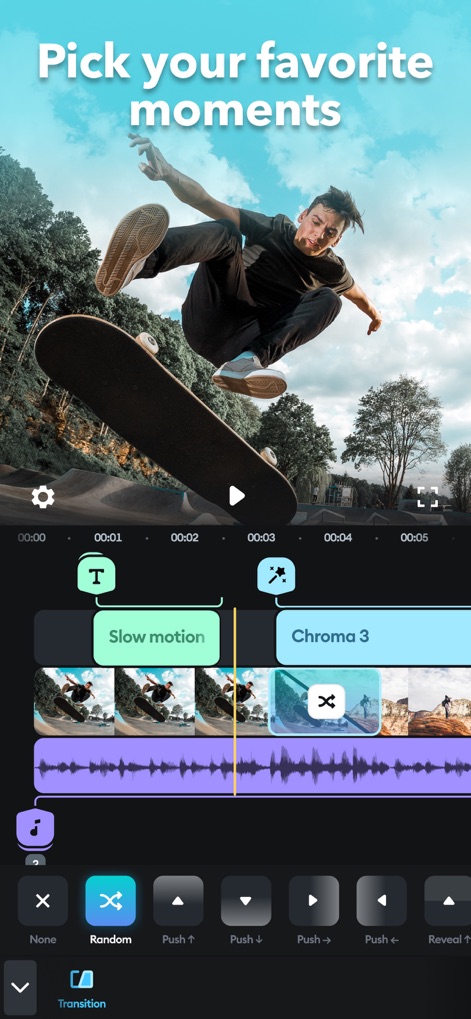
다채로운 전환 효과
사용자는 슬로우 모션 효과로 영상의 특정 부분을 돋보이게 하고, 다양한 전환 옵션을 선택하여 장면 전환을 더욱 부드럽고 역동적으로 만들 수 있습니다.
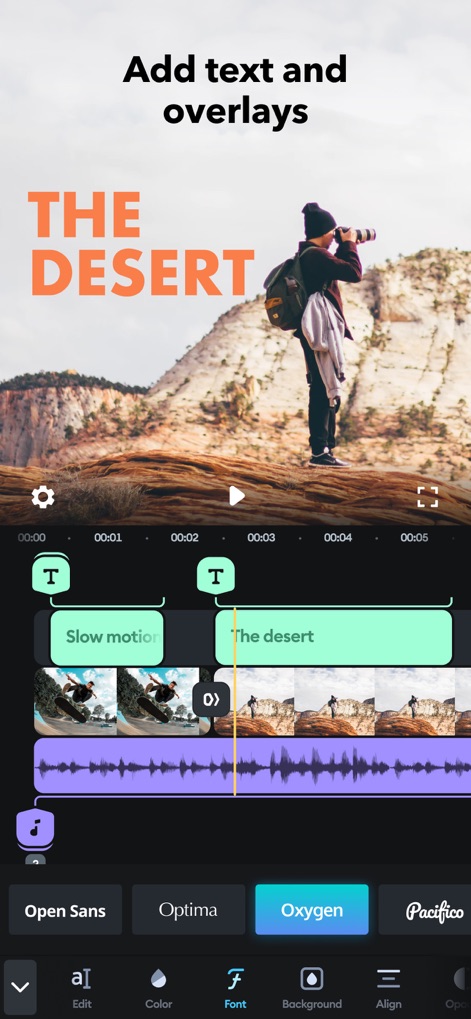
개성 있는 텍스트
이 앱을 통해 영상에 텍스트 오버레이를 추가하여 정보를 전달하고, 여러 폰트 스타일 중에서 원하는 글꼴을 선택하여 시각적 요소를 강조할 수 있습니다.
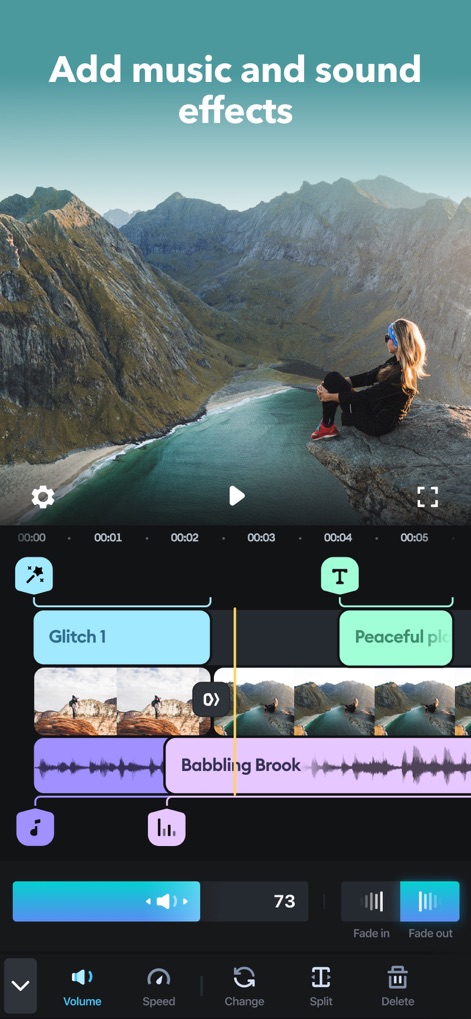
완벽한 사운드 믹스
이 앱은 오디오 트랙의 볼륨을 정밀하게 조절하는 기능과 페이드 인/아웃 효과를 제공하여 영상에 몰입감 있는 사운드스케이프를 연출할 수 있도록 돕습니다.
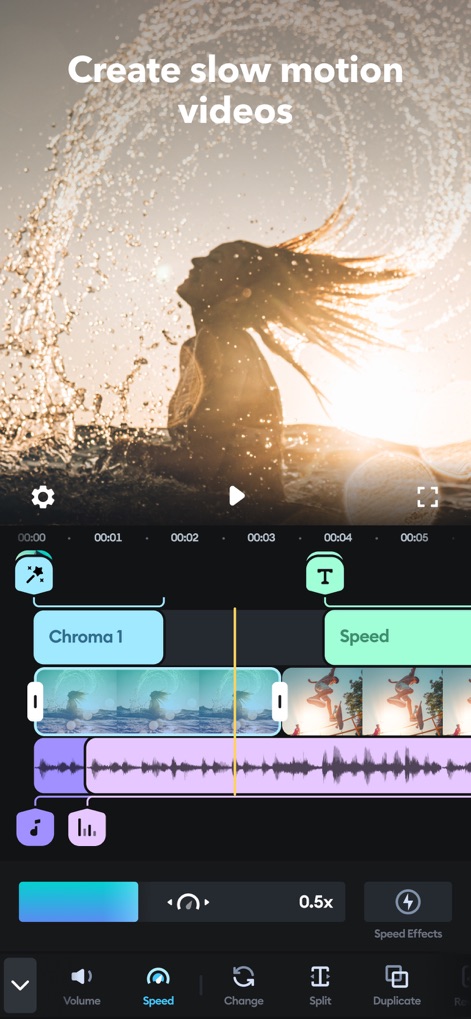
시간 제어 마법
이 앱은 영상의 재생 속도를 0.5배와 같이 정밀하게 조절하는 기능과 다양한 스피드 이펙트를 제공하여 독특하고 시선을 사로잡는 슬로우 모션 비디오를 만들 수 있습니다.
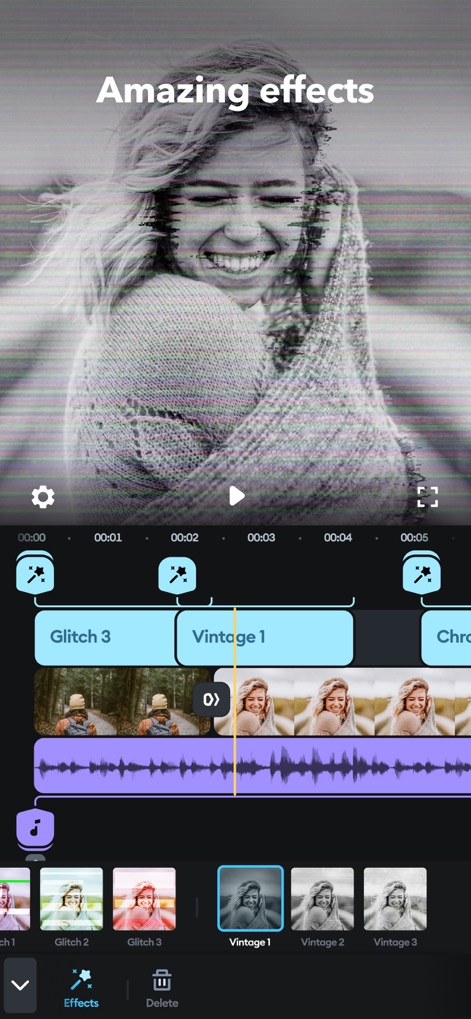
다채로운 영상 효과
이 도구는 글리치 효과와 같은 현대적인 요소부터 빈티지 필터에 이르기까지 다양한 시각 효과를 제공하여 사용자가 영상에 개성을 더하고 특정 분위기를 표현할 수 있도록 돕습니다.
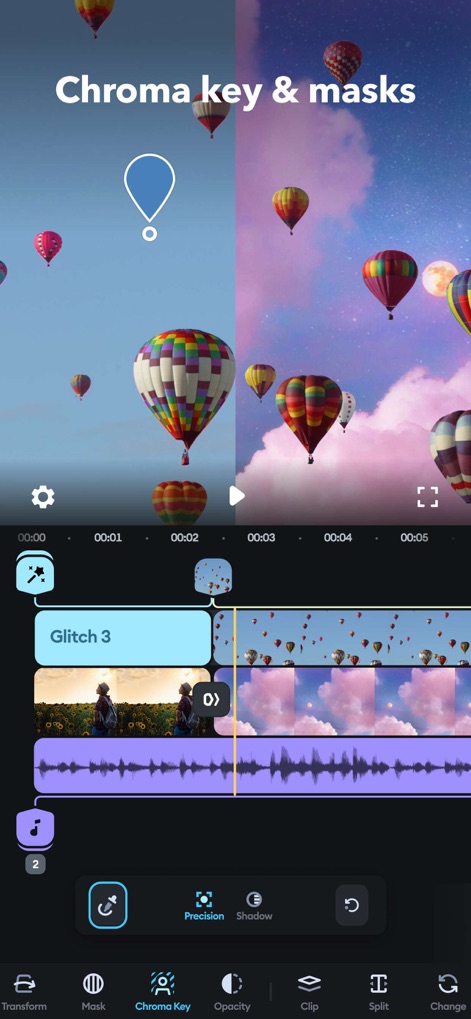
전문적인 배경 편집
이 앱은 크로마 키 기능을 사용하여 영상의 배경을 쉽게 제거하고, 마스크 옵션으로 특정 영역을 정교하게 선택하여 전문가 수준의 합성 효과를 구현할 수 있게 합니다.
설명
Download
비슷한 앱
유사한 기능과 사용자 경험을 가진 앱

VN: AI Video Editor
Ubiquiti Labs, LLC

Blurrr-Music video editor
TBPS INTERNATIONAL TECHNOLOGY PTE. LTD.

Node Video
小为 罗

Filmmaker Pro - Video Editor
Tinkerworks Apps

Time Cut: Smooth Slow Motion
立亚 林

LumaFusion
Luma Touch LLC

Slow Motion Video Fx Editor
Brain Craft Ltd

WEILO - My Last Video Editor
vimosoft

Video Effects Editor: Riveo
Forge and Form GmbH
이 페이지는 앱이나 개발자의 공식 페이지가 아니며, 정보 제공 및 논평을 목적으로 작성된 독립 편집 간행물입니다. 명시적으로 달리 언급되지 않는 한, 해당 앱이나 개발자는 MWM, Apple, Google Play, 앱 퍼블리셔 또는 앱 개발자와 제휴, 보증, 후원, 승인 또는 공식적으로 연결되어 있지 않으며, 이 페이지의 어떤 내용도 해당 앱이 MWM의 서비스를 사용하여 개발되었음을 의미하지 않습니다. 모든 상표, 로고, 스크린샷 및 기타 콘텐츠는 해당 소유자의 자산입니다.