
이 페이지는 앱이나 개발자의 공식 페이지가 아니며, 정보 제공 및 논평을 목적으로 작성된 독립 편집 간행물입니다. 명시적으로 달리 언급되지 않는 한, 해당 앱이나 개발자는 MWM, Apple, Google Play, 앱 퍼블리셔 또는 앱 개발자와 제휴, 보증, 후원, 승인 또는 공식적으로 연결되어 있지 않으며, 이 페이지의 어떤 내용도 해당 앱이 MWM의 서비스를 사용하여 개발되었음을 의미하지 않습니다. 모든 상표, 로고, 스크린샷 및 기타 콘텐츠는 해당 소유자의 자산입니다.

VN: AI Video Editor
모두에게 전문가급 편집 권한을 부여합니다. VN은 전통적인 복잡함을 무시하고, AI를 앞세워 창작의 속도를 비약적으로 높입니다. 더 이상 기술이 발목을 잡지 않습니다.
다운로드
50M+사용자 평점
총 평가 수
4.3M개발사
카테고리
Photo & Video지원 언어
18최신 버전
2.3.0크기
506.9 MB출시일
2018년 4월 22일VN: AI Video Editor 앱 분석 보고서
초보자부터 준전문가까지, 무료 AI 기반 모바일 영상 편집의 새로운 기준
무료 및 워터마크 없는 편집
이 앱은 비용 부담 없이 전문가 수준의 비디오 편집을 가능하게 하며, 최종 결과물에 워터마크가 없어 깔끔한 영상을 제작할 수 있도록 돕습니다.
직관적인 멀티트랙 타임라인
사용자는 직관적인 인터페이스를 통해 여러 트랙에 영상, 사진, 스티커, 텍스트 등을 손쉽게 추가하고 관리할 수 있어 복잡한 편집도 용이합니다.
AI 기반 지능형 배경 제거
이 도구는 AI 기술을 활용하여 영상 속 인물의 배경을 정밀하게 제거하여 피사체를 돋보이게 하고 창의적인 영상 연출을 지원합니다.
정밀한 속도 곡선 조절
사용자는 어도비 프리미어 프로와 유사한 속도 곡선 기능을 통해 영상 재생 속도를 세밀하게 조절하여 역동적이거나 드라마틱한 효과를 연출할 수 있습니다.
고급 키프레임 애니메이션
이 앱은 19가지 내장 키프레임 애니메이션 효과를 제공하며, 사용자가 추가 키프레임을 설정하여 독창적이고 개성 넘치는 영상 움직임을 구현할 수 있게 합니다.
4K 60FPS 맞춤형 내보내기
사용자는 4K 해상도 및 최대 60FPS의 프레임 속도로 영상 해상도, 프레임 레이트, 비트레이트 등을 맞춤 설정하여 고품질의 최종 결과물을 얻을 수 있습니다.
AI 자동 자막 및 텍스트 음성 변환
이 기능은 오디오를 자동으로 자막으로 변환하거나 텍스트를 AI 음성으로 읽어주는 기능을 제공하여 영상 제작의 효율성과 접근성을 크게 향상시킵니다.
시네마틱 필터 및 LUT 가져오기
사용자는 풍부한 내장 필터를 활용하거나 .cube 파일을 가져와 시네마틱한 색감을 적용하여 영상의 분위기와 품질을 향상시킬 수 있습니다.
자주 묻는 질문
에 대해 알아야 할 모든 것 VN: AI Video Editor
Is VN a free video editor?
Yes, VN is a free video editing app. It provides extensive features for creating high-quality videos without any cost.
Does the VN app add watermarks to edited videos?
No, the VN app does not add watermarks to edited videos. Users can create and export high-quality videos without any watermarks.
Can VN perform multi-track video editing?
Yes, VN features an intuitive multi-track video editor. It allows adding picture-in-picture videos, photos, stickers, and texts to videos with keyframe animation.
How do I adjust video speed in VN?
VN allows users to adjust video playback speed using its Speed Curve feature. Users can choose from 6 preset curves or customize them for faster or slower effects.
Does VN support keyframe animation?
Yes, VN supports keyframe animation. It offers 19 built-in keyframe animation effects, allowing users to customize footage by adding additional keyframes or curves.
Can I remove backgrounds from videos or images using VN?
Yes, VN features an Intelligent Cutout tool. This tool precisely removes backgrounds to make characters stand out in videos or images.
Does VN offer automatic captions for videos?
Yes, VN offers automatic captions. The app swiftly converts audio into subtitles with just one click using its Auto Text-Caption Conversion feature.
What are the export capabilities of VN video editor?
VN allows custom export settings for video resolution, frame rate, and bit rate. It supports 4K resolution at up to 60 FPS.
Can VN edit HDR videos?
Yes, VN can edit Dolby Vision HDR videos. This feature is available on iPhone 12 and newer models.
Does VN offer AI-enhanced resolution upscaling?
Yes, VN provides AI-enhanced detail and resolution features. Users can upscale images, for example, by a factor of 3x.
How can I import materials into the VN app?
VN supports flexible material import via AirDrop, Wi-Fi, WhatsApp, or Telegram. Users can also import files in bulk using Zip files.
Does VN allow collaboration on video projects?
Yes, VN enables seamless collaboration. Users can transfer projects between mobile and desktop devices via AirDrop or iCloud for editing anytime, anywhere.
다음 스크린샷과 설명은 앱의 공식 스토어 목록에서 직접 가져온 것이며 앱 개발자의 자산입니다.
앱 스토어
스크린샷
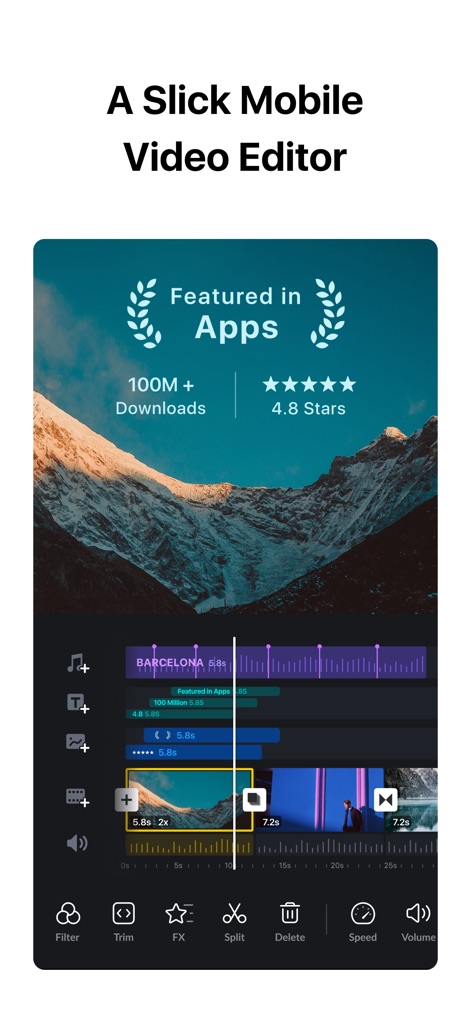
전문적인 모바일 편집
이 앱은 사용자 친화적인 편집 인터페이스를 통해 100M+ 다운로드와 4.8점 평점을 기록하며 뛰어난 인기를 증명합니다.
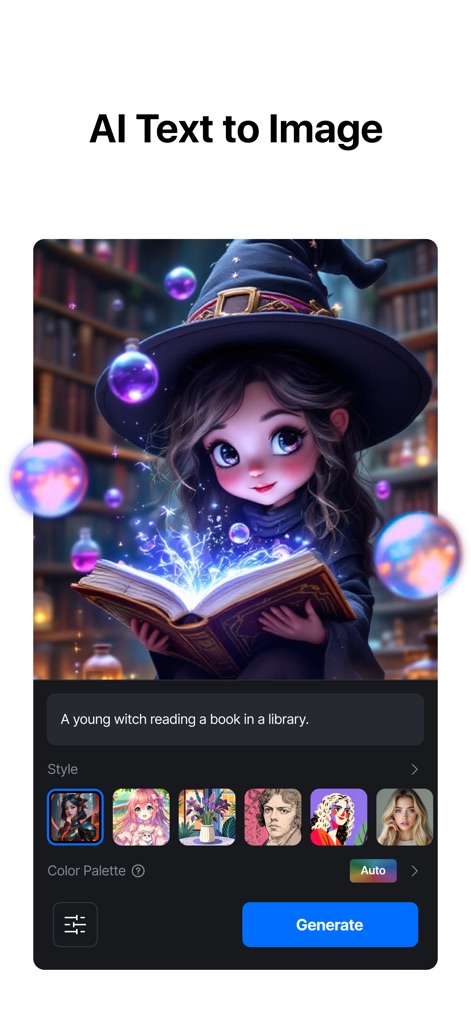
AI 이미지 생성
사용자는 텍스트 프롬프트 입력을 통해 원하는 이미지를 생성하고, 다양한 스타일 선택으로 창의적인 결과물을 얻을 수 있습니다.
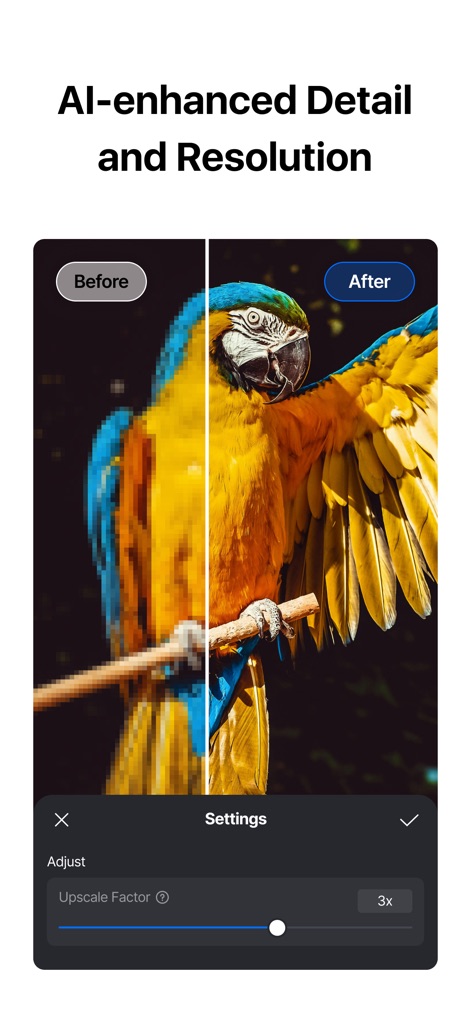
AI 해상도 향상
이 도구는 Before/After 비교를 통해 이미지 품질 개선을 시각적으로 보여주며, 해상도 업스케일링 기능을 제공합니다.
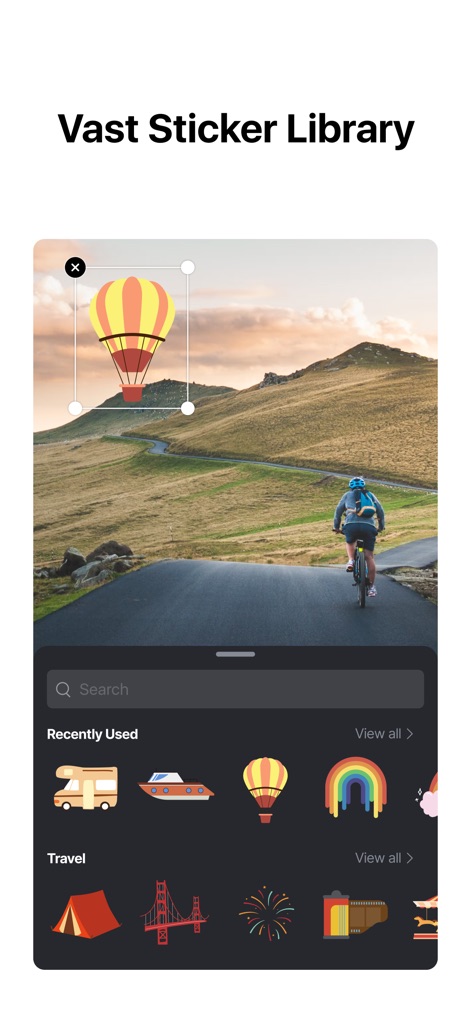
풍부한 스티커 컬렉션
사용자는 방대한 스티커 라이브러리에서 다양한 요소를 선택하고, 카테고리별 분류를 통해 원하는 스티커를 쉽게 찾을 수 있습니다.

다이내믹 속도 조절
이 앱은 정교한 속도 곡선 조절 기능을 제공하며, Montage나 Bullet Time과 같은 다양한 프리셋을 통해 역동적인 영상 효과를 구현할 수 있습니다.
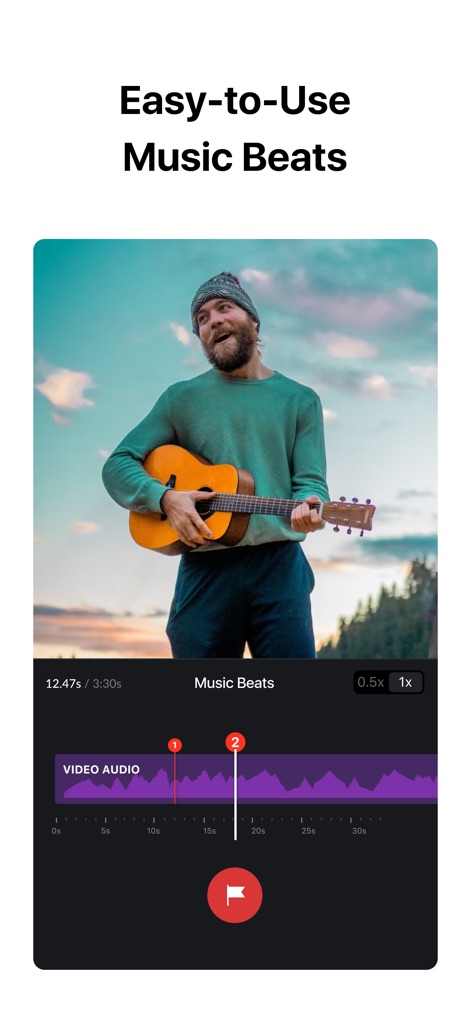
비트에 맞춘 편집
사용자는 음악 비트 마커를 통해 영상 클립을 음악에 맞춰 정교하게 편집할 수 있으며, 고품질 음성 녹음 기능으로 영상을 더욱 생동감 있게 만듭니다.
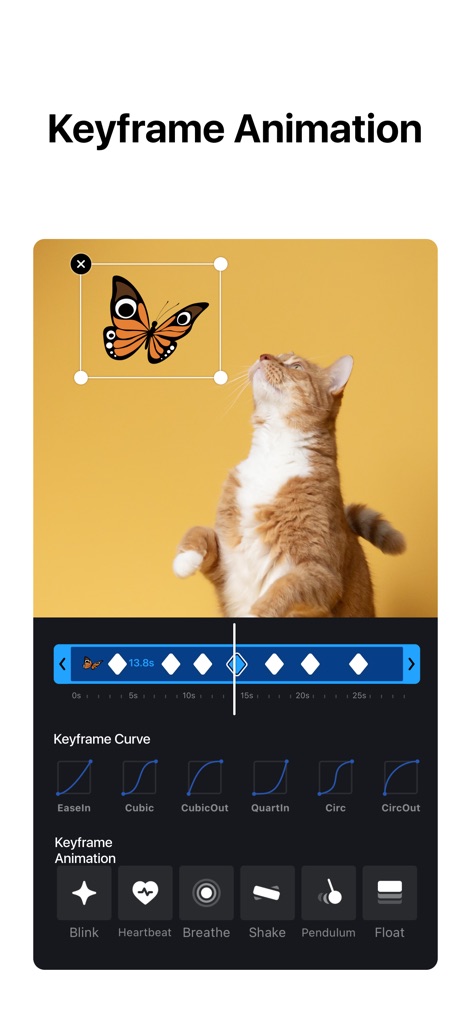
섬세한 키프레임 효과
이 앱은 섬세한 키프레임 애니메이션으로 오브젝트의 움직임을 제어하며, Blink나 Heartbeat 같은 다양한 효과 프리셋을 활용하여 독창적인 장면을 연출할 수 있습니다.
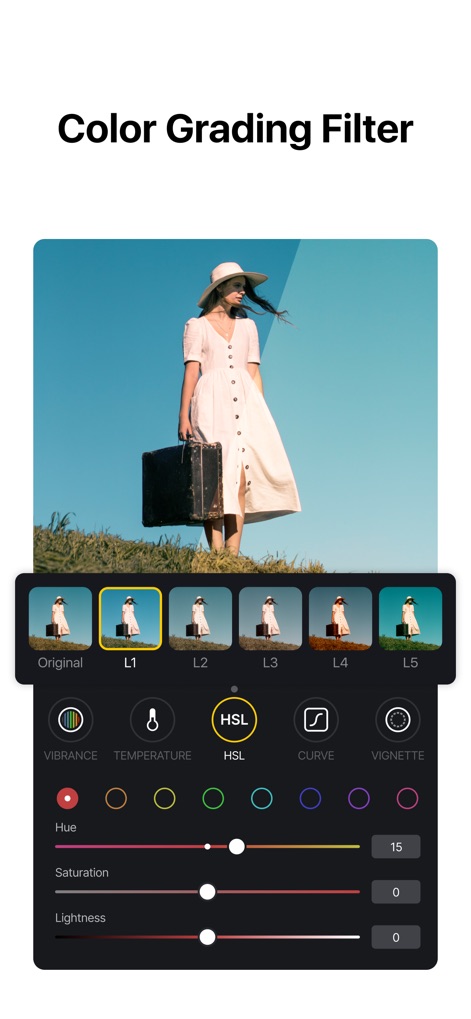
전문가 수준 색보정
사용자는 HSL 색상 조정을 통해 영상의 색감을 정교하게 다듬을 수 있으며, 풍부한 시네마틱 필터로 영화 같은 분위기를 연출할 수 있습니다.
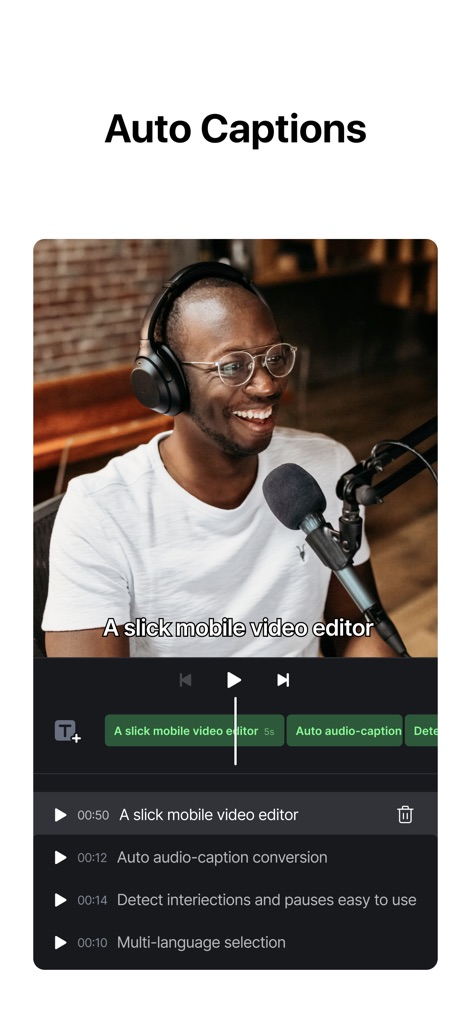
자동 자막 생성
이 앱은 오디오-캡션 자동 변환 기능을 통해 음성을 텍스트 자막으로 쉽게 변환하며, 다국어 선택 지원으로 글로벌 콘텐츠 제작이 용이합니다.
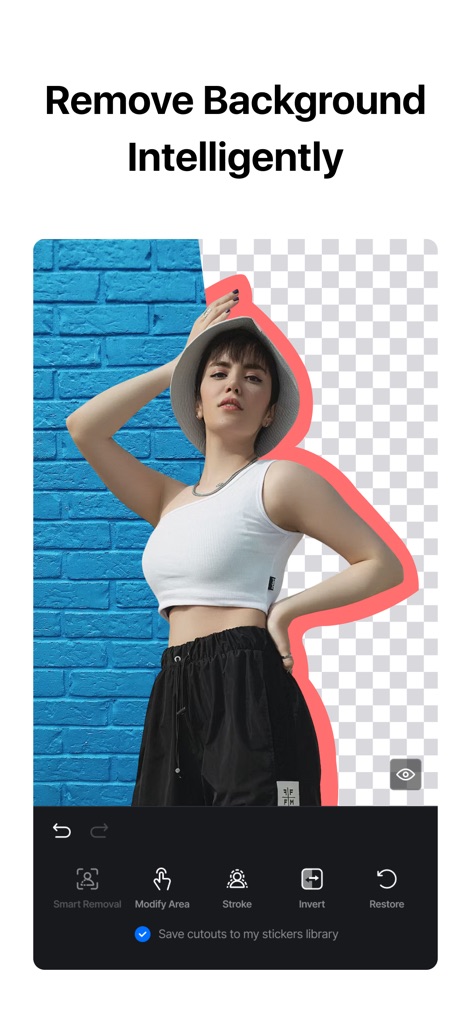
지능형 배경 제거
이 도구는 AI 배경 제거 기능을 통해 인물이나 객체를 정확하게 분리하며, 정교한 영역 조절 옵션으로 세밀한 편집이 가능합니다.
설명
Download
비슷한 앱
유사한 기능과 사용자 경험을 가진 앱

Splice - Video Editor & Maker
Bending Spoons Apps ApS

Blurrr-Music video editor
TBPS INTERNATIONAL TECHNOLOGY PTE. LTD.

Node Video
小为 罗

Filmmaker Pro - Video Editor
Tinkerworks Apps

Time Cut: Smooth Slow Motion
立亚 林

LumaFusion
Luma Touch LLC

Slow Motion Video Fx Editor
Brain Craft Ltd

WEILO - My Last Video Editor
vimosoft

Video Effects Editor: Riveo
Forge and Form GmbH
이 페이지는 앱이나 개발자의 공식 페이지가 아니며, 정보 제공 및 논평을 목적으로 작성된 독립 편집 간행물입니다. 명시적으로 달리 언급되지 않는 한, 해당 앱이나 개발자는 MWM, Apple, Google Play, 앱 퍼블리셔 또는 앱 개발자와 제휴, 보증, 후원, 승인 또는 공식적으로 연결되어 있지 않으며, 이 페이지의 어떤 내용도 해당 앱이 MWM의 서비스를 사용하여 개발되었음을 의미하지 않습니다. 모든 상표, 로고, 스크린샷 및 기타 콘텐츠는 해당 소유자의 자산입니다.