
이 페이지는 앱이나 개발자의 공식 페이지가 아니며, 정보 제공 및 논평을 목적으로 작성된 독립 편집 간행물입니다. 명시적으로 달리 언급되지 않는 한, 해당 앱이나 개발자는 MWM, Apple, Google Play, 앱 퍼블리셔 또는 앱 개발자와 제휴, 보증, 후원, 승인 또는 공식적으로 연결되어 있지 않으며, 이 페이지의 어떤 내용도 해당 앱이 MWM의 서비스를 사용하여 개발되었음을 의미하지 않습니다. 모든 상표, 로고, 스크린샷 및 기타 콘텐츠는 해당 소유자의 자산입니다.


WEILO - My Last Video Editor
전문가 수준의 마스크, 키프레임, 4K 내보내기를 무료로 이용하세요. 워터마크나 지연 없이 순수한 창의적 힘을 M1/M2 칩 및 Apple Pencil에 최적화된 환경에서 경험하세요.
다운로드
368K+사용자 평점
총 평가 수
7K+개발사
카테고리
Photo & Video지원 언어
14최신 버전
1.42.4크기
627.5 MB출시일
2024년 1월 21일데스크톱급 성능. 구독 피로감 제로.
고성능 도구, 4K 내보내기, 워터마크 없는 전문가 수준의 동영상 편집을 iPad에서 경험하세요.
펜 도구로 정교한 정밀도 구현
일반적인 템플릿을 넘어서세요. Apple Pencil을 사용하여 사용자 지정 마스크와 모양을 만들어 하이엔드 데스크톱 소프트웨어에 필적하는 예술적 제어력을 확보하세요.
고급 키프레임 애니메이션
모션을 완벽하게 제어하세요. 개별 키프레임과 조절 가능한 보간법으로 모든 매개변수를 제어하여 부드럽고 전문가 수준의 시각적 스토리텔링을 구현하세요.
자주 묻는 질문
에 대해 알아야 할 모든 것 WEILO - My Last Video Editor
WEILO - My Last Video Editor는 무료로 사용할 수 있나요?
네, WEILO는 무료 사용자가 워터마크 없이 모든 편집 기능을 제한 없이 사용하고 내보낼 수 있도록 허용합니다.
WEILO에서 비디오 마스킹을 위한 어떤 기능들을 제공하나요?
WEILO는 펜 도구를 사용하여 자유롭게 마스크를 만들고, 단일 클립에 여러 마스크를 추가하고, 반경 또는 페더와 같은 매개변수를 조정하여 원활하게 블렌딩할 수 있습니다.
WEILO는 4K 비디오 내보내기를 지원하나요?
네, WEILO - My Last Video Editor는 4K 울트라 고화질을 포함한 전문 내보내기 옵션을 지원합니다. 또한 24, 30, 또는 60fps에서 투명 내보내기, GIF, 비디오 및 이미지 내보내기를 제공합니다.
WEILO에서 애니메이션을 위해 키프레임을 사용할 수 있나요?
네, WEILO는 사용자가 키프레임을 사용하여 눈길을 끄는 애니메이션을 만들 수 있도록 합니다. 키프레임 간의 보간을 조정하여 동적인 모션 속도 제어를 할 수 있으며, 각 매개변수에 개별 키프레임을 사용할 수 있습니다.
WEILO는 내장 음악과 음향 효과를 제공하나요?
네, WEILO는 주기적으로 업데이트되는 1700개 이상의 저작권 없는 배경 음악 및 음향 효과를 제공합니다. 또한 5000개 이상의 벡터 스티커, 프레임 및 템플릿을 포함합니다.
WEILO는 iPad 및 Apple Pencil 사용에 최적화되어 있나요?
네, WEILO는 iPad에 최적화된 인터페이스를 갖추고 있어 더 빠르고 상세한 편집이 가능합니다. 사용자는 직관적인 제어를 위해 터치 제스처와 Apple Pencil을 활용할 수 있습니다.
WEILO는 다중 클립 편집을 어떻게 처리하나요?
WEILO는 다중 편집을 가능하게 하여 사용자가 여러 클립을 동시에 선택하고 편집할 수 있습니다. PC 편집기와 유사한 이 기능을 통해 클립 자르기부터 상세 속성 값 변경까지 신속한 조정을 할 수 있습니다.
WEILO에서 클립을 함께 그룹화할 수 있나요?
네, WEILO는 여러 클립을 하나로 그룹화할 수 있는 '컴파운드' 기능을 제공합니다. 컴파운드된 클립은 함께 이동하거나 편집할 수 있으며, 내부의 개별 클립은 계속 편집 가능합니다.
WEILO에서 어떤 종류의 비디오 및 오디오 효과를 사용할 수 있나요?
WEILO는 조정, 글리치, 가우시안 블러, 크로마키, 웨이브, 모자이크와 같은 다양한 비디오 효과를 제공합니다. 상세한 오디오 효과에는 에코, 리버브, EQ, 디스토션, 피치가 포함됩니다.
WEILO는 더 빠른 편집을 위한 키보드 단축키를 제공하나요?
네, WEILO는 필수 편집 기능을 위한 키보드 단축키를 포함합니다. 이러한 단축키는 iPad에서 편집 성능을 높이고 작업 생산성을 극대화하도록 설계되었습니다.
다음 스크린샷과 설명은 앱의 공식 스토어 목록에서 직접 가져온 것이며 앱 개발자의 자산입니다.
앱 스토어
스크린샷
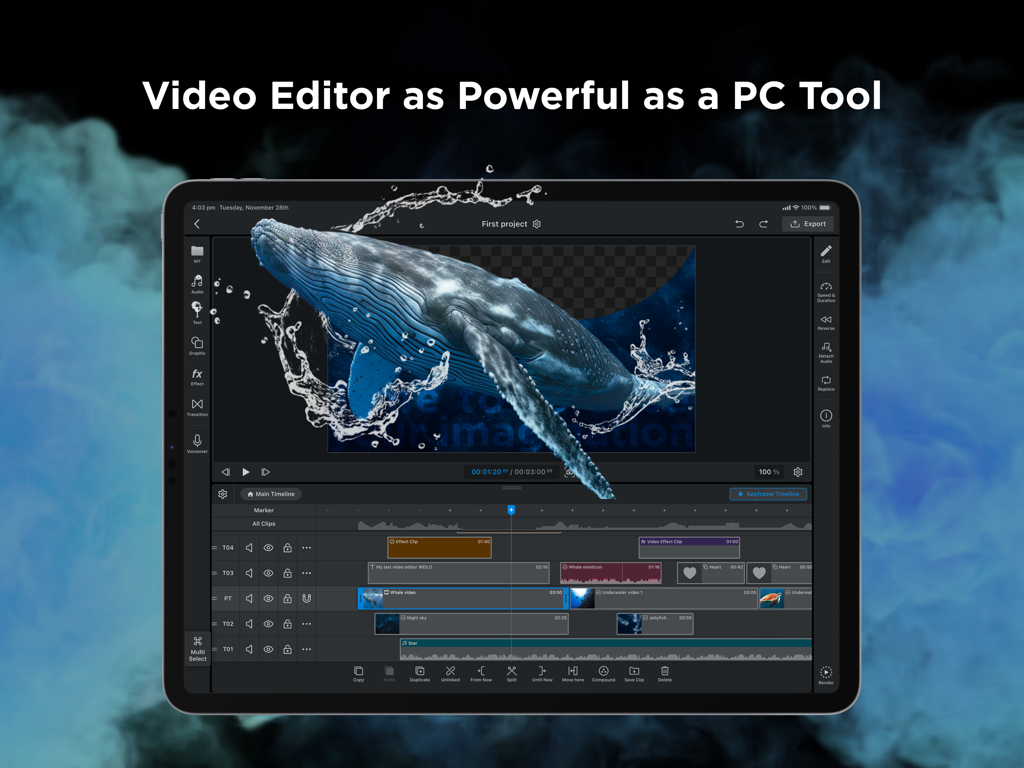
WEILO 전문가 동영상 편집 인터페이스가 iPad에 표시되며 멀티 트랙 타임라인과 고급 마스크 기능을 보여줍니다.
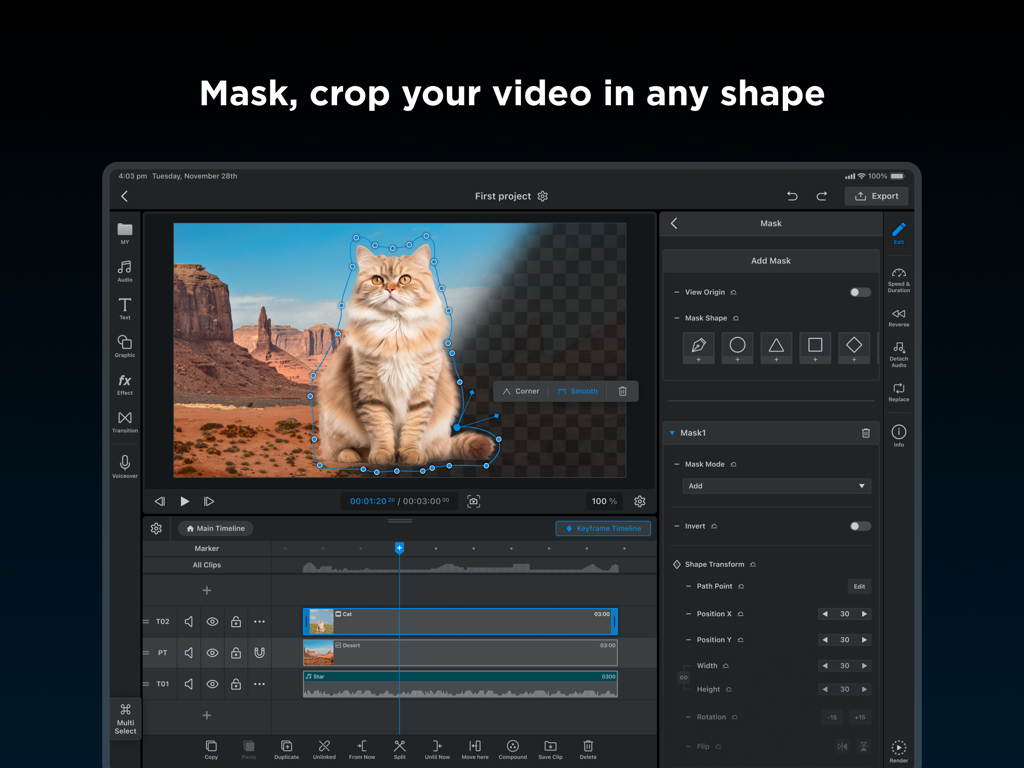
WEILO 동영상 편집기 iPad에서 펜 도구를 사용하여 사용자 지정 자르기를 위해 마스크 처리되는 고양이 표시
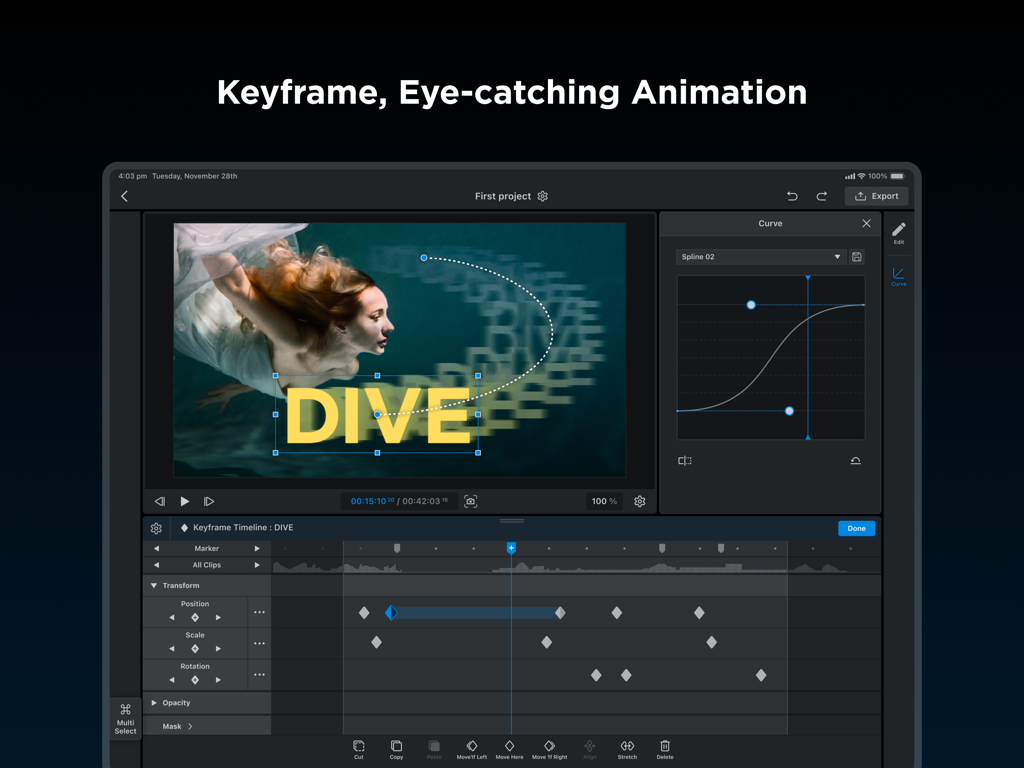
WEILO 동영상 편집기 iPad에서 키프레임 애니메이션 타임라인과 모션 곡선 조절 기능을 보여줍니다.
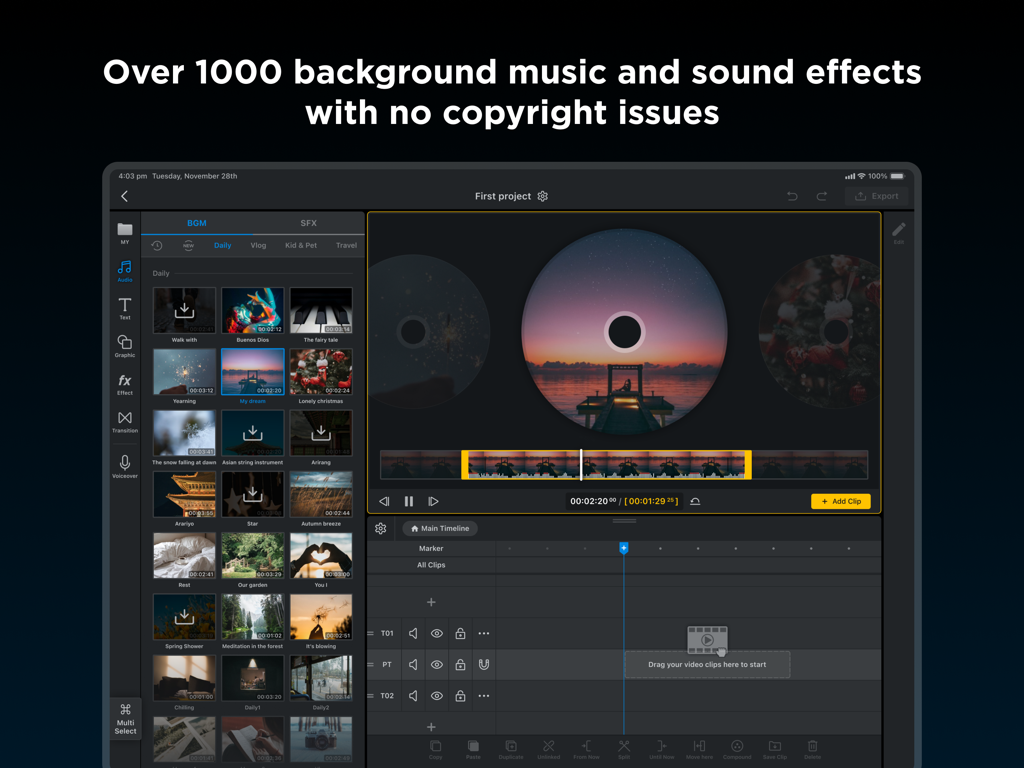
WEILO iPad 앱 인터페이스에서 1000개 이상의 로열티 프리 배경 음악 및 효과음 트랙 라이브러리 표시
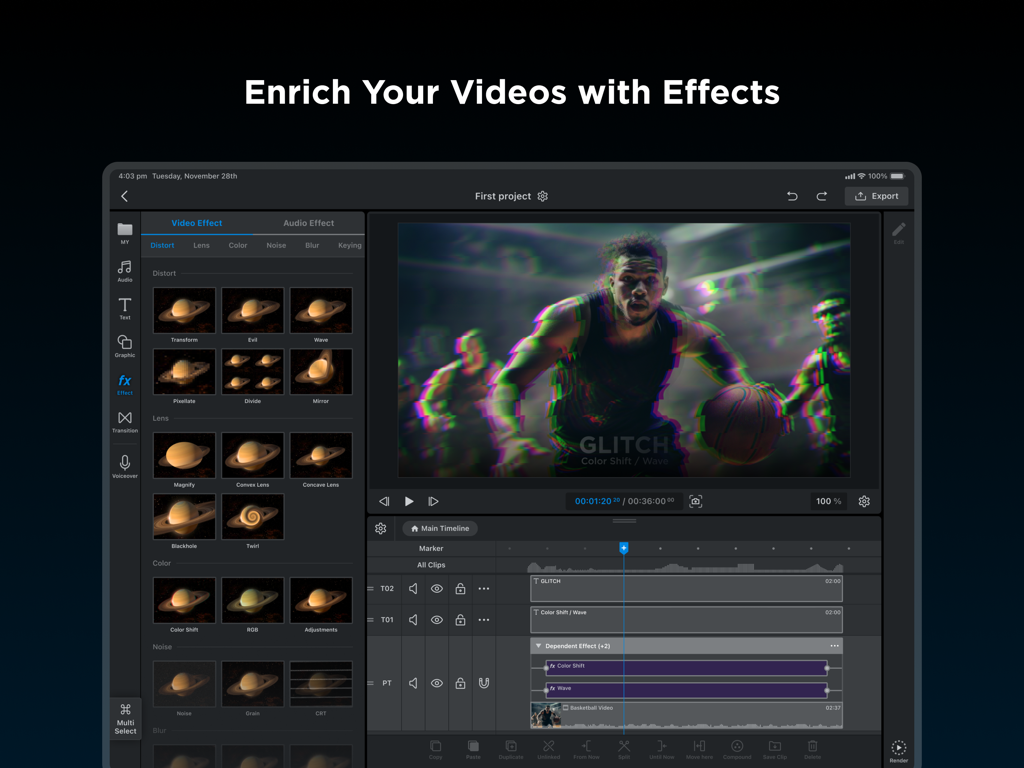
WEILO 앱 인터페이스가 iPad에 표시되며 전문가 동영상 편집 타임라인 및 왜곡 효과 라이브러리를 보여줍니다.
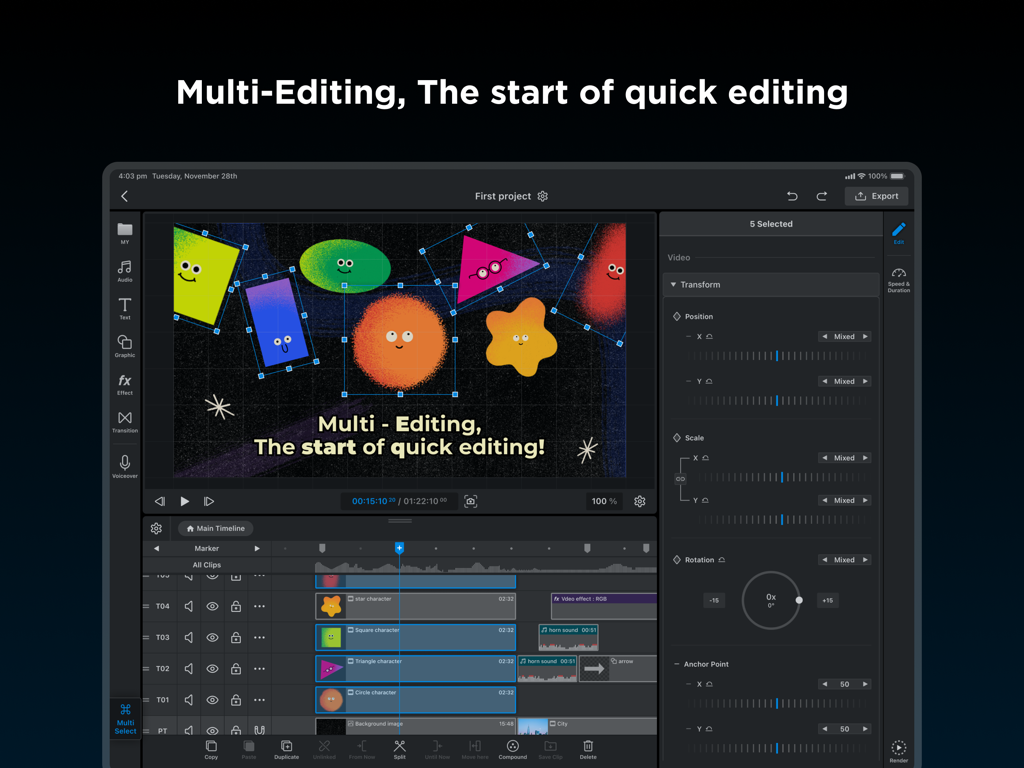
WEILO iPad에서 동시 변환을 위해 여러 애니메이션 클립이 선택된 멀티 편집 기능을 보여주는 WEILO 동영상 편집기 스크린샷.
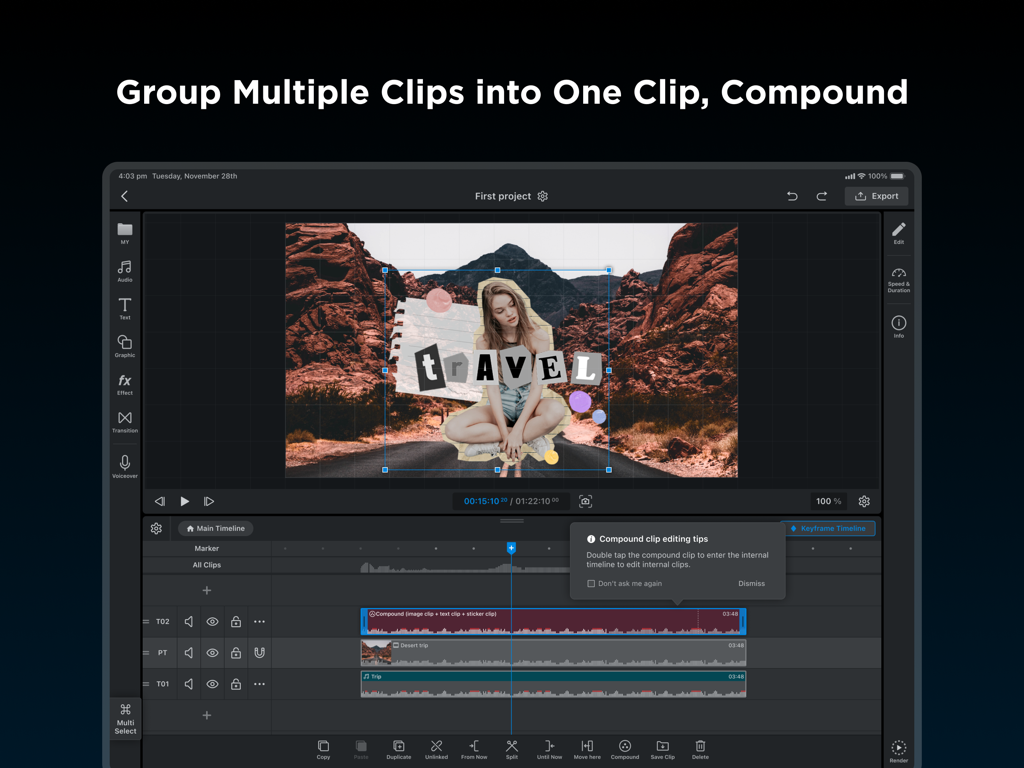
타임라인에서 컴파운드 클립 기능을 보여주는 WEILO의 전문가 iPad 동영상 편집 인터페이스
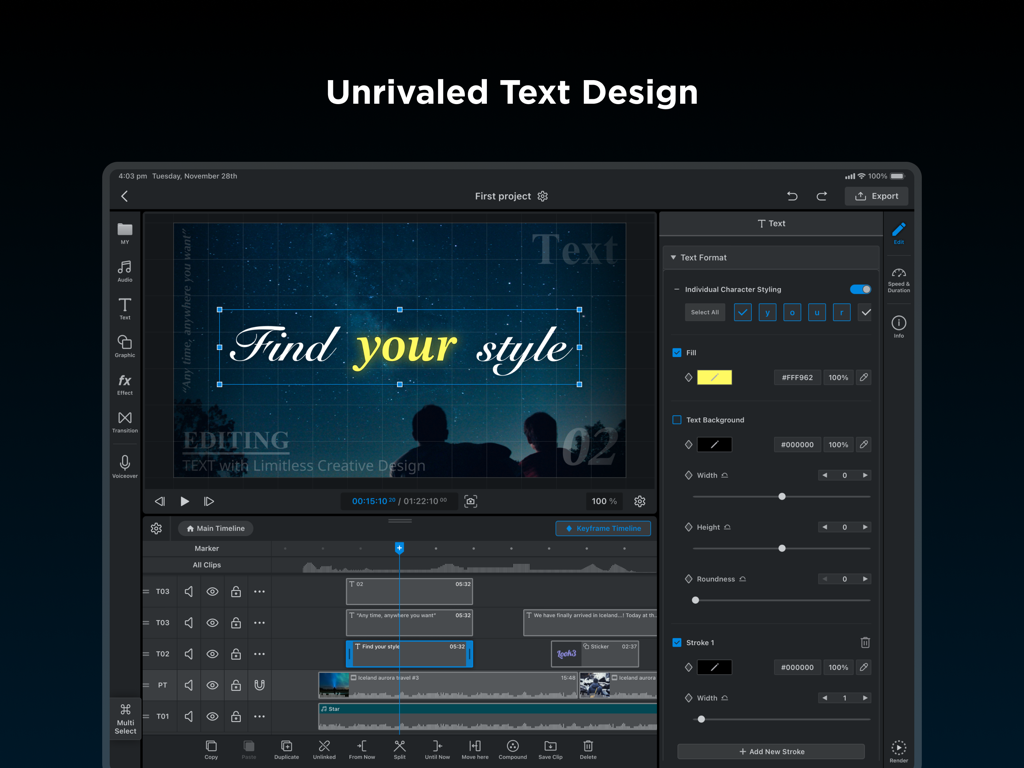
WEILO 동영상 편집기 iPad에서 전문가 텍스트 디자인 및 개별 문자 스타일링 기능 표시
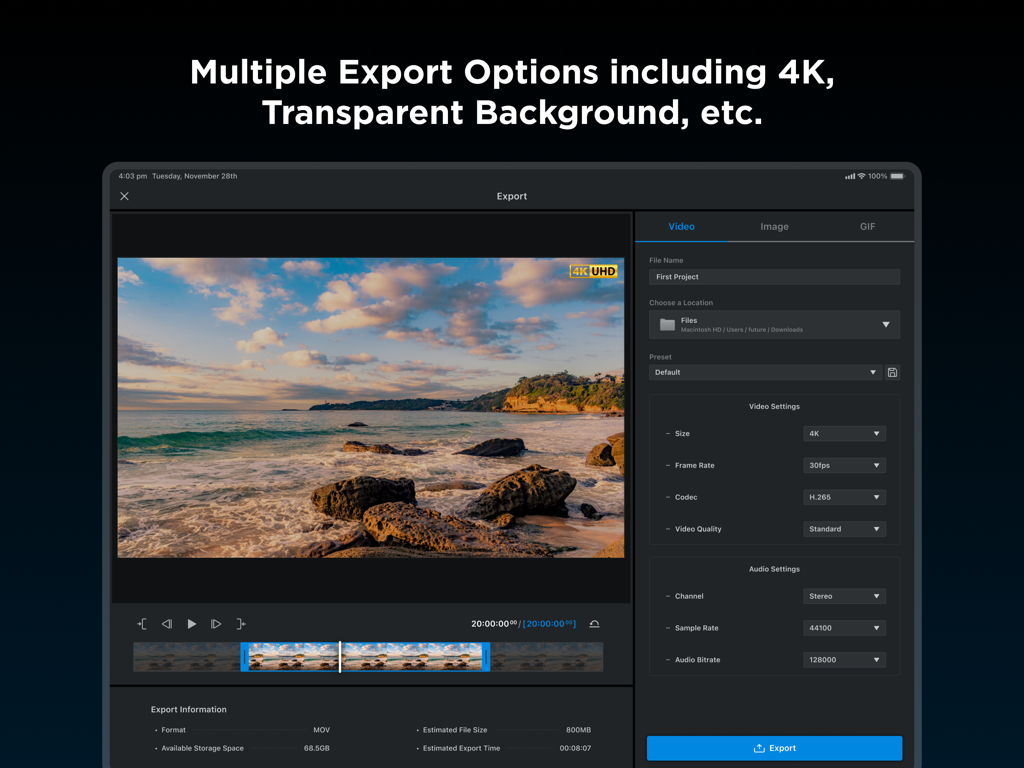
WEILO 동영상 편집기 iPad 내보내기 인터페이스에서 4K 해상도 설정 및 전문가 출력 옵션 표시
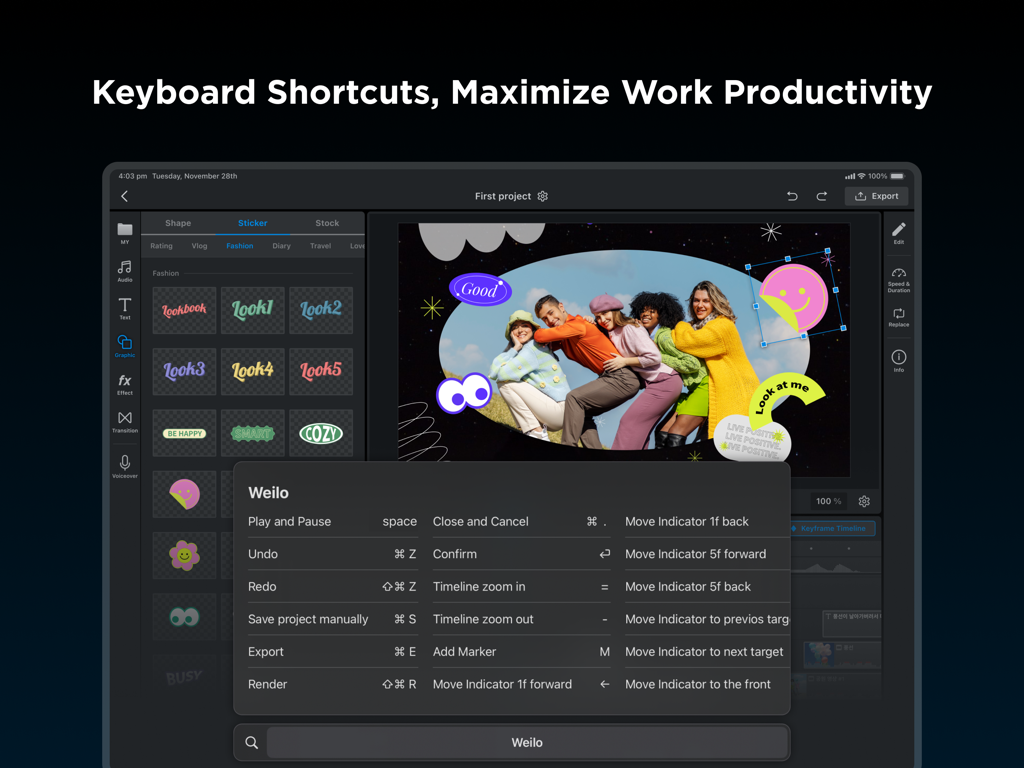
WEILO iPad 동영상 편집기 인터페이스에서 전문가 편집 생산성을 위한 키보드 단축키 목록 표시
설명
Download
비슷한 앱
유사한 기능과 사용자 경험을 가진 앱

VN: AI Video Editor
Ubiquiti Labs, LLC

Splice - Video Editor & Maker
Bending Spoons Apps ApS

Blurrr-Music video editor
TBPS INTERNATIONAL TECHNOLOGY PTE. LTD.

Node Video
小为 罗

Filmmaker Pro - Video Editor
Tinkerworks Apps

Time Cut: Smooth Slow Motion
立亚 林

LumaFusion
Luma Touch LLC

Slow Motion Video Fx Editor
Brain Craft Ltd

Video Effects Editor: Riveo
Forge and Form GmbH
이 페이지는 앱이나 개발자의 공식 페이지가 아니며, 정보 제공 및 논평을 목적으로 작성된 독립 편집 간행물입니다. 명시적으로 달리 언급되지 않는 한, 해당 앱이나 개발자는 MWM, Apple, Google Play, 앱 퍼블리셔 또는 앱 개발자와 제휴, 보증, 후원, 승인 또는 공식적으로 연결되어 있지 않으며, 이 페이지의 어떤 내용도 해당 앱이 MWM의 서비스를 사용하여 개발되었음을 의미하지 않습니다. 모든 상표, 로고, 스크린샷 및 기타 콘텐츠는 해당 소유자의 자산입니다.