bVNC Pro - VNC Screen Sharing
다운로드: App Store

이 페이지는 앱이나 개발자의 공식 페이지가 아니며, 정보 제공 및 논평을 목적으로 작성된 독립 편집 간행물입니다. 명시적으로 달리 언급되지 않는 한, 해당 앱이나 개발자는 MWM, Apple, Google Play, 앱 퍼블리셔 또는 앱 개발자와 제휴, 보증, 후원, 승인 또는 공식적으로 연결되어 있지 않으며, 이 페이지의 어떤 내용도 해당 앱이 MWM의 서비스를 사용하여 개발되었음을 의미하지 않습니다. 모든 상표, 로고, 스크린샷 및 기타 콘텐츠는 해당 소유자의 자산입니다.

로고: bVNC Pro - VNC Screen Sharing
다운로드: App Store

bVNC Pro - VNC Screen Sharing

강력한 SSH 암호화, PiKVM 지원 및 데스크톱급 외부 키보드 및 마우스 통합으로 Linux, Mac, Windows 서버를 제어하세요. 구독 없이 SysAdmins 및 파워 유저를 위한 강력한 원격 관리 기능입니다.

주요 수치

다운로드

20K+

사용자 평점

4.2/5

총 평가 수

0

개발사

iordan iordanov

카테고리

Productivity

지원 언어

5

최신 버전

56

크기

8.3 MB

출시일

2020년 4월 11일
기능

모든 환경을 위한 전문가 수준의 제어

다중 OS 인프라를 관리하는 시스템 관리자 및 파워 유저를 위해 제작된 안전하고 오픈소스인 VNC 클라이언트로 워크플로우를 강화하세요.

엔터프라이즈급 보안

SSH 터널링 및 VeNCrypt(x509) 인증서로 세션을 보호하여 데이터의 개인 정보를 유지하고 타사 클라우드 브로커를 우회합니다.

기본적인 다중 OS 정밀도

Linux, Mac, Windows 및 PiKVM과의 완벽한 호환성, 고급 멀티터치 제스처 및 전체 외부 키보드 및 마우스 지원.

다음 스크린샷과 설명은 앱의 공식 스토어 목록에서 직접 가져온 것이며 앱 개발자의 자산입니다.

앱 스토어

스크린샷
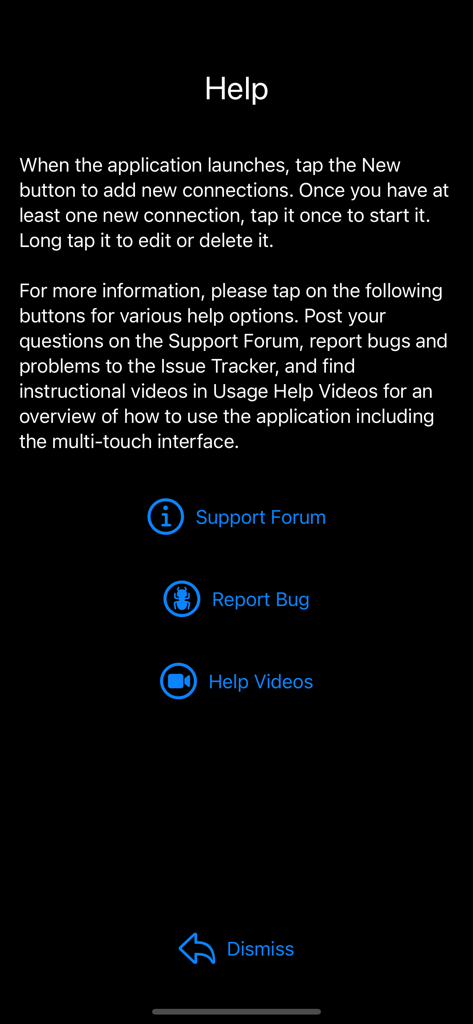
bVNC Pro - VNC Screen Sharing - bVNC Pro 앱의 도움말 화면으로 지원 포럼, 버그 보고서 및 튜토리얼 비디오 링크를 보여줍니다.
bVNC Pro 앱의 도움말 화면으로 지원 포럼, 버그 보고서 및 튜토리얼 비디오 링크를 보여줍니다.

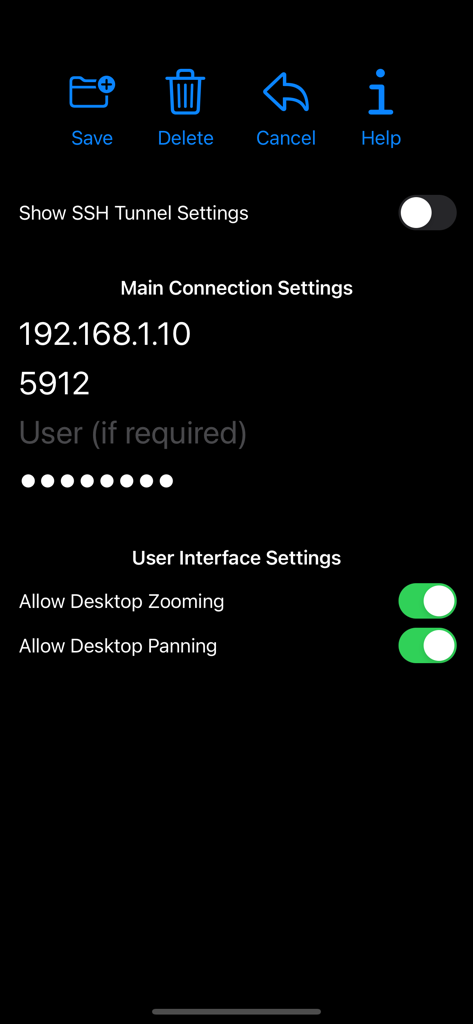
bVNC Pro - VNC Screen Sharing - bVNC Pro 앱 인터페이스는 IP 주소 포트 및 사용자 인터페이스 토글을 포함한 원격 데스크톱 연결 설정을 보여줍니다.

bVNC Pro 앱 인터페이스는 IP 주소 포트 및 사용자 인터페이스 토글을 포함한 원격 데스크톱 연결 설정을 보여줍니다.

bVNC Pro - VNC Screen Sharing - 새 도움말 및 로그 아이콘을 보여주는 bVNC Pro 앱의 메인 메뉴
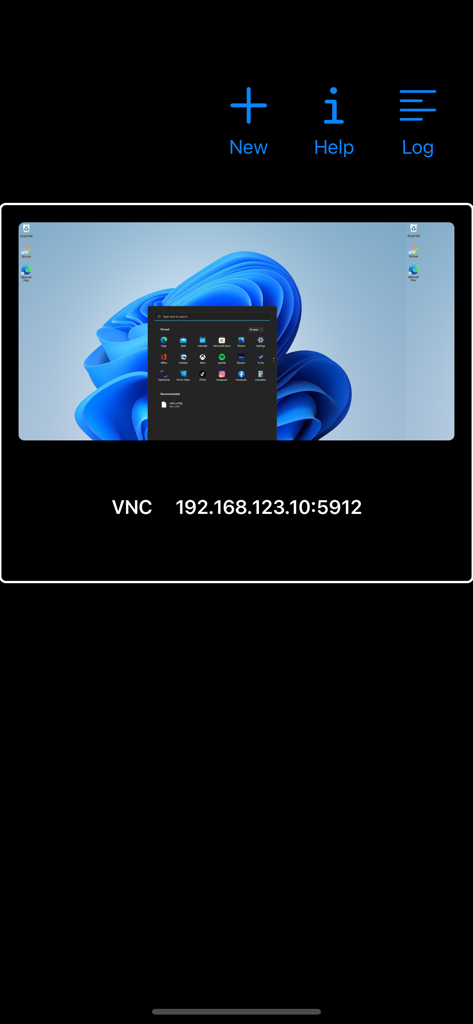
새 도움말 및 로그 아이콘을 보여주는 bVNC Pro 앱의 메인 메뉴

bVNC Pro - VNC Screen Sharing - IP 주소 세부 정보가 표시된 Windows 데스크톱에 대한 원격 연결을 보여주는 bVNC Pro 인터페이스.
IP 주소 세부 정보가 표시된 Windows 데스크톱에 대한 원격 연결을 보여주는 bVNC Pro 인터페이스.

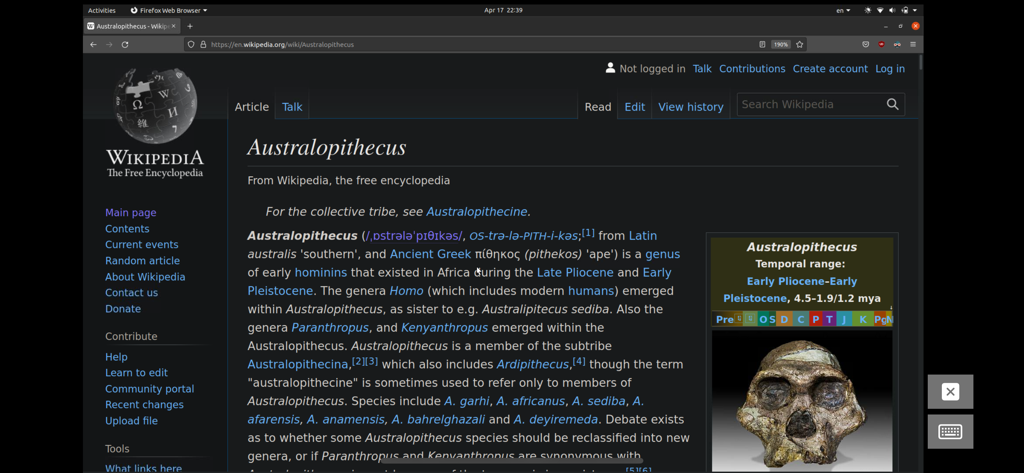
bVNC Pro - VNC Screen Sharing - Wikipedia가 열려 있는 Firefox 브라우저 창을 보여주는 bVNC Pro를 통해 원격으로 액세스한 Linux 데스크톱 세션.
Wikipedia가 열려 있는 Firefox 브라우저 창을 보여주는 bVNC Pro를 통해 원격으로 액세스한 Linux 데스크톱 세션.

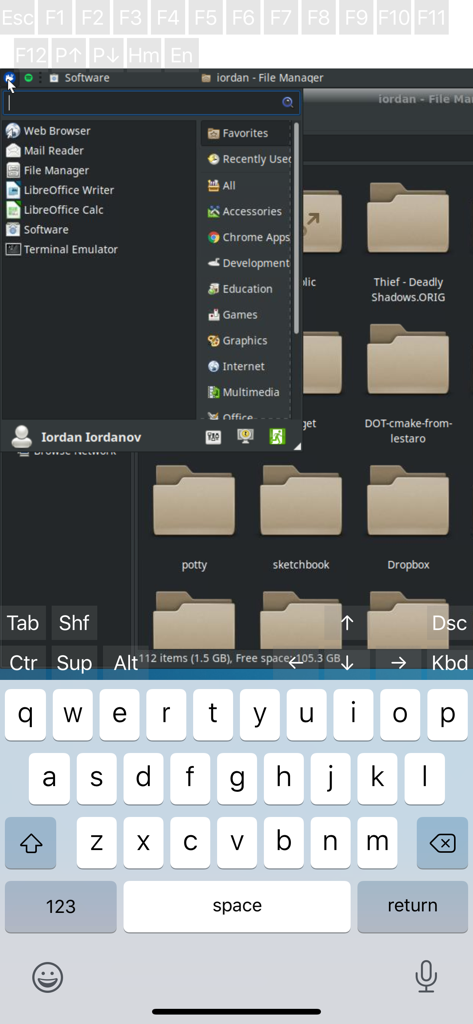
bVNC Pro - VNC Screen Sharing - 파일 관리자와 가상 키보드를 보여주는 bVNC Pro의 원격 Linux 데스크톱 세션
파일 관리자와 가상 키보드를 보여주는 bVNC Pro의 원격 Linux 데스크톱 세션

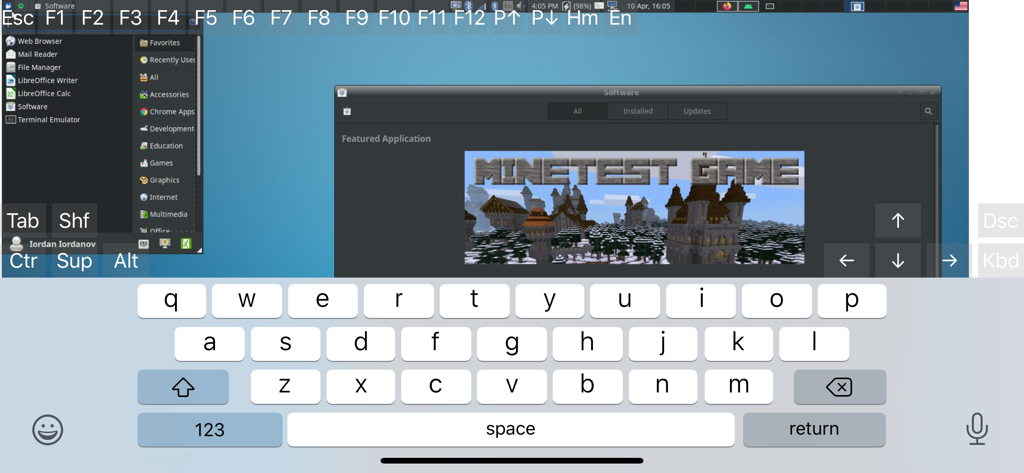
bVNC Pro - VNC Screen Sharing - 온스크린 키보드와 기술 제어 키가 있는 원격 Linux 데스크톱을 보여주는 bVNC Pro 앱 인터페이스
온스크린 키보드와 기술 제어 키가 있는 원격 Linux 데스크톱을 보여주는 bVNC Pro 앱 인터페이스

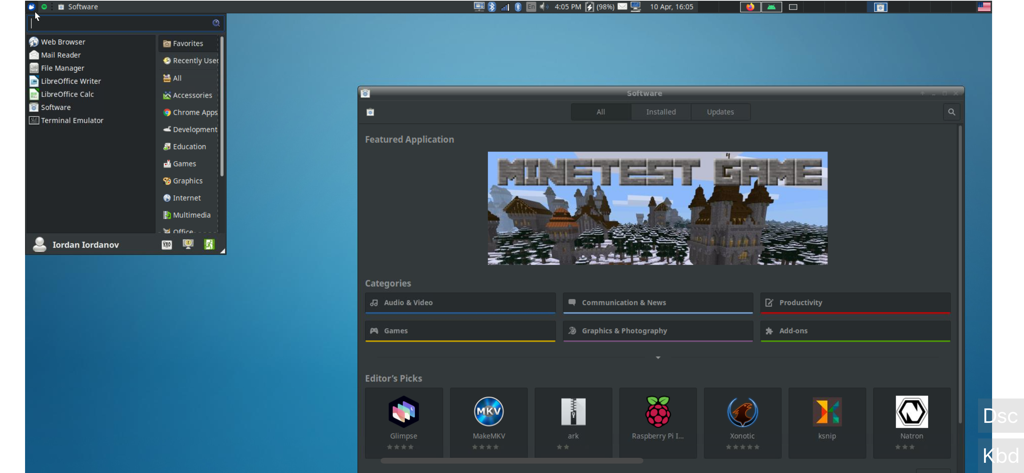
bVNC Pro - VNC Screen Sharing - 열려 있는 소프트웨어 관리자 창을 보여주는 bVNC Pro의 원격 Linux 데스크톱 스크린샷.

열려 있는 소프트웨어 관리자 창을 보여주는 bVNC Pro의 원격 Linux 데스크톱 스크린샷.

설명

Thank you for supporting my work and GPL open-source software by buying bVNC Pro! If you are unhappy, please don't give us a bad review, instead, request a refund and get in touch by email support _at_ morpheusly _dot_ com: https://support.apple.com/en-ca/118223 Need an RDP app to control Windows, Ubuntu 22.04+ or XRDP remotely? https://apps.apple.com/app/ardp-pro/id1620745523 Need a SPICE or Proxmox or oVirt client for controlling virtual machines remotely? https://apps.apple.com/app/aspice-pro/id1560593107 If bVNC doesn't work for you or you're unhappy, please do not ask for help in a review but do post your question in the forum: https://groups.google.com/forum/#!forum/bvnc-ardp-aspice-opaque-remote-desktop-clients If you have a feature request, or you found a bug, please open an issue at: https://github.com/iiordanov/remote-desktop-clients/issues - Instructions for Mac OS X: Plain VNC (Remote Desktop for Mac OS X): http://iiordanov.blogspot.ca/2012/04/how-to-connect-to-mac-os-x-using-bvnc.html Secure VNC over SSH: http://iiordanov.blogspot.ca/2012/04/tunneling-vnc-over-ssh-to-mac-os-x.html - Instructions for Windows: Plain VNC: http://iiordanov.blogspot.ca/2012/04/how-to-install-and-connect-to-tightvnc.html Secure VNC over VeNCrypt: https://groups.google.com/d/msg/bvnc-ardp-aspice-opaque-remote-desktop-clients/lINJkYJbN-U/3Q3oHWjjDQAJ Secure VNC over SSH: http://iiordanov.blogspot.ca/2012/04/tunneling-vnc-over-ssh-to-windows.html - Instructions for Ubuntu 20.04 and earlier Linux Plain VNC not tunneled over SSH: https://help.ubuntu.com/stable/ubuntu-help/sharing-desktop.html.en http://www.howtoforge.com/configure-remote-access-to-your-ubuntu-desktop If your business is looking for fixes and features, please get in touch by email at support _at_ morpheusly.com bVNC is a secure, open source VNC client. Its features include: - Controls Windows, Mac, Linux, BSD with VNC server installed - PiKVM compatible - External keyboard support - External mouse support - Magic Trackpad support - Multi-language support - Supports Mac OS X built-in remote desktop server (ARD) and Mac OS X authentication! - Windows, Mac, Linux, BSD, or any other OS with a VNC server installed - Multi-touch control over the remote mouse. One finger tap left-clicks, two-finger tap right-clicks, and three-finger tap middle-clicks - Right and middle-drag and drop if you don't lift the first finger that tapped - Scrolling with a two-finger gesture - Pinch-zoom - Dynamic resolution changes, allowing you to reconfigure your desktop while connected, and control over virtual machines from BIOS to OS - All device orientations - Full desktop visibility even with soft keyboard extended - SSH tunneling, AnonTLS and VeNCrypt for secure connections (does not support RealVNC encryption). - High-grade encryption superior to RDP using SSH and VeNCrypt (x509 certificates and SSL), preventing man-in-the-middle attacks - Tight and CopyRect encodings for quick updates - SSH public/private (pubkey)- Supports most VNC servers including TightVNC, UltraVNC, TigerVNC, (and RealVNC Enterprise only, when configured appropriately) - Clipboard integration for copy/pasting from your device Some of the planned features to look forward to: - AutoX session discovery/creation similar to NX client - Ability to reduce the color depth over slow links - Importing encrypted/unencrypted RSA keys in PEM format - View-only mode - On-device help on available input modes in the Menu when connected GPL source code here: https://gitlab.com/iiordanov/remote-desktop-clients-ios

Download

다운로드: App Store

이 페이지는 앱이나 개발자의 공식 페이지가 아니며, 정보 제공 및 논평을 목적으로 작성된 독립 편집 간행물입니다. 명시적으로 달리 언급되지 않는 한, 해당 앱이나 개발자는 MWM, Apple, Google Play, 앱 퍼블리셔 또는 앱 개발자와 제휴, 보증, 후원, 승인 또는 공식적으로 연결되어 있지 않으며, 이 페이지의 어떤 내용도 해당 앱이 MWM의 서비스를 사용하여 개발되었음을 의미하지 않습니다. 모든 상표, 로고, 스크린샷 및 기타 콘텐츠는 해당 소유자의 자산입니다.








