Calculator SAFE – Protect Private Photo & Documents
다운로드: App Store

이 페이지는 앱이나 개발자의 공식 페이지가 아니며, 정보 제공 및 논평을 목적으로 작성된 독립 편집 간행물입니다. 명시적으로 달리 언급되지 않는 한, 해당 앱이나 개발자는 MWM, Apple, Google Play, 앱 퍼블리셔 또는 앱 개발자와 제휴, 보증, 후원, 승인 또는 공식적으로 연결되어 있지 않으며, 이 페이지의 어떤 내용도 해당 앱이 MWM의 서비스를 사용하여 개발되었음을 의미하지 않습니다. 모든 상표, 로고, 스크린샷 및 기타 콘텐츠는 해당 소유자의 자산입니다.

로고: Calculator SAFE – Protect Private Photo & Documents
다운로드: App Store

Calculator SAFE – Protect Private Photo & Documents

창피함을 멈추고 사생활을 지키세요. 아무도 의심하지 못할 눈에 띄지 않는 금고에 민감한 사진과 문서를 안전하게 보관하세요.

주요 수치

다운로드

22K+

사용자 평점

1.8/5

총 평가 수

100

개발사

Pick Technology Limited

카테고리

Productivity

지원 언어

1

최신 버전

1.3.0

크기

-

출시일

2010년 11월 23일
기능

눈에 띄지 않게 숨겨진 사생활

완전히 작동하는 계산기 인터페이스 뒤에 가장 민감한 미디어와 문서를 안전하게 보관하세요. 아무도 여러분의 비밀 금고가 존재한다고 의심하지 않을 것입니다.

스텔스 계산기 망토

완벽한 위장 역할을 하는 완전 작동 수학 도구입니다. 친구나 가족의 불필요한 호기심을 방지하기 위해 홈 화면에서 눈에 띄지 않게 유지됩니다.

안전한 흔들어서 잠금 해제

단순 PIN을 넘어서세요. 비밀 코드와 실제 장치 흔들림의 고유한 조합을 사용하여 숨겨진 파일을 잠금 해제하고 궁극적인 디지털 경계를 보장합니다.

다음 스크린샷과 설명은 앱의 공식 스토어 목록에서 직접 가져온 것이며 앱 개발자의 자산입니다.

앱 스토어

스크린샷
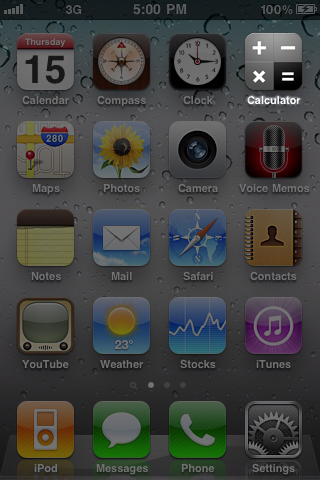
Calculator SAFE – Protect Private Photo & Documents - 비밀 금고 위장으로 사용되는 iPhone 홈 화면에 표시된 계산기 SAFE 앱 아이콘
비밀 금고 위장으로 사용되는 iPhone 홈 화면에 표시된 계산기 SAFE 앱 아이콘

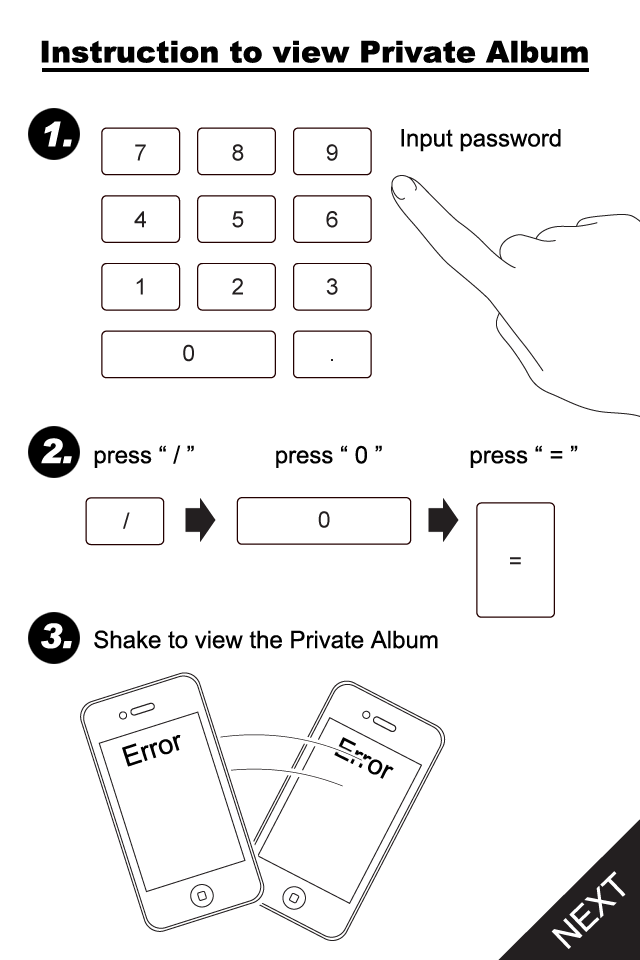
Calculator SAFE – Protect Private Photo & Documents - 비밀번호 입력 및 장치 흔들림을 포함하여 계산기 SAFE의 개인 앨범에 액세스하기 위한 단계별 지침
비밀번호 입력 및 장치 흔들림을 포함하여 계산기 SAFE의 개인 앨범에 액세스하기 위한 단계별 지침

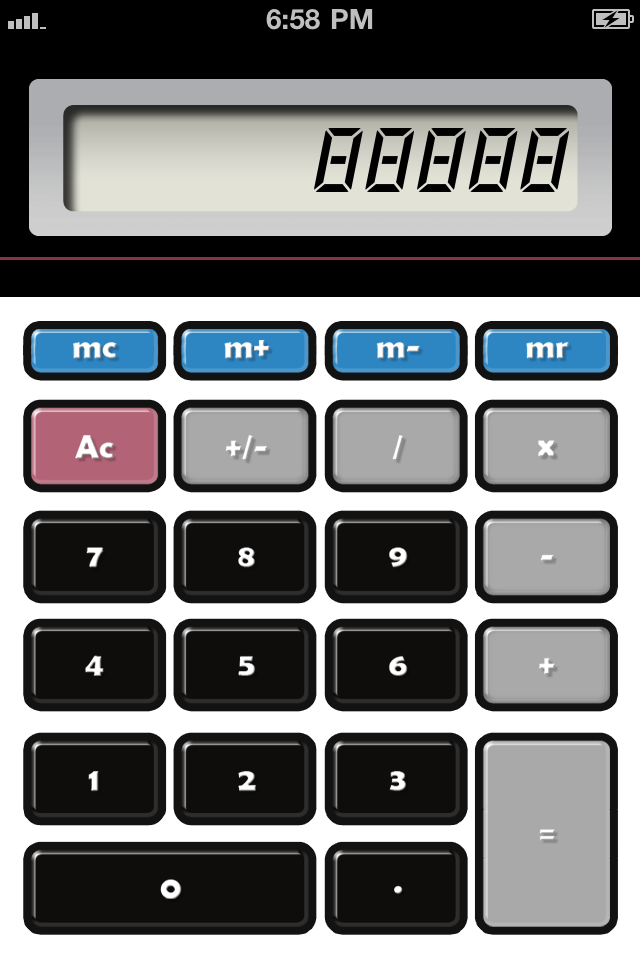
Calculator SAFE – Protect Private Photo & Documents - 사적인 사진과 문서를 위한 비밀 금고 위장으로 사용되는 표준 계산기 인터페이스
사적인 사진과 문서를 위한 비밀 금고 위장으로 사용되는 표준 계산기 인터페이스

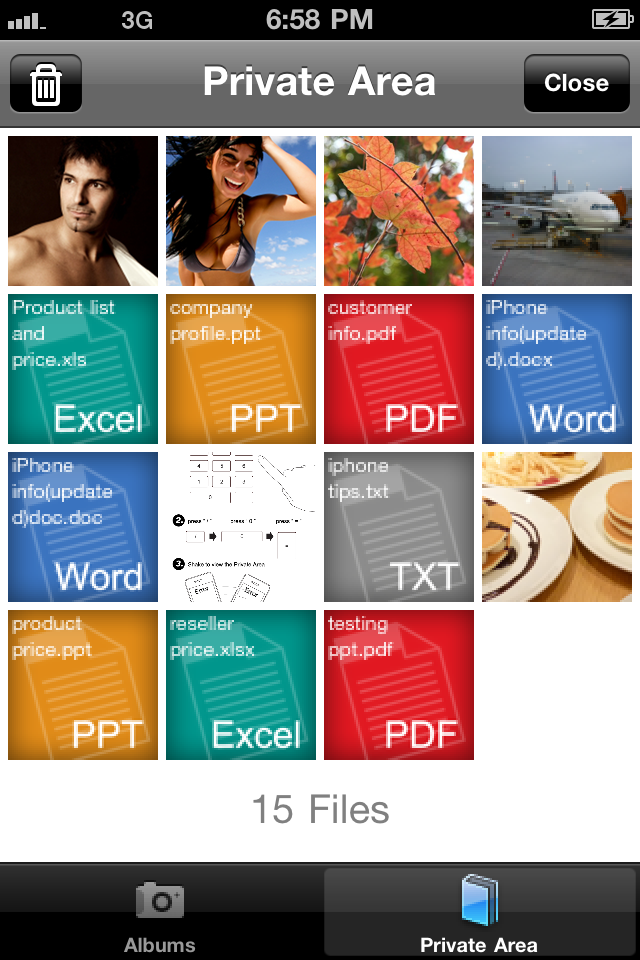
Calculator SAFE – Protect Private Photo & Documents - 계산기 SAFE 내에 숨겨진 사진과 문서가 표시되는 개인 영역 그리드
계산기 SAFE 내에 숨겨진 사진과 문서가 표시되는 개인 영역 그리드

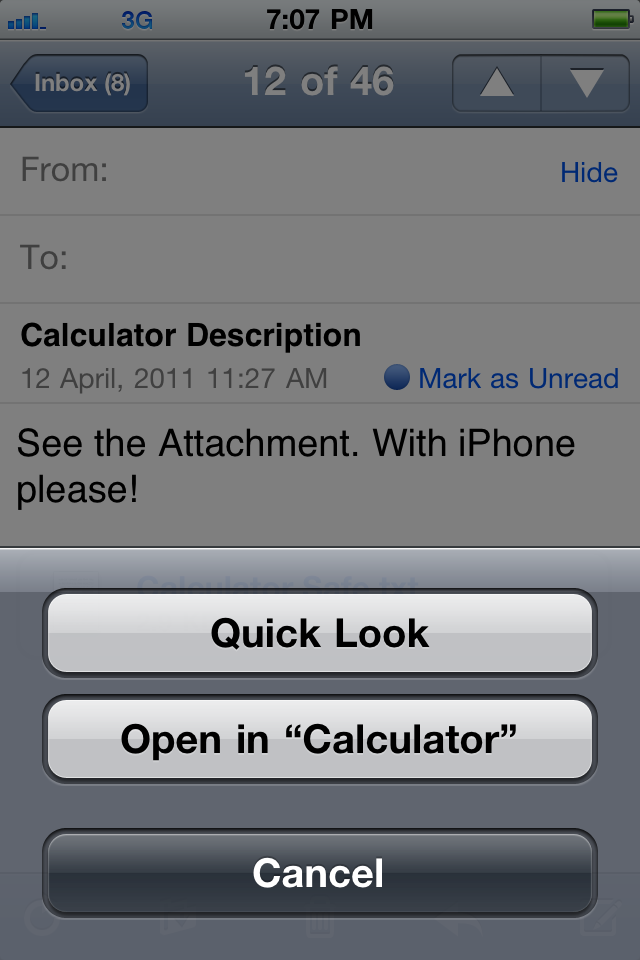
Calculator SAFE – Protect Private Photo & Documents - 계산기 SAFE에서 첨부 파일을 여는 옵션을 보여주는 iOS 메일 인터페이스

계산기 SAFE에서 첨부 파일을 여는 옵션을 보여주는 iOS 메일 인터페이스

설명

iPhone is a popular toy to your friends and even your lover. They love to play with it and may view the contents. But everyone always want to keep some of their info "low profile". Stop embarrassment now! Calculator SAFE is the best app you need. - Hide your private photos, documents and other files. - An ordinary icon. No one would get noticed with it. - It acts like a normal calculator. You can really do simple Math with it. - Enter your password and shake to reveal the secret SAFE. - Directly move your photos from Camera Roll to the SAFE. No computer operations. - Secretly open files from email attachments or website downloads. - Sync with iTunes. Drag & drop files to put and get from the SAFE. - Built-in HD photo viewer. Enjoy all your eye-candies in the original taste. - Full standard document viewer support. Read PDF, DOC, XLS, PPT and a lot more without getting out the app. # IMPORTANT ADVICE # Your files can be easily reviewed through iTunes backup process while connected to a computer. Please do the followings to strictly ensure your privacy. - Setup a password to encrypt your iTunes backup files. - Setup a device lock password in your iPhone to avoid others syncing it without your proper permission. # INSTRUCTIONS # Follow the steps to reveal the private SAFE. - Enter your magic number as password 1. Press "/" 2. Press "0" 3. Press "=" - Screen displays "ERROR" - Shake your device # FIRST RUN INSTRUCTIONS # When you first run the app, do the followings to make sure the app works properly. - When Popup window asks ["Calculator" Would like to Use Your Current Location - This allows access to location information in photos and videos] >> You must select "OK" to allow the app to access your Camera Roll. - If you've accidentally selected "Don't Allow" in the previous step, or no popup at all, you may fix it by: - Quit the Calculator - Go to Settings ‚Üí General > Location Service. Make sure the setting is "ON" - Check the item "Calculator" in the menu below. Make the setting to be "ON" - Start Calculator again

Download

다운로드: App Store

이 페이지는 앱이나 개발자의 공식 페이지가 아니며, 정보 제공 및 논평을 목적으로 작성된 독립 편집 간행물입니다. 명시적으로 달리 언급되지 않는 한, 해당 앱이나 개발자는 MWM, Apple, Google Play, 앱 퍼블리셔 또는 앱 개발자와 제휴, 보증, 후원, 승인 또는 공식적으로 연결되어 있지 않으며, 이 페이지의 어떤 내용도 해당 앱이 MWM의 서비스를 사용하여 개발되었음을 의미하지 않습니다. 모든 상표, 로고, 스크린샷 및 기타 콘텐츠는 해당 소유자의 자산입니다.








