CalliPro محترف الخط
CalliPro محترف الخط
다운로드: App Store

이 페이지는 앱이나 개발자의 공식 페이지가 아니며, 정보 제공 및 논평을 목적으로 작성된 독립 편집 간행물입니다. 명시적으로 달리 언급되지 않는 한, 해당 앱이나 개발자는 MWM, Apple, Google Play, 앱 퍼블리셔 또는 앱 개발자와 제휴, 보증, 후원, 승인 또는 공식적으로 연결되어 있지 않으며, 이 페이지의 어떤 내용도 해당 앱이 MWM의 서비스를 사용하여 개발되었음을 의미하지 않습니다. 모든 상표, 로고, 스크린샷 및 기타 콘텐츠는 해당 소유자의 자산입니다.

로고: CalliPro محترف الخط
다운로드: App Store

CalliPro محترف الخط

전문 벡터 도구, 우아한 폰트, 쿠란 통합 기능을 사용하여 멋진 디지털 아트를 디자인하세요. 경험이 없어도 아름다운 글씨를 제작, 내보내기 및 공유할 수 있습니다.

주요 수치

다운로드

123K+

사용자 평점

4.1/5

총 평가 수

500

개발사

Diwan Software Limited

카테고리

Productivity

지원 언어

1

최신 버전

3.3.0

크기

102.3 MB

출시일

2016년 7월 23일
기능

아랍어 캘리그라피 예술의 마스터

현대적인 창작자를 위해 설계된 전문가급 도구를 사용하여 디지털 캔버스를 전통적인 예술 스튜디오로 변신시키세요.

정통 디지털 스크립트

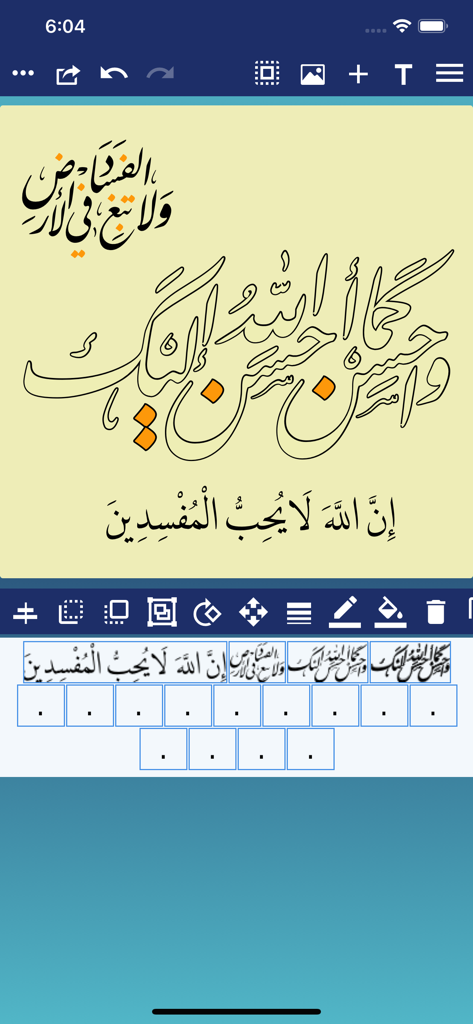
술루트(Thuluth)와 쿠피(Kufi)와 같은 21개의 프리미엄 아랍어 폰트를 사용하여 수년간의 수련 없이도 우아하고 유려한 디자인을 만들어 보세요.

신성한 텍스트 통합

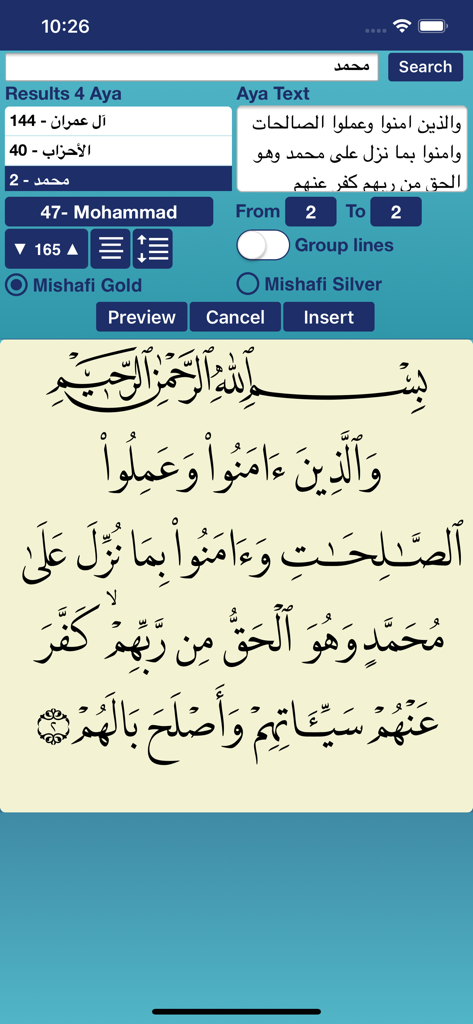
완벽한 보조 기호와 함께 쿠란 구절을 즉시 검색하고 삽입하여, 정확한 영적 및 교육적 예술 작품을 손쉽게 제작할 수 있습니다.

다음 스크린샷과 설명은 앱의 공식 스토어 목록에서 직접 가져온 것이며 앱 개발자의 자산입니다.

앱 스토어

스크린샷
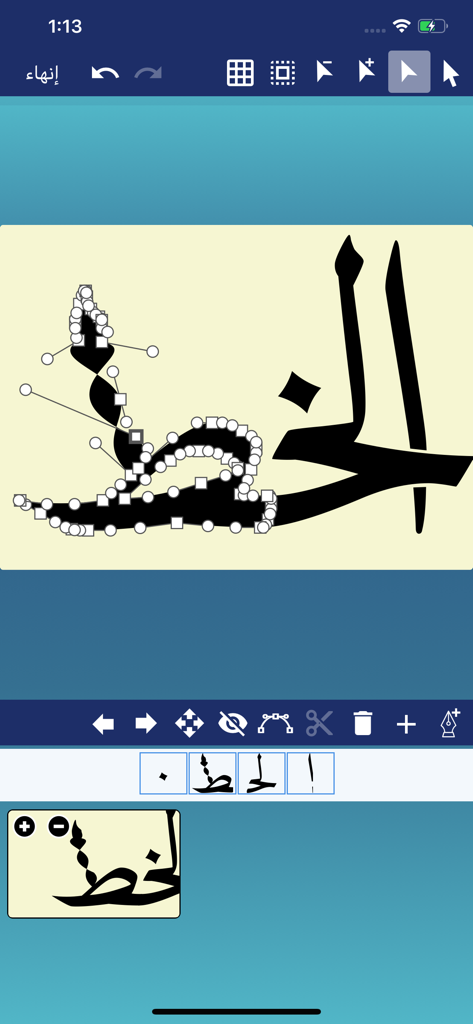
CalliPro محترف الخط - CalliPro 아랍어 캘리그라피 앱의 벡터 경로 편집 인터페이스

CalliPro 아랍어 캘리그라피 앱의 벡터 경로 편집 인터페이스

CalliPro محترف الخط - 쿠란 검색 기능과 캘리그라피 아랍어 텍스트 미리보기를 보여주는 CalliPro 앱의 스크린샷
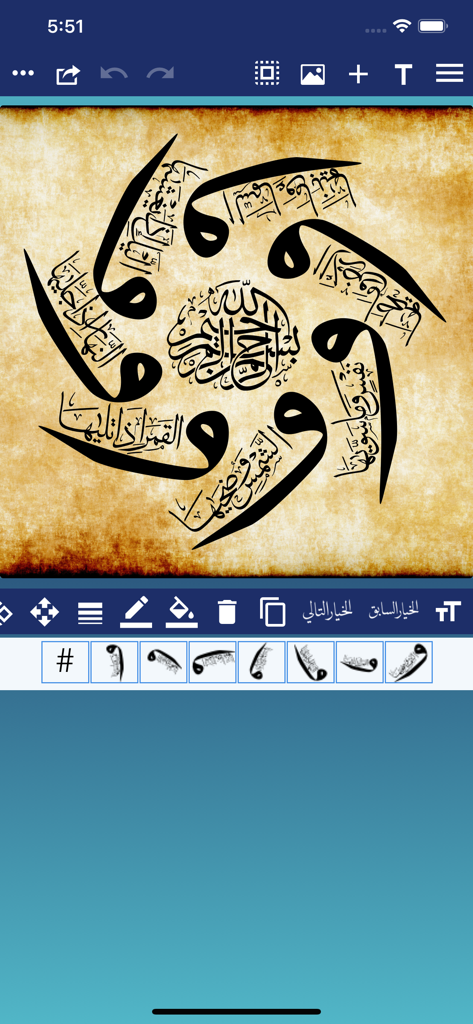
쿠란 검색 기능과 캘리그라피 아랍어 텍스트 미리보기를 보여주는 CalliPro 앱의 스크린샷

CalliPro محترف الخط - 양피지 배경 위에 CalliPro 앱으로 제작된 원형 아랍어 캘리그라피 디자인
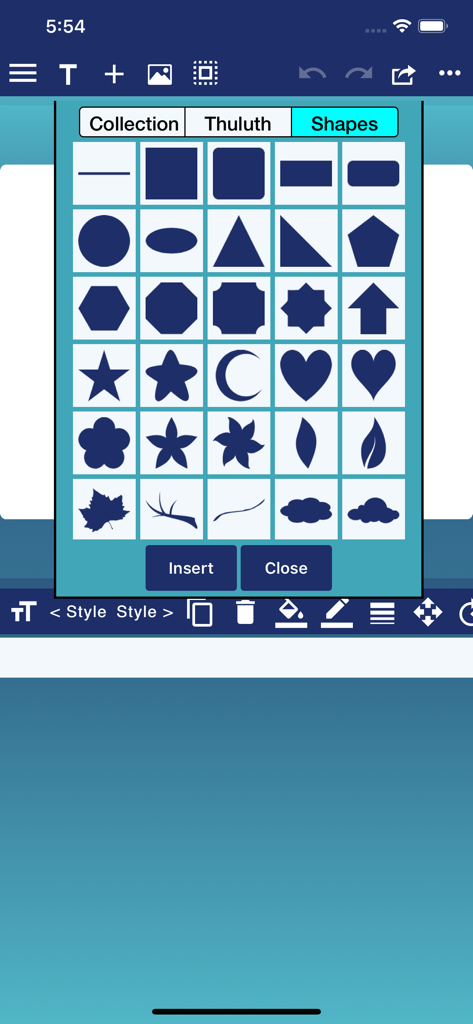
양피지 배경 위에 CalliPro 앱으로 제작된 원형 아랍어 캘리그라피 디자인

CalliPro محترف الخط - 캘리그라피 디자인을 위한 기하학적 및 장식적 모양 메뉴를 보여주는 CalliPro 앱 인터페이스
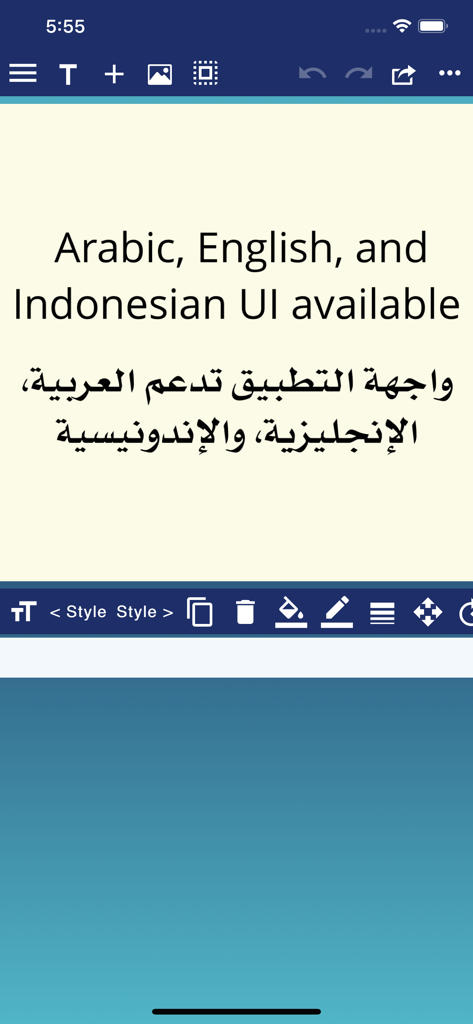
캘리그라피 디자인을 위한 기하학적 및 장식적 모양 메뉴를 보여주는 CalliPro 앱 인터페이스

CalliPro محترف الخط - 영어와 아랍어 모두에서 사용할 수 있는 아랍어, 영어, 인도네시아어 UI 텍스트를 표시하는 CalliPro 앱의 스크린샷
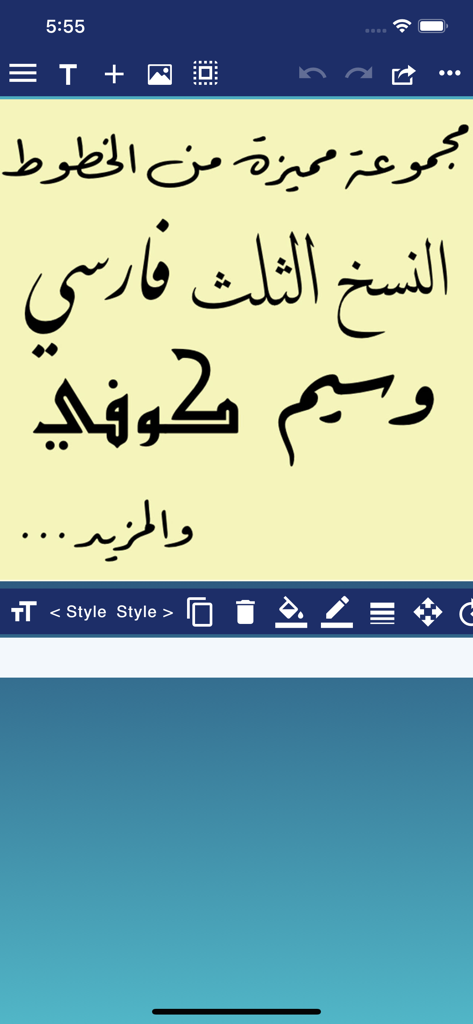
영어와 아랍어 모두에서 사용할 수 있는 아랍어, 영어, 인도네시아어 UI 텍스트를 표시하는 CalliPro 앱의 스크린샷

CalliPro محترف الخط - 나스크(Naskh), 술루트, 쿠피를 포함한 다양한 아랍어 캘리그라피 스타일을 표시하는 CalliPro 앱의 인터페이스
나스크(Naskh), 술루트, 쿠피를 포함한 다양한 아랍어 캘리그라피 스타일을 표시하는 CalliPro 앱의 인터페이스

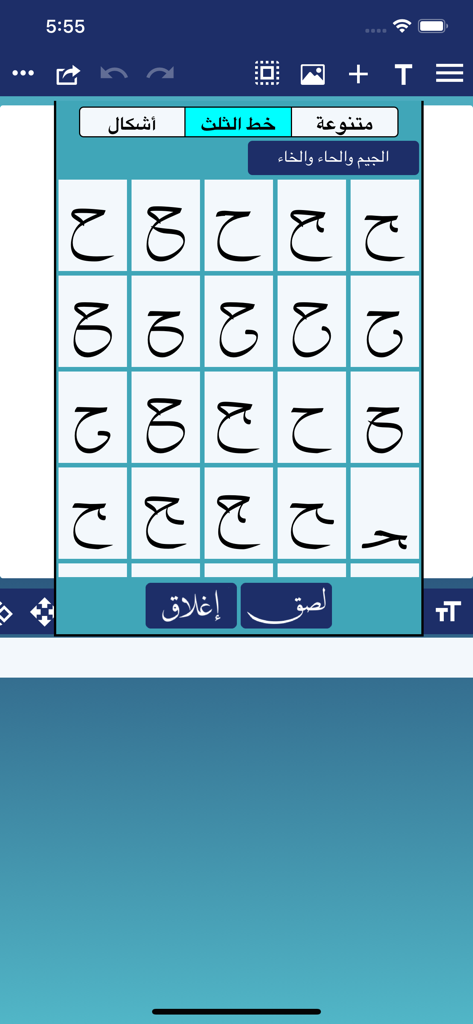
CalliPro محترف الخط - 술루트 서체의 아랍어 캘리그라피 문자 변형

술루트 서체의 아랍어 캘리그라피 문자 변형

CalliPro محترف الخط - 다양한 디지털 편집 도구로 아랍어 캘리그라피 디자인을 보여주는 CalliPro의 모바일 앱 인터페이스
다양한 디지털 편집 도구로 아랍어 캘리그라피 디자인을 보여주는 CalliPro의 모바일 앱 인터페이스

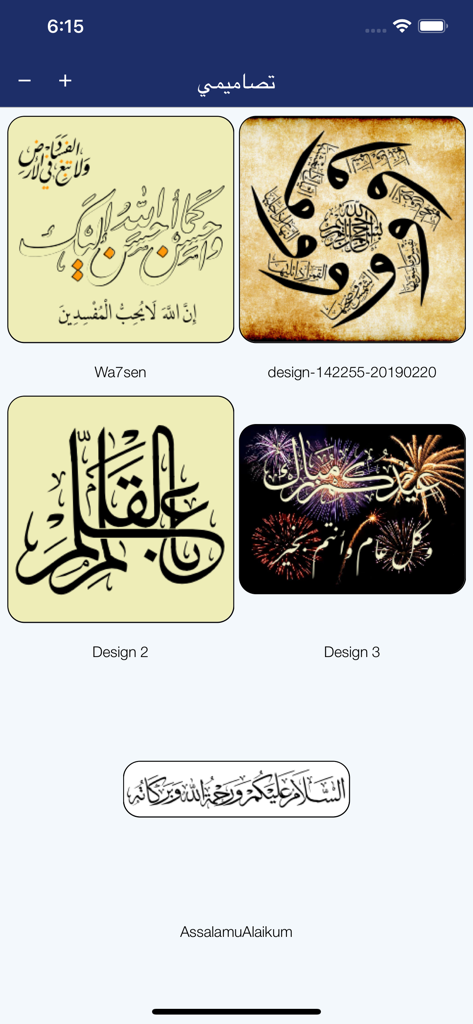
CalliPro محترف الخط - CalliPro 앱 내 다양한 아랍어 캘리그라피 디자인의 갤러리 뷰

CalliPro 앱 내 다양한 아랍어 캘리그라피 디자인의 갤러리 뷰

설명

Callipro lets you create beautiful Arabic-style calligraphy with ease! Customize styles, colors, and curves to design stunning calligraphic art—no experience needed. Whether you're a pro or just playing around, express yourself in elegant, flowing script. Save and share your creations in seconds! The main features include Powerful Calligraphy Tools, Quran Integration, Fonts & Typography, Layout & Design Control, Precise Editing Features, Multilingual Interface, Save, Export & Share, and Flexible Canvas Options. - Add Text, Shapes, or both to a Favorites list. - Edit the Text, Tashkeel, Shapes, and Glyphs as a path (full Edit Path features available as In-App Purchase). - Show or hide touch gesture. - Insert Quranic text using Mishafi Gold or Silver with search capability (full Quran available as In-App Purchase). - Inspect the glyphs and ligatures for any font and add them to the design. - Choose a specific color using the Eyedropper tool. - Align text or shapes using the Alignment tools. - Bring design elements Forward or send them Backward. - Choose from a variety of vector shapes. - Change the color and the width of the text outline. - Choose either Arabic, English or Indonesian UI [user interface] and menus. - Edit and then re-send a design received through iMessage (requires iOS 10 or later). - Choose from a collection of 21 fonts including Diwan's most advanced Arabic fonts like Diwan Naskh Mishafi, Diwan Thuluth, Diwan Farsi, Waseem (Ruqa’a like font), Kufi, and more. - Import external fonts - Note: Import external fonts and import design are not supported by Google Drive. - Select from a number of shaping options for each word segment including alternative shapes, wide forms, and removed dots. - Freely position word segments to create complex compositions. - Add a range of decorative shapes that can be positioned freely to decorate the overall design. - Change the font size. - Use multi-level undo and redo. - Select from a wide range of colors for text and background. - Make the background transparent. - Save the design as an image that can be used with other applications. - Save the design as a high-resolution PDF. - Export the design to SVG (Scalable Vector Graphics). - Create designs with different sizes. - Save designs and open them at any time. - Export or Import designs. - Merge two designs to create one design. - Zoom in or out. - Add a background image. - Use a grid for easier positioning of text. - Rotate the text. - Flip the text horizontally and vertically. - Insert multi-line text. - Select font size, alignment, and line spacing before inserting the text. - Lock or Unlock the design. - Group words or letters. - Share and send the design through iMessage (requires iOS 10 or later). - Share the design on Facebook no longer available.

Download

다운로드: App Store

이 페이지는 앱이나 개발자의 공식 페이지가 아니며, 정보 제공 및 논평을 목적으로 작성된 독립 편집 간행물입니다. 명시적으로 달리 언급되지 않는 한, 해당 앱이나 개발자는 MWM, Apple, Google Play, 앱 퍼블리셔 또는 앱 개발자와 제휴, 보증, 후원, 승인 또는 공식적으로 연결되어 있지 않으며, 이 페이지의 어떤 내용도 해당 앱이 MWM의 서비스를 사용하여 개발되었음을 의미하지 않습니다. 모든 상표, 로고, 스크린샷 및 기타 콘텐츠는 해당 소유자의 자산입니다.