Captain Logbook
Captain Logbook
다운로드: App Store

이 페이지는 앱이나 개발자의 공식 페이지가 아니며, 정보 제공 및 논평을 목적으로 작성된 독립 편집 간행물입니다. 명시적으로 달리 언급되지 않는 한, 해당 앱이나 개발자는 MWM, Apple, Google Play, 앱 퍼블리셔 또는 앱 개발자와 제휴, 보증, 후원, 승인 또는 공식적으로 연결되어 있지 않으며, 이 페이지의 어떤 내용도 해당 앱이 MWM의 서비스를 사용하여 개발되었음을 의미하지 않습니다. 모든 상표, 로고, 스크린샷 및 기타 콘텐츠는 해당 소유자의 자산입니다.


로고: Captain Logbook
다운로드: App Store

Captain Logbook

지능형 자동화, 안전한 클라우드 동기화, FAA 및 Jeppesen 형식으로 원클릭 내보내기를 통해 비행 기록을 마스터하세요.

주요 수치

다운로드

400

사용자 평점

5.0/5

총 평가 수

0

개발사

Chung-Lun Chiang

카테고리

Productivity

지원 언어

1

최신 버전

5.26

크기

28.5 MB

출시일

2020년 8월 28일
기능

전문 항공가를 위한 정밀 기록

FAA 표준을 충족하고 비행 후 절차를 간소화하도록 설계된 지능형 로그북으로 수동 기록의 번거로움을 제거합니다.

지능형 추천 엔진

데이터 입력 피로를 줄여줍니다. 앱은 자주 이용하는 경로와 접근 방식을 학습하여 JFK VOR 13R과 같은 정보를 몇 초 만에 자동으로 필드에 채웁니다.

FAA 및 Jeppesen 내보내기

다음 체크 라이드 또는 인터뷰에 대비하세요. 공식 FAA 및 Jeppesen 형식으로 전문적인 PDF 로그북을 즉시 생성합니다.

다음 스크린샷과 설명은 앱의 공식 스토어 목록에서 직접 가져온 것이며 앱 개발자의 자산입니다.

앱 스토어

스크린샷
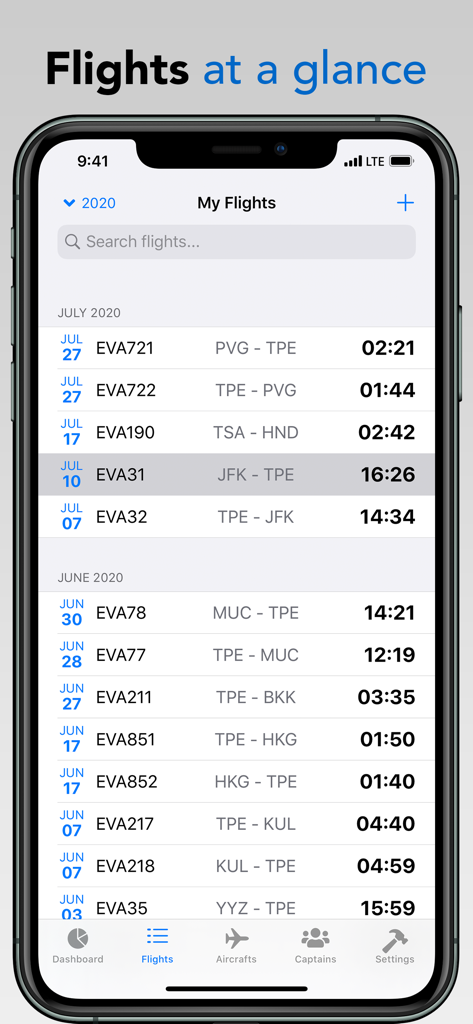
Captain Logbook - 캡틴 로그북 앱에서 비행 번호, 경로 및 비행 시간을 보여주는 기록된 비행 목록
캡틴 로그북 앱에서 비행 번호, 경로 및 비행 시간을 보여주는 기록된 비행 목록

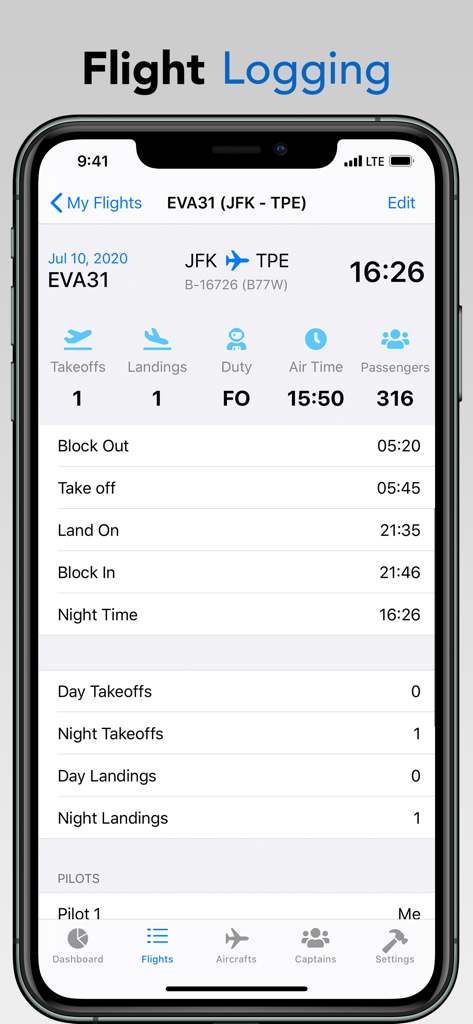
Captain Logbook - 상업용 조종사의 상세 비행 시간 및 착륙 통계를 표시하는 디지털 비행 로그북 인터페이스
상업용 조종사의 상세 비행 시간 및 착륙 통계를 표시하는 디지털 비행 로그북 인터페이스

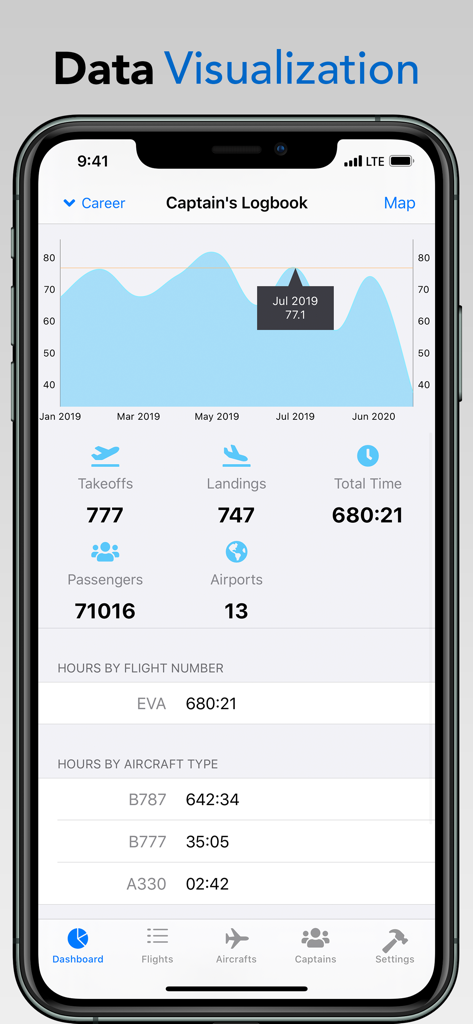
Captain Logbook - 캡틴 로그북 앱 대시보드에 비행 시간 및 조종사 데이터 시각화 통계 표시
캡틴 로그북 앱 대시보드에 비행 시간 및 조종사 데이터 시각화 통계 표시

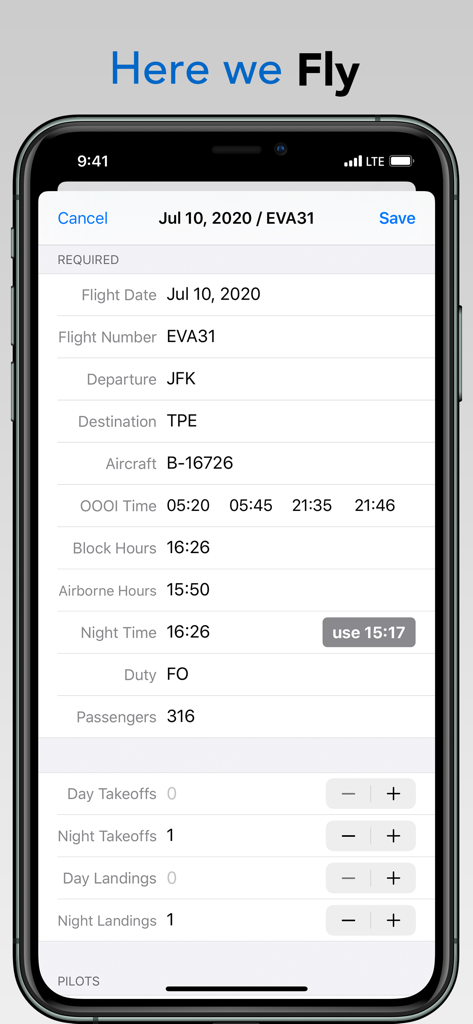
Captain Logbook - JFK에서 TPE까지의 비행 블록 시간 및 OOOI 시간을 포함한 비행 세부 정보 입력을 보여주는 캡틴 로그북의 모바일 앱 인터페이스
JFK에서 TPE까지의 비행 블록 시간 및 OOOI 시간을 포함한 비행 세부 정보 입력을 보여주는 캡틴 로그북의 모바일 앱 인터페이스

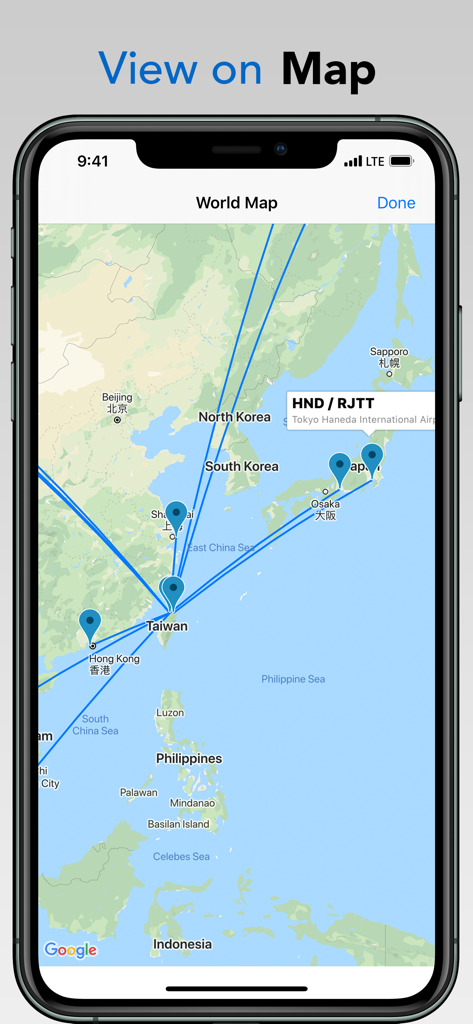
Captain Logbook - 캡틴 로그북의 기록된 비행 경로 및 공항 위치를 보여주는 세계 지도
캡틴 로그북의 기록된 비행 경로 및 공항 위치를 보여주는 세계 지도

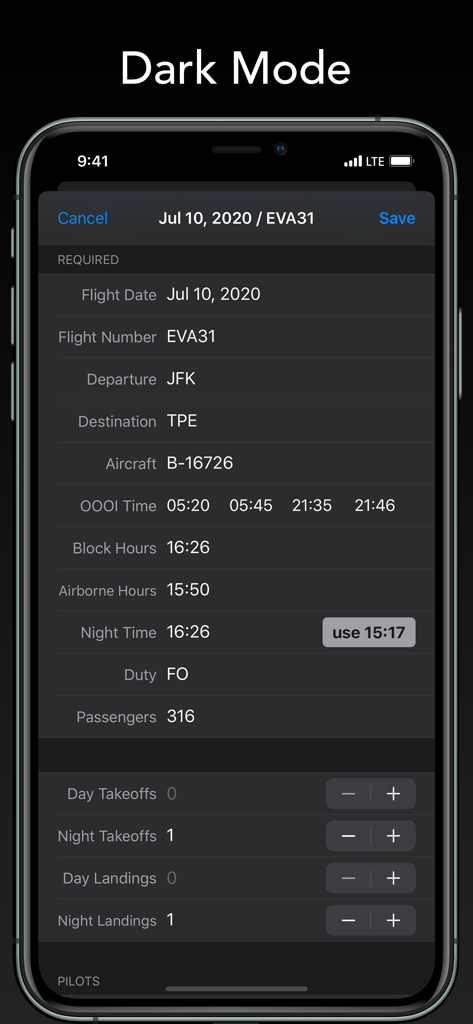
Captain Logbook - 전문 조종사를 위한 비행 세부 정보 및 OOOI 시간을 보여주는 다크 모드의 캡틴 로그북 디지털 로그북 인터페이스

전문 조종사를 위한 비행 세부 정보 및 OOOI 시간을 보여주는 다크 모드의 캡틴 로그북 디지털 로그북 인터페이스

설명

Captain’s Logbook focuses on the important stuff matters for an airline pilot. *Log Anything* Create flights with flight numbers, airports, OOOI times, approaches flown, number of passengers, takeoffs and landings, crew pairings. Custom fields are available for pilot sand flights. *Intelligent* The app knows you always fly the Canarsie VOR 13R approach at JFK airport while conducting the Expressway Visual Approach Runway 31 into LGA. Suggestion lists are available for some fields to save your time. *Synced* The app supports both the iPhone and the iPad. Your flight logs on all of your devices are synced with our Captain Cloud for free (registration required.) Of course, you can always back up your data to CSV file and PDF format locally. *Cool* The app integrates the latest cool technologies including Dark Mode and Sign In with Apple. *Export* Export all of your flights to PDF file, including EASA and Jeppesen(FAA) format. You can also export the logbook to CSV(spreadsheet) file. *Try it yourself* A full functional app is available for FREE, for up to 100 flights logged. Afterwards, a "Pro Captain" subscription in the App Store is required for creating more flights. Subscriptions - Pro Captain (Unlimited Access) plan: The prices may vary in different regions or countries, check Settings > Subscriptions in the app for details. Your account will be charged for renewal automatically, unless auto-renew is turned off 24 hours prior to the end of the current subscription period. Automatic renewals will cost the same price you were originally charged for the subscription. You can manage your subscriptions and turn off auto-renewal by going to your Account Settings on the App Store after purchase. Privacy Policy: https://captainlogbook.app/privacy Terms of Use: https://captainlogbook.app/terms-of-use

Download

다운로드: App Store

이 페이지는 앱이나 개발자의 공식 페이지가 아니며, 정보 제공 및 논평을 목적으로 작성된 독립 편집 간행물입니다. 명시적으로 달리 언급되지 않는 한, 해당 앱이나 개발자는 MWM, Apple, Google Play, 앱 퍼블리셔 또는 앱 개발자와 제휴, 보증, 후원, 승인 또는 공식적으로 연결되어 있지 않으며, 이 페이지의 어떤 내용도 해당 앱이 MWM의 서비스를 사용하여 개발되었음을 의미하지 않습니다. 모든 상표, 로고, 스크린샷 및 기타 콘텐츠는 해당 소유자의 자산입니다.








