Color Note – Think Clearly
다운로드: App Store

이 페이지는 앱이나 개발자의 공식 페이지가 아니며, 정보 제공 및 논평을 목적으로 작성된 독립 편집 간행물입니다. 명시적으로 달리 언급되지 않는 한, 해당 앱이나 개발자는 MWM, Apple, Google Play, 앱 퍼블리셔 또는 앱 개발자와 제휴, 보증, 후원, 승인 또는 공식적으로 연결되어 있지 않으며, 이 페이지의 어떤 내용도 해당 앱이 MWM의 서비스를 사용하여 개발되었음을 의미하지 않습니다. 모든 상표, 로고, 스크린샷 및 기타 콘텐츠는 해당 소유자의 자산입니다.

로고: Color Note – Think Clearly
다운로드: App Store

Color Note – Think Clearly

세련된 색상 분류와 캘린더 통합으로 마음을 정리하세요. 디지털 미니멀리스트를 위해 설계된 100% 오프라인, 방해 없는 환경에서 완벽한 개인 정보 보호를 경험하세요.

주요 수치

다운로드

2K+

사용자 평점

3.3/5

총 평가 수

0

개발사

TMT MACHINERY JOINT STOCK COMPANY

카테고리

Productivity

지원 언어

1

최신 버전

1.0.2

크기

150.5 MB

출시일

2025년 5월 8일
기능

우아한 단순함으로 마음을 마스터하세요

시각적 사고가들을 위해 설계된 방해 없는 안식처를 경험하세요. Zynote는 실제 노트의 촉감을 디지털 정리 기능과 결합하여 완벽한 정신적 명확성을 달성하도록 돕습니다.

100% 개인 정보 보호 및 오프라인

당신의 아이디어는 당신만의 것입니다. 저희는 데이터를 수집하거나 클라우드를 사용하지 않습니다. 모든 노트는 완벽한 마음의 평화를 위해 기기에 안전하게 저장됩니다.

생생한 시각적 계층 구조

선형 목록을 넘어서세요. 풍부한 색상 팔레트와 스티커 메모 스타일 그리드를 사용하여 프로젝트, 기분, 작업을 시각적으로 구성하세요.

다음 스크린샷과 설명은 앱의 공식 스토어 목록에서 직접 가져온 것이며 앱 개발자의 자산입니다.

앱 스토어

스크린샷
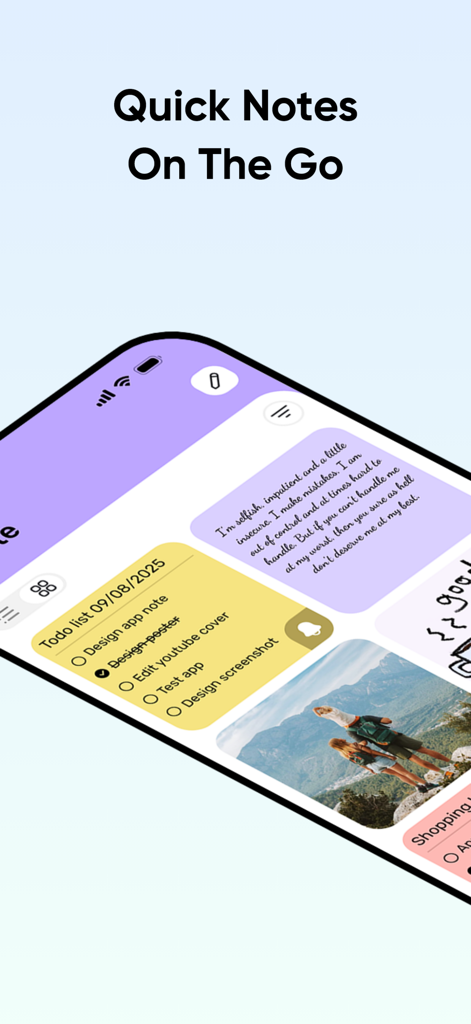
Color Note – Think Clearly - Color Note 앱의 색상별로 분류된 노트와 할 일 목록 그리드 보기
Color Note 앱의 색상별로 분류된 노트와 할 일 목록 그리드 보기

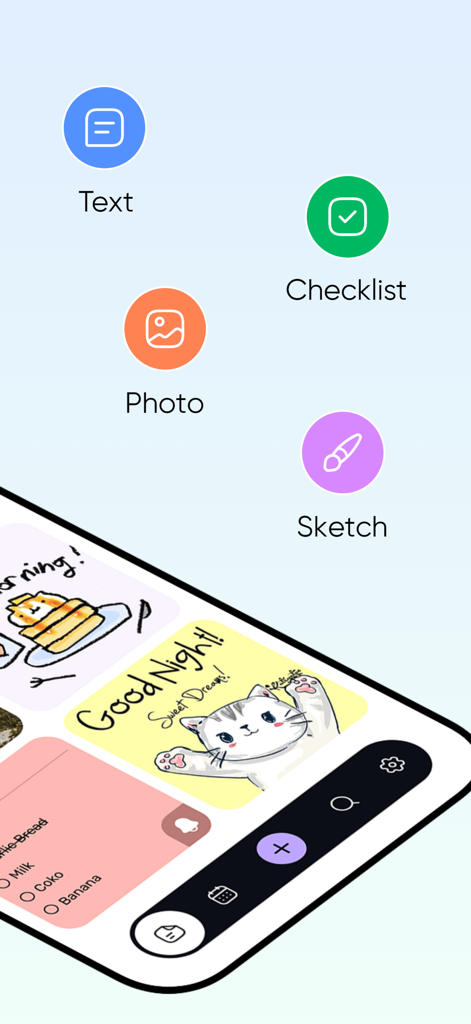
Color Note – Think Clearly - 텍스트, 체크리스트, 사진, 스케치 노트 옵션을 표시하는 모바일 앱 인터페이스와 다채로운 시각적 항목 그리드.
텍스트, 체크리스트, 사진, 스케치 노트 옵션을 표시하는 모바일 앱 인터페이스와 다채로운 시각적 항목 그리드.

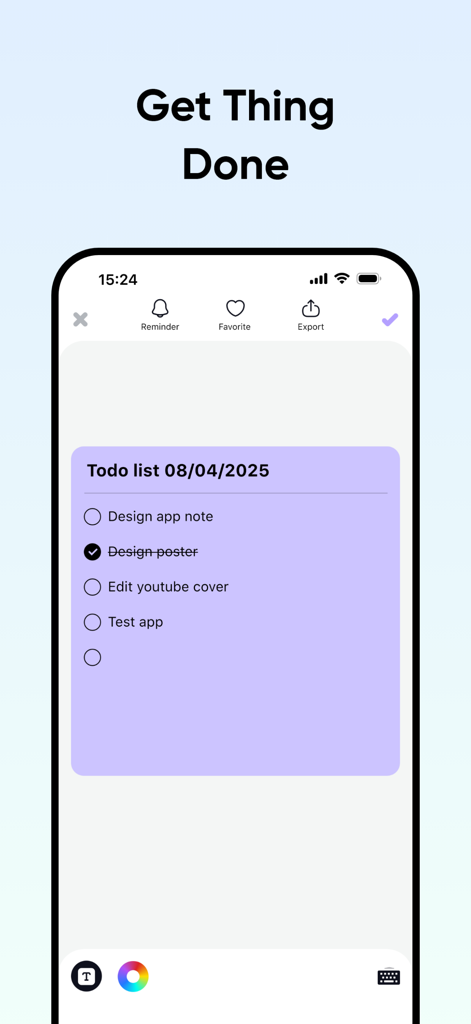
Color Note – Think Clearly - 'Get Thing Done' 헤더가 있는 iPhone에서 작업 체크리스트를 보여주는 보라색 디지털 스티커 메모
'Get Thing Done' 헤더가 있는 iPhone에서 작업 체크리스트를 보여주는 보라색 디지털 스티커 메모

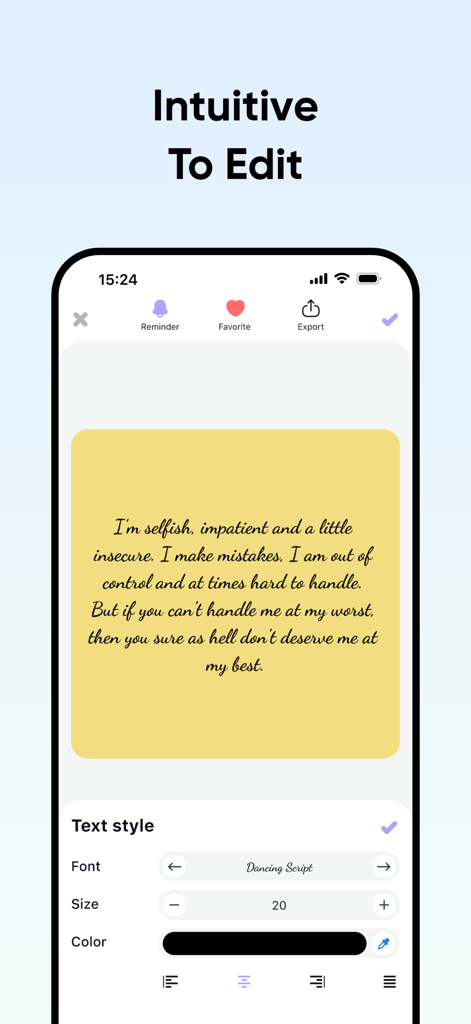
Color Note – Think Clearly - 텍스트 스타일 옵션과 노란색 디지털 스티커 메모를 보여주는 Color Note 앱의 노트 편집 화면
텍스트 스타일 옵션과 노란색 디지털 스티커 메모를 보여주는 Color Note 앱의 노트 편집 화면

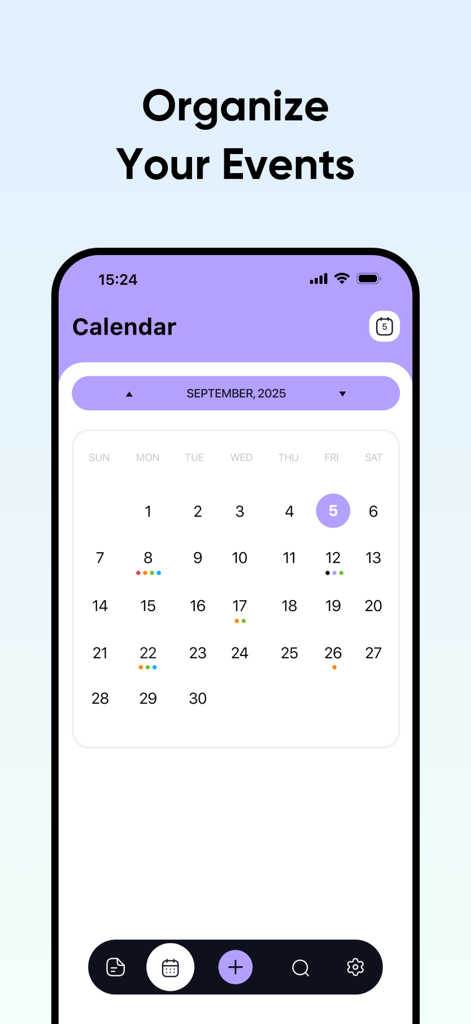
Color Note – Think Clearly - 정리된 월별 이벤트를 표시하는 Color Note 앱 내의 보라색 및 흰색 캘린더 인터페이스.
정리된 월별 이벤트를 표시하는 Color Note 앱 내의 보라색 및 흰색 캘린더 인터페이스.

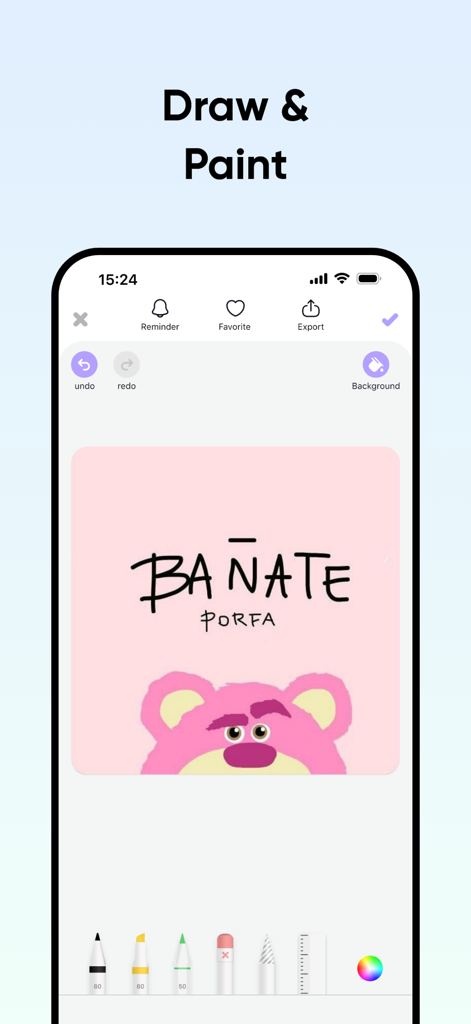
Color Note – Think Clearly - 분홍색 곰 그림과 창의적인 도구를 보여주는 Color Note 앱의 그림 그리기 및 페인팅 인터페이스
분홍색 곰 그림과 창의적인 도구를 보여주는 Color Note 앱의 그림 그리기 및 페인팅 인터페이스

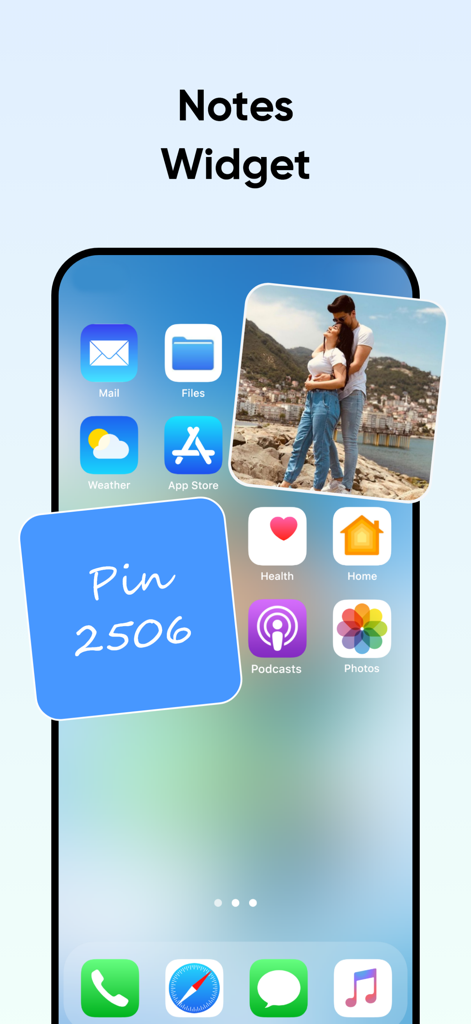
Color Note – Think Clearly - Color Note 앱의 사진 노트와 핀 코드 메시지가 있는 파란색 스티커 메모라는 두 개의 위젯을 표시하는 iPhone 홈 화면.

Color Note 앱의 사진 노트와 핀 코드 메시지가 있는 파란색 스티커 메모라는 두 개의 위젯을 표시하는 iPhone 홈 화면.

설명

Zynote - Think Clearly: Your Ultimate Offline Note-Taking Companion Welcome to Zynote - Think Clearly, the ultimate note-taking app designed to help you organize your thoughts, boost productivity, and enhance creativity with a clean and intuitive interface. Inspired by the power of clarity and simplicity, Zynote offers a seamless experience for those who value efficiency and elegance in managing daily tasks and ideas. Best of all, Zynote works entirely offline and respects your privacy by not collecting any user data. Key Features: * Customizable Note System: Create, edit, and categorize notes with ease. Personalize your notes with a vibrant color palette for a visually appealing and organized experience. * Modern & Intuitive Interface: Enjoy a grid-layout home screen with sticky-note-style icons for quick navigation and easy access to your thoughts. * Detailed Note Editor: Experience distraction-free note editing with rich text formatting to keep your ideas clear and structured. * Calendar Integration: Attach notes to specific dates and set reminders to stay on top of deadlines and events. * Photo Attachments: Add images to your notes for extra context, from whiteboard snapshots to inspirational photos. * Multi-Note View: View and manage multiple notes at once, perfect for comparing ideas or multitasking. * User-Friendly Navigation: Access key functions like creating notes or viewing the calendar with a single tap. * Personalization Options: Tailor the app to your preferences with themes and settings for a unique note-taking experience. Offline & Privacy-Focused: Zynote is a fully local application—no internet connection required. All your notes are stored securely on your device, and we do not collect or share any personal data. Your privacy is our priority. Zynote - Think Clearly is ideal for students, professionals, and anyone seeking a clutter-free mind. Download it today from the App Store and experience the art of clear thinking with an app that puts you first! • Subscription: Renewing and Cancellation Subscription with a free trial period will automatically renew to a paid subscription unless auto-renewal is turn off. Payment will be charged to your iTunes Account at confirmation of purchase. Subscription automatically renews unless auto-renew is turned off at least 24-hours before the end of the current period. Account will be charged for renewal within 24-hour prior to the end of the current period. The cost of the renewal will match the initial subscription price. Your auto-renew subscription can be managed or turned off by going to your Account Settings after purchase. No cancellation of the current subscription is allowed during your active subscription period. Any unused portion of a free trial period, if offered, will be forfeited when purchasing a subscription during the free trial period. If your subscription expires – you will need to purchase a new subscription to access all premium features. Terms of Use: https://sites.google.com/view/zynotethinkclearly Privacy Policy: https://sites.google.com/view/zynote-think-clearly

Download

다운로드: App Store

이 페이지는 앱이나 개발자의 공식 페이지가 아니며, 정보 제공 및 논평을 목적으로 작성된 독립 편집 간행물입니다. 명시적으로 달리 언급되지 않는 한, 해당 앱이나 개발자는 MWM, Apple, Google Play, 앱 퍼블리셔 또는 앱 개발자와 제휴, 보증, 후원, 승인 또는 공식적으로 연결되어 있지 않으며, 이 페이지의 어떤 내용도 해당 앱이 MWM의 서비스를 사용하여 개발되었음을 의미하지 않습니다. 모든 상표, 로고, 스크린샷 및 기타 콘텐츠는 해당 소유자의 자산입니다.








