이 페이지는 앱이나 개발자의 공식 페이지가 아니며, 정보 제공 및 논평을 목적으로 작성된 독립 편집 간행물입니다. 명시적으로 달리 언급되지 않는 한, 해당 앱이나 개발자는 MWM, Apple, Google Play, 앱 퍼블리셔 또는 앱 개발자와 제휴, 보증, 후원, 승인 또는 공식적으로 연결되어 있지 않으며, 이 페이지의 어떤 내용도 해당 앱이 MWM의 서비스를 사용하여 개발되었음을 의미하지 않습니다. 모든 상표, 로고, 스크린샷 및 기타 콘텐츠는 해당 소유자의 자산입니다.
Contacts - Phone Dialer
디지털 주소록을 완벽하게 제어하세요. 중복 연락처를 손쉽게 병합하고, 그룹을 정리하고, 원터치 백업으로 가장 중요한 연락처를 보호하세요.
주요 수치
다운로드
900
사용자 평점
1.0/5
총 평가 수
0
개발사
Janvi Lathiya
카테고리
Productivity
지원 언어
1
최신 버전
1.0
크기
27.2 MB
출시일
2025년 2월 25일
기능
연락처를 쉽게 관리하세요
디지털 혼란과 데이터 손실로 어려움을 겪지 마세요. 올인원 관리자가 커뮤니케이션을 단순화하고 전체 네트워크를 안전하고 체계적으로 유지합니다.
지능형 중복 정리
반복되는 항목을 즉시 검색하고 병합하여 수동 작업 없이 깔끔하고 전문적인 주소록을 되찾으세요.
안심 백업
가장 귀중한 디지털 자산을 보호하세요. 전화기 업그레이드 중에도 연락처가 항상 안전하도록 자동 백업을 예약하세요.
다음 스크린샷과 설명은 앱의 공식 스토어 목록에서 직접 가져온 것이며 앱 개발자의 자산입니다.
앱 스토어
스크린샷
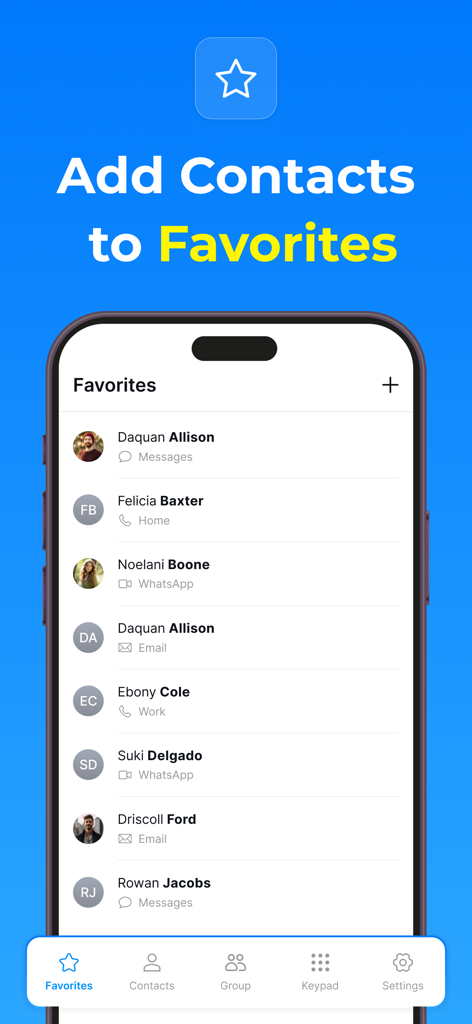
연락처 전화 다이얼러 앱의 즐겨찾기 목록 스크린샷으로 저장된 연락처에 빠르게 액세스할 수 있습니다.
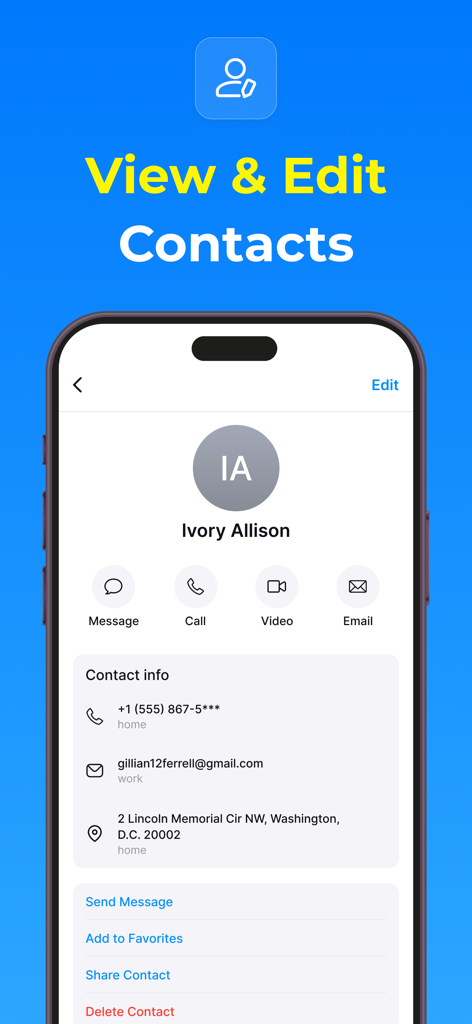
연락처 정보 보기 및 편집 옵션과 빠른 통신 버튼이 있는 연락처 프로필을 보여주는 스마트폰 화면입니다.
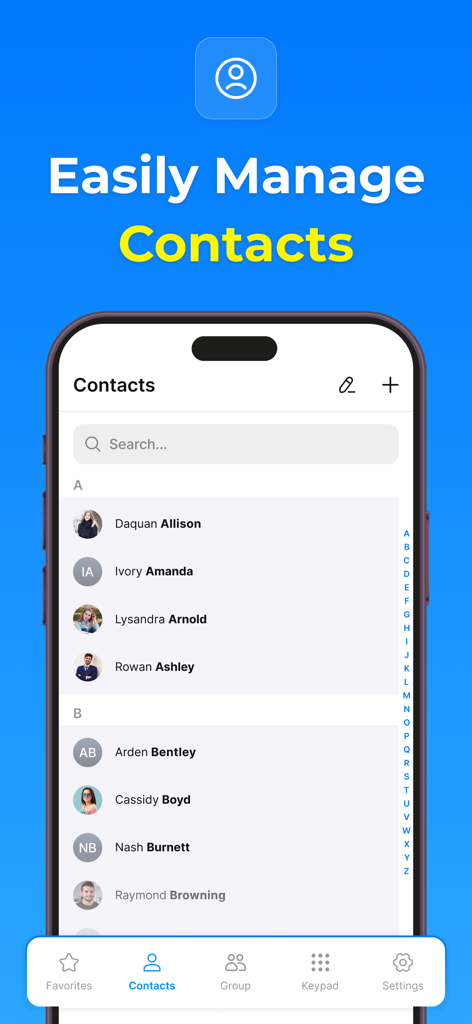
검색창과 탐색 메뉴가 있는 연락처 목록을 보여주는 연락처 관리 앱의 사용자 인터페이스
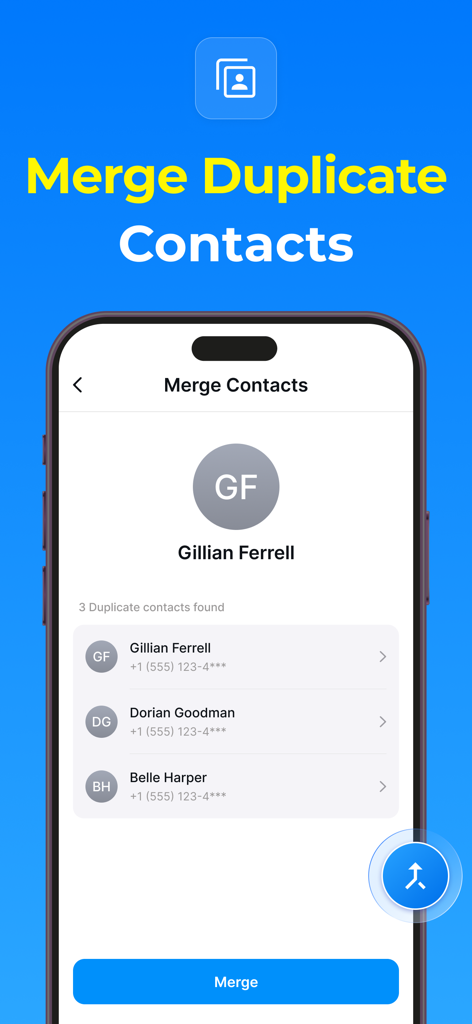
연락처 목록과 병합 버튼이 있는 연락처 전화 다이얼러 앱의 중복 연락처 병합 화면입니다.
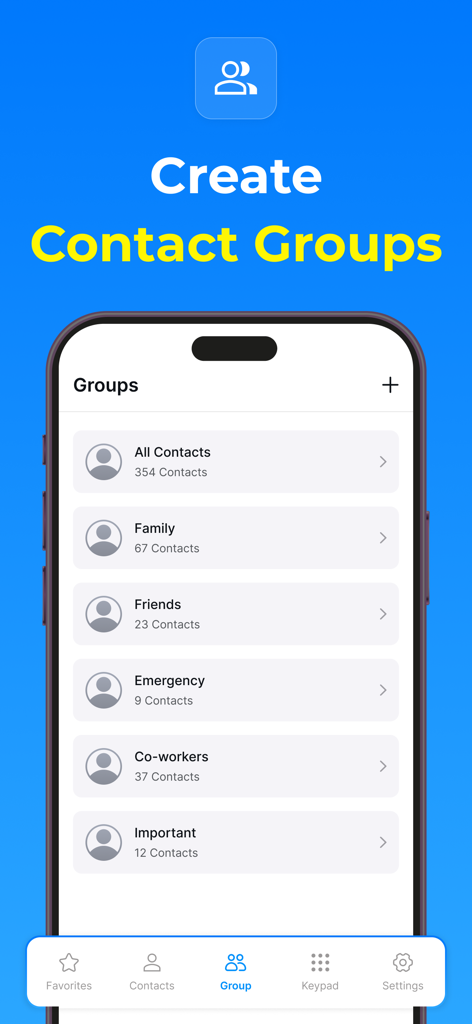
가족, 친구, 동료와 같은 범주가 있는 연락처 전화 다이얼러 앱의 연락처 그룹 관리 인터페이스를 보여주는 스마트폰 화면
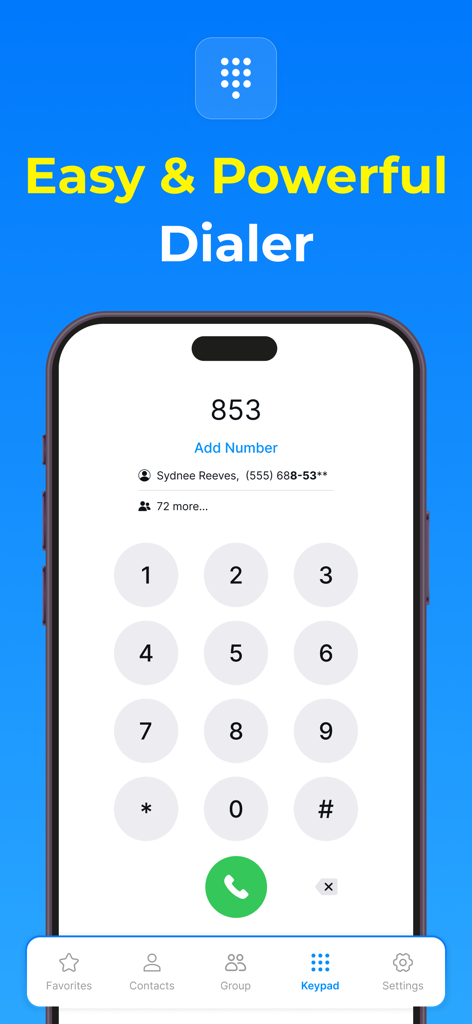
숫자 키패드와 연락처 제안이 있는 모바일 전화 다이얼러 인터페이스
설명
Keep Your Contacts Safe and Organized with Contacts Backup - Caller ID
Your contact list is one of the most valuable assets on your phone. Whether it's for work, family, or friends, keeping your contacts safe, organized, and easy to access is essential. Introducing Contacts Backup - Caller ID, the ultimate solution for managing your contacts with ease and efficiency. With a simplify contact management, enhance communication, and protect your data.
Effortless Backup for Peace of Mind
One of the most crucial features is its ability to back up your entire contact list securely. Whether you're delete contact from phone, or just want to ensure you don’t lose your contacts, this app guarantees that all your contacts are safely backed up. With the touch of a button, you can instantly create a backup of your entire contact list and store it in the application, it’s easily recoverable at any time.
You can schedule automatic backups to happen daily, weekly, or monthly, depending on your preference.
Group Contact Management
When you want to organize contacts by family, friends, work, or any custom category you prefer, Contacts Backup - Caller ID allows you to group contacts together for easy access. Grouping contacts helps reduce clutter and makes it easier to send messages or make calls to multiple people at once.
With just a few taps, you can add or remove contacts from a group and even customize the names of the groups to suit your needs. This feature streamlines your contact management and makes communication quicker and more organized.
Find and Merge Duplicate Contacts
Have you ever found that your contact list has duplicates? Contacts Backup - Caller ID makes it easy to find duplicate contacts in your list and merge them with just a tap. The app automatically scans your entire contact list and highlights any duplicate entries, making it simple to clean up your contacts and avoid confusion.
Merging duplicates is effortless – all you need to do is confirm, and the app will combine the information into one contact entry. This ensures that you have the most accurate and up-to-date information for each contact without any repetition.
Edit, Delete, and Rename Contacts
Managing your contact list also means occasionally making changes to your contacts. Contacts Backup - Caller ID provides all the tools you need to easily edit, delete, or rename your contacts as required. If a phone number has changed, a contact’s name has changed, or you simply need to update their details, this app allows you to make changes in just a few taps.
You can quickly edit phone numbers, email addresses, and other contact details. Additionally, if you ever need to remove a contact from your list, you can delete them with ease, ensuring your contact list stays clean and relevant.
Add Contacts to Your Favorites List
We all have those contacts that we reach out to most often—whether it’s your spouse, best friend, or colleague. With Contacts Backup - Caller ID, you can add your most important contacts to your favorites list, so they are always easy to find. By adding contacts to the favorites section, you can quickly call or message them without having to search through your entire contact list.
Quick Call and Message Features
Communication should be fast and effortless. With Contacts Backup - Caller ID, making a call or sending a message has never been easier. The app features a streamlined interface that allows you to quickly search for and contact any person in your contact list. Simply tap on a contact’s name, and you’ll have the option to call, text, or even email them without navigating through multiple menus.
Privacy Policy - https://contactsphonedialer.blogspot.com/2025/02/privacy-policy.html
Terms & Conditions - https://contactsphonedialer.blogspot.com/2025/02/terms-conditions.html
EULA - https://contactsphonedialer.blogspot.com/2025/02/end-user-license-agreement-contacts.html
이 페이지는 앱이나 개발자의 공식 페이지가 아니며, 정보 제공 및 논평을 목적으로 작성된 독립 편집 간행물입니다. 명시적으로 달리 언급되지 않는 한, 해당 앱이나 개발자는 MWM, Apple, Google Play, 앱 퍼블리셔 또는 앱 개발자와 제휴, 보증, 후원, 승인 또는 공식적으로 연결되어 있지 않으며, 이 페이지의 어떤 내용도 해당 앱이 MWM의 서비스를 사용하여 개발되었음을 의미하지 않습니다. 모든 상표, 로고, 스크린샷 및 기타 콘텐츠는 해당 소유자의 자산입니다.