Copy Me That recipe manager
다운로드: App Store

이 페이지는 앱이나 개발자의 공식 페이지가 아니며, 정보 제공 및 논평을 목적으로 작성된 독립 편집 간행물입니다. 명시적으로 달리 언급되지 않는 한, 해당 앱이나 개발자는 MWM, Apple, Google Play, 앱 퍼블리셔 또는 앱 개발자와 제휴, 보증, 후원, 승인 또는 공식적으로 연결되어 있지 않으며, 이 페이지의 어떤 내용도 해당 앱이 MWM의 서비스를 사용하여 개발되었음을 의미하지 않습니다. 모든 상표, 로고, 스크린샷 및 기타 콘텐츠는 해당 소유자의 자산입니다.


로고: Copy Me That recipe manager
다운로드: App Store

Copy Me That recipe manager

광고와 긴 블로그 게시물과의 씨름은 이제 그만. 모든 웹사이트에서 레시피를 즉시 클립하고, 주간 식사를 정리하고, 통로별로 분류된 쇼핑 목록을 생성하여 모든 기기에서 주방 루틴을 간소화하세요.

주요 수치

다운로드

242K+

사용자 평점

4.6/5

총 평가 수

1K+

개발사

Copy Me That IVS

카테고리

Productivity

지원 언어

1

최신 버전

4.2.7

크기

18.0 MB

출시일

2015년 1월 28일
기능

주방 정리를 마스터하세요

바쁜 가계에서 시간과 디지털 정리를 중요하게 생각하는 분들을 위해 설계된 궁극의 레시피 관리자, 식사 플래너 및 식료품 목록 도구입니다.

원클릭 레시피 가져오기

모든 웹사이트나 앱에서 레시피를 즉시 저장하세요. 광고와 긴 게시물은 제거하고 필요한 지침만 깔끔하게 정리된 상태로 제공합니다.

스마트 통로별 분류 목록

식사 계획을 자동으로 쇼핑 목록으로 전환하세요. 품목은 식료품 카테고리별로 그룹화되어 있어 매장을 빠르게 둘러보고 더 빨리 집에 갈 수 있습니다.

다음 스크린샷과 설명은 앱의 공식 스토어 목록에서 직접 가져온 것이며 앱 개발자의 자산입니다.

앱 스토어

스크린샷
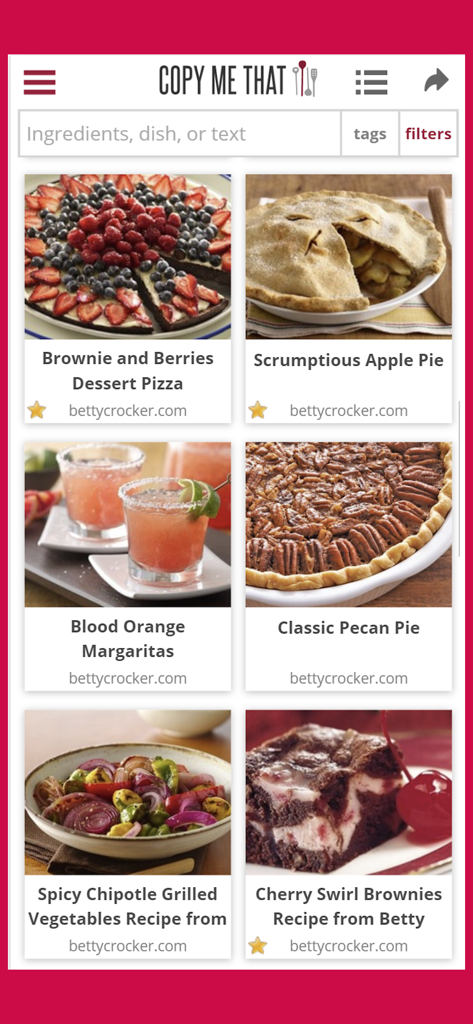
Copy Me That recipe manager - Copy Me That 앱에 사진과 제목이 있는 저장된 레시피의 그리드 보기
Copy Me That 앱에 사진과 제목이 있는 저장된 레시피의 그리드 보기

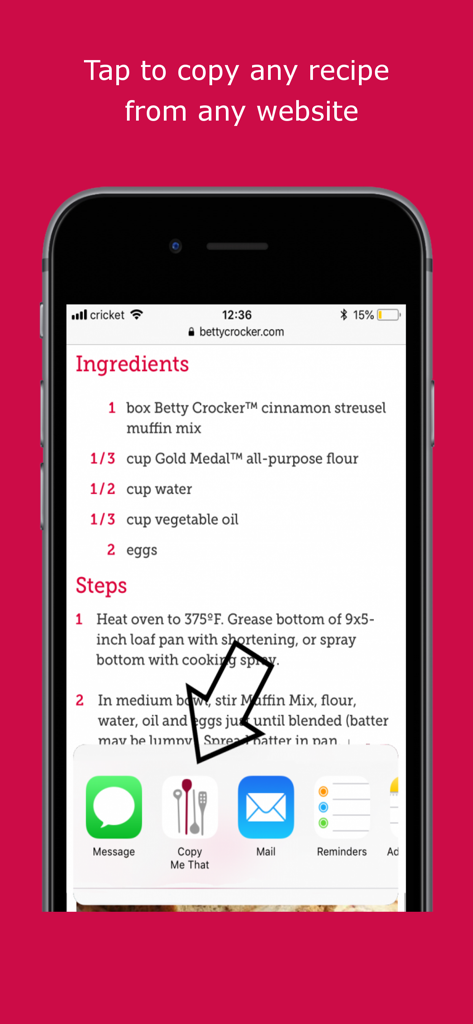
Copy Me That recipe manager - Copy Me That 공유 확장 프로그램을 사용하여 웹사이트에서 레시피를 가져오는 방법을 보여주는 iPhone 스크린샷.
Copy Me That 공유 확장 프로그램을 사용하여 웹사이트에서 레시피를 가져오는 방법을 보여주는 iPhone 스크린샷.

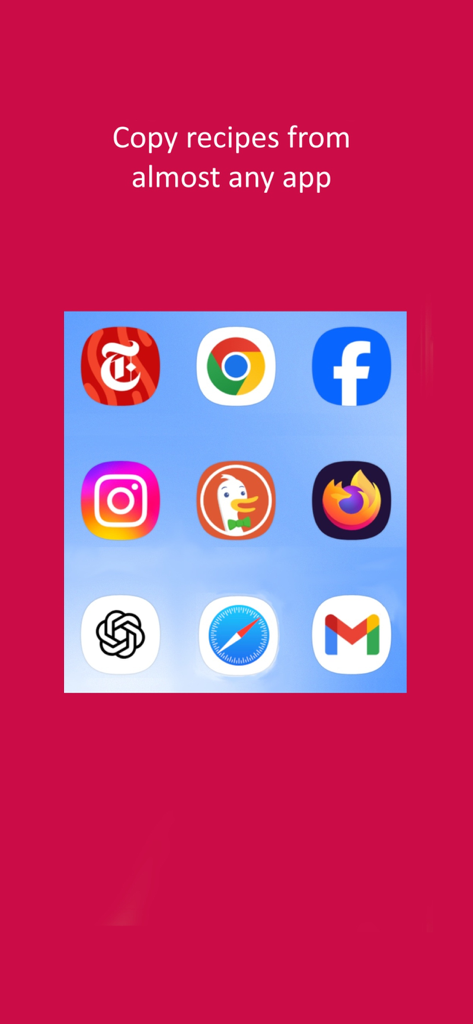
Copy Me That recipe manager - Instagram, Facebook, Chrome과 같은 다양한 소스에서 Copy Me That 앱으로 레시피를 가져올 수 있음을 보여주는 그래픽.
Instagram, Facebook, Chrome과 같은 다양한 소스에서 Copy Me That 앱으로 레시피를 가져올 수 있음을 보여주는 그래픽.

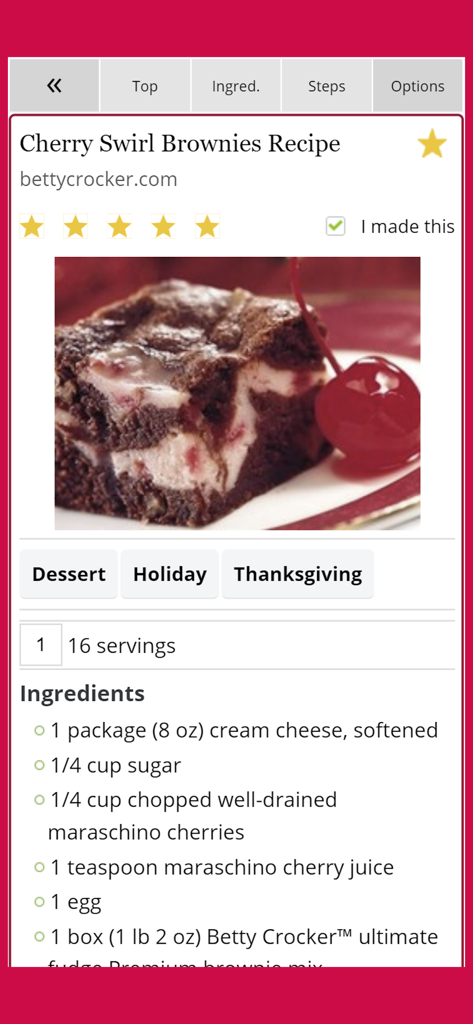
Copy Me That recipe manager - 재료와 태그가 포함된 Cherry Swirl Brownies 레시피의 상세 보기를 보여주는 Copy Me That 레시피 관리자 스크린샷.
재료와 태그가 포함된 Cherry Swirl Brownies 레시피의 상세 보기를 보여주는 Copy Me That 레시피 관리자 스크린샷.

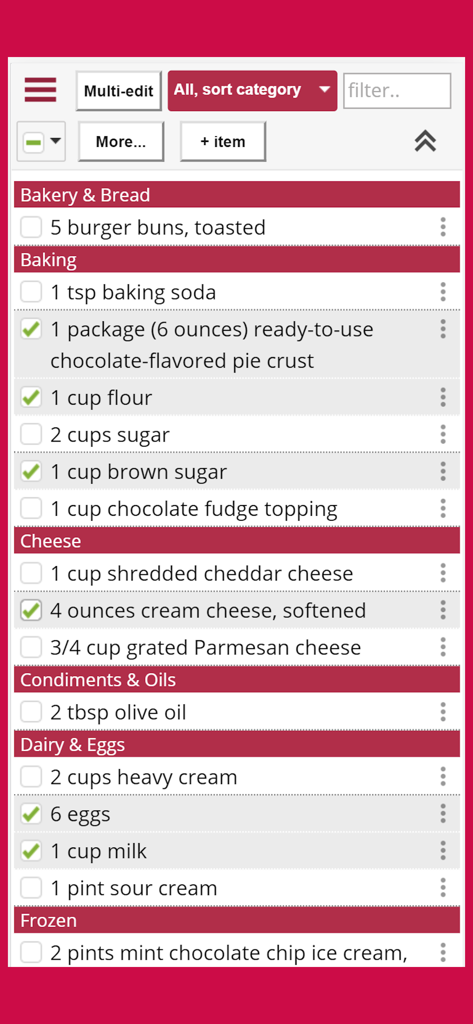
Copy Me That recipe manager - Copy Me That 앱에서 식료품점 카테고리별로 정리된 디지털 쇼핑 목록
Copy Me That 앱에서 식료품점 카테고리별로 정리된 디지털 쇼핑 목록

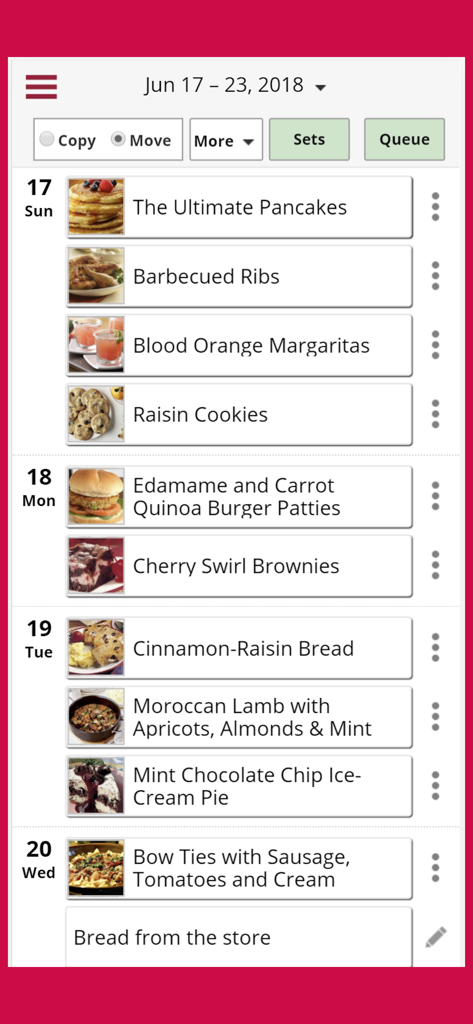
Copy Me That recipe manager - Copy Me That 앱에서 요일별로 정리된 레시피를 보여주는 주간 식사 계획 인터페이스

Copy Me That 앱에서 요일별로 정리된 레시피를 보여주는 주간 식사 계획 인터페이스

설명

Copy Me That combines a recipe manager, shopping list, and meal planner into one seamless flow. Easily add recipes from any website and from most apps. You can also add your own recipes, of course. You'll have your own copy of the complete recipe. Copy Me That syncs with all your devices so you'll have online access anywhere. Edit any part of a recipe to remember your recipe tweaks. Add your own masterpiece photos, or fun flop photos, as the case may be! Organize your recipes with collections or just use search to find what you're looking for. Plan your meals ahead of time with the meal planner and then head off to the grocery store with your shopping list. Sort your shopping list by recipe or category (aisle) to easily find your items in the store. Looking for inspiration? Then see what others are sharing in the Copy Me That Community. You decide how much (or little) you want to share. We've made sure that your iPad or iPhone won't go to sleep while you're following a recipe. (We know how annoying it is when that happens!) Your recipes belong to you and you can export them at any time. You immediately get access to all our features, including features that were previously premium-only. The free version now has a limit of 40 recipes. After that it's only $0.99 per month for unlimited recipes. One paid membership is good on all your devices. Note that the recipe detection, when adding recipes from other websites, is currently optimized for English. Please also refer to the standard Apple Terms of use https://www.apple.com/legal/internet-services/itunes/dev/stdeula/

Download

다운로드: App Store

이 페이지는 앱이나 개발자의 공식 페이지가 아니며, 정보 제공 및 논평을 목적으로 작성된 독립 편집 간행물입니다. 명시적으로 달리 언급되지 않는 한, 해당 앱이나 개발자는 MWM, Apple, Google Play, 앱 퍼블리셔 또는 앱 개발자와 제휴, 보증, 후원, 승인 또는 공식적으로 연결되어 있지 않으며, 이 페이지의 어떤 내용도 해당 앱이 MWM의 서비스를 사용하여 개발되었음을 의미하지 않습니다. 모든 상표, 로고, 스크린샷 및 기타 콘텐츠는 해당 소유자의 자산입니다.








