Daily Timeline To-Do : Taskito
다운로드: App Store

이 페이지는 앱이나 개발자의 공식 페이지가 아니며, 정보 제공 및 논평을 목적으로 작성된 독립 편집 간행물입니다. 명시적으로 달리 언급되지 않는 한, 해당 앱이나 개발자는 MWM, Apple, Google Play, 앱 퍼블리셔 또는 앱 개발자와 제휴, 보증, 후원, 승인 또는 공식적으로 연결되어 있지 않으며, 이 페이지의 어떤 내용도 해당 앱이 MWM의 서비스를 사용하여 개발되었음을 의미하지 않습니다. 모든 상표, 로고, 스크린샷 및 기타 콘텐츠는 해당 소유자의 자산입니다.

로고: Daily Timeline To-Do : Taskito
다운로드: App Store

Daily Timeline To-Do : Taskito

야심찬 멀티태스커를 위해 설계된 올인원 디지털 플래너입니다. 캘린더, 작업 및 프로젝트를 하나의 아름다운 흐름으로 원활하게 병합하여 집중력을 되찾고 하루를 단순화하세요.

주요 수치

다운로드

1K+

사용자 평점

4.5/5

총 평가 수

100

개발사

Taskito Technologies

카테고리

Productivity

지원 언어

8

최신 버전

1.0.3

크기

18.7 MB

출시일

2024년 3월 8일
기능

하나의 통합된 타임라인으로 하루를 마스터하세요

Taskito는 캘린더, 작업 및 메모를 단일 시각적 흐름으로 병합하여 삶을 단순화합니다. 복잡함 없이 명확성을 중요하게 생각하는 뛰어난 성과를 내는 사람들을 위해 설계되었습니다.

모든 것을 한눈에

타임라인의 힘을 경험하세요. 캘린더 이벤트와 할 일 목록을 함께 보며 원활하고 스트레스 없는 일일 일정을 계획하세요.

시각적 프로젝트 계획

단순한 목록을 넘어 활용하세요. 칸반 보드와 색상 코드가 지정된 태그를 사용하여 부업, 학업 및 개인 목표를 정리하세요.

다음 스크린샷과 설명은 앱의 공식 스토어 목록에서 직접 가져온 것이며 앱 개발자의 자산입니다.

앱 스토어

스크린샷
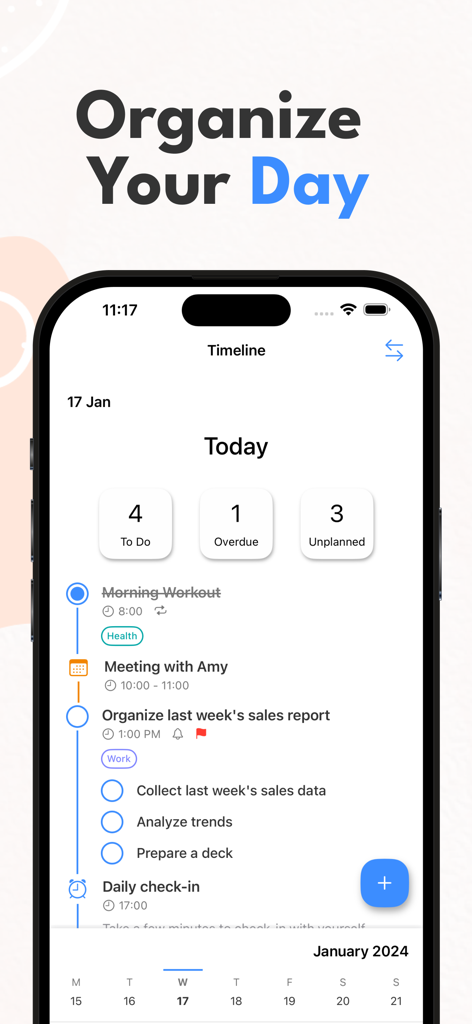
Daily Timeline To-Do : Taskito - Taskito 앱 인터페이스는 회의 및 체크리스트를 포함한 일일 작업 정리를 위한 세로 타임라인 보기를 보여줍니다
Taskito 앱 인터페이스는 회의 및 체크리스트를 포함한 일일 작업 정리를 위한 세로 타임라인 보기를 보여줍니다

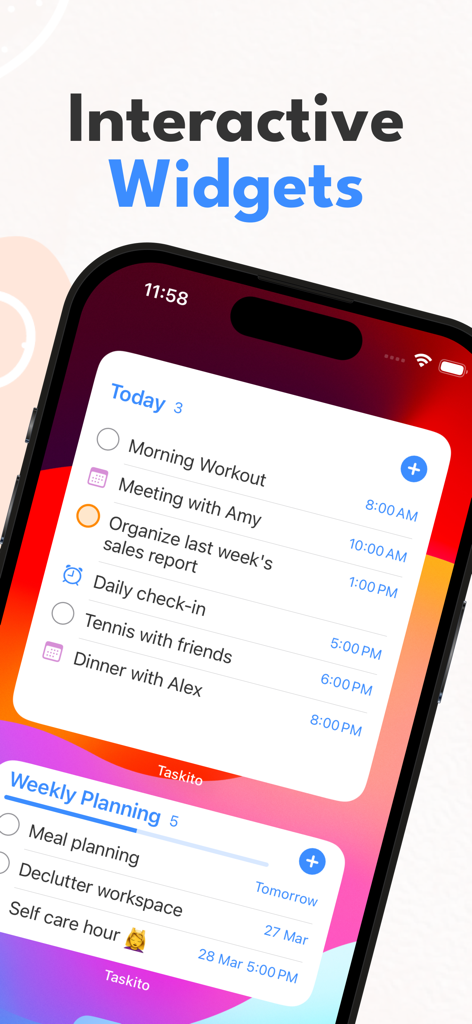
Daily Timeline To-Do : Taskito - iPhone 홈 화면에는 일일 작업 및 주간 계획을 위한 Taskito 대화형 위젯이 표시됩니다
iPhone 홈 화면에는 일일 작업 및 주간 계획을 위한 Taskito 대화형 위젯이 표시됩니다

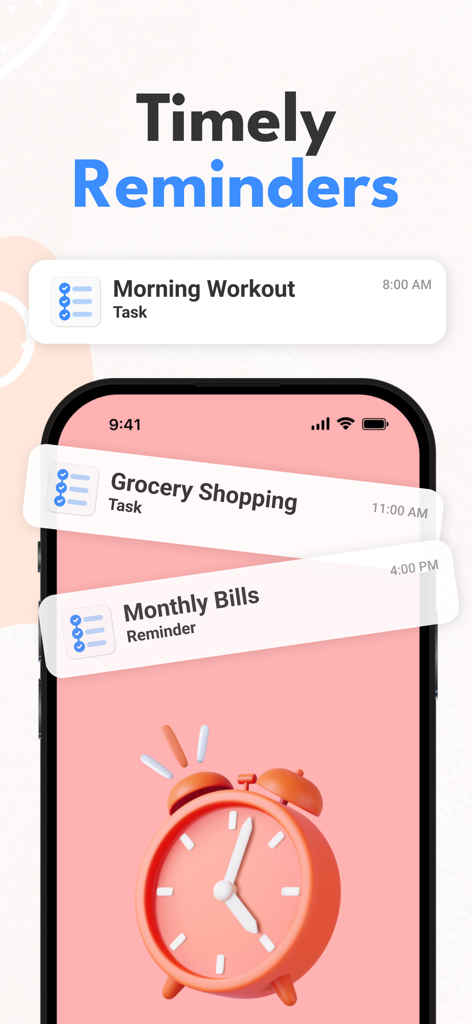
Daily Timeline To-Do : Taskito - Taskito 앱 인터페이스는 아침 운동, 식료품 쇼핑 및 월별 청구서에 대한 알림을 보여줍니다
Taskito 앱 인터페이스는 아침 운동, 식료품 쇼핑 및 월별 청구서에 대한 알림을 보여줍니다

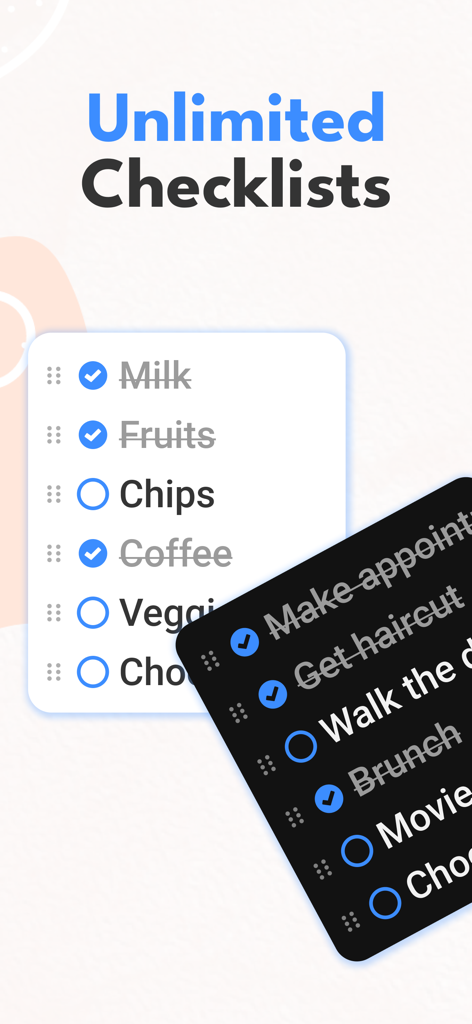
Daily Timeline To-Do : Taskito - Taskito 앱 인터페이스는 라이트 및 다크 모드를 지원하는 무제한 체크리스트를 보여줍니다
Taskito 앱 인터페이스는 라이트 및 다크 모드를 지원하는 무제한 체크리스트를 보여줍니다

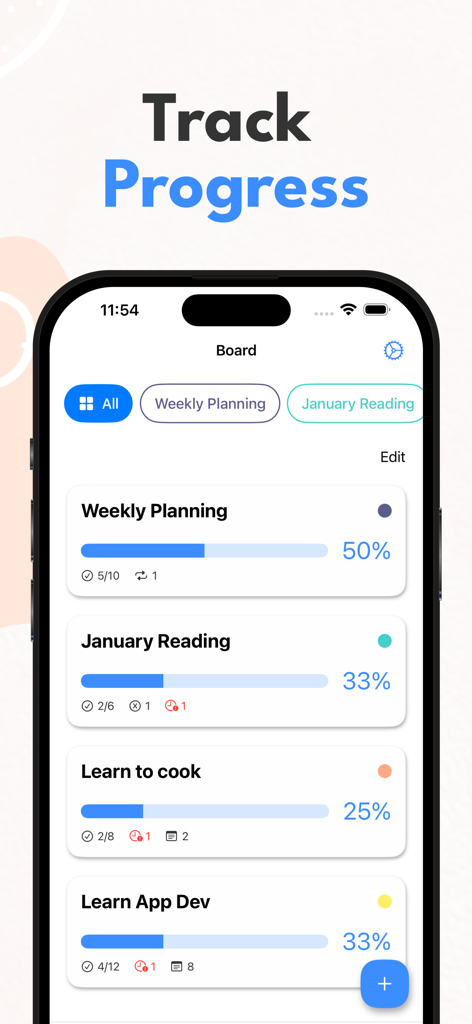
Daily Timeline To-Do : Taskito - Taskito 보드 보기는 다채로운 진행률 표시줄과 완료 백분율로 프로젝트 진행 상황을 표시합니다
Taskito 보드 보기는 다채로운 진행률 표시줄과 완료 백분율로 프로젝트 진행 상황을 표시합니다

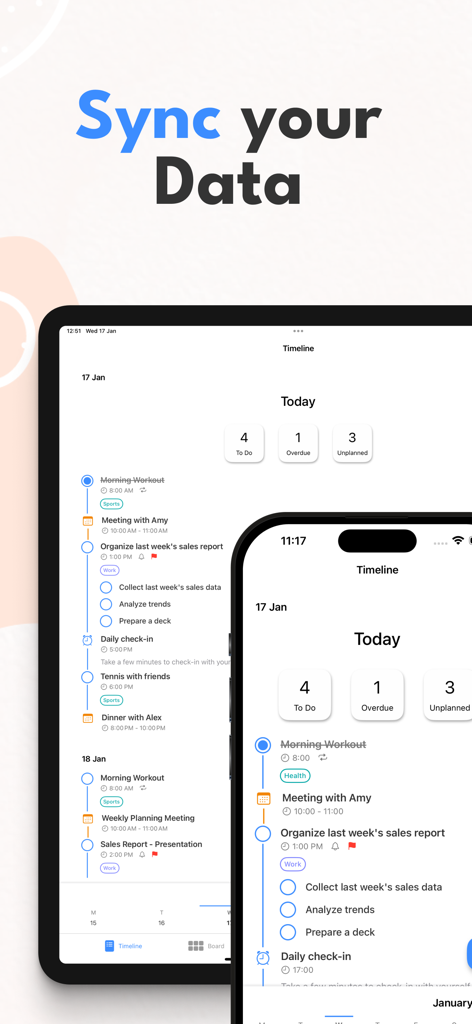
Daily Timeline To-Do : Taskito - Taskito 앱은 타임라인 보기와 iPhone 및 iPad 간의 데이터 동기화를 보여줍니다

Taskito 앱은 타임라인 보기와 iPhone 및 iPad 간의 데이터 동기화를 보여줍니다

설명

With the balance of simplicity & features, you can organize tasks, notes, calendar events, todo list, reminders, recurring tasks - All in one Timeline. Use Taskito to stay organized and manage day-to-day agenda. Make a shopping list or task lists, take notes, track projects and set reminders to increase productivity and focus on what matters to you. Students find it easy to manage schedule, assignments and curriculum with Taskito. You can create to.do list for each subject, add task with checklist for each chapter. Professionals can schedule daily agenda with calendar events integration. Scheduling can also help you with time blocking. Taskito is versatile and configurable. Import Calendar to see meetings and tasks side-by-side. Organize your board with color coded projects to accomplish hobbies, school work or side projects. Taskito to.do app is one of the best apps for organizing. Taskito focuses on daily tasks. Create todo lists and add task reminders to get rich notifications. Break down your tasks with checklists. Create daily recurring tasks to build a routine. Based on suggestions from people, we keep improving Taskito to make it the best task manager app. Core features: - Timeline View to see all your to-do tasks, checklists, notes, calendar events, reminders in one place. - Easy to access calendar with busy or overdue indicators. - Manage daily to-do lists with Day Mode. - Add reminder to keep check on your agenda. - Kanban board to manage projects. - Import Calendar events to see daily schedule. - Recurring tasks or habit tracking. - Get daily reminders. Weekly or Monthly reminders to keep track of your important tasks. - Reminder notifications. - Sync tasks and projects instantly with multiple devices. Why people love Taskito? - Sort project tasks based on priority, due date, or manual drag and drop. - Crate color coded tags and labels. Categorize to-do tasks with tags. - Templates to automate your day. Create grocery checklist template, workout routine templates, daily routine template. - Assign color to projects, manually change to do task order by simple drag/drop. - Bulk actions. How people use Taskito: - Make a digital planner and timeline diary. - Make a Bullet Journal (BuJo) using Timeline & projects. - Habit tracker with recurring tasks and reminders. - To-Do list & Task Manager. - Grocery list, shopping checklist template. - Daily reminder to track work and plan meetings. - Keep a health log with notes and tags. - Make comprehensive work log. - Daily diary and notes. - Kanban style project management. - Import calendars to keep track of holiday events, meeting events, time blocking and much more. Taskito will assist you to improve your productivity. If you have feedback or suggestions, feel free to send us an email: hey.taskito@gmail.com Website: https://taskito.io/ Help Center: https://taskito.io/help Blog: https://taskito.io/blog Terms of use: https://www.apple.com/legal/internet-services/itunes/dev/stdeula/

Download

다운로드: App Store

이 페이지는 앱이나 개발자의 공식 페이지가 아니며, 정보 제공 및 논평을 목적으로 작성된 독립 편집 간행물입니다. 명시적으로 달리 언급되지 않는 한, 해당 앱이나 개발자는 MWM, Apple, Google Play, 앱 퍼블리셔 또는 앱 개발자와 제휴, 보증, 후원, 승인 또는 공식적으로 연결되어 있지 않으며, 이 페이지의 어떤 내용도 해당 앱이 MWM의 서비스를 사용하여 개발되었음을 의미하지 않습니다. 모든 상표, 로고, 스크린샷 및 기타 콘텐츠는 해당 소유자의 자산입니다.








