Designs+ for UI Design
다운로드: App Store

이 페이지는 앱이나 개발자의 공식 페이지가 아니며, 정보 제공 및 논평을 목적으로 작성된 독립 편집 간행물입니다. 명시적으로 달리 언급되지 않는 한, 해당 앱이나 개발자는 MWM, Apple, Google Play, 앱 퍼블리셔 또는 앱 개발자와 제휴, 보증, 후원, 승인 또는 공식적으로 연결되어 있지 않으며, 이 페이지의 어떤 내용도 해당 앱이 MWM의 서비스를 사용하여 개발되었음을 의미하지 않습니다. 모든 상표, 로고, 스크린샷 및 기타 콘텐츠는 해당 소유자의 자산입니다.

로고: Designs+ for UI Design
다운로드: App Store

Designs+ for UI Design

UI/UX 디자이너와 제품 관리자가 대화형 앱 골격을 구축, 연결 및 발표할 수 있는 필수적이고 가벼운 도구입니다. 사용자 로직을 매핑하고 탐색 가능한 스키마를 즉시 공유하세요. 모두 50MB 미만입니다.

주요 수치

다운로드

900

사용자 평점

1.0/5

총 평가 수

0

개발사

Cristiano Pontani

카테고리

Productivity

지원 언어

7

최신 버전

1.4.11

크기

12.2 MB

출시일

2015년 2월 4일
기능

비전을 구조로 변환

로직, 속도, 휴대성을 중시하는 디자이너와 제품 관리자를 위해 설계된 가볍고 전문적인 와이어프레임 툴킷입니다.

빠른 모바일 와이어프레임

50MB 미만의 저장 공간을 차지하는 빠르고 군더더기 없는 앱으로 몇 초 만에 골격 개요와 레이아웃을 초안 작성하세요.

자동 로직 매핑

앱 흐름을 정확하게 설명하는 자동 링크 맵 및 탐색 가능한 스키마를 사용하여 사용자 여정을 쉽게 시각화하세요.

다음 스크린샷과 설명은 앱의 공식 스토어 목록에서 직접 가져온 것이며 앱 개발자의 자산입니다.

앱 스토어

스크린샷
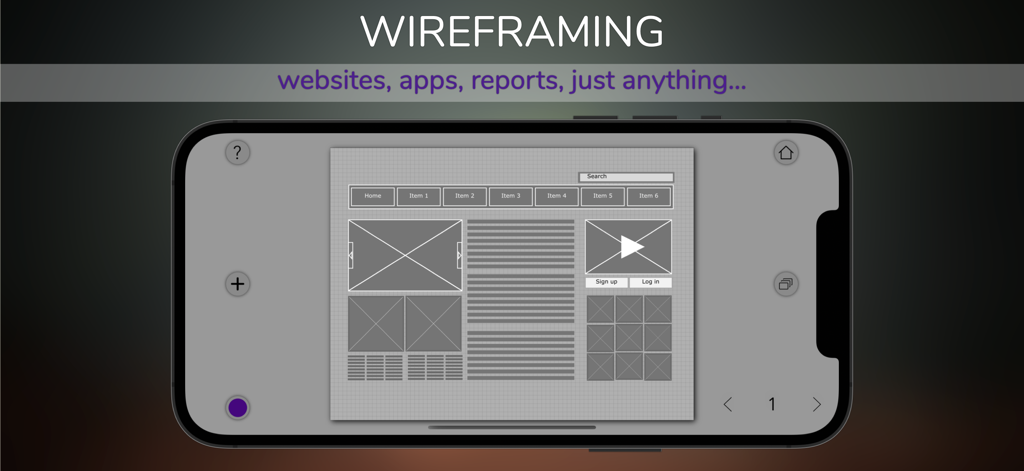
Designs+ for UI Design - Designs Plus 앱에서 탐색 막대와 콘텐츠 블록이 있는 웹사이트 와이어프레임 레이아웃을 표시하는 스마트폰.
Designs Plus 앱에서 탐색 막대와 콘텐츠 블록이 있는 웹사이트 와이어프레임 레이아웃을 표시하는 스마트폰.

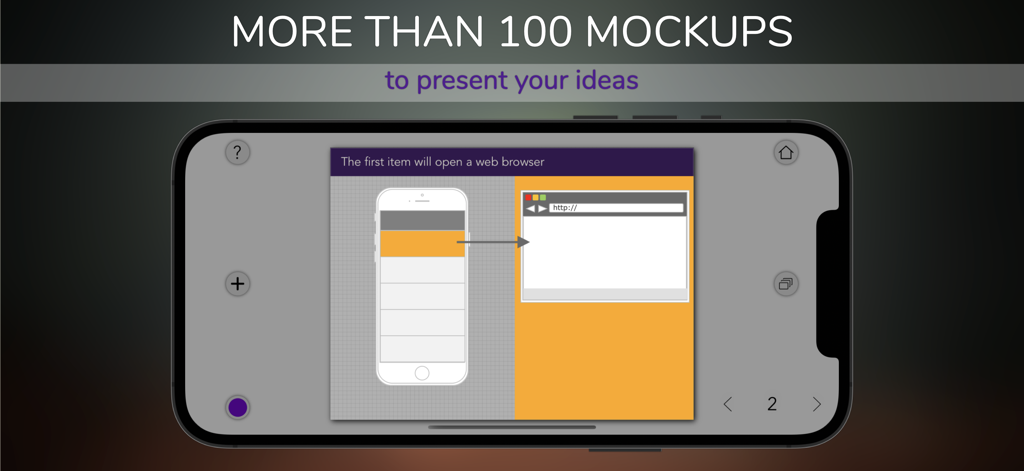
Designs+ for UI Design - 모바일 앱 및 웹 브라우저 목업이 있는 UI 와이어프레임을 보여주는 iPhone의 Designs Plus 앱 인터페이스.
모바일 앱 및 웹 브라우저 목업이 있는 UI 와이어프레임을 보여주는 iPhone의 Designs Plus 앱 인터페이스.

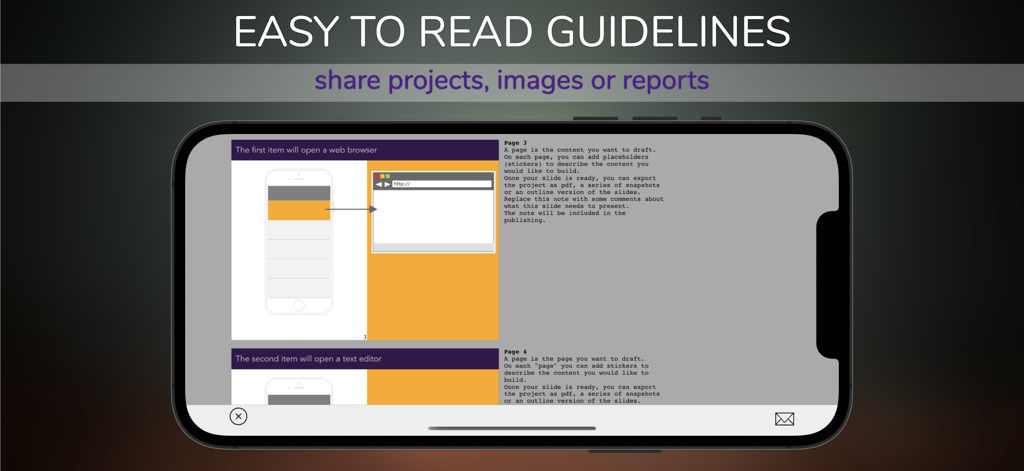
Designs+ for UI Design - Designs Plus 앱에서 UI 디자인 지침 및 프로젝트 공유 옵션을 보여주는 스마트폰 화면.
Designs Plus 앱에서 UI 디자인 지침 및 프로젝트 공유 옵션을 보여주는 스마트폰 화면.

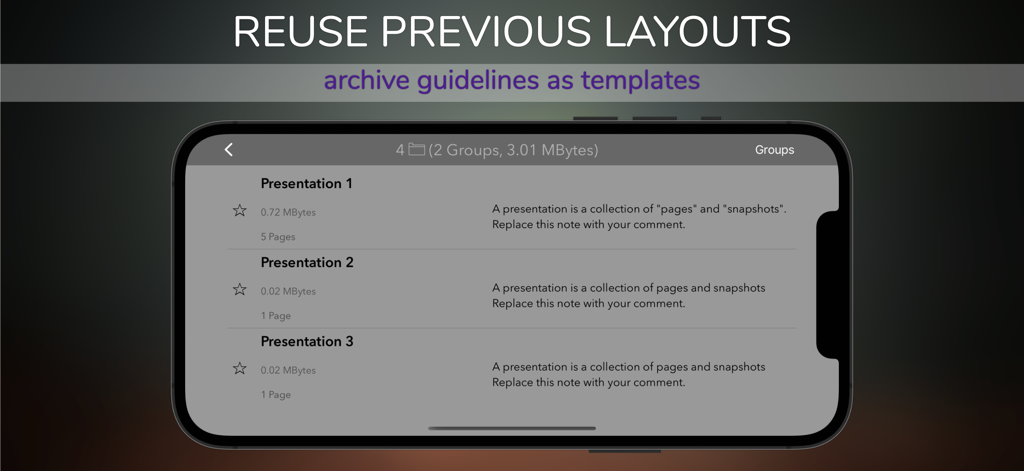
Designs+ for UI Design - 재사용을 위해 저장된 프레젠테이션 레이아웃 목록을 보여주는 Designs+ 앱 프로젝트 관리 화면 스크린샷
재사용을 위해 저장된 프레젠테이션 레이아웃 목록을 보여주는 Designs+ 앱 프로젝트 관리 화면 스크린샷

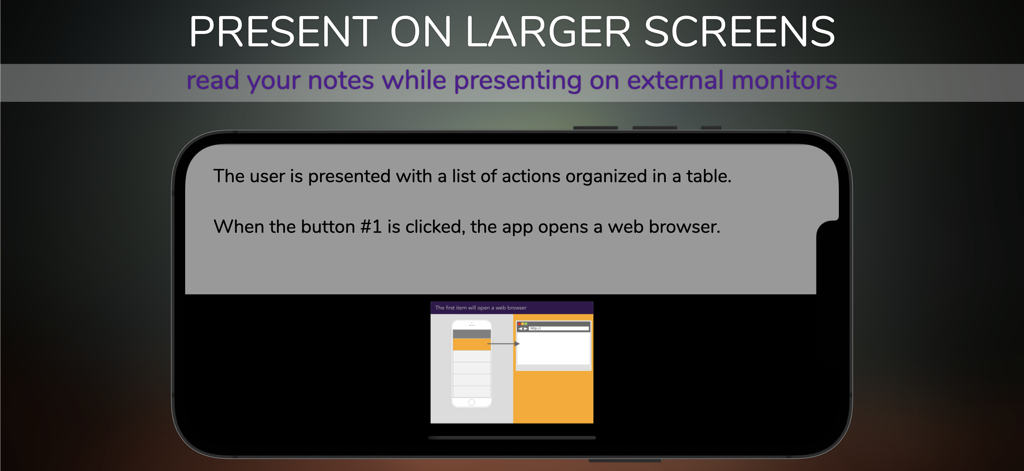
Designs+ for UI Design - 외부 화면의 UI 디자인 스키마에 대한 프레젠테이션 노트를 보여주는 모바일 앱 인터페이스.

외부 화면의 UI 디자인 스키마에 대한 프레젠테이션 노트를 보여주는 모바일 앱 인터페이스.

설명

A fast and versatile tool to create two-dimensional skeletal outlines of a webpage or an app. Design wireframes to describe layouts, the arrangement of the content, the logic of the menus...anything. Publish and share navigable versions of your schema or start a slideshow on the external screen. We designed this app to reduce drastically the space used on your device (less than 50 Mbytes), so you can work seamlessly on your device anywhere! Purpose: Describe the user interface's elements (e.g., how they interact) before developing the final version. This app is a powerful tool to enhance the potential of developers, UI designers, visual designers, business analysts. Key features: - Symbols and built-in mockups: more than 200 items (iPhone, iPad, basic websites, etc.) can be customized (font, size, color, text). - Comments: you can add notes to projects, pages, elements and include them in a report. - Reader Mode: presents on external screen while reading the contents of the storyboard. - Sharing: Share or import projects with other people using this app. - Publication: print or publish a navigable version of the project as a PDF or HTML file. - Storyboard: add comments to describe the screens and pages. - Automatic pagination: all elements in the page will resize and position automatically depending on the orientation of the iPad. - Links map: automatically generates reports to describe the relationship between the schemas (pages, user interfaces, etc.), the user navigation's logic. Provide clear guidelines. - Project management: organize your projects into groups, and share them. - Versioning: projects can be examined and stored between team members. Take a snapshot of a page, add a comment and share it with your colleagues. - Add external content: images and text can be inserted from the Clipboard as new elements on the page. - Safe: use this app on any network, even when you're not at your desk. All sharing features support encryption with passwords. Contact us directly for feedback, additional functionality, support, and refer to our website for more information and examples. Thank you.

Download

다운로드: App Store

이 페이지는 앱이나 개발자의 공식 페이지가 아니며, 정보 제공 및 논평을 목적으로 작성된 독립 편집 간행물입니다. 명시적으로 달리 언급되지 않는 한, 해당 앱이나 개발자는 MWM, Apple, Google Play, 앱 퍼블리셔 또는 앱 개발자와 제휴, 보증, 후원, 승인 또는 공식적으로 연결되어 있지 않으며, 이 페이지의 어떤 내용도 해당 앱이 MWM의 서비스를 사용하여 개발되었음을 의미하지 않습니다. 모든 상표, 로고, 스크린샷 및 기타 콘텐츠는 해당 소유자의 자산입니다.








