Estimate HD
Estimate HD
다운로드: App Store

이 페이지는 앱이나 개발자의 공식 페이지가 아니며, 정보 제공 및 논평을 목적으로 작성된 독립 편집 간행물입니다. 명시적으로 달리 언급되지 않는 한, 해당 앱이나 개발자는 MWM, Apple, Google Play, 앱 퍼블리셔 또는 앱 개발자와 제휴, 보증, 후원, 승인 또는 공식적으로 연결되어 있지 않으며, 이 페이지의 어떤 내용도 해당 앱이 MWM의 서비스를 사용하여 개발되었음을 의미하지 않습니다. 모든 상표, 로고, 스크린샷 및 기타 콘텐츠는 해당 소유자의 자산입니다.


로고: Estimate HD
다운로드: App Store

Estimate HD

14가지 특수 기능으로 목재, 콘크리트 등의 자재 비용을 계산하세요. 정확한 견적과 현장 전용 즉시 이메일 견적으로 법적 패드를 대체하세요.

주요 수치

다운로드

1K+

사용자 평점

1.0/5

총 평가 수

0

개발사

Michael OMassey

카테고리

Productivity

지원 언어

1

최신 버전

3.1

크기

8.6 MB

출시일

2012년 8월 31일
기능

정확하게 시공하고 자신 있게 견적하세요

복잡한 건설 수학을 몇 초 만에 정확한 자재 목록과 전문적인 고객 견적으로 바꿔주는 iPad용 필수 디지털 클립보드입니다.

스마트 자재 계산

추측은 멈추고 시공을 시작하세요. 콘크리트 야드, 목재 길이 및 구조적 요구 사항에 대한 정확한 계산으로 낭비를 줄이고 현장 지연을 방지하세요.

현지 비용 관리

맞춤형 비용 파일을 유지하여 인플레이션에 앞서가세요. 지역 자재 가격을 입력하여 모든 견적이 이익 마진을 보호하도록 하세요.

다음 스크린샷과 설명은 앱의 공식 스토어 목록에서 직접 가져온 것이며 앱 개발자의 자산입니다.

앱 스토어

스크린샷
Estimate HD - Estimate HD 건설 견적기 앱의 시작 화면으로, 주황색 배경에 파란색 줄자 일러스트가 특징입니다.
Estimate HD 건설 견적기 앱의 시작 화면으로, 주황색 배경에 파란색 줄자 일러스트가 특징입니다.

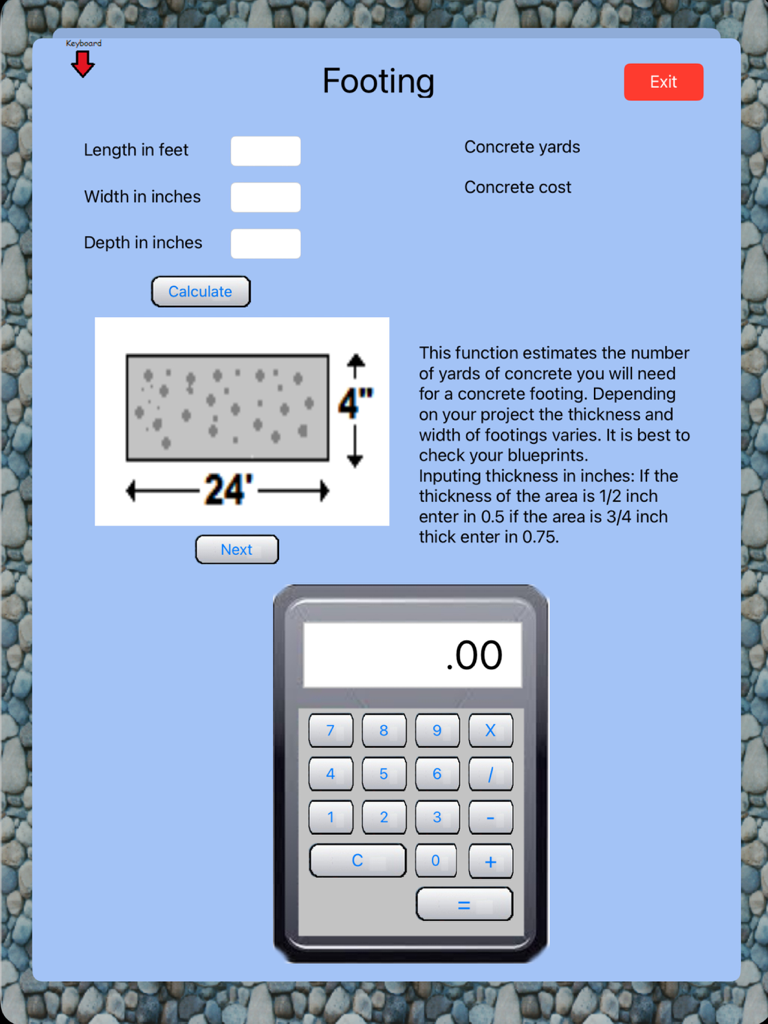
Estimate HD - 건설 프로젝트용 계산기가 내장된 콘크리트 기초 견적 화면.

건설 프로젝트용 계산기가 내장된 콘크리트 기초 견적 화면.

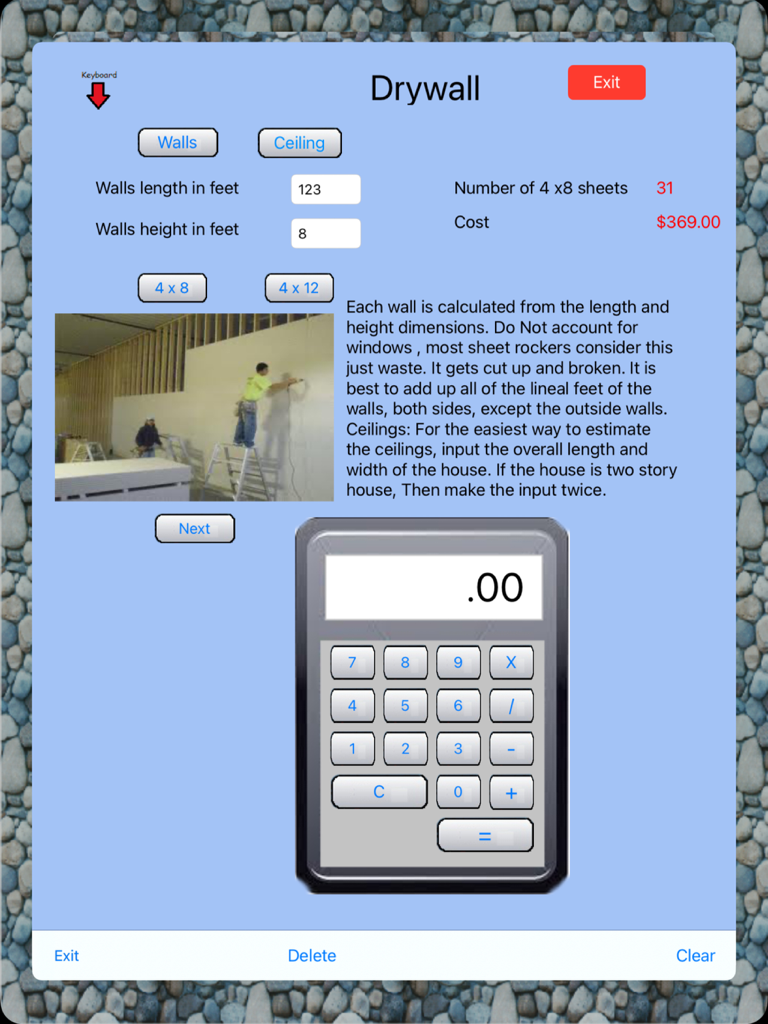
Estimate HD - 자재 시트 및 총 비용 계산을 보여주는 석고보드 견적 화면.

자재 시트 및 총 비용 계산을 보여주는 석고보드 견적 화면.
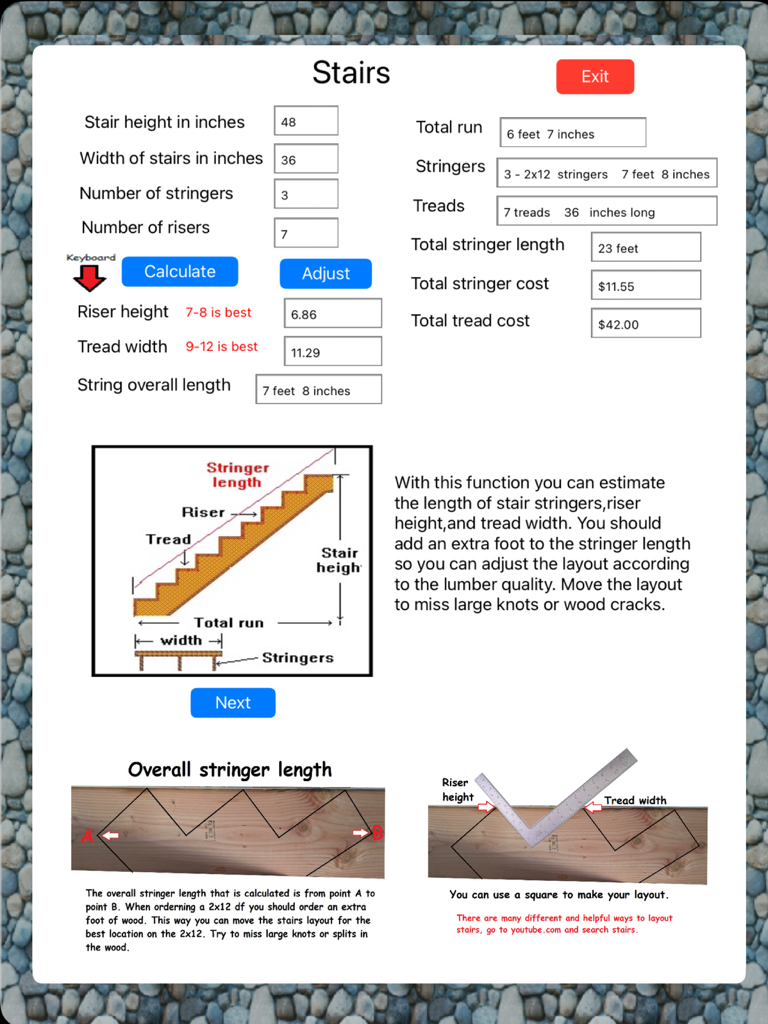
Estimate HD - Estimate HD 앱의 계단 계산 화면으로, 라이저, 트레드 및 스트링거 측정값과 비용 추정치가 표시됩니다.
Estimate HD 앱의 계단 계산 화면으로, 라이저, 트레드 및 스트링거 측정값과 비용 추정치가 표시됩니다.

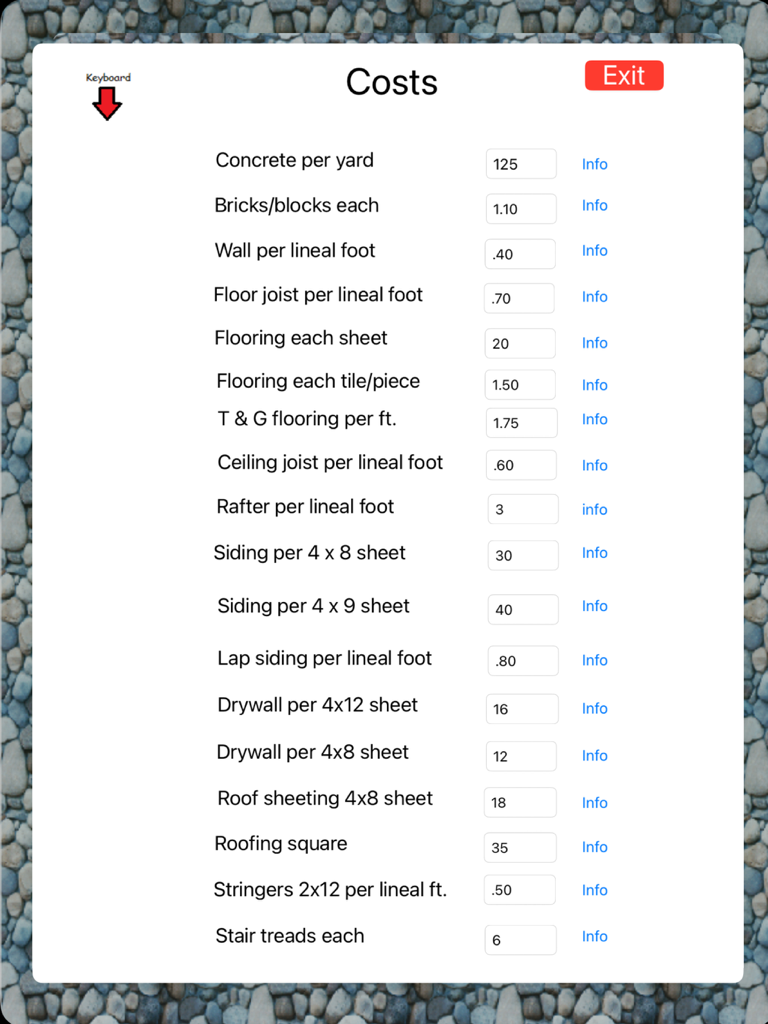
Estimate HD - 콘크리트, 벽돌 및 바닥재의 단위 가격을 보여주는 건설 자재 비용 입력 화면.
콘크리트, 벽돌 및 바닥재의 단위 가격을 보여주는 건설 자재 비용 입력 화면.

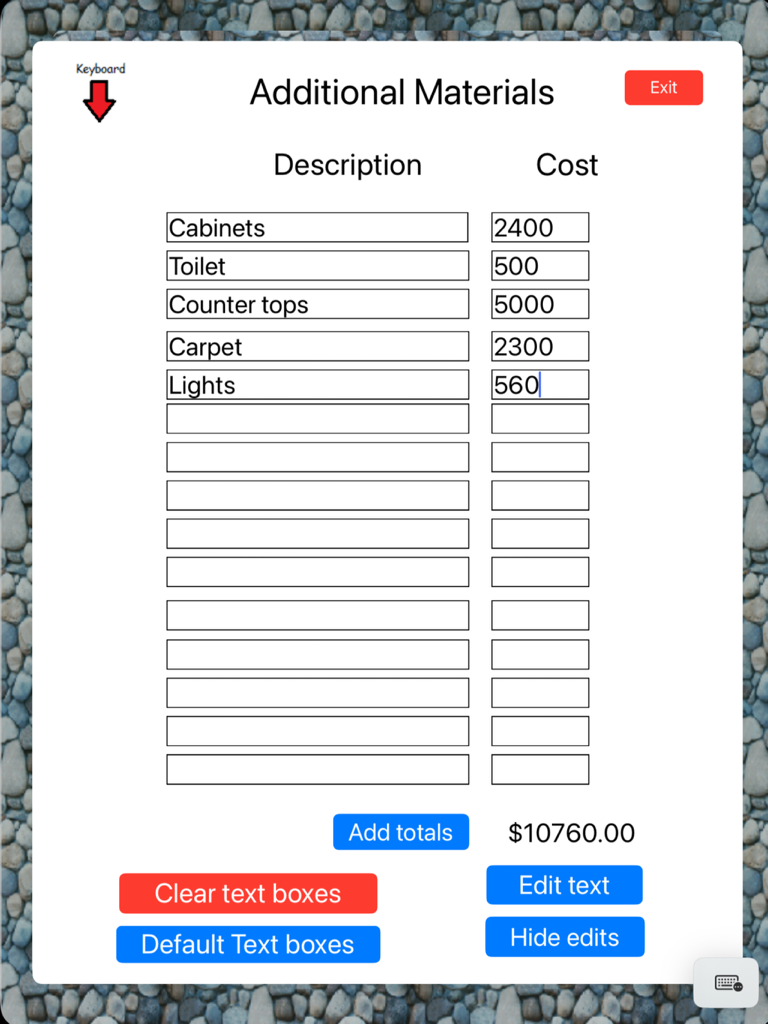
Estimate HD - Estimate HD 앱의 iPad 화면으로, 캐비닛 및 변기와 같은 추가 건설 자재 목록과 해당 비용 및 계산된 총액이 표시됩니다.
Estimate HD 앱의 iPad 화면으로, 캐비닛 및 변기와 같은 추가 건설 자재 목록과 해당 비용 및 계산된 총액이 표시됩니다.

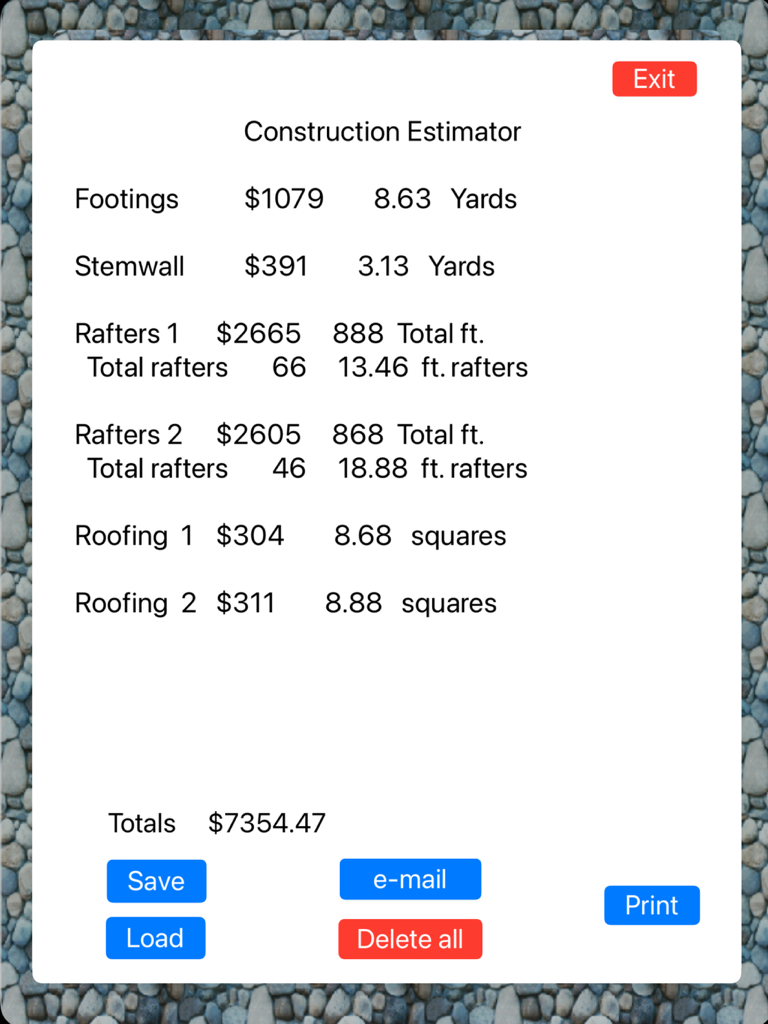
Estimate HD - 건설 견적기 앱의 스크린샷으로, 기초, 서까래 및 지붕에 대한 항목별 프로젝트 비용 및 자재 요약을 보여줍니다.

건설 견적기 앱의 스크린샷으로, 기초, 서까래 및 지붕에 대한 항목별 프로젝트 비용 및 자재 요약을 보여줍니다.

설명

Construction Estimator Construction Estimator is an easy to use estimating program to help a contractor or home owner estimate materials and cost of a project. The main menu of construction Estimator shows 14 functions to choose from. Construction Estimator does not have a set beginning point, you can start with any function. Each function has inputs that relate to the area to be calculated. After inputting the measurements press the calculate button. This will calculate and display the cost and the materials. These totals are remembered and saved in memory. Totals are also displayed in the totals form. After completing a function you can press the EXIT button. This will return you to the main menu.. Accuracy Of course, the degree of your estimates accuracy depends on a number of factors. A small project, such as an addition, will likely produce a very close estimate. A bigger project, such as an entire home, may incur unexpected costs (such as more joists for support) and unforeseen difficulties (such as hard soil or bad weather). Careful input, along with experience that gives foresight, will yield a more accurate estimate. Nothing is more critical to the success of a project than accurate measurements. While Construction Estimator can estimate the total lengths of wood and yards of concrete a project may involve, they are only estimates. To this, we offer two critical suggestions: 1. Cut wood to your specific measurements, not to the lengths estimated by this program. 2. Use your own judgment to add to concrete estimates. Unusual ground conditions and irregular dimensions make concrete estimates an imprecise science. It's better to have some left over than to run out in the middle of a project. Estimator also includes a built in calculator. COST FILE Fill in the current costs For your area And press the SAVE button. This will save the cost file. It will be loaded automatically each time the Estimate program is loaded. E-MAIL. Your estimate can be e-mailed by pressing the E-mail button in the totals form. Before your email is sent you. Have the option to save your estimate, your estimate will be lost if you don't save it. After your email is sent you must reload construction estimator.

Download

다운로드: App Store

이 페이지는 앱이나 개발자의 공식 페이지가 아니며, 정보 제공 및 논평을 목적으로 작성된 독립 편집 간행물입니다. 명시적으로 달리 언급되지 않는 한, 해당 앱이나 개발자는 MWM, Apple, Google Play, 앱 퍼블리셔 또는 앱 개발자와 제휴, 보증, 후원, 승인 또는 공식적으로 연결되어 있지 않으며, 이 페이지의 어떤 내용도 해당 앱이 MWM의 서비스를 사용하여 개발되었음을 의미하지 않습니다. 모든 상표, 로고, 스크린샷 및 기타 콘텐츠는 해당 소유자의 자산입니다.