이 페이지는 앱이나 개발자의 공식 페이지가 아니며, 정보 제공 및 논평을 목적으로 작성된 독립 편집 간행물입니다. 명시적으로 달리 언급되지 않는 한, 해당 앱이나 개발자는 MWM, Apple, Google Play, 앱 퍼블리셔 또는 앱 개발자와 제휴, 보증, 후원, 승인 또는 공식적으로 연결되어 있지 않으며, 이 페이지의 어떤 내용도 해당 앱이 MWM의 서비스를 사용하여 개발되었음을 의미하지 않습니다. 모든 상표, 로고, 스크린샷 및 기타 콘텐츠는 해당 소유자의 자산입니다.
Focused Work - Pomodoro Timer
맞춤형 뽀모도로 세션, 방해 요소 차단, 그리고 깊은 iOS 통합을 사용하여 집중력을 유지하고, 습관을 만들고, 더 많은 일을 성취하는 수천 명의 높은 성과를 내는 사람들과 함께하세요.
주요 수치
다운로드
13K+
사용자 평점
4.7/5
총 평가 수
400
개발사
Tigas Industries Pty Ltd
카테고리
Productivity
지원 언어
1
최신 버전
5.1.5
크기
147.8 MB
출시일
2020년 9월 8일
기능
일일 워크플로우를 강화하세요
단순한 타이머 이상의 것을 요구하는 현대 전문가를 위해 설계되었습니다. Apple 기기와 깊이 통합되어 딥 워크 상태를 보호하는 구조화된 시스템으로 집중력을 전환하세요.
프로 수준의 Apple 통합
라이브 활동, Dynamic Island, Mac 지원으로 흐름을 유지하세요. iPhone 및 iPad의 핵심 부분처럼 느껴지는 원활하고 네이티브적인 생산성 도구를 경험하세요.
완벽한 방해 차단
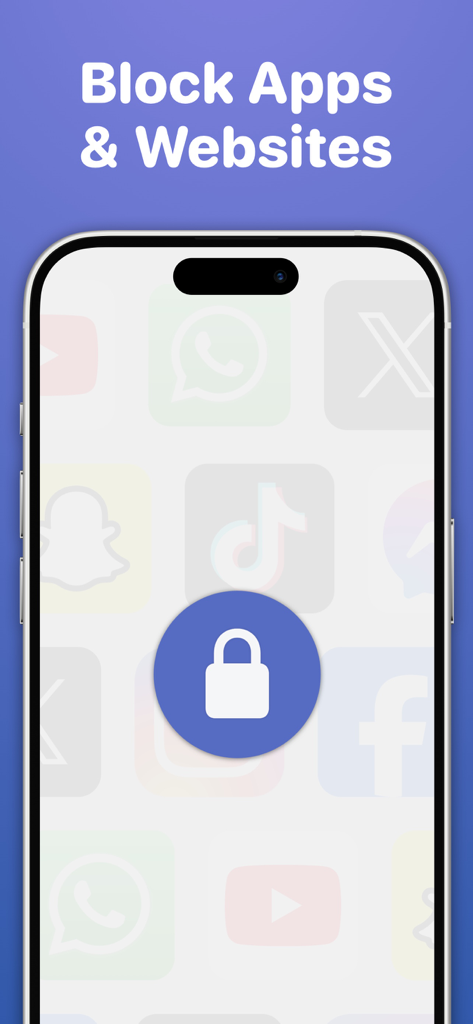
둠스크롤 충동을 제거하세요. 집중 세션 중에 방해가 되는 앱과 웹사이트를 자동으로 차단하여 매일 잃어버린 생산성 시간을 되찾도록 도와주세요.
다음 스크린샷과 설명은 앱의 공식 스토어 목록에서 직접 가져온 것이며 앱 개발자의 자산입니다.
앱 스토어
스크린샷
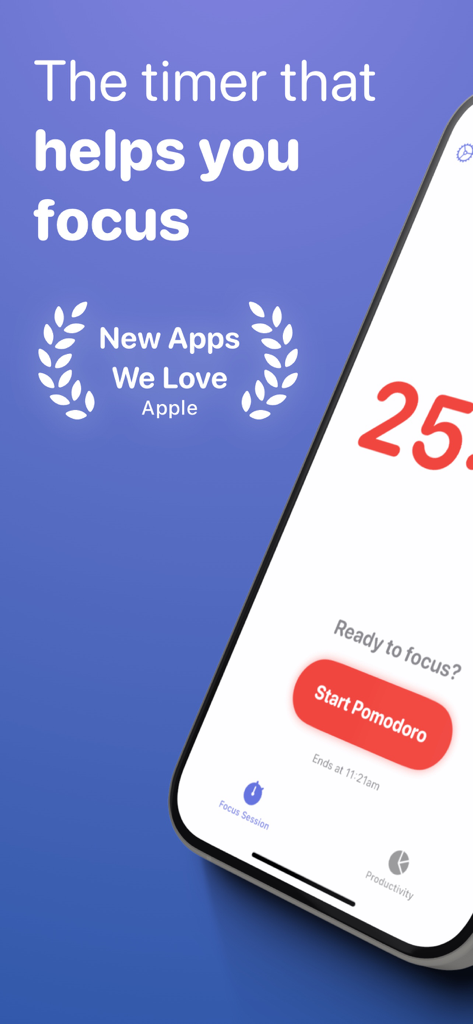
iPhone에서 집중 업무 뽀모도로 타이머 앱 인터페이스, 시작 버튼과 Apple 수상 내역 포함
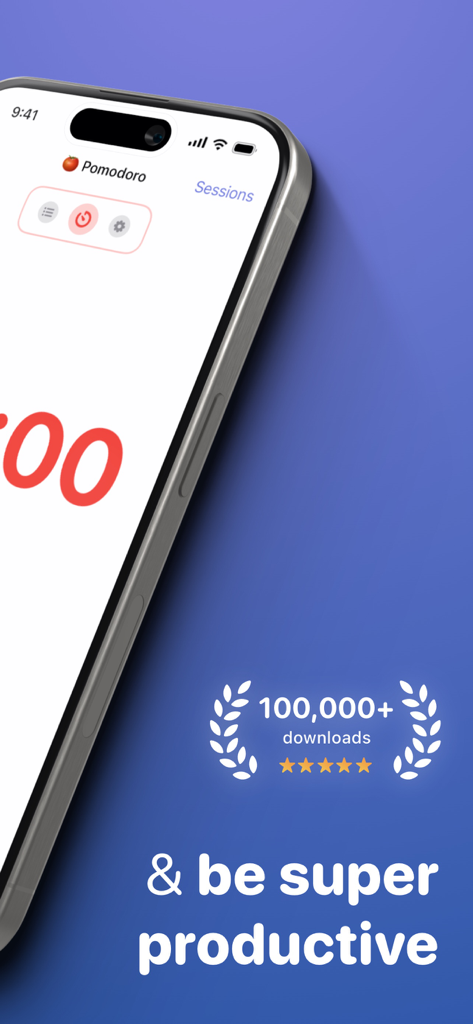
100,000개 이상의 다운로드와 별점 5개 등급이 있는 집중 업무 뽀모도로 타이머 앱 인터페이스
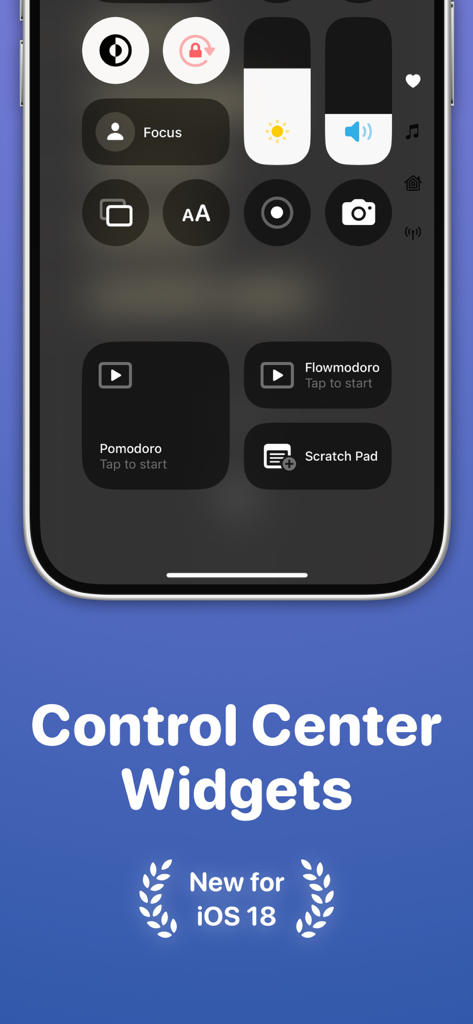
뽀모도로 플로우모도로 및 스크래치 패드 바로 가기가 포함된 iOS 제어 센터의 집중 업무 앱 위젯
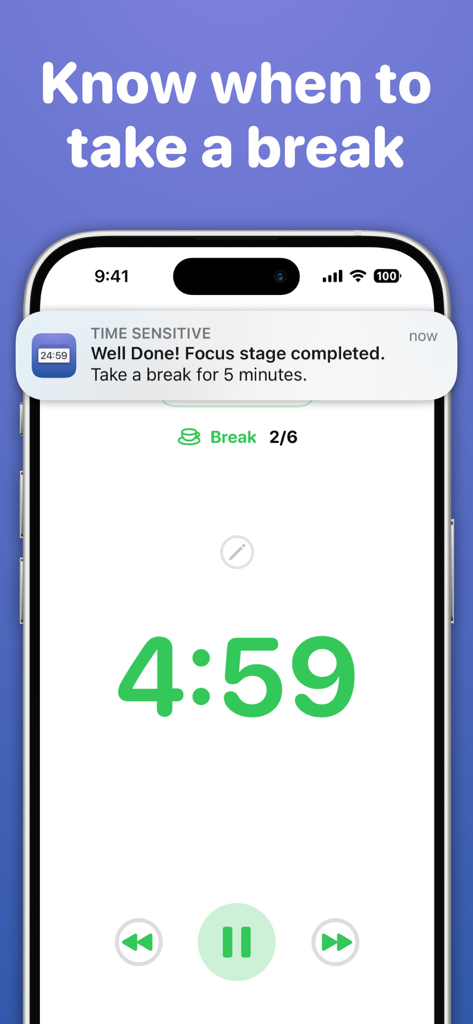
5분 휴식 타이머와 집중 단계 완료 알림을 표시하는 집중 업무 앱이 있는 iPhone 화면
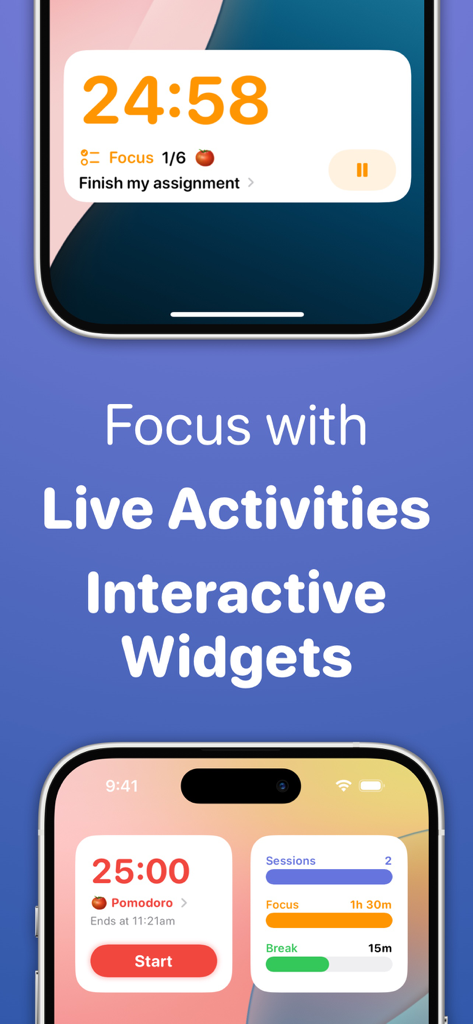
집중 업무 앱 프로모션 이미지, iPhone에서 라이브 활동 및 대화형 위젯 표시
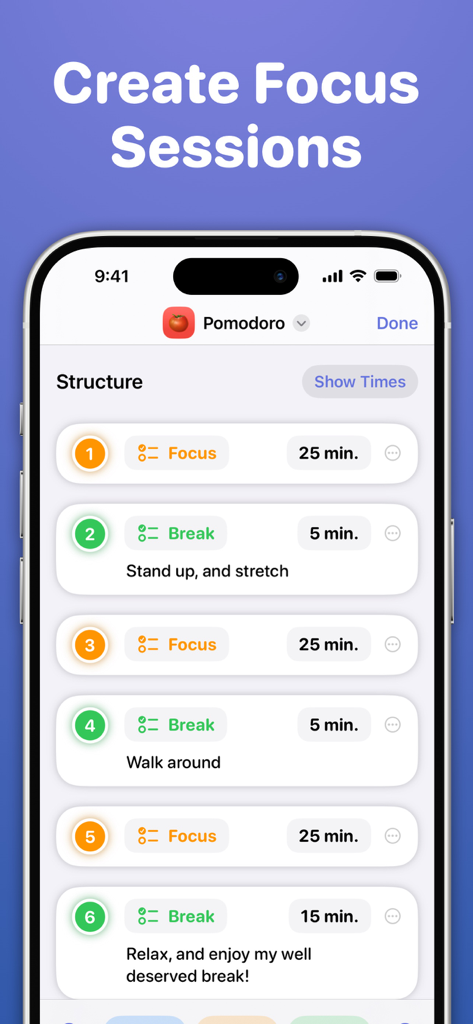
집중 업무 뽀모도로 앱 내에서 집중 및 휴식 단계를 사용자 정의하는 방법을 보여주는 스크린샷
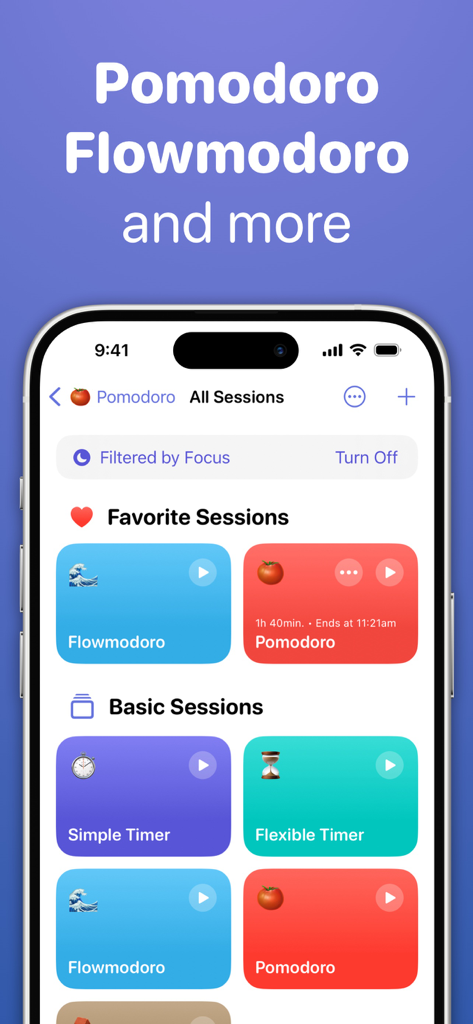
iPhone에서 뽀모도로 및 플로우모도로 세션 옵션을 보여주는 집중 업무 앱
소셜 미디어 앱 위에 중앙 잠금 아이콘이 있는 앱 및 웹사이트 차단 기능의 집중 업무 앱 화면
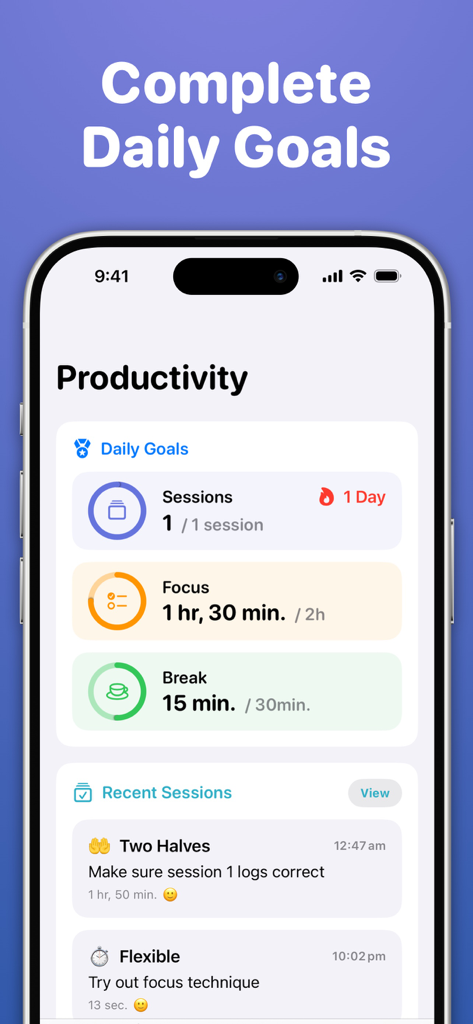
집중 및 휴식 세션에 대한 일일 목표를 보여주는 집중 업무 앱의 생산성 대시보드
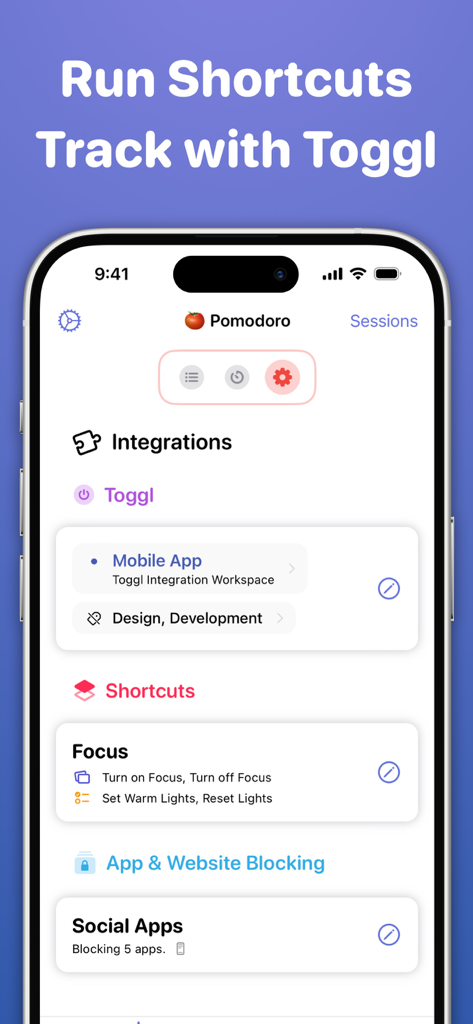
Toggl 통합, iOS 단축어 및 방해 차단 기능을 보여주는 집중 업무 앱 인터페이스
설명
## Featured by App Store in 150+ Countries & Regions
# Hot This Week
# Apps We Love Right Now
# Big Apps From Small Teams
# New Apps, Features, and Content
## What People Are Saying
"A simple, but valuable utility for creating timed focus sessions of productivity." - MacStories
"Focused Work helps you stay on track better than ever" - iMore
"Focused Work makes it easy to create and manage Focused Sessions." - 9to5Mac
"A tool that helps overcome that first step." - Knapsack
Focused Work is a powerful timer that helps you focus and be productive.
It's purpose-built for people who want to focus for long periods and struggle with this.
Add structure to your day with "Focus Sessions" that encourage you to complete goals, tasks, and help you divide your time into Focus, Break, and Prepare stages.
Pick from a selection of templates, including a simple timer, Pomodoro - inspired by the Pomodoro Technique, Flowmodoro - inspired by the Flowtime Technique, and other various sessions.
You can also create repeatable sessions specifically tailored to your needs. Add stages, set time limits, and much more.
Ultimately, Focused Work helps you be more accountable by reminding you to focus, reflect, and build healthy productivity habits by completing various daily goals.
**Core Features**
· A simple, powerful timer that keeps you on-task
Choose what to focus on. Start the timer. Get stuff done!
· Curated Basic Sessions to get started
Run a Pomodoro session, Flowmodoro session, or even just a simple timer
· Create Focus Sessions
Tailor them to your needs with a plethora of configurable options
· Reminders
Be reminded to stay focused, when to take breaks, and also to start a focus session!
· Reflection
Track what went well for you during your focus session and what you can improve upon
· Scratch Pad
Jot down thoughts that come to mind during your session and return to them after
· Daily Goals
Completing your daily focus goals earns you a streak and helps you form healthy productivity habits
· Statistics & Charts
Review recent productivity across the past week, month, and year
· Block Distractions
Select apps and websites you want to restrict access to during a session
· In-app Shortcuts Automation
Automatically perform actions as you progress through your session, such as turning on Focus
· Link with Toggl Track
Explore advanced time tracking by linking with Toggl to create time entries, assign projects and tags
· Productivity Export
Export completed sessions in CSV format
**iOS & iPadOS Features**
Focused Work is available on iPhone, iPad, and Mac, with extensive support for each platform;
· Live Activities
Control your session from the Lock Screen or Dynamic Island
· Interactive Widgets
Control your session, view daily goals, and start a session from the Home Screen
· Control Center Widgets
Start a session or access the Scratch Pad with Control Widgets
· StandBy
Interact with your session while iPhone is in StandBy
· Spotlight Search
Quick start and interact with sessions from search
· Focus Filters
Filter which sessions can be viewed & started based on the active Focus
· App Shortcuts & Siri
Start and interact with a session via various shortcuts that can also be linked together
· Picture-in-Picture
Show a floating timer above other apps with Picture-in-Picture mode
· Session Alerts on all devices
Start a session on one device and receive update alerts on others with Focused Work installed
· iCloud Syncing
Sync productivity stats & created sessions between devices
· Privacy Focused
Your data is securely stored and managed via iCloud. No account registration.
· And much more
Mac Support, Share Sheet controls, App Icons, Keyboard Shortcuts, VoiceOver, Split View & Slide Over, Low Power Mode, Drag & Drop, Dark Mode, URL Schemes
If you have any questions, please reach out to focusedworkapp@michaeltigas.com.au
Privacy Policy: https://focusedwork.app/privacypolicy/
Terms of Use: https://focusedwork.app/terms/
이 페이지는 앱이나 개발자의 공식 페이지가 아니며, 정보 제공 및 논평을 목적으로 작성된 독립 편집 간행물입니다. 명시적으로 달리 언급되지 않는 한, 해당 앱이나 개발자는 MWM, Apple, Google Play, 앱 퍼블리셔 또는 앱 개발자와 제휴, 보증, 후원, 승인 또는 공식적으로 연결되어 있지 않으며, 이 페이지의 어떤 내용도 해당 앱이 MWM의 서비스를 사용하여 개발되었음을 의미하지 않습니다. 모든 상표, 로고, 스크린샷 및 기타 콘텐츠는 해당 소유자의 자산입니다.