Fps Meter
Fps Meter
다운로드: App Store

이 페이지는 앱이나 개발자의 공식 페이지가 아니며, 정보 제공 및 논평을 목적으로 작성된 독립 편집 간행물입니다. 명시적으로 달리 언급되지 않는 한, 해당 앱이나 개발자는 MWM, Apple, Google Play, 앱 퍼블리셔 또는 앱 개발자와 제휴, 보증, 후원, 승인 또는 공식적으로 연결되어 있지 않으며, 이 페이지의 어떤 내용도 해당 앱이 MWM의 서비스를 사용하여 개발되었음을 의미하지 않습니다. 모든 상표, 로고, 스크린샷 및 기타 콘텐츠는 해당 소유자의 자산입니다.

로고: Fps Meter
다운로드: App Store

Fps Meter

실시간 FPS 오버레이, 온도 추적, 상세한 1% 최저치 분석으로 게임 경험을 제어하고 끊김 현상을 제거하며 기기를 최적화하세요.

주요 수치

다운로드

17K+

사용자 평점

3.9/5

총 평가 수

0

개발사

Abdul Rauf

카테고리

Productivity

지원 언어

1

최신 버전

2.0

크기

9.8 MB

출시일

2025년 6월 2일
기능

모바일 성능 마스터하기

고사양 iOS 기기에서 최고 성능을 요구하는 파워 유저를 위해 설계된 프로급 분석 및 실시간 모니터링입니다.

실시간 FPS 오버레이

좋아하는 모든 경쟁 게임에서 활성화되는 사용자 정의 가능한 플로팅 프레임 속도 카운터로 목표에 집중하세요.

심층 온도 모니터링

정확한 CPU, GPU 및 배터리 온도 실시간 추적으로 성능 병목 현상 및 열 관련 스로틀링을 식별하세요.

다음 스크린샷과 설명은 앱의 공식 스토어 목록에서 직접 가져온 것이며 앱 개발자의 자산입니다.

앱 스토어

스크린샷
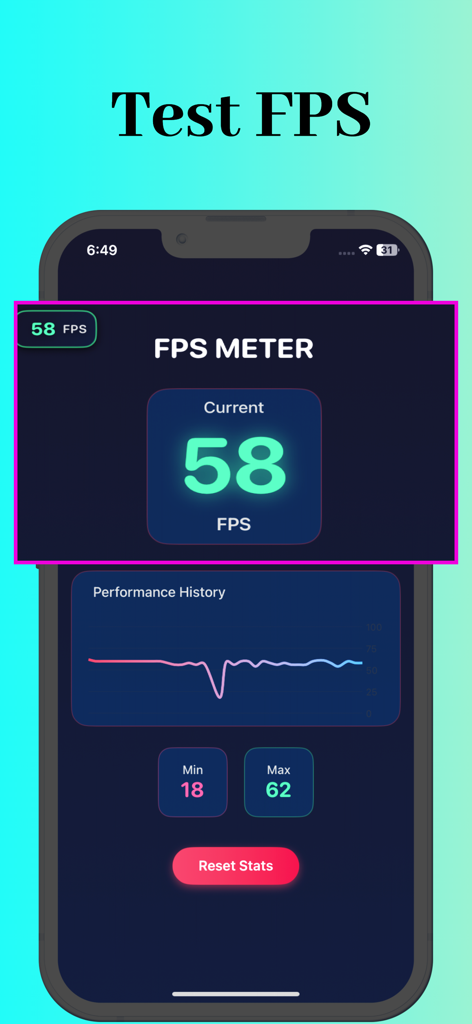
Fps Meter - FPS Meter 앱이 iPhone에서 실시간 프레임 속도 통계 및 성능 기록 그래프를 표시하는 모습
FPS Meter 앱이 iPhone에서 실시간 프레임 속도 통계 및 성능 기록 그래프를 표시하는 모습

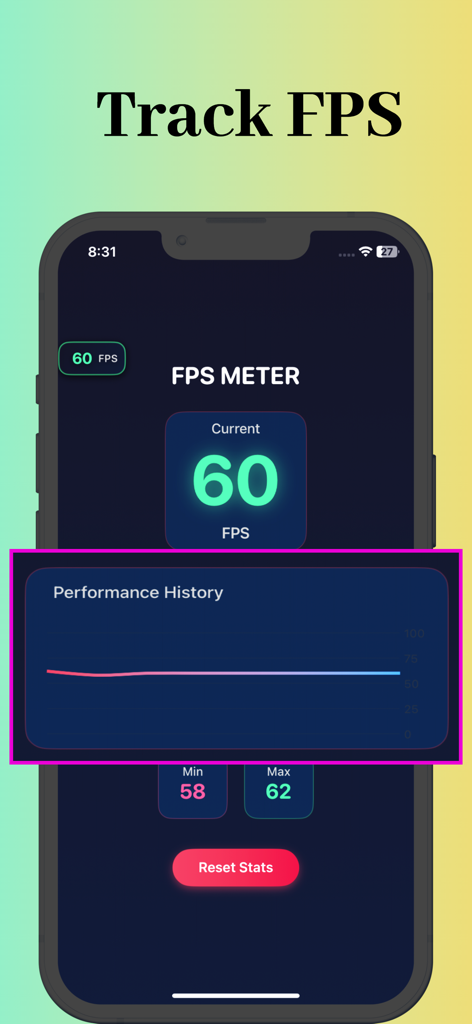
Fps Meter - FPS Meter 앱 인터페이스에 60의 실시간 프레임 속도와 성능 기록 그래프가 표시되는 모습
FPS Meter 앱 인터페이스에 60의 실시간 프레임 속도와 성능 기록 그래프가 표시되는 모습

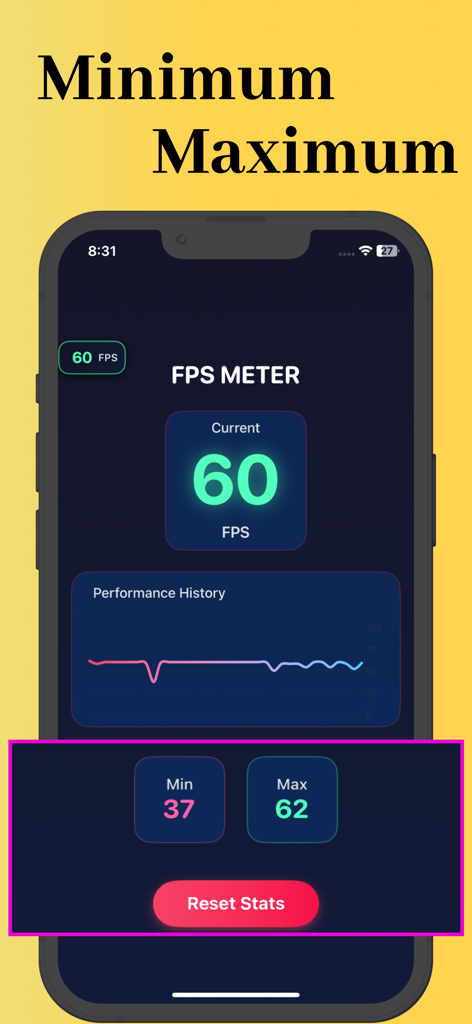
Fps Meter - FPS Meter 앱 인터페이스에 현재 프레임 속도와 함께 최소 및 최대 성능 통계 및 기록 그래프가 표시되는 모습
FPS Meter 앱 인터페이스에 현재 프레임 속도와 함께 최소 및 최대 성능 통계 및 기록 그래프가 표시되는 모습

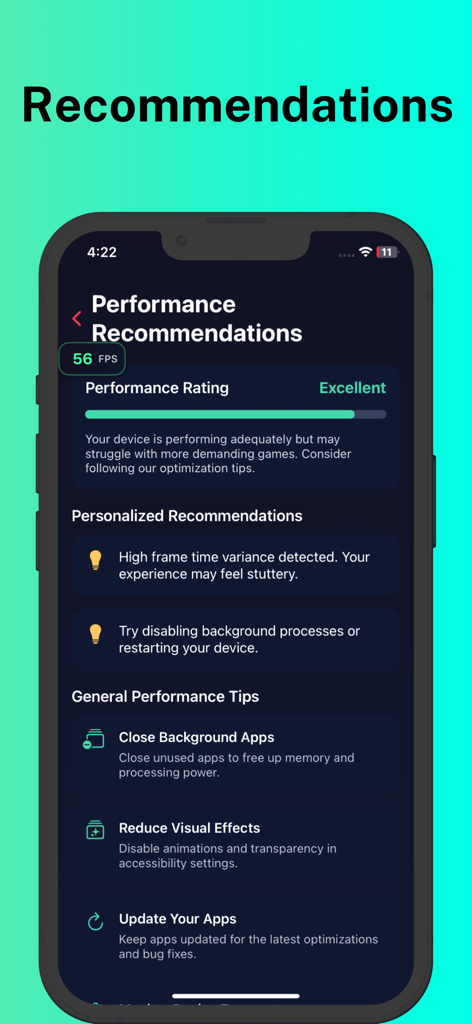
Fps Meter - FPS Meter 앱의 모바일 화면에 훌륭한 성능 등급과 함께 개인화된 권장 사항 및 게이머를 위한 일반 최적화 팁이 표시되는 모습
FPS Meter 앱의 모바일 화면에 훌륭한 성능 등급과 함께 개인화된 권장 사항 및 게이머를 위한 일반 최적화 팁이 표시되는 모습

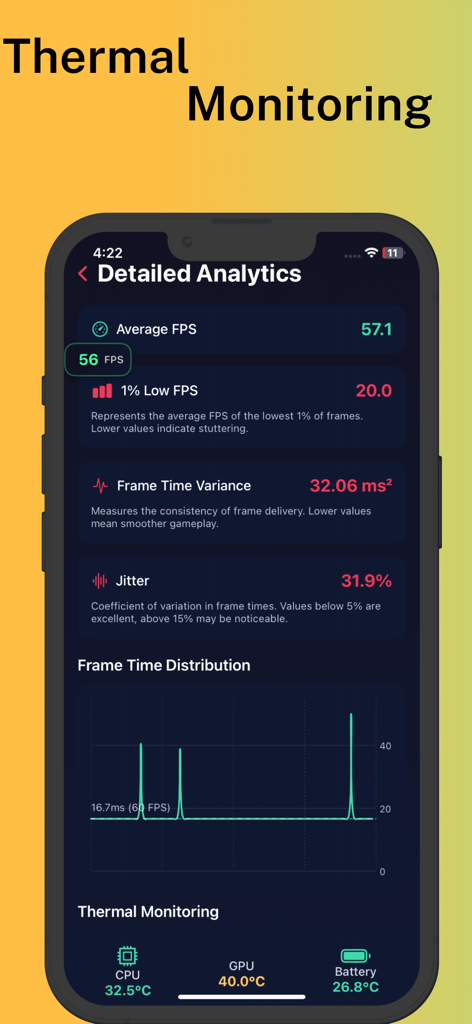
Fps Meter - FPS Meter 앱의 상세 분석 화면에 프레임 속도 및 온도 모니터링 메트릭이 표시되는 모습
FPS Meter 앱의 상세 분석 화면에 프레임 속도 및 온도 모니터링 메트릭이 표시되는 모습

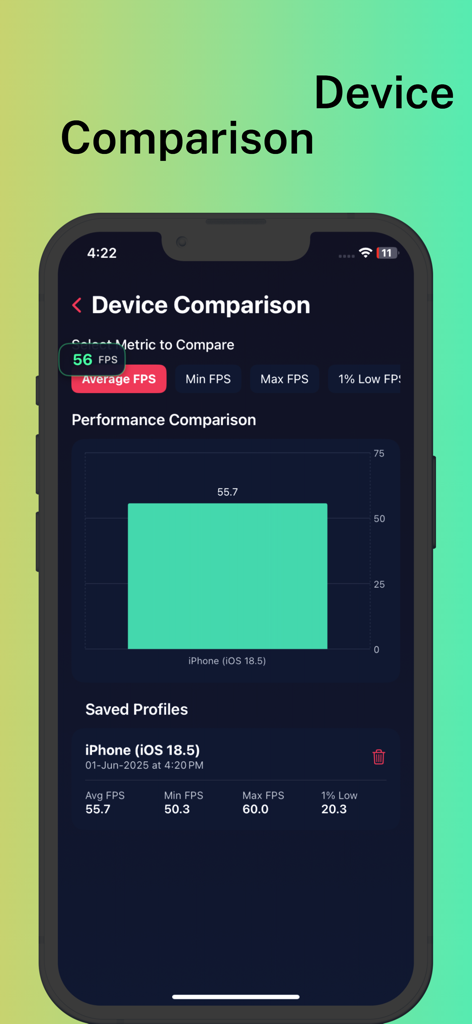
Fps Meter - FPS Meter 앱이 성능 비교 차트 및 저장된 벤치마킹 프로필을 표시하는 모습
FPS Meter 앱이 성능 비교 차트 및 저장된 벤치마킹 프로필을 표시하는 모습

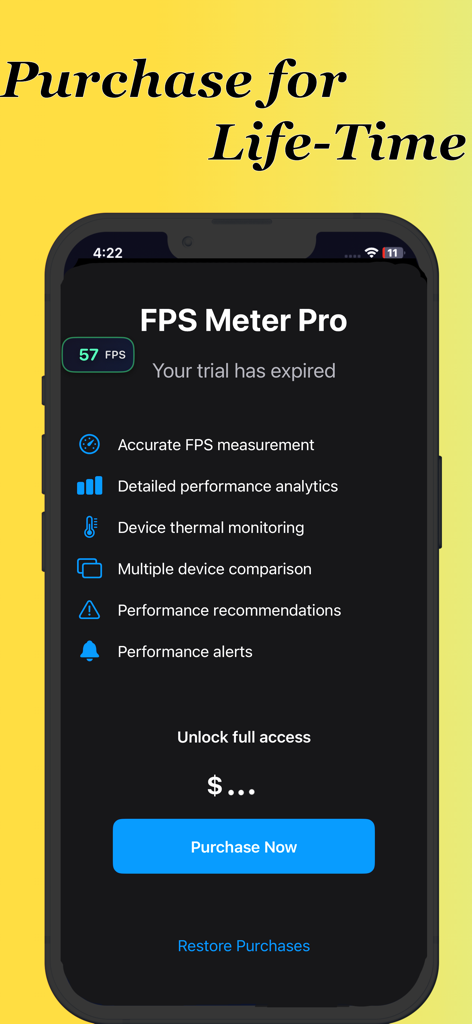
Fps Meter - FPS Meter Pro 앱 인터페이스에 평생 구매 옵션과 전문 성능 모니터링 기능 목록이 표시되는 모습

FPS Meter Pro 앱 인터페이스에 평생 구매 옵션과 전문 성능 모니터링 기능 목록이 표시되는 모습

설명

FPS Meter - Real-time Performance Monitoring for iOS FPS Meter is a comprehensive performance monitoring tool for iOS that provides real-time analytics and insights into your device's graphics performance. Whether you're a gamer, developer, or performance enthusiast, this app offers detailed metrics to help you optimize your experience. Key Features: Real-time FPS Monitoring Live frame rate display with color-coded indicators Persistent overlay that works across all apps and games Continues monitoring even when in background Advanced Performance Metrics Average, minimum, and maximum FPS tracking 1% Low FPS measurement to identify stutters and frame drops Frame time variance and jitter percentage analysis Detailed frame time distribution charts Thermal Monitoring CPU, GPU, and battery temperature tracking Device thermal state monitoring with alerts Performance impact warnings based on thermal conditions Performance Recommendations Personalized suggestions based on your device's performance General optimization tips for improving system responsiveness Game-specific recommendations for better gaming experience Device Comparison Save performance profiles for different devices or iOS versions Compare metrics across multiple devices with visual charts Track performance changes over time Detailed Analytics Visual performance history with interactive charts Frame time distribution analysis Comprehensive performance statistics Customizable Overlay Floating FPS counter that works in any app Non-intrusive design that stays out of your way Color-coded indicators for quick performance assessment Background Operation Continues monitoring even when the app is in the background Maintains performance data collection across app switches FPS Meter is the ultimate tool for anyone who wants to understand and optimize their device's performance, identify performance bottlenecks, and ensure the smoothest possible experience across games and applications.

Download

다운로드: App Store

이 페이지는 앱이나 개발자의 공식 페이지가 아니며, 정보 제공 및 논평을 목적으로 작성된 독립 편집 간행물입니다. 명시적으로 달리 언급되지 않는 한, 해당 앱이나 개발자는 MWM, Apple, Google Play, 앱 퍼블리셔 또는 앱 개발자와 제휴, 보증, 후원, 승인 또는 공식적으로 연결되어 있지 않으며, 이 페이지의 어떤 내용도 해당 앱이 MWM의 서비스를 사용하여 개발되었음을 의미하지 않습니다. 모든 상표, 로고, 스크린샷 및 기타 콘텐츠는 해당 소유자의 자산입니다.








