GPS Geotag Map Camera - Tagofy

GPS Geotag Map Camera - Tagofy

다운로드: App Store
로고: GPS Geotag Map Camera - Tagofy

GPS 지오태그 지도 카메라 - Tagofy: 전문가 및 탐험가를 위한 정확한 지오태깅

자동 GPS 스탬프, 맞춤 타임스탬프, 브랜드 로고로 모든 세부 정보를 캡처하세요. 부동산, 현장 작업 및 전 세계 모험 기록을 위한 최고의 도구입니다.

다운로드: App Store

개발사

Pravin Gondaliya

카테고리

Photo & Video

다운로드

418K+

사용자 평점

4.7/5

총 평가 수

5K+

지원 언어

1

모든 세부 정보 캡처

이 인터페이스를 사용하는 418K+ 명의 사용자.

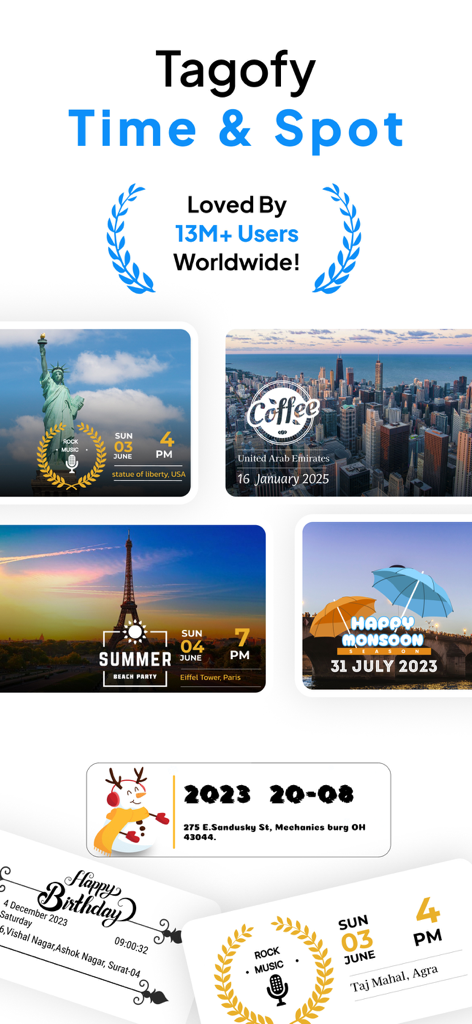
Tagofy GPS 지오태그 지도 카메라 앱의 위치 및 시간 스탬프가 있는 여행 사진 콜라주.
Tagofy GPS 지오태그 지도 카메라 앱의 위치 및 시간 스탬프가 있는 여행 사진 콜라주.

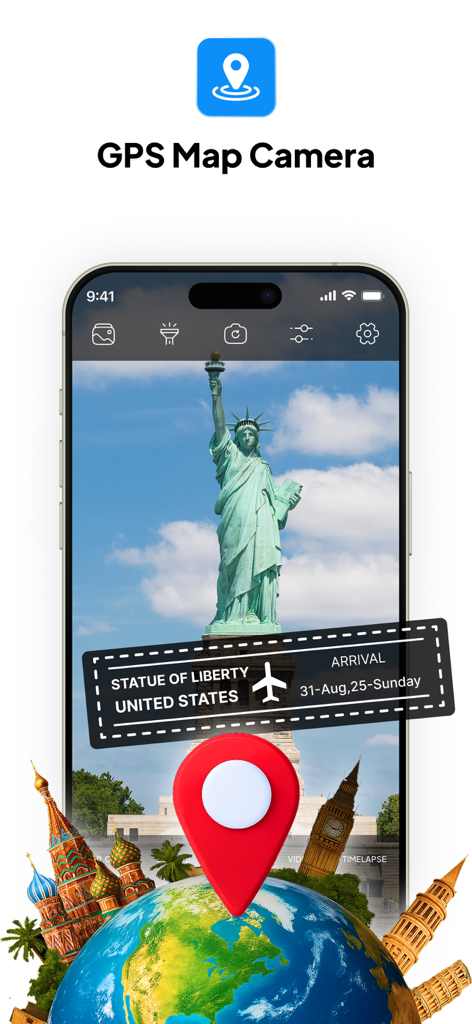
자유의 여신상 사진에 위치 및 날짜 스탬프가 있는 GPS 지도 카메라 앱 인터페이스
자유의 여신상 사진에 위치 및 날짜 스탬프가 있는 GPS 지도 카메라 앱 인터페이스

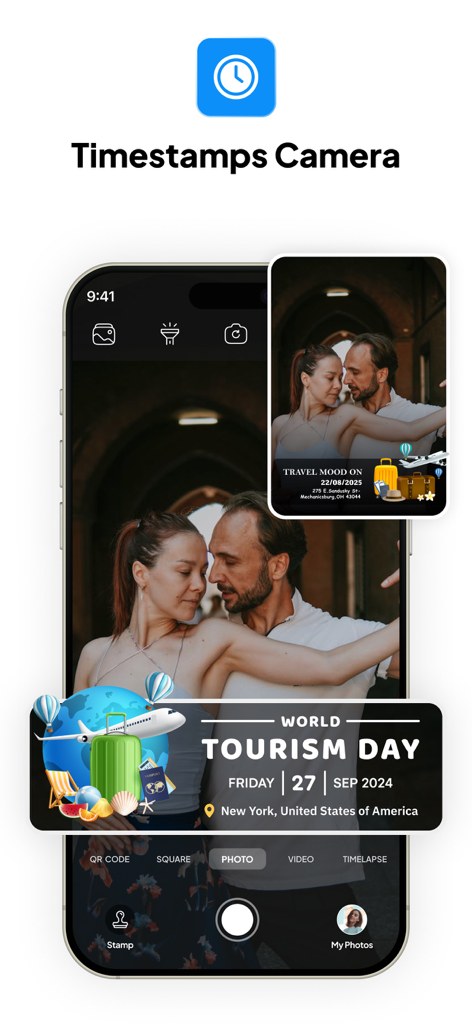
뉴욕에서 열리는 세계 관광의 날 GPS 지오태그 스탬프가 있는 사진의 Tagofy 앱 인터페이스
뉴욕에서 열리는 세계 관광의 날 GPS 지오태그 스탬프가 있는 사진의 Tagofy 앱 인터페이스

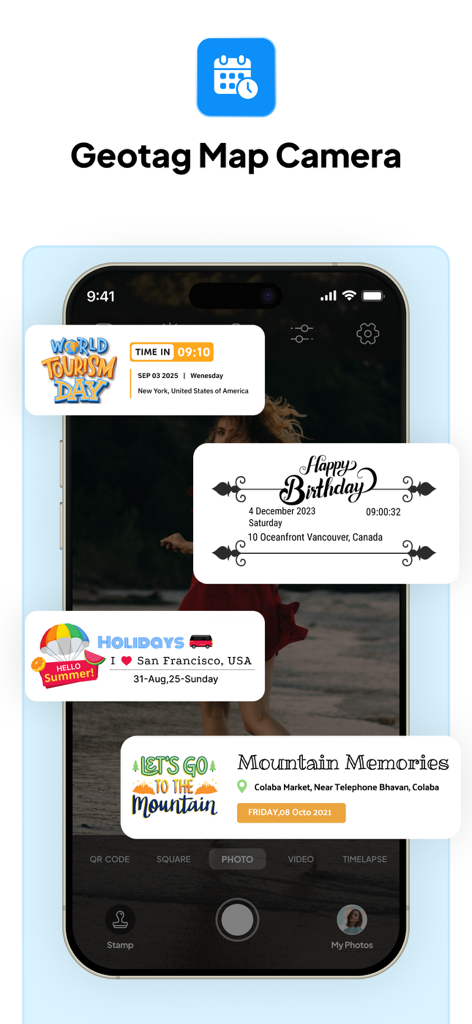
GPS 위치 데이터가 있는 여행 및 이벤트용 맞춤 사진 스탬프를 보여주는 Tagofy 앱 인터페이스
GPS 위치 데이터가 있는 여행 및 이벤트용 맞춤 사진 스탬프를 보여주는 Tagofy 앱 인터페이스

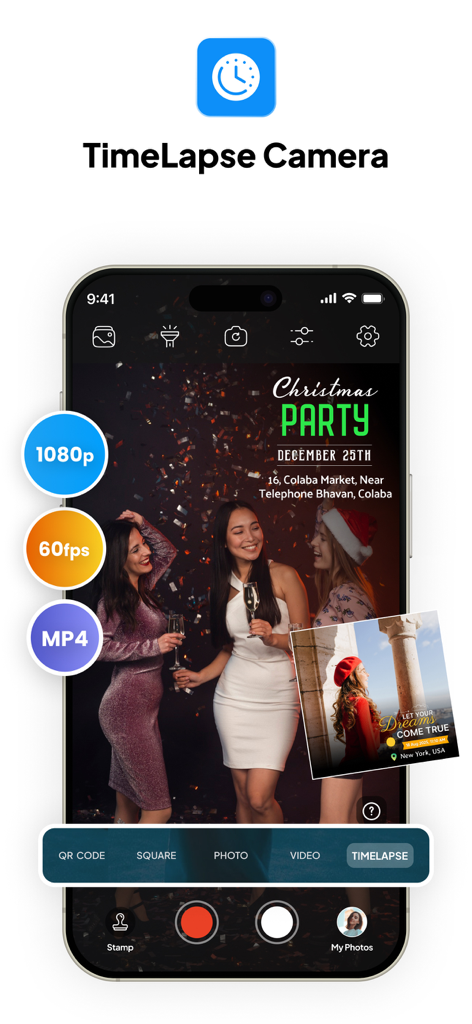
1080p 및 60fps 설정이 있는 타임랩스 카메라 모드를 보여주는 Tagofy 앱 인터페이스
1080p 및 60fps 설정이 있는 타임랩스 카메라 모드를 보여주는 Tagofy 앱 인터페이스

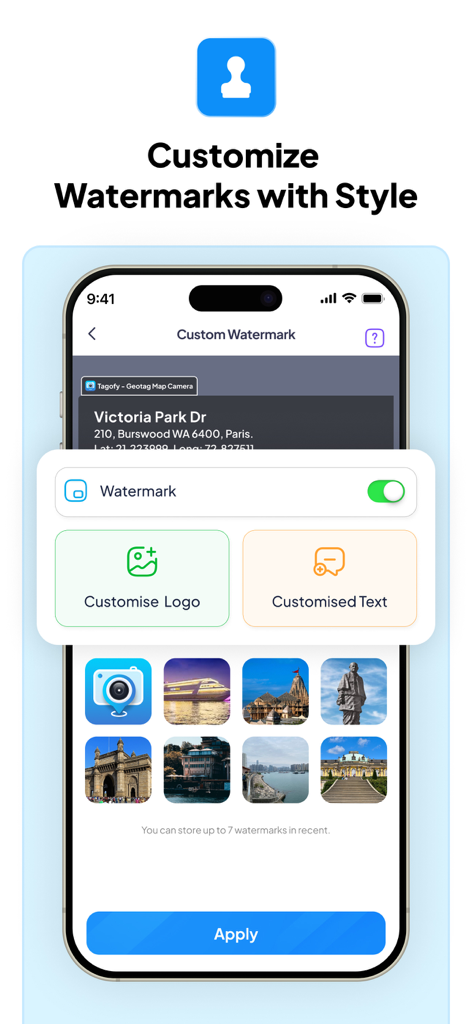
맞춤 로고 및 텍스트 옵션이 있는 Tagofy 앱 워터마크 사용자 지정 메뉴를 보여주는 스마트폰 화면
맞춤 로고 및 텍스트 옵션이 있는 Tagofy 앱 워터마크 사용자 지정 메뉴를 보여주는 스마트폰 화면

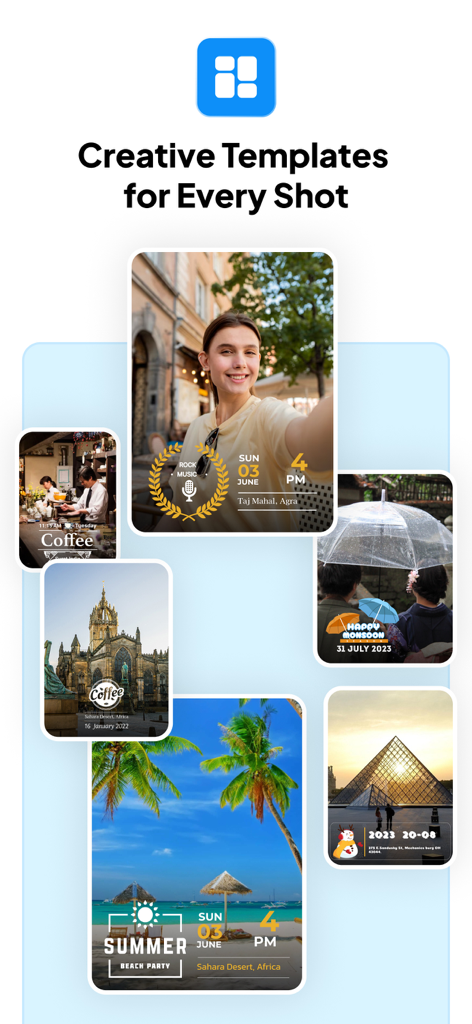
GPS 지오태그 및 타임스탬프용 창의적인 사진 템플릿 모음
GPS 지오태그 및 타임스탬프용 창의적인 사진 템플릿 모음

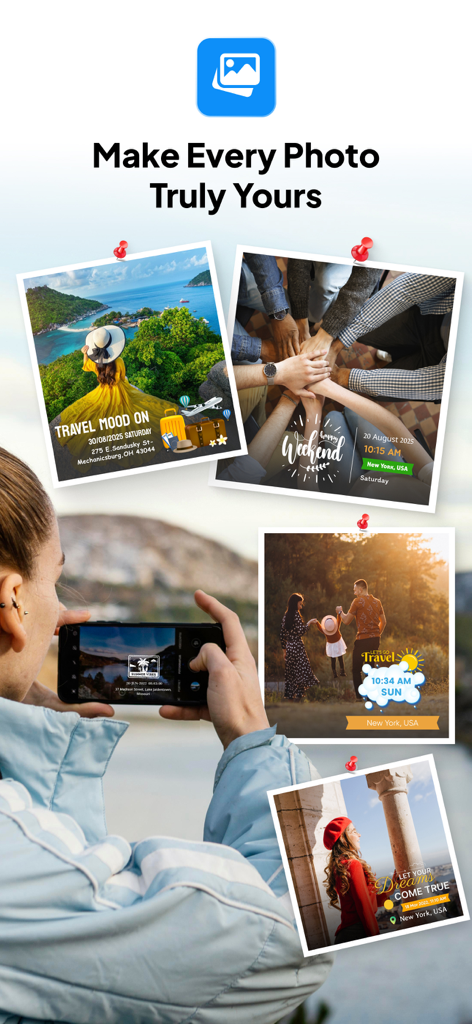
Tagofy 앱의 맞춤형 GPS 위치 및 날짜 스탬프가 있는 여행 사진 콜라주

Tagofy 앱의 맞춤형 GPS 위치 및 날짜 스탬프가 있는 여행 사진 콜라주

스마트 문서화, 풍부한 추억

이 앱을 돋보이게 하는 도구, 418K+ 명의 사용자가 선택.

📍

자동 정밀 지오태깅

정확한 주소, 좌표, 고도를 사진에 즉시 포함하여 절대적인 위치 정확성과 책임성을 확보하세요.

🏢

전문 맞춤 브랜딩

비즈니스 로고를 업로드하고 맞춤 프로젝트 노트를 추가하여 단순한 캡처를 검증된 전문 보고서로 변환하세요.

⏱️

신뢰할 수 있는 시각적 증거 기록

맞춤형 타임스탬프와 나침반 데이터로 완벽한 기록을 유지하여 모든 작업 현장 방문 또는 여행 이정표가 문서화되도록 하세요.

앱 소개

에 대해 알아야 할 모든 것 GPS Geotag Map Camera - Tagofy.

설명

Capture your travel memories or visits to special places with Tagofy - Geotag Map Camera, adding date-time, Geotag, Latitude, Longitude, Altitude, Weather, Magnetic field, Timestamp, and Compass information to your camera photos. Easily add a timestamp watermark to your real-time camera photos with the Timestamp Camera app. Keep track of your live location and the current time along with your captured photos using a Tagofy - Geotag Map Camera. Share your geotagged photos with your family and friends to let them know about your amazing travel experiences. Whether it's your memorable moments or your adventures at a specific destination, use the Tagofy - Geotag Map Camera feature. Make your photos come alive with geotags by using the GPS Camera. Share the location of the streets and places featured in your photos with your loved ones, and share your best travel memories and adventures from around the world. To add GPS location to photos, follow these steps: 1. Install the Tagofy - Geotag Map Camera app from your device's App Store. 2. Open the app & click on the stamp that appears on the screen, Customize the stamp as per your choice. 3. Customize the format & arrangement to suit your needs. Adjust the settings for the GPS location stamp according to your needs. 4. Now, when you take a photo within the app, it will automatically add GPS location stamps to your photos, displaying the exact location on your photos. Some interesting features of the Tagofy - Geotag Map Camera app include: 1. Custom GPS camera with options for grid, ratio, front & selfie camera, flash, focus, mirror, timer, and capture sound support. 2. Automatic location data setting for added convenience. 3. Classic template that automatically fetches stamp details, simplifying the process of adding info to your photos. 4. Capture high-quality videos with adjustable quality and bitrate, choosing between MOV and MP4 formats. 5. Experiment with time-lapse Video recording, with video stabilisation. 6. Utilize mirror front camera, capture photos with customisable settings. 7. Access a built-in QR scanner. 8. Explore user-friendly timelapse interface, and customize the side panel with shortcut buttons (text, tags, lock screen). 9. Configure email settings for easy sharing, and explore additional functionalities in settings. In the Advance Template section of the Tagofy - Geotag Map Camera app, you can: 1. Address: Add your chosen automatic location to the photo or input it manually as needed. 2. Date & Time: Add date & timestamp in various formats as an image tag. 3. Logo: Upload your own brand logo to personalize your photos. 4. Note: Write relevant notes or descriptions for your photos. 5. Hashtags: Include hashtags related to your photos using this GPS app for better organization & discoverability. Tagofy - Geotag Map Camera app on your smartphone offers several benefits, such as: 1. Adding GPS location stamps to your photos. 2. Adding geotag stamps to your photos. 3. Adding photo location stamps. 4. Include Address, date-time & location stamps to your photos. Stay connected with loved ones as you share your adventures and geotagged photos through the Tagofy - Geotag Map Camera App. Your pics will now not only be visual delights but will also carry live location memories. Embrace the power of geotag and make your photos come alive with the Tagofy - Geotag Map Camera App. Tagofy - Geotag Map Camera isn't just a photography tool; it's a powerful companion for explorers, adventurers, and storytellers. Whether you're backpacking across the globe, capturing family gatherings, or documenting your city strolls, our app is designed to make your memories last a lifetime. Privacy Policy: https://tagofy.app/privacy_policy Terms & Service: https://tagofy.app/terms_of_use

최신 버전

3.5

크기

190.8 MB

출시일

2023년 8월 29일

정밀함으로 세상을 담을 준비가 되셨나요?

Tagofy를 신뢰하는 400,000명 이상의 탐험가 및 전문가와 함께하세요. 지금 다운로드하여 궁극의 GPS 카메라 도구로 모든 추억, 임무, 이정표를 지도에 고정하세요.

다운로드: App Store
FAQ

자주 묻는 질문

에 대해 알아야 할 모든 것 GPS Geotag Map Camera - Tagofy

GPS Geotag Map Camera - Tagofy 앱이란 무엇인가요?

GPS Geotag Map Camera - Tagofy 앱은 날짜와 시간, 지오태그, 위치 좌표, 날씨, 나침반 정보가 포함된 사진을 캡처합니다. 또한 이미지에 타임스탬프 워터마크를 추가합니다.

GPS Geotag Map Camera - Tagofy는 사진에 어떻게 위치를 추가하나요?

Tagofy는 앱 설치 및 사용자 정의 후 자동으로 스탬프를 삽입하여 사진에 GPS 위치를 추가합니다. 사용자는 스탬프를 선택하고 형식을 조정한 다음 앱 내에서 사진을 촬영합니다.

GPS Geotag Map Camera - Tagofy 앱에서 워터마크를 사용자 정의할 수 있나요?

네, GPS Geotag Map Camera - Tagofy 앱에서 워터마크를 사용자 정의할 수 있습니다. 옵션에는 워터마크 토글, 로고 사용자 정의, 개인화를 위한 사용자 정의 텍스트 추가가 포함됩니다.

GPS Geotag Map Camera - Tagofy는 동영상 녹화를 지원하나요?

네, GPS Geotag Map Camera - Tagofy는 고품질 동영상 캡처를 지원합니다. 사용자는 품질과 비트 전송률을 조정하고 MOV 및 MP4 형식 중에서 선택하며 안정화 기능으로 타임랩스 동영상을 녹화할 수 있습니다.

GPS Geotag Map Camera - Tagofy는 사진에 어떤 종류의 정보를 포함할 수 있나요?

Tagofy는 날짜 및 시간, 지오태그, 위도, 경도, 고도, 날씨, 자기장, 타임스탬프, 나침반 정보를 포함할 수 있습니다. 사용자는 사진에 주소, 메모, 로고, 해시태그를 추가할 수도 있습니다.

GPS Geotag Map Camera - Tagofy 앱은 지오태그가 지정된 사진에 대한 창의적인 템플릿을 제공하나요?

네, GPS Geotag Map Camera - Tagofy 앱은 지오태그가 지정된 사진에 대한 창의적인 템플릿을 제공합니다. 이러한 템플릿은 스탬프 세부 정보를 자동으로 가져와 이미지에 정보를 추가하는 과정을 단순화합니다.

GPS Geotag Map Camera - Tagofy를 사용하여 사진에 사용자 정의 브랜드 로고를 추가할 수 있나요?

네, 사용자는 GPS Geotag Map Camera - Tagofy 앱에서 자신의 브랜드 로고를 업로드하여 사진을 개인화할 수 있습니다. 이 기능은 고급 템플릿 섹션 설정에서 액세스할 수 있습니다.

GPS Geotag Map Camera - Tagofy에는 어떤 사용자 정의 카메라 옵션을 사용할 수 있나요?

Tagofy의 사용자 정의 GPS 카메라는 다양한 사진 요구를 위해 그리드, 비율, 전면 및 셀카 카메라, 플래시, 초점, 미러, 타이머 및 캡처 사운드 지원 옵션을 포함합니다.

App information, icons, screenshots, and descriptions displayed on this page are sourced from the Apple App Store and are the property of their respective developers. Download estimates and rankings are based on MWM's proprietary models and may not reflect actual figures. This page is provided for informational and analytical purposes only.

Believe this page infringes your intellectual property? File a dispute