grandMA3 Remote (G3Link)
다운로드: App Store

이 페이지는 앱이나 개발자의 공식 페이지가 아니며, 정보 제공 및 논평을 목적으로 작성된 독립 편집 간행물입니다. 명시적으로 달리 언급되지 않는 한, 해당 앱이나 개발자는 MWM, Apple, Google Play, 앱 퍼블리셔 또는 앱 개발자와 제휴, 보증, 후원, 승인 또는 공식적으로 연결되어 있지 않으며, 이 페이지의 어떤 내용도 해당 앱이 MWM의 서비스를 사용하여 개발되었음을 의미하지 않습니다. 모든 상표, 로고, 스크린샷 및 기타 콘텐츠는 해당 소유자의 자산입니다.


로고: grandMA3 Remote (G3Link)
다운로드: App Store

grandMA3 Remote (G3Link)

FOH로 돌아가는 것을 멈추세요. 라이브 프로덕션의 혹독한 환경을 위해 제작된 고성능 OSC 기반 리모트로 주머니 속에서 바로 조명기기를 포커싱하고, 프리셋을 업데이트하고, 매크로를 트리거하세요.

주요 수치

다운로드

500

사용자 평점

1.0/5

총 평가 수

0

개발사

Roger Imhof

카테고리

Productivity

지원 언어

1

최신 버전

1.2.8

크기

29.9 MB

출시일

2025년 7월 1일
기능

주머니 속 전문가급 제어

FOH와 무대 사이를 오가는 일을 없애세요. G3Link는 라이브 프로덕션의 높은 압박감 속에서 특별히 설계된 grandMA3 시스템에 대한 고성능 OSC 기반 원격 액세스를 제공합니다.

빠른 조명기기 테스트

로딩 시간을 단축하세요. 두 번째 콘솔 운영자 없이 무대 바닥에서 직접 조명기기를 선택하고, 하이라이트를 토글하고, 장비를 확인하세요.

전체 프리셋 및 그룹 액세스

이동 중에 그룹을 호출하고 모든 유형의 프리셋을 업데이트하는 프로 기능을 잠금 해제하세요. 완벽한 창의적 제어를 유지하면서 기술 리허설 중에 이동성을 유지하세요.

다음 스크린샷과 설명은 앱의 공식 스토어 목록에서 직접 가져온 것이며 앱 개발자의 자산입니다.

앱 스토어

스크린샷
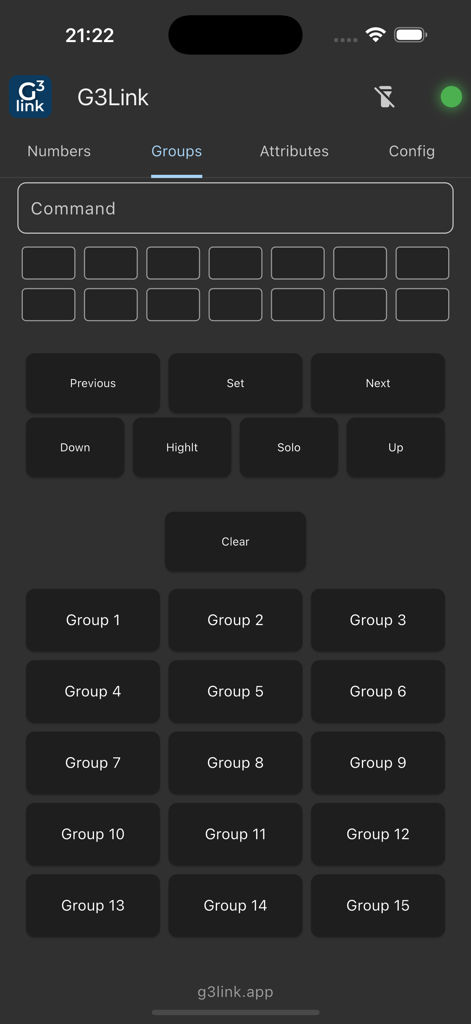
grandMA3 Remote (G3Link) - G3Link 모바일 앱 인터페이스의 숫자 키패드 및 명령 버튼.

G3Link 모바일 앱 인터페이스의 숫자 키패드 및 명령 버튼.

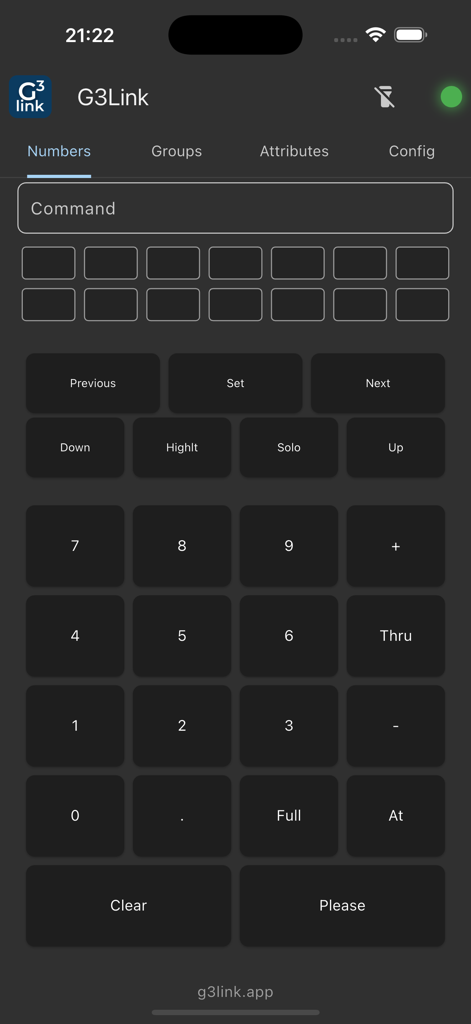
grandMA3 Remote (G3Link) - grandMA3 조명 콘솔을 위한 그룹 제어 페이지를 보여주는 G3Link 모바일 앱 인터페이스.
grandMA3 조명 콘솔을 위한 그룹 제어 페이지를 보여주는 G3Link 모바일 앱 인터페이스.

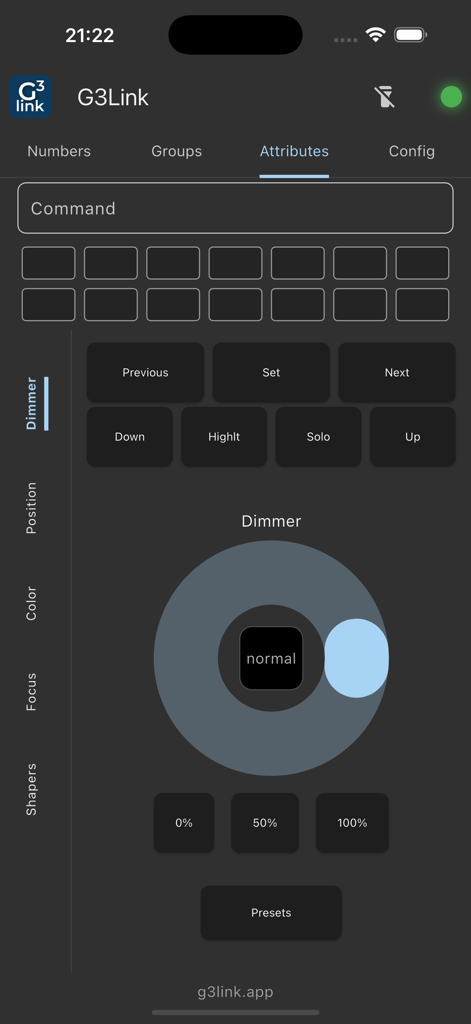
grandMA3 Remote (G3Link) - grandMA3를 위한 조광기 속성 제어 및 탐색 버튼을 보여주는 G3Link 앱 인터페이스.
grandMA3를 위한 조광기 속성 제어 및 탐색 버튼을 보여주는 G3Link 앱 인터페이스.

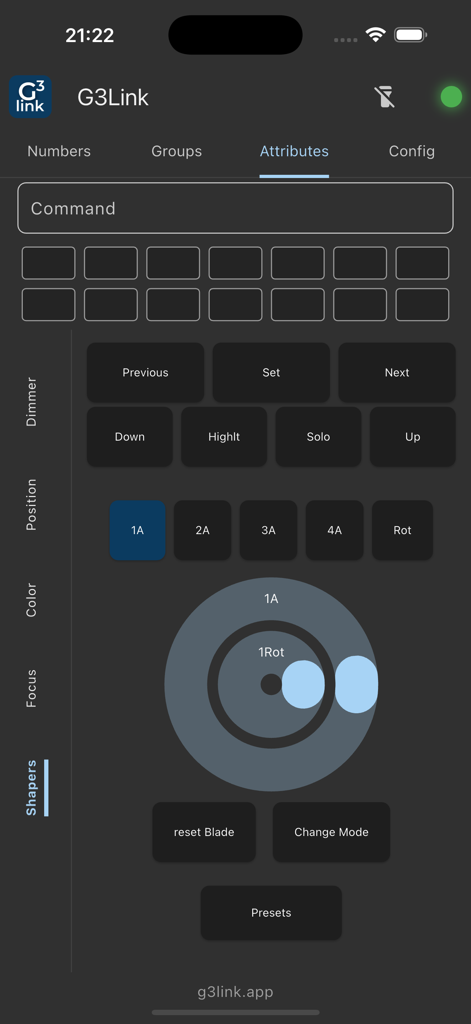
grandMA3 Remote (G3Link) - 조명기기 셰이퍼 속성 제어를 보여주는 G3Link 모바일 앱 인터페이스
조명기기 셰이퍼 속성 제어를 보여주는 G3Link 모바일 앱 인터페이스

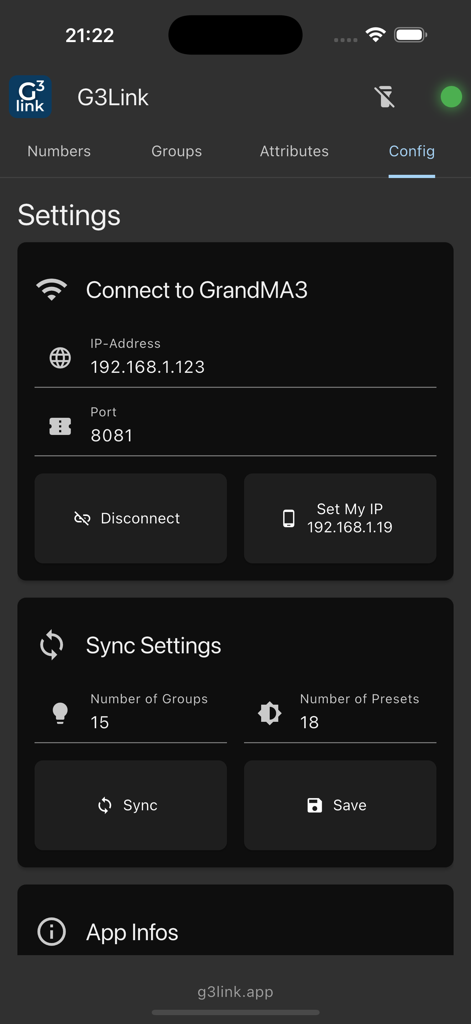
grandMA3 Remote (G3Link) - G3Link grandMA3 리모트 앱의 네트워크 구성 및 동기화 설정 화면.

G3Link grandMA3 리모트 앱의 네트워크 구성 및 동기화 설정 화면.

설명

RemoteApp for grandMA3 Consoles / onPC Take full control of your grandMA3 lighting setup directly from your mobile device. Whether you're at FOH or moving around the venue, this OSC-based remote app gives you flexible access to essential functions of your grandMA3 console or onPC system. Free Version Ideal for fixture checks and basic operations: Select fixtures Navigate through fixture selections Use Highlight and other basic functions Try the interface before upgrading. Pro Features (via In-App Purchase) Unlock powerful tools for advanced control: Presets Select and update presets, including All 1 and All 2 types. Group Control Quickly select and manage fixture groups for faster access and control. Custom Command Bar Send custom commands and macros directly from your mobile device. Playback Executors All what you need, Wing 1-3 with 10 Pages. Designed for Lighting Professionals Compatible with grandMA3 consoles and onPC setups Ideal for pre-focusing, live shows, theater productions, and professional events Stay connected to your rig from anywhere within the network Requirements grandMA3 system (console or onPC) Network connection (same LAN) Make your grandMA3 setup mobile and responsive – upgrade to Pro and take your lighting control to the next level. Privacy & Data Safety No personal data: The app only saves local settings No telemetry: No usage data is sent to us or third parties Disclaimer: This app is not affiliated with or endorsed by MA Lighting Technology GmbH. All trademarks and copyrights belong to their respective owners.

Download

다운로드: App Store

이 페이지는 앱이나 개발자의 공식 페이지가 아니며, 정보 제공 및 논평을 목적으로 작성된 독립 편집 간행물입니다. 명시적으로 달리 언급되지 않는 한, 해당 앱이나 개발자는 MWM, Apple, Google Play, 앱 퍼블리셔 또는 앱 개발자와 제휴, 보증, 후원, 승인 또는 공식적으로 연결되어 있지 않으며, 이 페이지의 어떤 내용도 해당 앱이 MWM의 서비스를 사용하여 개발되었음을 의미하지 않습니다. 모든 상표, 로고, 스크린샷 및 기타 콘텐츠는 해당 소유자의 자산입니다.