Graph Paper Gen
Graph Paper Gen
다운로드: App Store

이 페이지는 앱이나 개발자의 공식 페이지가 아니며, 정보 제공 및 논평을 목적으로 작성된 독립 편집 간행물입니다. 명시적으로 달리 언급되지 않는 한, 해당 앱이나 개발자는 MWM, Apple, Google Play, 앱 퍼블리셔 또는 앱 개발자와 제휴, 보증, 후원, 승인 또는 공식적으로 연결되어 있지 않으며, 이 페이지의 어떤 내용도 해당 앱이 MWM의 서비스를 사용하여 개발되었음을 의미하지 않습니다. 모든 상표, 로고, 스크린샷 및 기타 콘텐츠는 해당 소유자의 자산입니다.


로고: Graph Paper Gen
다운로드: App Store

Graph Paper Gen

STEM 학생, 불렛 저널 작성자, 기술 애호가를 위한 최고의 도구입니다. 간격, 선 두께, 색상을 맞춤 설정하여 몇 초 안에 완벽한 용지를 만들고 인쇄하세요.

주요 수치

다운로드

2K+

사용자 평점

2.0/5

총 평가 수

0

개발사

Heng Jia Liang

카테고리

Productivity

지원 언어

1

최신 버전

1.1

크기

2.2 MB

출시일

2021년 9월 13일
기능

모든 프로젝트를 위한 정밀 격자

완벽한 노트를 찾는 것을 멈추세요. 정확한 기술 또는 창의적 사양에 맞춰 맞춤 격자 용지를 디자인, 미리 보기, 인쇄하세요.

세분화된 맞춤 설정

0.1에서 5.0까지 조절 가능한 선 두께, 맞춤 간격, 점선 또는 실선과 같은 전문적인 스타일로 완벽하게 제어하세요.

즉시 로드 가능한 사전 설정

가장 자주 사용하는 최대 6가지 구성을 저장하세요. 탭 한 번으로 D&D 지도, 뜨개질 패턴, 실험실 템플릿 간에 전환하세요.

다음 스크린샷과 설명은 앱의 공식 스토어 목록에서 직접 가져온 것이며 앱 개발자의 자산입니다.

앱 스토어

스크린샷
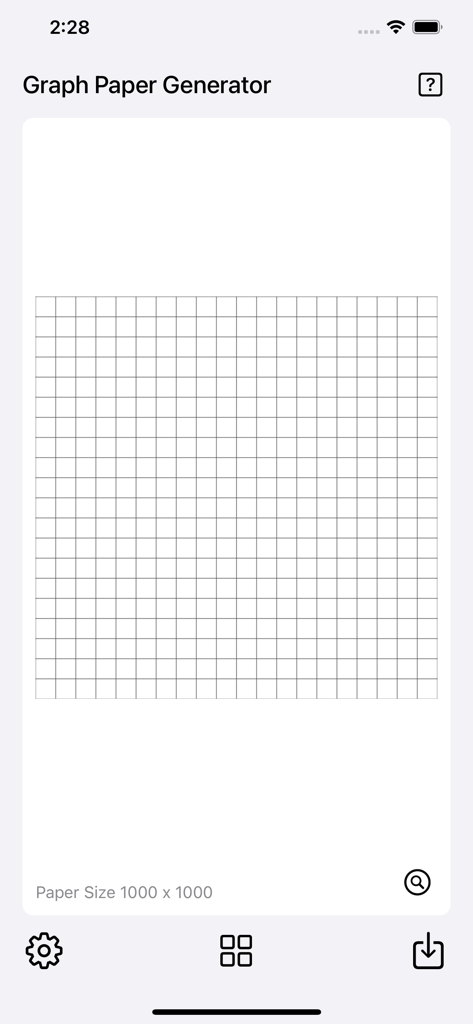
Graph Paper Gen - Graph Paper Generator 앱 인터페이스가 디지털 용지 템플릿에 정사각형 격자 미리 보기를 보여줍니다.
Graph Paper Generator 앱 인터페이스가 디지털 용지 템플릿에 정사각형 격자 미리 보기를 보여줍니다.

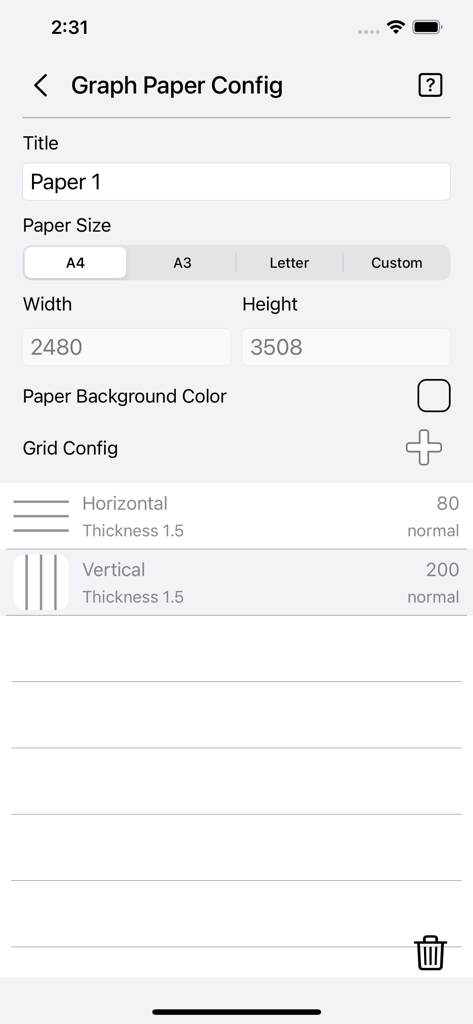
Graph Paper Gen - 격자 용지 크기 및 격자 선 설정을 구성하기 위한 모바일 앱 인터페이스
격자 용지 크기 및 격자 선 설정을 구성하기 위한 모바일 앱 인터페이스

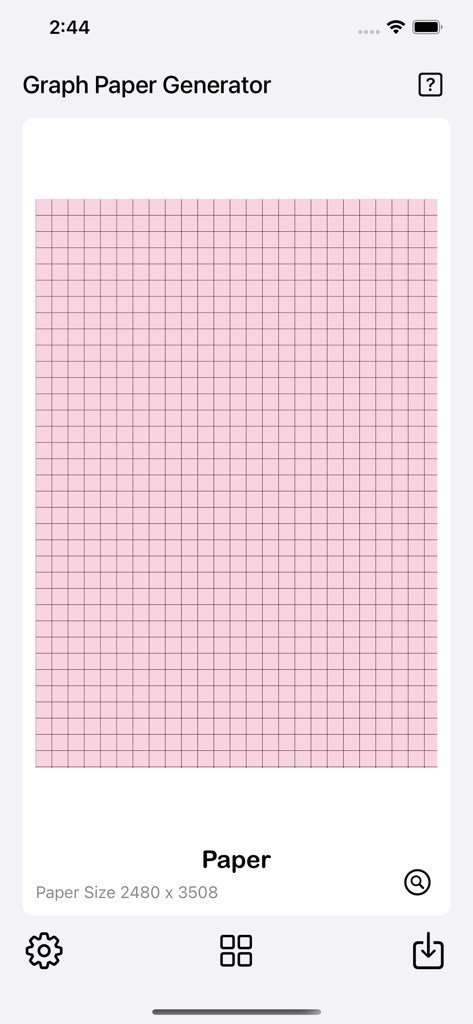
Graph Paper Gen - Graph Paper Generator 앱 인터페이스가 모바일 장치에서 맞춤형 분홍색 격자 미리 보기를 보여줍니다.
Graph Paper Generator 앱 인터페이스가 모바일 장치에서 맞춤형 분홍색 격자 미리 보기를 보여줍니다.

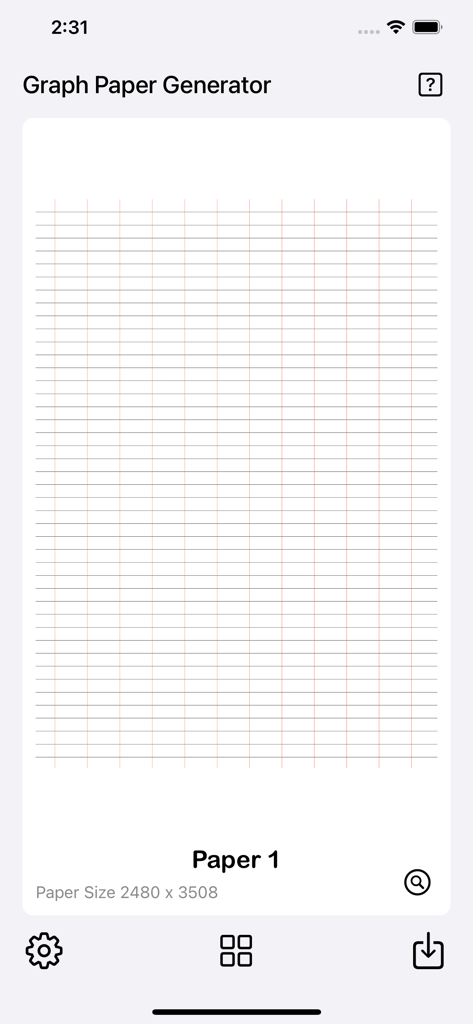
Graph Paper Gen - Graph Paper Gen 인터페이스가 사용자 정의 빨간색 격자 용지 디자인을 표시합니다.
Graph Paper Gen 인터페이스가 사용자 정의 빨간색 격자 용지 디자인을 표시합니다.

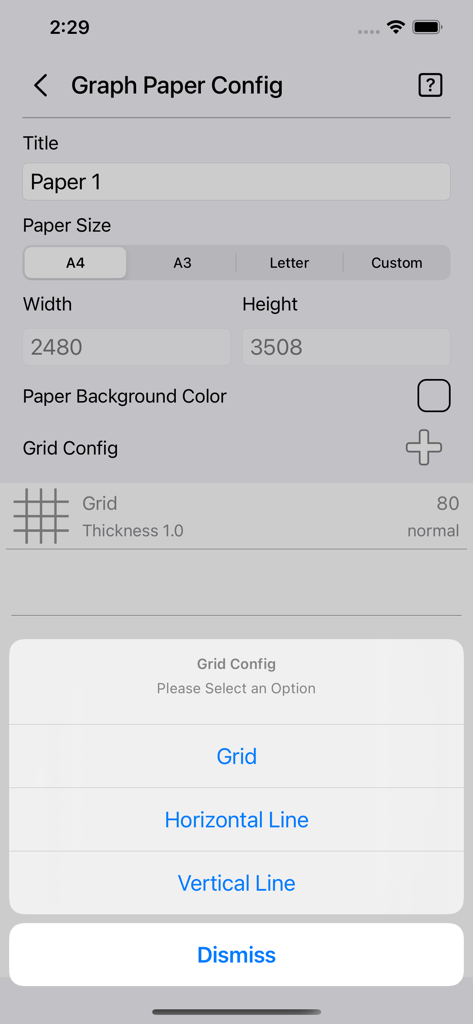
Graph Paper Gen - 용지 크기 설정 및 격자 선택 메뉴를 보여주는 Graph Paper Gen 앱의 구성 화면
용지 크기 설정 및 격자 선택 메뉴를 보여주는 Graph Paper Gen 앱의 구성 화면

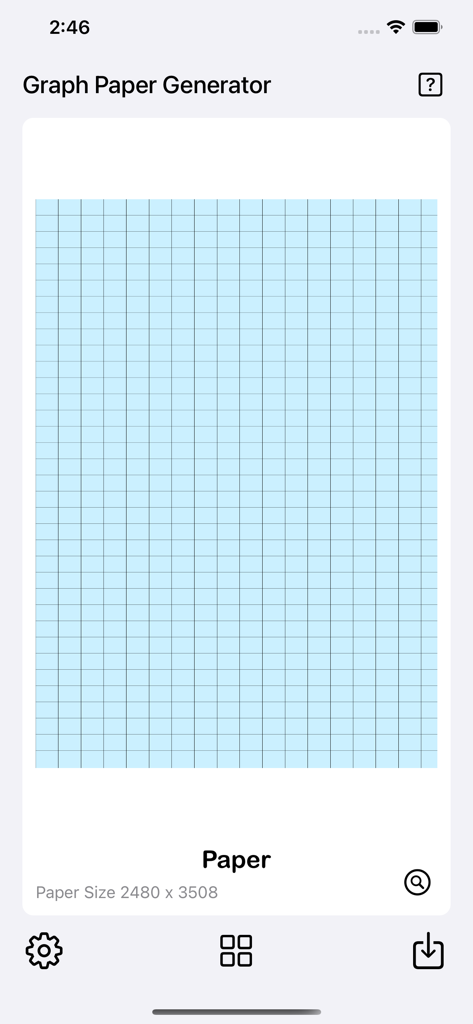
Graph Paper Gen - Graph Paper Gen 모바일 앱에서 흰색 배경에 파란색 격자 미리 보기
Graph Paper Gen 모바일 앱에서 흰색 배경에 파란색 격자 미리 보기

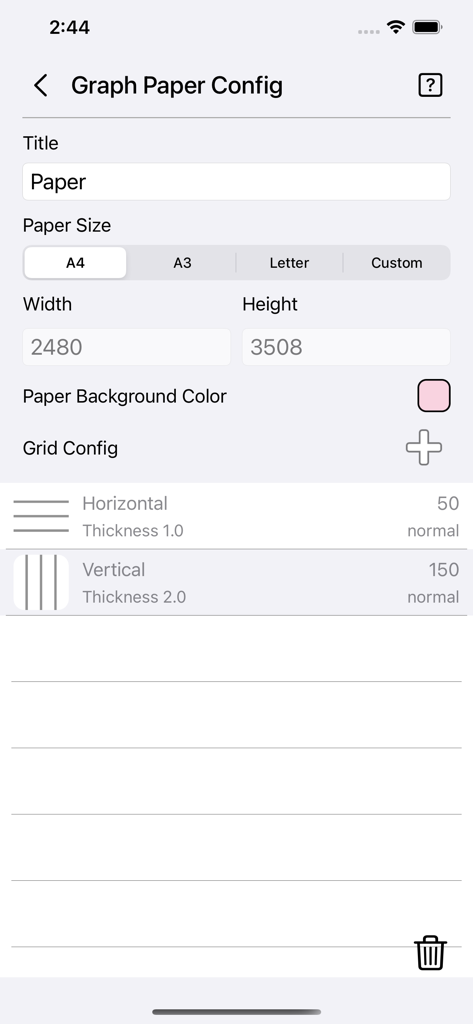
Graph Paper Gen - Graph Paper Gen 앱의 용지 크기 및 격자 선 두께 설정을 위한 구성 화면
Graph Paper Gen 앱의 용지 크기 및 격자 선 두께 설정을 위한 구성 화면

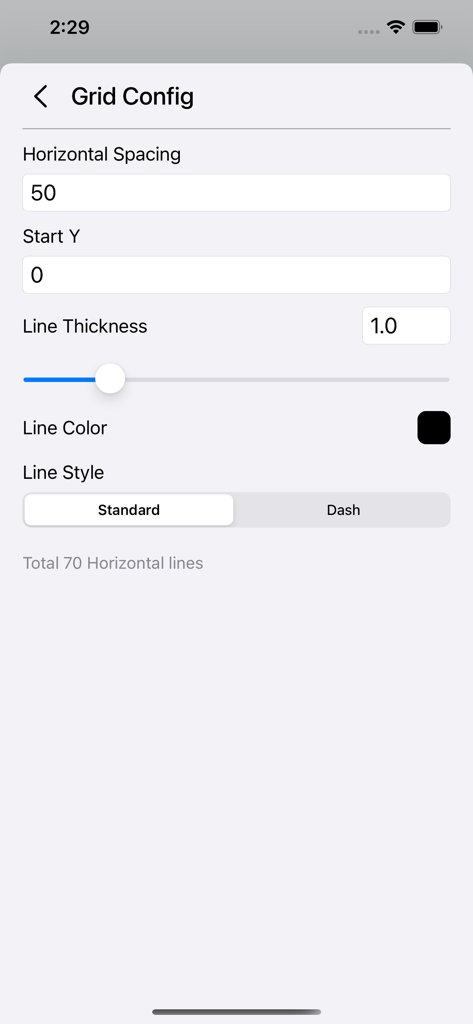
Graph Paper Gen - 격자 간격 선 두께 및 선 스타일을 사용자 정의하기 위한 설정 화면
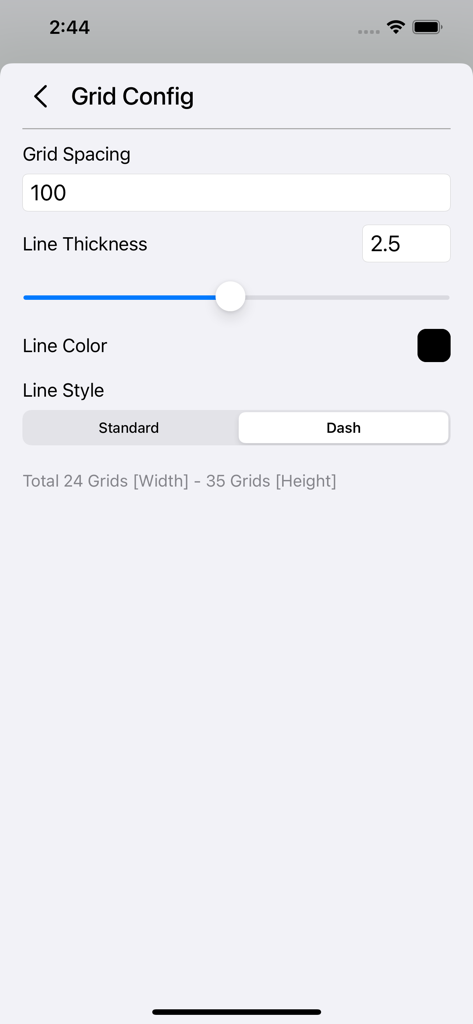
격자 간격 선 두께 및 선 스타일을 사용자 정의하기 위한 설정 화면

Graph Paper Gen - Graph Paper Gen 앱에서 격자 간격 선 두께 및 선 스타일을 사용자 정의하기 위한 인터페이스
Graph Paper Gen 앱에서 격자 간격 선 두께 및 선 스타일을 사용자 정의하기 위한 인터페이스

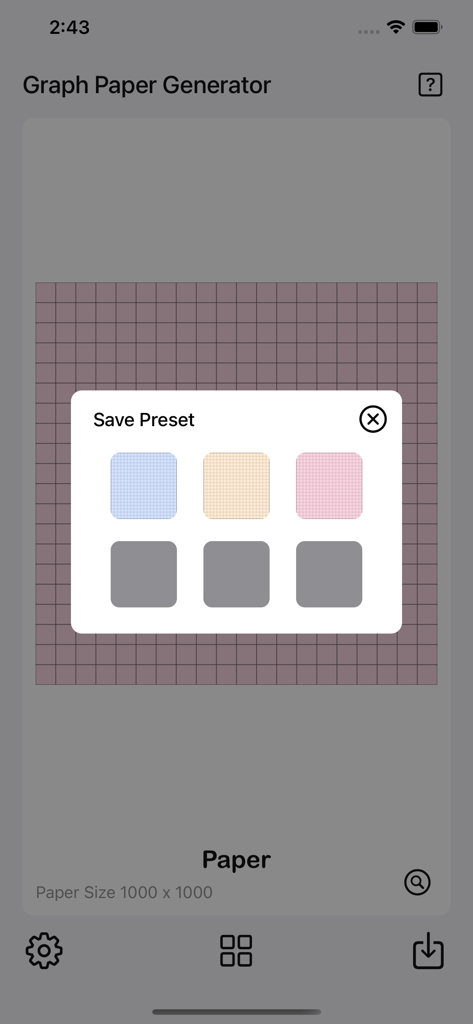
Graph Paper Gen - Graph Paper Gen 앱이 6개의 사용자 정의 격자 레이아웃 슬롯이 있는 저장 사전 설정 메뉴를 보여줍니다.

Graph Paper Gen 앱이 6개의 사용자 정의 격자 레이아웃 슬롯이 있는 저장 사전 설정 메뉴를 보여줍니다.

설명

The Graph Paper Generator is a simple tool to generate grid paper. Save generated grid paper as image or PDF files with pre-made guides ready to print. Features: • User-friendly interface. • Add multiple grids/lines with custom settings. • Quick preview of graph paper. • Instant grid paper generator. • Option to save grid configurations as presets. • 6 preset slots available for saving or loading. • Option to save images to the camera roll. • Option to save PDFs to the Files app. • Option to print. • 3 paper templates ready for quick setup [A4, A3, and Letter]. • Custom paper size available. • Option to set paper color. • Grid configuration for grid, horizontal line, and vertical line. • Add up to 6 grid/line configurations. • Option to set grid/line spacing. • Option to set Start X or Start Y position for horizontal and vertical lines. • Option to set line thickness (range: 0.1 – 5.0). • Option to set grid/line color. • Option to set grid/line style (solid or dashed). • Simple statistics showing how many lines or grids are generated on the paper. Quick Guide: - Tap on the settings icon at the bottom left to start. - Set the desired paper size. - Choose a paper color or leave it as the default white. - Tap on the Plus icon beside the Grid Config. - Choose either Grid, Horizontal Line, or Vertical Line. - The Grid Config page will appear. - Set Grid/Line Spacing as desired. [The bottom of the page shows the total number of grids/lines to be generated. Use it as a reference.] - Set other parameters such as line thickness, line color, or line style. - Tap back to the main page for a preview. - Use the preview mode to check the grid paper — you can zoom and pan for detail. - When finished, you can save it to the camera roll as an image or save it as a PDF file for printing. Save Presets: - Once you are done with all the settings, - You can save them as a preset by tapping on the preset button. - Tap on Save Preset. - Tap on any empty slot and the preset will be saved. - You can tap on any slot to overwrite it if you want to. Load Presets: - Tap on the preset button. - Tap on Load Preset. - Tap on any preset slot and it will load automatically. Thanks for your support, and please visit nitrio.com for more apps for your iOS devices.

Download

다운로드: App Store

이 페이지는 앱이나 개발자의 공식 페이지가 아니며, 정보 제공 및 논평을 목적으로 작성된 독립 편집 간행물입니다. 명시적으로 달리 언급되지 않는 한, 해당 앱이나 개발자는 MWM, Apple, Google Play, 앱 퍼블리셔 또는 앱 개발자와 제휴, 보증, 후원, 승인 또는 공식적으로 연결되어 있지 않으며, 이 페이지의 어떤 내용도 해당 앱이 MWM의 서비스를 사용하여 개발되었음을 의미하지 않습니다. 모든 상표, 로고, 스크린샷 및 기타 콘텐츠는 해당 소유자의 자산입니다.








