Grindcalculator
Grindcalculator
다운로드: App Store

이 페이지는 앱이나 개발자의 공식 페이지가 아니며, 정보 제공 및 논평을 목적으로 작성된 독립 편집 간행물입니다. 명시적으로 달리 언급되지 않는 한, 해당 앱이나 개발자는 MWM, Apple, Google Play, 앱 퍼블리셔 또는 앱 개발자와 제휴, 보증, 후원, 승인 또는 공식적으로 연결되어 있지 않으며, 이 페이지의 어떤 내용도 해당 앱이 MWM의 서비스를 사용하여 개발되었음을 의미하지 않습니다. 모든 상표, 로고, 스크린샷 및 기타 콘텐츠는 해당 소유자의 자산입니다.

로고: Grindcalculator
다운로드: App Store

Grindcalculator

작업실의 추측을 없애세요. 정확한 툴바 높이를 계산하고, 연마석 마모를 고려하며, 모든 칼과 끌에 대해 전문가 수준의 반복 가능한 결과를 얻으세요.

주요 수치

다운로드

2K+

사용자 평점

4.3/5

총 평가 수

0

개발사

RoWo UG haftungsbeschraenkt

카테고리

Productivity

지원 언어

8

최신 버전

5.4

크기

8.9 MB

출시일

2022년 12월 23일
기능

완벽한 날을 위한 정밀 엔지니어링

수동 게이지와 추측을 버리세요. 당사의 고급 계산기는 특정 습식 연마기 및 도구에 맞는 수학적으로 완벽한 연마 각도를 제공합니다.

자동 각도 정밀도

모든 칼이나 끌에 대한 정확한 툴바 높이를 즉시 계산합니다. 작업실에서 번거로운 위상 마킹과 수동 시행착오를 제거하세요.

동적 휠 보정

연마석 마모를 자동으로 고려합니다. 수축하는 습식석 또는 고정 CBN 휠을 사용하든 상관없이 항상 일관된 각도를 유지합니다.

다음 스크린샷과 설명은 앱의 공식 스토어 목록에서 직접 가져온 것이며 앱 개발자의 자산입니다.

앱 스토어

스크린샷
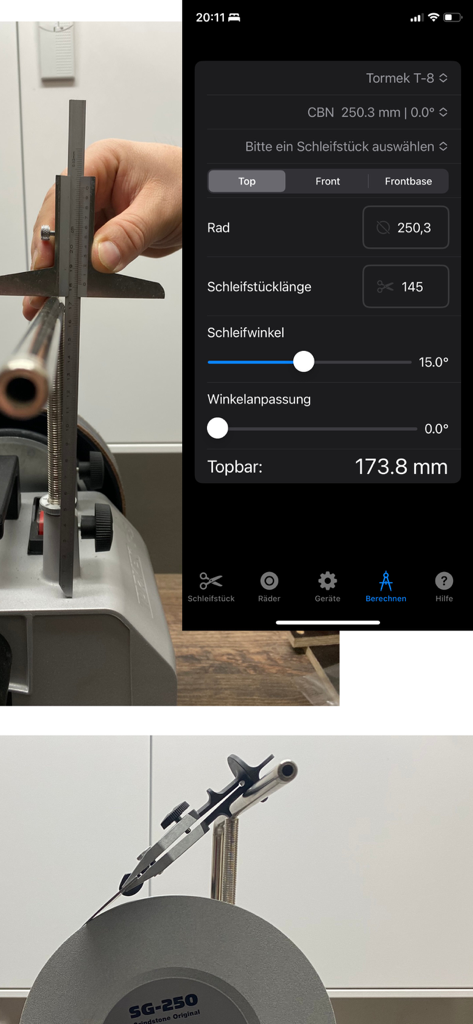
Grindcalculator - Grindcalculator 모바일 앱 인터페이스로 습식 연마기에서 정확한 연마 각도를 계산합니다.
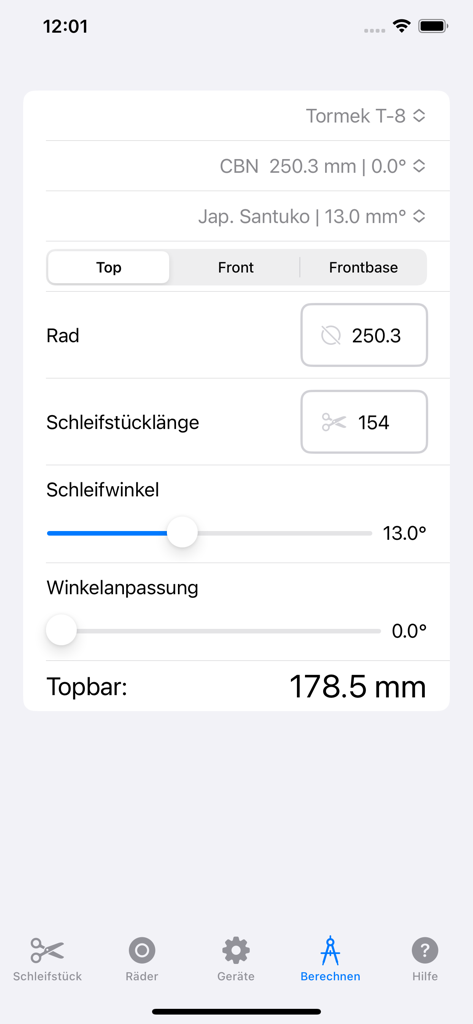
Grindcalculator 모바일 앱 인터페이스로 습식 연마기에서 정확한 연마 각도를 계산합니다.

Grindcalculator - Grindcalculator 모바일 앱 인터페이스로 산토쿠 칼에 대한 연마 각도 및 툴바 높이 계산을 보여줍니다.
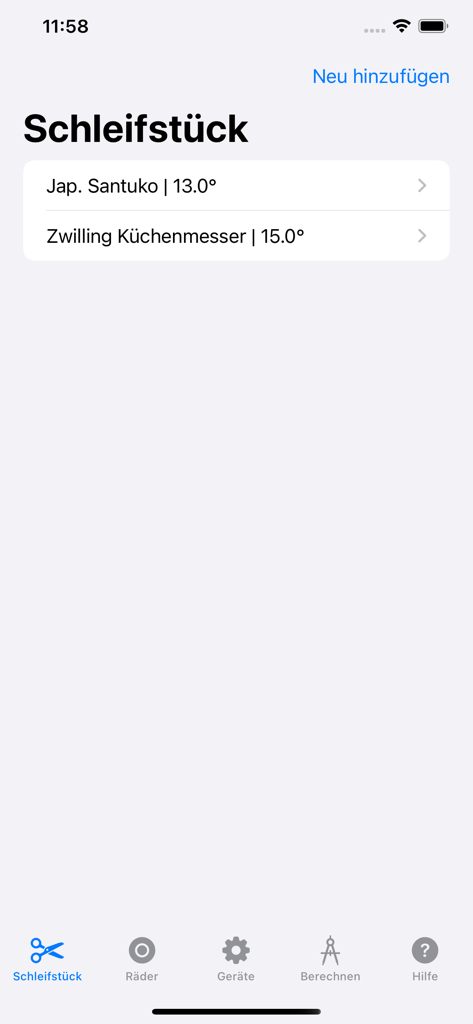
Grindcalculator 모바일 앱 인터페이스로 산토쿠 칼에 대한 연마 각도 및 툴바 높이 계산을 보여줍니다.

Grindcalculator - Grindcalculator 앱 화면으로 저장된 칼 목록과 특정 연마 각도를 보여줍니다.
Grindcalculator 앱 화면으로 저장된 칼 목록과 특정 연마 각도를 보여줍니다.

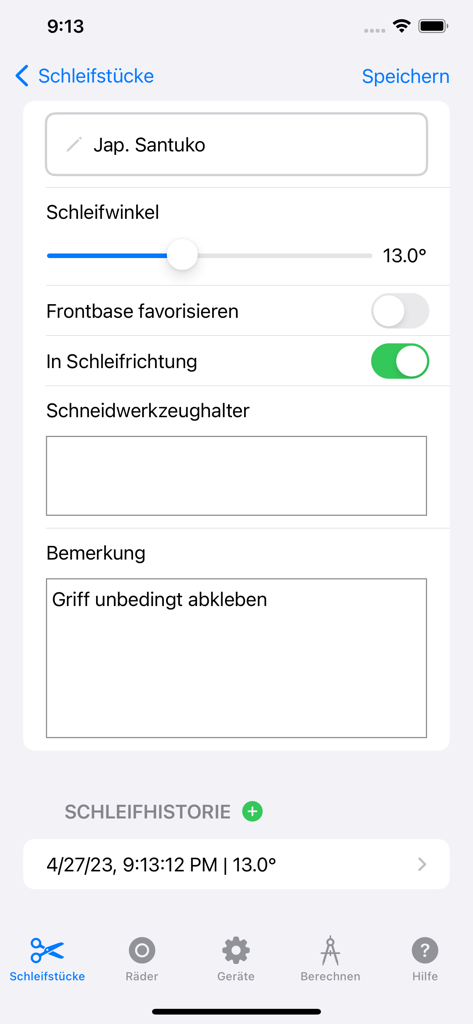
Grindcalculator - Grindcalculator 앱 인터페이스로 일본 산토쿠 칼에 대한 연마 각도 설정을 보여줍니다.
Grindcalculator 앱 인터페이스로 일본 산토쿠 칼에 대한 연마 각도 설정을 보여줍니다.

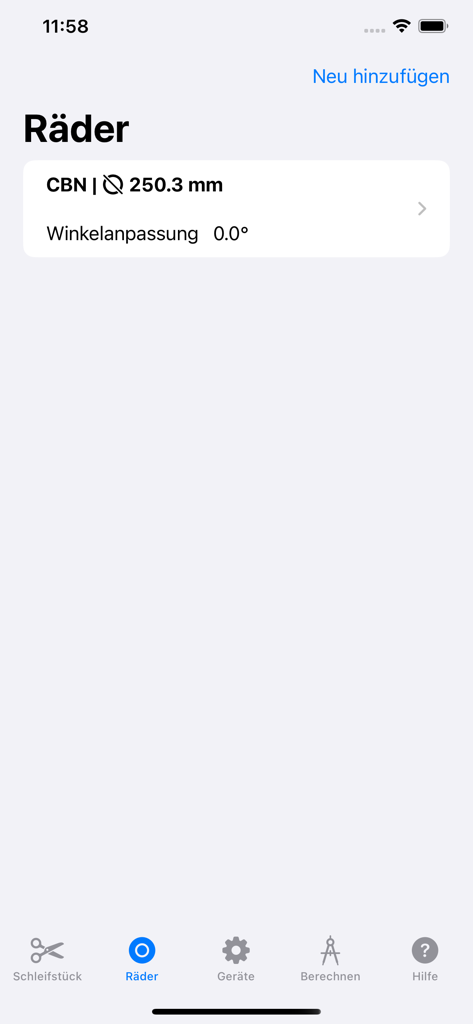
Grindcalculator - Grindcalculator 앱 인터페이스로 CBN 휠 설정과 함께 연마 휠 목록을 보여줍니다.
Grindcalculator 앱 인터페이스로 CBN 휠 설정과 함께 연마 휠 목록을 보여줍니다.

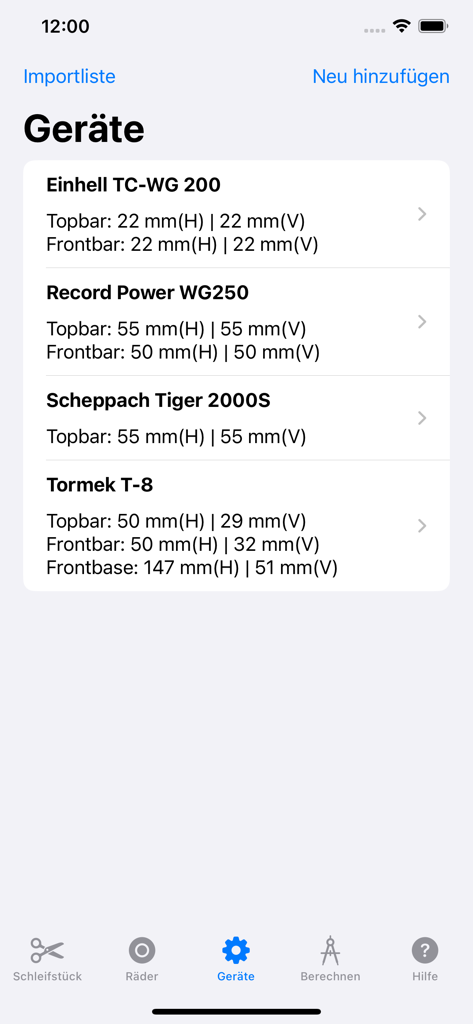
Grindcalculator - Grindcalculator 앱의 연마기 목록으로 Tormek 및 Einhell을 포함하며 막대 측정 설정이 표시됩니다.
Grindcalculator 앱의 연마기 목록으로 Tormek 및 Einhell을 포함하며 막대 측정 설정이 표시됩니다.

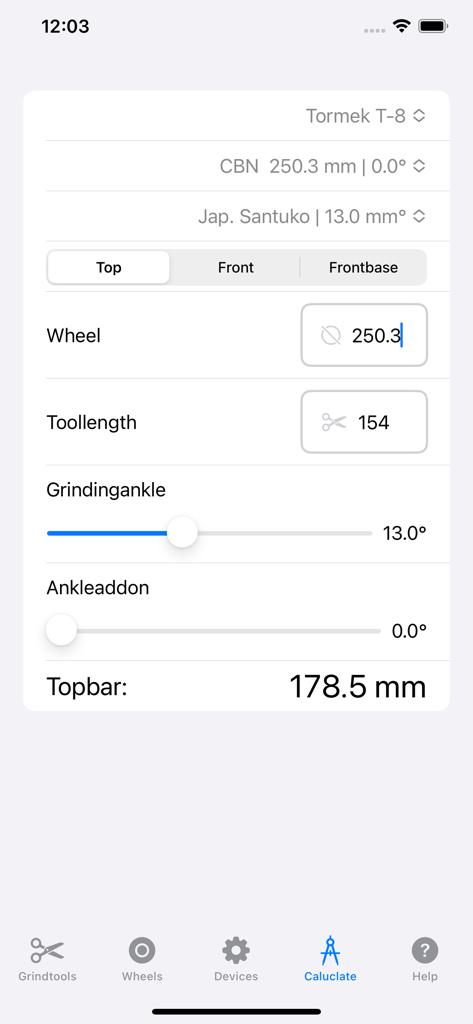
Grindcalculator - Grindcalculator 앱 인터페이스로 Tormek T8 기계에 대한 도구 연마 설정을 표시합니다.
Grindcalculator 앱 인터페이스로 Tormek T8 기계에 대한 도구 연마 설정을 표시합니다.

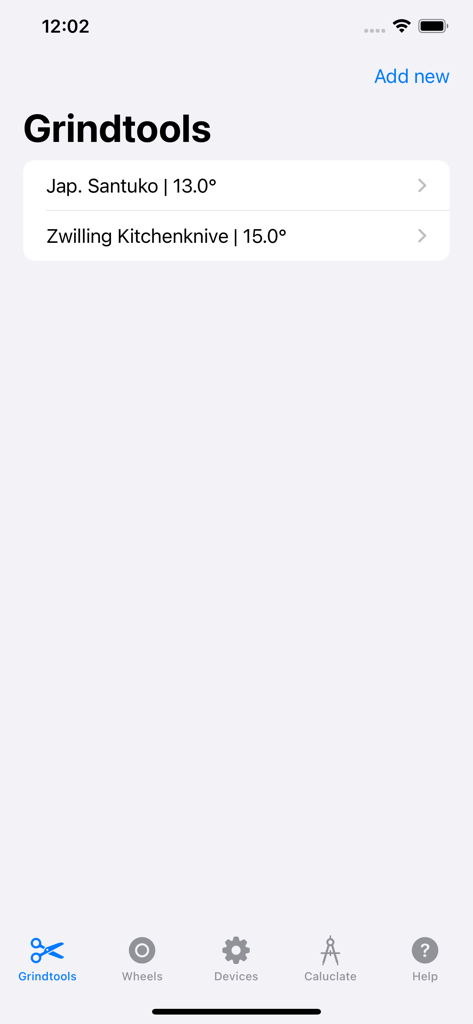
Grindcalculator - Grindtools 라이브러리 화면으로 저장된 주방 칼과 특정 연마 각도를 표시합니다.
Grindtools 라이브러리 화면으로 저장된 주방 칼과 특정 연마 각도를 표시합니다.

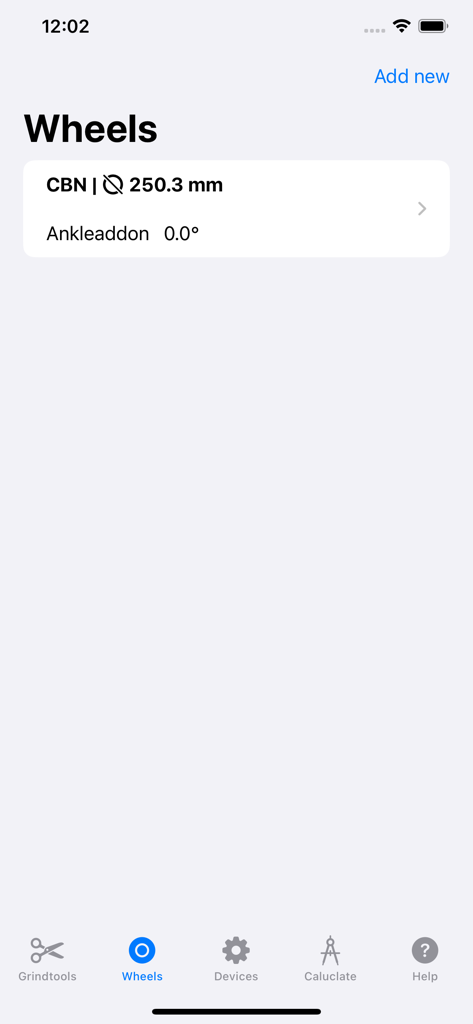
Grindcalculator - Grindcalculator 앱의 휠 라이브러리를 보여주는 인터페이스로, CBN 휠의 직경이 250.3mm로 설정되어 있습니다.
Grindcalculator 앱의 휠 라이브러리를 보여주는 인터페이스로, CBN 휠의 직경이 250.3mm로 설정되어 있습니다.

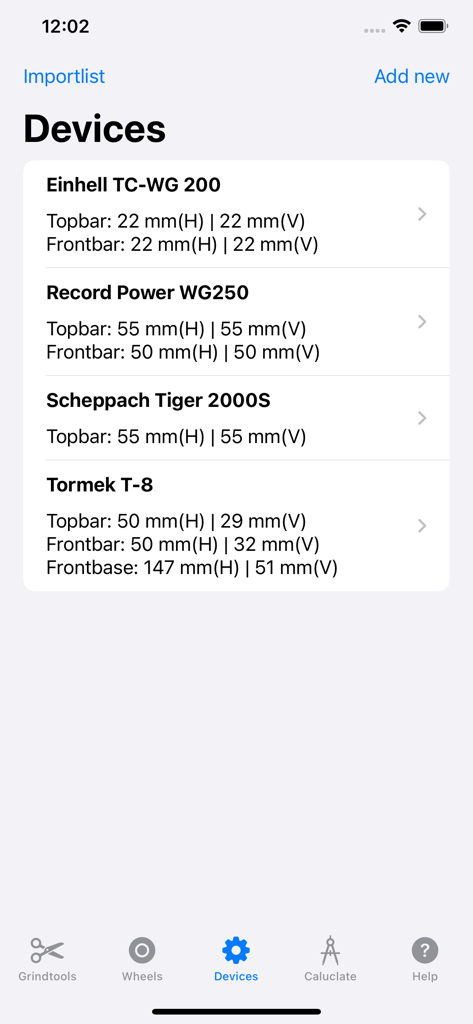
Grindcalculator - Grindcalculator 앱의 장치 화면으로 Tormek 및 기타 연마기의 기술 설정을 보여줍니다.

Grindcalculator 앱의 장치 화면으로 Tormek 및 기타 연마기의 기술 설정을 보여줍니다.

설명

The sharpening calculator is the perfect tool for sharpening knives. Especially when sharpening knives, it is important that the correct angle is resharpened. Most manufacturers, such as Tormek, Einhell, Scheppach, Record Power and many others supply an angle gauge specially designed for the machine. It takes a lot of practice to set the machine correctly with the gauge in order to be able to sharpen the correct sharpening angle on the knife or any other sharpening piece. Professionals often mark their phase to adjust the toolbar to the correct height. We developed the sharpening calculator app to make it easier to sharpen or sharpen knives and, above all, to get a consistently good sharpening result. The annoying phase marking is no longer necessary. Just like the complicated application of the angle gauge to the clamped sanding pad and the adjustment of the toolbar. There is almost no limit to the detection of grinders, grinding wheels and grinding pieces. Grinding pieces are, for example, kitchen knives, wood chisels or planer knives. Everything that can be ground with a wet grinding machine. After the app has been installed, the basic dimensions for the top toolbar, the front bar and, if available, the front base must be entered as described in our tutorial. The values can be adjusted at any time if you have measured yourself. The grinding wheels can either be saved or adjusted again for each grinding process. Here it is important that CBN wheels, for example, always have the same diameter, but wet grinding stones lose diameter through use. This value must be adjusted before grinding. The grinding calculator is suitable for probably every grinding machine from all manufacturers. Even individual structures can be used. Many app users have bought various grinding wheels from, for example, grinding junkies. The grinding calculator also works perfectly for this. With some polishing wheels, an angle correction can be stored so that polishing works even better. If you have recurring sharpening pieces such as kitchen knives, it is possible to save them with the respective sharpening angle. This eliminates the need to measure the angle again when resharpening and everything goes much faster. The grinding calculator is now also available for the iPad. All functions can be used. If you allow access to the iCloud, then all entries are synchronized between the devices. This means that all devices, grinding wheels and grinding pieces are synchronized on all devices used such as iPhone and iPad. This process is also the only thing for which the grinding computer needs an internet connection. Otherwise, the app works anytime, anywhere, even without an active internet connection. With family sharing, each user has their own database. It is currently not possible to share your own devices between users. Further features are described on our website https://www.grindcalculator.de. The procedure is described in detail in the operating instructions, which can be found under the URL https://www.grindcalculator.de/tutorials/operation-manual.

Download

다운로드: App Store

이 페이지는 앱이나 개발자의 공식 페이지가 아니며, 정보 제공 및 논평을 목적으로 작성된 독립 편집 간행물입니다. 명시적으로 달리 언급되지 않는 한, 해당 앱이나 개발자는 MWM, Apple, Google Play, 앱 퍼블리셔 또는 앱 개발자와 제휴, 보증, 후원, 승인 또는 공식적으로 연결되어 있지 않으며, 이 페이지의 어떤 내용도 해당 앱이 MWM의 서비스를 사용하여 개발되었음을 의미하지 않습니다. 모든 상표, 로고, 스크린샷 및 기타 콘텐츠는 해당 소유자의 자산입니다.








