Hypersketch
Hypersketch
다운로드: App Store

이 페이지는 앱이나 개발자의 공식 페이지가 아니며, 정보 제공 및 논평을 목적으로 작성된 독립 편집 간행물입니다. 명시적으로 달리 언급되지 않는 한, 해당 앱이나 개발자는 MWM, Apple, Google Play, 앱 퍼블리셔 또는 앱 개발자와 제휴, 보증, 후원, 승인 또는 공식적으로 연결되어 있지 않으며, 이 페이지의 어떤 내용도 해당 앱이 MWM의 서비스를 사용하여 개발되었음을 의미하지 않습니다. 모든 상표, 로고, 스크린샷 및 기타 콘텐츠는 해당 소유자의 자산입니다.

로고: Hypersketch
다운로드: App Store

Hypersketch

디자이너와 학생을 위한 인간 중심 AI 도구로, 거친 스케치를 몇 초 만에 전문적인 컨셉으로 변환합니다. 빈 페이지를 극복하고, 손쉽게 반복하고, 고유한 창의적 스타일에 대한 완벽한 제어를 유지하세요.

주요 수치

다운로드

6K+

사용자 평점

4.3/5

총 평가 수

100

개발사

STUCK Design Pte Ltd

카테고리

Productivity

지원 언어

1

최신 버전

4.6

크기

171.3 MB

출시일

2022년 12월 28일
기능

거친 스케치에서 전문 컨셉까지

상상력과 실행 사이의 격차를 해소하는 인간 중심 AI를 활용하세요. Hypersketch는 개인적인 손길을 잃지 않으면서 전문적인 결과를 제공하여 워크플로우를 가속화합니다.

즉각적인 컨셉 변환

간단한 스케치를 몇 초 만에 고품질 비주얼로 변환합니다. 수동 렌더링 작업 없이 직관과 명확성 사이의 격차를 해소하세요.

인간 중심 창의성

당신의 비전에 대한 완벽한 제어를 유지하세요. AI를 창의적인 외골격으로 사용하여 개인적인 작업을 유지하면서 아이디어를 개선, 반복 및 발전시키세요.

다음 스크린샷과 설명은 앱의 공식 스토어 목록에서 직접 가져온 것이며 앱 개발자의 자산입니다.

앱 스토어

스크린샷
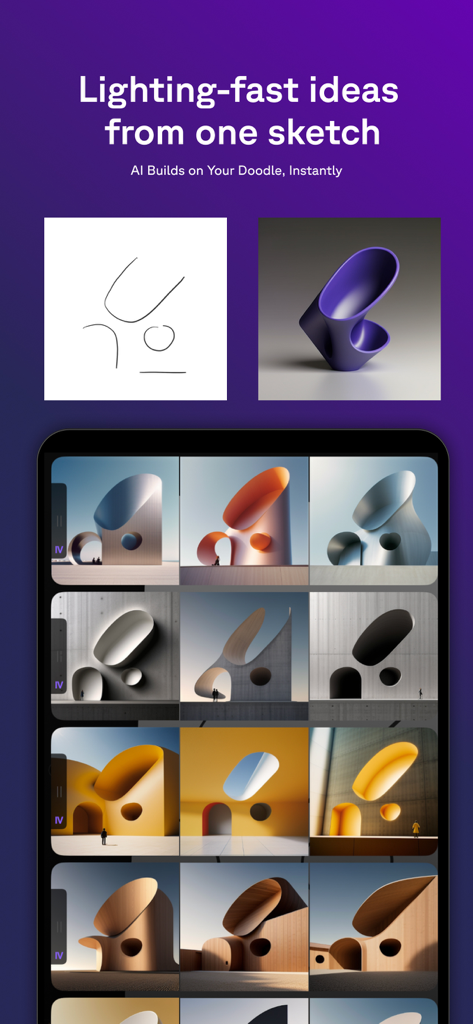
Hypersketch - Hypersketch 앱이 간단한 낙서를 AI를 사용하여 다양한 3D 건축 및 제품 디자인 컨셉으로 변환하는 것을 보여줍니다
Hypersketch 앱이 간단한 낙서를 AI를 사용하여 다양한 3D 건축 및 제품 디자인 컨셉으로 변환하는 것을 보여줍니다

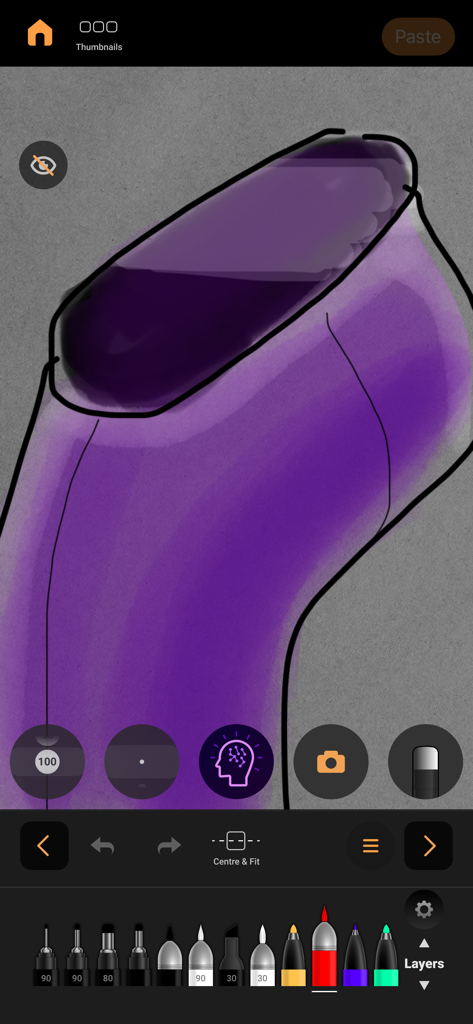
Hypersketch - Hypersketch 앱 화면에 AI 기능과 그리기 브러시가 있는 보라색 스케치가 표시됩니다
Hypersketch 앱 화면에 AI 기능과 그리기 브러시가 있는 보라색 스케치가 표시됩니다

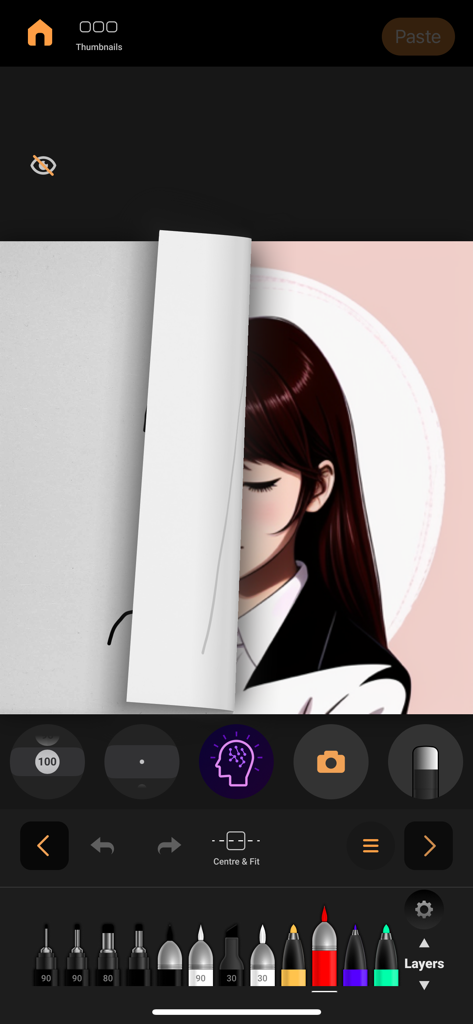
Hypersketch - Hypersketch 모바일 인터페이스에 여성의 상세한 AI 렌더링 일러스트로 변환되는 거친 스케치가 표시됩니다
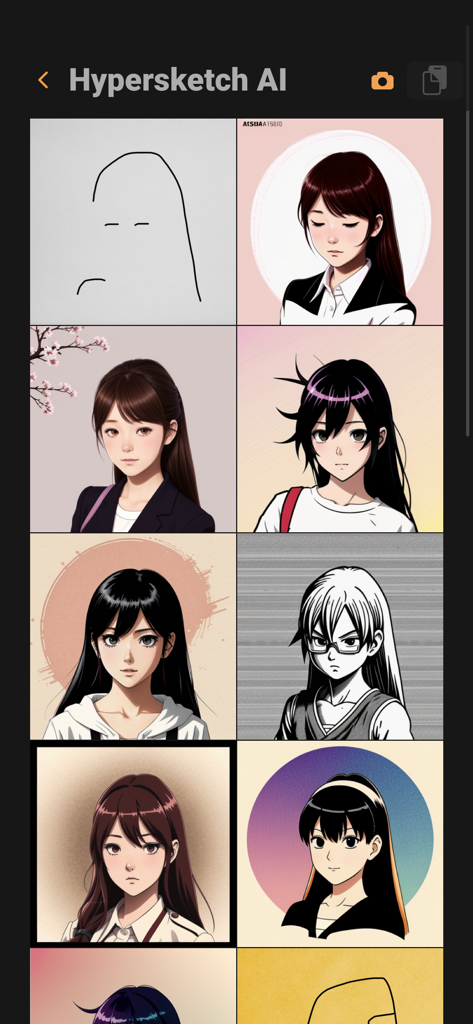
Hypersketch 모바일 인터페이스에 여성의 상세한 AI 렌더링 일러스트로 변환되는 거친 스케치가 표시됩니다

Hypersketch - Hypersketch의 갤러리 보기에는 간단한 선 그림이 AI를 사용하여 여러 개의 세련된 애니메이션 스타일 캐릭터 초상화로 변환되는 모습이 표시됩니다.
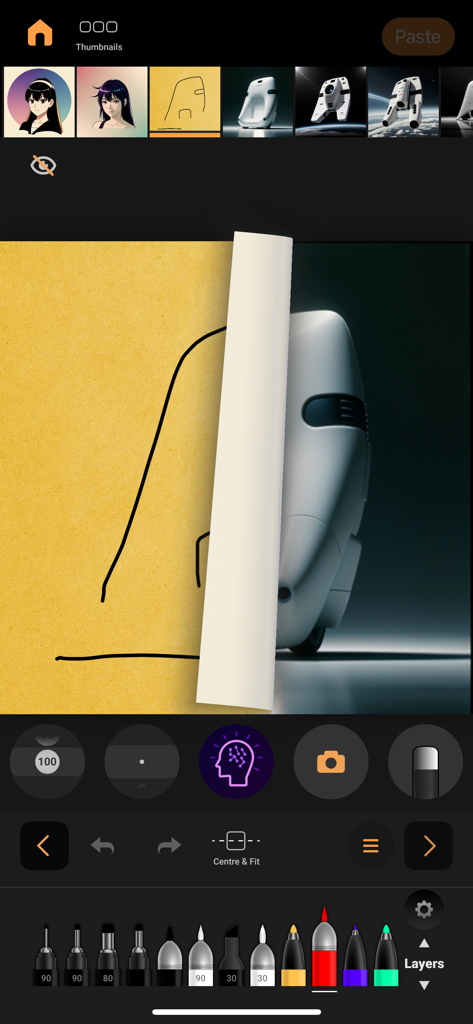
Hypersketch의 갤러리 보기에는 간단한 선 그림이 AI를 사용하여 여러 개의 세련된 애니메이션 스타일 캐릭터 초상화로 변환되는 모습이 표시됩니다.

Hypersketch - Hypersketch 앱 인터페이스에 손으로 그린 스케치가 AI를 통해 사실적인 3D 제품 디자인으로 변환되는 과정이 표시됩니다
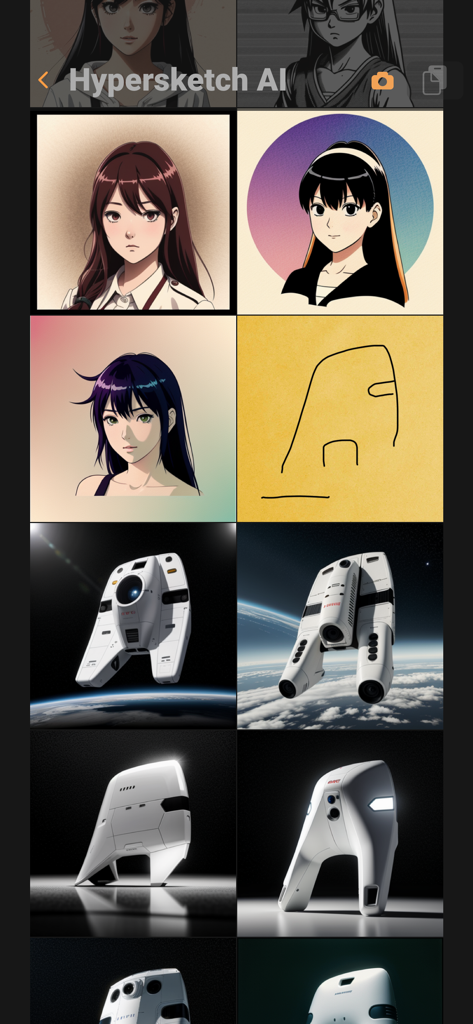
Hypersketch 앱 인터페이스에 손으로 그린 스케치가 AI를 통해 사실적인 3D 제품 디자인으로 변환되는 과정이 표시됩니다

Hypersketch - Hypersketch 앱 인터페이스에 간단한 선 그림이 고품질 3D 산업 디자인 렌더로 변환되는 모습이 표시됩니다

Hypersketch 앱 인터페이스에 간단한 선 그림이 고품질 3D 산업 디자인 렌더로 변환되는 모습이 표시됩니다

설명

Hypersketch - Multiply Your Creativity Hypersketch lets anyone draw, imagine, and bring ideas to life in seconds from a simple sketch. It’s an AI-powered creative tool designed to make visual creativity easy for everyone — from students to professionals. Created by designers and educators who understand how hard it can be to start with a blank page, Hypersketch uses AI to help you shape your ideas while keeping you in full creative control. Draw, erase, and refine freely as your rough sketches evolve into polished visuals and new directions. Our Vision | Hypersketch helps people use AI to think bigger, create faster, and stand out with ideas that feel original, human, and personal. 
=======================
 Key Highlights: LIGHTING FAST IDEAS Create dozens of design variations from a single sketch in seconds. Hypersketch keeps pace with your imagination, helping you explore creative breadth without losing momentum. SKETCH-TO-CONCEPT TRANSFORMATION Turn quick drawings into tangible, well-formed directions. Hypersketch bridges hand-drawn intuition with AI imagination, transforming rough ideas into visual clarity. CREATIVE ITERATION TOOLS Refine, erase, and evolve ideas freely with intuitive in-painting tools. Hypersketch turns the process of revision into an extension of creativity, keeping you in flow as you perfect your work. HUMAN-CENTERED AI Collaborate with AI while staying in control. Hypersketch supports the artist’s intent so every idea remains distinctly human. OFFLINE-FRIENDLY SKETCHING Work safely and independently, even without the internet. Like a real sketchbook, Hypersketch saves your progress locally so you can sketch, refine, and explore anytime. REVERSE SKETCHING Reimagine finished work by turning polished renderings back into editable sketches. Hypersketch lets you study, remix, and build from existing ideas to uncover new creative directions. VERSATILE GENERATION MODES Experiment across creative disciplines. The same sketch can evolve into a building, an object, or a textile, depending on where your ideas lead. STYLE REFERENCES (SREFs) Guide AI visually using images instead of words. SREFs let you define style through picture-based direction that feels intuitive and immediate. MINIMAL PROMPTING Create from sketches and short cues. Hypersketch keeps prompting minimal so you can focus on creation, not commands. SKETCH TO 3D OBJECT Skip early-stage CAD work and make faster decisions with instant clarity on your design. 
=======================
 What Makes Hypersketch Different Bridges Casual Creativity and Professional Craft Most AI tools are either too playful or too complex. Hypersketch sits in between, powerful enough for real design outcomes yet intuitive enough to invite experimentation. Makes AI Creation Approachable Create confidently without mastering prompts or technical tools. Hypersketch combines AI with an intuitive sketch-based interface that makes creative exploration accessible to everyone. Casual Pro, Not Casual Use Hypersketch doesn’t remove effort from creativity; it makes that effort meaningful. Stay engaged as you iterate quickly and build skill through active creation. Empowers Everyday Creators In a world where everyone uses AI, originality is the true advantage. Hypersketch helps you move beyond generic outputs to create work that feels genuinely personal and distinctly yours. Built for Differentiated Ideas Instead of predictable results, Hypersketch helps you find unexpected directions that spark tomorrow’s ideas. 
=======================
 Try Hypersketch Today and Redefine How You Sketch and Design.
 https://hypersketch.com Terms of Use: https://www.apple.com/legal/internet-services/itunes/dev/stdeula/

Download

다운로드: App Store

이 페이지는 앱이나 개발자의 공식 페이지가 아니며, 정보 제공 및 논평을 목적으로 작성된 독립 편집 간행물입니다. 명시적으로 달리 언급되지 않는 한, 해당 앱이나 개발자는 MWM, Apple, Google Play, 앱 퍼블리셔 또는 앱 개발자와 제휴, 보증, 후원, 승인 또는 공식적으로 연결되어 있지 않으며, 이 페이지의 어떤 내용도 해당 앱이 MWM의 서비스를 사용하여 개발되었음을 의미하지 않습니다. 모든 상표, 로고, 스크린샷 및 기타 콘텐츠는 해당 소유자의 자산입니다.








