Image to Excel Converter-XLSX
다운로드: App Store

이 페이지는 앱이나 개발자의 공식 페이지가 아니며, 정보 제공 및 논평을 목적으로 작성된 독립 편집 간행물입니다. 명시적으로 달리 언급되지 않는 한, 해당 앱이나 개발자는 MWM, Apple, Google Play, 앱 퍼블리셔 또는 앱 개발자와 제휴, 보증, 후원, 승인 또는 공식적으로 연결되어 있지 않으며, 이 페이지의 어떤 내용도 해당 앱이 MWM의 서비스를 사용하여 개발되었음을 의미하지 않습니다. 모든 상표, 로고, 스크린샷 및 기타 콘텐츠는 해당 소유자의 자산입니다.

로고: Image to Excel Converter-XLSX
다운로드: App Store

Image to Excel Converter-XLSX

스크린샷, 송장, 손글씨 메모를 구조화되고 편집 가능한 엑셀 데이터로 바꾸는 가장 빠른 방법. 정확하고 안전하며 고효율 전문가를 위해 만들어졌습니다.

주요 수치

다운로드

1K+

사용자 평점

4.1/5

총 평가 수

0

개발사

Asad Ahsan

카테고리

Productivity

지원 언어

69

최신 버전

1.0.14

크기

69.1 MB

출시일

2024년 8월 20일
기능

타이핑은 그만, 분석 시작

문서와 스크린샷을 몇 초 안에 완전 편집 가능한 엑셀 스프레드시트로 변환하세요. 현대적인 전문가 워크플로우를 위해 설계된 정밀 데이터 추출 기능.

즉시 OCR 추출

인쇄된 테이블이나 송장 사진을 찍으면 즉시 편집 가능한 XLSX 파일을 얻을 수 있습니다. 지루한 수동 데이터 입력 시간을 없애세요.

스크린샷을 실행 가능한 데이터로

'죽은' 스크린샷을 라이브 스프레드시트로 만드세요. 가격 목록, 은행 명세서 또는 웹 데이터를 사진 갤러리에서 직접 쉽게 디지털화하세요.

다음 스크린샷과 설명은 앱의 공식 스토어 목록에서 직접 가져온 것이며 앱 개발자의 자산입니다.

앱 스토어

스크린샷
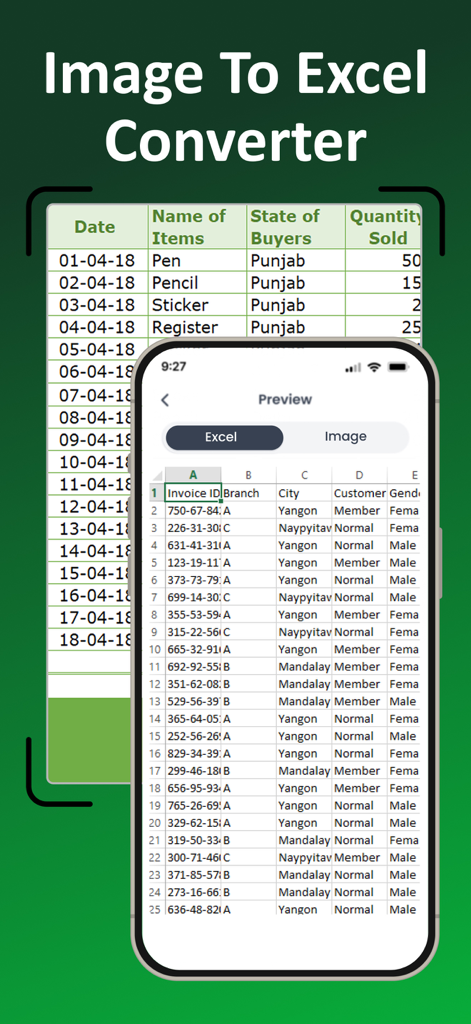
Image to Excel Converter-XLSX - 문서 사진에서 변환된 디지털 엑셀 스프레드시트를 보여주는 모바일 앱 인터페이스
문서 사진에서 변환된 디지털 엑셀 스프레드시트를 보여주는 모바일 앱 인터페이스

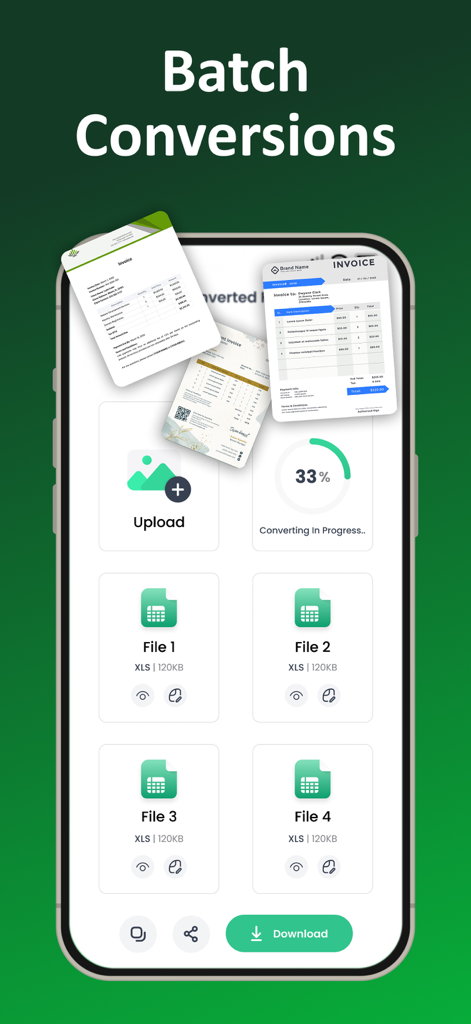
Image to Excel Converter-XLSX - 여러 송장을 엑셀 스프레드시트로 일괄 변환하는 과정을 보여주는 모바일 앱 인터페이스
여러 송장을 엑셀 스프레드시트로 일괄 변환하는 과정을 보여주는 모바일 앱 인터페이스

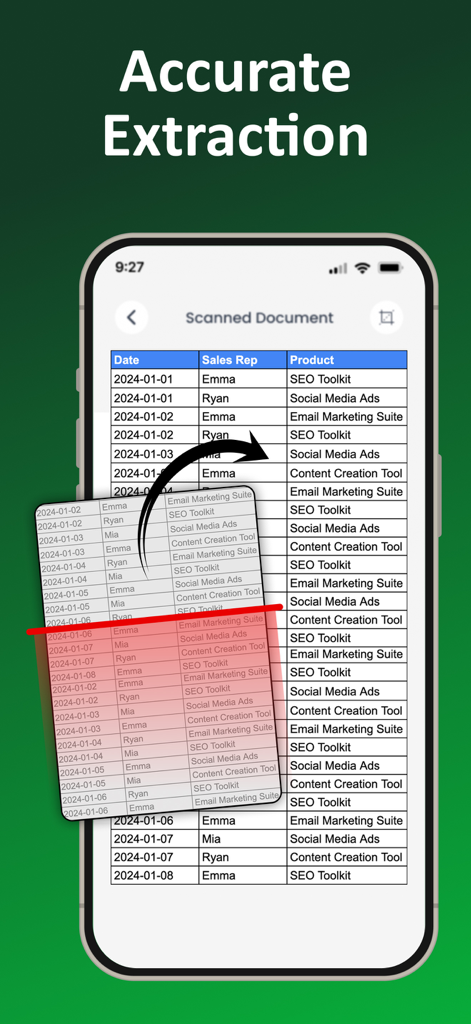
Image to Excel Converter-XLSX - 스캔된 문서에서 디지털 엑셀 스프레드시트 테이블로 정확한 데이터 추출을 보여주는 스마트폰 앱 인터페이스
스캔된 문서에서 디지털 엑셀 스프레드시트 테이블로 정확한 데이터 추출을 보여주는 스마트폰 앱 인터페이스

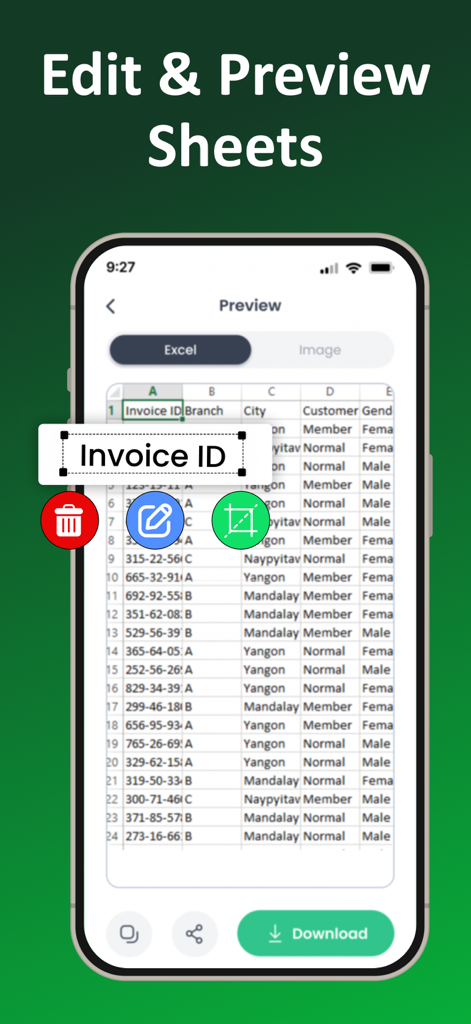
Image to Excel Converter-XLSX - 이미지를 엑셀로 변환 앱에서 변환된 스프레드시트 데이터를 미리 보고 편집하는 화면
이미지를 엑셀로 변환 앱에서 변환된 스프레드시트 데이터를 미리 보고 편집하는 화면

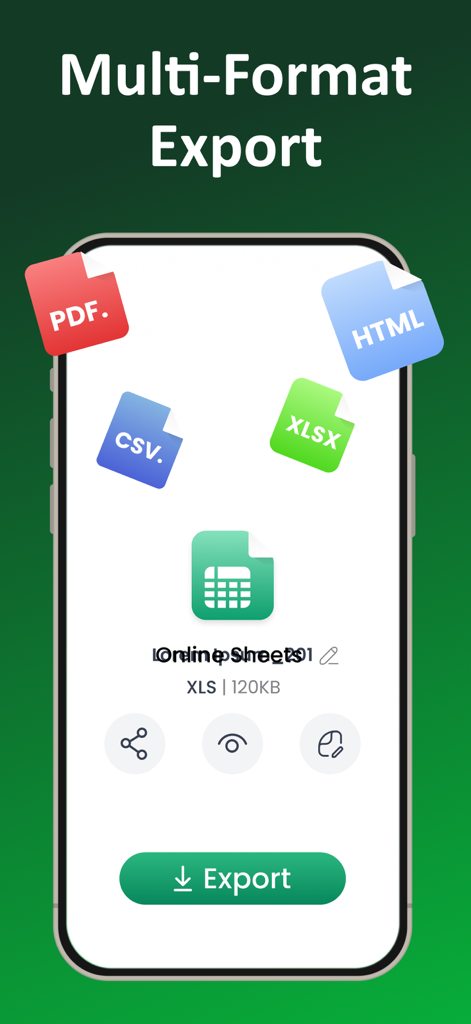
Image to Excel Converter-XLSX - 변환된 문서 데이터에 대한 PDF CSV XLSX 및 HTML을 포함한 다중 형식 내보내기 옵션을 보여주는 인터페이스
변환된 문서 데이터에 대한 PDF CSV XLSX 및 HTML을 포함한 다중 형식 내보내기 옵션을 보여주는 인터페이스

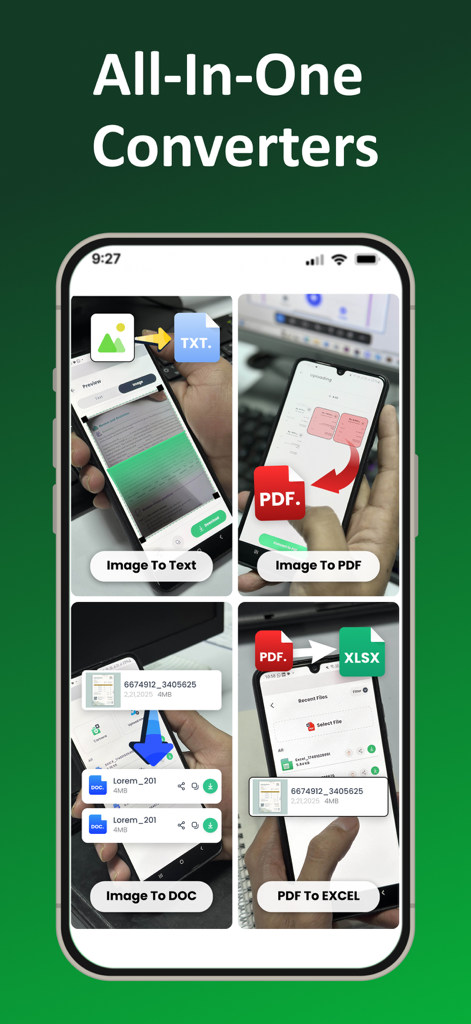
Image to Excel Converter-XLSX - 이미지 텍스트 변환 및 PDF 엑셀 변환을 포함한 여러 문서 변환 옵션을 보여주는 모바일 화면
이미지 텍스트 변환 및 PDF 엑셀 변환을 포함한 여러 문서 변환 옵션을 보여주는 모바일 화면

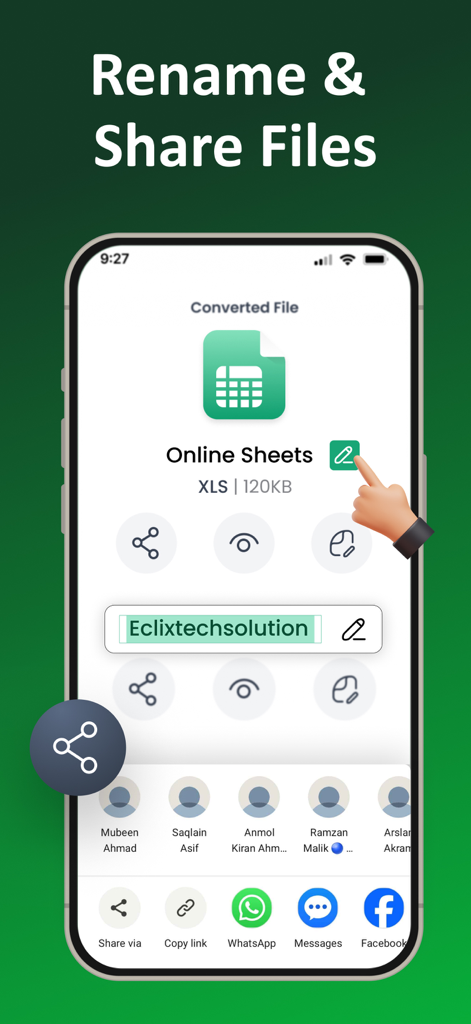
Image to Excel Converter-XLSX - 변환된 엑셀 스프레드시트의 이름 바꾸기 및 공유를 위한 모바일 인터페이스
변환된 엑셀 스프레드시트의 이름 바꾸기 및 공유를 위한 모바일 인터페이스

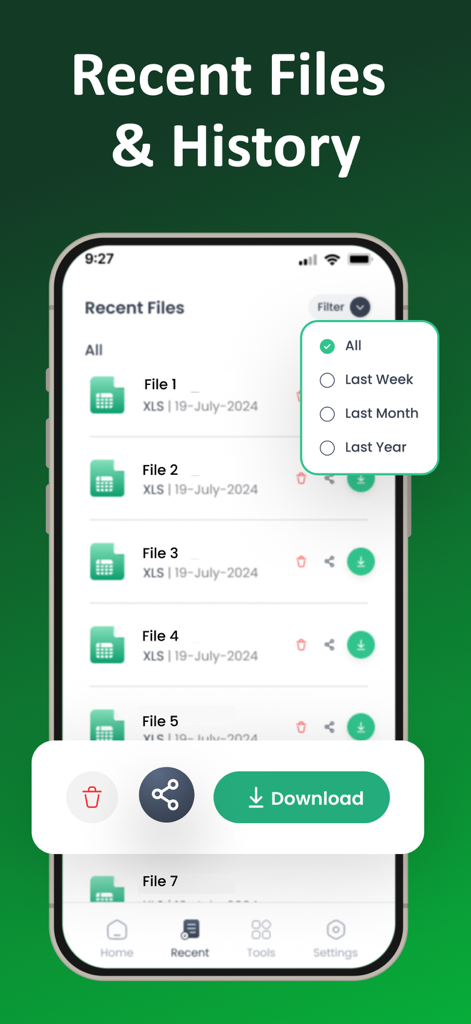
Image to Excel Converter-XLSX - 필터링, 다운로드 및 문서 공유 옵션이 있는 변환된 엑셀 파일 목록을 표시하는 모바일 인터페이스.

필터링, 다운로드 및 문서 공유 옵션이 있는 변환된 엑셀 파일 목록을 표시하는 모바일 인터페이스.

설명

Easily transform images into Excel spreadsheets with this Image to Excel Converter! Whether it’s a photo of a document, a screenshot, or any image with data, this app makes converting image to Excel files quick and simple. No more typing out data by hand just snap a picture, and let app do the rest! This Image to Excel Converter is perfect for turning any image into a usable Excel file. Whether you’re a professional needing to digitize paperwork or a student converting notes, app is designed to make your life easier. Just upload your image or take a new photo, and within seconds, your data is ready to be edited in Excel. Key Features Image To Excel Converter App: Image to Excel: Convert any image into a fully editable Excel sheet in seconds. Picture to Excel Converter: Simply take a picture of any document or table and convert it into a neat and organized Excel file. Photo to Excel Converter: Works with photos of any format JPG, PNG, and more. JPG to XLSX: Convert your JPG files directly into the XLSX format. JPG to Excel: With just a few taps, turn your JPG images into Excel sheets for easy data management. PNG to Excel: Not just JPG convert PNG images into Excel files just as easily. Image Data to Excel: Automatically extract data from your images and convert it into an organized Excel spreadsheet. Image to Spreadsheet Converter: Get structured, organized data in Excel format from any image. How doc image to excel converter: Upload or Take a Photo: Start by choosing an image from your gallery or snapping a new photo with your camera. Automatic Conversion: Advanced technology automatically recognizes the data in your image and converts it into an Excel sheet. The process is fast and accurate. Download or Share: Once the conversion is complete, download the Excel file to your device and share anywhere easily. Image to Excel Converter is designed to be fast, accurate, and incredibly easy to use. You don’t need any special skills to turn your images into Excel sheets. The app’s simple interface means anyone can convert images into spreadsheets without any hassle. Plus, we support multiple image formats, so you can convert JPG to Excel, PNG to Excel, and more, all in one place. We also take your privacy seriously. Your images and data are secure with us, and we don’t store any of your information on our servers. Who Is This App For? Professionals: Need to digitize business documents, invoices, or receipts? Photo to Excel app converts them from images to Excel in seconds. Students: Convert handwritten notes, textbook pages, or other images into Excel sheets to organize your study material. Anyone: Whether you’re managing finances, organizing data, or just need to convert an image into a usable spreadsheet, this Photo To Excel Converter app is the perfect solution. Download the Image to Excel Converter now and experience how easy it is to convert images to Excel sheets. Say goodbye to manual data entry and start managing your data more efficiently! With this Photo to Excel Converter app, turning images into Excel files. No more errors, no more frustration just perfect Excel sheets every time. Download today and see how simple it is to convert images to spreadsheets! Privacy policy https://jpgtoexcel.com/privacy Terms of Services https://jpgtoexcel.com/terms

Download

다운로드: App Store

이 페이지는 앱이나 개발자의 공식 페이지가 아니며, 정보 제공 및 논평을 목적으로 작성된 독립 편집 간행물입니다. 명시적으로 달리 언급되지 않는 한, 해당 앱이나 개발자는 MWM, Apple, Google Play, 앱 퍼블리셔 또는 앱 개발자와 제휴, 보증, 후원, 승인 또는 공식적으로 연결되어 있지 않으며, 이 페이지의 어떤 내용도 해당 앱이 MWM의 서비스를 사용하여 개발되었음을 의미하지 않습니다. 모든 상표, 로고, 스크린샷 및 기타 콘텐츠는 해당 소유자의 자산입니다.








