Joplin
Joplin
다운로드: App Store

이 페이지는 앱이나 개발자의 공식 페이지가 아니며, 정보 제공 및 논평을 목적으로 작성된 독립 편집 간행물입니다. 명시적으로 달리 언급되지 않는 한, 해당 앱이나 개발자는 MWM, Apple, Google Play, 앱 퍼블리셔 또는 앱 개발자와 제휴, 보증, 후원, 승인 또는 공식적으로 연결되어 있지 않으며, 이 페이지의 어떤 내용도 해당 앱이 MWM의 서비스를 사용하여 개발되었음을 의미하지 않습니다. 모든 상표, 로고, 스크린샷 및 기타 콘텐츠는 해당 소유자의 자산입니다.


로고: Joplin
다운로드: App Store

Joplin

종단 간 암호화된 노트로 데이터 통제권을 되찾으세요. 생각을 기록하고, 할 일을 관리하며, 방해받지 않는 오프라인 우선 환경에서 모든 기기 간에 동기화하세요.

주요 수치

다운로드

78K+

사용자 평점

4.5/5

총 평가 수

300

개발사

Laurent Cozic

카테고리

Productivity

지원 언어

1

최신 버전

13.5.3

크기

56.9 MB

출시일

2017년 11월 21일
기능

당신의 지식을 완전히 통제하세요

Joplin은 노트, 연구 및 디지털 아이디어에 대한 완전한 통제를 요구하는 전문가 및 파워 유저를 위해 설계된 오픈 소스, 개인 정보 보호 우선 워크스페이스입니다.

타협하지 않는 개인 정보 보호

당신의 생각은 당신의 것입니다. 군사 등급의 종단 간 암호화와 오픈 소스 코드베이스의 투명성으로 데이터를 보호하세요.

파워 유저를 위한 제작

완벽한 Markdown 지원, LaTeX 수학 표현식, 코드 블록 및 심층 연구를 위한 강력한 웹 클리퍼로 복잡한 아이디어를 쉽게 포착하세요.

다음 스크린샷과 설명은 앱의 공식 스토어 목록에서 직접 가져온 것이며 앱 개발자의 자산입니다.

앱 스토어

스크린샷
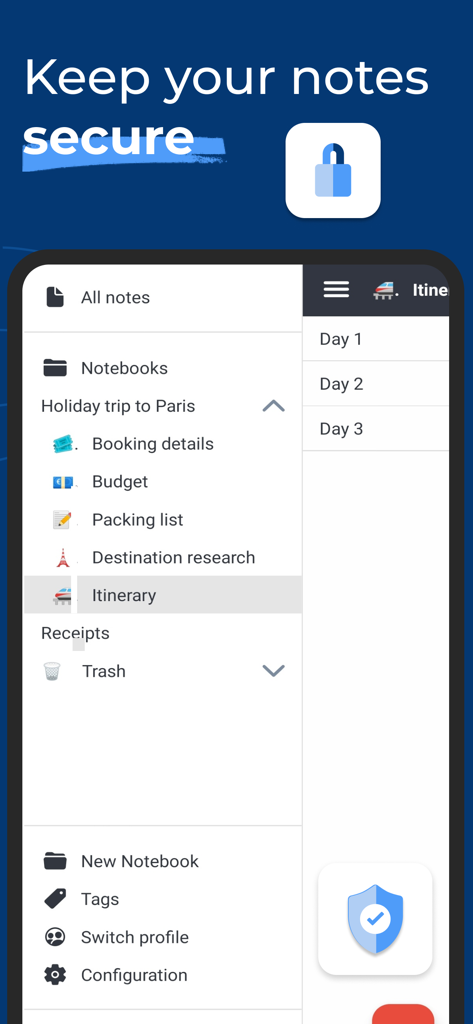
Joplin - 정리된 노트북과 안전한 노트 보관을 표시하는 Joplin 모바일 앱 인터페이스
정리된 노트북과 안전한 노트 보관을 표시하는 Joplin 모바일 앱 인터페이스

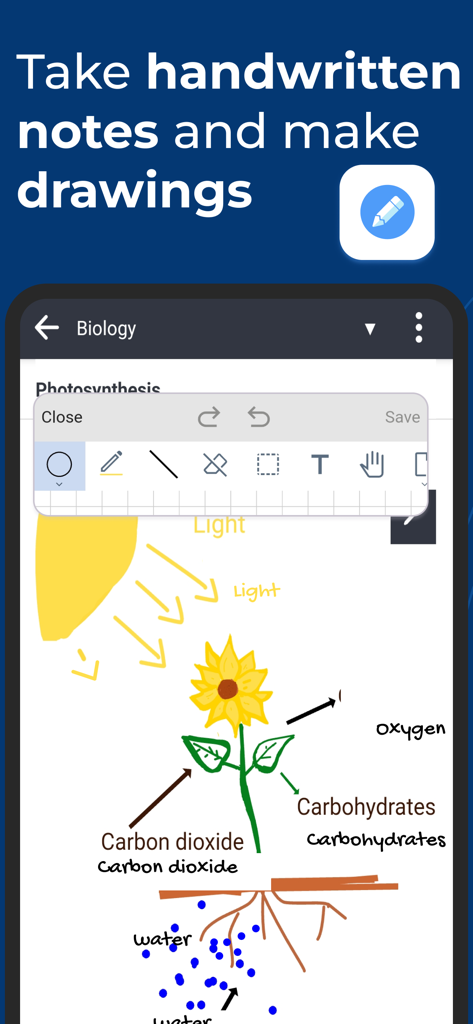
Joplin - 광합성 그림과 그리기 도구가 포함된 Joplin 모바일 앱 인터페이스
광합성 그림과 그리기 도구가 포함된 Joplin 모바일 앱 인터페이스

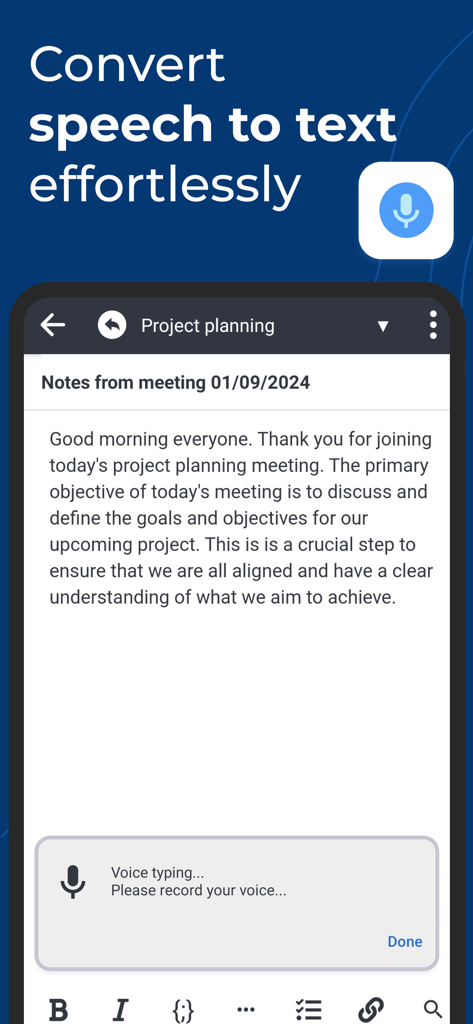
Joplin - 회의 노트를 위한 음성 텍스트 변환을 시연하는 Joplin 앱 인터페이스
회의 노트를 위한 음성 텍스트 변환을 시연하는 Joplin 앱 인터페이스

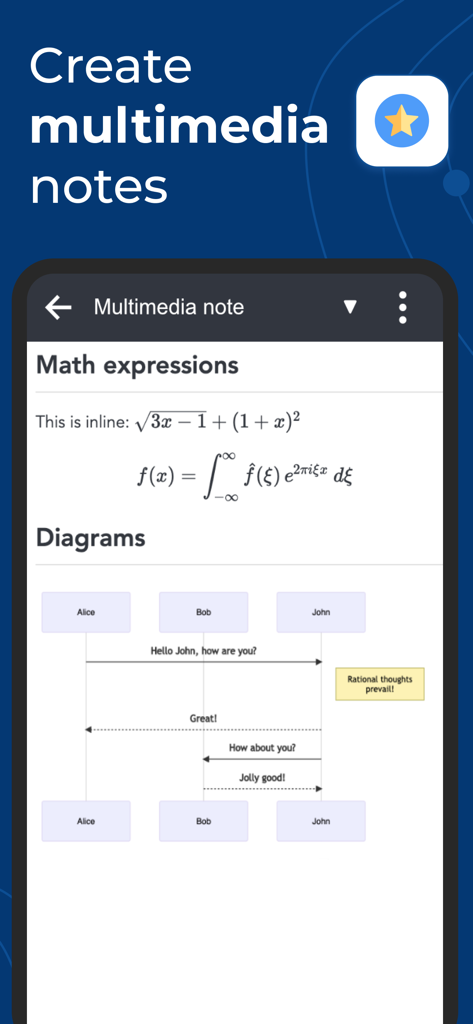
Joplin - 멀티미디어 노트에 수학 표현식과 시퀀스 다이어그램이 표시된 Joplin 앱 스크린샷
멀티미디어 노트에 수학 표현식과 시퀀스 다이어그램이 표시된 Joplin 앱 스크린샷

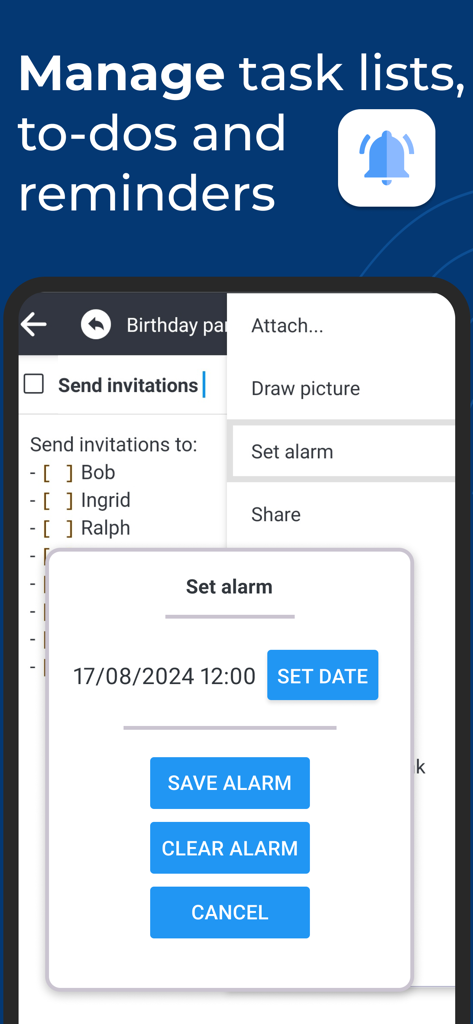
Joplin - 작업 알림을 위한 체크리스트와 알람 설정 대화 상자가 표시된 Joplin 모바일 앱 인터페이스
작업 알림을 위한 체크리스트와 알람 설정 대화 상자가 표시된 Joplin 모바일 앱 인터페이스

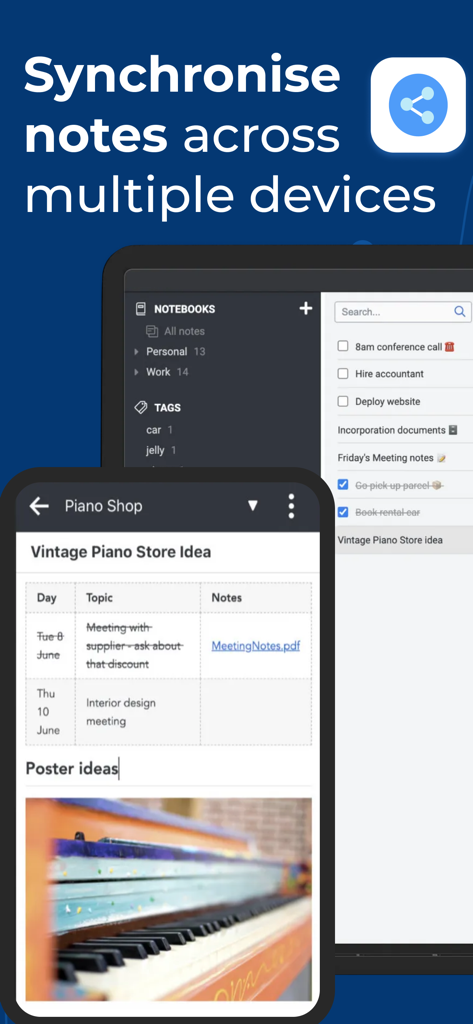
Joplin - 스마트폰과 노트북 간의 노트 동기화를 보여주는 Joplin 앱 인터페이스

스마트폰과 노트북 간의 노트 동기화를 보여주는 Joplin 앱 인터페이스

설명

Privacy-first app Capture your thoughts freely and without distractions, tracking, or ads. With Joplin’s end-to-end encryption and open-source code, you can concentrate on your ideas and tasks without worrying about your privacy. Capture multimedia notes Capture multimedia notes effortlessly. In Joplin you can : • create manuscript notes, • transcribe speech to note, • add multimedia: photos, videos, PDFs, and images, • insert documents as attachments, • create math expressions, add tables, write code and insert diagrams, • create to-dos and add reminders. Organise your ideas Organise your notes into notebooks. Connect your notes with tags by subject or priority. Use colours and rich text editor to format your notes with ease. Make task lists, create to-dos and add reminders. Effortlessly find your notes, even within PDFs and images, thanks to the powerful search feature enhanced by Optical Character Recognition (OCR) technology. Use Joplin to store your bills, lecture notes, photos or receipts. Reliable synchronisation Access your notes from computer, phone or tablet by synchronising with various services including Joplin Cloud, Dropbox and OneDrive. Seamlessly move from one device to another. Offline-first You can access your notes anytime and anywhere, even without Internet. If you’re using Joplin on multiple devices, they will synchronise and update once you regained the connection. Enhance your productivity across devices Extend your note-taking experience by using Joplin on additional devices such as a desktop computer or tablet. Make the most of each device by using its specific features. On the desktop app, use a web clipper extension, wide-range of community plugins and a Markdown editor. Experience flawless handwriting and drawing on your tablet. Join active community Connect with Joplin’s vibrant community on Joplin Forum. It’s a place where users can share ideas, ask questions, exchange information and give feedback. Joplin’s dynamic community also develops powerful plugins, so you can customise your app to suit your needs.

Download

다운로드: App Store

이 페이지는 앱이나 개발자의 공식 페이지가 아니며, 정보 제공 및 논평을 목적으로 작성된 독립 편집 간행물입니다. 명시적으로 달리 언급되지 않는 한, 해당 앱이나 개발자는 MWM, Apple, Google Play, 앱 퍼블리셔 또는 앱 개발자와 제휴, 보증, 후원, 승인 또는 공식적으로 연결되어 있지 않으며, 이 페이지의 어떤 내용도 해당 앱이 MWM의 서비스를 사용하여 개발되었음을 의미하지 않습니다. 모든 상표, 로고, 스크린샷 및 기타 콘텐츠는 해당 소유자의 자산입니다.








