이 페이지는 앱이나 개발자의 공식 페이지가 아니며, 정보 제공 및 논평을 목적으로 작성된 독립 편집 간행물입니다. 명시적으로 달리 언급되지 않는 한, 해당 앱이나 개발자는 MWM, Apple, Google Play, 앱 퍼블리셔 또는 앱 개발자와 제휴, 보증, 후원, 승인 또는 공식적으로 연결되어 있지 않으며, 이 페이지의 어떤 내용도 해당 앱이 MWM의 서비스를 사용하여 개발되었음을 의미하지 않습니다. 모든 상표, 로고, 스크린샷 및 기타 콘텐츠는 해당 소유자의 자산입니다.
JotterPad - Novel, Screenplay
방해 없는 Markdown 및 Fountain 편집기로 여러분의 기술에 집중하세요. 업계 표준 스크립트든 다음 베스트셀러 소설이든 JotterPad가 서식을 지정해주므로 흐름을 유지할 수 있습니다.
주요 수치
다운로드
33K+
사용자 평점
3.4/5
총 평가 수
200
개발사
Two App Studio Pte. Ltd.
카테고리
Productivity
지원 언어
15
최신 버전
14.3.0
크기
63.9 MB
출시일
2020년 7월 17일
기능
만드는 데 필요한 모든 것
현대 스토리텔러를 위해 설계된 도구로 여러분의 다음 걸작을 만들어 보세요. 방해 없는 글쓰기, 전문적인 서식 지정, 완벽한 데이터 보안을 제공합니다.
전문적인 서식, 쉬운 작업
마진 설정을 건드리지 않고도 전문적인 수준의 스크립트와 소설을 제작하세요. Markdown과 Fountain을 사용하여 업계 표준을 자동으로 충족하세요.
원활한 클라우드 생태계
흐름을 계속 유지하세요. iCloud, Google Drive 및 Dropbox에 대한 기본 지원으로 iPhone, iPad 및 Mac 간에 원활하게 전환하세요.
FAQ
자주 묻는 질문
에 대해 알아야 할 모든 것 JotterPad - Novel, Screenplay
JotterPad는 무엇인가요?
JotterPad는 작가, 각본가, 저자, 블로거를 위한 글쓰기 도구이자 WYSIWYG 마크다운 및 파운틴 편집기입니다. 글쓰기 계획, 작성, 서식 지정 및 출판을 돕습니다.
JotterPad는 마크다운과 파운틴을 지원하나요?
예, JotterPad는 마크다운과 파운틴 구문 모두를 지원합니다. 사용자가 내용을 작성하면 앱이 자동으로 서식을 지정하여 구조화된 문서를 생성합니다.
JotterPad에서 제 작업을 내보낼 수 있나요?
예, JotterPad를 사용하면 여러 형식으로 작성된 작업을 내보낼 수 있습니다. 여기에는 Word, PDF, HTML, Final Draft(.fdx), Fountain 및 Markdown이 포함됩니다.
JotterPad는 어떤 클라우드 서비스와 동기화되나요?
JotterPad는 iCloud, Google Drive, OneDrive 및 Dropbox와 자동 동기화를 제공합니다. 오프라인에서도 작동하며 온라인으로 돌아오면 작업이 자동으로 동기화됩니다.
JotterPad Pro Cloud의 구독 비용은 얼마인가요?
JotterPad Pro Cloud는 월 6.99달러 또는 연 29.99달러입니다. 이는 자동 갱신 구독이며 가격은 지역에 따라 다를 수 있습니다.
JotterPad는 글쓰기를 위한 템플릿을 제공하나요?
예, JotterPad는 50개 이상의 템플릿을 제공하여 사용자가 작업을 서식 지정하는 데 도움을 줍니다. 이러한 템플릿은 소설, 책, 기사, 보고서 및 프레젠테이션 슬라이드 제작을 지원합니다.
JotterPad는 업계 표준 각본 형식을 처리할 수 있나요?
예, JotterPad는 파운틴 템플릿을 사용하여 업계 표준 각본 형식을 지원합니다. 옵션에는 브로드웨이 뮤지컬, BBC 스테이지 플레이, 라디오 시트콤 및 극작가 길드 뮤지컬이 포함됩니다.
JotterPad에는 문서 버전 관리 기능이 포함되어 있나요?
예, JotterPad에는 자체 버전 관리 기능이 내장되어 있습니다. 사용자가 글을 쓰는 동안 자동으로 작업을 백업하여 이전 초안 버전을 검토하고 편집할 수 있습니다.
JotterPad는 어떤 플랫폼을 지원하나요?
JotterPad는 iOS, iPad OS 및 Mac 플랫폼에서 사용할 수 있어 사용자가 여러 장치와 운영 체제에서 글을 쓸 수 있습니다.
JotterPad에서 직접 블로그로 콘텐츠를 게시할 수 있나요?
예, JotterPad를 사용하면 Tumblr, Ghost 및 WordPress와 같은 블로그 플랫폼에 작성한 작업을 직접 게시할 수 있습니다.
다음 스크린샷과 설명은 앱의 공식 스토어 목록에서 직접 가져온 것이며 앱 개발자의 자산입니다.
앱 스토어
스크린샷
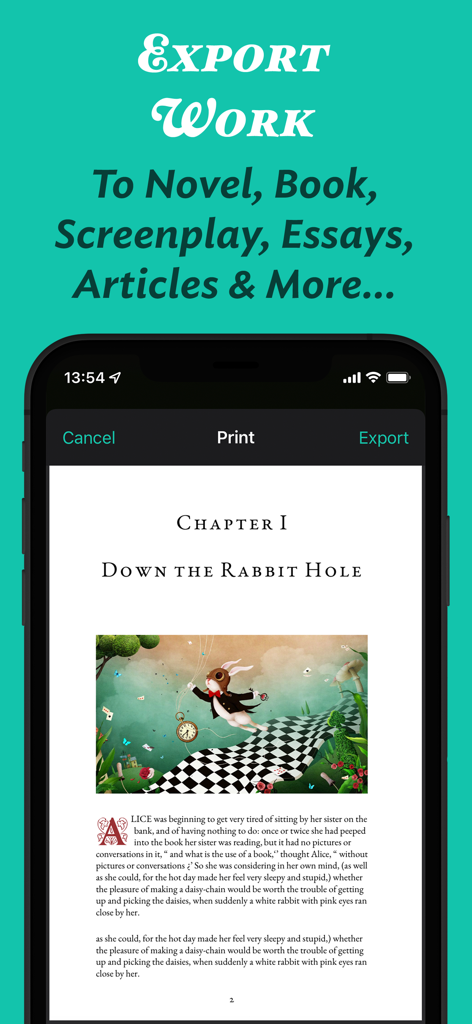
JotterPad 앱 인터페이스에서 서식이 지정된 소설 챕터의 인쇄 및 내보내기 미리보기를 보여주는 중
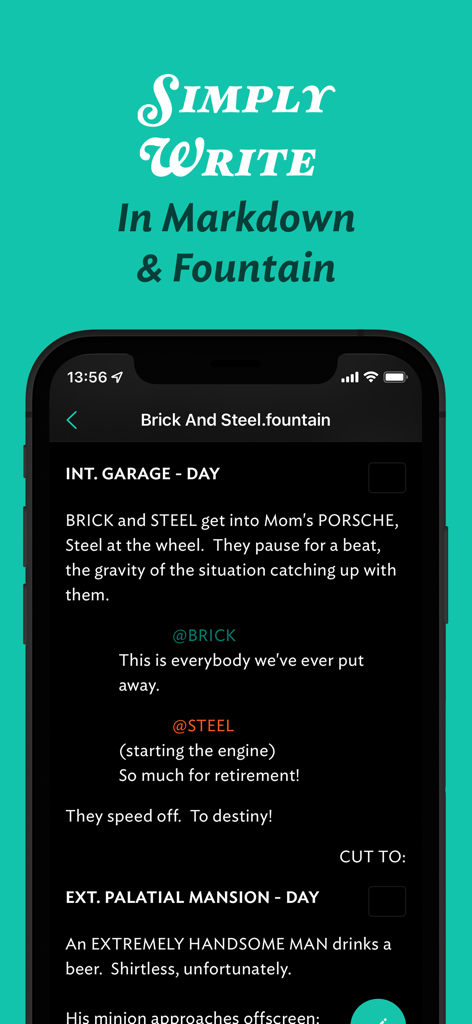
Fountain 구문으로 시나리오를 작성하기 위한 JotterPad 모바일 앱 인터페이스
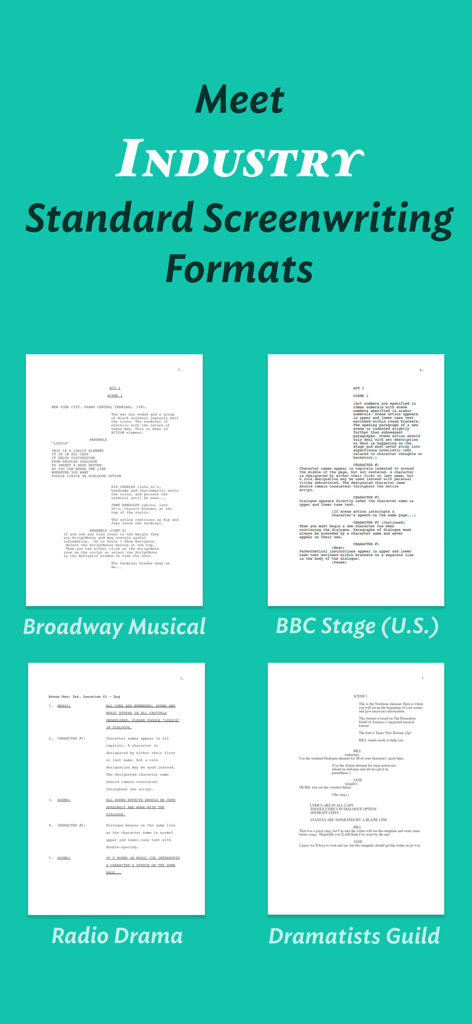
JotterPad 앱 인터페이스에서 브로드웨이 뮤지컬 및 BBC 무대극에 대한 업계 표준 시나리오 템플릿을 보여주는 중
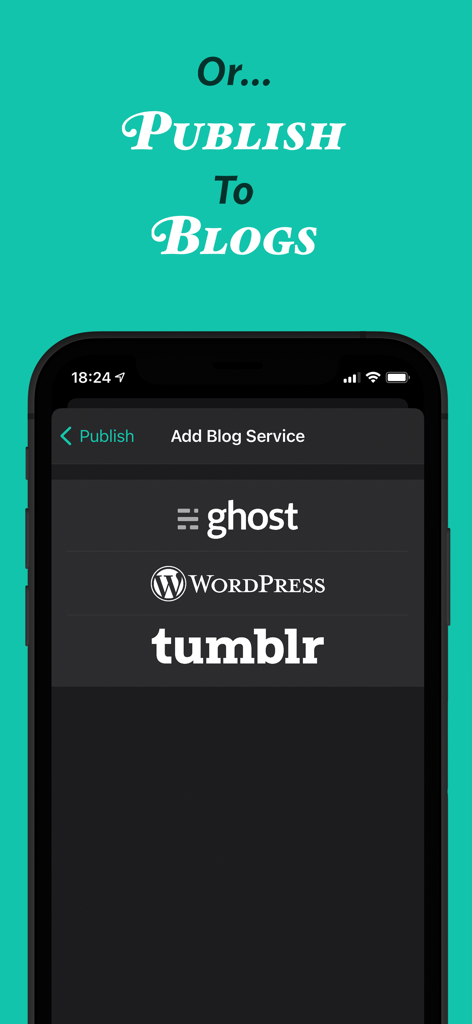
JotterPad 앱 인터페이스에서 Ghost WordPress 및 Tumblr 블로그 게시 옵션을 보여주는 중
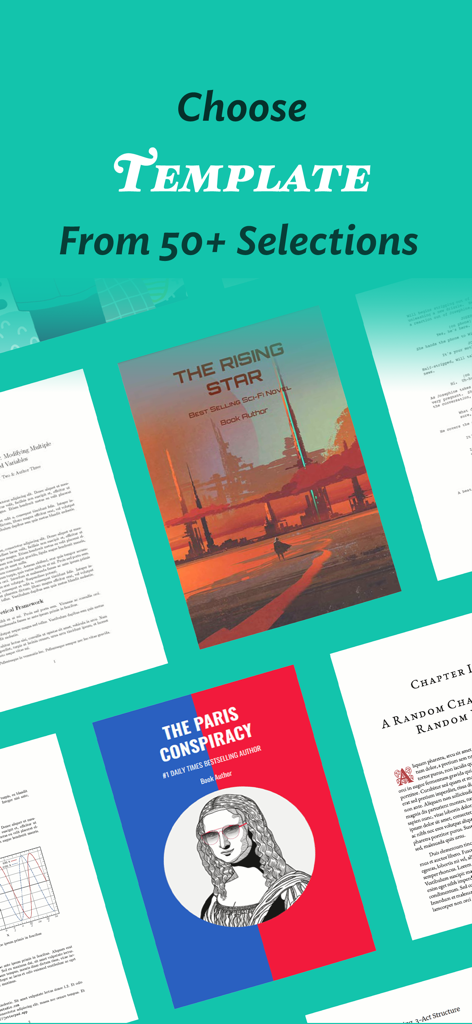
JotterPad에서 소설, 시나리오 및 전문 문서에 대한 50개 이상의 다양한 글쓰기 템플릿
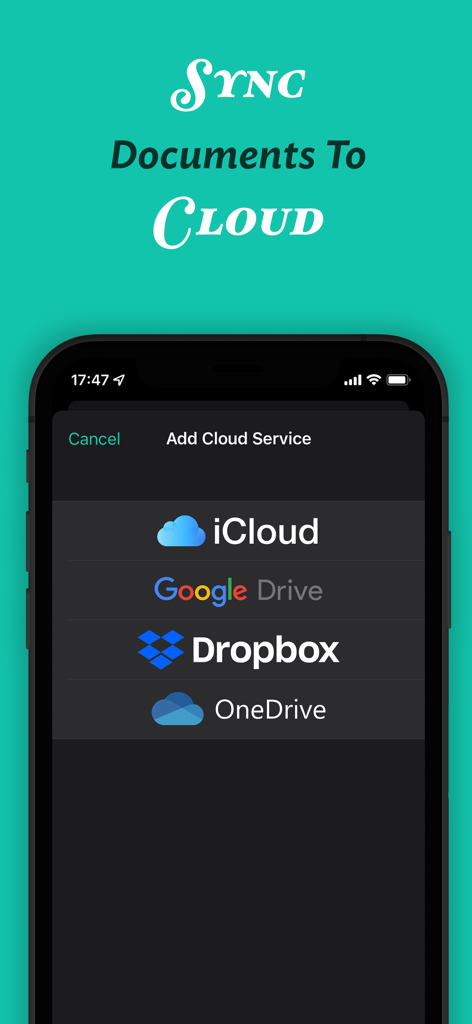
JotterPad 앱 인터페이스에서 iCloud, Google Drive, Dropbox 및 OneDrive와 문서를 동기화하는 옵션을 보여주는 중
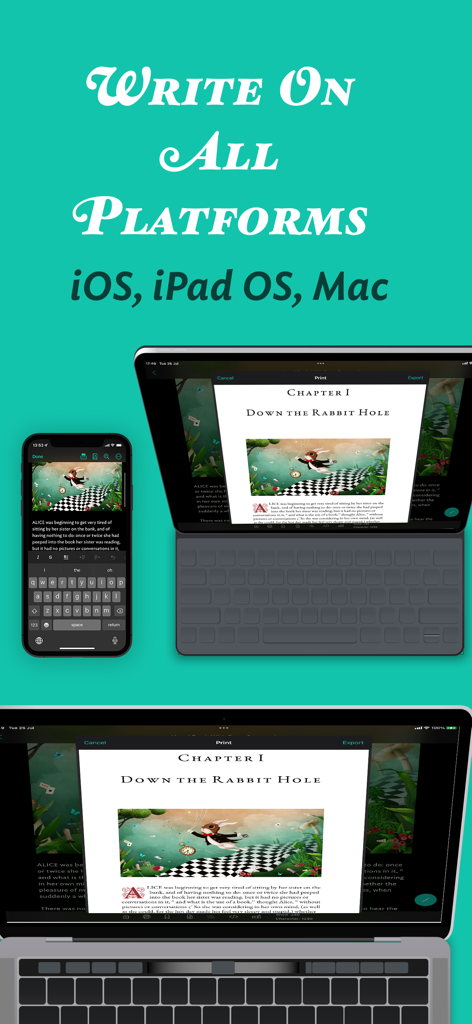
iPhone, iPad 및 Mac에서 표시되는 JotterPad 앱 인터페이스로, 플랫폼 간 문서 동기화를 보여주는 중
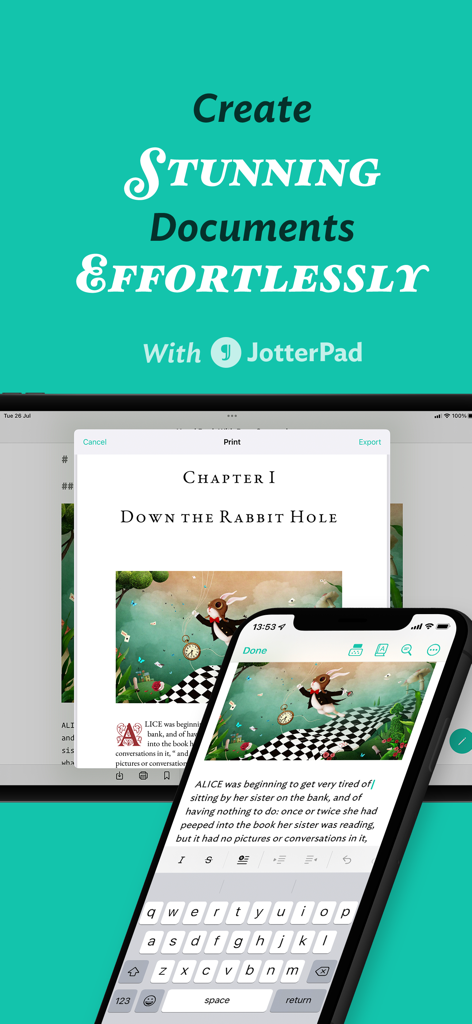
JotterPad 앱 인터페이스에서 스마트폰 및 태블릿에서 문서 편집을 보여주는 중
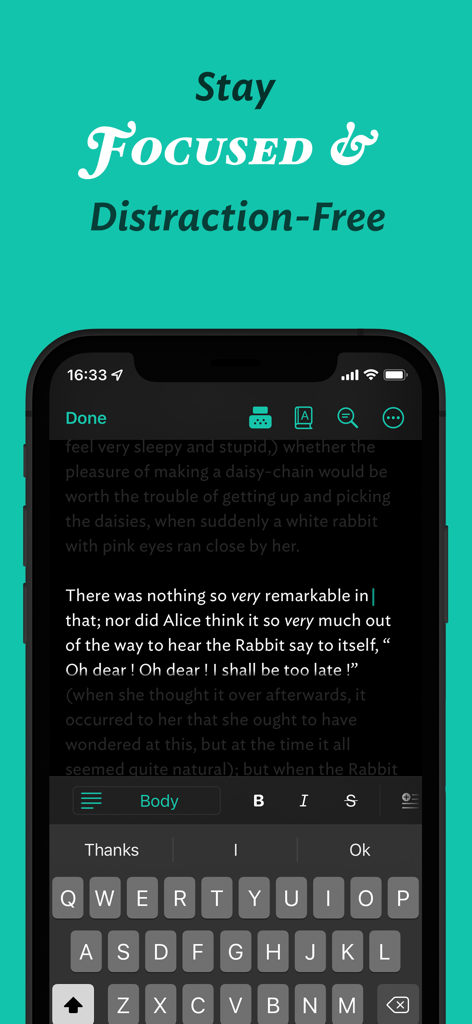
JotterPad 모바일 앱에서 다크 모드로 방해 없는 글쓰기 인터페이스를 표시하는 중
설명
From reed and papyrus, pen to keyboard, and now to our smartphones; the way we write has evolved. JotterPad strives to be the ultimate writing tool for writers, screenplay enthusiasts, screenwriters, book writers, authors, bloggers and storytellers of all kinds. Jotterpad is a WYSIWYG Markdown and Fountain editor that aids with planning, writing, formatting and publishing your work, ridding you of the hassles and fuss of traditional word processors.
Use Markdown and Fountain syntax to write to your heart’s content, and leave the technical know-how’s of formatting to us. No more fussing over the layout and structure of your writing, and shape your thoughts into words with ease. Have beautifully structured documents at your fingertips.
## Over 50+ Templates For You To Choose From
Choose from a wide variety of templates to guide you with the formatting of your work. Use the templates as a guide for your creativity, and let your ideas & words flow unhindered. Because all that's left for you to do is focus on your content. Once you're done, convert your writing into novels, books, articles, reports and even presentation slides.
# Meet Industry-Standard Screenwriting Formats Without Fuss
Have your pick from a range of Fountain screenwriting templates, such as Broadway Musical, Podcasts, Radio Sitcom, BBC Stage Play, Dramatists Guild Musical, and many more to make your next story come alive. Let your creativity take the forefront, and the formatting to your writing tool, JotterPad.
## Sync Your Work To The Cloud Seamlessly
JotterPad offers automatic sync and offline-functioning capacities. Sync your files on iCloud, Google Drive, OneDrive and Dropbox. Continue to work even offline. And fret not, as JotterPad syncs your work to the cloud services once you are back online.
## Supports Mathematical Language
Adding and formatting mathematical equations will not be cumbersome anymore. Effortlessly add intricate mathematical expressions and formulae with LaTex or TeX equations and have them perfectly rendered in your document.
## Share Your Ideas With Anyone
Export your written work into multiple formats; Word, PDF, HTML, Final Draft (.fdx), Fountain and Markdown without complications. Publish your work to Tumblr, Ghost, or Wordpress for anyone to enjoy.
## Spruce Up your Work with Images
Access millions of high-resolution, editorial images on Unsplash, or your very own images from your gallery and weave them into your writings.
## Never Panic Again
The in-built Version Control automatically backs up your work as you write. Put your mind at ease, and write with confidence. Write, review and edit to your heart's content without worrying about losing even a single word from previous draft versions.
JotterPad also offers many features such as:
- In-app file manager
- Dictionary & Thesaurus
- Rhyming Dictionary
- Light/dark theme
Redefine your writing process now. Join over two million users and download JotterPad today.
## JotterPad: Pro Cloud
JotterPad "Pro Cloud" is an auto-renewing subscription. Pricing: US$6.99/monthly or US$29.99/year. Price may vary by location.
Payment will be charged to the credit card connected to your iTunes Account when you confirm the initial subscription purchase. Subscriptions automatically renew unless auto-renew is turned off at least 24-hours before the end of the current subscription period. Your account will be charged for renewal within 24-hours prior to the end of the current period, and the cost of the renewal will be identified. You may manage your subscription and auto-renewal may be turned off by going to your Account Settings after the purchase. Any unused portion of a free trial period, if offered, will be forfeited when you purchase a subscription, where applicable.
Privacy Policy: https://jotterpad.app/policy/
Terms of Use (EULA): https://jotterpad.app/terms/
------
For technical assistance or other inquiries, talk to us at https://help.jotterpad.app.
이 페이지는 앱이나 개발자의 공식 페이지가 아니며, 정보 제공 및 논평을 목적으로 작성된 독립 편집 간행물입니다. 명시적으로 달리 언급되지 않는 한, 해당 앱이나 개발자는 MWM, Apple, Google Play, 앱 퍼블리셔 또는 앱 개발자와 제휴, 보증, 후원, 승인 또는 공식적으로 연결되어 있지 않으며, 이 페이지의 어떤 내용도 해당 앱이 MWM의 서비스를 사용하여 개발되었음을 의미하지 않습니다. 모든 상표, 로고, 스크린샷 및 기타 콘텐츠는 해당 소유자의 자산입니다.









