이 페이지는 앱이나 개발자의 공식 페이지가 아니며, 정보 제공 및 논평을 목적으로 작성된 독립 편집 간행물입니다. 명시적으로 달리 언급되지 않는 한, 해당 앱이나 개발자는 MWM, Apple, Google Play, 앱 퍼블리셔 또는 앱 개발자와 제휴, 보증, 후원, 승인 또는 공식적으로 연결되어 있지 않으며, 이 페이지의 어떤 내용도 해당 앱이 MWM의 서비스를 사용하여 개발되었음을 의미하지 않습니다. 모든 상표, 로고, 스크린샷 및 기타 콘텐츠는 해당 소유자의 자산입니다.
Listta: ToDo & Digital Planner
간결하고 강력한 세컨드 브레인을 필요로 하는 바쁜 직장인과 학생들을 위해 디자인되었습니다. 하나의 세련된 작업 공간에서 작업을 간소화하고, 하루를 계획하고, 노트를 정리하세요.
작업, 캘린더, 노트를 하나의 아름다운 인터페이스로 통합하여 인지 부하를 줄이고 일상의 흐름을 높이도록 설계되었습니다.
통합 일일 계획
할 일 목록과 캘린더 이벤트를 원활하게 병합하여 하루를 시각화하고 모든 마감일을 쉽게 맞추세요.
정리된 노트 및 체크리스트
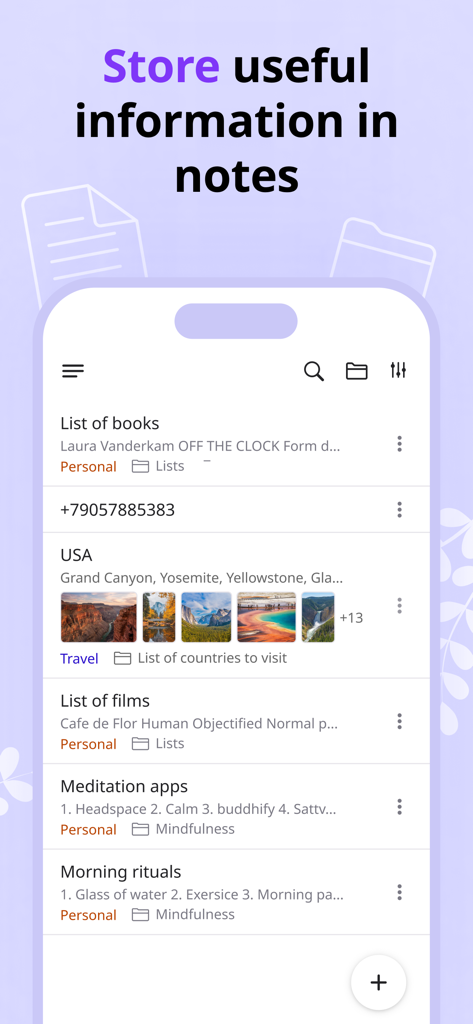
트리 구조 폴더를 사용하여 아이디어를 캡처하고 체크리스트를 작성하여 프로젝트를 체계적으로 관리하고 마음을 맑게 유지하세요.
다음 스크린샷과 설명은 앱의 공식 스토어 목록에서 직접 가져온 것이며 앱 개발자의 자산입니다.
앱 스토어
스크린샷
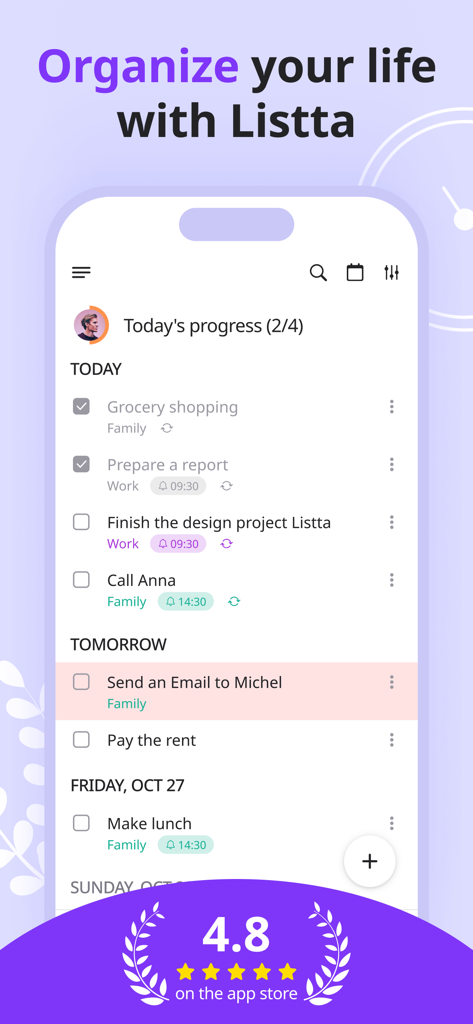
Listta 디지털 플래너 앱 인터페이스, 진행 상황 추적 및 작업 관리 기능이 있는 일일 할 일 목록 표시
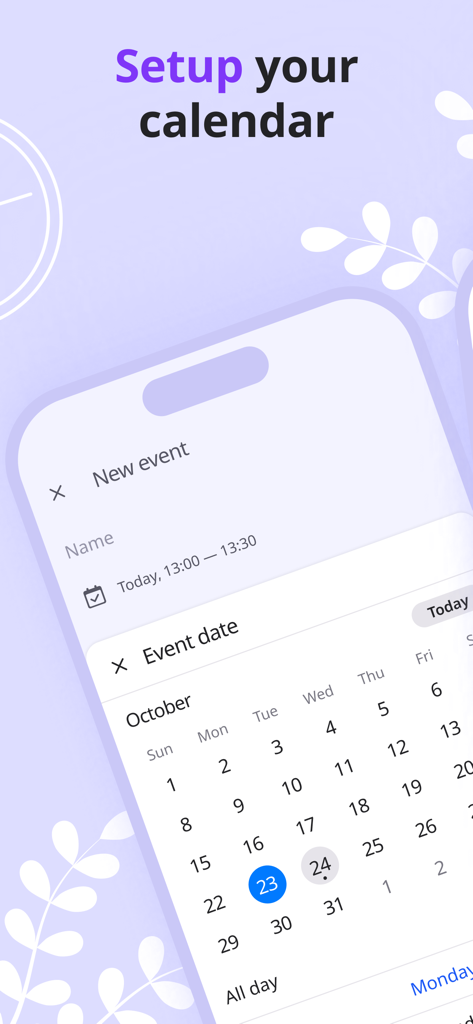
디지털 계획을 위한 캘린더 이벤트 설정 중인 Listta 앱 인터페이스
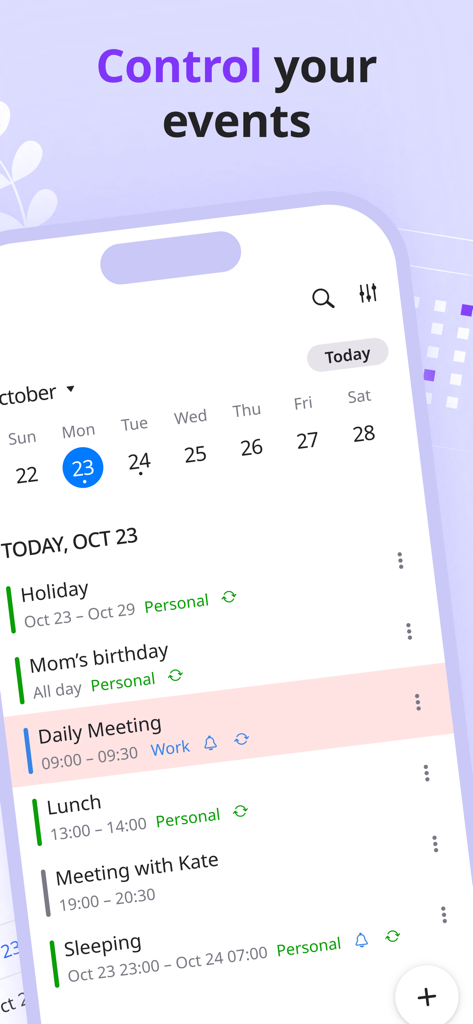
캘린더 보기로 개인 및 업무 일정의 일일 일정을 보여주는 Listta 앱 인터페이스
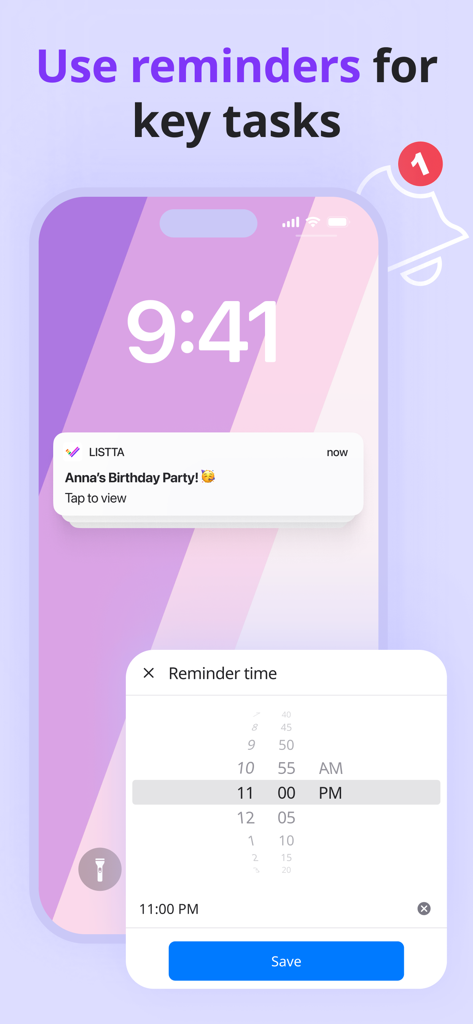
생일 파티를 위한 작업 미리 알림 알림 및 시간 선택 메뉴를 보여주는 모바일 앱 스크린샷.
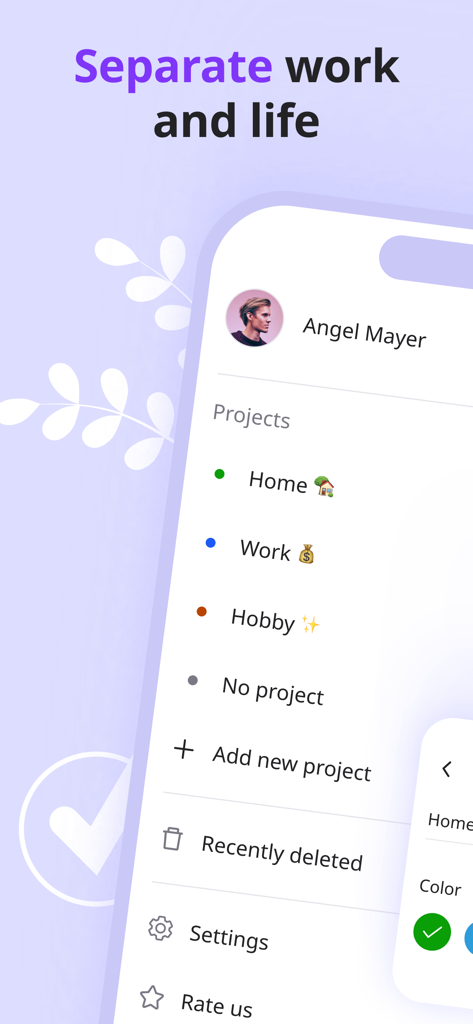
생활 작업 분리를 위한 가정, 업무, 취미 프로젝트 범주를 보여주는 Listta 앱 인터페이스
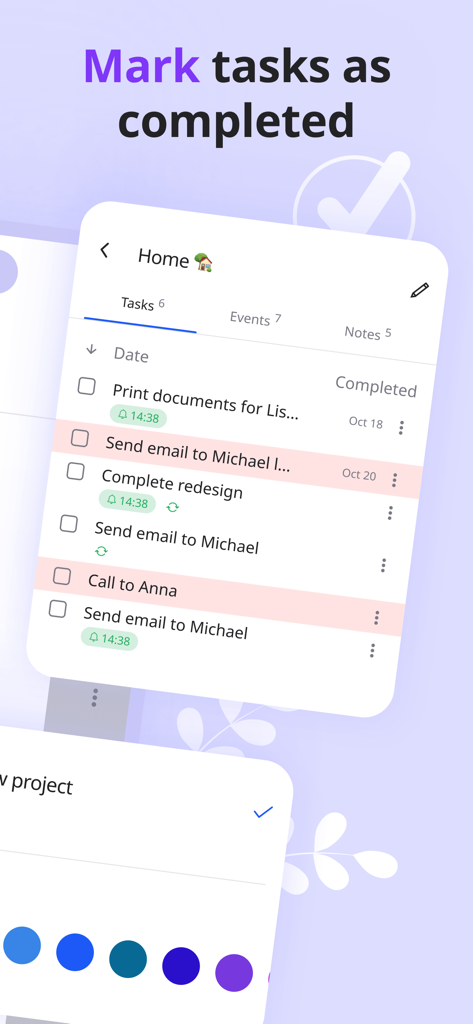
디지털 플래너에서 완료된 작업으로 표시하는 Listta 앱 인터페이스
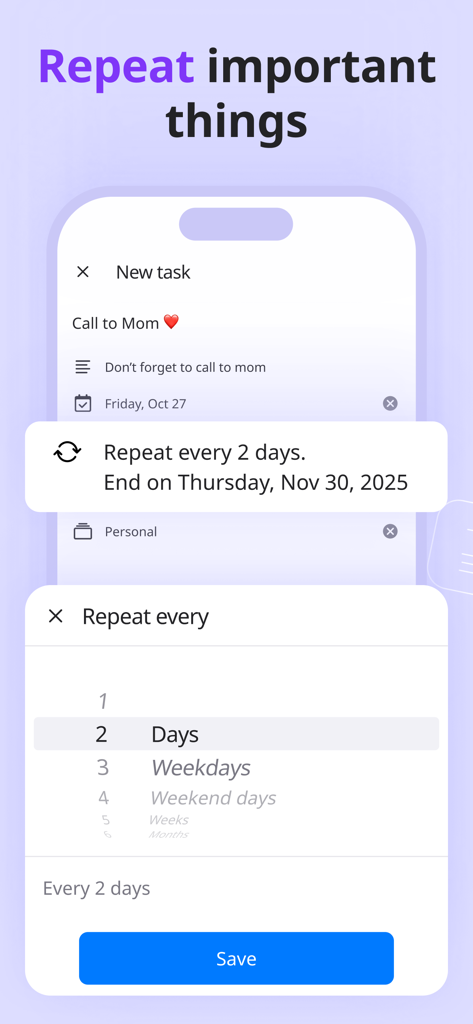
매일 또는 매주 미리 알림을 위한 반복 작업 설정을 보여주는 Listta 모바일 앱 화면
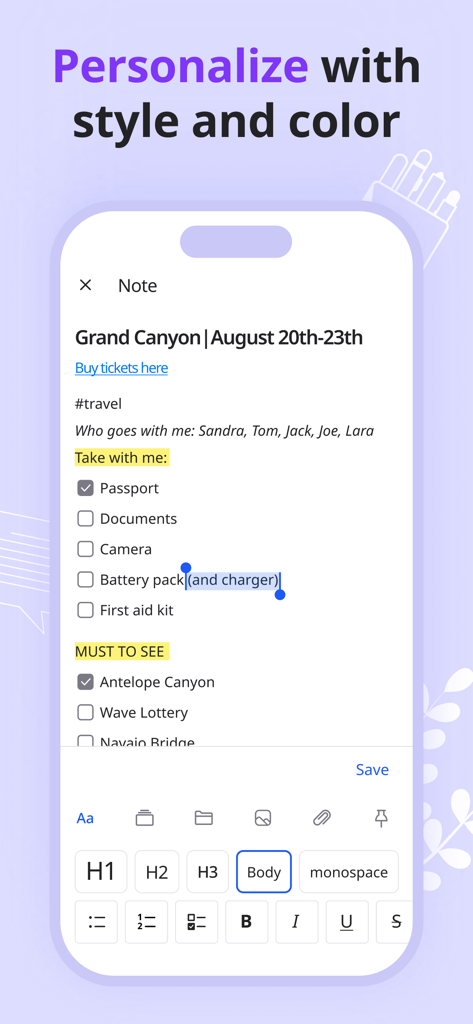
체크리스트 및 텍스트 서식 옵션이 있는 여행 계획 노트를 보여주는 Listta 앱 인터페이스
일일 계획을 위한 정리된 노트와 분류된 목록을 보여주는 Listta 앱 인터페이스.
설명
Listta is a multifunctional to do list planner app with unique reminders, and a handy task manager, schedule planner and important note organizer for your productivity. Using it, you can easily organize to do list, as it is a personal assistant in your hand.
It takes no time for learning, as it is easy-to-use. Listta allows you to quickly start planning your daily routine, increase your productivity, get important to do list & appointment reminders, complete tasks on time & file all your ideas and notes.
IN LISTTA you can:
1. Schedule tasks in a handy & useful format with light or dark mode
2. Set reminders with Listta's unique melodies
3. Create recurring events, lists & tasks
4. Arrange your daily schedule with a handy calendar
5. File all your ideas, checklists & thoughts in notes using tree-structured folders
6. Work with tasks, events & notes right from inside of the project
7. Use filters, set priorities and add descriptions
On top of the features of the Listta app, you can also enjoy its advantages as follows:
• functionality of its schedule tracker, as you can use it in daily routine, at work, at school, for training, make personal schedules, use it for diet, make wish lists, record important dates & anniversaries, daily schedules, texts;
• easy to use viewing of tasks, events & notes associated with a specific project;
• sorting by priority, title and reminder time so that you can customize your productivity to do list the way you like;
• data automatic synchronization & backup to prevent any loss of your data, for example, when changing devices. All information is stored in the cloud service via Google Drive, which is linked to your Google account.
How can Listta makes you more productive?
● you can speedily start planning, even if you have never done it, as the app is easy to use
● through the use of reminders with unique ringtones & recurring tasks & to-dos, you will no longer forget your friends' birthdays or a sudden event that will take place in a week
● in a note section with tree-structured folders, you can easily navigate through your checklist of notes and keep important information on hand
● you can add related information to each task or event, so you will most assuredly not forget the details even after a few weeks
● using projects, you can effectively focus on a specific area, working with tasks, events & notes right from inside of the project
Moreover, this is not all the benefits of the Listta mobile app organizer, as we will soon add the following features:
1. Habits. A simple and easy-to-use tracker for developing new habits
2. Goals. An option to track the achievement of your goals, as well as arrange planning based on your true wishes
3. Synchronization with Google and Apple calendars
4. Manual task drag-and-drop. An option to arrange your daily routine, without reference to a title & time
5. General screen with tasks and events with reference to here and now
6. Widgets. A convenient way to work more productive with your tasks on the main screen of your smartphone
7. Team work
8. App version for PC
9. Blog with good practices, articles and much more besides!
Handy planner and easy-to-use task manager. Use it to create to do lists, schedule your days, manage the calendar, set reminders and take notes. Be on the case to manage your daily agenda and increase your productivity with Listta!
Privacy policy: https://listta.app/privacypolicy.html
EULA: https://www.apple.com/legal/internet-services/itunes/dev/stdeula/
이 페이지는 앱이나 개발자의 공식 페이지가 아니며, 정보 제공 및 논평을 목적으로 작성된 독립 편집 간행물입니다. 명시적으로 달리 언급되지 않는 한, 해당 앱이나 개발자는 MWM, Apple, Google Play, 앱 퍼블리셔 또는 앱 개발자와 제휴, 보증, 후원, 승인 또는 공식적으로 연결되어 있지 않으며, 이 페이지의 어떤 내용도 해당 앱이 MWM의 서비스를 사용하여 개발되었음을 의미하지 않습니다. 모든 상표, 로고, 스크린샷 및 기타 콘텐츠는 해당 소유자의 자산입니다.