Meeting Point Digital Signage
다운로드: App Store

이 페이지는 앱이나 개발자의 공식 페이지가 아니며, 정보 제공 및 논평을 목적으로 작성된 독립 편집 간행물입니다. 명시적으로 달리 언급되지 않는 한, 해당 앱이나 개발자는 MWM, Apple, Google Play, 앱 퍼블리셔 또는 앱 개발자와 제휴, 보증, 후원, 승인 또는 공식적으로 연결되어 있지 않으며, 이 페이지의 어떤 내용도 해당 앱이 MWM의 서비스를 사용하여 개발되었음을 의미하지 않습니다. 모든 상표, 로고, 스크린샷 및 기타 콘텐츠는 해당 소유자의 자산입니다.


로고: Meeting Point Digital Signage
다운로드: App Store

Meeting Point Digital Signage

유령 회의를 없애고 사무실 효율성을 최적화하세요. 자동 체크인, 임시 예약 및 Apple 중심 워크플레이스를 위한 완벽한 MDM 지원으로 iPad를 전문가 수준의 회의실 디스플레이로 변환하세요.

주요 수치

다운로드

0

사용자 평점

1.0/5

총 평가 수

0

개발사

Joachim von Caron

카테고리

Productivity

지원 언어

1

최신 버전

1.6.0

크기

7.1 MB

출시일

2022년 10월 18일
기능

사무실 공간 최적화

모든 iPad를 '유령 회의'를 없애고 기존 Apple 생태계를 사용하여 예약 워크플로우를 자동화하는 전문가용 회의실 디스플레이로 전환하세요.

자동 회의실 복구

참석자가 체크인하지 않으면 자동으로 회의실을 해제하여 '유령 회의'를 없애고 사용 가능한 사무실 공간을 극대화하세요.

근접 자동 체크인

iPhone 클라이언트 앱을 통해 참석 여부를 인식하는 근접 기반 체크인으로 원활한 직원 경험을 제공하세요.

다음 스크린샷과 설명은 앱의 공식 스토어 목록에서 직접 가져온 것이며 앱 개발자의 자산입니다.

앱 스토어

스크린샷
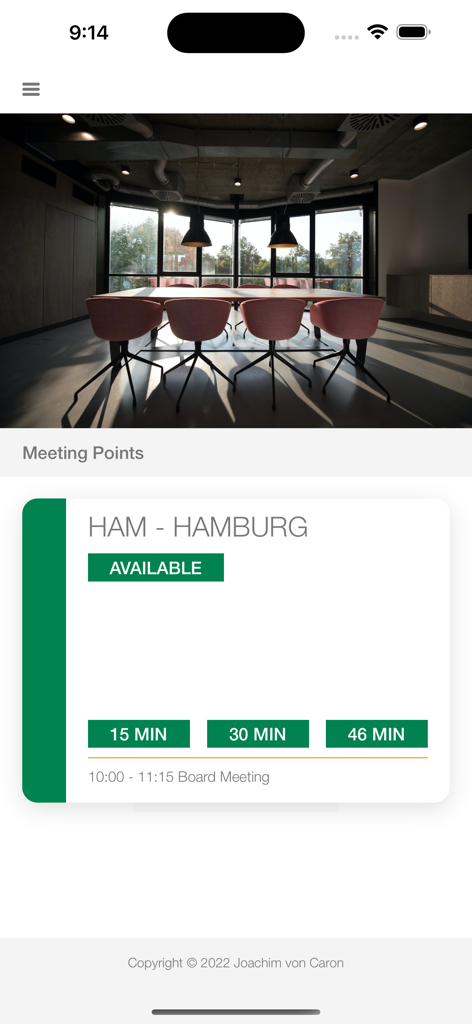
Meeting Point Digital Signage - 미팅 포인트 앱 내에서 함부르크의 사용 가능한 회의실을 표시하는 iPhone 화면
미팅 포인트 앱 내에서 함부르크의 사용 가능한 회의실을 표시하는 iPhone 화면

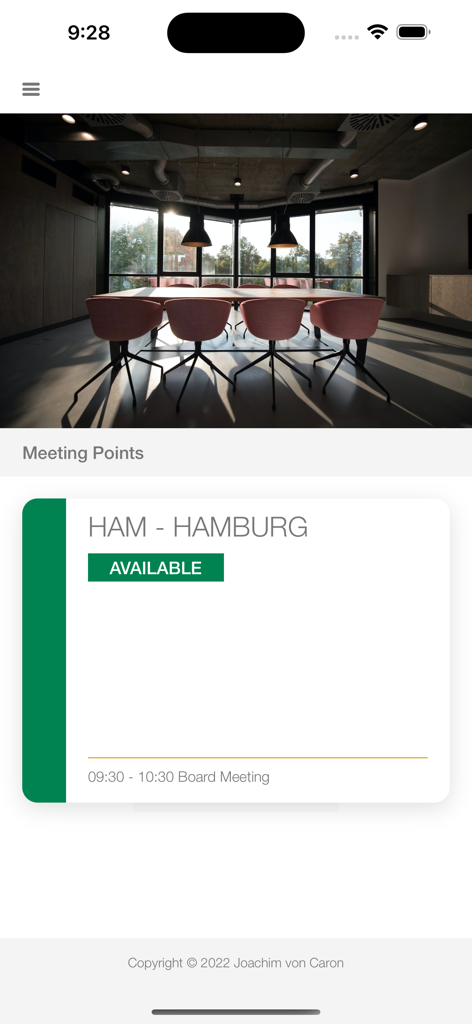
Meeting Point Digital Signage - 녹색 상태 배지가 있는 함부르크라는 회의실이 사용 가능함을 보여주는 디지털 사이니지 앱 인터페이스.
녹색 상태 배지가 있는 함부르크라는 회의실이 사용 가능함을 보여주는 디지털 사이니지 앱 인터페이스.

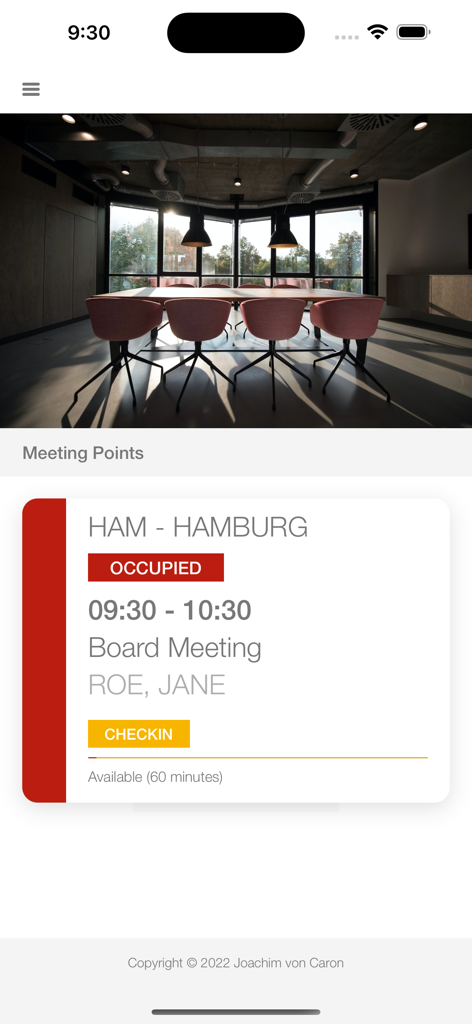
Meeting Point Digital Signage - 노란색 체크인 버튼이 있는 이사회 회의용 회의실 점유 상태를 보여주는 iPhone 화면
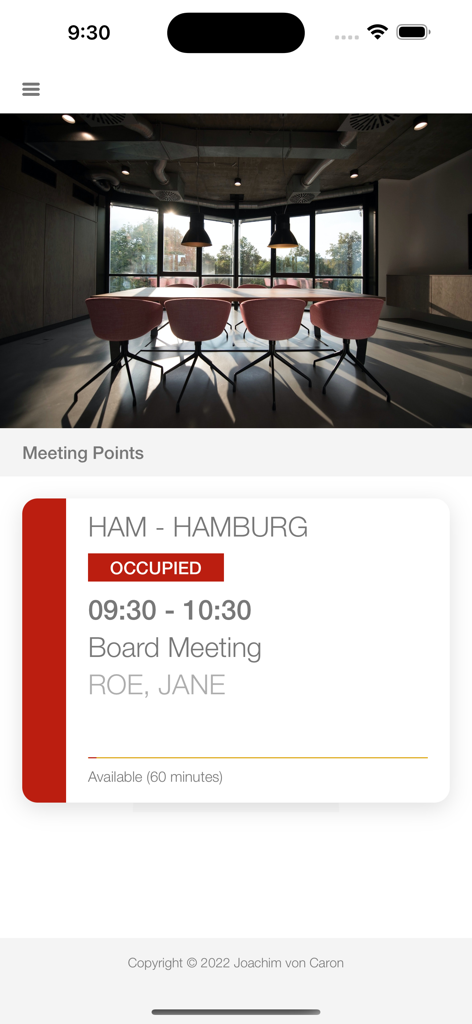
노란색 체크인 버튼이 있는 이사회 회의용 회의실 점유 상태를 보여주는 iPhone 화면

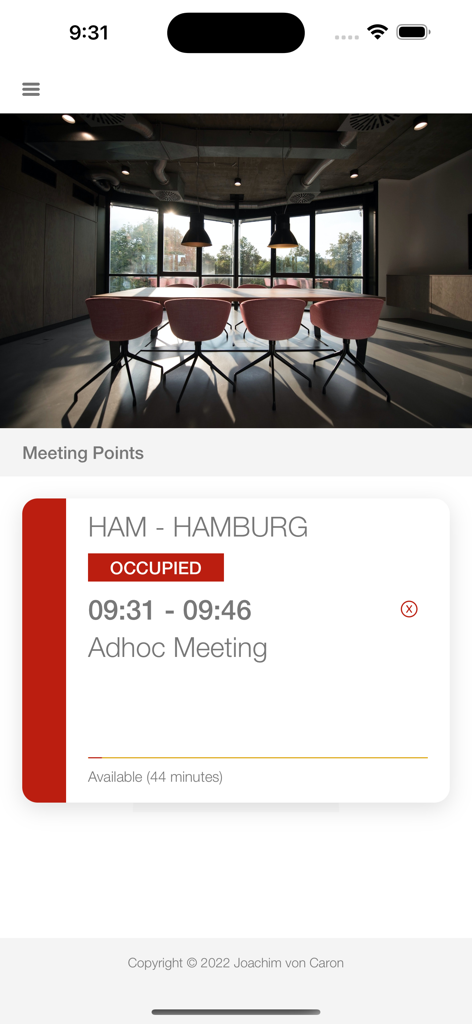
Meeting Point Digital Signage - 이사회 회의용 회의실 점유 상태를 보여주는 미팅 포인트 iPhone 앱 인터페이스
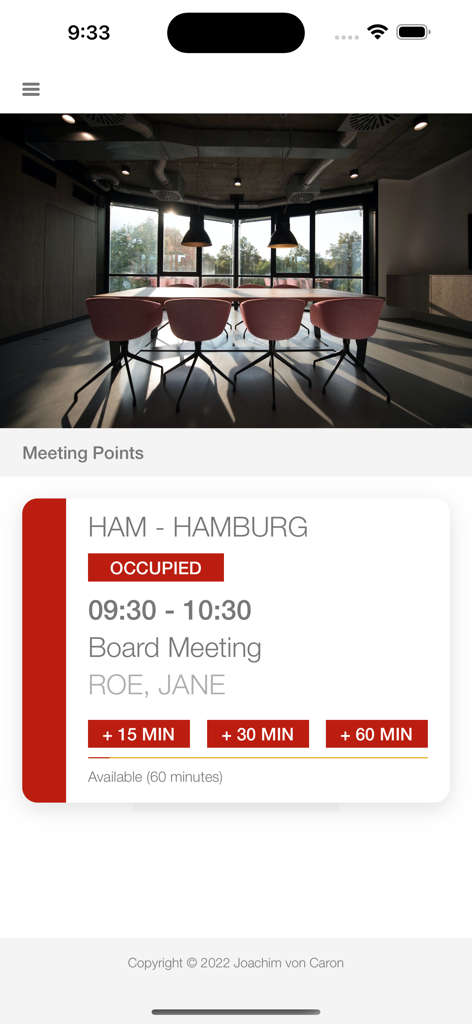
이사회 회의용 회의실 점유 상태를 보여주는 미팅 포인트 iPhone 앱 인터페이스

Meeting Point Digital Signage - 확장 옵션이 있는 회의실 점유 상태를 보여주는 iPhone 화면

확장 옵션이 있는 회의실 점유 상태를 보여주는 iPhone 화면

Meeting Point Digital Signage - 함부르크에서 임시 회의용 회의실 점유 상태를 보여주는 iPhone 인터페이스

함부르크에서 임시 회의용 회의실 점유 상태를 보여주는 iPhone 인터페이스

설명

The iPad display for Meeting Points supports the following: - Full function in the free version (only an additional "purchase" button on the display) - Full MDM support for all settings, e.g. for single mode - Full support of all calendars supported by iOS (based on locally available calendars) - Several displays per room possible - Freely selectable room name or name of the calendar - RegEx expression to change the calendar name to use as a room name - Display private appointments by identifier - Possibility of extending meetings on the display - Check-in on the display (even if the meeting hasn't started yet) - Automatic check-in when the participant is near the room (install client app on iPhone) - Automatically cancel meetings not checked in - Creation of ad hoc meetings on the display - Support of the iPhone client app to display available meeting points - Internal web server (JSON query and display) incl. possibility to integrate a certificate - Calling up a URL to transmit the current status - Set orientation - Display your own logo at the bottom right - Definition of colors for free, busy, overdue - Soft reset and hard reset (e.g. for single mode) On the iPhone, the app supports the following: - Free to use without subscription - Display of nearby meeting points - Check in - Ad hoc booking - Extension of a meeting - Own logo - Automatic check-in when near a display and an invitation for a meeting exists - Notification of nearby auto check-in and Meeting Points Usage of Meeting Point App - Define a default calendar in calendar settings - Open the iPad Settings and configure the App - Define an Meeting Point name - Define an Meeting Point secret - Define Display settings (auto cancel, auto checkin, colors, logo, etc.) - Enable the services you want to use in thew settings On the iPhone - Minimum define the same secret to see the Meeting Points --- Privacy Policy: https://von.caron.de/apps/meetingpoint_privacy Terms of Use: https://www.apple.com/legal/internet-services/itunes/dev/stdeula/

Download

다운로드: App Store

이 페이지는 앱이나 개발자의 공식 페이지가 아니며, 정보 제공 및 논평을 목적으로 작성된 독립 편집 간행물입니다. 명시적으로 달리 언급되지 않는 한, 해당 앱이나 개발자는 MWM, Apple, Google Play, 앱 퍼블리셔 또는 앱 개발자와 제휴, 보증, 후원, 승인 또는 공식적으로 연결되어 있지 않으며, 이 페이지의 어떤 내용도 해당 앱이 MWM의 서비스를 사용하여 개발되었음을 의미하지 않습니다. 모든 상표, 로고, 스크린샷 및 기타 콘텐츠는 해당 소유자의 자산입니다.