Merge PDF - Combine PDF Files
다운로드: App Store

이 페이지는 앱이나 개발자의 공식 페이지가 아니며, 정보 제공 및 논평을 목적으로 작성된 독립 편집 간행물입니다. 명시적으로 달리 언급되지 않는 한, 해당 앱이나 개발자는 MWM, Apple, Google Play, 앱 퍼블리셔 또는 앱 개발자와 제휴, 보증, 후원, 승인 또는 공식적으로 연결되어 있지 않으며, 이 페이지의 어떤 내용도 해당 앱이 MWM의 서비스를 사용하여 개발되었음을 의미하지 않습니다. 모든 상표, 로고, 스크린샷 및 기타 콘텐츠는 해당 소유자의 자산입니다.

로고: Merge PDF - Combine PDF Files
다운로드: App Store

Merge PDF - Combine PDF Files

클라우드에 업로드하지 않고도 iPhone 또는 iPad에서 무제한 문서를 결합하세요. 개인 정보를 중시하는 학생, 프리랜서 및 전문가를 위한 최고의 생산성 도구입니다.

주요 수치

다운로드

700

사용자 평점

4.7/5

총 평가 수

0

개발사

Muhammad Awais Younas

카테고리

Productivity

지원 언어

1

최신 버전

1.0

크기

40.5 MB

출시일

2025년 4월 15일
기능

디지털 서류 작업을 단순화하세요

학생과 전문가가 언제 어디서든 문서를 병합, 정리 및 관리하는 데 도움이 되도록 설계된 강력하고 안전한 도구입니다.

100% 오프라인 및 개인 정보 보호

민감한 파일은 기기를 떠나지 않습니다. 법률 계약서, 세금 신고서 및 개인 메모를 완벽한 보안으로 처리하세요.

번개처럼 빠른 병합

무제한 PDF 파일 및 고해상도 스캔을 몇 초 안에 결합하세요. 파일 크기 제한이 없으며 인터넷 연결이 필요하지 않습니다.

다음 스크린샷과 설명은 앱의 공식 스토어 목록에서 직접 가져온 것이며 앱 개발자의 자산입니다.

앱 스토어

스크린샷
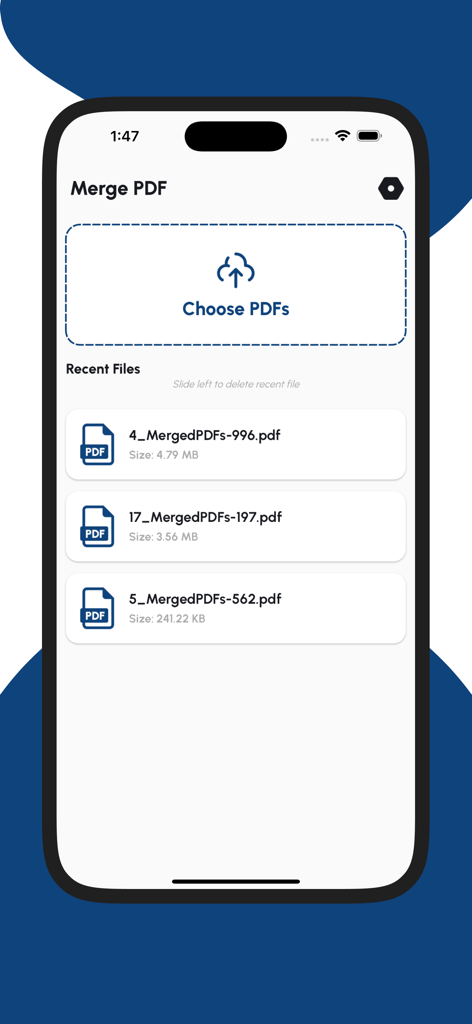
Merge PDF - Combine PDF Files - 문서 선택 및 최근 파일 보기 옵션을 보여주는 Merge PDF 앱 인터페이스.
문서 선택 및 최근 파일 보기 옵션을 보여주는 Merge PDF 앱 인터페이스.

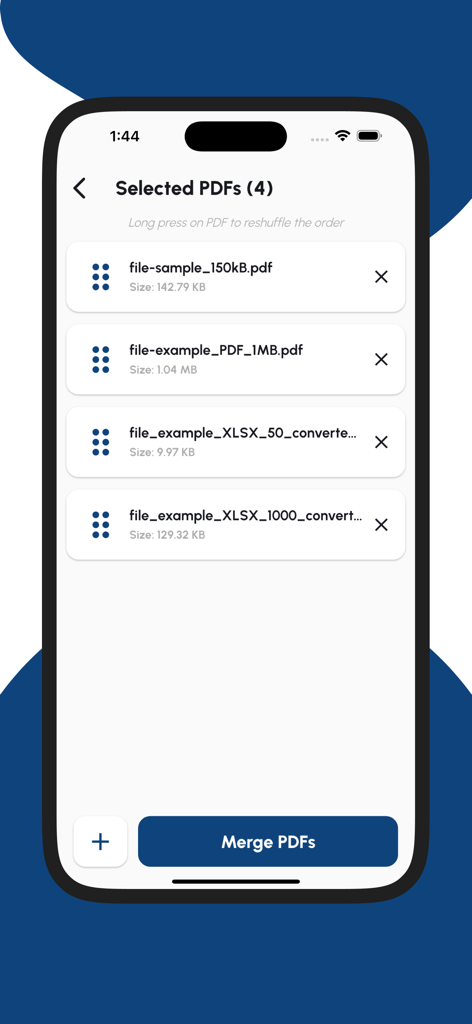
Merge PDF - Combine PDF Files - 병합할 문서 목록을 보여주는 Merge PDF 앱 인터페이스

병합할 문서 목록을 보여주는 Merge PDF 앱 인터페이스

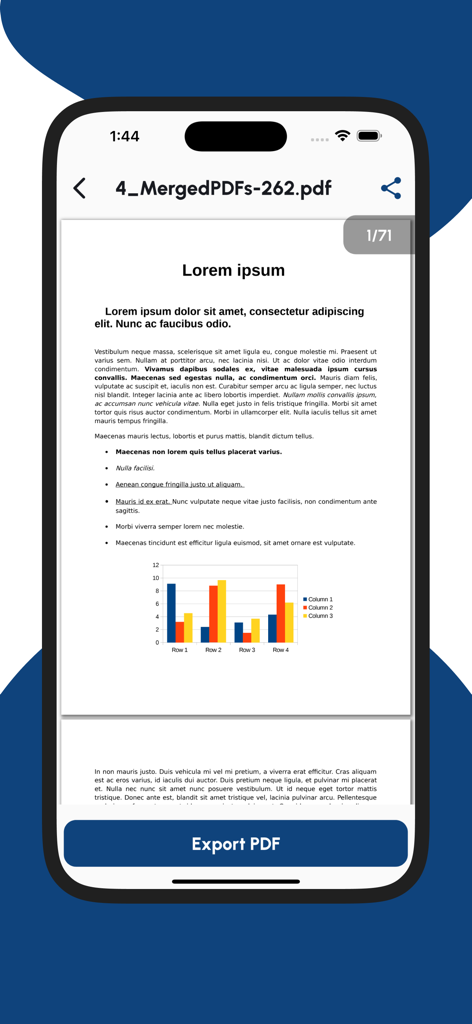
Merge PDF - Combine PDF Files - 내보내기 버튼이 있는 병합된 PDF 문서 미리보기를 보여주는 iPhone 화면

내보내기 버튼이 있는 병합된 PDF 문서 미리보기를 보여주는 iPhone 화면

설명

Merge PDF – Combine PDF Files is the easiest way to join multiple PDF documents into a single file on your iPhone or iPad. Whether you're organizing scanned documents, merging reports, or combining eBooks, this fast and powerful PDF merger tool has you covered. With a clean interface and lightning-fast processing, this app lets you merge unlimited PDF files without size limits. It’s designed to work 100% offline—keeping your documents private and secure on your device. Key Features: Merge Multiple PDF Files Select two or more PDF documents and combine them into one organized file. Smart PDF Organizer Rearrange the order of PDF files before merging with an intuitive drag-and-drop tool. Fast & Lightweight No waiting—merge large files in seconds. Offline & Secure Your files never leave your device. 100% local processing. Supports All PDF Versions Works with scanned PDFs, forms, books, reports, and more. Why Use Merge PDF? Combine school or office documents into one clean file Merge scanned pages into a single report Organize multiple PDF receipts or invoices Prepare contracts, books, or notes efficiently Keep everything in one place with a single tap Perfect For: Students and teachers Freelancers and professionals Lawyers, accountants, and business users Anyone who needs a quick and reliable PDF combiner How It Works: Open the app Tap “Choose PDFs” Select two or more files from your device Reorder if needed, then tap “Merge” Export or share your combined PDF instantly Your Privacy Matters: All PDF processing happens locally on your iPhone or iPad. We never store or access your documents, ensuring your privacy and file security. Download Merge PDF – Combine PDF Files now and simplify your digital life with the best PDF merging tool on the App Store!

Download

다운로드: App Store

이 페이지는 앱이나 개발자의 공식 페이지가 아니며, 정보 제공 및 논평을 목적으로 작성된 독립 편집 간행물입니다. 명시적으로 달리 언급되지 않는 한, 해당 앱이나 개발자는 MWM, Apple, Google Play, 앱 퍼블리셔 또는 앱 개발자와 제휴, 보증, 후원, 승인 또는 공식적으로 연결되어 있지 않으며, 이 페이지의 어떤 내용도 해당 앱이 MWM의 서비스를 사용하여 개발되었음을 의미하지 않습니다. 모든 상표, 로고, 스크린샷 및 기타 콘텐츠는 해당 소유자의 자산입니다.