Merge PDF Files-Split PDF Docs
다운로드: App Store

이 페이지는 앱이나 개발자의 공식 페이지가 아니며, 정보 제공 및 논평을 목적으로 작성된 독립 편집 간행물입니다. 명시적으로 달리 언급되지 않는 한, 해당 앱이나 개발자는 MWM, Apple, Google Play, 앱 퍼블리셔 또는 앱 개발자와 제휴, 보증, 후원, 승인 또는 공식적으로 연결되어 있지 않으며, 이 페이지의 어떤 내용도 해당 앱이 MWM의 서비스를 사용하여 개발되었음을 의미하지 않습니다. 모든 상표, 로고, 스크린샷 및 기타 콘텐츠는 해당 소유자의 자산입니다.

로고: Merge PDF Files-Split PDF Docs
다운로드: App Store

Merge PDF Files-Split PDF Docs

문서를 순식간에 원활하게 결합, 분할 및 보호하세요. 모바일에 최적화된 전문가를 위해 빠르고, 오프라인이며, 무제한적인 PDF 관리를 경험하세요.

주요 수치

다운로드

13K+

사용자 평점

4.8/5

총 평가 수

300

개발사

Asad Ahsan

카테고리

Productivity

지원 언어

68

최신 버전

1.0.13

크기

62.7 MB

출시일

2024년 12월 18일
기능

문서 워크플로우 마스터하기

모바일에 최적화된 전문가를 위해 설계된 전문가 수준의 도구입니다. 속도, 정확성 및 완벽한 보안으로 서류 작업을 간소화하세요.

원활한 PDF 병합

여러 문서, 계약서 또는 갤러리 이미지를 초당 하나의 고품질 파일로 결합하세요. 이동 중에 세련된 포트폴리오 및 보고서를 만드는 데 완벽합니다.

고급 문서 보안

암호화된 비밀번호로 PDF를 잠가 민감한 고객 데이터 및 개인 기록을 보호하세요. 몇 번의 탭만으로 액세스를 관리하고 개인 정보를 보호하세요.

다음 스크린샷과 설명은 앱의 공식 스토어 목록에서 직접 가져온 것이며 앱 개발자의 자산입니다.

앱 스토어

스크린샷
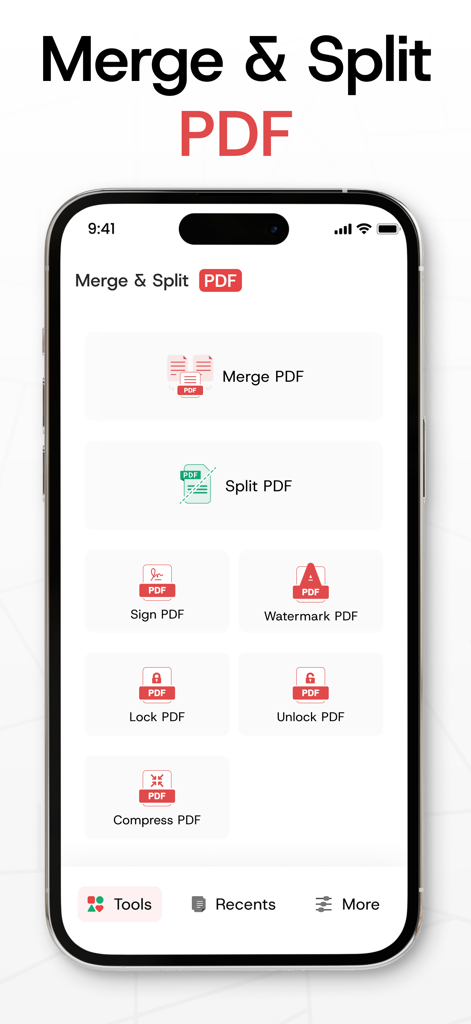
Merge PDF Files-Split PDF Docs - PDF 문서 병합, 분할, 서명 및 잠금 도구가 포함된 PDF 관리 앱의 메인 대시보드.
PDF 문서 병합, 분할, 서명 및 잠금 도구가 포함된 PDF 관리 앱의 메인 대시보드.

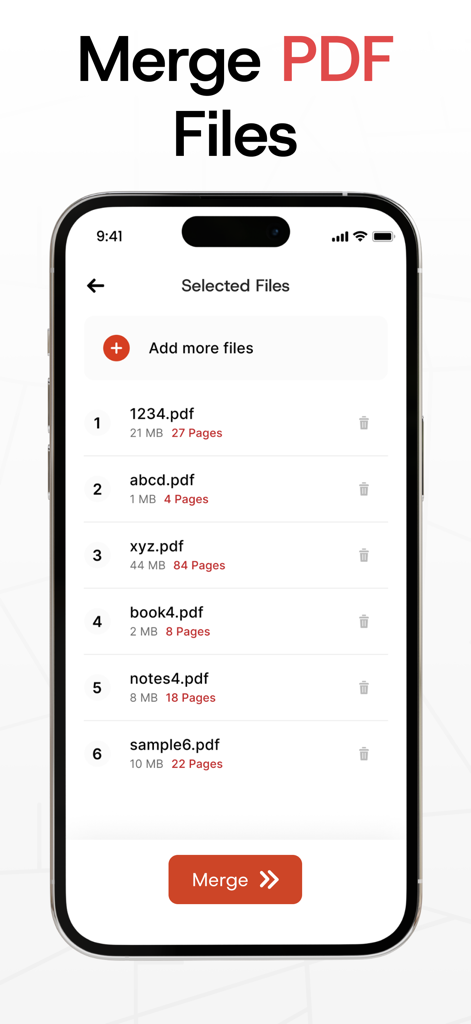
Merge PDF Files-Split PDF Docs - 하나의 파일로 결합할 PDF 문서 목록을 보여주는 모바일 앱 인터페이스
하나의 파일로 결합할 PDF 문서 목록을 보여주는 모바일 앱 인터페이스

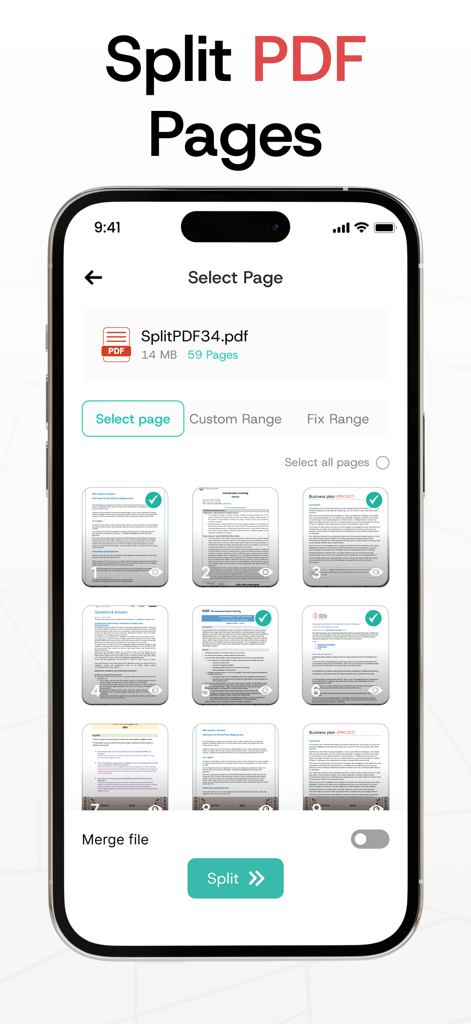
Merge PDF Files-Split PDF Docs - 분할하거나 추출할 PDF 문서의 개별 페이지 선택을 보여주는 iPhone 화면
분할하거나 추출할 PDF 문서의 개별 페이지 선택을 보여주는 iPhone 화면

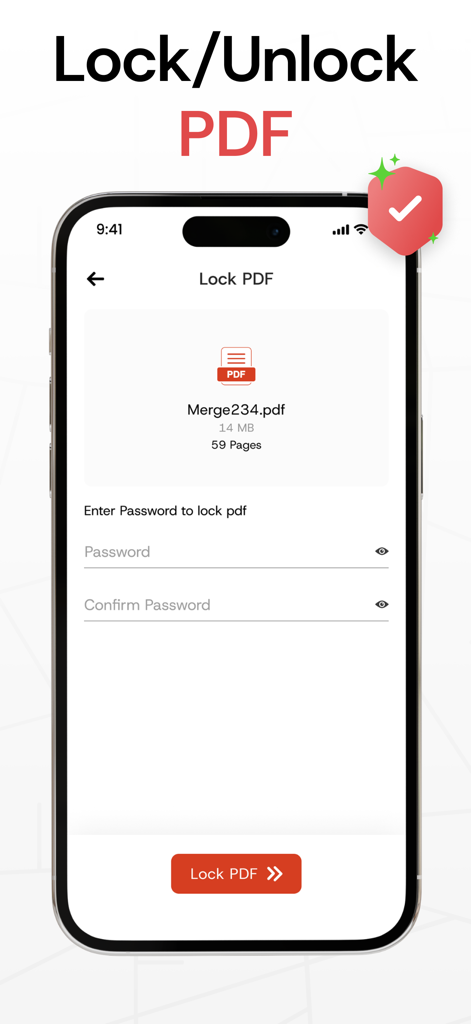
Merge PDF Files-Split PDF Docs - 문서 보안을 위한 비밀번호 입력 필드가 있는 PDF 잠금 기능 표시 모바일 앱 인터페이스
문서 보안을 위한 비밀번호 입력 필드가 있는 PDF 잠금 기능 표시 모바일 앱 인터페이스

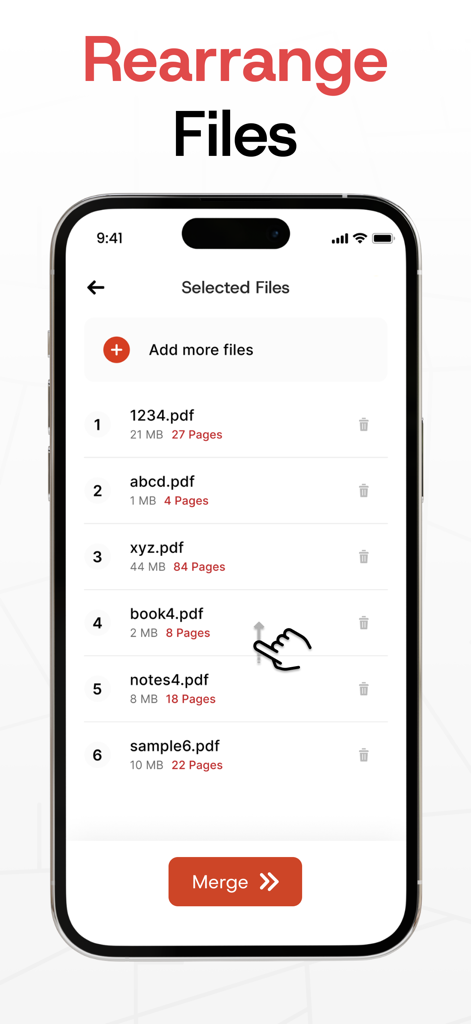
Merge PDF Files-Split PDF Docs - 하나의 파일로 병합하기 전에 PDF 문서 목록을 재정렬하는 사용자 표시 인터페이스
하나의 파일로 병합하기 전에 PDF 문서 목록을 재정렬하는 사용자 표시 인터페이스

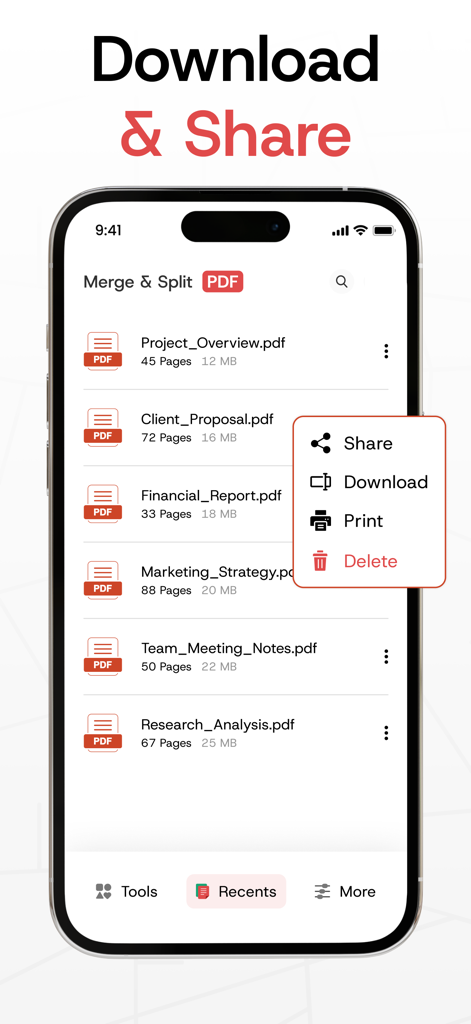
Merge PDF Files-Split PDF Docs - Merge PDF 앱에서 공유, 다운로드 및 인쇄 옵션 메뉴가 있는 PDF 파일 목록을 보여주는 iPhone 화면
Merge PDF 앱에서 공유, 다운로드 및 인쇄 옵션 메뉴가 있는 PDF 파일 목록을 보여주는 iPhone 화면

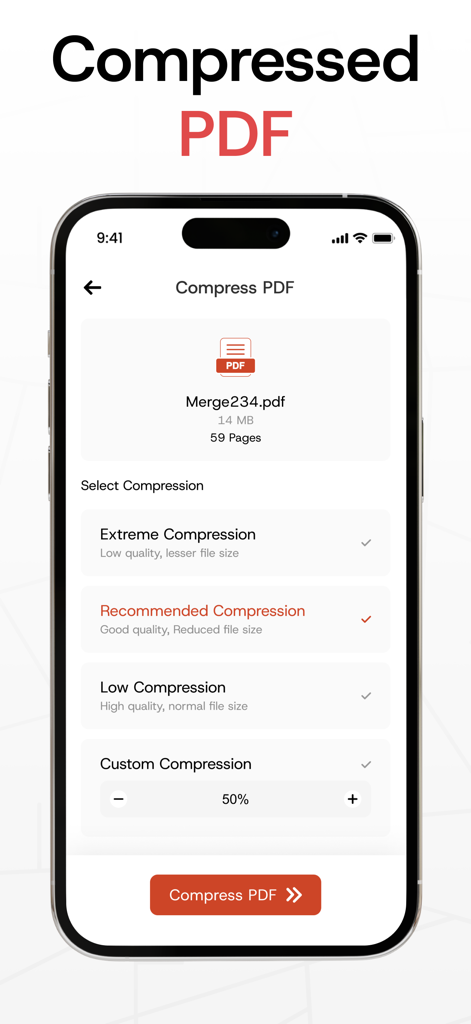
Merge PDF Files-Split PDF Docs - 여러 품질 설정을 사용하여 PDF 파일 압축을 위한 모바일 앱 인터페이스
여러 품질 설정을 사용하여 PDF 파일 압축을 위한 모바일 앱 인터페이스

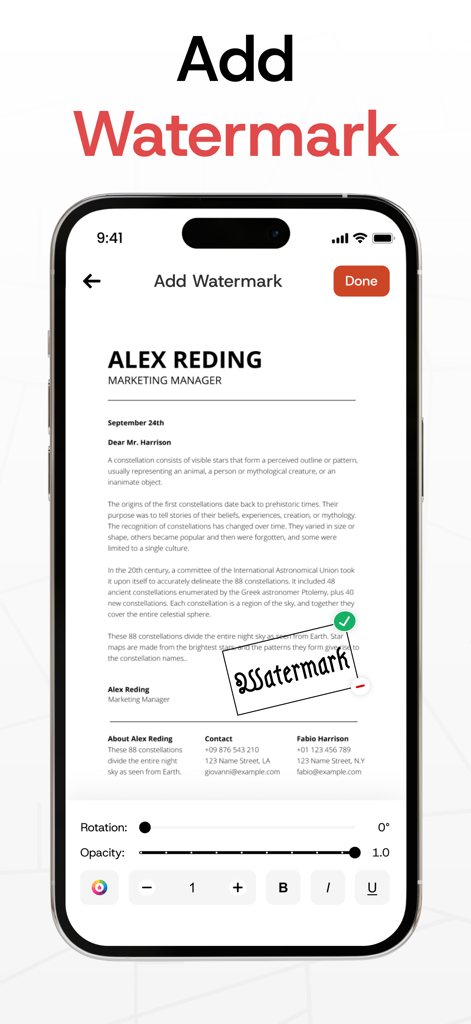
Merge PDF Files-Split PDF Docs - 회전 및 불투명도 컨트롤을 사용하여 PDF 문서에 워터마크를 추가하고 편집하기 위한 인터페이스를 보여주는 iPhone 화면
회전 및 불투명도 컨트롤을 사용하여 PDF 문서에 워터마크를 추가하고 편집하기 위한 인터페이스를 보여주는 iPhone 화면

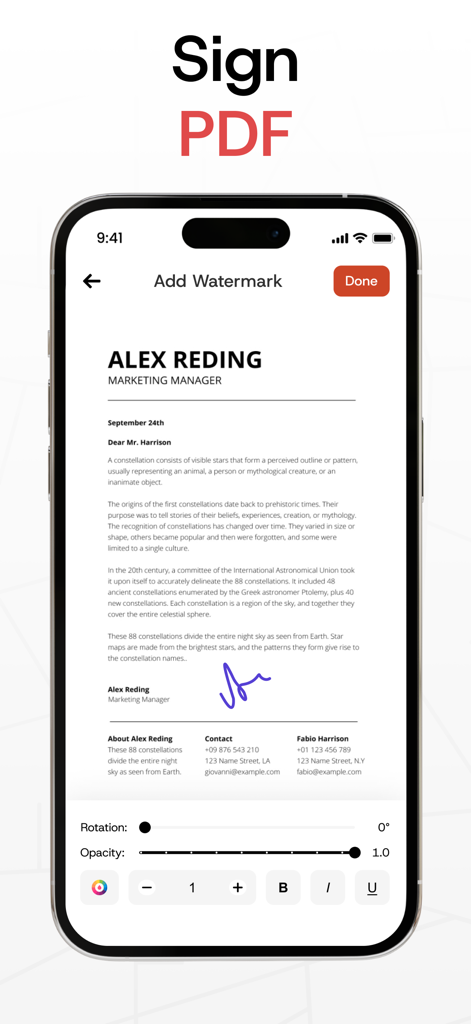
Merge PDF Files-Split PDF Docs - 모바일에서 PDF 문서에 디지털 서명 및 워터마크 추가

모바일에서 PDF 문서에 디지털 서명 및 워터마크 추가

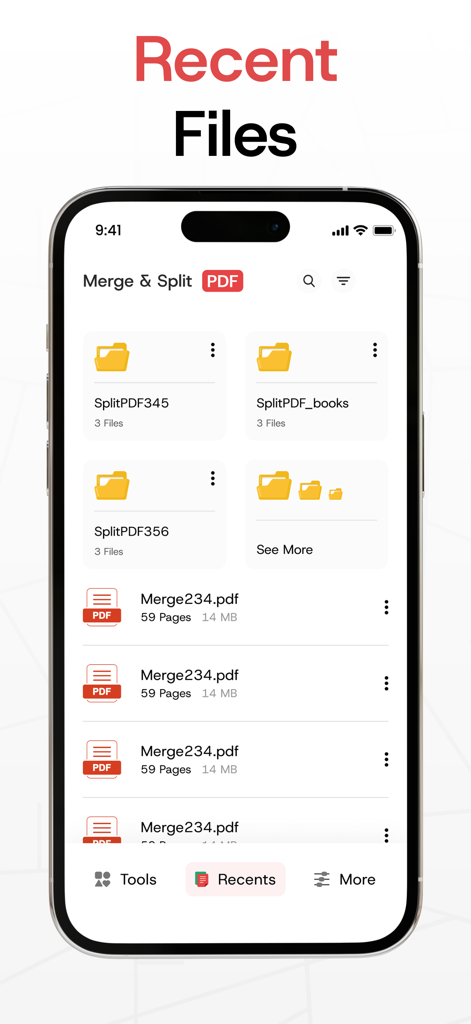
Merge PDF Files-Split PDF Docs - Merge PDF 앱의 최근 파일 인터페이스에 폴더 및 문서 표시

Merge PDF 앱의 최근 파일 인터페이스에 폴더 및 문서 표시

설명

Our PDF Merger app makes it effortless to merge PDF files or combine two or more PDFs into a single, neatly organized document. With its fast merging speed, you can confidently combine PDF files into one file, knowing that all your PDFs will be seamlessly merged without losing any content or quality. Plus, it’s secure, allowing you to keep your merged PDFs safe and private. In addition, This Merge PDF app offers a complete suite of tools for managing your documents. You can split PDF files into smaller, manageable sections or extract specific pages with ease. The app also lets you lock and unlock PDFs, giving you full control over document access while protecting sensitive information. How to Use? Choose PDF files directly from your gallery or create a new text-based PDF. Use the PDF Merger & PDF Combiner to effortlessly join PDF files with just a few taps. - Key Features of the PDF Merger App: * Combine PDF Files into One Easily combine multiple PDF files into one. Import PDFs from your gallery or create a new text-based PDF to merge PDF files seamlessly into a single document. * Split PDF Files Need to divide a large document? Use the PDF Splitter feature to break your PDF into smaller sections or extract specific pages to suit your needs. * Lock and Unlock PDFs Secure your files by locking them with a password, or remove restrictions to unlock PDFs when needed. Safeguard your sensitive information with ease. * Delete Pages from PDFs Remove unnecessary pages from your document effortlessly to streamline your PDF. * Share Across Platforms Quickly share your merged PDFs using the PDF Joiner via email, messaging apps, or cloud services. * Unlimited Merging Merge as many files as you want, whenever you want, with no limitations. - Why Choose Us? The Merge PDF app is built for simplicity and efficiency, making it easy to combine PDF files, manage documents, and save time. Whether you're organizing work files, creating presentations, or consolidating class notes, this app is the perfect tool. Our PDF combiner is ideal for professionals, students, and anyone dealing with multiple PDFs. Plus, it works seamlessly offline or online. - Who Can Use It? * Teachers & Educators Merge lesson plans and materials into a single document with the PDF Merger. * Business Professionals Use the app to combine PDF files like reports and presentations into polished documents. * Legal Professionals Consolidate contracts and legal filings using the PDF Joiner for secure submissions. * Real Estate Agents Create a comprehensive property profile by merging listings and contracts. * Healthcare Professionals Organize and share patient records securely with the PDF Combiner app. * Freelancers Send invoices, contracts, and project deliverables as organized, professional PDFs using the Join PDF feature. Take control of your documents today! Download Merge PDF - Combine PDF Files now and simplify your PDF management tasks for free. With its intuitive tools, including PDF Splitter, PDF Joiner, and security features, this app is your all-in-one solution for managing PDFs efficiently. Disclaimer: Our app is independently developed and fully original. We take your privacy seriously and never share your personal data with any third parties. Privacy Policy: https://www.itspdf.com/policy Terms of Service https://www.itspdf.com/termsandconditions Support Email: eclix.suport@gmail.com

Download

다운로드: App Store

이 페이지는 앱이나 개발자의 공식 페이지가 아니며, 정보 제공 및 논평을 목적으로 작성된 독립 편집 간행물입니다. 명시적으로 달리 언급되지 않는 한, 해당 앱이나 개발자는 MWM, Apple, Google Play, 앱 퍼블리셔 또는 앱 개발자와 제휴, 보증, 후원, 승인 또는 공식적으로 연결되어 있지 않으며, 이 페이지의 어떤 내용도 해당 앱이 MWM의 서비스를 사용하여 개발되었음을 의미하지 않습니다. 모든 상표, 로고, 스크린샷 및 기타 콘텐츠는 해당 소유자의 자산입니다.