Mobileraker - Klipper UI
다운로드: App Store

이 페이지는 앱이나 개발자의 공식 페이지가 아니며, 정보 제공 및 논평을 목적으로 작성된 독립 편집 간행물입니다. 명시적으로 달리 언급되지 않는 한, 해당 앱이나 개발자는 MWM, Apple, Google Play, 앱 퍼블리셔 또는 앱 개발자와 제휴, 보증, 후원, 승인 또는 공식적으로 연결되어 있지 않으며, 이 페이지의 어떤 내용도 해당 앱이 MWM의 서비스를 사용하여 개발되었음을 의미하지 않습니다. 모든 상표, 로고, 스크린샷 및 기타 콘텐츠는 해당 소유자의 자산입니다.

로고: Mobileraker - Klipper UI
다운로드: App Store

Mobileraker - Klipper UI

네이티브 모바일 경험으로 프린터 무리를 제어하세요. 전문적인 정확도로 실시간 진행 상황을 모니터링하고, 매크로를 관리하고, 베드 메쉬를 시각화하세요. 언제 어디서든.

주요 수치

다운로드

2K+

사용자 평점

4.9/5

총 평가 수

200

개발사

Patrick Schmidt

카테고리

Productivity

지원 언어

1

최신 버전

2.9.6

크기

109.4 MB

출시일

2022년 5월 10일
기능

3D 프린팅 워크플로우 마스터하기

번거로운 웹 브라우저는 이제 그만. Mobileraker는 Klipper 기반 장치를 완벽한 정확도로 모니터링하고 제어할 수 있는 네이티브, 고성능 UI를 제공합니다.

원격 모니터링 및 안심

어디서든 실시간 카메라 피드를 시청하고 즉각적인 상태 알림을 받으세요. 실패한 인쇄를 즉시 중단하여 시간, 에너지, 필라멘트를 절약하세요.

정밀 튜닝 및 보정

3D 베드 메쉬 데이터를 시각화하고 온도를 정확하게 관리하세요. 이동 중에도 전문적인 진단 도구를 사용하여 첫 레이어를 완벽하게 만드세요.

다음 스크린샷과 설명은 앱의 공식 스토어 목록에서 직접 가져온 것이며 앱 개발자의 자산입니다.

앱 스토어

스크린샷
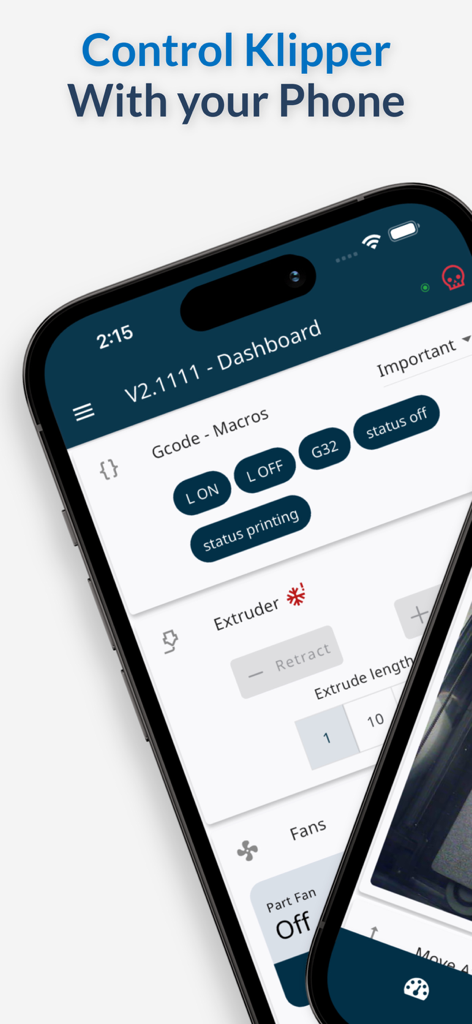
Mobileraker - Klipper UI - Klipper 3D 프린터 제어를 위한 Mobileraker 앱의 모바일 인터페이스, 대시보드 및 매크로 포함.
Klipper 3D 프린터 제어를 위한 Mobileraker 앱의 모바일 인터페이스, 대시보드 및 매크로 포함.

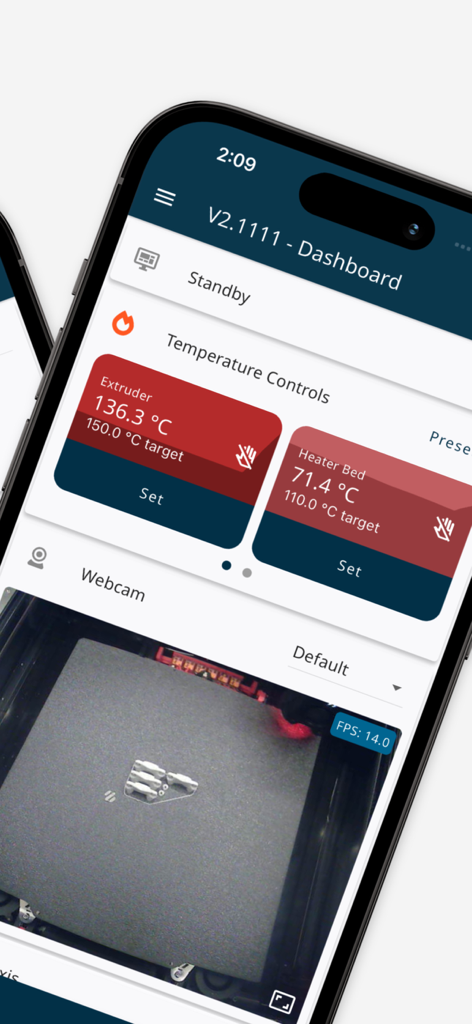
Mobileraker - Klipper UI - 온도 제어 및 실시간 웹캠 피드를 보여주는 Klipper 3D 프린터 모니터링용 모바일 앱 인터페이스
온도 제어 및 실시간 웹캠 피드를 보여주는 Klipper 3D 프린터 모니터링용 모바일 앱 인터페이스

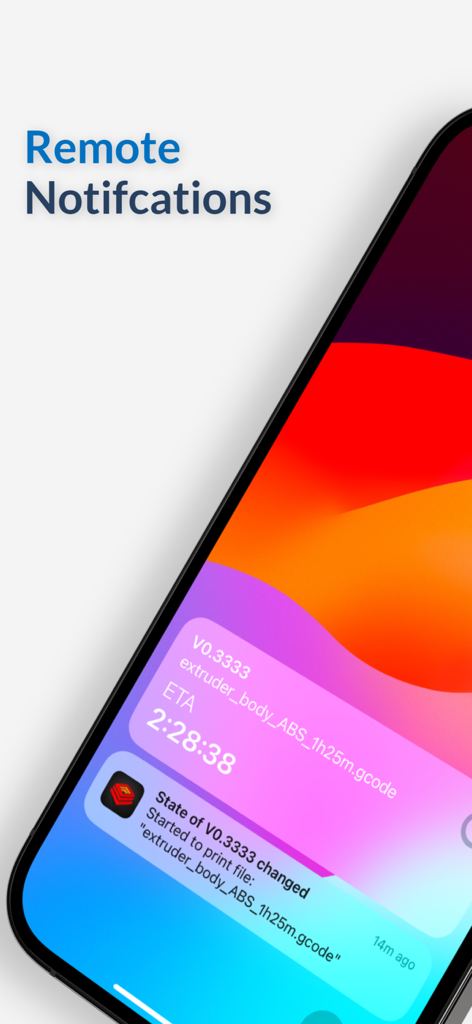
Mobileraker - Klipper UI - 3D 프린터 상태 및 예상 완료 시간(ETA)에 대한 원격 푸시 알림을 보여주는 iPhone의 Mobileraker 앱
3D 프린터 상태 및 예상 완료 시간(ETA)에 대한 원격 푸시 알림을 보여주는 iPhone의 Mobileraker 앱

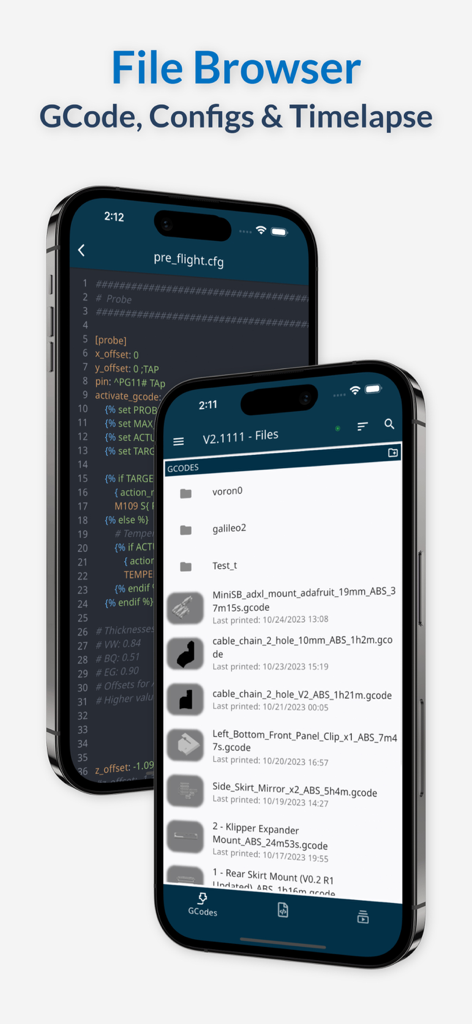
Mobileraker - Klipper UI - 두 대의 iPhone 기기에서 GCode 파일 브라우저 및 구성 파일 편집기를 보여주는 Mobileraker 앱 인터페이스
두 대의 iPhone 기기에서 GCode 파일 브라우저 및 구성 파일 편집기를 보여주는 Mobileraker 앱 인터페이스

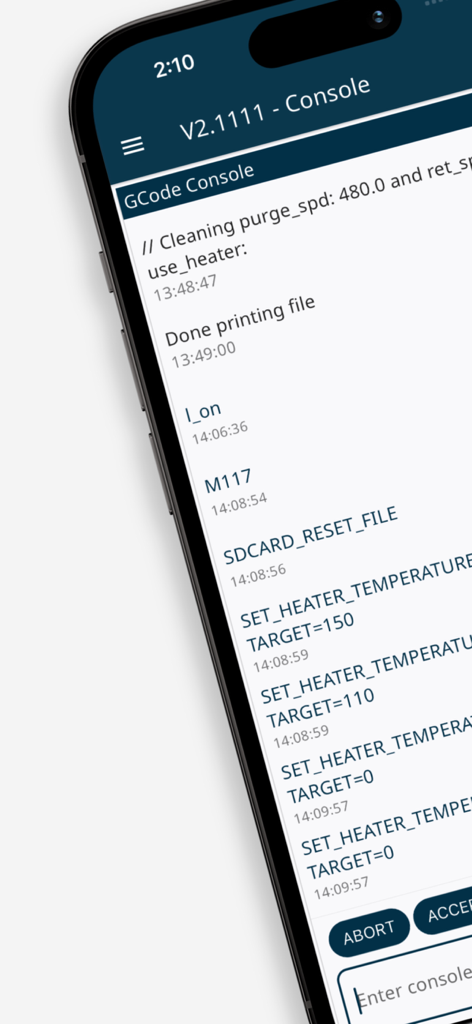
Mobileraker - Klipper UI - 3D 프린터 명령 로그 및 상태 업데이트가 있는 Mobileraker의 GCode 콘솔 인터페이스를 보여주는 스마트폰 화면
3D 프린터 명령 로그 및 상태 업데이트가 있는 Mobileraker의 GCode 콘솔 인터페이스를 보여주는 스마트폰 화면

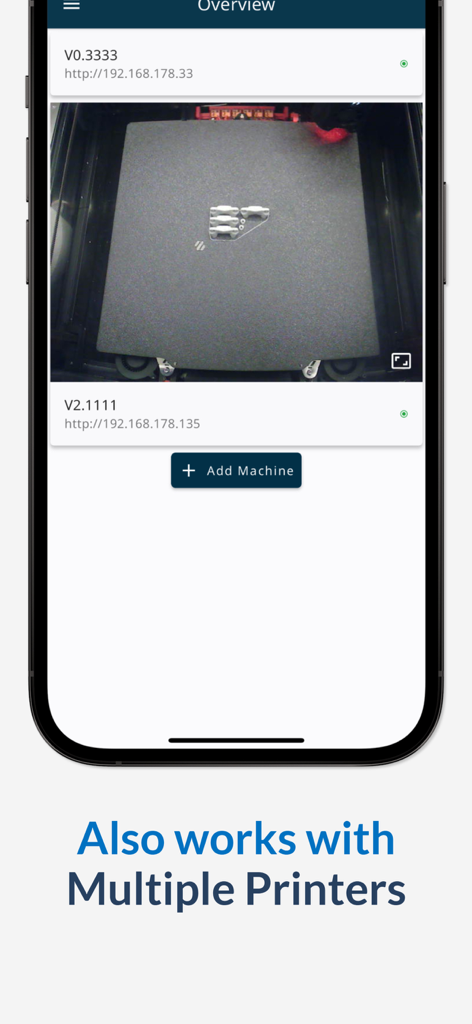
Mobileraker - Klipper UI - 인쇄 중인 프린터의 실시간 카메라 피드와 여러 3D 프린터 목록을 보여주는 Mobileraker 모바일 앱 인터페이스

인쇄 중인 프린터의 실시간 카메라 피드와 여러 3D 프린터 목록을 보여주는 Mobileraker 모바일 앱 인터페이스

설명

Take control of your Klipper 3D printing experience like never before! Mobileraker puts professional-grade monitoring and precision control right in your pocket, transforming how you interact with your printer. REVOLUTIONARY PRINTING CONTROL Unleash the full potential of your Klipper-powered printer with an intuitive interface that gives you complete command over every aspect of your printing process. From anywhere, anytime! POWERFUL FEATURES AT YOUR FINGERTIPS • Real-Time Print Visualization: Watch your designs come to life with GCode preview and live print tracking • Smart Print Management: Control jobs instantly with pause, resume, or stop functions while getting real-time progress updates • Precision Control Suite: Command all axes with pinpoint accuracy and perfectly manage temperatures across multiple extruders • Advanced Monitoring Dashboard: Visualize bed mesh data in stunning detail and track temperature fluctuations in real-time • Intelligent Filament System: Master your inventory with Spoolman integration and stay ahead of issues with filament sensor alerts • Fully Customizable Interface: Create your perfect command center by arranging controls exactly how you want them • Complete File Command: Upload, download, zip, edit, and manage files with unprecedented ease • Macro Mastery: Streamline complex operations with grouped GCode macros at your command • Multi-Printer Fleet Control: Manage your entire printing ecosystem from one powerful interface ENHANCED PRINTING EXPERIENCE • Multi-Camera Monitoring: Keep eyes on your print from every angle with advanced camera integration • Interactive GCode Console: Communicate directly with your printer through an intuitive command interface • Smart Notifications: Stay informed with customizable alerts about your print status, no matter where you are • Temperature Preset System: Switch between your most-used settings with lightning speed • Secure Remote Access*: Maintain rock-solid connections through Octoeverywhere, Obico, or your custom setup LEARN MORE Discover all capabilities and latest updates on Mobileraker's GitHub page. LEGAL INFORMATION Terms of Use: https://www.apple.com/legal/internet-services/itunes/dev/stdeula/ Privacy Policy: https://www.iubenda.com/privacy-policy/19183925/full-legal *Remote access requires connection through Octoeverywhere, Obico, or manual setup with VPN, reverse proxy, or similar.

Download

다운로드: App Store

이 페이지는 앱이나 개발자의 공식 페이지가 아니며, 정보 제공 및 논평을 목적으로 작성된 독립 편집 간행물입니다. 명시적으로 달리 언급되지 않는 한, 해당 앱이나 개발자는 MWM, Apple, Google Play, 앱 퍼블리셔 또는 앱 개발자와 제휴, 보증, 후원, 승인 또는 공식적으로 연결되어 있지 않으며, 이 페이지의 어떤 내용도 해당 앱이 MWM의 서비스를 사용하여 개발되었음을 의미하지 않습니다. 모든 상표, 로고, 스크린샷 및 기타 콘텐츠는 해당 소유자의 자산입니다.








