MonCal
MonCal
다운로드: App Store

이 페이지는 앱이나 개발자의 공식 페이지가 아니며, 정보 제공 및 논평을 목적으로 작성된 독립 편집 간행물입니다. 명시적으로 달리 언급되지 않는 한, 해당 앱이나 개발자는 MWM, Apple, Google Play, 앱 퍼블리셔 또는 앱 개발자와 제휴, 보증, 후원, 승인 또는 공식적으로 연결되어 있지 않으며, 이 페이지의 어떤 내용도 해당 앱이 MWM의 서비스를 사용하여 개발되었음을 의미하지 않습니다. 모든 상표, 로고, 스크린샷 및 기타 콘텐츠는 해당 소유자의 자산입니다.

로고: MonCal
다운로드: App Store

MonCal

종이 플래너 애호가를 위한 디지털 동반자. iPhone 캘린더와 완벽하게 동기화되고 사용자 정의 글꼴 및 색상으로 맞춤 설정된 깔끔한 레이아웃으로 전체 월을 확인하세요.

주요 수치

다운로드

25K+

사용자 평점

4.1/5

총 평가 수

400

개발사

Masaki Mori

카테고리

Productivity

지원 언어

2

최신 버전

2.9.1

크기

64.8 MB

출시일

2012년 3월 5일
기능

월간 일정을 한눈에 마스터하세요

디지털 동기화의 강력함으로 종이 플래너의 직관적인 느낌을 경험해 보세요. MonCal은 복잡한 자동화보다 시각적 구성에 가치를 두는 사람들을 위해 만들어졌습니다.

전통적인 월간 레이아웃

좋아하는 책상용 캘린더의 논리를 복제하세요. 실제 다이어리를 반영하는 고해상도 공간 보기에서 전체 월의 약속을 확인하세요.

가독성을 위한 맞춤 설정

더 이상 눈을 찡그릴 필요가 없습니다. 7가지 글꼴 크기와 굵게 옵션을 선택하여 전체 월을 한 번에 보더라도 일정이 완벽하게 읽을 수 있도록 하세요.

다음 스크린샷과 설명은 앱의 공식 스토어 목록에서 직접 가져온 것이며 앱 개발자의 자산입니다.

앱 스토어

스크린샷
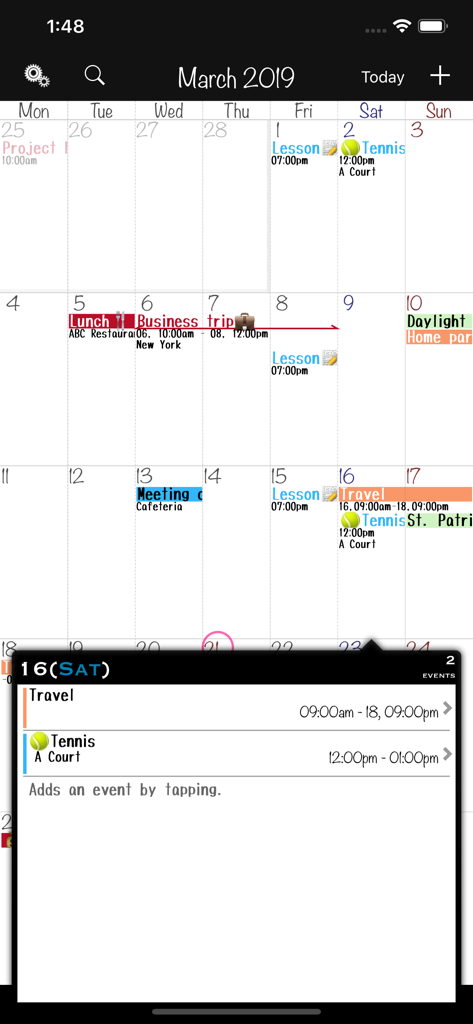
MonCal - 색상 코딩된 이벤트와 자세한 일일 이벤트 팝업이 있는 월간 캘린더 보기
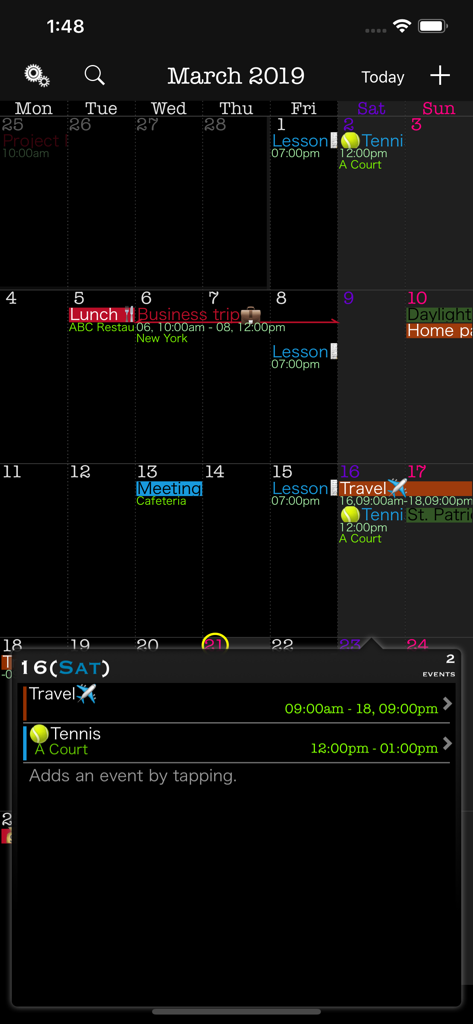
색상 코딩된 이벤트와 자세한 일일 이벤트 팝업이 있는 월간 캘린더 보기

MonCal - MonCal 앱이 색상으로 구분된 이벤트와 자세한 일일 일정 팝업이 있는 월간 캘린더 그리드를 다크 모드로 표시
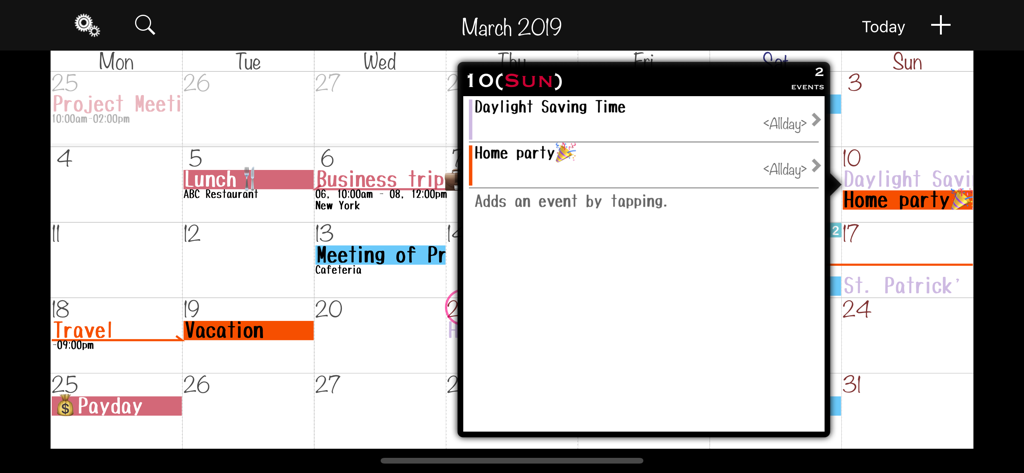
MonCal 앱이 색상으로 구분된 이벤트와 자세한 일일 일정 팝업이 있는 월간 캘린더 그리드를 다크 모드로 표시

MonCal - MonCal 앱 월간 캘린더 인터페이스가 가로 모드로 표시되며 색상으로 구분된 이벤트와 일일 일정 팝업이 특징
MonCal 앱 월간 캘린더 인터페이스가 가로 모드로 표시되며 색상으로 구분된 이벤트와 일일 일정 팝업이 특징

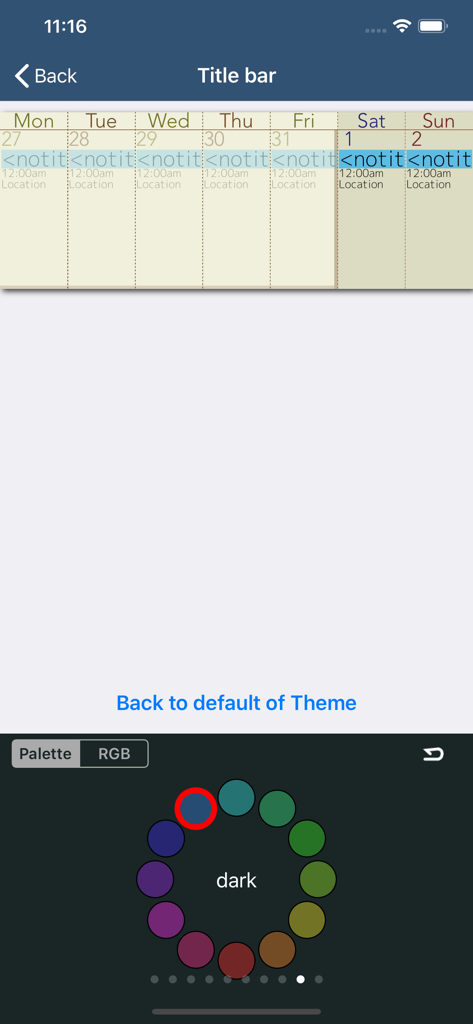
MonCal - MonCal 앱 인터페이스가 원형 색상 팔레트 휠로 테마 색상 사용자 정의 옵션을 보여줌
MonCal 앱 인터페이스가 원형 색상 팔레트 휠로 테마 색상 사용자 정의 옵션을 보여줌

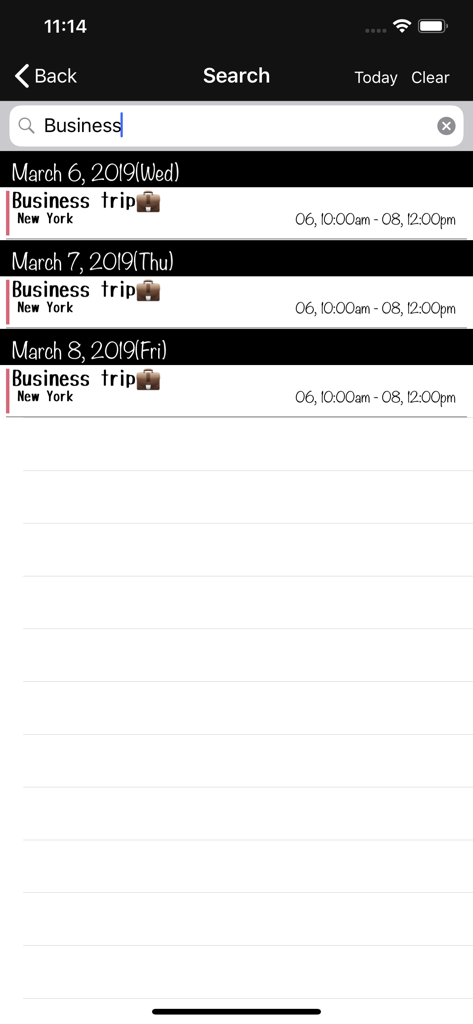
MonCal - MonCal 앱 검색 화면에 위치 및 시간 정보가 포함된 필터링된 출장 이벤트가 표시됨.

MonCal 앱 검색 화면에 위치 및 시간 정보가 포함된 필터링된 출장 이벤트가 표시됨.

설명

Thanks for visiting MonCal. MonCal is a software dedicated to monitor your schedule on and only on a monthly basis. It was developed to mimic the actual usage of schedule paper notes, with a view of your monthly schedule at a glance. This software is suitable for those: Who writes the plan to manage desk calendar or diary of the month view. Who tried many scheduler but ended up using monthly view only. Registered schedules will be synchronized with your iPhone via standard calendar app. If other calendar apps such as iCloud Calendar and MS Exchange are set to sync with the standard calendar app., they will be reflected as well. The fonts used are relatively small but with the Retina display, you will be able to view both the time and place without a stress. In addition, you can choose the fonts from 7 different size variations for a better view. Your daily schedule will be displayed in a popup by tapping the date. MonCal is designed with minimum number of taps and/or flicks in mind in a simplest manner and is not considered to expand its functions or capabilities. *This is the paid version of MonCalite. In the free version the following functions are different. + Color labeling per event is not support + show Ad banner If you are interested, please try the free version. Functions: + Monthly calendar view + Detailed Event view + Launching the maps from a location text + Launching the browser from a URL in notes + Sync with the standard calendar app. + Create a event from input histories. + Color labeling per event + Naming color labels + Color selection per calendar (Text color also available in black and white) + Event repeat (Yearly, Monthly, Weekly (multiple days can be selected), Bi-Weekly, Daily) + Alarm + Beginning of the week + Specifies holiday + Fonts (4 types, 7 size variations) And bold + Layout of an event display ( 3 types ) + Icon badge + Event copy + Landscape mode + Customizing the viewing colors + And other Customizing... + Supports for URL Scheme ('com.gggatelier.moncal://') + Supports iOS 12 / 13 / 14 / 15 / 16 / 17 / 18 + Supports multitasking(Slide Over & Split View) -------------------------- Feedback, requests are X(Twitter): @ gggatelier mail: gggatelier.apps @ gmail.com

Download

다운로드: App Store

이 페이지는 앱이나 개발자의 공식 페이지가 아니며, 정보 제공 및 논평을 목적으로 작성된 독립 편집 간행물입니다. 명시적으로 달리 언급되지 않는 한, 해당 앱이나 개발자는 MWM, Apple, Google Play, 앱 퍼블리셔 또는 앱 개발자와 제휴, 보증, 후원, 승인 또는 공식적으로 연결되어 있지 않으며, 이 페이지의 어떤 내용도 해당 앱이 MWM의 서비스를 사용하여 개발되었음을 의미하지 않습니다. 모든 상표, 로고, 스크린샷 및 기타 콘텐츠는 해당 소유자의 자산입니다.








