MyStory.today
MyStory.today
다운로드: App Store

이 페이지는 앱이나 개발자의 공식 페이지가 아니며, 정보 제공 및 논평을 목적으로 작성된 독립 편집 간행물입니다. 명시적으로 달리 언급되지 않는 한, 해당 앱이나 개발자는 MWM, Apple, Google Play, 앱 퍼블리셔 또는 앱 개발자와 제휴, 보증, 후원, 승인 또는 공식적으로 연결되어 있지 않으며, 이 페이지의 어떤 내용도 해당 앱이 MWM의 서비스를 사용하여 개발되었음을 의미하지 않습니다. 모든 상표, 로고, 스크린샷 및 기타 콘텐츠는 해당 소유자의 자산입니다.


로고: MyStory.today
다운로드: App Store

MyStory.today

야심 찬 작가를 위한 전문적인 글쓰기 스위트. 복잡한 줄거리를 구성하고, 캐릭터를 관리하며, AI 지원으로 작가의 벽을 극복하세요—이 모든 것이 iPhone, iPad, Mac에서 완벽하게 동기화됩니다.

주요 수치

다운로드

240K+

사용자 평점

4.5/5

총 평가 수

2K+

개발사

Richard Nespithal

카테고리

Productivity

지원 언어

1

최신 버전

1.28.6

크기

26.3 MB

출시일

2018년 4월 9일
기능

초고부터 마지막 챕터까지, 당신의 서사를 완벽하게 마스터하세요

기본적인 텍스트 편집기 이상의 것을 요구하는 작가들을 위해 설계된 전문가 수준의 도구. 당신의 세계를 설계하고, 진행 상황을 추적하며, 영감이 떠오르는 곳이라면 어디든 글을 쓰세요.

스마트 캐릭터 및 세계관 연결

완벽한 연속성을 유지하세요. 세부 정보가 변경될 때마다 전체 원고에 걸쳐 자동으로 업데이트되는 캐릭터와 장소를 장면에 연결하세요.

시각적 스토리 매핑 및 AI 지원

대화형 코르크보드로 전체를 한눈에 파악하고, 통합 AI를 사용하여 장면 요약을 생성하거나 작가의 벽을 즉시 허무세요.

다음 스크린샷과 설명은 앱의 공식 스토어 목록에서 직접 가져온 것이며 앱 개발자의 자산입니다.

앱 스토어

스크린샷
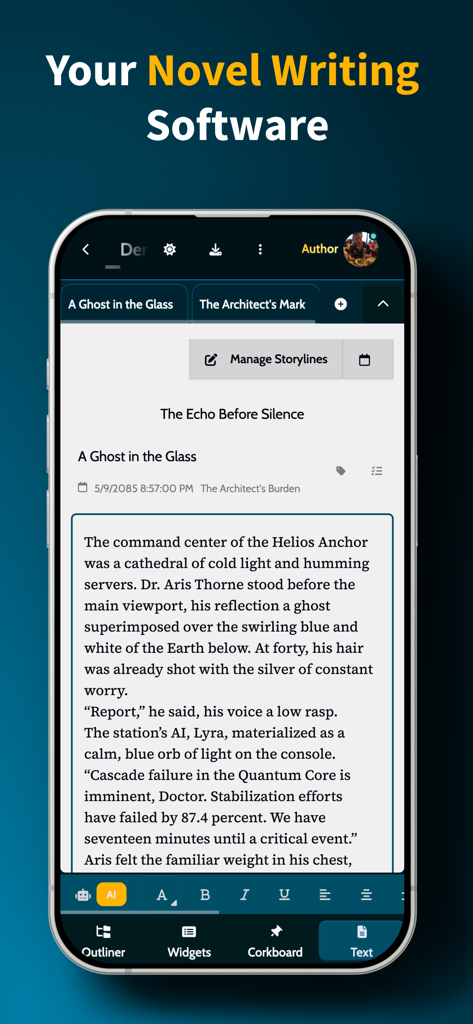
MyStory.today - 소설 초안과 글쓰기 도구가 표시된 MyStory.today 앱의 스마트폰 화면
소설 초안과 글쓰기 도구가 표시된 MyStory.today 앱의 스마트폰 화면

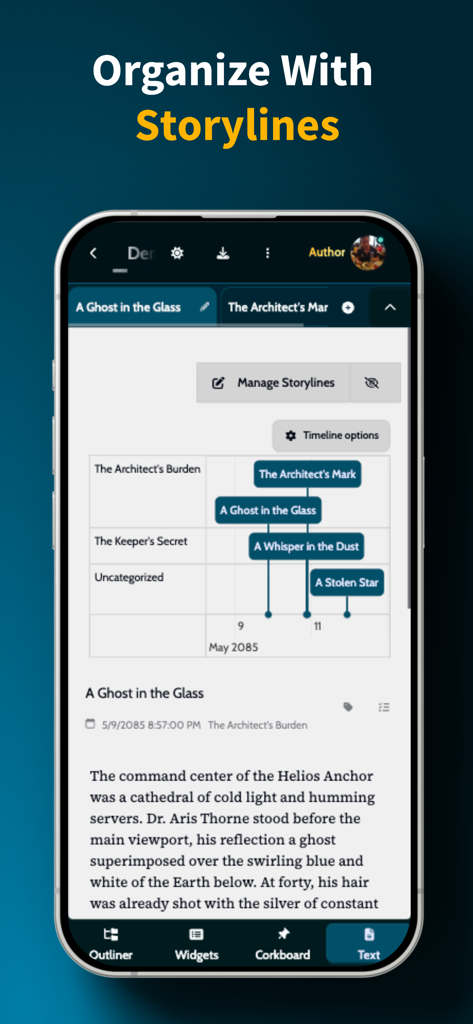
MyStory.today - 장면과 챕터의 시각적 타임라인과 함께 스토리라인 구성 기능이 표시된 MyStory.today 앱 인터페이스.
장면과 챕터의 시각적 타임라인과 함께 스토리라인 구성 기능이 표시된 MyStory.today 앱 인터페이스.

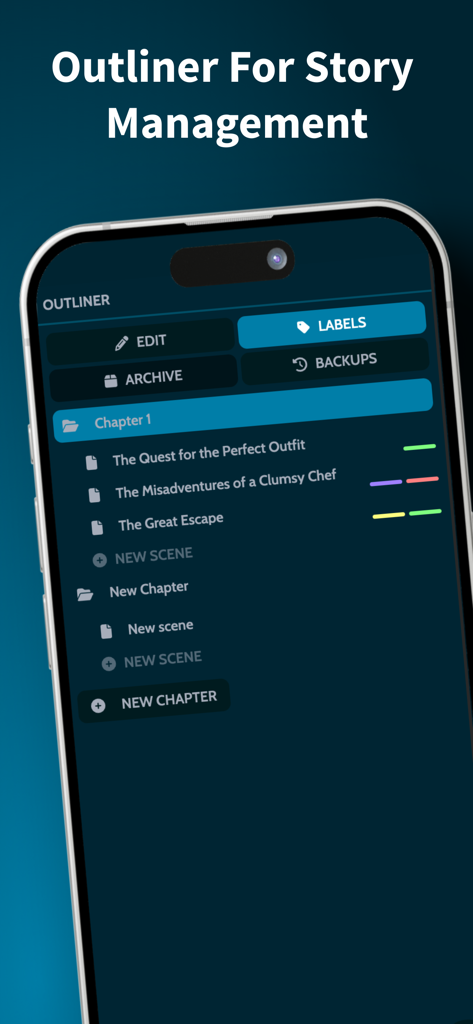
MyStory.today - 작가를 위한 챕터 및 장면 구성이 표시된 MyStory.today 아웃라이너
작가를 위한 챕터 및 장면 구성이 표시된 MyStory.today 아웃라이너

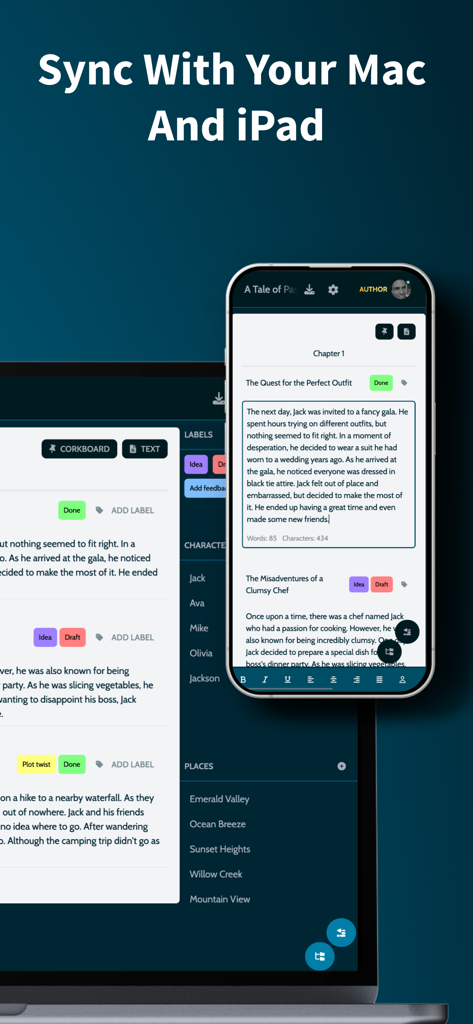
MyStory.today - 작가를 위한 기기 간 동기화를 보여주는 iPhone 및 Mac의 MyStory.today 앱 인터페이스.
작가를 위한 기기 간 동기화를 보여주는 iPhone 및 Mac의 MyStory.today 앱 인터페이스.

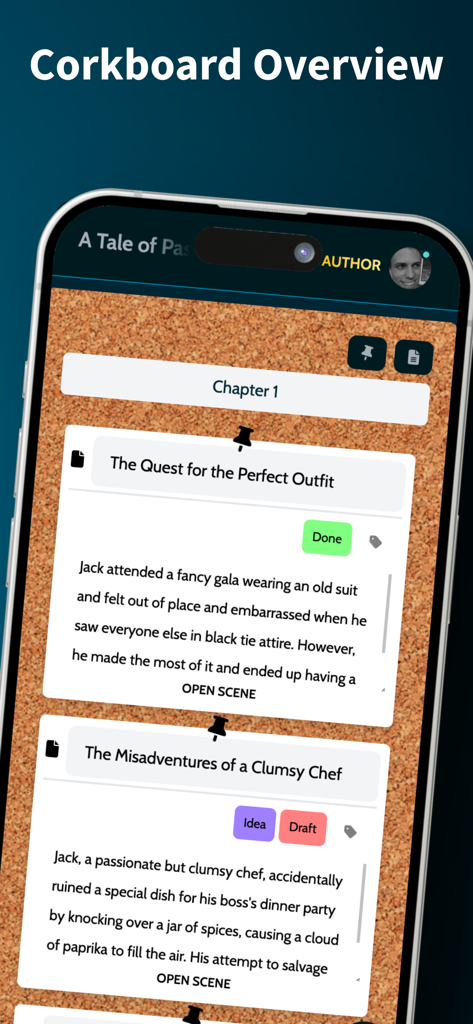
MyStory.today - 장면 요약 및 챕터 구성이 있는 가상 코르크보드를 보여주는 모바일 앱 인터페이스.
장면 요약 및 챕터 구성이 있는 가상 코르크보드를 보여주는 모바일 앱 인터페이스.

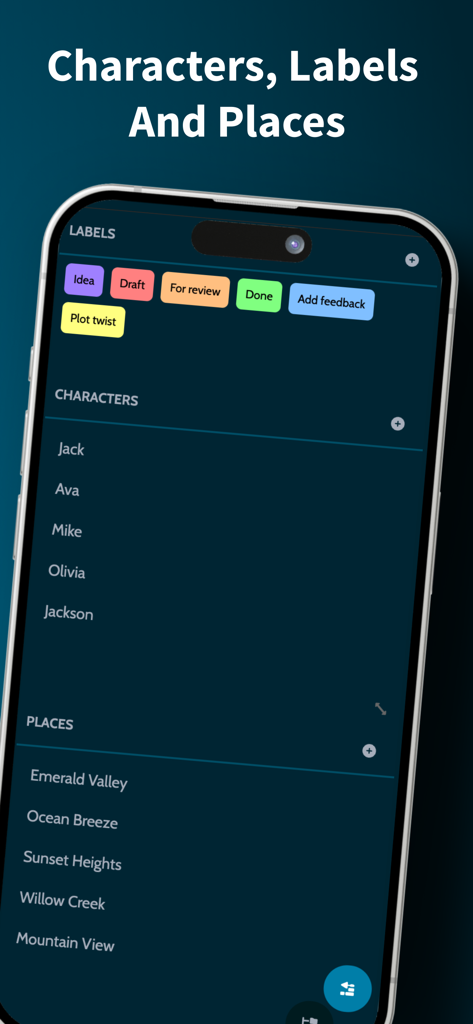
MyStory.today - 소설 구성을 위한 캐릭터 및 장소 레이블이 표시된 MyStory.today 앱 인터페이스
소설 구성을 위한 캐릭터 및 장소 레이블이 표시된 MyStory.today 앱 인터페이스

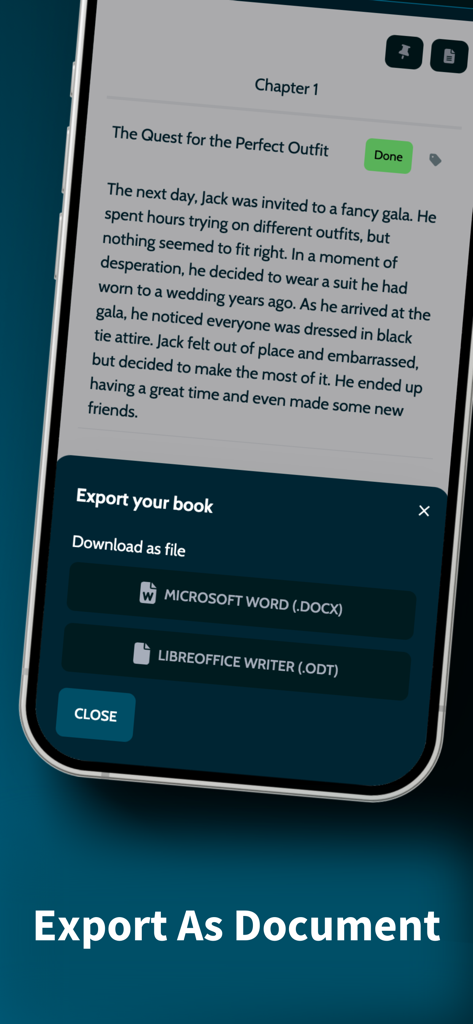
MyStory.today - Microsoft Word 또는 LibreOffice 형식으로 글쓰기 프로젝트를 내보내는 옵션이 표시된 iPhone의 MyStory.today 앱 인터페이스

Microsoft Word 또는 LibreOffice 형식으로 글쓰기 프로젝트를 내보내는 옵션이 표시된 iPhone의 MyStory.today 앱 인터페이스

설명

MyStory.today lets you write short stories and novels on your iPhone, iPad, and Mac. Write whenever you want, wherever you are. Features overview: - Story management with chapters and scenes - Interactive corkboard with AI summaries - Character and location management with smart linking - Rich text editor with customizable toolbar - AI assistant for writer's block - Timeline management for complex stories - Writing goals and progress tracking - Tasks and labels for organization - Automatic sync across Apple devices - Export to MS Word, LibreOffice Start writing your novel, short story or screenplay today. Write on any Apple device. Take your book with you - at home with your Mac, on the go with your iPhone, or relaxing with your iPad. Write when inspiration strikes. Organise your book with chapters and scenes: Navigate your story with intuitive chapter and scene organization. Get visual overview with automatic backups and real-time progress. - Visual chapter & scene listing - Smart label organization - Automatic backups - Real-time progress tracking Interactive corkboard with AI assistance: Get a bird's-eye view of your novel with interactive corkboard showing chapters and scenes. Let AI generate scene summaries while you focus on content and structure. - Visual overview of chapters and scenes - Scene summaries for quick reference - AI summary options - Focus on content while maintaining story structure AI-powered writing assistance: Overcome writer's block with integrated AI assistance. Transform your text with intelligent tools and auto-generate summaries. - Tone detection and analysis - Intelligent text transformation - Integrated text analysis tools - Generate scene summaries for corkboards Timeline management for complex stories: Create multiple storylines and organize scenes with temporal precision. Perfect for complex narratives. - Create multiple storylines for plot threads - Assign scenes to timelines with times or ranges - Visual timeline view showing scenes chronologically - Track events and maintain story continuity Character and location management: Create characters and locations with names and descriptions that you can link into scenes. When you rename them, all references update automatically across your project and Apple devices. - Simple character profiles with name and description - Location profiles with name and description - Link characters & places into scenes - Easy reference management with auto-update - Instant sync across iPhone, iPad, and Mac Rich text editor with smart linking: Write with the powerful built-in rich text editor. Format content with flexible options and link characters and locations dynamically. - Flexible scene formatting - Link characters & locations - Auto-update linked names - Customizable toolbar - Full screen mode - Dictation support Writing goals and task management: Track your progress and analyze your writing habits. Stay organized with task management and visual labeling system. - Daily progress tracking - Detailed writing statistics - Custom goals - Writing habit analysis & trends - Link tasks to chapters & scenes - Complete project overview with labels - Drag & drop labels into scenes - Quick navigation between elements Export your book: When ready, use built-in book export. Export all chapters with scenes to MS Word or LibreOffice. Use for sharing or backup. Apple ecosystem integration: With your free MyStory.today account, access your work across all Apple devices. Available on iPhone, iPad, and Mac - all synchronized and optimized for Apple silicon. Ready to bring your stories to life? Download MyStory.today from the App Store and start your writing journey across all your Apple devices. Your next great story is just a tap away.

Download

다운로드: App Store

이 페이지는 앱이나 개발자의 공식 페이지가 아니며, 정보 제공 및 논평을 목적으로 작성된 독립 편집 간행물입니다. 명시적으로 달리 언급되지 않는 한, 해당 앱이나 개발자는 MWM, Apple, Google Play, 앱 퍼블리셔 또는 앱 개발자와 제휴, 보증, 후원, 승인 또는 공식적으로 연결되어 있지 않으며, 이 페이지의 어떤 내용도 해당 앱이 MWM의 서비스를 사용하여 개발되었음을 의미하지 않습니다. 모든 상표, 로고, 스크린샷 및 기타 콘텐츠는 해당 소유자의 자산입니다.








