NetSketch
NetSketch
다운로드: App Store

이 페이지는 앱이나 개발자의 공식 페이지가 아니며, 정보 제공 및 논평을 목적으로 작성된 독립 편집 간행물입니다. 명시적으로 달리 언급되지 않는 한, 해당 앱이나 개발자는 MWM, Apple, Google Play, 앱 퍼블리셔 또는 앱 개발자와 제휴, 보증, 후원, 승인 또는 공식적으로 연결되어 있지 않으며, 이 페이지의 어떤 내용도 해당 앱이 MWM의 서비스를 사용하여 개발되었음을 의미하지 않습니다. 모든 상표, 로고, 스크린샷 및 기타 콘텐츠는 해당 소유자의 자산입니다.


로고: NetSketch
다운로드: App Store

NetSketch

스마트 라우팅과 터치 우선 정밀도로 몇 초 만에 깔끔하고 지능적인 토폴로지를 생성하세요. 구독도, 클라우드 계정도 없이, 이동 중인 IT 전문가를 위한 전문 도구입니다.

주요 수치

다운로드

0

사용자 평점

1.0/5

총 평가 수

0

개발사

William Butler

카테고리

Productivity

지원 언어

1

최신 버전

1.2

크기

1.8 MB

출시일

2025년 11월 17일
기능

현대 네트워크 전문가를 위한 제작

NetSketch는 터치에 최적화된 개인 정보 우선 인터페이스로 iPad에 전문가 수준의 네트워크 다이어밍 기능을 제공하여 워크플로우를 간소화합니다.

터치 우선 이동성

노트북은 잊으세요. 직관적인 제스처와 Apple Pencil을 사용하여 서버실이나 고객 현장에서 직접 복잡한 토폴로지를 문서화하세요.

지능형 연결 라우팅

자동 직교 라우팅과 스냅투그리드 정렬로 몇 시간의 수동 정리 작업을 절약하여 다이어그램을 전문적이고 완벽하게 정리하세요.

다음 스크린샷과 설명은 앱의 공식 스토어 목록에서 직접 가져온 것이며 앱 개발자의 자산입니다.

앱 스토어

스크린샷
NetSketch - NetSketch 네트워크 다이어그램 앱 iPad 시작 화면, '문서 만들기' 버튼 포함
NetSketch 네트워크 다이어그램 앱 iPad 시작 화면, '문서 만들기' 버튼 포함

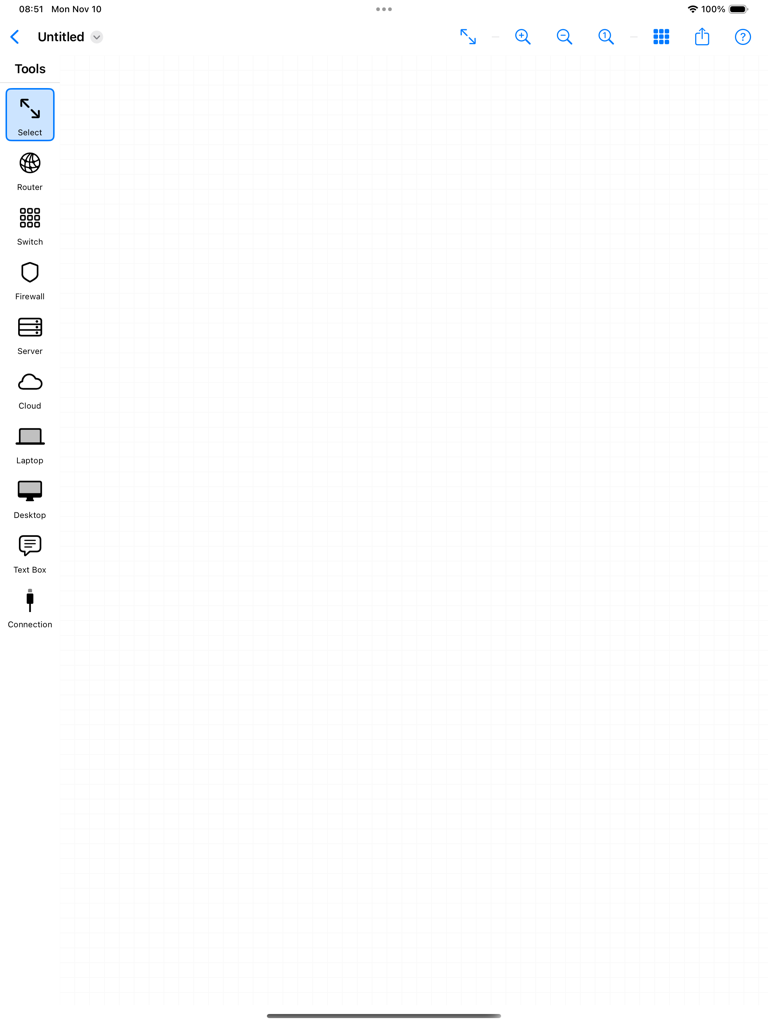
NetSketch - NetSketch iPad 앱의 빈 네트워크 다이어그램 캔버스와 도구 사이드바
NetSketch iPad 앱의 빈 네트워크 다이어그램 캔버스와 도구 사이드바

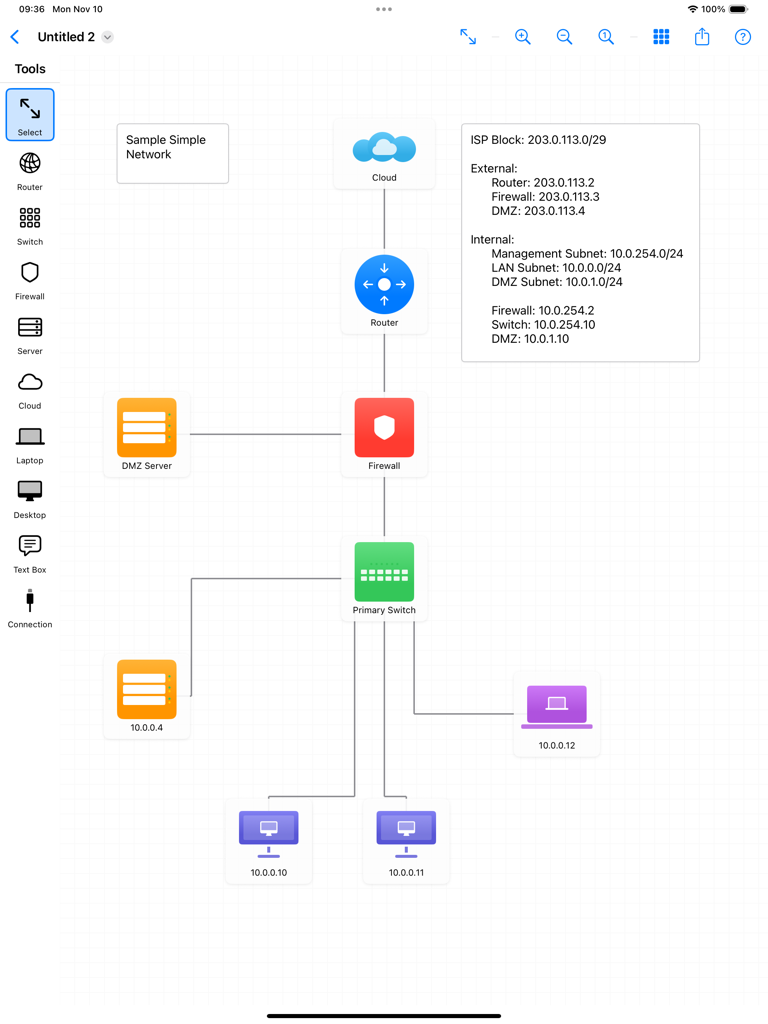
NetSketch - NetSketch를 사용하여 iPad에서 생성된 네트워크 토폴로지 다이어그램, IP 주소 레이블이 있는 클라우드, 라우터, 방화벽, 스위치 및 최종 사용자 장치 아이콘이 상호 연결되어 표시됨
NetSketch를 사용하여 iPad에서 생성된 네트워크 토폴로지 다이어그램, IP 주소 레이블이 있는 클라우드, 라우터, 방화벽, 스위치 및 최종 사용자 장치 아이콘이 상호 연결되어 표시됨

NetSketch - NetSketch iPad 앱에서 생성된 네트워크 토폴로지 다이어그램, 라우터, 방화벽 및 연결된 장치 표시
NetSketch iPad 앱에서 생성된 네트워크 토폴로지 다이어그램, 라우터, 방화벽 및 연결된 장치 표시

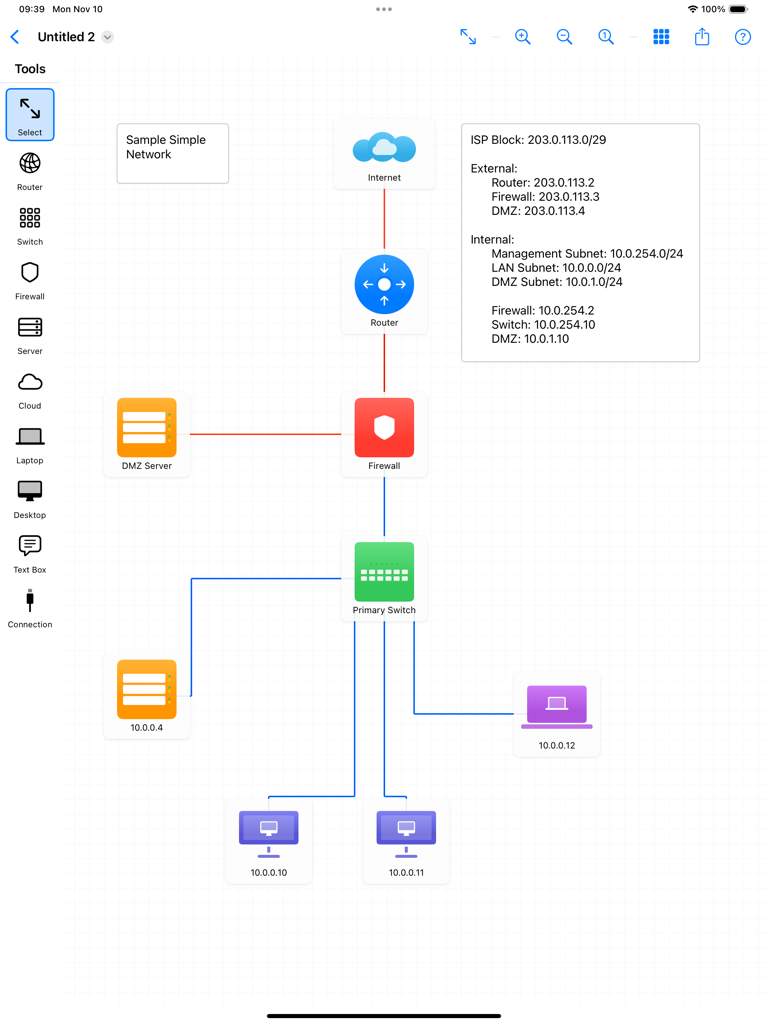
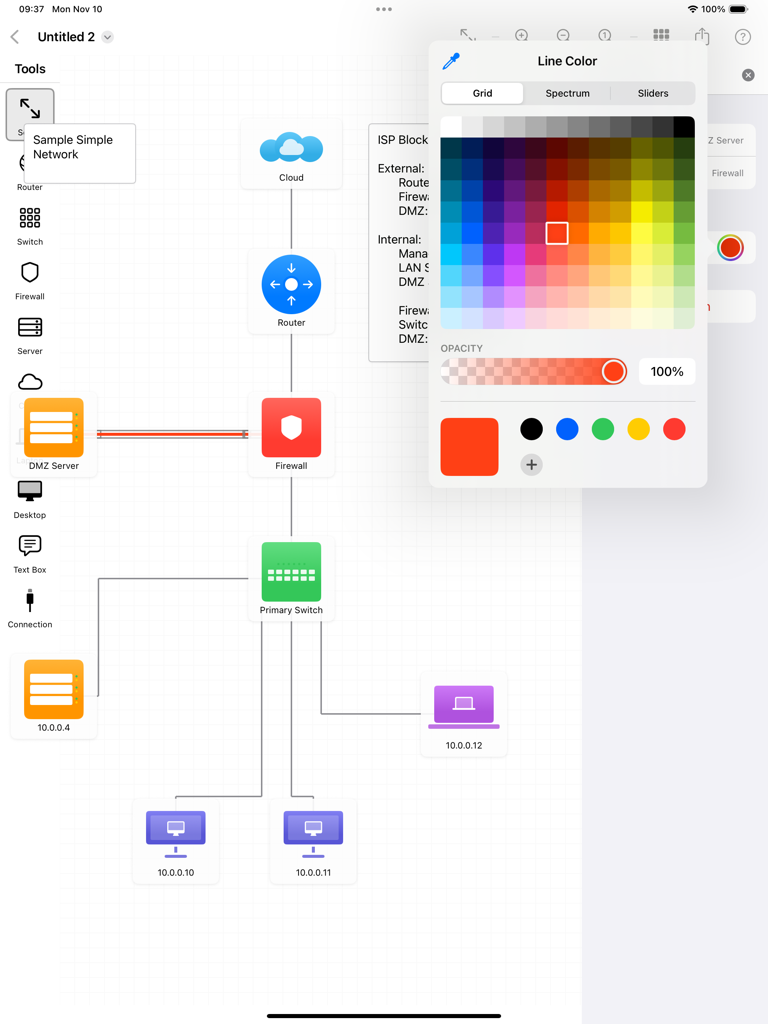
NetSketch - NetSketch iPad 인터페이스, 네트워크 토폴로지 다이어그램 및 색상 선택 도구 표시
NetSketch iPad 인터페이스, 네트워크 토폴로지 다이어그램 및 색상 선택 도구 표시

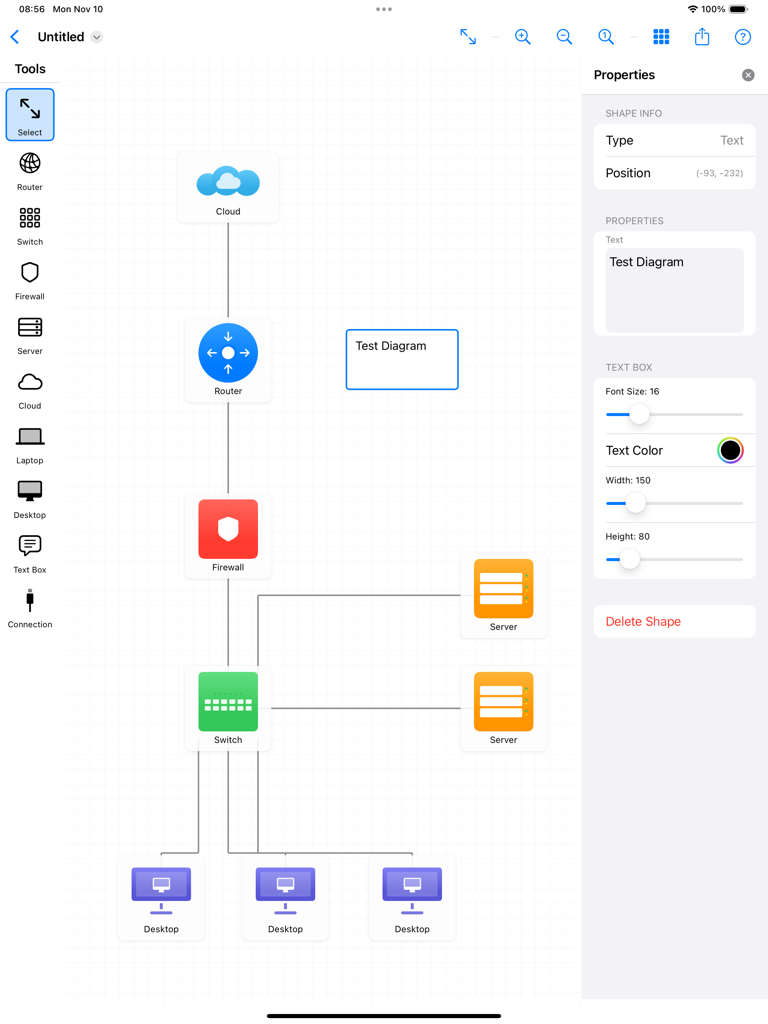
NetSketch - 클라우드, 라우터, 방화벽, 스위치 및 데스크톱 아이콘이 있는 네트워크 토폴로지 다이어그램이 표시되는 NetSketch 앱 인터페이스를 보여주는 iPad 화면
클라우드, 라우터, 방화벽, 스위치 및 데스크톱 아이콘이 있는 네트워크 토폴로지 다이어그램이 표시되는 NetSketch 앱 인터페이스를 보여주는 iPad 화면

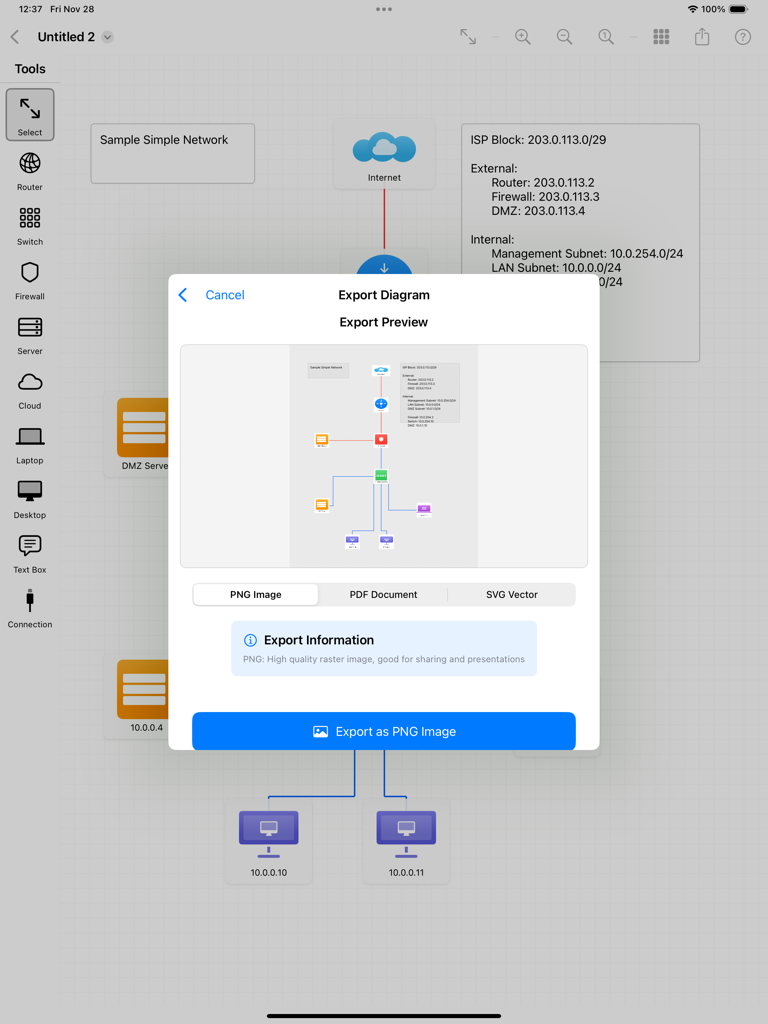
NetSketch - NetSketch 앱 iPad 내보내기 메뉴, 네트워크 다이어그램을 PNG, PDF 또는 SVG 파일로 내보내는 옵션 표시
NetSketch 앱 iPad 내보내기 메뉴, 네트워크 다이어그램을 PNG, PDF 또는 SVG 파일로 내보내는 옵션 표시

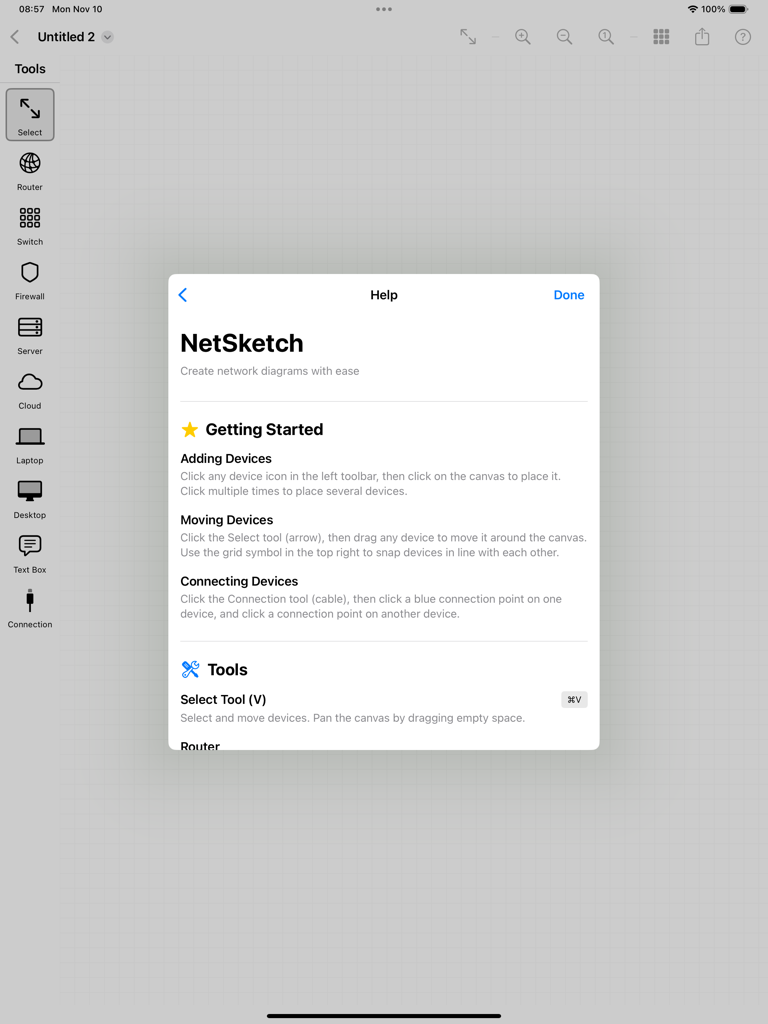
NetSketch - NetSketch 앱 도움말 창, iPad에서 네트워크 다이어그램 생성 지침 표시

NetSketch 앱 도움말 창, iPad에서 네트워크 다이어그램 생성 지침 표시

설명

Design Simple and Clean Network Diagrams on Your iPad NetSketch is a simple yet intuitive network diagram tool built specifically for iPad. Whether you're a network engineer, IT professional, system architect, or student, NetSketch helps you create simple, clear network topology diagrams without the need of cloud services or licenses. Perfect For: • Network engineers documenting infrastructure • IT professionals planning network upgrades • System architects designing new systems • Students learning network concepts • Consultants presenting network solutions • Anyone who needs to visualize network topology Key Features: Optimized for iPad Touch-optimized interface designed specifically for iPad. Enjoy the freedom of creating diagrams anywhere, without being tied to a desktop. Easy to Understand Network Symbols Simple network icons including routers, switches, firewalls, servers, cloud services, desktops, laptops, and more. Intelligent Connection Routing Automatic orthogonal (right-angle) line routing creates professional-looking diagrams. Lines intelligently avoid overlaps and route around obstacles. Choose from 8 connection points on each device for perfect alignment. Easy Editing • Move and arrange with simple gestures • Add labels and annotations with text boxes • Customize colors to organize by function or location • Adjust text size and formatting • Click to place symbols easily Snap-to-Align Grid Enable snap-to-align to automatically line up devices perfectly. Create clean, organized diagrams with consistent spacing. Full Document Support • Save unlimited network diagrams • Open and edit existing diagrams • iCloud sync across all your devices • Standard document-based app architecture Export & Share Export your diagrams as high-resolution PNG images or PDF documents. Perfect for presentations, documentation, or printing. Share via email, AirDrop, Messages, or save to Files. Zoom & Pan Zoom in for detailed work or zoom out to see the big picture. Smooth panning and pinch-to-zoom gestures make navigation effortless. Text Annotations Add detailed text boxes anywhere on your diagram. Perfect for labeling VLANs, IP subnets, network zones, or adding explanatory notes. Supports Apple Pencil. Color Customization Change device colors to create visual organization. Group by location, function, security zone, or any system that works for you. Why NetSketch? Unlike complex desktop diagramming tools, NetSketch is built from the ground up for touch interaction. No menus to dig through, no complicated toolbars—just natural, intuitive design that let you focus on your network design, not the software. NetSketch respects your privacy. All diagrams are stored locally on your device or in your personal iCloud storage. We don't collect, analyze, or store any of your data. Use Cases: • Document existing network infrastructure • Plan network upgrades and expansions • Create network diagrams quickly and easily • Design data center layouts • Visualize cloud architecture • Map security zones and firewall rules • Educational network topology diagrams • Quick whiteboard-style sketches No Subscription Required One-time purchase. Use forever. No monthly fees, no feature locks, no ads. Get Started in Seconds: 1. Select a device from the toolbar 2. Tap the canvas to place it 3. Add connections between devices 4. Customize labels and colors 5. Export and share

Download

다운로드: App Store

이 페이지는 앱이나 개발자의 공식 페이지가 아니며, 정보 제공 및 논평을 목적으로 작성된 독립 편집 간행물입니다. 명시적으로 달리 언급되지 않는 한, 해당 앱이나 개발자는 MWM, Apple, Google Play, 앱 퍼블리셔 또는 앱 개발자와 제휴, 보증, 후원, 승인 또는 공식적으로 연결되어 있지 않으며, 이 페이지의 어떤 내용도 해당 앱이 MWM의 서비스를 사용하여 개발되었음을 의미하지 않습니다. 모든 상표, 로고, 스크린샷 및 기타 콘텐츠는 해당 소유자의 자산입니다.








