Network Toolbox Net security
다운로드: App Store

이 페이지는 앱이나 개발자의 공식 페이지가 아니며, 정보 제공 및 논평을 목적으로 작성된 독립 편집 간행물입니다. 명시적으로 달리 언급되지 않는 한, 해당 앱이나 개발자는 MWM, Apple, Google Play, 앱 퍼블리셔 또는 앱 개발자와 제휴, 보증, 후원, 승인 또는 공식적으로 연결되어 있지 않으며, 이 페이지의 어떤 내용도 해당 앱이 MWM의 서비스를 사용하여 개발되었음을 의미하지 않습니다. 모든 상표, 로고, 스크린샷 및 기타 콘텐츠는 해당 소유자의 자산입니다.


로고: Network Toolbox Net security
다운로드: App Store

Network Toolbox Net security

50개 이상의 전문 등급 유틸리티로 모든 네트워크를 마스터하세요. Shodan 스캔부터 포트 분석까지, 업계에서 가장 신뢰받는 모바일 제품군으로 환경을 진단하고 보호하세요.

주요 수치

다운로드

280K+

사용자 평점

4.6/5

총 평가 수

3K+

개발사

Annalisa Bergonzi

카테고리

Productivity

지원 언어

14

최신 버전

16.7

크기

152.5 MB

출시일

2013년 6월 12일
기능

전문가 수준의 네트워크 트리아지

추측을 멈추고 분석을 시작하세요. IT 전문가 및 보안 전문가가 어디에서든 네트워크를 감사, 문제 해결 및 보호하는 데 도움이 되는 50개 이상의 강력한 도구가 하나의 인터페이스에 있습니다.

심층 네트워크 검색

고급 WiFi 스캔, 포트 분석 및 MAC 공급업체 식별로 네트워크의 모든 장치를 찾아 보안 사각지대를 제거하세요.

글로벌 보안 인텔리전스

Shodan 및 Morpheus 검색의 강력한 기능을 활용하여 모든 위치 또는 호스트 이름에서 노출된 온라인 장치 및 취약점을 식별하세요.

다음 스크린샷과 설명은 앱의 공식 스토어 목록에서 직접 가져온 것이며 앱 개발자의 자산입니다.

앱 스토어

스크린샷
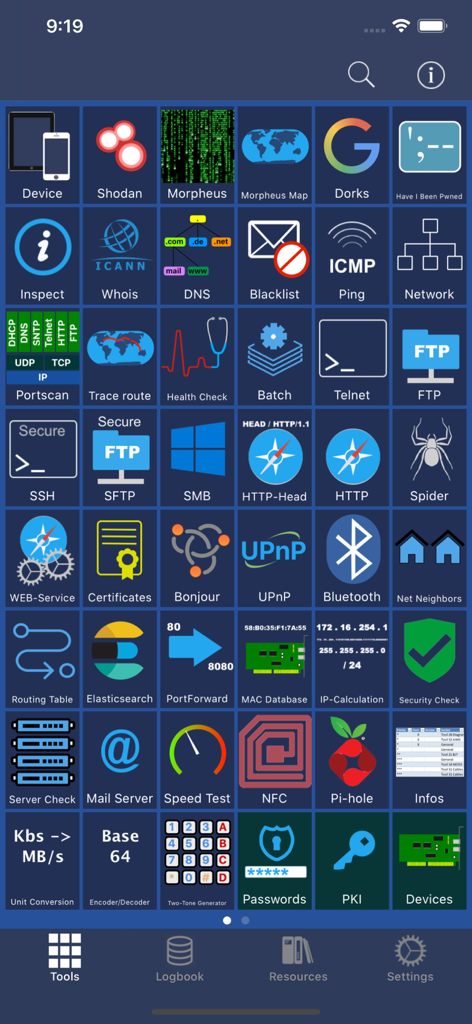
Network Toolbox Net security - 다양한 사이버 보안 유틸리티를 제공하는 Network Toolbox 앱의 메인 도구 대시보드.
다양한 사이버 보안 유틸리티를 제공하는 Network Toolbox 앱의 메인 도구 대시보드.

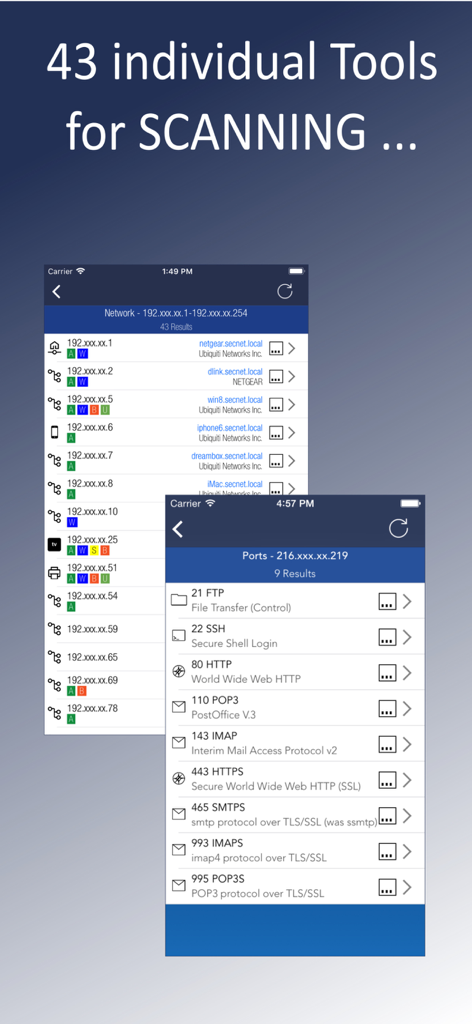
Network Toolbox Net security - 네트워크 장치 검색 및 열린 포트 스캔 결과를 표시하는 Network Toolbox 앱 인터페이스
네트워크 장치 검색 및 열린 포트 스캔 결과를 표시하는 Network Toolbox 앱 인터페이스

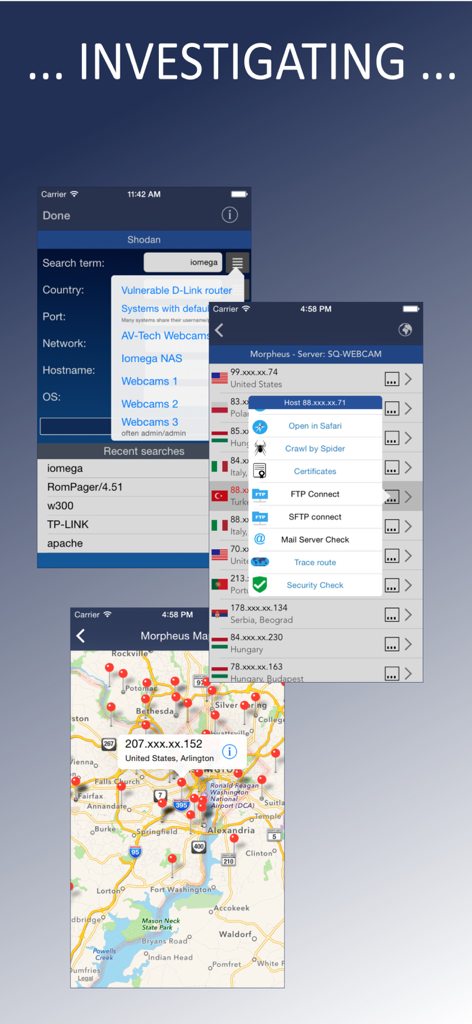
Network Toolbox Net security - Shodan 검색 결과 및 IP 위치 매핑을 보여주는 사이버 보안 앱 인터페이스
Shodan 검색 결과 및 IP 위치 매핑을 보여주는 사이버 보안 앱 인터페이스

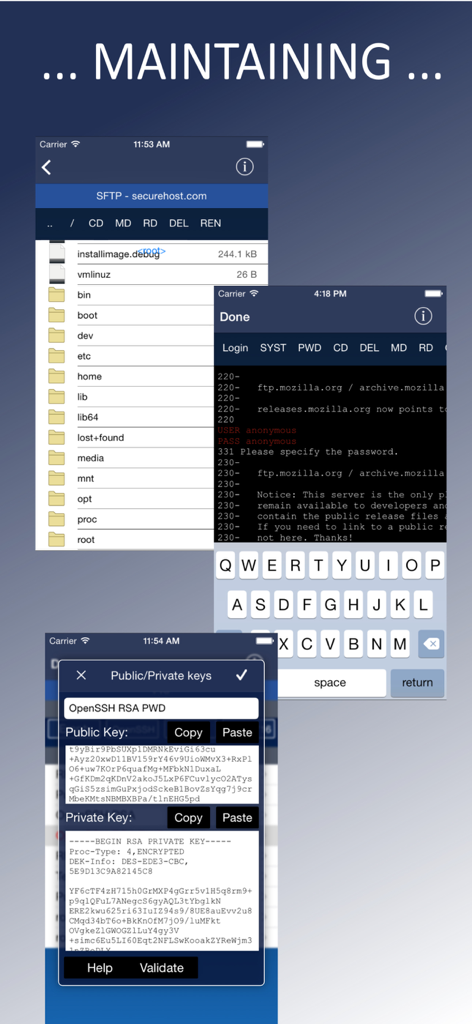
Network Toolbox Net security - SFTP 파일 관리, FTP 터미널 로그인 및 SSH 공개 및 개인 키 관리를 보여주는 앱 화면
SFTP 파일 관리, FTP 터미널 로그인 및 SSH 공개 및 개인 키 관리를 보여주는 앱 화면

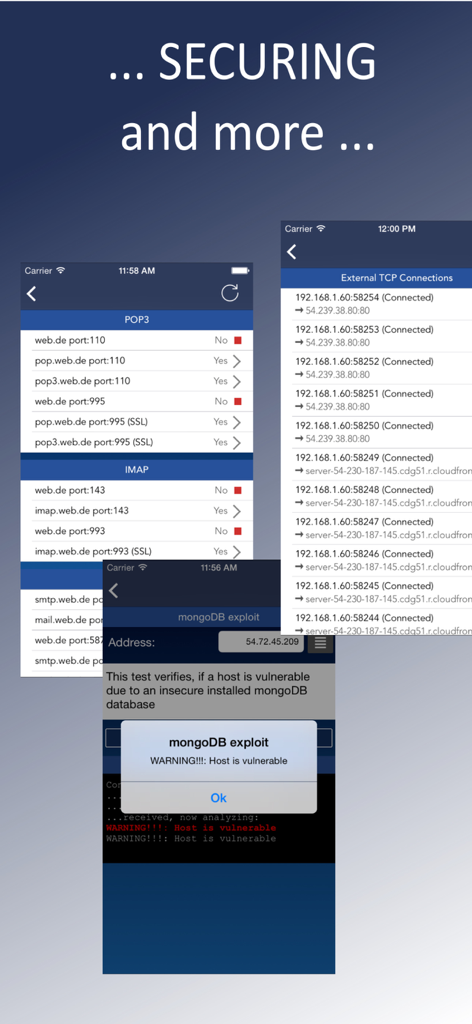
Network Toolbox Net security - 보안 취약점 경고 및 네트워크 연결 모니터링을 보여주는 Network Toolbox의 스크린샷
보안 취약점 경고 및 네트워크 연결 모니터링을 보여주는 Network Toolbox의 스크린샷

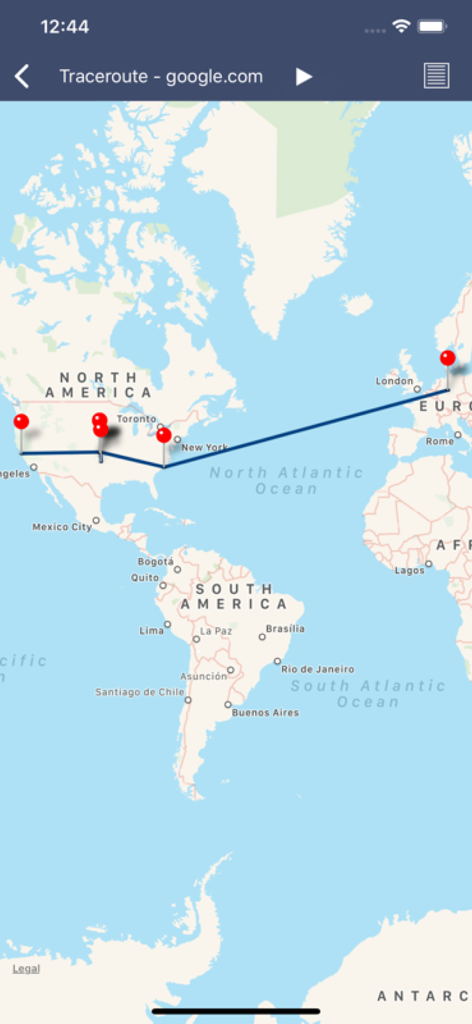
Network Toolbox Net security - 북미에서 유럽까지 google.com의 네트워크 경로를 보여주는 시각적 추적 경로 맵
북미에서 유럽까지 google.com의 네트워크 경로를 보여주는 시각적 추적 경로 맵

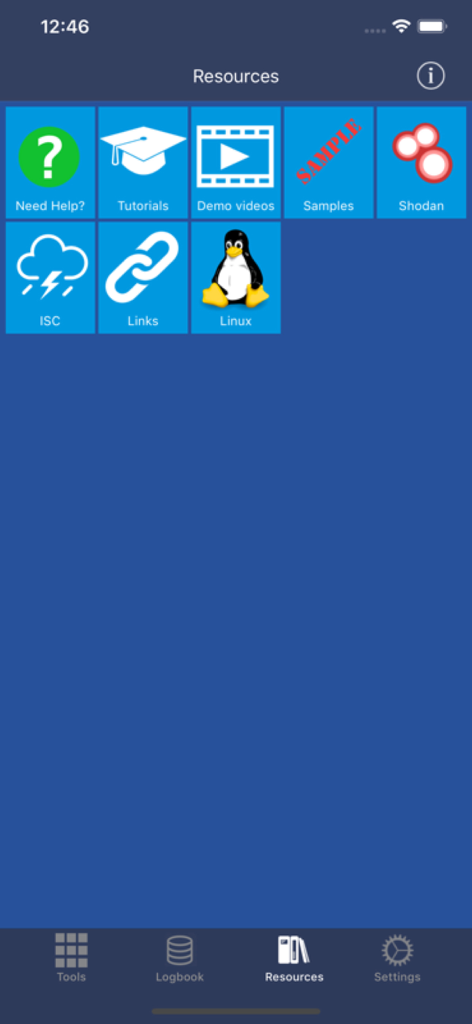
Network Toolbox Net security - 튜토리얼, Shodan 통합 및 Linux 가이드 링크를 보여주는 Network Toolbox 앱의 리소스 탭
튜토리얼, Shodan 통합 및 Linux 가이드 링크를 보여주는 Network Toolbox 앱의 리소스 탭

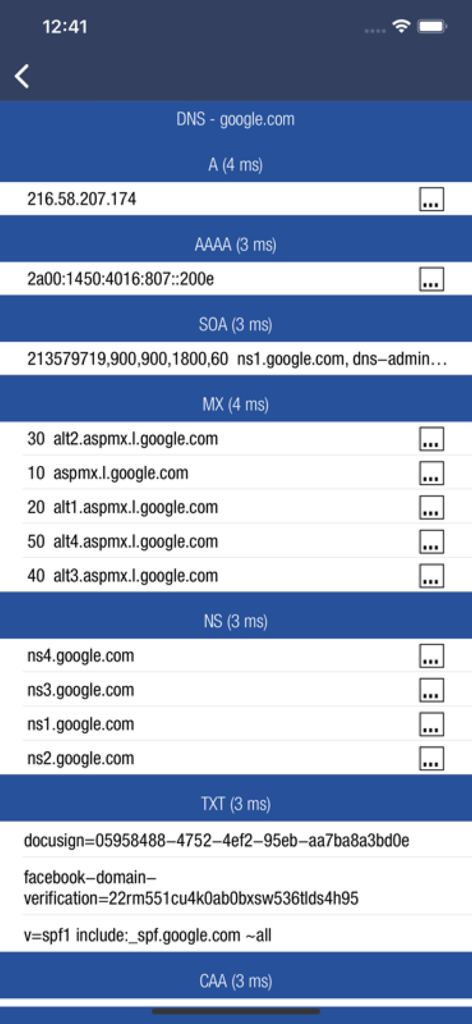
Network Toolbox Net security - Network Toolbox에서 A, MX 및 TXT 레코드를 포함한 google.com에 대한 DNS 레코드 분석

Network Toolbox에서 A, MX 및 TXT 레코드를 포함한 google.com에 대한 DNS 레코드 분석

설명

*** THE ORIGINAL - NetworkToolbox *** Read the Manual at: https://www.networktoolbox.de/ios-manual/ This App with its 50+ individual Tools helps to analyse local or public networks for security issues or wrong configurations. It provides various scanning options such as WiFi Network IP scanning, Port scanning and integrates the SHODAN scan engine, Security exploit tests and more. Feature summary: DEVICE INFORMATION ■ Device and public IP Address ■ Network interfaces (WiFi, 3G/4G) SHODAN AND MORPHEUS SEARCH ■ Expose online devices ■ Search by keyword, country, port, network, hostname MAP SEARCH ■ Search and expose online devices for on a given location NS-LOOKUP with DOMAIN INFORMATION ■ Provides information for a certain domain or ip ■ Provide information about the number of attacks (ISC) ■ Location of IP or Host display on a map ■ DNS records such as MX, A, TXT etc. WIFI NETWORK SCAN ■ Discover all devices on your network ■ Including IP, MAC, Vendor, Network Name PING ■ Ping IP or domain ■ Show Errors and RTT ■ Display results graphically WHOIS ■ Find out who is behind a certain domain DNS ■ Query ANY! DNS Server ■ See DNS record information such as A,TXT,CNAME,MX,SOA etc. ■ See and compare DNS Server response times VISUAL TRACEROUTE ■ Analyze how packets get to their destination SOCKETS ■ Socket analysis and terminal tool ■ Predefined protocols for Telnet, FTP, HTTP, POP3 and IMAP ■ Inspect server responses ■ Send arbitrarily data to the server FTP and SFTP CLIENT ■ Browse remote directory tree ■ Direct file viewing ■ File and directory operations ■ Upload and download of multiple files to device ■ Default password list check of FTP server ■ Public / Private Key support (New!) SSH CLIENT ■ Terminal client for SSL ■ Default password list check of server SFTP CLIENT ■ Same functionality as FTP MAC ADDRESS DB ■ Find out which vendor is responsible for which MAC address and v/v IP CALCULATION ■ Calculate net-masks, first-,last- addresses etc. HTTP BROWSER ■ Site Default password check ■ Possibility to select user agents from Blackberry over Firefox, IE, Safari and iOS ■ Display source code, plain text or hirachically browse XML SPIDER ■ Crawl website and collect all contained links ■ Analyze robots.txt ■ Both, websites and disallows robots content can be further analyzed BLUETOOTH ■ Scan and reveal Bluetooth LE devices CERTIFICATES ■ Inspect Server (e.g. HTTPS) certificates in a readable format BONJOUR and UPnP ■ Scan and discover Bonjour or UPnP services MAIL SERVER CHECK ■ Analyze issues with your mail settings LOCAL FILES ■ Handle files downloaded via FTP or SFTP or HTTP (New!) ■ File and directory operations ■ File viewer (PDF, Text, Image, HTML) ■ Open files in other apps, installed on your device ■ Send file via E-Mail HELP TEXTS ■ Each tool has a detailed description of their purpose and how to use Subscribe to access to premium app features; subscription details are the following: • Length: weekly, monthly, yearly • Your payment will be charged to your iTunes Account as soon as you confirm your purchase • You can manage your subscriptions and turn off auto-renewal from your Account Settings after the purchase • Your subscription will renew automatically, unless you turn off auto-renew at least 24 hours before the end of the current period • The cost of renewal will be charged to your account in the 24 hours prior to the end of the current period • When cancelling a subscription, your subscription will stay active until the end of the period. Auto-renewal will be disabled, but the current subscription will not be refunded • Any unused portion of a free trial period, if offered, will be forfeited when purchasing a subscription Terms of Use: https://www.apple.com/legal/internet-services/itunes/dev/stdeula/

Download

다운로드: App Store

이 페이지는 앱이나 개발자의 공식 페이지가 아니며, 정보 제공 및 논평을 목적으로 작성된 독립 편집 간행물입니다. 명시적으로 달리 언급되지 않는 한, 해당 앱이나 개발자는 MWM, Apple, Google Play, 앱 퍼블리셔 또는 앱 개발자와 제휴, 보증, 후원, 승인 또는 공식적으로 연결되어 있지 않으며, 이 페이지의 어떤 내용도 해당 앱이 MWM의 서비스를 사용하여 개발되었음을 의미하지 않습니다. 모든 상표, 로고, 스크린샷 및 기타 콘텐츠는 해당 소유자의 자산입니다.








