Note Book App
Note Book App
다운로드: App Store

이 페이지는 앱이나 개발자의 공식 페이지가 아니며, 정보 제공 및 논평을 목적으로 작성된 독립 편집 간행물입니다. 명시적으로 달리 언급되지 않는 한, 해당 앱이나 개발자는 MWM, Apple, Google Play, 앱 퍼블리셔 또는 앱 개발자와 제휴, 보증, 후원, 승인 또는 공식적으로 연결되어 있지 않으며, 이 페이지의 어떤 내용도 해당 앱이 MWM의 서비스를 사용하여 개발되었음을 의미하지 않습니다. 모든 상표, 로고, 스크린샷 및 기타 콘텐츠는 해당 소유자의 자산입니다.

로고: Note Book App
다운로드: App Store

Note Book App

감각적인 맞춤 설정과 뛰어난 생산성의 완벽한 조화를 경험하세요. 완전히 무료이고 광고 없는 안전한 오프라인 우선 공간에서 메모, 음성 메모 및 계산을 캡처하세요.

주요 수치

다운로드

300

사용자 평점

1.0/5

총 평가 수

0

개발사

Primus Okorie

카테고리

Productivity

지원 언어

1

최신 버전

1.0.7

크기

74.0 MB

출시일

2025년 12월 7일
기능

한계 없이 삶을 정리하세요

아이디어를 포착하고, 할 일을 추적하며, 일일 생산성을 높이도록 설계된 개인적이고 광고 없는 완전히 사용자 정의 가능한 작업 공간을 경험하세요.

감각적인 개인화

지루한 인터페이스에서 벗어나세요. 개인 스타일에 맞는 무제한 색상 테마와 배경 화면으로 작업 공간을 사용자 정의하세요.

개인 정보 우선 및 광고 없음

당신의 데이터는 당신의 것입니다. PIN 잠금 보호 및 방해되는 광고나 구독이 없는 안전한 오프라인 우선 경험을 즐기세요.

다음 스크린샷과 설명은 앱의 공식 스토어 목록에서 직접 가져온 것이며 앱 개발자의 자산입니다.

앱 스토어

스크린샷
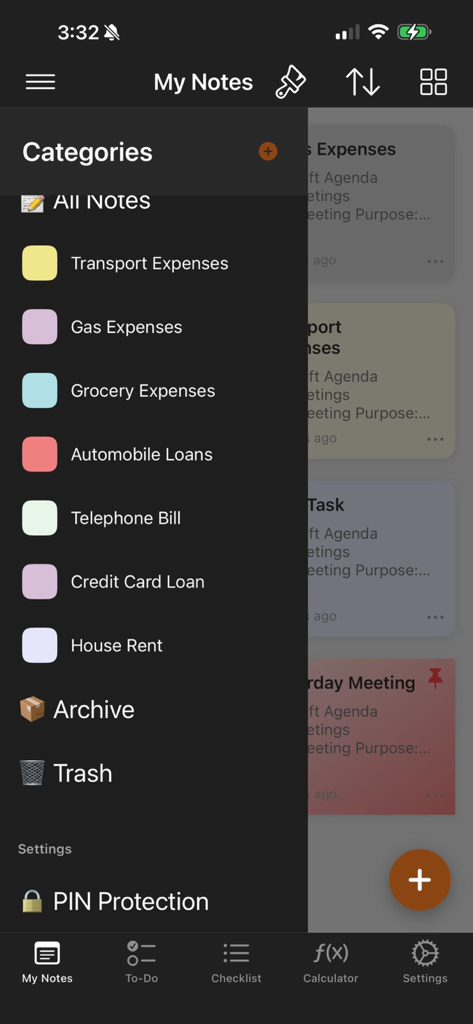
Note Book App - 지출 추적 및 PIN 보호 설정을 위한 색상으로 구분된 범주를 보여주는 Note Book App의 측면 메뉴
지출 추적 및 PIN 보호 설정을 위한 색상으로 구분된 범주를 보여주는 Note Book App의 측면 메뉴

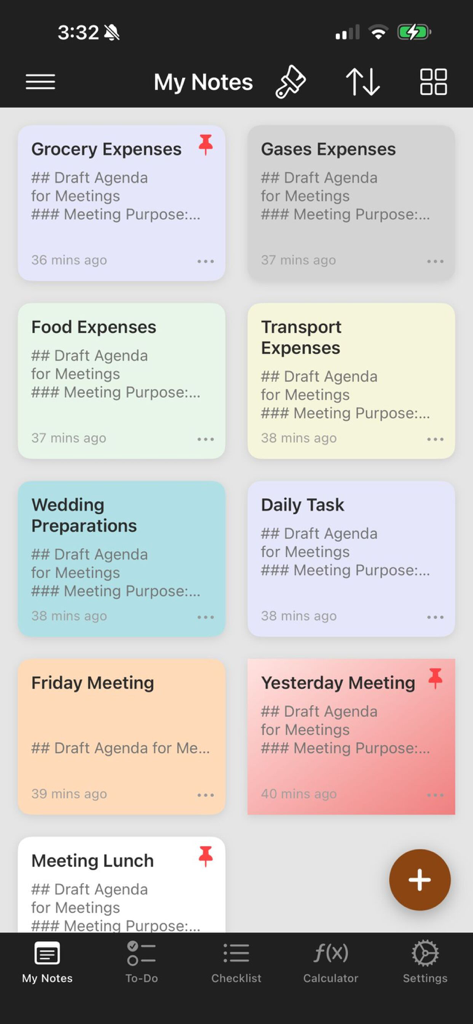
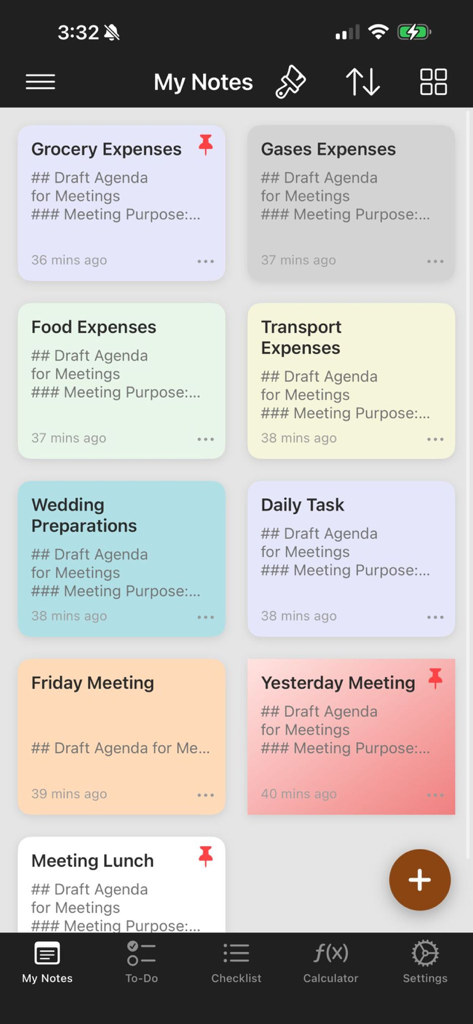
Note Book App - 식료품 지출 및 결혼식 준비와 같은 제목이 있는 다양한 색상으로 구분된 메모 그리드를 보여주는 모바일 화면
식료품 지출 및 결혼식 준비와 같은 제목이 있는 다양한 색상으로 구분된 메모 그리드를 보여주는 모바일 화면

Note Book App - Note Book App 인터페이스를 사용자 정의하기 위한 자연 테마 배경 화면 선택
Note Book App 인터페이스를 사용자 정의하기 위한 자연 테마 배경 화면 선택

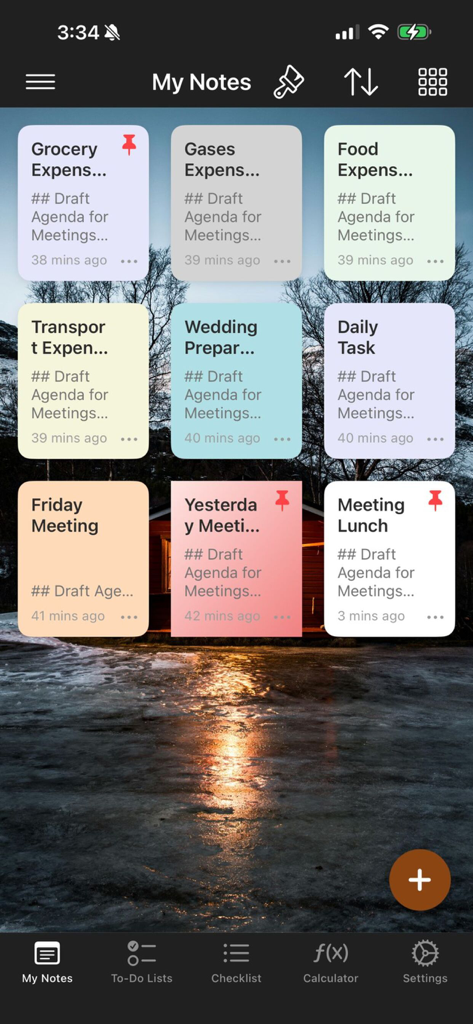
Note Book App - Note Book App에서 풍경 일몰 배경 화면 위에 표시되는 색상으로 구분된 메모의 그리드
Note Book App에서 풍경 일몰 배경 화면 위에 표시되는 색상으로 구분된 메모의 그리드

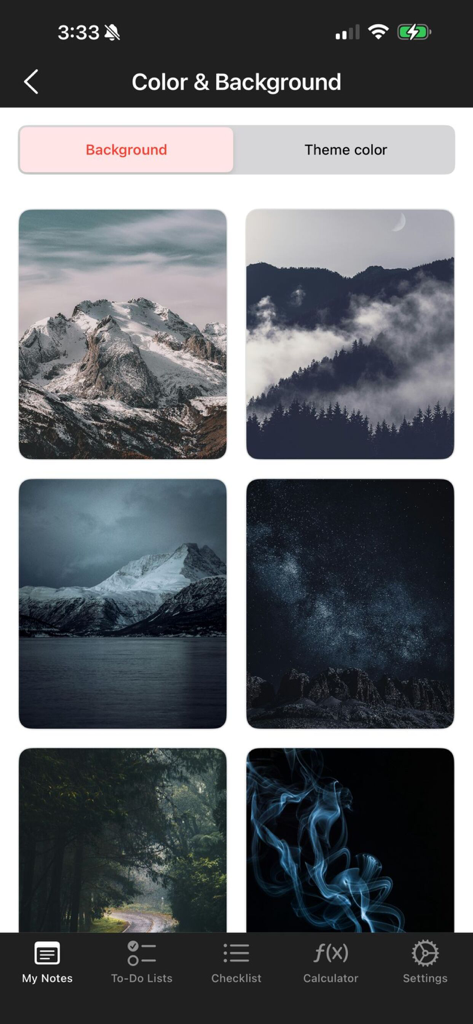
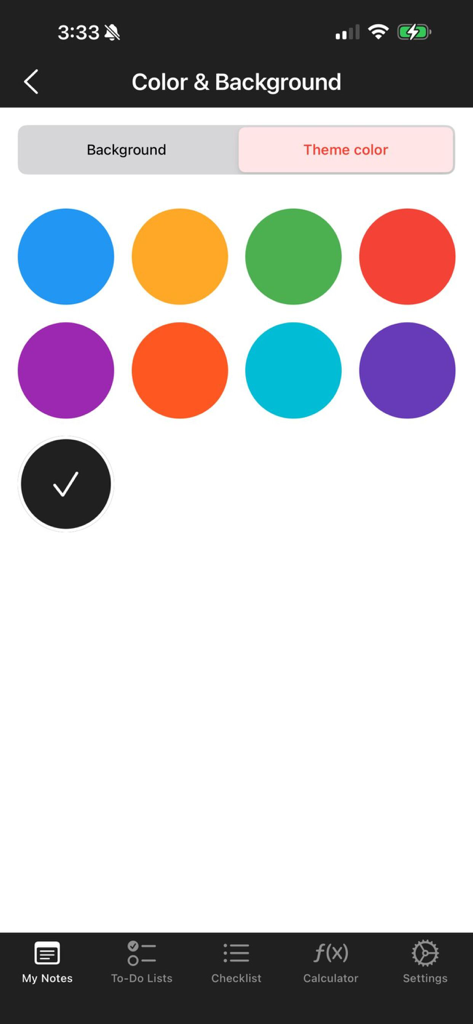
Note Book App - Note Book App의 색상 및 배경 사용자 정의 화면으로 다양한 테마 색상 옵션을 보여줍니다.
Note Book App의 색상 및 배경 사용자 정의 화면으로 다양한 테마 색상 옵션을 보여줍니다.

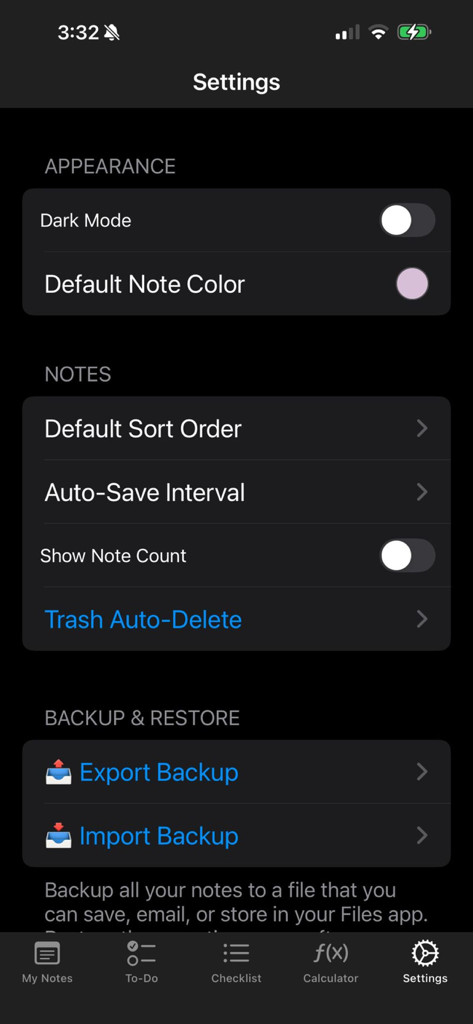
Note Book App - Note Book App의 설정 화면으로 모양 기본 설정, 노트 구성 설정 및 백업 및 복원 옵션 표시
Note Book App의 설정 화면으로 모양 기본 설정, 노트 구성 설정 및 백업 및 복원 옵션 표시

Note Book App - Note Book App의 대시보드 보기로 다채로운 노트 카드의 정리된 그리드를 보여줍니다.
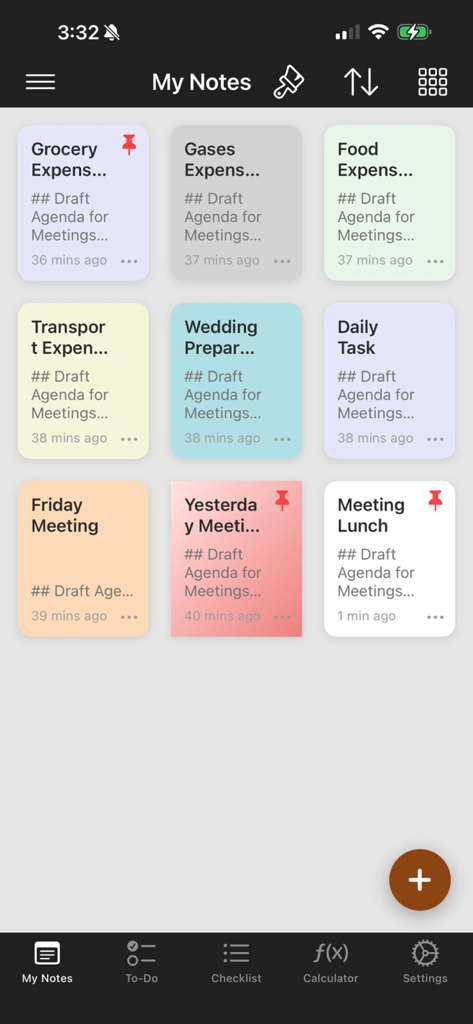
Note Book App의 대시보드 보기로 다채로운 노트 카드의 정리된 그리드를 보여줍니다.

Note Book App - Note Book 앱 대시보드로 색상으로 구분된 노트 및 작업의 그리드 레이아웃을 보여줍니다.
Note Book 앱 대시보드로 색상으로 구분된 노트 및 작업의 그리드 레이아웃을 보여줍니다.

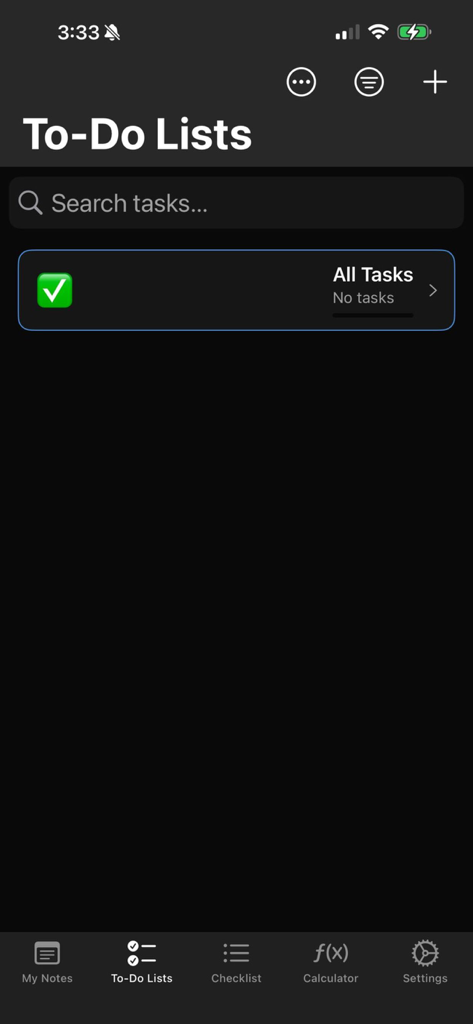
Note Book App - Note Book App의 할 일 목록 화면으로 작업 범주 및 검색 창 표시
Note Book App의 할 일 목록 화면으로 작업 범주 및 검색 창 표시

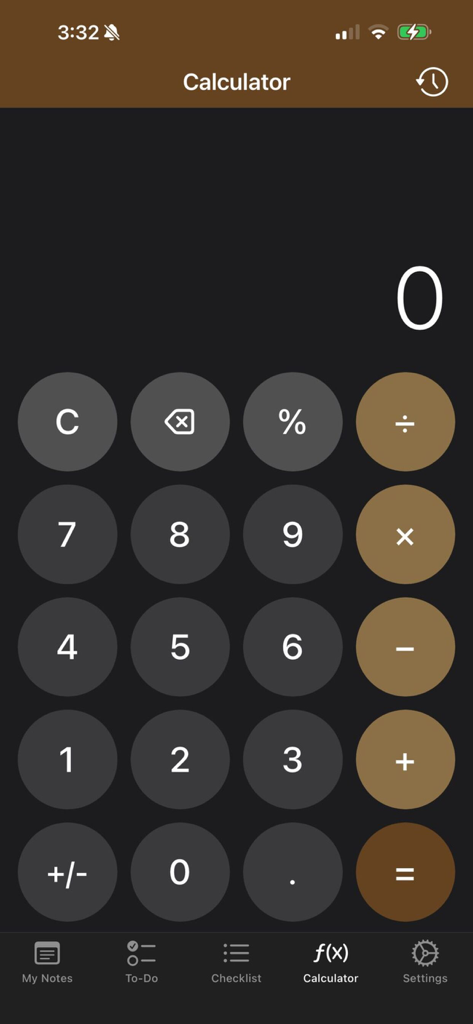
Note Book App - 생산성 계산을 위한 어두운 테마와 순환 갈색 버튼이 있는 Note Book App의 내장 계산기 기능.

생산성 계산을 위한 어두운 테마와 순환 갈색 버튼이 있는 Note Book App의 내장 계산기 기능.

설명

Note Book - Your Smart Note-Taking Companion Never lose your thoughts again! Create, organize, and backup your notes with the most intuitive note-taking app on iOS. WHY CHOOSE NOTE BOOK? Note Book is not just another notes app - it's your personal productivity powerhouse designed to capture every idea, task, and memory with elegance and efficiency. POWERFUL FEATURES MULTIPLE NOTE TYPES Rich Text Notes - Write freely with full formatting Checklists - Track your daily tasks effortlessly Todo Lists - Stay organized and productive Voice Notes - Capture ideas on the go BEAUTIFUL CUSTOMIZATION Custom Themes - Match your style with unlimited color options Background Wallpapers - Personalize your note-taking experience Color-Coded Categories - Organize notes your way Multiple View Layouts - List, Grid 2x2, or Grid 3x3 SMART ORGANIZATION Categories and Folders - Keep everything perfectly organized Tags System - Find notes instantly with smart tagging Pin Important Notes - Keep crucial notes at the top Archive Feature - Declutter without deleting Smart Search - Find any note in seconds ADVANCED CALCULATOR Built-in Calculator - Perfect circular iOS-style buttons Calculation History - Never lose your math again Copy Results - Tap any calculation to copy Brand-Themed Design - Seamless app integration PRIVACY AND SECURITY PIN Lock Protection - Secure your sensitive notes Password-Protected Notes - Extra layer of security Private Folders - Lock entire categories Offline First - Your data stays on your device BACKUP AND RESTORE One-Tap Export - Save all notes to JSON format Email Backups - Send backups to yourself instantly iCloud Integration - Save to Files app automatically Easy Restore - Import notes anytime, anywhere Never Lose Data - Even after reinstalling the app SMART REMINDERS Set Note Reminders - Never forget important tasks Custom Notifications - Get alerted at the right time Reminder Management - Easy to view and edit PRODUCTIVITY TOOLS Sort Options - 6 different sorting methods Favorite Notes - Mark and find important notes quickly Trash Management - Auto-delete or restore deleted notes Note Count Display - Track your productivity BEAUTIFUL INTERFACE Dark Mode Support - Easy on your eyes iOS-Style Design - Feels native and familiar Smooth Animations - Delightful user experience Intuitive Navigation - Find everything effortlessly PERFECT FOR Students - Take class notes and organize study materials Professionals - Manage meetings, projects, and ideas Writers - Capture creative thoughts and drafts Busy Parents - Track schedules, lists, and reminders Anyone - Who values organization and productivity WHAT MAKES US DIFFERENT Unlike other note apps that complicate things, Note Book focuses on what matters: SPEED - Open and start writing instantly SIMPLICITY - Clean interface, no learning curve RELIABILITY - Robust backup system means zero data loss BEAUTY - Every detail is designed with care PRIVACY - Your notes stay yours, always KEY HIGHLIGHTS Lightning Fast - No lag, no delays Fully Customizable - Make it yours Powerful Yet Simple - All features, zero complexity Automatic Saving - Never lose a single word Easy Sharing - Export notes to any app Regular Updates - We're constantly improving COMPLETELY FREE All features included! No hidden subscriptions, no ads interrupting your flow, no premium tiers. Just pure note-taking excellence. REQUIREMENTS iOS 13.0 or later iPhone, iPad, and iPod touch compatible Optimized for all screen sizes SUPPORT We love hearing from you! Contact us for: Feature requests Bug reports General feedback Download Note Book today and transform the way you capture ideas! Your thoughts deserve the best home. Make it Note Book.

Download

다운로드: App Store

이 페이지는 앱이나 개발자의 공식 페이지가 아니며, 정보 제공 및 논평을 목적으로 작성된 독립 편집 간행물입니다. 명시적으로 달리 언급되지 않는 한, 해당 앱이나 개발자는 MWM, Apple, Google Play, 앱 퍼블리셔 또는 앱 개발자와 제휴, 보증, 후원, 승인 또는 공식적으로 연결되어 있지 않으며, 이 페이지의 어떤 내용도 해당 앱이 MWM의 서비스를 사용하여 개발되었음을 의미하지 않습니다. 모든 상표, 로고, 스크린샷 및 기타 콘텐츠는 해당 소유자의 자산입니다.








