이 페이지는 앱이나 개발자의 공식 페이지가 아니며, 정보 제공 및 논평을 목적으로 작성된 독립 편집 간행물입니다. 명시적으로 달리 언급되지 않는 한, 해당 앱이나 개발자는 MWM, Apple, Google Play, 앱 퍼블리셔 또는 앱 개발자와 제휴, 보증, 후원, 승인 또는 공식적으로 연결되어 있지 않으며, 이 페이지의 어떤 내용도 해당 앱이 MWM의 서비스를 사용하여 개발되었음을 의미하지 않습니다. 모든 상표, 로고, 스크린샷 및 기타 콘텐츠는 해당 소유자의 자산입니다.
NoteLedge Ultimate - Notebook
영감을 현실로 바꾸세요. Pinterest에서 아이디어를 포착하고, 전문적인 무드 보드를 만들고, 디자이너와 스타일리스트를 위해 설계된 유연한 멀티미디어 작업 공간에서 비전을 스케치하세요.
시각적 사고가들이 하나의 완벽한 흐름 속에서 영감을 얻고, 아이디어를 스케치하고, 전문적인 무드 보드를 만들 수 있는 궁극의 디지털 작업 공간입니다.
동적인 무드 보드 만들기
Pinterest, YouTube 또는 웹에서 영감을 즉시 클립하세요. 유연한 작업 공간에서 이미지를 드래그 앤 드롭하여 컨셉을 시각화하세요.
전문적인 디자인 도구로 스케치하기
다양한 전문 브러시, 완벽한 Apple Pencil 지원, 사용자 정의 필기 폰트로 빠른 아이디어를 상세한 스케치로 바꾸세요.
다음 스크린샷과 설명은 앱의 공식 스토어 목록에서 직접 가져온 것이며 앱 개발자의 자산입니다.
앱 스토어
스크린샷
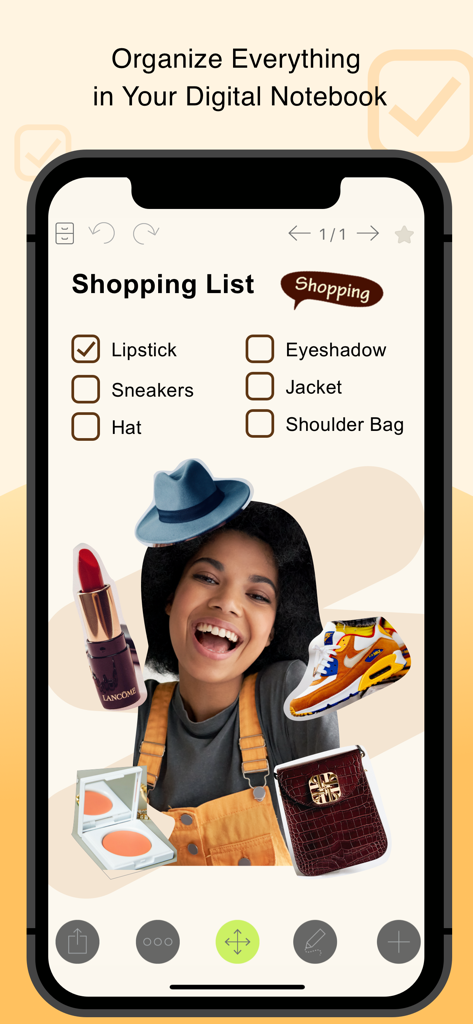
쇼핑 체크리스트와 패션 및 뷰티 이미지의 창의적인 콜라주가 있는 디지털 노트 앱 인터페이스
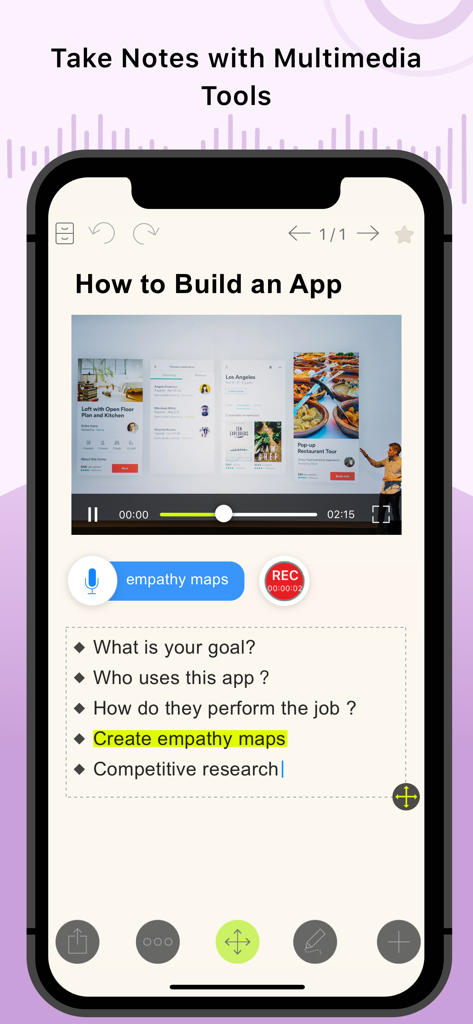
포함된 비디오, 오디오 녹음 및 글머리 기호 텍스트를 포함한 멀티미디어 노트 기능을 보여주는 NoteLedge Ultimate 앱 스크린샷
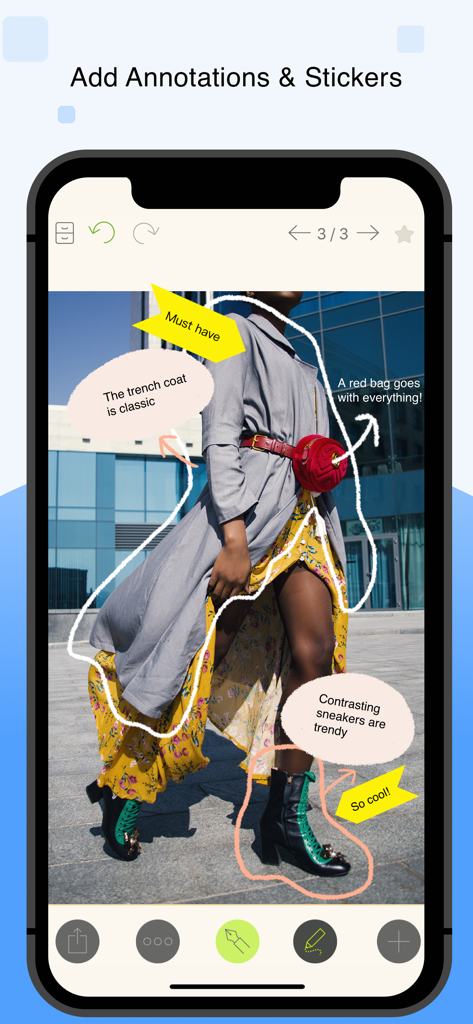
NoteLedge Ultimate 앱 인터페이스에 손으로 쓴 주석과 노란색 화살표 스티커가 있는 패션 무드 보드가 표시됩니다.
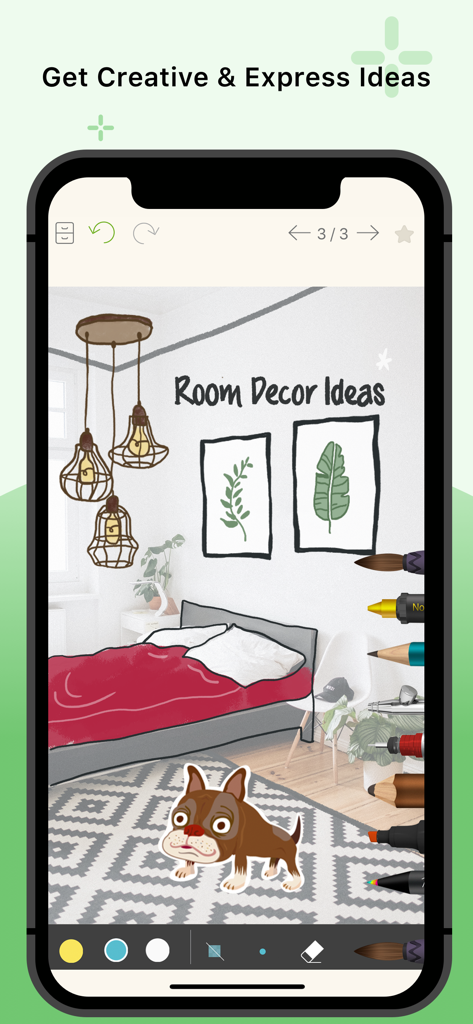
NoteLedge Ultimate 앱의 스케치 및 그리기 도구가 있는 인테리어 디자인 무드 보드
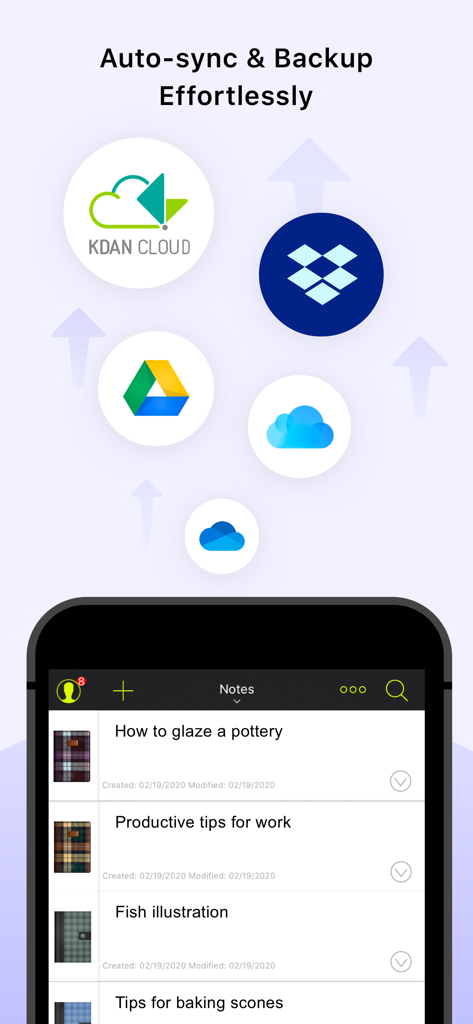
클라우드 동기화 옵션과 창의적인 노트 목록을 보여주는 NoteLedge Ultimate 앱 인터페이스
설명
NoteLedge is a digital notebook for designers and creatives to quickly capture inspiration and organize everything in one place. Discover ideas from Pinterest, web pages, YouTube, Vimeo, or your surroundings, save clips to your notes and add your thoughts. NoteLedge streamlines your creative process, allowing you to connect the dots and get creative in the flexible workspace.
Create mood boards or collages to play around with content and visualize your thoughts. Draw, outline, and make quick design sketches with a variety of brushes for designers. Present work straight from your smart device or share notes in PDF format with audio and video included. Communicate ideas with your team or clients efficiently multimedia aids. NoteLedge is the best note-taking app for creative projects including interior styling, home decor, product design, fashion design, character design, and more!
ULTIMATE NOTE-TAKING EXPERIENCE
NoteLedge Ultimate is the stand-alone version fully equipped with all the premium tools and creative materials. Search “NoteLedge” in the App Store and try it out for free before purchasing.
AWARDS & RECOGNITION
- Featured as “Perfect with Apple Pencil,” “Amazing Apps for iPad Pro,” and “Easy Note-taking” on the App Store
- Designated app for iPad program at Monbulk College, Australia & Special Education School in Tokushima, Japan
KEY FEATURES
CAPTURE IDEAS QUICKLY
- Record audio, add photos, or insert videos
- Web Clipper – Clip images, texts or screenshots from Pinterest and websites with easy drag and drop (iPad only)
- Clip videos from YouTube & Vimeo, and take notes while you’re streaming videos (iPad only)
- Type anywhere and stay organized with bullet points and checklists
EMPOWER YOUR CREATIVITY
- Draw, outline, sketch, or color with a variety of brushes for designers and creators
- Customize fonts with your own handwriting
- Make mood boards, design boards, idea boards
- Create collages by cutting out images and arranging layers
- Get creative with a variety of stickers and covers*
- Select note paper for Cornell notes, planner, lined paper, graphic paper, and more (iPad only)
- Customize note paper with your own photos (iPad only)
- Stylus support: Apple Pencil, Adonit, Wacom Bamboo, and Pogo Connect 2
SYNC, MANAGE & SHARE
- Export notes to PDFs with audio and video included
- Auto-sync to multiple cloud storages, including Kdan Cloud, iCloud, Dropbox, OneDrive, and Google Drive
- Add notes to Apple and Google Calendar
- Present work in slideshow mode
- Protect the app with a password or Touch ID / Face ID
SUBSCRIPTION PLANS
NoteLedge Ultimate is equipped with all premium note-taking features. If you need more cloud storage or want to get premium app features across the Creativity 365 App Series on all platforms, check out the following upgrade options:
- Kdan Cloud: $2.99/month or $9.99/year
- Creativity 365: $9.99/month, $19.99/3 months, or $59.99/year - Free trial available. Get premium access to the Creativity 365 App series across phone, tablet, and desktop.
Subscriptions will be charged through your iTunes account at the confirmation of purchase. Your subscription will automatically renew unless cancelled at least 24 hours before the end of the current subscription period. Your iTunes account will be charged for renewal within 24-hours prior to the end of the current period, for the same duration and at the current subscription price. You may manage your subscriptions in your iTunes Account Settings after purchase. No cancellation of the current subscription is allowed during an active subscription period.
Terms of service: https://www.kdanmobile.com/terms_of_service
Privacy Policy: https://www.kdanmobile.com/privacy_policy
CAN WE GIVE YOU A HAND?
Got a question? Contact us at helpdesk@kdanmobile.com or check out https://support.kdanmobile.com.
이 페이지는 앱이나 개발자의 공식 페이지가 아니며, 정보 제공 및 논평을 목적으로 작성된 독립 편집 간행물입니다. 명시적으로 달리 언급되지 않는 한, 해당 앱이나 개발자는 MWM, Apple, Google Play, 앱 퍼블리셔 또는 앱 개발자와 제휴, 보증, 후원, 승인 또는 공식적으로 연결되어 있지 않으며, 이 페이지의 어떤 내용도 해당 앱이 MWM의 서비스를 사용하여 개발되었음을 의미하지 않습니다. 모든 상표, 로고, 스크린샷 및 기타 콘텐츠는 해당 소유자의 자산입니다.