Password Manager Data Vault
다운로드: App Store

이 페이지는 앱이나 개발자의 공식 페이지가 아니며, 정보 제공 및 논평을 목적으로 작성된 독립 편집 간행물입니다. 명시적으로 달리 언급되지 않는 한, 해당 앱이나 개발자는 MWM, Apple, Google Play, 앱 퍼블리셔 또는 앱 개발자와 제휴, 보증, 후원, 승인 또는 공식적으로 연결되어 있지 않으며, 이 페이지의 어떤 내용도 해당 앱이 MWM의 서비스를 사용하여 개발되었음을 의미하지 않습니다. 모든 상표, 로고, 스크린샷 및 기타 콘텐츠는 해당 소유자의 자산입니다.

로고: Password Manager Data Vault
다운로드: App Store

Password Manager Data Vault

군사 등급 AES-256 암호화로 비밀번호, 은행 계좌, 개인 정보를 보호하세요. 데이터 프라이버시에 대한 완전한 통제를 요구하는 파워 유저들이 15년 이상 신뢰해 온 솔루션입니다.

주요 수치

다운로드

358K+

사용자 평점

4.5/5

총 평가 수

7K+

개발사

Ascendo Inc.

카테고리

Productivity

지원 언어

7

최신 버전

7.3.31

크기

51.2 MB

출시일

2009년 7월 25일
기능

디지털 생활 전체를 위한 전문가 수준의 보안

15년 이상 신뢰받아 온 DataVault는 군사 등급 암호화와 직관적인 구성의 완벽한 균형을 제공하여 Apple 생태계 전반에서 개인 정보를 안전하고 접근 가능하게 유지합니다.

타협 없는 AES-256 보안

은행 수준의 암호화로 데이터가 보호된다는 사실을 알고 안심하세요. 귀하의 정보는 자체 하드웨어에 저장되어 클라우드 전용 취약점 없이 완전한 통제와 개인 정보를 제공합니다.

유연한 디지털 지갑 템플릿

비밀번호 이상으로 관리하세요. 최고의 디지털 정리 도구를 위해 설계된 50개 이상의 사용자 정의 가능한 템플릿과 200개의 아이콘을 사용하여 신용카드, 은행 계좌, 멤버십 세부 정보를 구성하세요.

다음 스크린샷과 설명은 앱의 공식 스토어 목록에서 직접 가져온 것이며 앱 개발자의 자산입니다.

앱 스토어

스크린샷
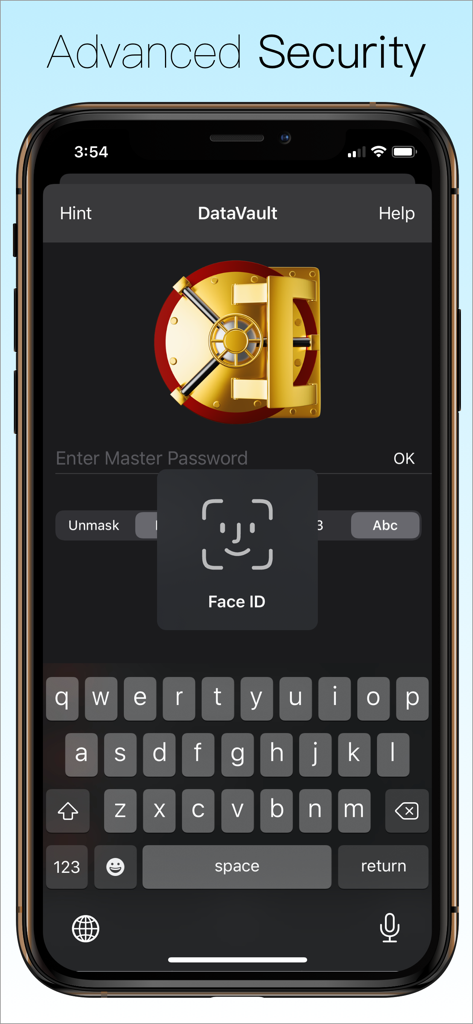
Password Manager Data Vault - DataVault 비밀번호 관리자 로그인 화면, Face ID 인증 및 마스터 비밀번호 입력 필드 표시.
DataVault 비밀번호 관리자 로그인 화면, Face ID 인증 및 마스터 비밀번호 입력 필드 표시.

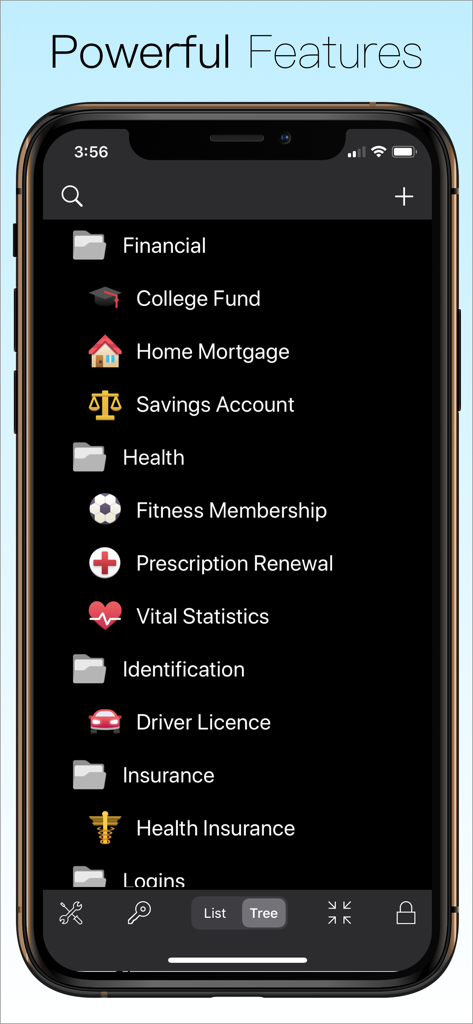
Password Manager Data Vault - DataVault 비밀번호 관리자 인터페이스, 금융, 건강, 신분증 항목에 대한 정리된 폴더 표시.
DataVault 비밀번호 관리자 인터페이스, 금융, 건강, 신분증 항목에 대한 정리된 폴더 표시.

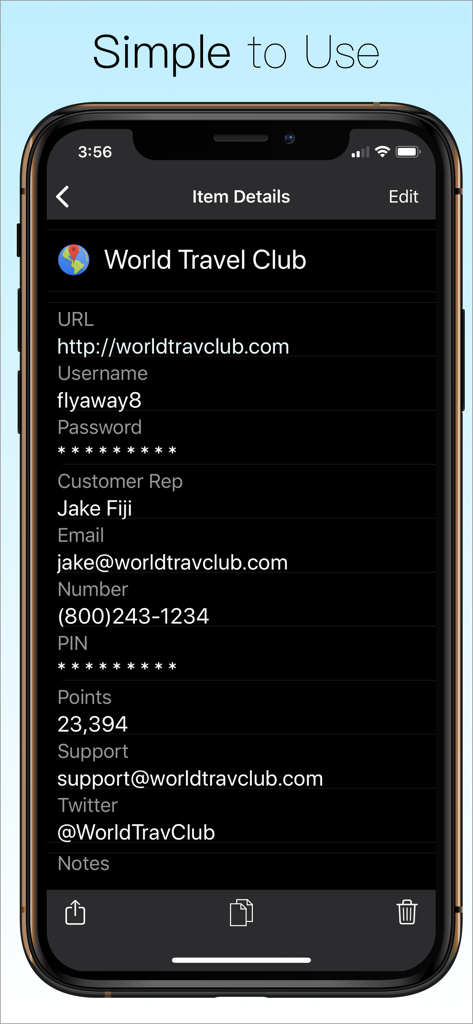
Password Manager Data Vault - 월드 트래블 클럽의 자세한 로그인 및 계정 정보가 포함된 DataVault 비밀번호 관리자 앱을 보여주는 스마트폰 화면
월드 트래블 클럽의 자세한 로그인 및 계정 정보가 포함된 DataVault 비밀번호 관리자 앱을 보여주는 스마트폰 화면

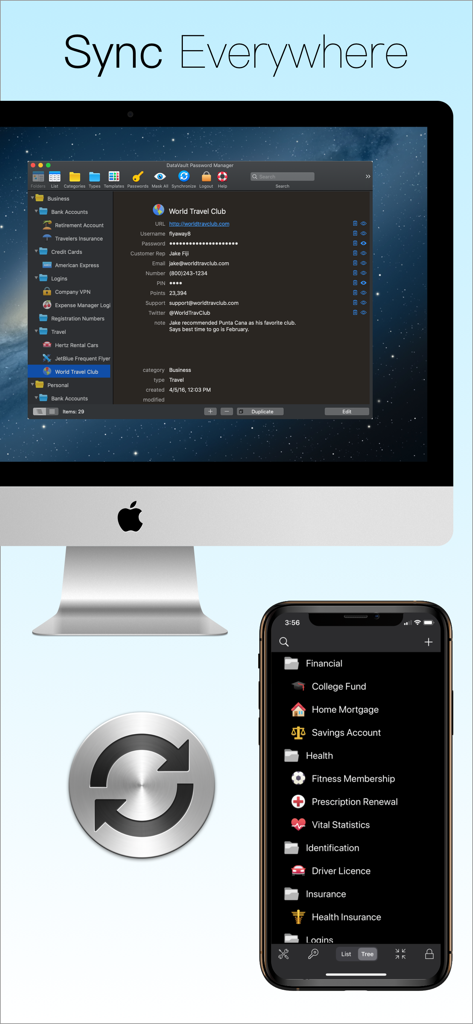
Password Manager Data Vault - DataVault 비밀번호 관리자, Mac 데스크톱과 iPhone 모바일 화면 간의 동기화 표시
DataVault 비밀번호 관리자, Mac 데스크톱과 iPhone 모바일 화면 간의 동기화 표시

Password Manager Data Vault - CNET, The Wall Street Journal, Readers Digest의 DataVault 비밀번호 관리자 앱 추천 및 별점 5개 평점
CNET, The Wall Street Journal, Readers Digest의 DataVault 비밀번호 관리자 앱 추천 및 별점 5개 평점

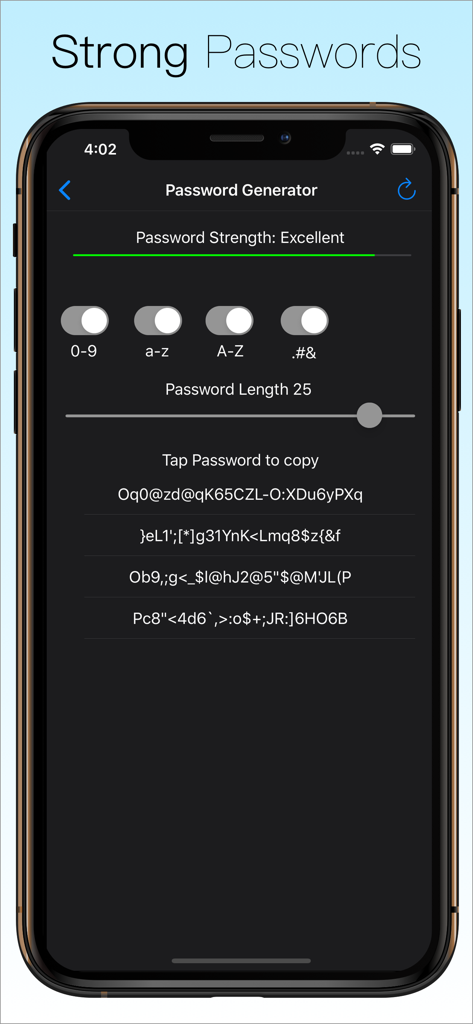
Password Manager Data Vault - DataVault 비밀번호 관리자의 비밀번호 생성기 인터페이스, 강력한 비밀번호를 만들기 위한 길이 및 문자 유형에 대한 사용자 정의 가능한 설정 표시
DataVault 비밀번호 관리자의 비밀번호 생성기 인터페이스, 강력한 비밀번호를 만들기 위한 길이 및 문자 유형에 대한 사용자 정의 가능한 설정 표시

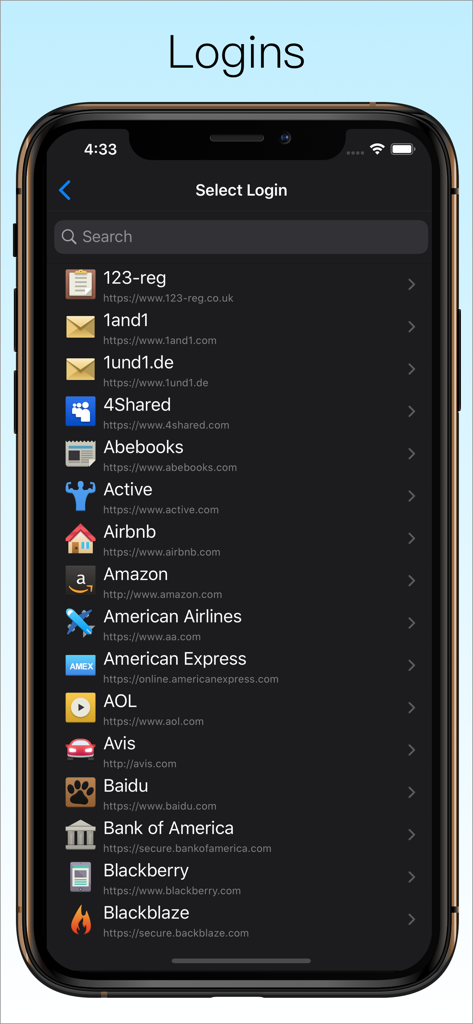
Password Manager Data Vault - DataVault 비밀번호 관리자 앱의 웹사이트 로그인 목록, 다양한 계정 아이콘 및 URL 표시
DataVault 비밀번호 관리자 앱의 웹사이트 로그인 목록, 다양한 계정 아이콘 및 URL 표시

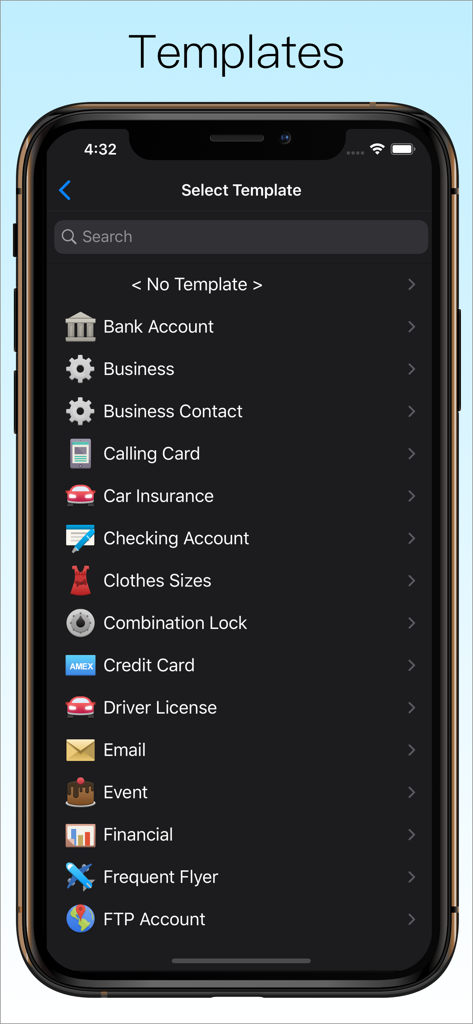
Password Manager Data Vault - DataVault 비밀번호 관리자 템플릿 선택 화면, 은행 계좌 및 신용카드 범주 포함
DataVault 비밀번호 관리자 템플릿 선택 화면, 은행 계좌 및 신용카드 범주 포함

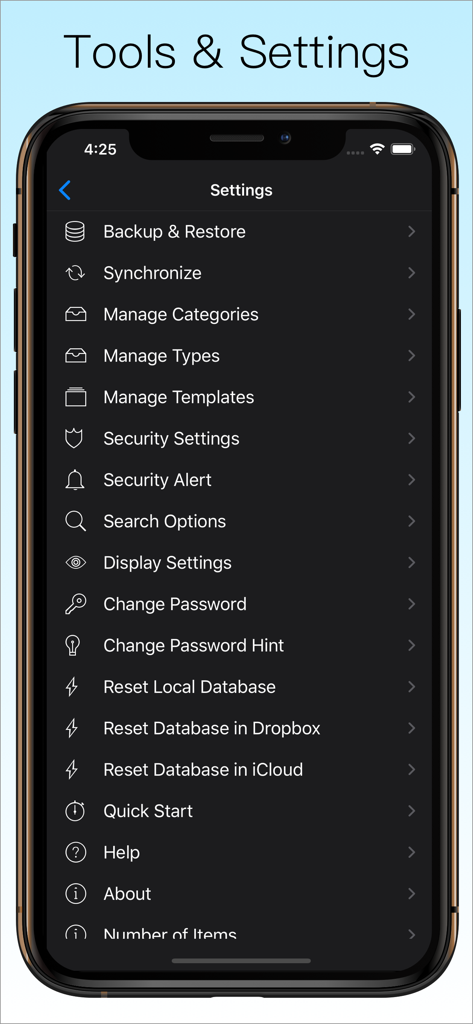
Password Manager Data Vault - DataVault 비밀번호 관리자의 도구 및 설정 화면, 백업, 동기화, 보안 옵션 표시
DataVault 비밀번호 관리자의 도구 및 설정 화면, 백업, 동기화, 보안 옵션 표시

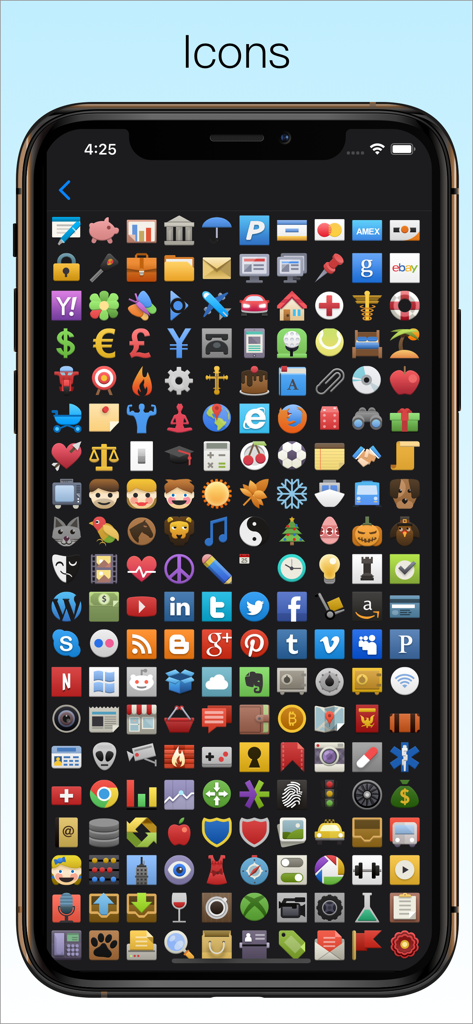
Password Manager Data Vault - DataVault 비밀번호 관리자 앱의 항목 개인화를 위한 다채로운 맞춤 아이콘 다양하게 표시

DataVault 비밀번호 관리자 앱의 항목 개인화를 위한 다채로운 맞춤 아이콘 다양하게 표시

설명

The Leading Password Manager for iPhone, iPad & iPod touch ◇ AES Encryption ◇ Face ID ◇ Touch ID ◇ Apple Watch ◇ Website Logins ◇ Safari Autofill ◇ iCloud Sync ◇ Automatic Backups ◇ Password Generator ◇ Flexible Templates ◇ Advanced Security Options Secure. Powerful. Simple. Try DataVault Password Manager today! #1 Must-Have App for iPhone - Cnet Apps that will Change your Life - Wall Street Journal #1 App to Banish Forgetfulness - Reader’s Digest Robust Password Management - Secure Mac Best iPad Password Manager - BrightHub Is your private information safe? Are your passwords secure? DataVault Password Manager protects confidential information related to credit cards, bank accounts, logins and more using Advanced Encryption Standard (AES), the most powerful technology to keep your data secure. DataVault Password Manager includes a unique set of features like Face ID, Touch ID, Website Logins, iCloud backups and advanced security options to protect your most precious information. Unrivaled features and ease-of-use have made DataVault a best-selling password manager for iPhone, iPad & iPod touch. USER REVIEWS “Essential Gear. A password manager should be one of the first apps you download. I compared a few and this one excelled because it could sync across multiple devices.” “Rock Solid Foundation. I've tried most of the password apps and selected this one for its flexibility in defining item templates, ability to sync one database to multiple mobile devices, and strong desktop versions. I have 1100 items now and the app has performed brilliantly.” “Terrific Customer Support. My question was answered within 24 hours and the issue resolved. Now that's what I expect from a developer!!!” “I have been using DataVault for many years. Song the way, I have tried other Password Managers but have always come back to DataVault. It is simple to use, and all data resides on my hardware, fully encrypted.” “Absolutely the best password safe across all platforms and outstanding support!” SECURE YOUR LIFE • Encrypts information using 256-bit AES with PBKDF2 and salting to insure the highest security of any password manager. Nobody can access your data without your master password, not even Ascendo. • Enable Face ID to login with facial recognition and Touch ID to login with your fingerprint. • Set Auto-Lock duration to require login after an inactivity delay. • Set Maximum Login Attempts to wipe your data after successive failed login attempts. • Set a hint in case you forget your master password. • Mask information to shield it from prying eyes. POWERFUL FEATURES • Access passwords and private information securely on your Apple Watch. • Log in to websites automatically using Safari. * Choose from 65 pre-configured logins such as Amazon, Paypal, etc. or make your own. • Generate strong passwords with settings for length & types of characters. • Use Strength Meter to determine if your passwords are weak, good or strong. • Backup your data automatically to insure you never lose your important information. • Synchronize with DataVault for Mac (sold separately) using iCloud, Dropbox or Wi-Fi. SIMPLE TO USE • View Items in list view or folder view. • Use Templates for common items such as bank accounts, credit cards & logins. • Choose from 50 default templates or create your own. • Initiate phone calls, emails or web site logins with action fields. • Use categories & types to organize items. And a whole lot more… • Full iPad support with split screen display. • 200 icons to personalize your items. • Import from text files in CSV format. • Import from Keeper, 1Password, EWallet, SplashID, mSecure, Keepass & other password managers with DataVault Desktops (sold separately). • Great support. One copy of DataVault Password Manager can be installed on up to 5 authorized iOS devices. Questions? Contact at info@ascendo.co Get peace of mind with the best password manager for iOS. Download DataVault Password Manager today!

Download

다운로드: App Store

이 페이지는 앱이나 개발자의 공식 페이지가 아니며, 정보 제공 및 논평을 목적으로 작성된 독립 편집 간행물입니다. 명시적으로 달리 언급되지 않는 한, 해당 앱이나 개발자는 MWM, Apple, Google Play, 앱 퍼블리셔 또는 앱 개발자와 제휴, 보증, 후원, 승인 또는 공식적으로 연결되어 있지 않으며, 이 페이지의 어떤 내용도 해당 앱이 MWM의 서비스를 사용하여 개발되었음을 의미하지 않습니다. 모든 상표, 로고, 스크린샷 및 기타 콘텐츠는 해당 소유자의 자산입니다.








