
이 페이지는 앱이나 개발자의 공식 페이지가 아니며, 정보 제공 및 논평을 목적으로 작성된 독립 편집 간행물입니다. 명시적으로 달리 언급되지 않는 한, 해당 앱이나 개발자는 MWM, Apple, Google Play, 앱 퍼블리셔 또는 앱 개발자와 제휴, 보증, 후원, 승인 또는 공식적으로 연결되어 있지 않으며, 이 페이지의 어떤 내용도 해당 앱이 MWM의 서비스를 사용하여 개발되었음을 의미하지 않습니다. 모든 상표, 로고, 스크린샷 및 기타 콘텐츠는 해당 소유자의 자산입니다.


Password Manager iPassSafe .
군 등급 로컬 암호화를 사용하여 비밀번호, 문서 및 민감한 데이터를 안전하게 보호하세요. 추적기 없음, 타사 라이브러리 없음, 중앙 집중식 클라우드 위험 없음 — 전적인 제어권만 있습니다.
다운로드
242K+사용자 평점
총 평가 수
3K+개발사
카테고리
Productivity지원 언어
17최신 버전
16.20크기
12.5 MB출시일
2010년 12월 23일개인 정보 우선 사용자를 위한 금고
중앙 집중식 클라우드 위험을 제거하고 타사 추적 없이 데이터를 보호하도록 설계된 암호화된 관리자로 디지털 생활에 대한 제어권을 되찾으세요.
진정한 로컬 암호화
AES-256 및 PBKDF2 강화 기능을 사용하여 데이터가 로컬에 저장됩니다. 중앙 집중식 서버가 없다는 것은 대규모 기업 데이터 유출의 위험이 없다는 것을 의미합니다.
완전한 디지털 금고
로그인 이상의 것을 저장하세요. 전문 및 개인 생활에 맞춰진 24개의 사용자 지정 범주에 여권, PDF 및 은행 정보를 안전하게 정리하세요.
자주 묻는 질문
에 대해 알아야 할 모든 것 Password Manager iPassSafe .
iPassSafe는 사용자 데이터를 암호화하여 보호하나요?
네, iPassSafe는 업계 표준 AES-256 암호화와 PBKDF2 키 강화 기능을 사용하여 사용자 데이터를 안전하게 보호합니다. 이 강력한 암호화는 백업이 손상되더라도 무단 액세스를 방지합니다.
iPassSafe는 사용자 데이터를 수집하거나 추적하나요?
아니요, iPassSafe는 사용자 데이터를 수집하거나 추적하지 않습니다. 개인 정보 보호 정책에 따라 사용자 정보는 제3자 없이 완전히 비공개로 안전하게 유지됩니다.
iPassSafe에는 어떤 종류의 데이터를 저장할 수 있나요?
iPassSafe는 로그인 정보, 신용 카드, 사진, 은행 계좌, PIN, 텍스트 메모, 문서, 연락처 및 다양한 ID 유형을 저장합니다. 또한 포괄적인 데이터 관리를 위해 24개의 사용자 지정 카테고리를 지원합니다.
iPassSafe는 Face ID 또는 Touch ID를 사용하여 액세스할 수 있나요?
네, iPassSafe는 편리하고 안전한 액세스를 위해 Face ID 및 Touch ID를 지원합니다. 사용자는 앱 설정에서 이러한 생체 인식 인증 방법을 활성화하여 빠르게 진입할 수 있습니다.
iPassSafe는 데이터 동기화 및 백업을 어떻게 처리하나요?
iPassSafe는 iCloud, FTP, AirDrop 및 파일/Dropbox의 네 가지 동기화 옵션을 제공합니다. 데이터는 동기화 전에 암호화됩니다. 클라우드 스토리지는 선택 사항이며 사용자는 자신의 백업을 관리할 책임이 있습니다.
iPassSafe는 웹사이트 및 앱에서 비밀번호를 자동으로 채울 수 있나요?
네, iPassSafe에는 QuickType 표시줄에서 앱 및 Safari로 사용자 이름과 비밀번호를 직접 원활하게 채워주는 자동 완성 확장 기능이 포함되어 있습니다. 웹사이트 아이콘을 자동으로 가져옵니다.
iPassSafe의 macOS 버전이 있나요?
네, iPassSafe는 Mac App Store에서 사용할 수 있습니다. 이를 통해 iPhone, iPad 및 Mac을 포함한 모든 Apple 기기에서 동일한 수준의 높은 보안과 편리함을 제공합니다.
iPassSafe는 운영을 위해 타사 프레임워크를 사용하나요?
아니요, iPassSafe는 Apple의 공식 프레임워크만 사용합니다. 분석을 위해 타사 라이브러리를 사용하지 않아 잠재적인 보안 위험을 최소화하고 신뢰할 수 있는 환경 내에서 데이터 처리를 보장합니다.
사용자는 iPassSafe 앱 내에서 강력한 비밀번호를 생성할 수 있나요?
네, iPassSafe에는 내장된 비밀번호 생성기가 포함되어 있습니다. 사용자는 길이, 모호한 문자 방지, 특수 문자 포함 등을 지정하여 강력하고 고유한 비밀번호를 생성하여 보안을 강화합니다.
iPassSafe에 저장된 데이터를 인쇄할 수 있나요?
네, iPassSafe에는 Air Print 옵션이 포함되어 있습니다. 사용자는 안전한 보관을 위해 애플리케이션에서 직접 비밀번호 목록이나 기타 저장된 데이터를 인쇄할 수 있습니다.
iPassSafe는 다크 모드를 지원하나요?
네, iPassSafe는 다크 모드를 지원합니다. 사용자는 특히 저조도 환경에서 편안한 보기 경험을 위해 이 기능을 활성화하여 접근성과 사용자 선호도를 유지할 수 있습니다.
iPassSafe 비밀번호를 잊어버리면 어떻게 되나요?
iPassSafe 비밀번호를 잊어버리면 데이터에 액세스할 수 없습니다. 모든 데이터는 보안을 위해 로컬에 저장되므로 앱에서 비밀번호 검색 서비스를 제공하지 않습니다.
iPassSafe는 침해를 방지하기 위해 데이터를 어떻게 저장하나요?
iPassSafe는 Apple의 안전한 인프라를 활용하여 사용자 기기에 데이터를 로컬로 저장하고 선택적으로 iCloud에 저장합니다. 중앙 집중식 개인 클라우드를 사용하지 않아 일반적인 보안 침해 위험을 완화합니다.
다음 스크린샷과 설명은 앱의 공식 스토어 목록에서 직접 가져온 것이며 앱 개발자의 자산입니다.
앱 스토어
스크린샷
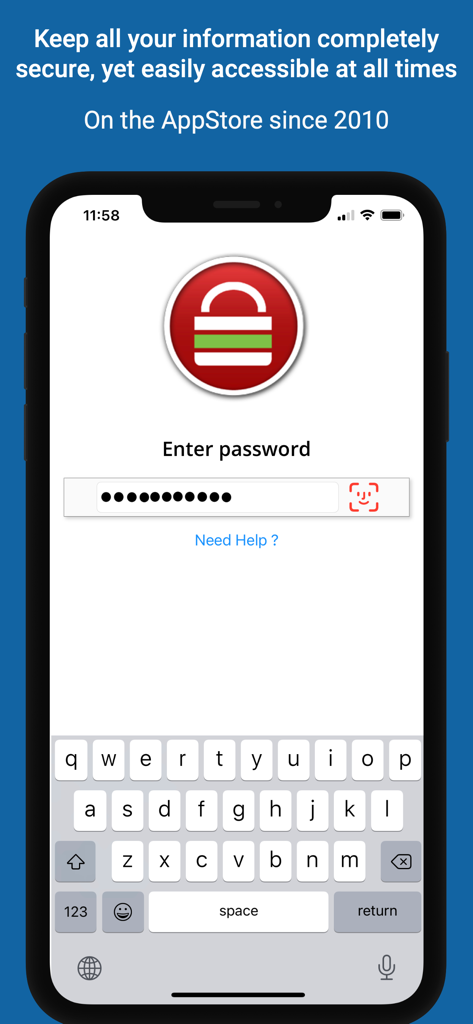
iPassSafe 로그인 인터페이스, 비밀번호 입력 및 Face ID 지원 표시
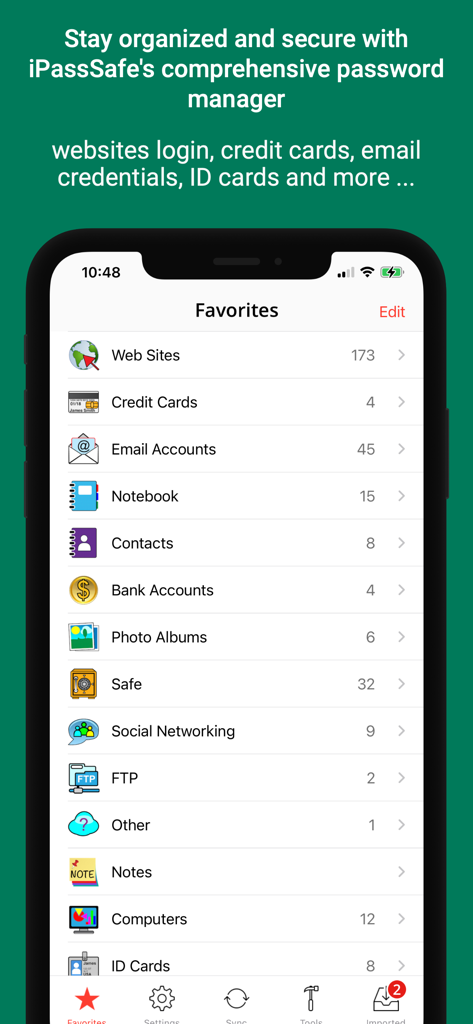
데이터 저장용 보안 범주 목록을 보여주는 iPassSafe 즐겨찾기 화면
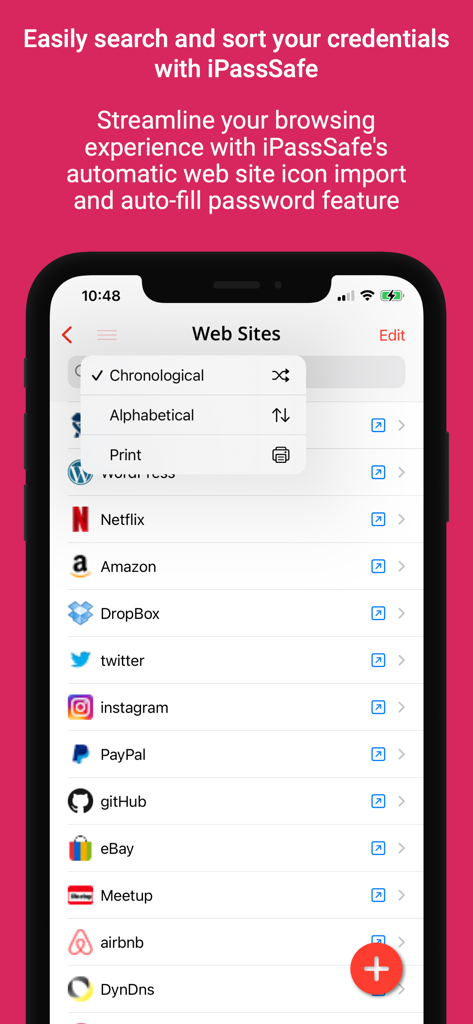
정렬 메뉴가 있는 저장된 웹사이트 자격 증명 목록을 표시하는 iPassSafe 앱 인터페이스
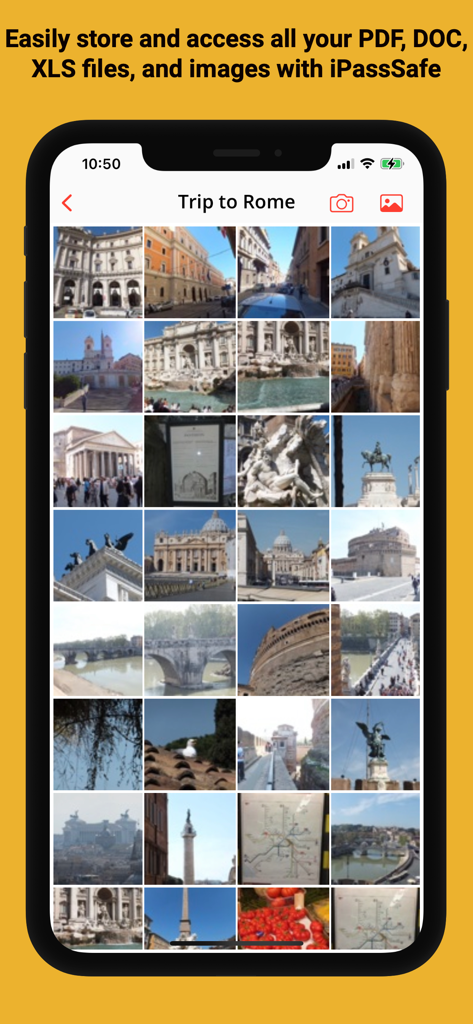
암호화된 이미지 갤러리를 표시하는 iPassSafe 앱 내 보안 사진 금고.
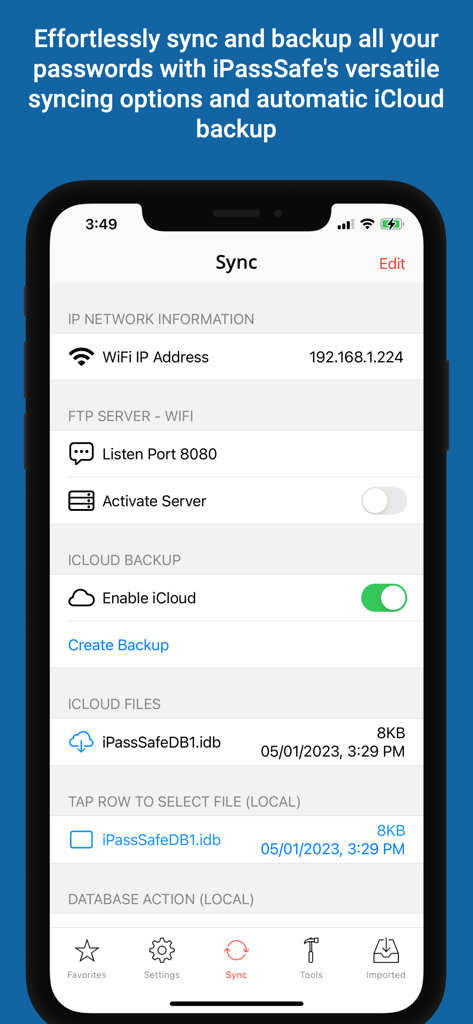
iCloud 백업 및 FTP 서버 설정을 포함한 동기화 옵션을 보여주는 iPassSafe 앱 인터페이스
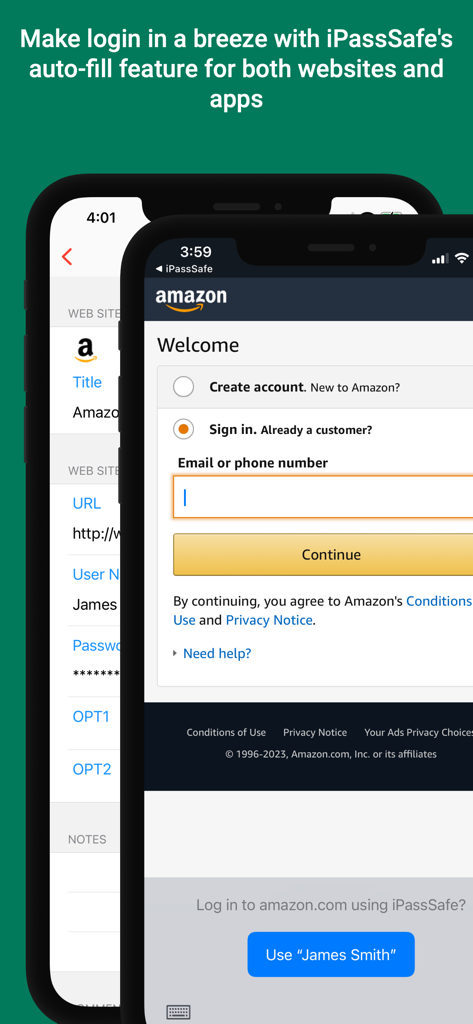
Amazon 로그인 페이지에서 iPassSafe 자동 채우기 로그인 자격 증명을 보여주는 스마트폰 스크린샷.
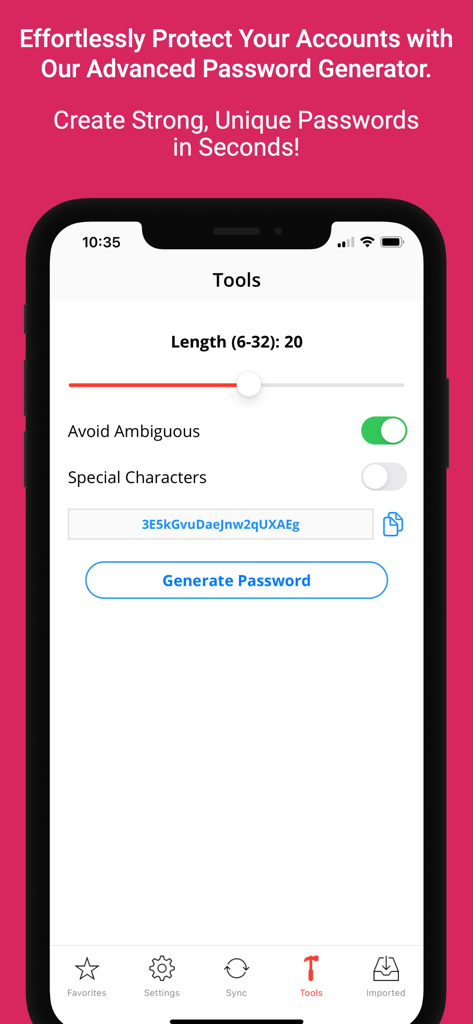
사용자 지정 가능한 보안 설정을 갖춘 iPassSafe 모바일 앱 비밀번호 생성기 인터페이스.
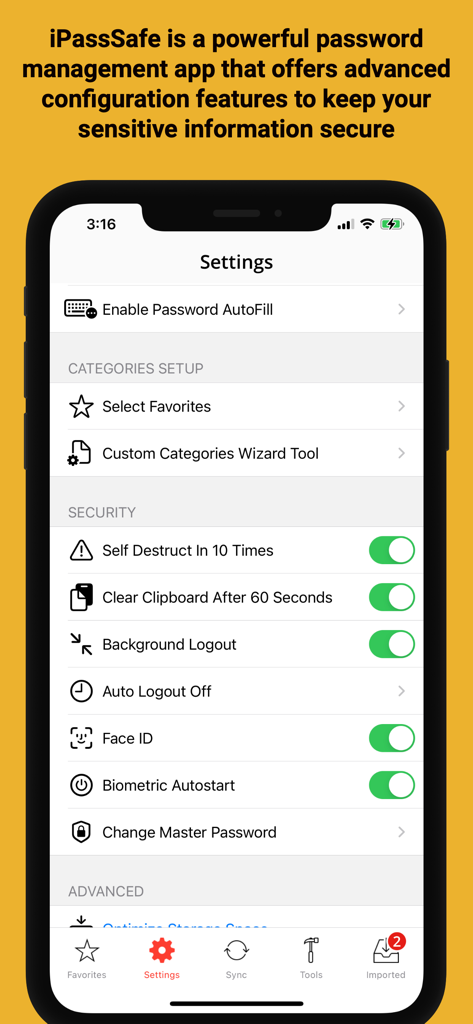
Face ID 및 개인 정보 옵션을 보여주는 IPassSafe 보안 설정 메뉴
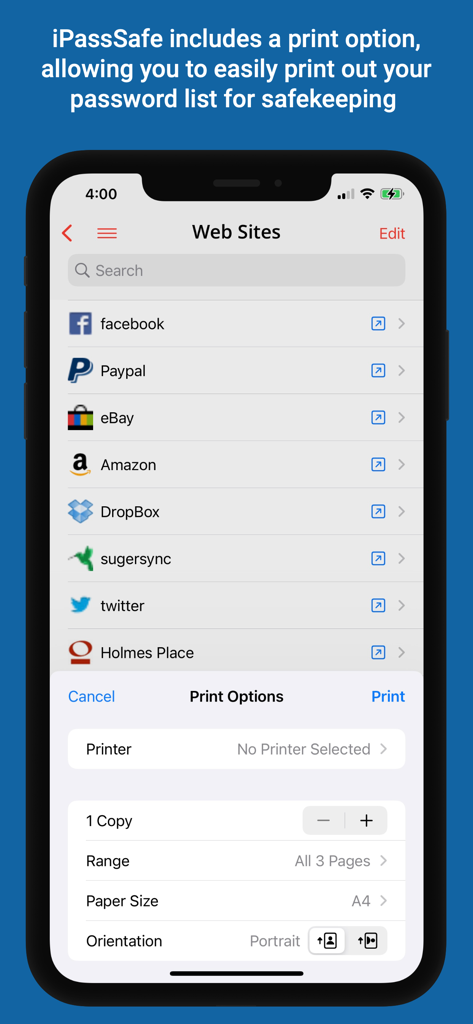
iPhone에서 웹사이트 비밀번호 목록 인쇄 옵션을 보여주는 iPassSafe 앱
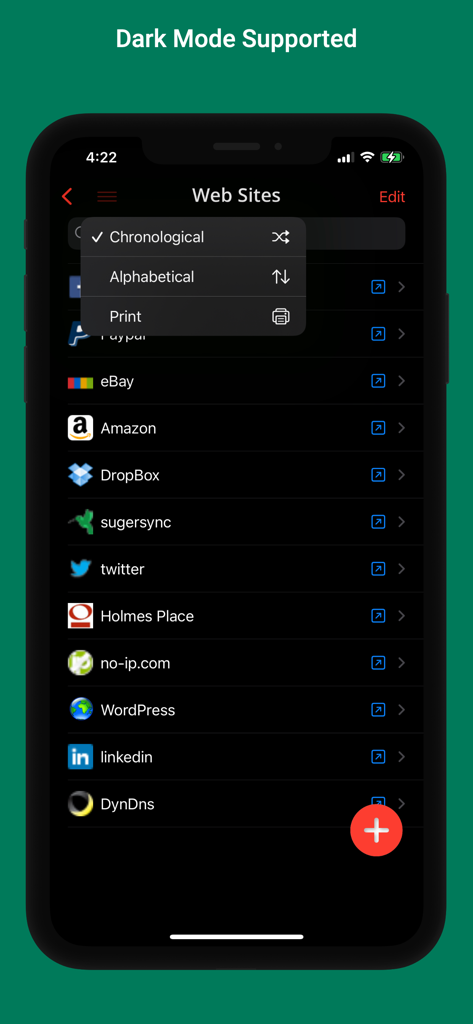
웹사이트 및 정렬 옵션 목록을 표시하는 어두운 모드의 iPassSafe 비밀번호 관리자 인터페이스.
설명
Download
비슷한 앱
같은 카테고리의 상위 앱

ChatGPT
OpenAI OpCo, LLC

Google Gemini
Google LLC

Grok
X.AI Corporation

Gmail - Email by Google
Google LLC

千问 - 阿里最强大模型官方AI助手
Shanghai Zhixin Puhui Technology Co., Ltd.

Google Drive
Google LLC

Microsoft Authenticator
Microsoft Corporation

Google Sheets
Google LLC

Google Docs
Google LLC
이 페이지는 앱이나 개발자의 공식 페이지가 아니며, 정보 제공 및 논평을 목적으로 작성된 독립 편집 간행물입니다. 명시적으로 달리 언급되지 않는 한, 해당 앱이나 개발자는 MWM, Apple, Google Play, 앱 퍼블리셔 또는 앱 개발자와 제휴, 보증, 후원, 승인 또는 공식적으로 연결되어 있지 않으며, 이 페이지의 어떤 내용도 해당 앱이 MWM의 서비스를 사용하여 개발되었음을 의미하지 않습니다. 모든 상표, 로고, 스크린샷 및 기타 콘텐츠는 해당 소유자의 자산입니다.