Password Manager-
Password Manager-
다운로드: App Store

이 페이지는 앱이나 개발자의 공식 페이지가 아니며, 정보 제공 및 논평을 목적으로 작성된 독립 편집 간행물입니다. 명시적으로 달리 언급되지 않는 한, 해당 앱이나 개발자는 MWM, Apple, Google Play, 앱 퍼블리셔 또는 앱 개발자와 제휴, 보증, 후원, 승인 또는 공식적으로 연결되어 있지 않으며, 이 페이지의 어떤 내용도 해당 앱이 MWM의 서비스를 사용하여 개발되었음을 의미하지 않습니다. 모든 상표, 로고, 스크린샷 및 기타 콘텐츠는 해당 소유자의 자산입니다.

로고: Password Manager-
다운로드: App Store

Password Manager-

군사 등급 AES 256비트 암호화로 개인 정보를 완벽하게 제어하세요. 비밀번호, 신용카드, 민감한 데이터를 기기에 로컬로 저장하세요. 클라우드 해킹, 타협 없음.

주요 수치

다운로드

286K+

사용자 평점

4.5/5

총 평가 수

9K+

개발사

广栋 莫

카테고리

Productivity

지원 언어

3

최신 버전

7.6.1

크기

18.8 MB

출시일

2013년 8월 8일
기능

디지털 보안을 완벽하게 제어하세요

iPassword는 군사 등급 암호화와 고급 정리 도구를 결합하여 민감한 데이터를 안전하고 접근 가능하며 100% 제어 가능하게 유지합니다.

군사 등급 오프라인 저장소

데이터는 기기를 떠나지 않습니다. AES 256비트 암호화를 사용하여 비밀번호와 민감한 파일을 완전히 비공개 및 오프라인 상태로 유지합니다.

고급 데이터 정리

신용카드, 여권, 안전한 메모를 위한 60개 이상의 사용자 정의 가능한 템플릿으로 비밀번호를 넘어, 직관적인 폴더 및 하위 폴더로 정리하세요.

다음 스크린샷과 설명은 앱의 공식 스토어 목록에서 직접 가져온 것이며 앱 개발자의 자산입니다.

앱 스토어

스크린샷
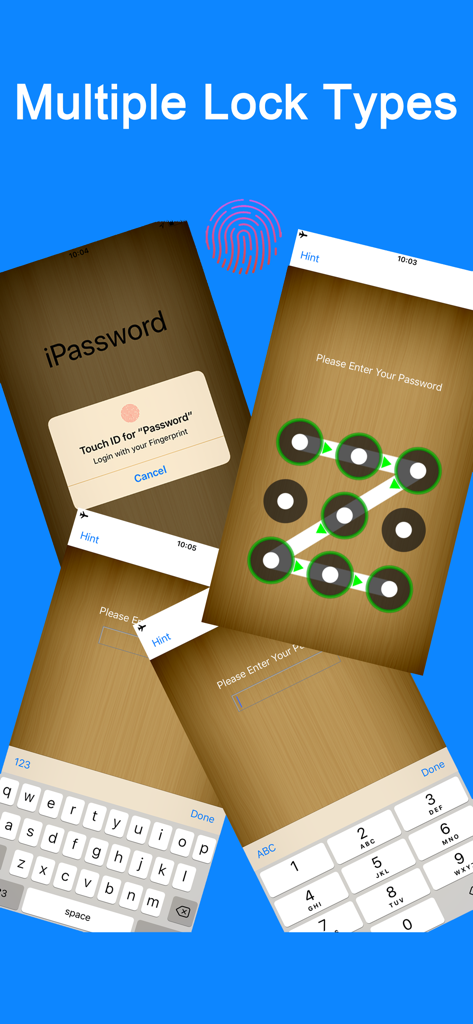
Password Manager- - iPassword 앱 화면에 Touch ID 및 패턴 잠금을 포함한 다양한 보안 인증 방법 표시
iPassword 앱 화면에 Touch ID 및 패턴 잠금을 포함한 다양한 보안 인증 방법 표시

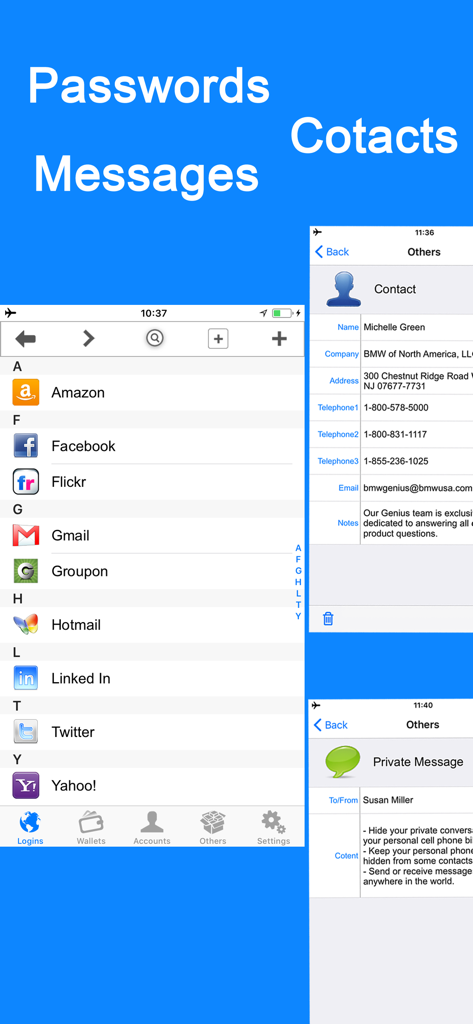
Password Manager- - iPassword Manager 앱의 인터페이스에 로그인 정보, 연락처 정보 및 개인 메시지 표시
iPassword Manager 앱의 인터페이스에 로그인 정보, 연락처 정보 및 개인 메시지 표시

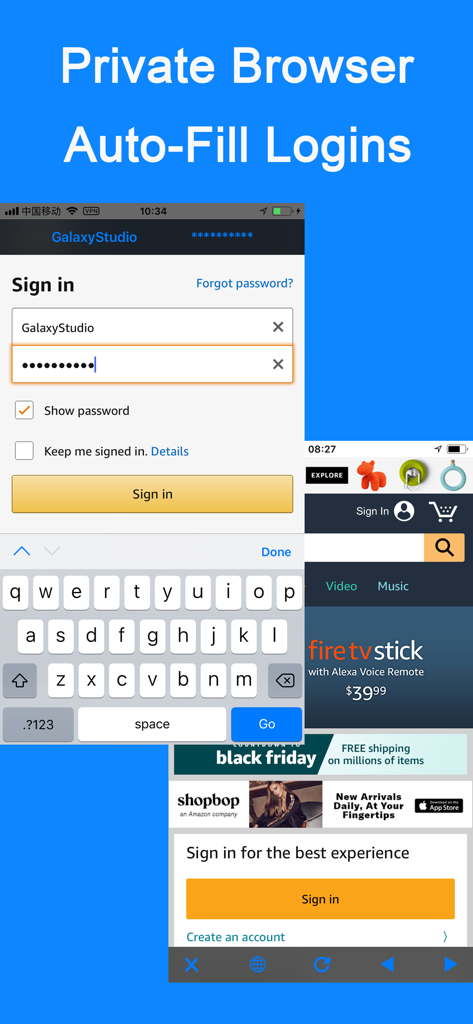
Password Manager- - 안전한 모바일 브라우징을 위한 자동 완성 로그인 기능이 있는 개인 브라우저
안전한 모바일 브라우징을 위한 자동 완성 로그인 기능이 있는 개인 브라우저

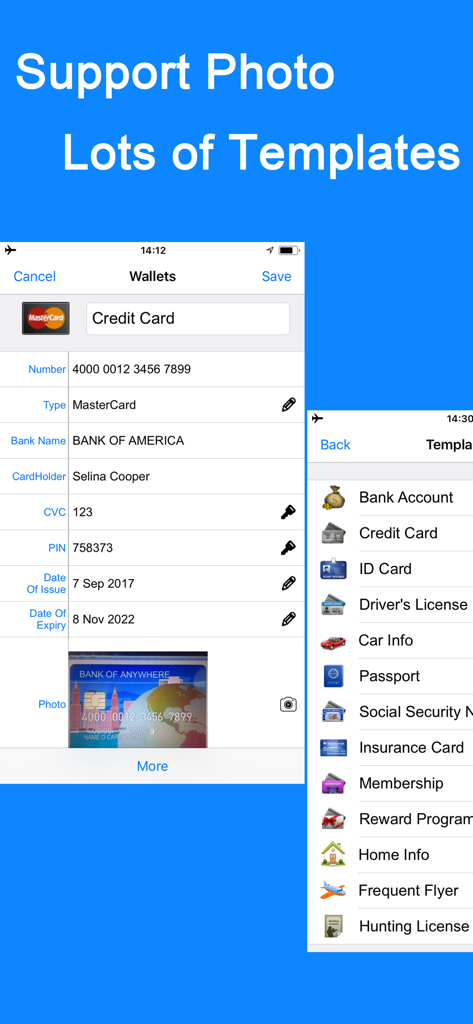
Password Manager- - iPassword 앱에 신용카드 정보 및 데이터 템플릿 표시

iPassword 앱에 신용카드 정보 및 데이터 템플릿 표시

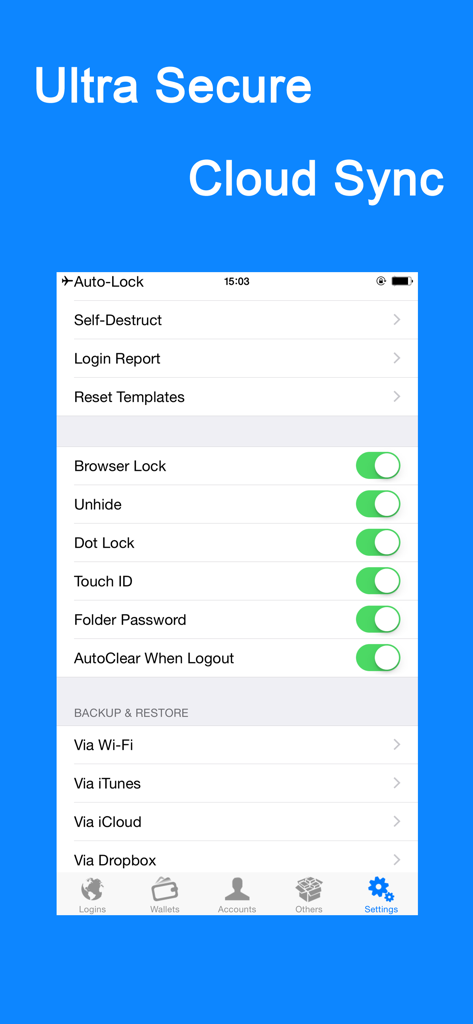
Password Manager- - iPassword 앱 설정 화면에 iCloud 및 Dropbox를 포함한 보안 토글 및 백업 옵션 표시.

iPassword 앱 설정 화면에 iCloud 및 Dropbox를 포함한 보안 토글 및 백업 옵션 표시.

설명

• iPassword can securely store your important information and can automatically log you into websites with a single tap. There's no need to remember the usernames, passwords, or even the website addresses. FEATURES: • Use ultra secure military AES 256-bit encryption to protect your confidential information such as account numbers, usernames, passwords, credit card info and more • All protection mechanism is offline on your device only • Support Password Lock, Dot Lock & Touch ID • Support folder lock, password field lock & browser lock • Support photo storage • AutoFill your usernames & passwords to websites exist in the "Login" templates or only one tap(include Copy-Past) to complete web forms with built-in web browser • 60 standard templates for fast data entry with the ability to create or edit custom templates with unlimited fields and the default templates can be reset • Support Categories, Folders & Subfolders for better file organization and you can select a template for any folder to create records as fast as possible • Powerful Password Generator to create un-guessable passwords • Over 235 icons to personalize your records • You can email, copy, cut, past or delete multiple files/folders at a time • Tap field to copy • Integrated search • Password hide/reveal • Optional auto-clear clipboard when exit app or clear manually • Links, phone numbers and email addresses can be activated by touch • Auto-lock to protect the app from prying eyes • Optional self-destruct if hacker attempts to guess your password • Login/break-in reports • Sharing of records via email or clipboard • Backup & Restore your data via iCloud, Dropbox, Wi-Fi or iTunes Join to iPassword today. Your digital life will be in comfort and safe with it. Feedback: pwdsafe@yahoo.com

Download

다운로드: App Store

이 페이지는 앱이나 개발자의 공식 페이지가 아니며, 정보 제공 및 논평을 목적으로 작성된 독립 편집 간행물입니다. 명시적으로 달리 언급되지 않는 한, 해당 앱이나 개발자는 MWM, Apple, Google Play, 앱 퍼블리셔 또는 앱 개발자와 제휴, 보증, 후원, 승인 또는 공식적으로 연결되어 있지 않으며, 이 페이지의 어떤 내용도 해당 앱이 MWM의 서비스를 사용하여 개발되었음을 의미하지 않습니다. 모든 상표, 로고, 스크린샷 및 기타 콘텐츠는 해당 소유자의 자산입니다.