
이 페이지는 앱이나 개발자의 공식 페이지가 아니며, 정보 제공 및 논평을 목적으로 작성된 독립 편집 간행물입니다. 명시적으로 달리 언급되지 않는 한, 해당 앱이나 개발자는 MWM, Apple, Google Play, 앱 퍼블리셔 또는 앱 개발자와 제휴, 보증, 후원, 승인 또는 공식적으로 연결되어 있지 않으며, 이 페이지의 어떤 내용도 해당 앱이 MWM의 서비스를 사용하여 개발되었음을 의미하지 않습니다. 모든 상표, 로고, 스크린샷 및 기타 콘텐츠는 해당 소유자의 자산입니다.

PDF Converter -Document Editor
몇 초 만에 문서를 스캔, 편집, 서명 및 요약하세요. 이동 중에 최대 효율성을 추구하는 전문가 및 학생을 위한 최고의 페이퍼리스 워크플로우입니다.
다운로드
80K+사용자 평점
총 평가 수
0개발사
카테고리
Productivity지원 언어
23최신 버전
1.1.8크기
110.9 MB출시일
2024년 8월 15일어디서든 문서를 마스터하세요
AI 기반 요약부터 전문 전자 서명까지, 강력한 모바일 워크플로우에서 필요한 모든 데스크톱급 도구를 사용하세요.
AI 기반 요약
긴 보고서, 법률 계약 또는 학술 논문을 즉시 핵심 글머리 기호로 압축하여 독서 시간을 절약하세요.
전문 스캐너 및 OCR
iPhone을 고해상도 스캐너로 바꾸세요. 고급 OCR 기술로 영수증 및 문서를 검색 가능한 텍스트로 디지털화하세요.
자주 묻는 질문
에 대해 알아야 할 모든 것 PDF Converter -Document Editor
Can PDF Converter -Document Editor convert PDFs to Word documents?
네, PDF Converter -Document Editor는 PDF를 Word 문서로 변환합니다. 또한 Word 문서를 PDF 형식으로 다시 변환하여 다양한 문서 편집 요구 사항을 지원합니다.
Does PDF Converter -Document Editor support converting images to PDF?
네, PDF Converter -Document Editor는 이미지를 PDF로 변환하는 기능을 지원합니다. 사용자는 JPG 이미지를 PDF 형식으로 쉽게 변환하고 기존 PDF에서 이미지를 추출할 수 있습니다.
How does PDF Converter -Document Editor handle document scanning?
PDF Converter -Document Editor에는 iPhone 및 iPad를 위한 빠른 스캔 기능이 포함되어 있습니다. 문서, 영수증 또는 인쇄된 자료의 이미지를 캡처하여 다중 페이지 PDF로 저장합니다.
Can I use AI to summarize PDFs with PDF Converter -Document Editor?
네, PDF Converter -Document Editor에는 PDF를 읽고 요약하며 질문에 답하는 AI 기반의 "Chat PDF" 기능이 있습니다. 이 기능은 무료로 제공됩니다.
What annotation tools are available in PDF Converter -Document Editor?
PDF Converter -Document Editor는 다양한 주석 도구를 제공합니다. 사용자는 여러 주석 형식을 선택하여 PDF에 강조 표시, 댓글 달기, 그리기 또는 이미지 삽입을 할 수 있습니다.
Does PDF Converter -Document Editor allow users to sign PDF forms?
네, PDF Converter -Document Editor는 사용자가 PDF 양식을 작성하고 서명할 수 있도록 합니다. 이는 앱 내에서 손가락이나 스타일러스를 사용하여 쉽게 할 수 있습니다.
Is OCR (Text Recognition) available in PDF Converter -Document Editor?
네, PDF Converter -Document Editor에는 OCR(텍스트 인식) 기능이 있습니다. 스캔된 모든 이미지 또는 문서를 매우 정확하고 추출 가능한 텍스트로 변환합니다.
How can I secure my PDFs using PDF Converter -Document Editor?
PDF Converter -Document Editor는 사용자가 암호 보호를 추가하거나 제거할 수 있도록 하여 PDF를 안전하게 보호합니다. 이 기능은 앱 내에서 직접 문서 보안을 강화합니다.
Does PDF Converter -Document Editor offer PDF compression?
네, PDF Converter -Document Editor는 PDF 압축 기능을 제공합니다. 문서 품질을 유지하면서 파일 크기를 줄이며, 1MB를 500KB로 압축하는 예시를 보여줍니다.
What are the subscription options for PDF Converter -Document Editor Premium?
PDF Converter -Document Editor Premium 구독은 월별 또는 주별로 청구됩니다. 구매 확인 시 iTunes 계정으로 요금이 청구됩니다.
How do I manage auto-renewal for PDF Converter -Document Editor subscriptions?
사용자는 구매 후 iTunes 계정 설정을 통해 PDF Converter -Document Editor 구독의 자동 갱신을 관리할 수 있습니다. 자동 갱신은 기간 종료 24시간 전에 해지해야 합니다.
Can PDF Converter -Document Editor merge multiple PDF files?
네, PDF Converter -Document Editor는 여러 PDF 파일을 병합합니다. 다양한 PDF를 단일의 체계적인 문서로 결합합니다.
Does PDF Converter -Document Editor allow splitting large PDFs?
네, PDF Converter -Document Editor는 대용량 PDF를 분할할 수 있습니다. 사용자는 특정 페이지를 추출하거나 대규모 문서를 더 작고 관리하기 쉬운 파일로 나눌 수 있습니다.
Can I add watermarks to PDFs with PDF Converter -Document Editor?
네, PDF Converter -Document Editor는 PDF에 사용자 지정 워터마크를 추가할 수 있습니다. 사용자는 투명도와 위치를 조절할 수 있는 텍스트 또는 이미지 워터마크를 적용할 수 있습니다.
다음 스크린샷과 설명은 앱의 공식 스토어 목록에서 직접 가져온 것이며 앱 개발자의 자산입니다.
앱 스토어
스크린샷
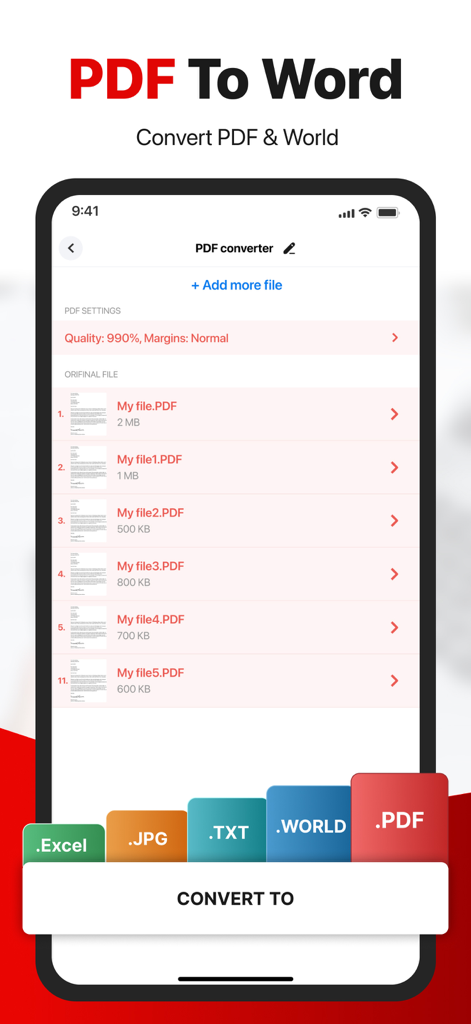
문서 목록과 Excel, JPG 및 TXT 형식의 내보내기 옵션이 있는 PDF-Word 변환을 보여주는 모바일 앱 인터페이스
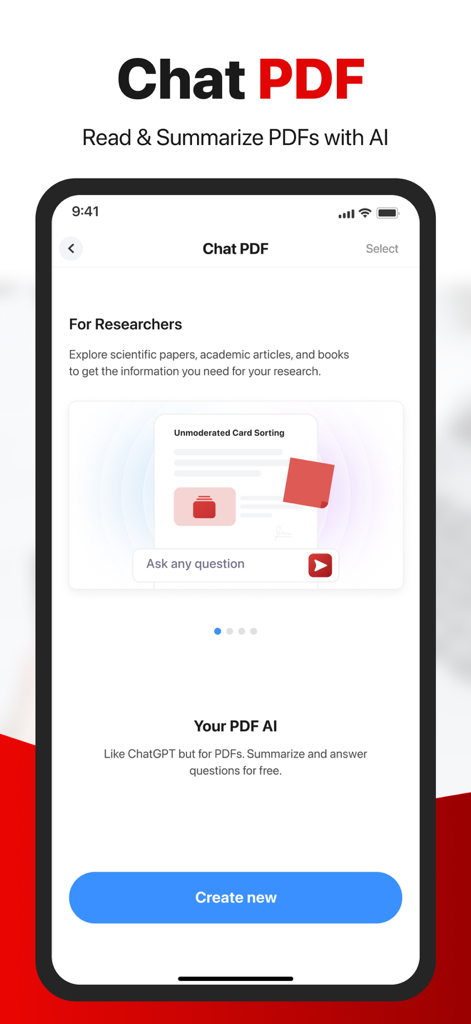
AI를 사용하여 문서에 대한 질문을 요약하고 답변하는 Chat PDF 기능의 인터페이스
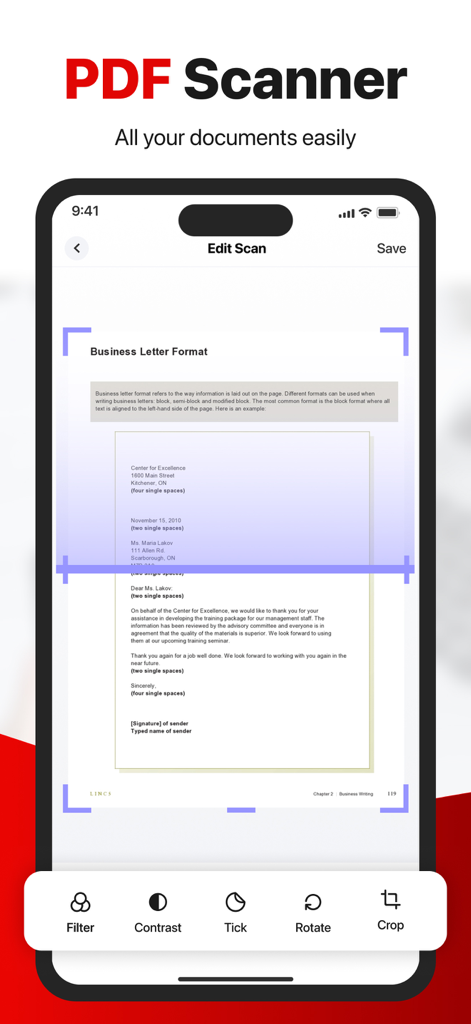
자르기 및 필터와 같은 편집 옵션이 있는 비즈니스 편지를 스캔하는 문서 스캐너를 보여주는 모바일 앱 인터페이스
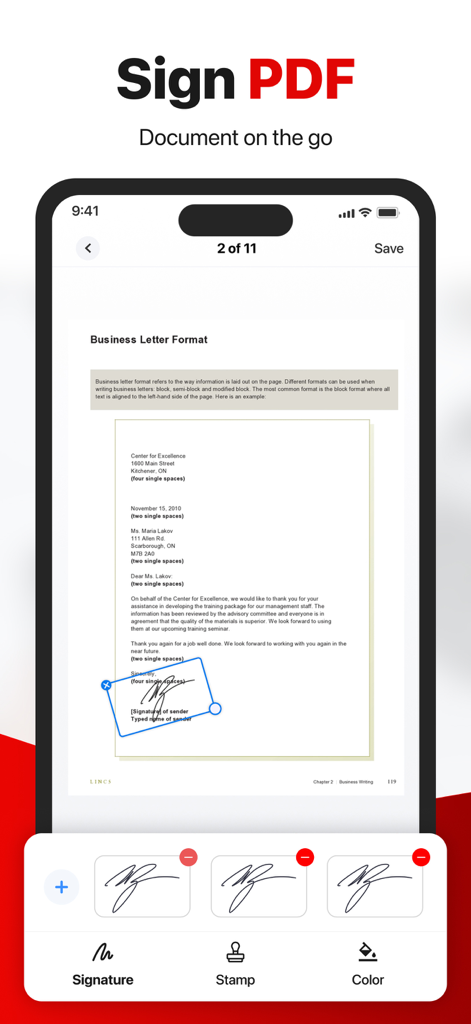
디지털 서명 도구로 비즈니스 편지에 서명하는 것을 보여주는 모바일 앱 인터페이스
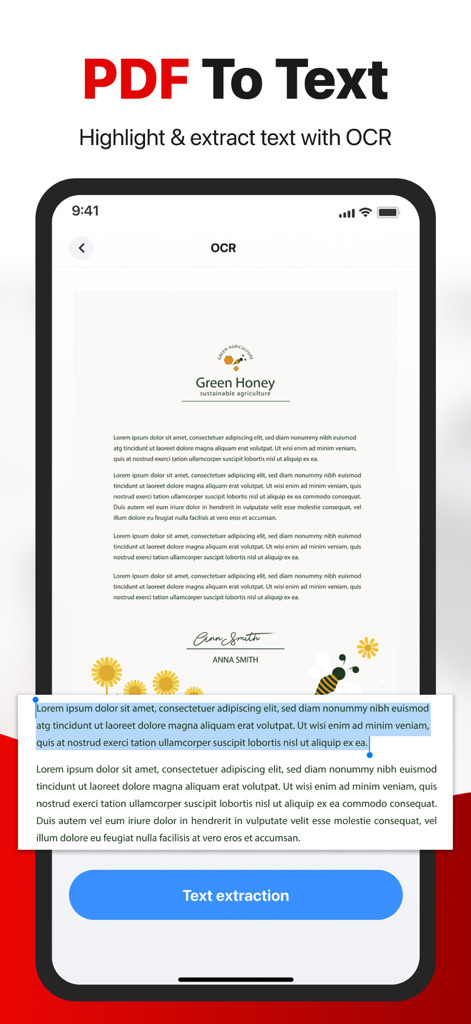
OCR 및 텍스트 추출 기능으로 PDF-텍스트 기능을 보여주는 스마트폰 인터페이스
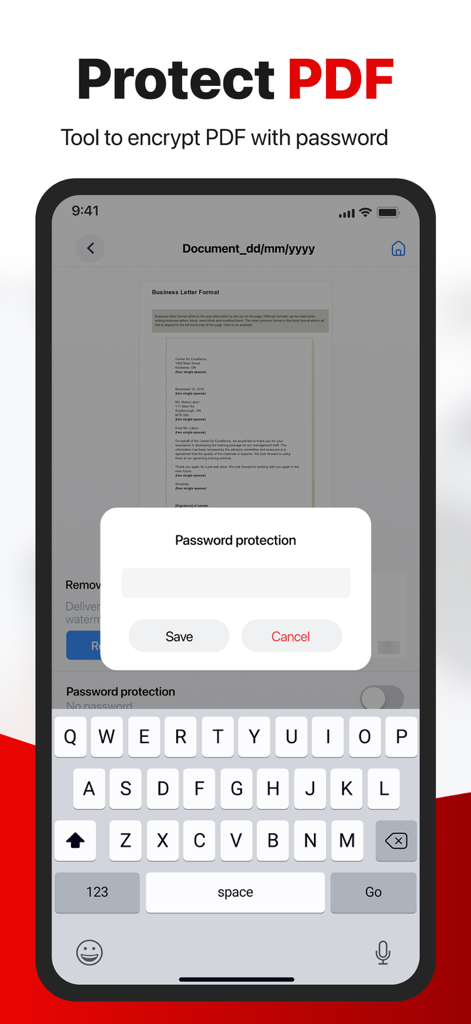
암호로 PDF 문서를 암호화하는 방법을 보여주는 모바일 앱 인터페이스
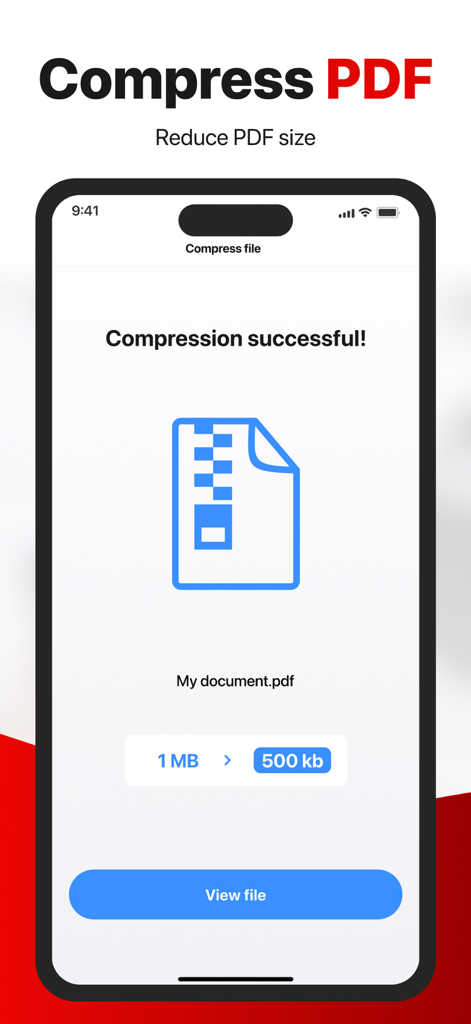
PDF 변환기 앱에서 1MB에서 500KB로 PDF 압축이 성공적으로 이루어진 것을 보여주는 모바일 인터페이스
설명
Download
비슷한 앱
같은 카테고리의 상위 앱

ChatGPT
OpenAI OpCo, LLC

Google Gemini
Google LLC

Grok
X.AI Corporation

Gmail - Email by Google
Google LLC

千问 - 阿里最强大模型官方AI助手
Shanghai Zhixin Puhui Technology Co., Ltd.

Google Drive
Google LLC

Microsoft Authenticator
Microsoft Corporation

Google Sheets
Google LLC

Google Docs
Google LLC
이 페이지는 앱이나 개발자의 공식 페이지가 아니며, 정보 제공 및 논평을 목적으로 작성된 독립 편집 간행물입니다. 명시적으로 달리 언급되지 않는 한, 해당 앱이나 개발자는 MWM, Apple, Google Play, 앱 퍼블리셔 또는 앱 개발자와 제휴, 보증, 후원, 승인 또는 공식적으로 연결되어 있지 않으며, 이 페이지의 어떤 내용도 해당 앱이 MWM의 서비스를 사용하여 개발되었음을 의미하지 않습니다. 모든 상표, 로고, 스크린샷 및 기타 콘텐츠는 해당 소유자의 자산입니다.