PDF Converter: Photo to PDFs

PDF Converter: Photo to PDFs

다운로드: App Store
로고: PDF Converter: Photo to PDFs

PDF 변환기: 사진을 PDF로 – 세 단계로 전문가 수준의 문서 변환

사진, Office 파일, HEIC 이미지를 고품질 PDF로 즉시 변환하세요. 학생과 전문가를 위해 설계된 최고의 모바일 우선 생산성 도구로 iPhone에서 바로 작업을 병합, 압축, 공유할 수 있습니다.

개발사

RHO DEVELOPERS LLC

카테고리

Productivity

다운로드

5K+

사용자 평점

4.8/5

총 평가 수

0

지원 언어

8

간편함의 실천

이 인터페이스를 사용하는 5K+ 명의 사용자.

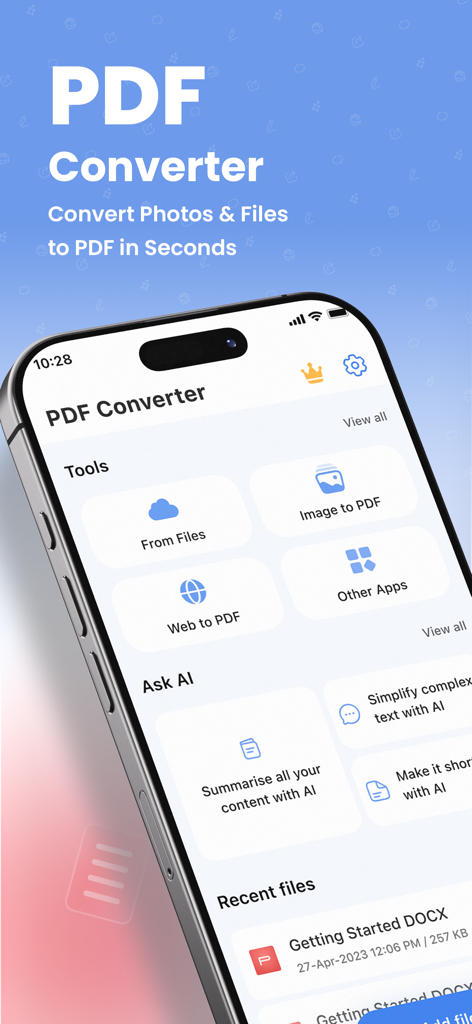
PDF 변환기 앱 홈 화면이 iPhone에서 파일 변환 및 AI 도구를 보여줍니다
PDF 변환기 앱 홈 화면이 iPhone에서 파일 변환 및 AI 도구를 보여줍니다

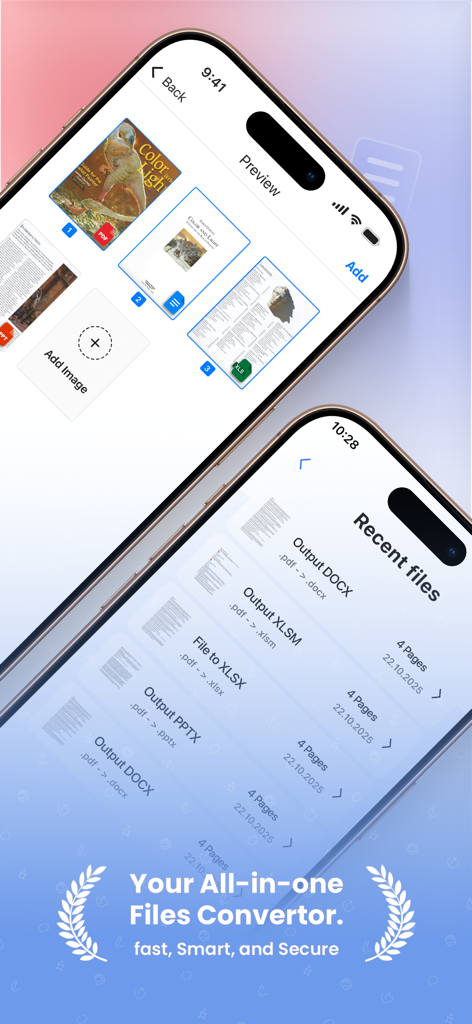
PDF 변환기의 모바일 앱 인터페이스로 최근 파일 목록과 문서 미리 보기 화면이 표시됩니다
PDF 변환기의 모바일 앱 인터페이스로 최근 파일 목록과 문서 미리 보기 화면이 표시됩니다

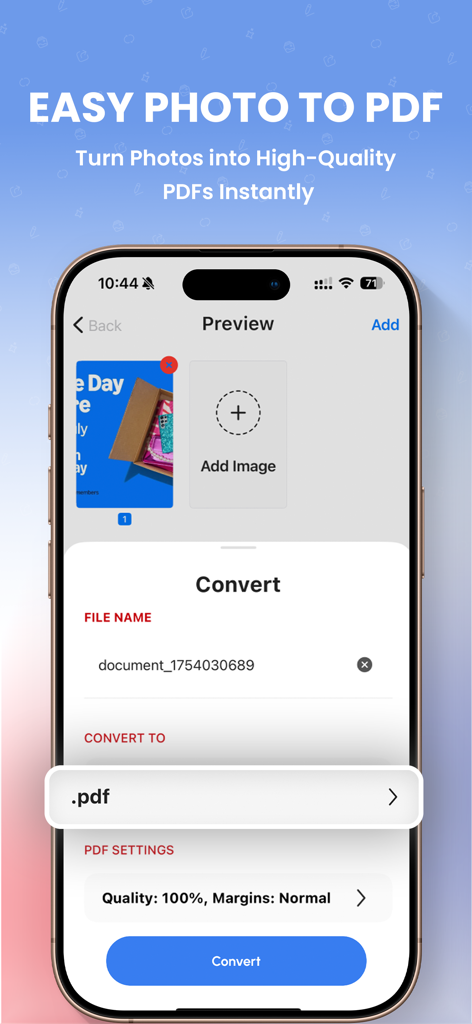
PDF 변환기 앱 인터페이스로 사진 선택 및 문서 변환 설정이 표시됩니다
PDF 변환기 앱 인터페이스로 사진 선택 및 문서 변환 설정이 표시됩니다

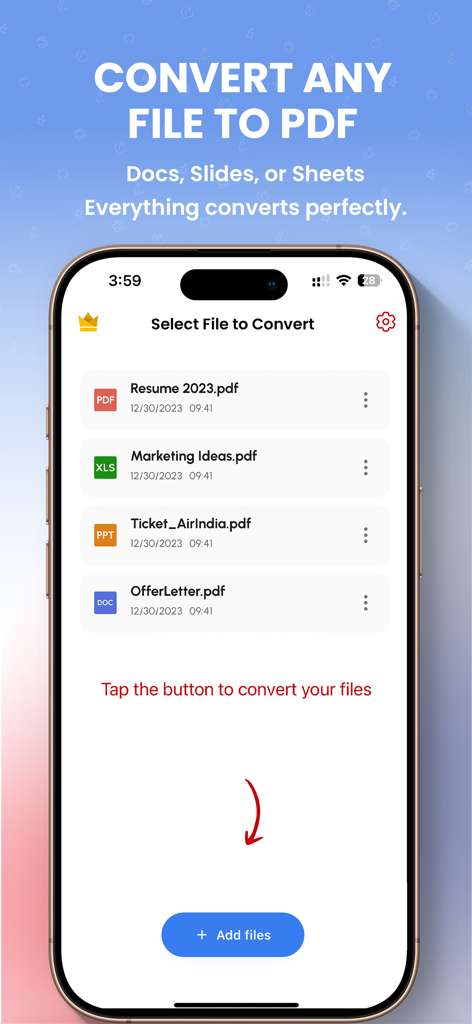
PDF 파일로 변환할 문서를 선택하는 모바일 앱 인터페이스
PDF 파일로 변환할 문서를 선택하는 모바일 앱 인터페이스

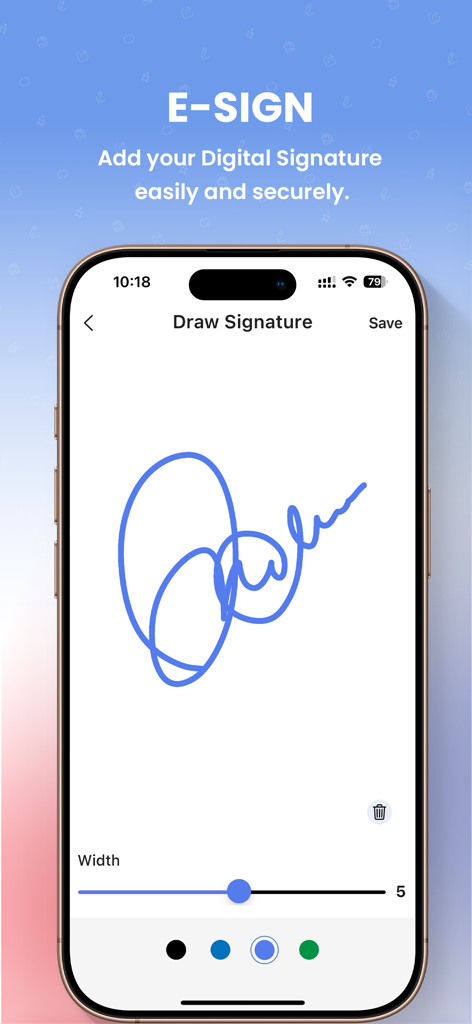
iPhone 화면에 문서에 디지털 서명을 그리는 E-SIGN 기능이 표시됩니다.
iPhone 화면에 문서에 디지털 서명을 그리는 E-SIGN 기능이 표시됩니다.

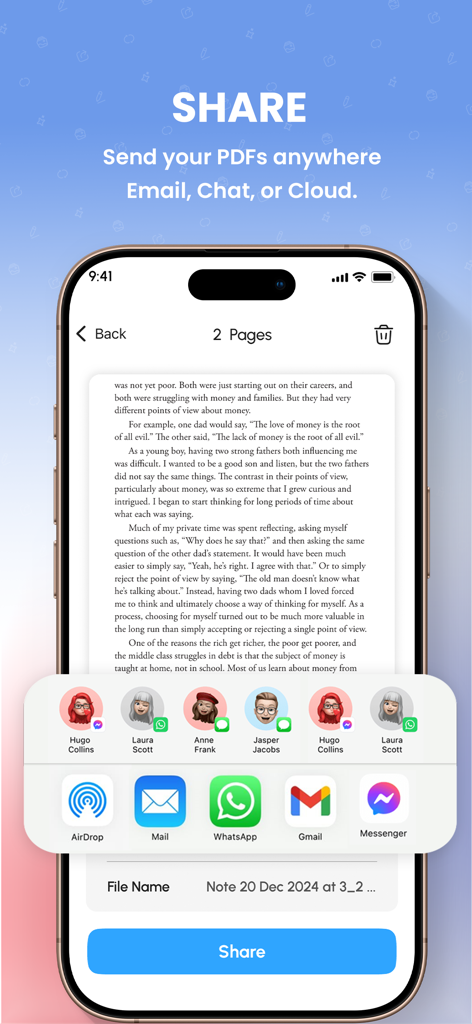
이메일 및 채팅 옵션이 있는 PDF 문서의 공유 메뉴를 보여주는 스마트폰 화면
이메일 및 채팅 옵션이 있는 PDF 문서의 공유 메뉴를 보여주는 스마트폰 화면

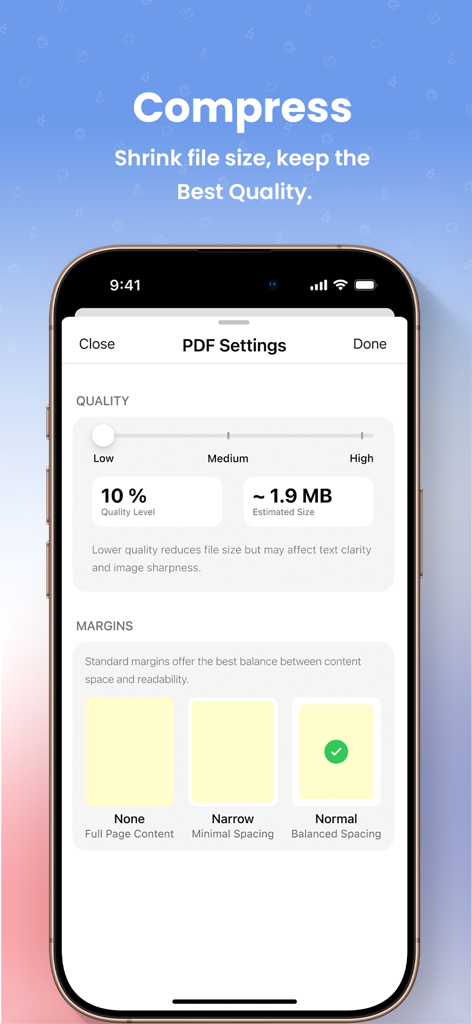
조절 가능한 품질 및 여백 설정으로 PDF 파일 크기를 압축하는 모바일 인터페이스

조절 가능한 품질 및 여백 설정으로 PDF 파일 크기를 압축하는 모바일 인터페이스

올인원 PDF 파워하우스

이 앱을 돋보이게 하는 도구, 5K+ 명의 사용자가 선택.

보편적인 파일 변환

HEIC, JPG, Word, Excel 파일을 어떤 기기나 포털에서도 작동하는 전문가 수준의 PDF로 즉시 변환하세요.

🤳

모바일 문서 스캐너

카메라를 사용하여 메모, 영수증 또는 서명된 계약서 사진을 선명한 PDF 문서로 변환하세요.

🧩

병합 및 압축

여러 파일을 하나로 결합하고 파일 크기를 줄여 이메일 제한을 통과하고 완벽하게 정리하세요.

앱 소개

에 대해 알아야 할 모든 것 PDF Converter: Photo to PDFs.

설명

PDF Converter - Photo to PDFs Effortlessly convert to PDF and turn your documents and images into professional-quality PDF files with just a few taps. PDF Converter is a fast, clean, and reliable PDF file converter designed to help you convert any files to PDF anytime you need. Convert to PDF in 3 Simple Steps Select your file Choose the output format Convert - your PDF is ready in seconds It’s that easy. No complicated tools or unnecessary features. Just a simple PDF converter that helps you convert documents to PDF quickly and reliably. Supported PDF Formats Convert files to PDF from many popular formats, including: PDF, JPG, PNG, DOC, WORD, DOCX, TXT, RTF, XLS, XLSX, PPT, PPTX, CSV, EPUB, BMP, GIF, TIFF, HEIC, WEBP, and more. Key PDF Features Convert files to PDF quickly Image to PDF and photo to PDF converter Word to PDF, Excel to PDF, PPT to PDF Merge PDF files into one PDF Split large PDF documents Compress PDF files to reduce size Secure and reliable PDF conversion All essential PDF converter tools in one simple PDF app. Add Files for PDF Conversion Choose files from multiple sources before you convert to PDF: iCloud Photo Gallery Camera (capture or scan images to PDF) Share files directly from other apps Start your PDF conversion without extra steps. Convert, Share & Save PDF Files Use the built-in PDF converter to: Convert documents to PDF Convert images to PDF Convert multiple files to PDF quickly Share your PDF files directly from the app: iMessage Open PDF files in other apps Print PDF documents Save PDFs to the Files app All converted PDF files are stored in one place so you can access, share, or delete PDF files anytime. Perfect for Everyday PDF Use Students & teachers converting assignments and notes to PDF Professionals converting reports and documents to PDF Freelancers sharing PDF files with clients Everyday users organizing photos and files as PDF documents PDF Converter helps you convert files to PDF easily and efficiently. Why Choose This PDF Converter? Simple and user-friendly PDF converter High-quality PDF output Fast convert to PDF experience Supports multiple PDF and document formats Saves time and boosts productivity Download PDF Converter Convert files, documents, and images to PDF in seconds with a powerful PDF Converter. Download now and start converting to PDF anytime, anywhere. Privacy Policy: https://blogrhoapps.wordpress.com/2025/01/22/privacy-policy-for-pdf-converter/ Terms of Use: https://blogrhoapps.wordpress.com/2025/01/22/terms-of-use-pdf-converter/

최신 버전

1.0.19

크기

197.3 MB

출시일

2025년 2월 17일

문서 작업 흐름을 단순화할 준비가 되셨나요?

수천 명의 학생 및 전문가와 함께 몇 초 만에 파일을 변환, 병합, 압축하세요. 지금 PDF 변환기를 다운로드하고 iPhone에서 전문가 수준의 모바일 오피스 파워를 경험해 보세요.

다운로드: App Store

App information, icons, screenshots, and descriptions displayed on this page are sourced from the Apple App Store and are the property of their respective developers. Download estimates and rankings are based on MWM's proprietary models and may not reflect actual figures. This page is provided for informational and analytical purposes only.

Believe this page infringes your intellectual property? File a dispute