PDF it All Document Converter
다운로드: App Store

이 페이지는 앱이나 개발자의 공식 페이지가 아니며, 정보 제공 및 논평을 목적으로 작성된 독립 편집 간행물입니다. 명시적으로 달리 언급되지 않는 한, 해당 앱이나 개발자는 MWM, Apple, Google Play, 앱 퍼블리셔 또는 앱 개발자와 제휴, 보증, 후원, 승인 또는 공식적으로 연결되어 있지 않으며, 이 페이지의 어떤 내용도 해당 앱이 MWM의 서비스를 사용하여 개발되었음을 의미하지 않습니다. 모든 상표, 로고, 스크린샷 및 기타 콘텐츠는 해당 소유자의 자산입니다.

로고: PDF it All Document Converter
다운로드: App Store

PDF it All Document Converter

문서를 쉽게 변환, 편집, 서명하세요. 클라우드 없이 100% 기기 내에서 처리되므로 파일의 개인 정보를 완벽하게 보호하세요. 위험 없이 순수한 생산성만 누리세요.

주요 수치

다운로드

377K+

사용자 평점

4.8/5

총 평가 수

9K+

개발사

DIGISET LLC

카테고리

Productivity

지원 언어

4

최신 버전

5.5.1

크기

49.8 MB

출시일

2013년 4월 22일
기능

올인원 PDF 파워하우스

이동 중에 민감한 문서를 안전하게 관리, 변환, 서명할 수 있는 전문가 및 학생을 위한 궁극의 도구 키트입니다.

무엇이든 PDF로 변환

서식 손실 없이 사진, 웹 페이지, Office 문서를 고품질 PDF로 즉시 변환합니다.

전문가처럼 서명 및 편집

데스크톱 컴퓨터 없이도 양식을 작성하고, 계약서에 서명하고, 여러 파일을 단일 문서로 병합합니다.

다음 스크린샷과 설명은 앱의 공식 스토어 목록에서 직접 가져온 것이며 앱 개발자의 자산입니다.

앱 스토어

스크린샷
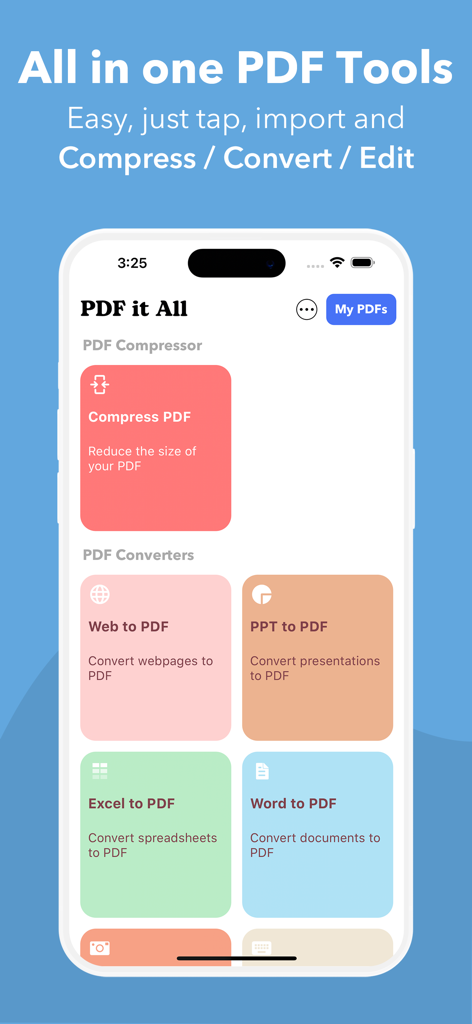
PDF it All Document Converter - PDF it All의 모바일 앱 인터페이스로, Word, Excel, PPT와 같은 문서를 PDF로 압축 및 변환하는 도구를 보여줍니다.
PDF it All의 모바일 앱 인터페이스로, Word, Excel, PPT와 같은 문서를 PDF로 압축 및 변환하는 도구를 보여줍니다.

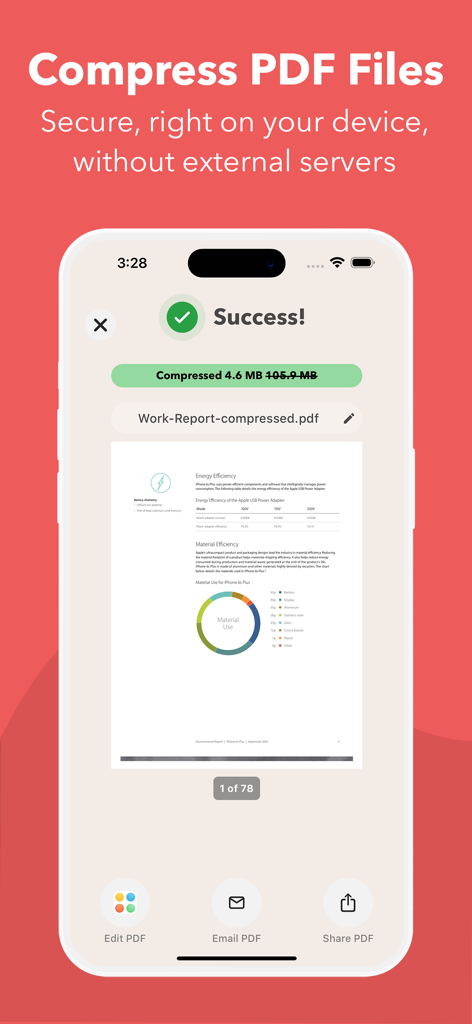
PDF it All Document Converter - PDF it All 앱에서 105MB에서 4.6MB로 PDF 파일 압축이 성공적으로 완료되었음을 보여주는 모바일 화면입니다.
PDF it All 앱에서 105MB에서 4.6MB로 PDF 파일 압축이 성공적으로 완료되었음을 보여주는 모바일 화면입니다.

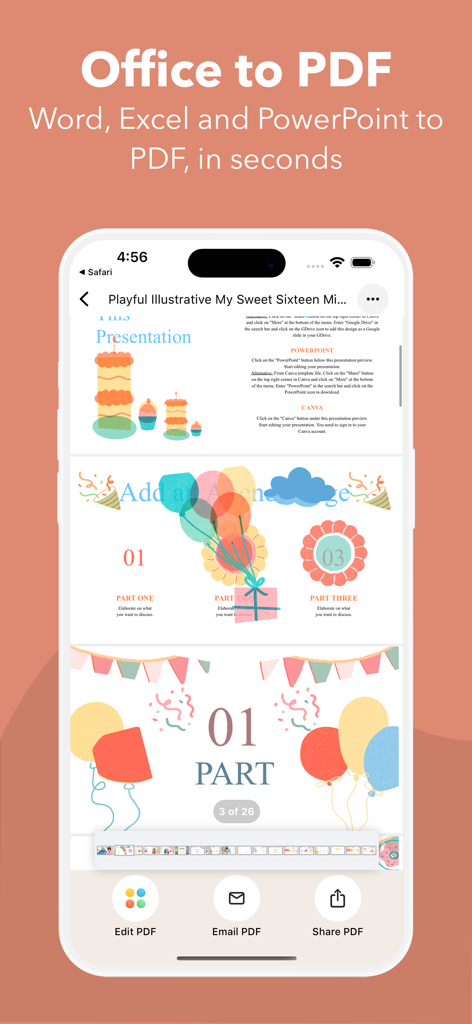
PDF it All Document Converter - 화려한 프레젠테이션 문서를 보여주는 Office를 PDF로 변환하는 기능이 표시된 iPhone 화면입니다.
화려한 프레젠테이션 문서를 보여주는 Office를 PDF로 변환하는 기능이 표시된 iPhone 화면입니다.

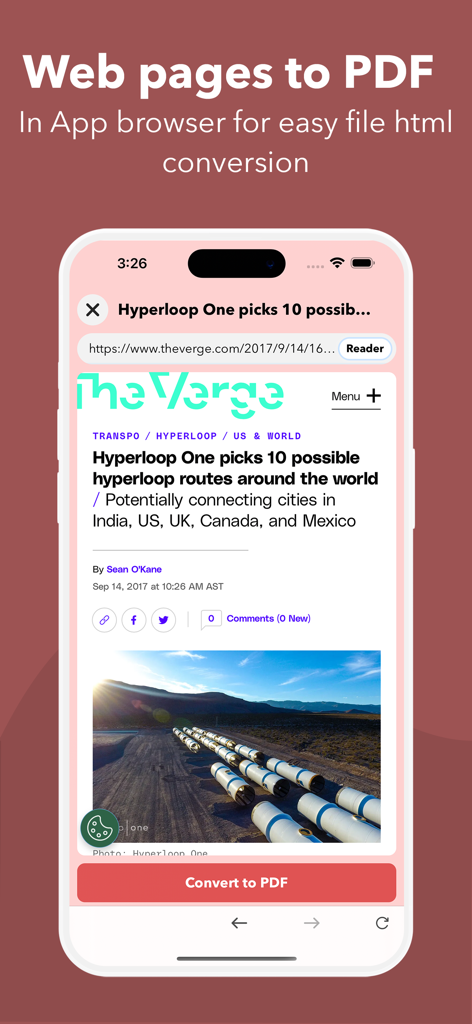
PDF it All Document Converter - 인앱 브라우저를 통해 웹 페이지를 PDF 문서로 변환하는 것을 보여주는 PDF it All 앱의 인터페이스입니다.
인앱 브라우저를 통해 웹 페이지를 PDF 문서로 변환하는 것을 보여주는 PDF it All 앱의 인터페이스입니다.

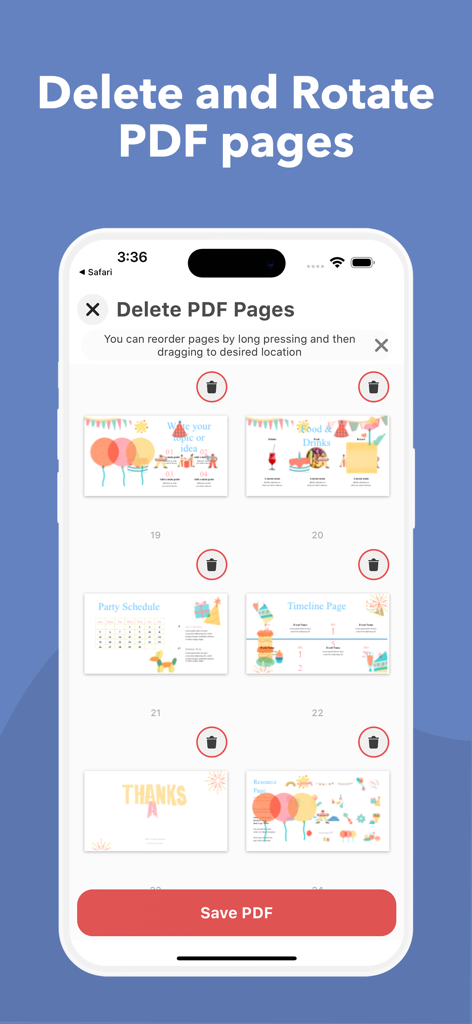
PDF it All Document Converter - PDF it All 모바일 앱에서 PDF 페이지를 삭제하고 회전하는 인터페이스입니다.
PDF it All 모바일 앱에서 PDF 페이지를 삭제하고 회전하는 인터페이스입니다.

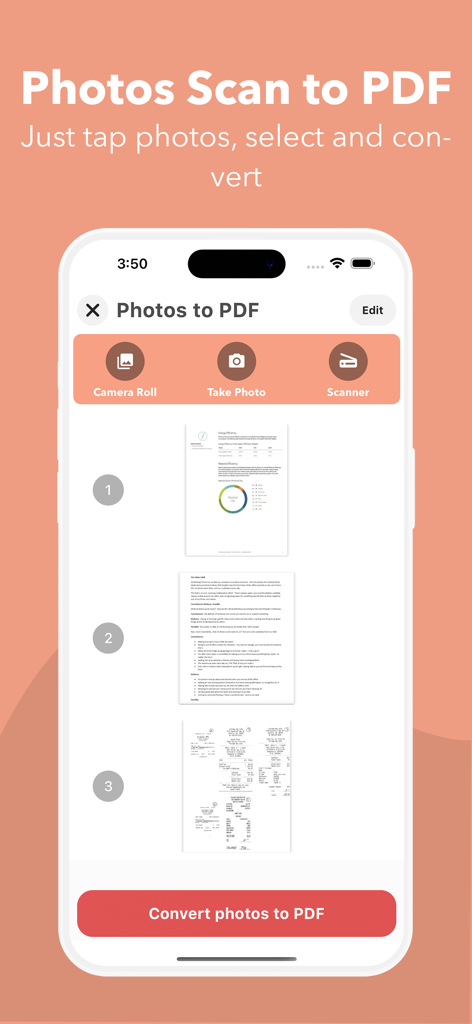
PDF it All Document Converter - 문서 미리 보기 및 스캔 옵션과 함께 사진을 PDF로 변환하는 기능을 보여주는 모바일 앱 인터페이스입니다.
문서 미리 보기 및 스캔 옵션과 함께 사진을 PDF로 변환하는 기능을 보여주는 모바일 앱 인터페이스입니다.

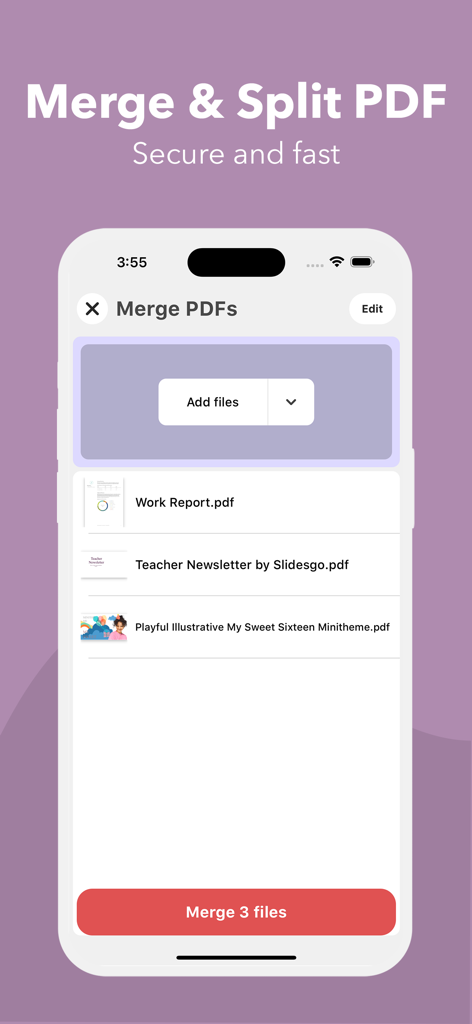
PDF it All Document Converter - iPhone 화면에서 PDF 파일 병합 기능을 보여주는 PDF it All 앱의 사용자 인터페이스입니다.
iPhone 화면에서 PDF 파일 병합 기능을 보여주는 PDF it All 앱의 사용자 인터페이스입니다.

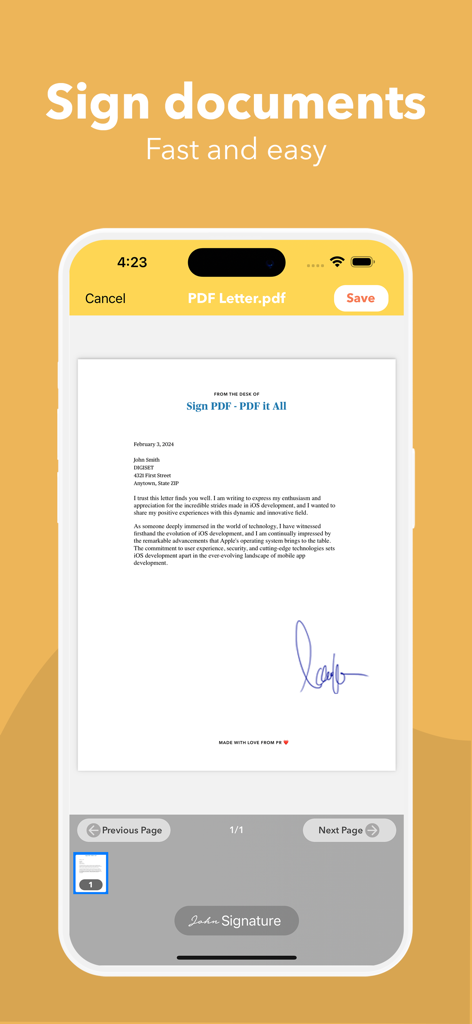
PDF it All Document Converter - 모바일 장치에서 문서를 서명하는 것을 보여주는 PDF it All 앱의 스크린샷입니다.

모바일 장치에서 문서를 서명하는 것을 보여주는 PDF it All 앱의 스크린샷입니다.

설명

PDF it All: Your All-in-One PDF Solution PDF it All is an advanced yet user-friendly tool designed for seamless PDF file editing and conversion. With this application, you can effortlessly compress large PDF files, making file sharing more convenient. Convert a variety of formats, including Word, Excel, PowerPoint, web pages, and photos into PDF with ease. Whether you need to edit a PDF by removing or rotating pages, PDF it All has you covered. Merge multiple PDFs into a single file or split a PDF into multiple files effortlessly. The best part? Our app operates solely on your device, ensuring that all your PDF tasks are performed securely without relying on external servers. Your files remain 100% secure throughout the process. Experience the convenience of multiple apps neatly bundled into one with PDF it All: + PDF Compress Reduce PDF file sizes by up to 90%, perfect for streamlined file sharing and storage efficiency. + Office to PDF Transform Word, Excel, or PowerPoint documents into PDF format within seconds. Simply select the office file, and let our app handle the rest. + Web to PDF Capture your favorite web pages offline by converting them into PDFs using our built-in browser – a seamless process in just three steps. + Photos to PDF Digitize your photos from your camera roll or snap a picture on the spot. Create PDFs from your photos in a matter of seconds. + Notes to PDF Craft your own PDFs with our rich text editor, enabling you to create complete PDF documents directly from your device. + PDF Editing Unlock powerful PDF editing capabilities with our app, allowing you to: • PDF Page Removal Easily remove one or more pages from your PDF by importing the file and selecting the pages for removal.
 • PDF Page Rotation Correct rotated PDFs swiftly by rotating the entire document or specific pages with ease.
 • Merge PDF Combine multiple PDFs into a unified document effortlessly.
 • Split PDF Divide a PDF into multiple files by importing, selecting the split points, and letting our app handle the rest.
 • Sign PDF Sign documents quickly by opening your PDF, selecting "Sign," adding your signature, and you're done.
 • Protect PDF Enhance security by encrypting your PDFs with password protection, ideal for safeguarding private documents.
 • Unlock PDFs Remove known passwords from PDFs effortlessly, enabling you to share password-free files.
 • PDF Share Seamlessly share your PDFs via email or any other installed app on your device. Export to Dropbox, Evernote, Google Drive, Box, SkyDrive, and more.
 • PDF Print Print your PDF files directly within the application, ensuring compatibility with Air Print printers.
 Security is our paramount concern. Rest assured, none of our tools rely on external servers, making PDF it All one of the most secure PDF tools/creators available.
 PDF it All is free to use and you have 2 free daily conversions/tasks per day. If you choose to purchase PDF it All Pro+ to enjoy unlimited conversions and PDF editing, payment will be charged to your iTunes account, and your account will be charged for renewal 24 hours prior to the end of the current period. Auto-renewal may be turned off at any time by going to your settings in the iTunes Store after purchase. Current price for PDF it All is $2.99 USD / month in our monthly plan and $13.99 USD / year our yearly plan. Prices may vary from country to country. Privacy policy: https://digiset.me/pdfitall/privacypolicy.html Terms of use: https://digiset.me/pdfitall/terms.html For feedback/support, contact us at DigisetApps@gmail.com

Download

다운로드: App Store

이 페이지는 앱이나 개발자의 공식 페이지가 아니며, 정보 제공 및 논평을 목적으로 작성된 독립 편집 간행물입니다. 명시적으로 달리 언급되지 않는 한, 해당 앱이나 개발자는 MWM, Apple, Google Play, 앱 퍼블리셔 또는 앱 개발자와 제휴, 보증, 후원, 승인 또는 공식적으로 연결되어 있지 않으며, 이 페이지의 어떤 내용도 해당 앱이 MWM의 서비스를 사용하여 개발되었음을 의미하지 않습니다. 모든 상표, 로고, 스크린샷 및 기타 콘텐츠는 해당 소유자의 자산입니다.








