PDF Merger | Merge & Split It

PDF Merger | Merge & Split It

다운로드: App Store
로고: PDF Merger | Merge & Split It

PDF 병합 | 합치고 나누세요: 전문가 및 학생을 위한 안전한 PDF 관리

인터넷 없이 100% 기기 내 개인 정보 보호로 문서를 손쉽게 결합, 분할, 스캔하세요. 인터넷이 필요 없고 구독도 없습니다. 모바일 워크플로우를 위한 강력한 도구만 제공합니다.

개발사

Evgeniy Konev

카테고리

Productivity

다운로드

36K+

사용자 평점

4.8/5

총 평가 수

1K+

지원 언어

13

한눈에 보는 단순함

이 인터페이스를 사용하는 36K+ 명의 사용자.

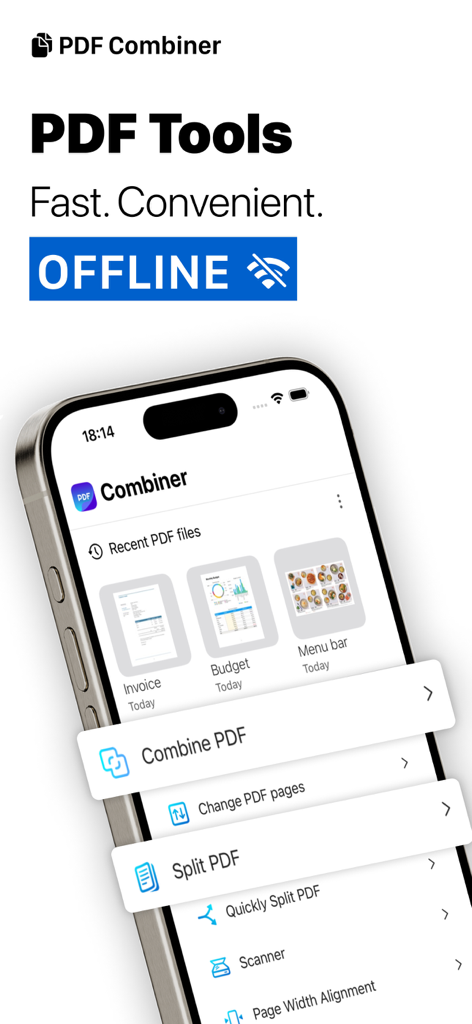
오프라인으로 문서 병합, 분할, 스캔 옵션이 있는 PDF Combiner 앱 인터페이스를 보여주는 iPhone 화면.
오프라인으로 문서 병합, 분할, 스캔 옵션이 있는 PDF Combiner 앱 인터페이스를 보여주는 iPhone 화면.

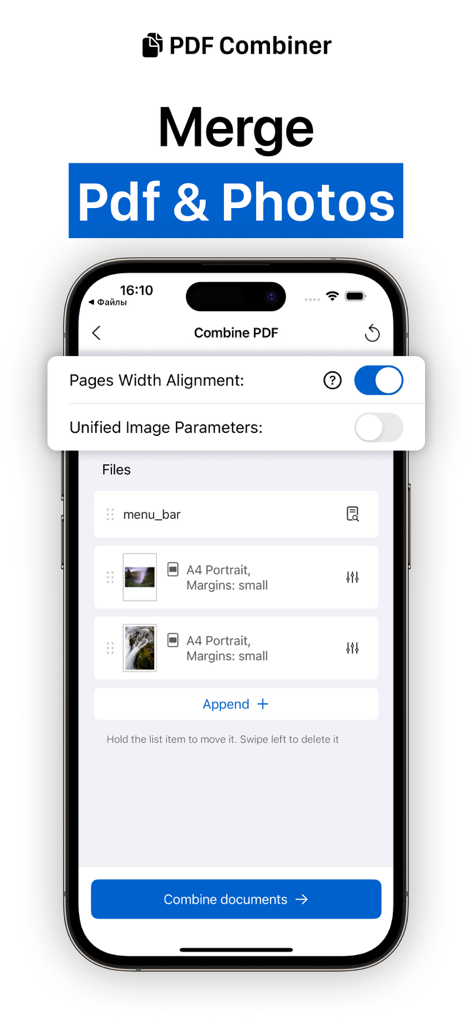
정렬 옵션과 함께 여러 PDF 문서 및 사진을 단일 파일로 병합하기 위한 모바일 앱 인터페이스
정렬 옵션과 함께 여러 PDF 문서 및 사진을 단일 파일로 병합하기 위한 모바일 앱 인터페이스

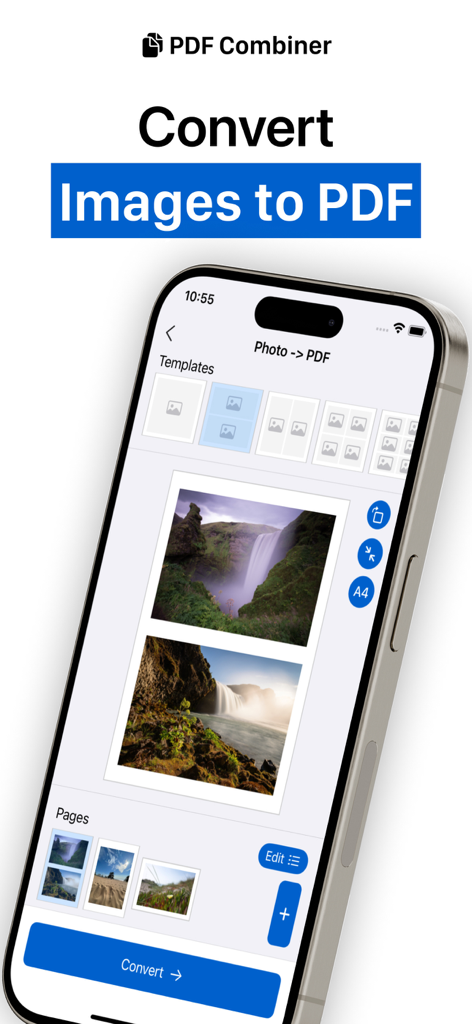
다양한 레이아웃 템플릿을 사용하여 여러 이미지를 단일 PDF 문서로 변환하는 PDF 병합 앱 인터페이스를 보여주는 iPhone 화면
다양한 레이아웃 템플릿을 사용하여 여러 이미지를 단일 PDF 문서로 변환하는 PDF 병합 앱 인터페이스를 보여주는 iPhone 화면

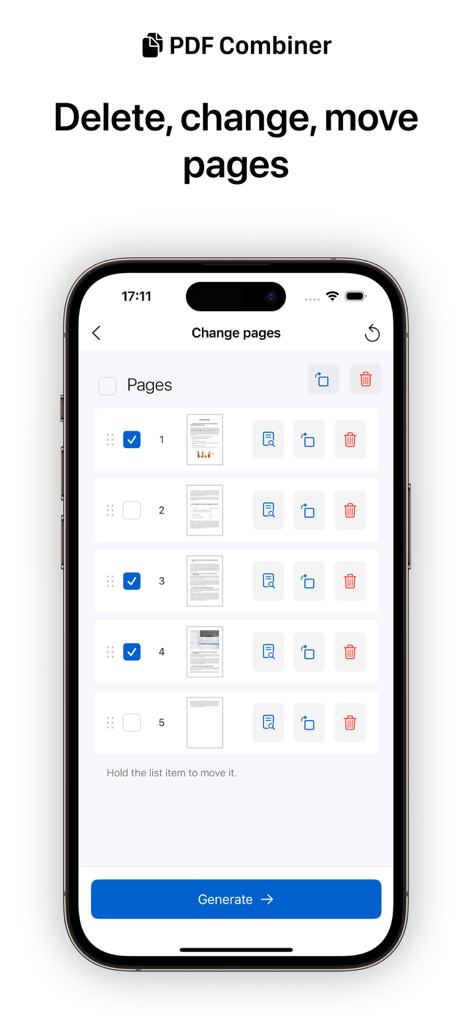
삭제, 회전, 재정렬 기능을 포함한 PDF 페이지 관리 도구를 보여주는 iPhone 화면
삭제, 회전, 재정렬 기능을 포함한 PDF 페이지 관리 도구를 보여주는 iPhone 화면

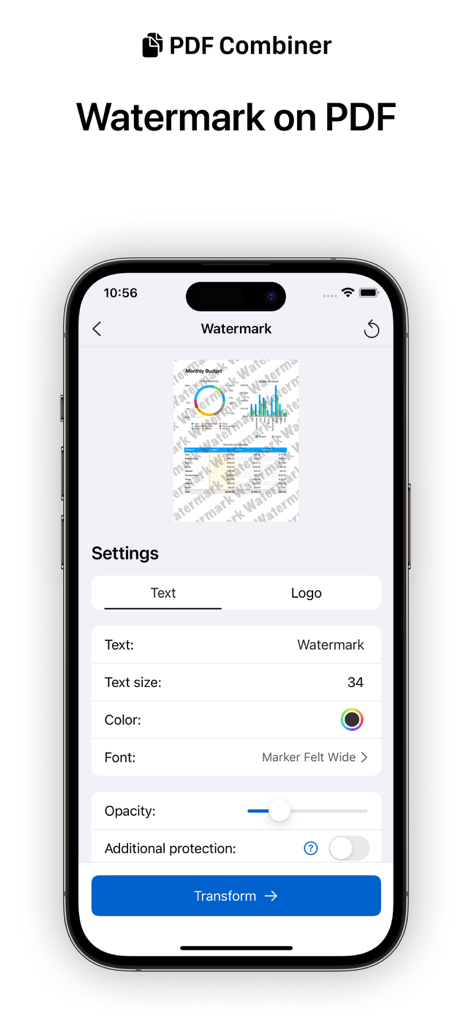
PDF 파일에 텍스트 또는 로고 워터마크를 추가하기 위한 모바일 앱 인터페이스
PDF 파일에 텍스트 또는 로고 워터마크를 추가하기 위한 모바일 앱 인터페이스

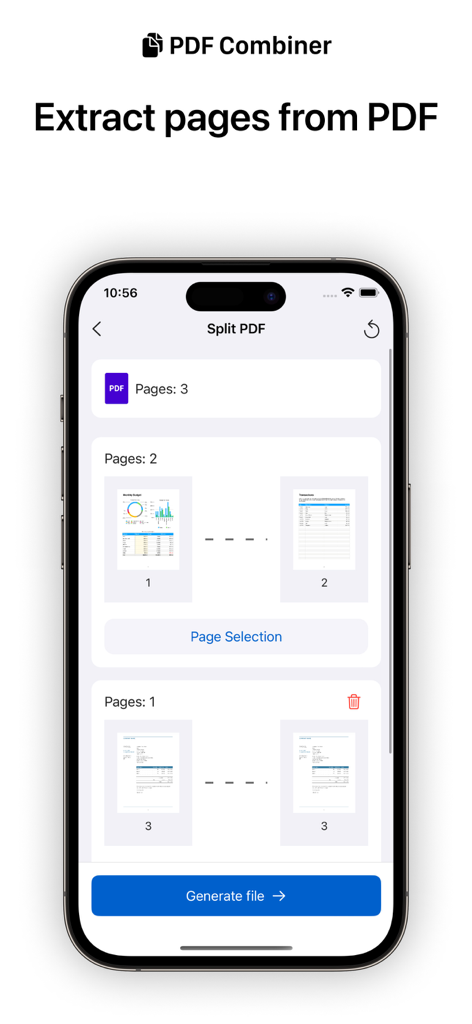
문서에서 특정 페이지를 선택하고 추출하는 옵션이 있는 PDF 분할 기능이 표시된 휴대폰 화면
문서에서 특정 페이지를 선택하고 추출하는 옵션이 있는 PDF 분할 기능이 표시된 휴대폰 화면

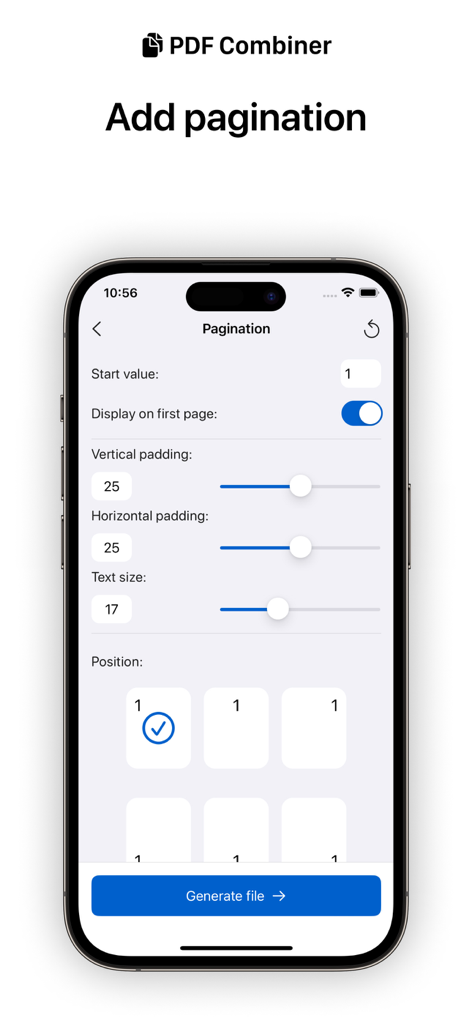
텍스트 크기 및 페이지 위치 옵션이 있는 PDF 병합 앱의 페이지 매김 설정(pagination settings)을 보여주는 iPhone 화면
텍스트 크기 및 페이지 위치 옵션이 있는 PDF 병합 앱의 페이지 매김 설정(pagination settings)을 보여주는 iPhone 화면

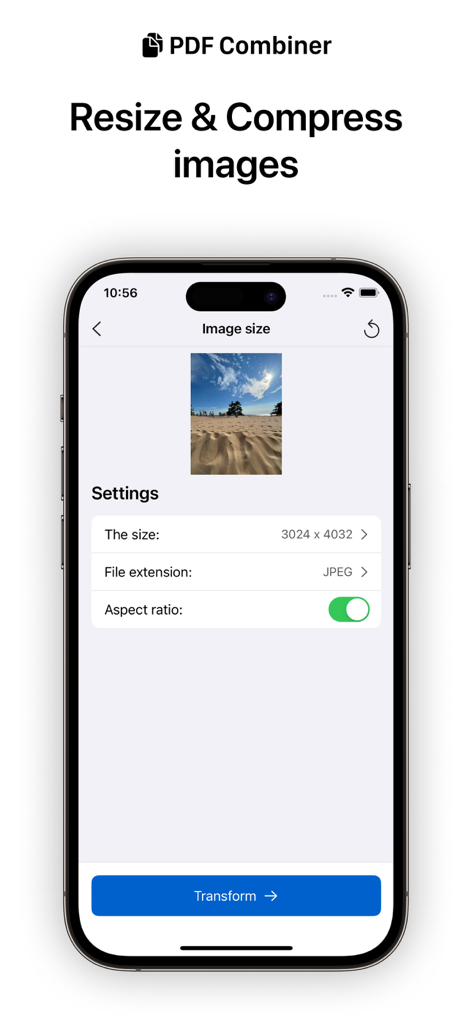
PDF 병합 앱 내 이미지 크기 조정 및 압축 도구를 보여주는 iPhone 화면.

PDF 병합 앱 내 이미지 크기 조정 및 압축 도구를 보여주는 iPhone 화면.

이동 중에도 문서를 마스터하세요

이 앱을 돋보이게 하는 도구, 36K+ 명의 사용자가 선택.

🛡️

개인적인 기기 내 처리

민감한 계약서와 과제는 iPhone을 벗어나지 않습니다. 완전히 오프라인으로 작업하여 데이터가 클라우드 침해로부터 100% 안전하고 비공개로 유지되도록 하세요.

원탭 병합 및 분할

여러 스캔을 하나의 문서로 손쉽게 결합하거나 특정 페이지를 추출하여 공유하세요. 영수증, 보고서, 강의 노트를 정리하기 위한 간소화된 워크플로우입니다.

💎

평생 프로 액세스

단 한 번의 구매로 구독 피로를 극복하세요. 반복적인 월별 요금 없이 워터마크 및 이미지 변환과 같은 고급 도구에 영구적으로 액세스하세요.

앱 소개

에 대해 알아야 할 모든 것 PDF Merger | Merge & Split It.

설명

Say goodbye to clunky and complicated PDF management tools. Our app is designed with a user-friendly interface, making it easy to merge multiple PDFs, split PDFs into separate pages, and even extract specific pages from a PDF document. Whether you need to combine important documents for work or split a large PDF into smaller files for easy sharing, our app has you covered. Download now and experience the convenience of professional PDF management on the go. Imagine the freedom of being able to work on your files anytime, anywhere without the need for an Internet connection. With working solely on your device, you can be confident that your files are safe and secure, protected from the potential risks of using web services. This means you can work without any worries and focus on what really matters. The following tools for working with pdf are available in the application: - Merge PDF documents - Change PDF document page by page (move, delete, rotate pages) - Split PDF - Document scanner with the ability to import to pdf or photo - Quick view of documents in most formats - Set/remove a PDF password to save the document as a new document (The function does not allow you to unlock the document if the password is unknown.) - Pagination - Saving open documents of any format to pdf (beta) There are also PRO-version tools available in the application. You can use them for free to evaluate the work, but you can save the result only after purchasing the PRO version of the application. The PRO version is paid only once and becomes available forever: - Images -> PDF - PDF -> Images - Compress and resize images - Add watermark to document Note: PDF combiner is primarily a mobile application that uses the power of a mobile device to perform popular tasks with PDF documents. For complex tasks with large heavy files, it is better to use professional solutions. Privacy Policy https://docs.google.com/document/d/1Ey7ZxLODDc1tQ1_N08LCTCwsi2jnHXEbMZugFv_AiUk/edit?usp=sharing Terms of Use https://docs.google.com/document/d/1BjWeGxiOgNmTs-eCTKq5Y0LfgDBe_sVHDS1h22ZsZ9w/edit?usp=sharing

최신 버전

4.6.3

크기

14.7 MB

출시일

2020년 6월 16일

필요한 마지막 PDF 도구

100% 기기 내 처리로 안전하게 병합, 분할, 스캔하세요. 월간 구독을 없애고 전문가 수준의 일회성 구매 도구 키트로 민감한 문서를 안전하게 보호하세요.

다운로드: App Store

App information, icons, screenshots, and descriptions displayed on this page are sourced from the Apple App Store and are the property of their respective developers. Download estimates and rankings are based on MWM's proprietary models and may not reflect actual figures. This page is provided for informational and analytical purposes only.

Believe this page infringes your intellectual property? File a dispute