pdf-notes for iPad (ads)
다운로드: App Store

이 페이지는 앱이나 개발자의 공식 페이지가 아니며, 정보 제공 및 논평을 목적으로 작성된 독립 편집 간행물입니다. 명시적으로 달리 언급되지 않는 한, 해당 앱이나 개발자는 MWM, Apple, Google Play, 앱 퍼블리셔 또는 앱 개발자와 제휴, 보증, 후원, 승인 또는 공식적으로 연결되어 있지 않으며, 이 페이지의 어떤 내용도 해당 앱이 MWM의 서비스를 사용하여 개발되었음을 의미하지 않습니다. 모든 상표, 로고, 스크린샷 및 기타 콘텐츠는 해당 소유자의 자산입니다.

로고: pdf-notes for iPad (ads)
다운로드: App Store

pdf-notes for iPad (ads)

전문가와 학생을 위해 설계되었습니다. PDF 크기에 상관없이 번개처럼 빠른 페이지 넘김과 직관적인 제스처 기반 주석을 경험해 보세요.

주요 수치

다운로드

214K+

사용자 평점

3.8/5

총 평가 수

2K+

개발사

AMuseTec Co., Ltd.

카테고리

Productivity

지원 언어

2

최신 버전

26.0

크기

125.6 MB

출시일

2010년 9월 22일
기능

대용량 문서 마스터하기

iPad에서 종이처럼 빠른 속도를 경험하세요. 전문가 수준의 효율성과 지연 없는 성능으로 1000페이지 이상의 PDF에 주석을 달고, 탐색하고, 관리하세요.

번개처럼 빠른 탐색

1000페이지 분량의 법률 제안서나 의료 서적을 즉시 넘겨보세요. 지연 없는 렌더링과 물리적 책을 모방한 부드러운 스캔을 경험하세요.

프로 제스처 워크플로우

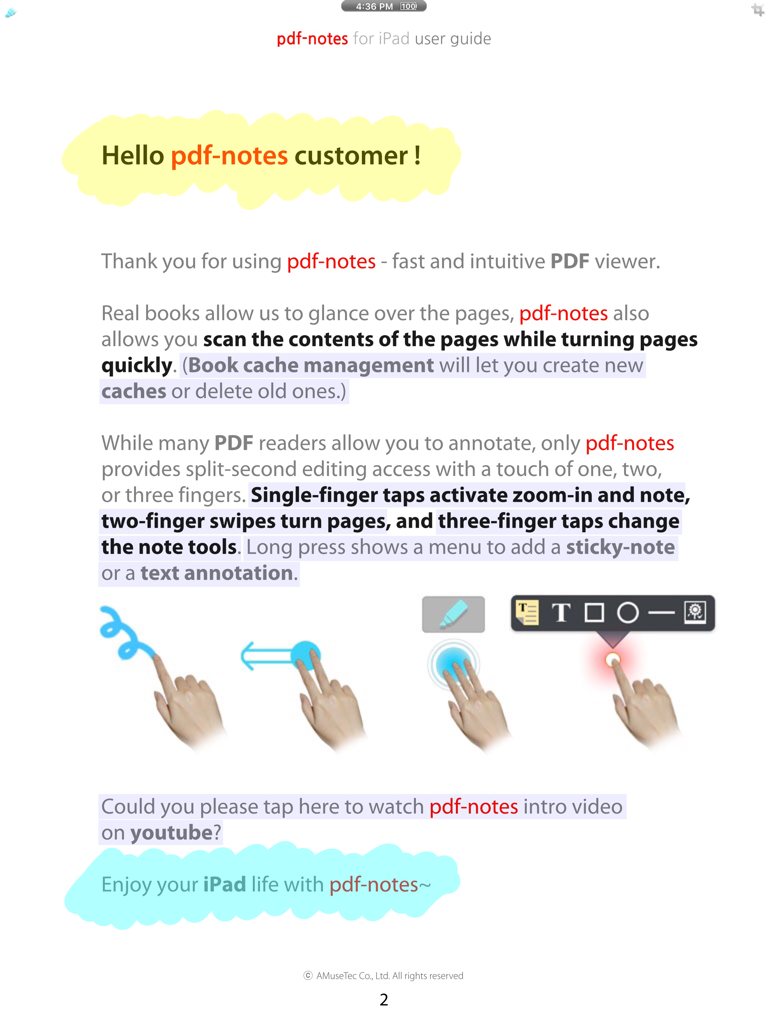
다중 손가락 제스처로 흐름을 유지하세요. 한 손가락으로 쓰기, 두 손가락으로 페이지 넘기기, 세 손가락으로 펜 전환 또는 실행 취소를 메뉴 없이 수행하세요.

다음 스크린샷과 설명은 앱의 공식 스토어 목록에서 직접 가져온 것이며 앱 개발자의 자산입니다.

앱 스토어

스크린샷
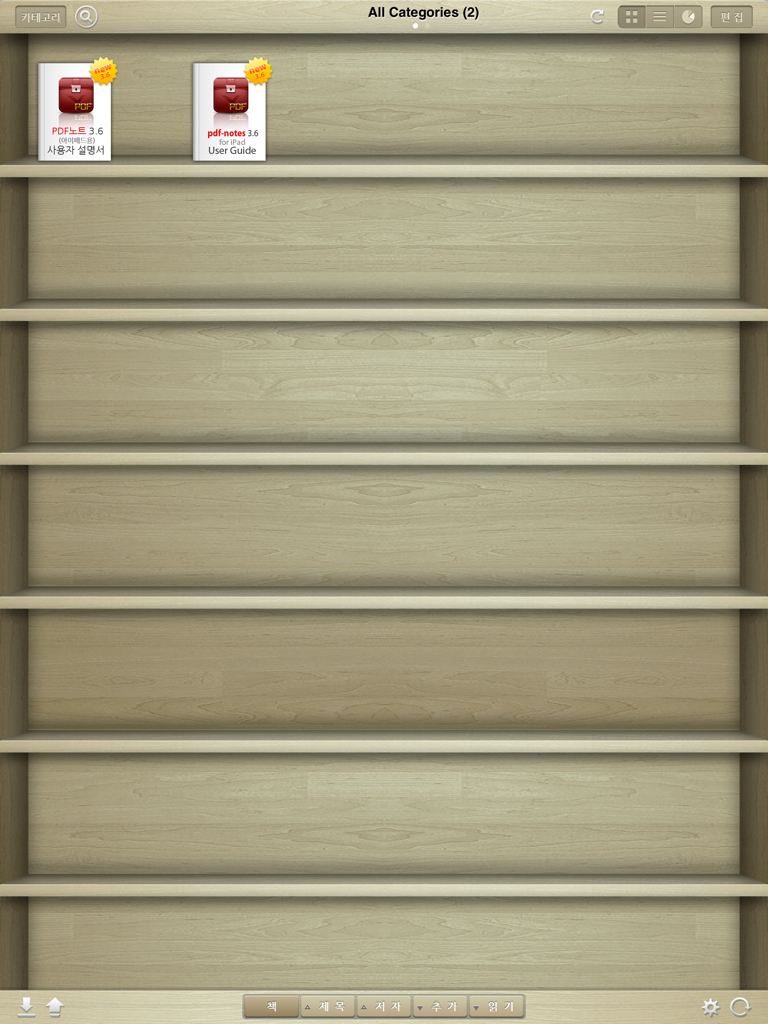
pdf-notes for iPad (ads) - pdf-notes iPad 앱의 디지털 나무 책장 인터페이스에 PDF 문서가 표시됩니다.
pdf-notes iPad 앱의 디지털 나무 책장 인터페이스에 PDF 문서가 표시됩니다.

pdf-notes for iPad (ads) - 탐색 및 주석을 위한 손가락 제스처를 설명하는 pdf-notes 앱 사용자 가이드 페이지입니다.
탐색 및 주석을 위한 손가락 제스처를 설명하는 pdf-notes 앱 사용자 가이드 페이지입니다.

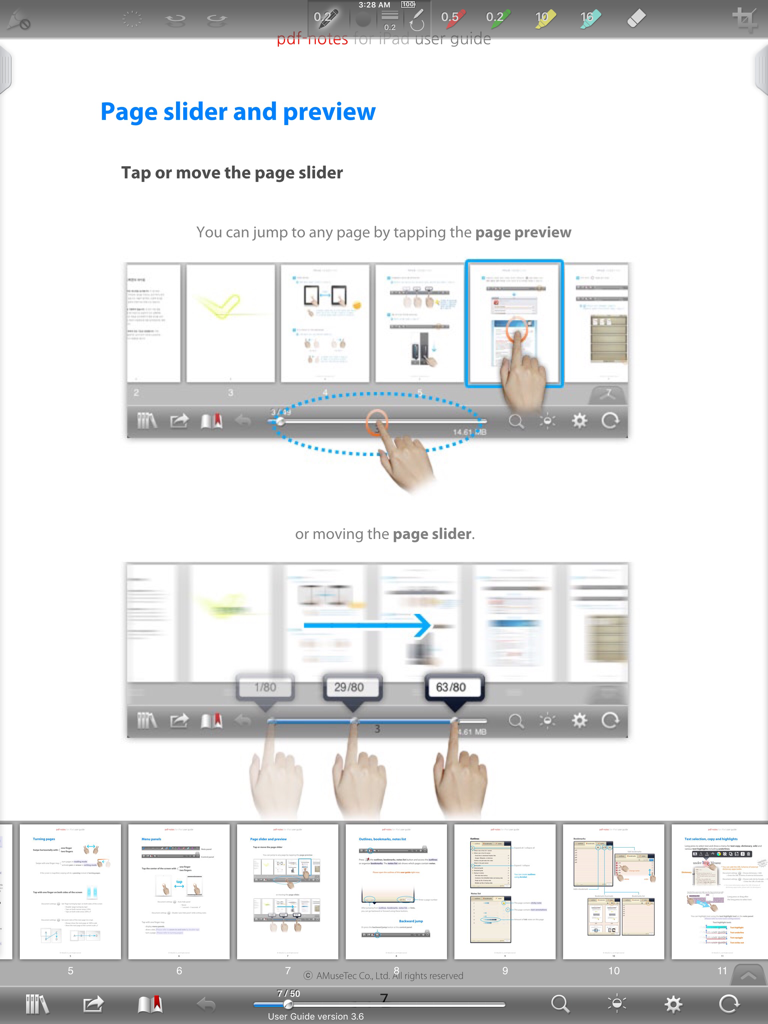
pdf-notes for iPad (ads) - pdf-notes iPad 앱의 슬라이더 및 미리 보기 탐색 기능을 설명하는 사용자 가이드 페이지입니다.
pdf-notes iPad 앱의 슬라이더 및 미리 보기 탐색 기능을 설명하는 사용자 가이드 페이지입니다.

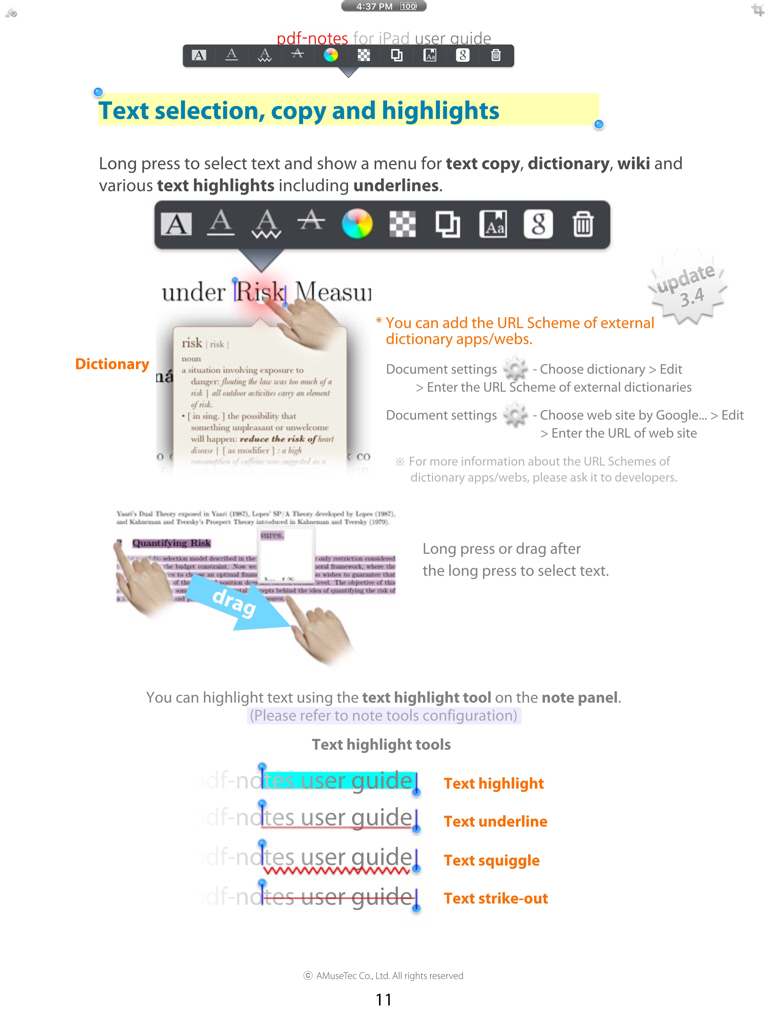
pdf-notes for iPad (ads) - 텍스트 선택, 사전 조회 및 강조 표시 및 밑줄과 같은 주석 도구를 보여주는 pdf-notes 사용자 가이드 스크린샷입니다.
텍스트 선택, 사전 조회 및 강조 표시 및 밑줄과 같은 주석 도구를 보여주는 pdf-notes 사용자 가이드 스크린샷입니다.

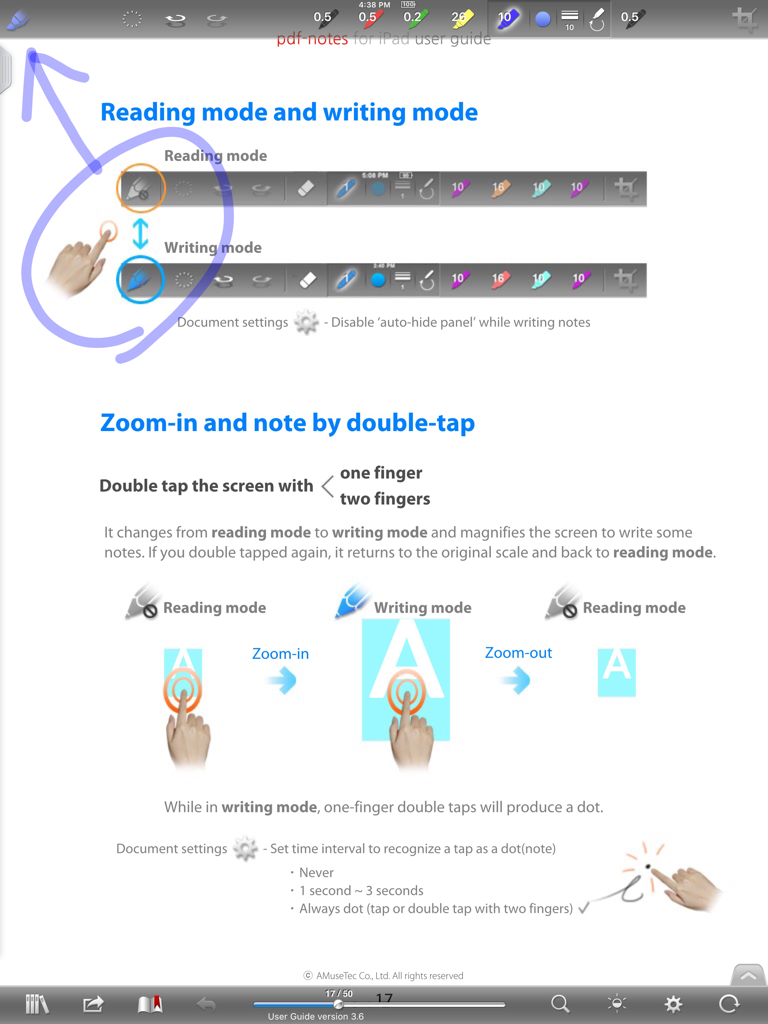
pdf-notes for iPad (ads) - 읽기 및 쓰기 모드를 위한 제스처를 설명하는 iPad용 pdf-notes 앱 사용자 가이드

읽기 및 쓰기 모드를 위한 제스처를 설명하는 iPad용 pdf-notes 앱 사용자 가이드

설명

[notice] pdf-notes for iPad (ads) involves advertisements. Paid version is available at http://itunes.apple.com/app/id4172008446 Utilize pdf-notes to manage all the pdf files on your iPad. Fast display, quick page-turning even a thousand pages, useful finger-writing and email your notes to your friends. Differentiation-1. While turning pages of paperbooks fast, you can glance over the pages. While turning pages of pdf-notes fast, you can still run over the contents. Speedy page turning and scanning the contents with pdf-notes or paperbooks. Differentiation-2. There are many pdf readers allow you to annotate; but do you know which app allows you can write any notes in a second? If you are using pdf-notes, you may experience very fast and intuitive finger-writing like: zoom-in and note by double-tap or; writing with one finger, page-turning with two fingers, pen-changing with three fingers. - Easy importing PDF files through (DropBox, Email or Safari's) "Open In..." or iTunes - Categorized multiple bookshelves(booklists) with powerful search - Displaying pages as optimized size 1024x768 of iPad - Portrait and landscape view - Pinch zoom and crop page-margins - Fast loading and Speedy page-turning - Finger-writing with a variety of pens, highlighters and text notes - Easy "zoom-in and note" on a magnified screen by a double tap - One-step page-turning using 2 fingers on editing mode - One-step pen-changing or undo/redo using 3 fingers on editing mode - Exporting annotated PDF files to Email - External display and screen brightness controls - AirPrint and multi-tasking Misunderstandings about pdf-notes: - Not only pdf-notes but every app recently updated is removed from the open-in menu because iOS5 or formers currently show only 10 apps in open-in menu. - iPad/iphone Mail/iBooks can't display PDF annotations so that please open it in the other pdf apps. - please visit the support site for more information http://bit.ly/f6D31P Blog http://pdf-notes.com Email musebook@musebook.com Twitter http://twitter.com/musebook4u YouTube http://youtu.be/4AyRyFq9yxg NOTE: All content contained herein is subject to change without notice.

Download

다운로드: App Store

이 페이지는 앱이나 개발자의 공식 페이지가 아니며, 정보 제공 및 논평을 목적으로 작성된 독립 편집 간행물입니다. 명시적으로 달리 언급되지 않는 한, 해당 앱이나 개발자는 MWM, Apple, Google Play, 앱 퍼블리셔 또는 앱 개발자와 제휴, 보증, 후원, 승인 또는 공식적으로 연결되어 있지 않으며, 이 페이지의 어떤 내용도 해당 앱이 MWM의 서비스를 사용하여 개발되었음을 의미하지 않습니다. 모든 상표, 로고, 스크린샷 및 기타 콘텐츠는 해당 소유자의 자산입니다.








