PDF Reader - Read PDF Files
다운로드: App Store

이 페이지는 앱이나 개발자의 공식 페이지가 아니며, 정보 제공 및 논평을 목적으로 작성된 독립 편집 간행물입니다. 명시적으로 달리 언급되지 않는 한, 해당 앱이나 개발자는 MWM, Apple, Google Play, 앱 퍼블리셔 또는 앱 개발자와 제휴, 보증, 후원, 승인 또는 공식적으로 연결되어 있지 않으며, 이 페이지의 어떤 내용도 해당 앱이 MWM의 서비스를 사용하여 개발되었음을 의미하지 않습니다. 모든 상표, 로고, 스크린샷 및 기타 콘텐츠는 해당 소유자의 자산입니다.

로고: PDF Reader - Read PDF Files
다운로드: App Store

PDF Reader - Read PDF Files

비싼 구독료와 앱 피로감은 잊으세요. 주머니 속에서 텍스트를 직접 편집하고, 계약서에 서명하고, Google Drive 또는 Dropbox와 동기화하세요. 훨씬 저렴한 비용으로 가능합니다.

주요 수치

다운로드

800

사용자 평점

1.0/5

총 평가 수

0

개발사

Sanjaykumar Khunt

카테고리

Productivity

지원 언어

1

최신 버전

1.3

크기

37.7 MB

출시일

2024년 1월 31일
기능

완벽한 모바일 PDF 스튜디오

값비싼 도구 전환은 이제 그만. 데스크톱 소프트웨어 비용의 일부만으로 전문적인 편집, 서명, 스캔 기능을 이용하세요.

데스크톱 수준의 텍스트 편집

휴대폰에서 기존 텍스트를 수정하고, 오타를 수정하고, 이미지를 교체하세요. 전문적인 업데이트를 위해 노트북이 필요 없습니다.

안전한 서명 및 양식 작성

법적 전자 서명으로 임대 계약 및 계약서를 몇 초 안에 마무리하세요. '인쇄'를 누를 필요 없이 복잡한 정부 양식을 작성하세요.

다음 스크린샷과 설명은 앱의 공식 스토어 목록에서 직접 가져온 것이며 앱 개발자의 자산입니다.

앱 스토어

스크린샷
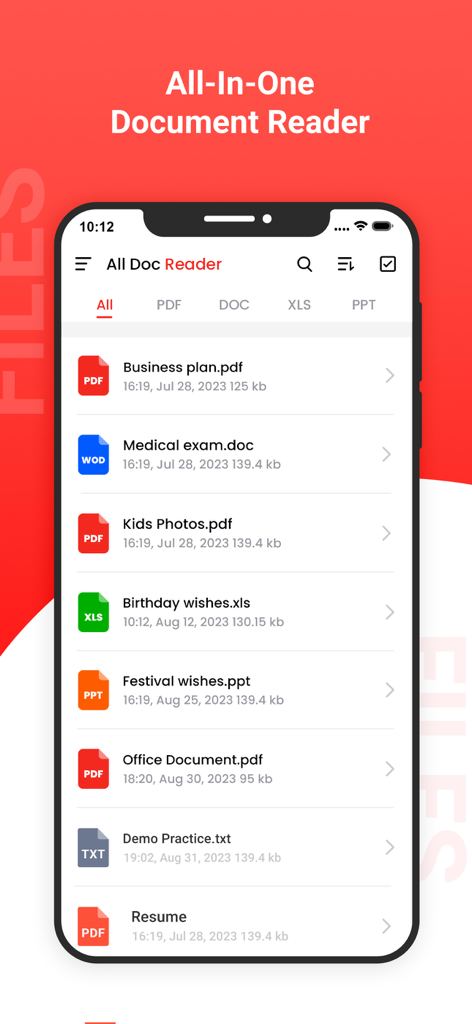
PDF Reader - Read PDF Files - 올인원 문서 리더 앱을 표시하는 스마트폰 화면에 PDF, Word, Excel 및 PowerPoint 파일 목록이 표시됩니다.
올인원 문서 리더 앱을 표시하는 스마트폰 화면에 PDF, Word, Excel 및 PowerPoint 파일 목록이 표시됩니다.

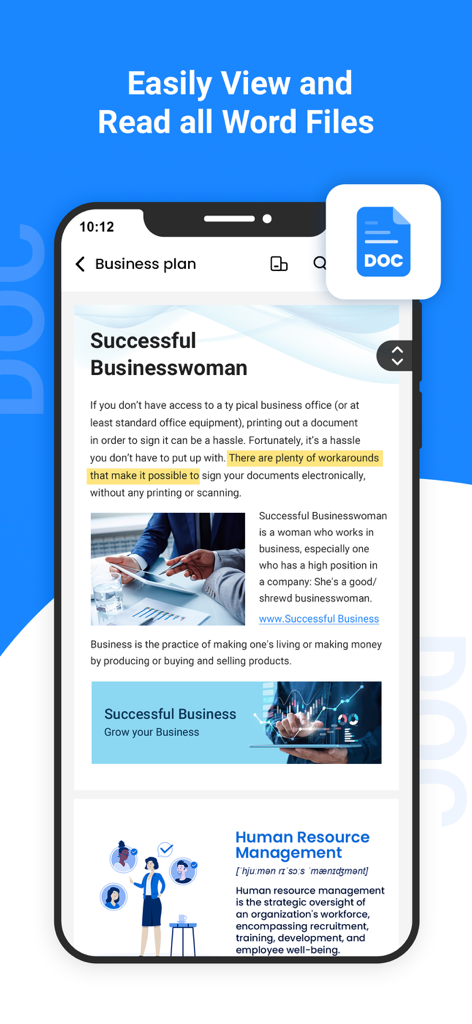
PDF Reader - Read PDF Files - PDF Reader 앱 내에서 Word 문서를 표시하는 스마트폰

PDF Reader 앱 내에서 Word 문서를 표시하는 스마트폰

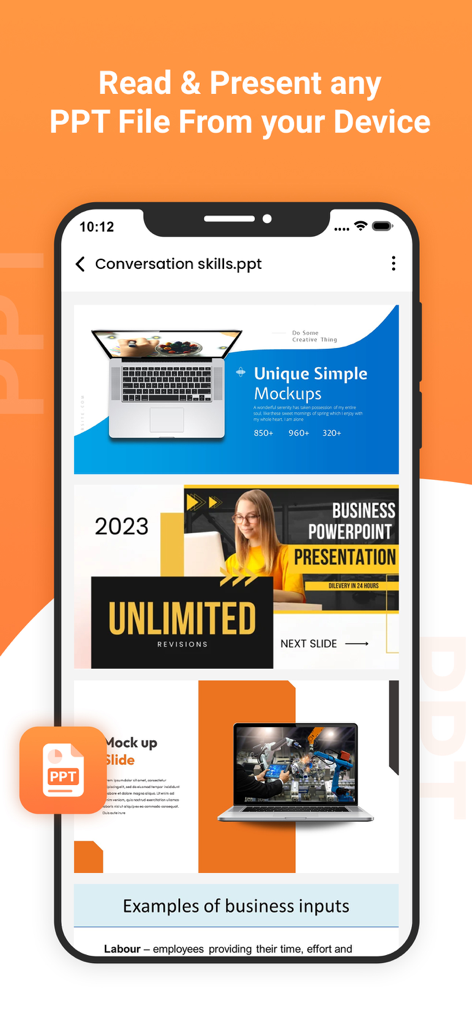
PDF Reader - Read PDF Files - PDF Reader 앱이 PowerPoint 파일을 보고 발표하는 모바일 인터페이스를 보여줍니다.
PDF Reader 앱이 PowerPoint 파일을 보고 발표하는 모바일 인터페이스를 보여줍니다.

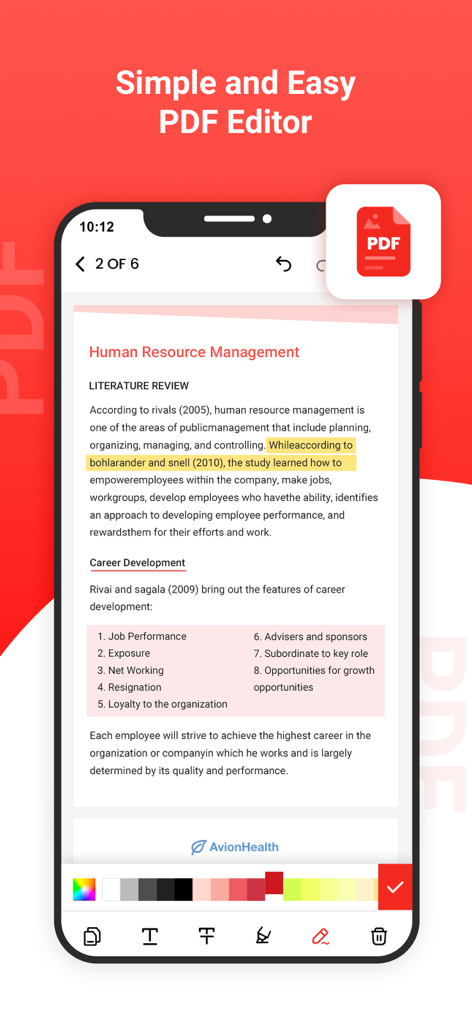
PDF Reader - Read PDF Files - 텍스트 강조 표시 및 편집 도구가 있는 PDF Reader 앱 인터페이스를 보여주는 모바일 화면
텍스트 강조 표시 및 편집 도구가 있는 PDF Reader 앱 인터페이스를 보여주는 모바일 화면

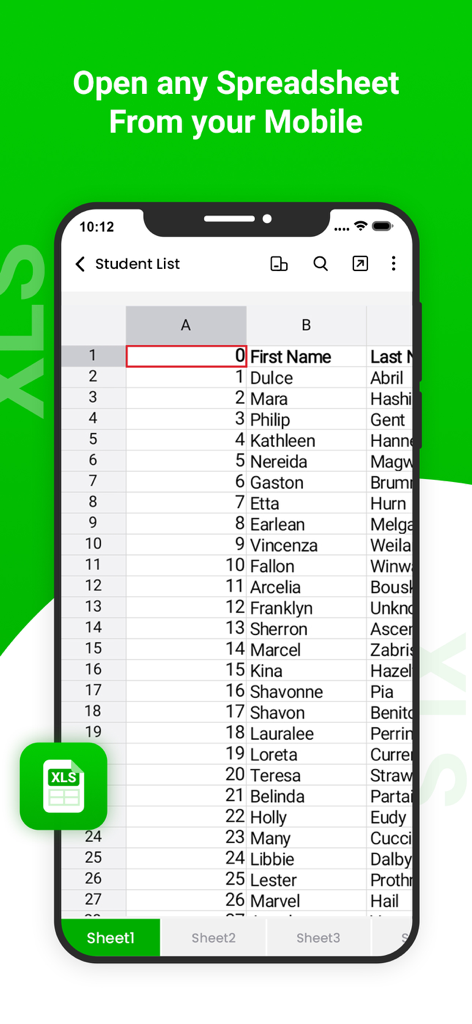
PDF Reader - Read PDF Files - 모바일 XLS 리더 앱 내에서 학생 목록 스프레드시트를 보여주는 스마트폰 화면
모바일 XLS 리더 앱 내에서 학생 목록 스프레드시트를 보여주는 스마트폰 화면

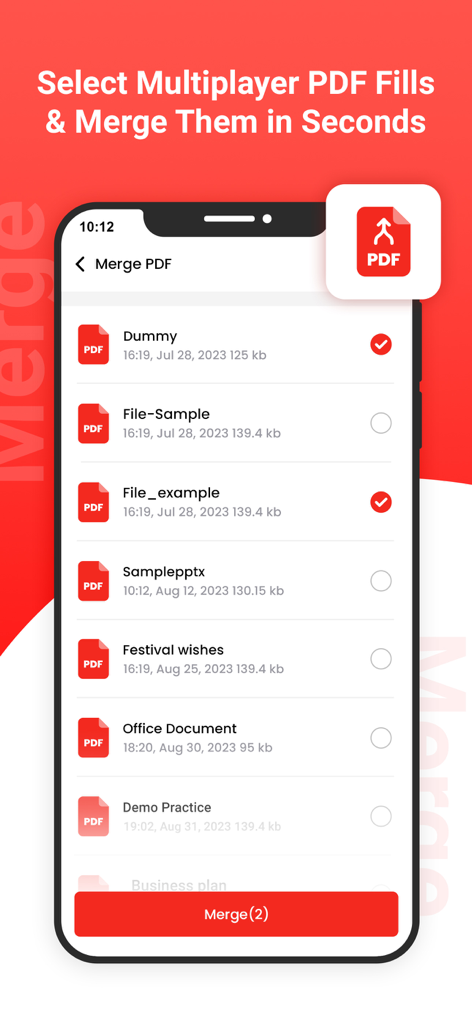
PDF Reader - Read PDF Files - 문서 목록과 선택 확인란이 있는 병합 PDF 기능을 보여주는 모바일 화면
문서 목록과 선택 확인란이 있는 병합 PDF 기능을 보여주는 모바일 화면

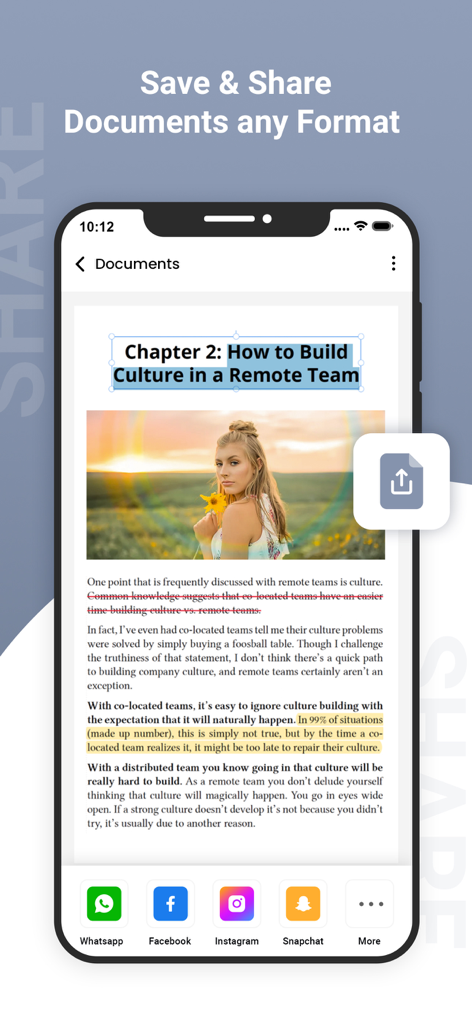
PDF Reader - Read PDF Files - 다양한 소셜 미디어 플랫폼에 대한 문서 공유 옵션을 보여주는 PDF 리더 앱의 모바일 인터페이스

다양한 소셜 미디어 플랫폼에 대한 문서 공유 옵션을 보여주는 PDF 리더 앱의 모바일 인터페이스

설명

PDF Reader Pro is an all-in-one PDF reader & editor, without downloading multiple Apps, you can get all your PDF works done perfectly in PDF Reader Pro, here comes your almighty PDF tool: 1. PDF Editor: Edit PDF text and images easily on the phone 2. PDF Converter: Magically convert PDF to editable Word files 3. PDF Scanner: Scan paper documents to PDF clearly & quickly 4. PDF Signature App: Sign and fill PDF documents, e-signature is legal & secure 5. PDF Formfiller: Fill in a PDF file directly on the phone without printing or faxing 6. Protect PDF privacy, set the password for your PDF documents 7. Read PDF more easily, Black Mode & Reading Mode for your choice 8. Sync with Cloud documents, all PDF files in one place 9. Add annotations, Merge PDF, Compress PDF, etc All-in-one PDF tool, Maximizing PDF productivity, The most efficient choice for PDF users! ◆ PDF Reader Pro meets all your PDF needs "Edit, Sign and Fill PDF" - Real text-editable PDF editor, more than annotating PDF, edit PDF text like Word - Add, delete or rotate PDF images freely - E-sign your PDF smoothly, safest & most secure e-signature - Sign documents anywhere from any device - Fill in a PDF file directly on the phone "Protect PDF documents security" - Protect PDF documents by adding passwords - Add watermark to PDF documents - Safest electronic signature "All your PDF documents in one place" - Sync with Google Drive, Gmail, OneDrive, Dropbox, handle all pdf files in one place - Clearly categorized and well-organized PDF documents "More highlight features" - Annotate, highlight, comment PDF - Merge multiple PDF documents into one PDF - Organize PDF pages freely - Compress PDF files to reduce the file size - Extract text from PDF and images "Add text to PDF. Type on a PDF" - Make sure the 'Text' tool is selected. Click anywhere on the PDF page to add text. "Change PDF text" - Select the 'Text' tool in the top toolbar. Click any existing text to start editing. Make text bold or italic, change font size, font family and text color. "Add image to PDF" - Click the 'Images' menu and select 'New Image'. Select an image from your computer and then add it to the PDF page. You can drag with your mouse to move it, drag on the corners to resize it. "Fill out PDF forms" - Click any form field in the PDF and start typing. Form contains no input fields? Select the 'Text' tool to type text and the 'Forms' tool for checkmarks and radio bullets. "Add links to PDF and edit existing hyperlinks" - Add new links to web URLs or pages in the document. Easily edit existing hyperlinks in the PDF. "Whiteout PDF" - Cover part of the PDF page with a white rectangle so the contents is no longer visible. "Add shapes" - Click the 'Shape' tool to add rectangular or ellipsis shapes to a PDF page. Change border or background fill color. "Find and replace in PDF" - Easily find and replace all occurrences of words in a PDF. "Add form fields to PDF" - Click on 'Forms' in the top menu and select the type of form input you want to add: Text, Multiline Text, Dropdown, Checkbox, Radio choices. - Click on the desired form field type and place it on the page. Enter the new field's name and, optionally, the default value. "Annotate PDF pages" - Use the PDF annotator to strikethrough and highlight text on PDF pages. Click on 'Annotate', then choose the style and select text on page to apply. "Save your changes" - Click the 'Apply changes' button to apply the changes and then 'Download' your edited PDF document. Get unlimited access to all premium flyers, posters and banners. Subscribe Monthly PDF Editor Pro at $1.99 and Yearly PDF Editor Pro at $9.99 to use ads free versions of the premium app which can cancel anytime. • Privacy Policy: https://sites.google.com/view/postart-policy • Terms of Service: https://sites.google.com/view/postart-termsofuse Experience the future of PDF editing – Edit Everything!

Download

다운로드: App Store

이 페이지는 앱이나 개발자의 공식 페이지가 아니며, 정보 제공 및 논평을 목적으로 작성된 독립 편집 간행물입니다. 명시적으로 달리 언급되지 않는 한, 해당 앱이나 개발자는 MWM, Apple, Google Play, 앱 퍼블리셔 또는 앱 개발자와 제휴, 보증, 후원, 승인 또는 공식적으로 연결되어 있지 않으며, 이 페이지의 어떤 내용도 해당 앱이 MWM의 서비스를 사용하여 개발되었음을 의미하지 않습니다. 모든 상표, 로고, 스크린샷 및 기타 콘텐츠는 해당 소유자의 자산입니다.