PenToPRINT Handwriting to Text

PenToPRINT Handwriting to Text

다운로드: App Store
로고: PenToPRINT Handwriting to Text

PenToPRINT: 필기 노트를 검색 가능한 디지털 텍스트로 변환

학생 및 전문가를 위한 궁극의 필기 OCR 도구. 필기체, 스크립트 또는 인쇄체를 편집 가능한 Word 문서로 변환하고 종이와 디지털 간의 격차를 해소하세요.

개발사

Serandi systems LTD

카테고리

Productivity

다운로드

765K+

사용자 평점

4.4/5

총 평가 수

4K+

지원 언어

1

펜에서 픽셀로

이 인터페이스를 사용하는 765K+ 명의 사용자.

텍스트로 필기체 변환이라는 흰색 글자가 있는 파란색 화면

텍스트로 필기체 변환이라는 흰색 글자가 있는 파란색 화면

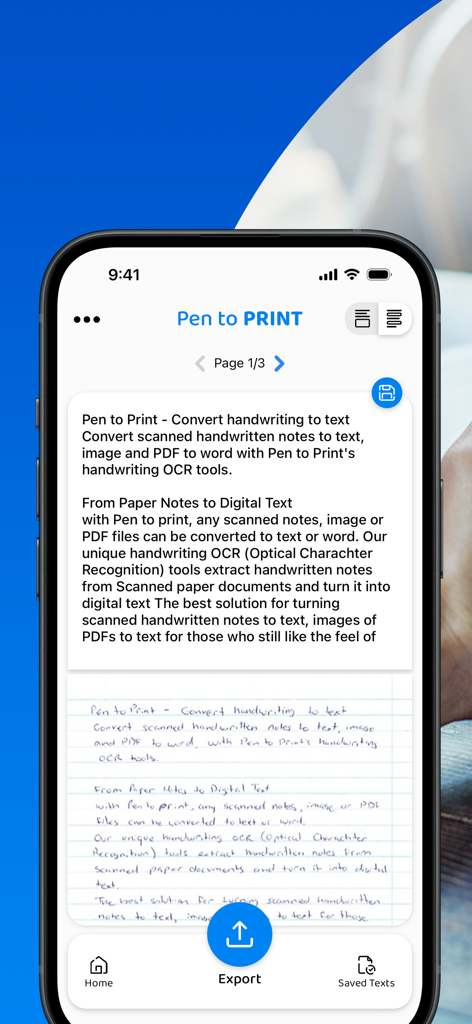
스마트폰 화면에 PenToPRINT 앱이 필기 노트를 편집 가능한 디지털 텍스트로 변환하고 내보내기 옵션이 표시됨
스마트폰 화면에 PenToPRINT 앱이 필기 노트를 편집 가능한 디지털 텍스트로 변환하고 내보내기 옵션이 표시됨

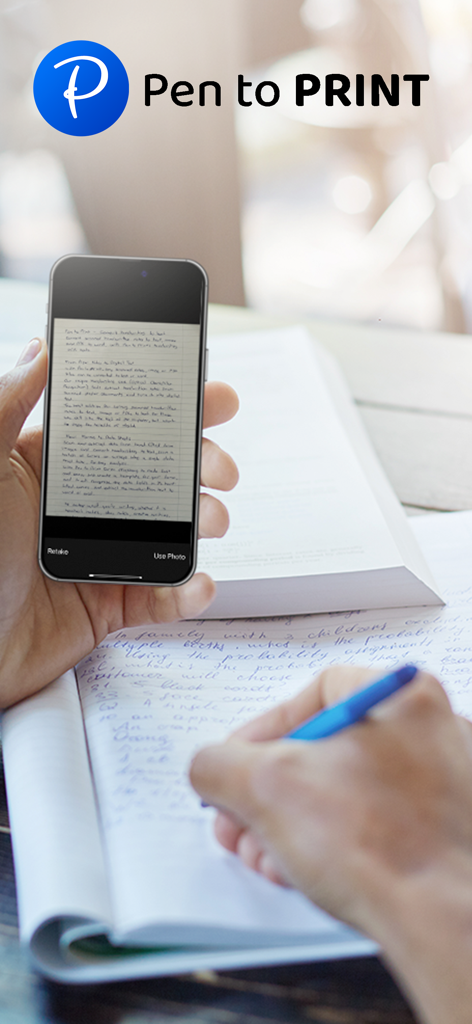
스마트폰으로 필기 노트를 스캔하는 사람
스마트폰으로 필기 노트를 스캔하는 사람

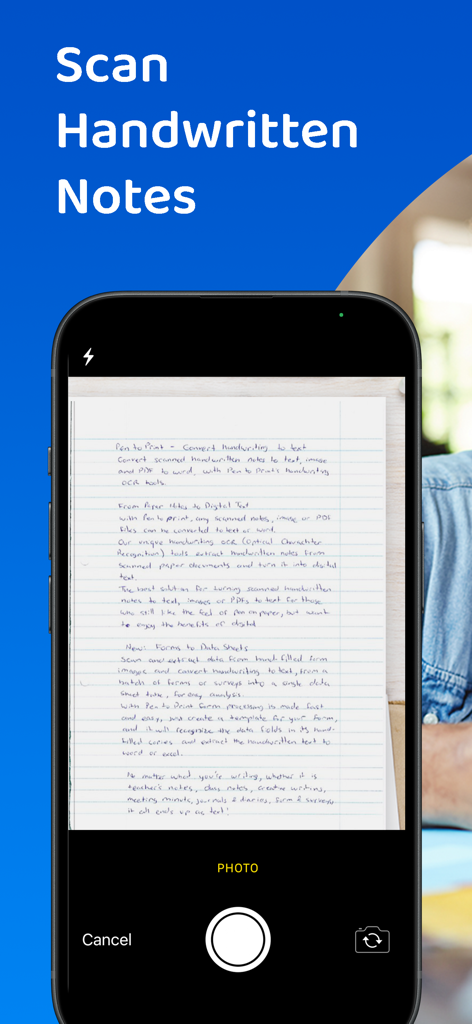
PenToPRINT OCR 기능을 사용하여 필기 문서 스캔 중인 스마트폰 인터페이스

PenToPRINT OCR 기능을 사용하여 필기 문서 스캔 중인 스마트폰 인터페이스

공부 중에 스마트폰으로 필기 노트를 디지털화하는 학생
공부 중에 스마트폰으로 필기 노트를 디지털화하는 학생

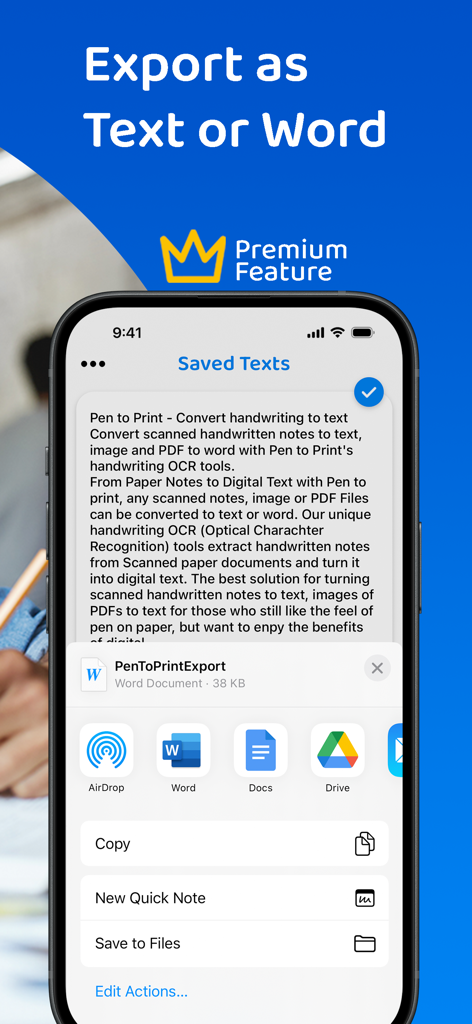
Word 및 Google Docs로 내보내기 옵션이 표시된 PenToPRINT 앱 화면
Word 및 Google Docs로 내보내기 옵션이 표시된 PenToPRINT 앱 화면

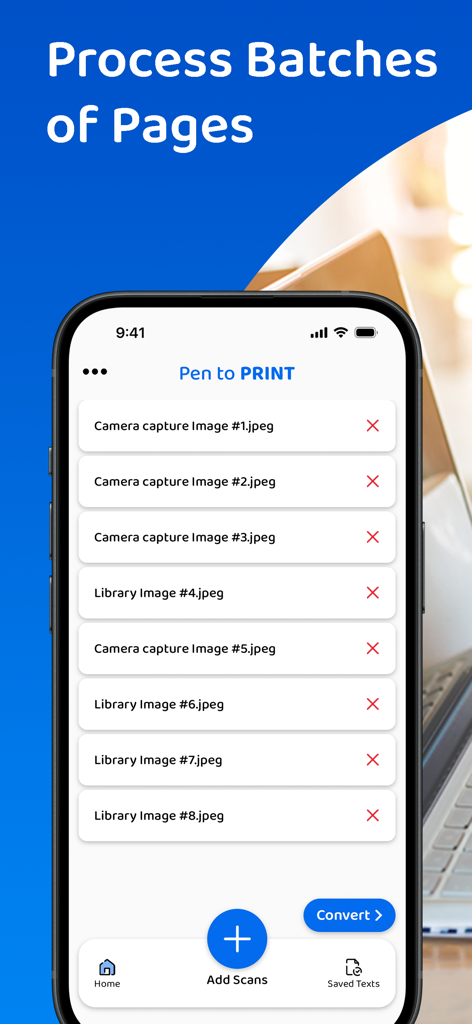
디지털 텍스트로 변환할 준비가 된 스캔된 필기 페이지 목록을 보여주는 PenToPRINT 앱의 모바일 인터페이스

디지털 텍스트로 변환할 준비가 된 스캔된 필기 페이지 목록을 보여주는 PenToPRINT 앱의 모바일 인터페이스

스마트폰을 사용하여 나선형 노트북의 필기 노트를 디지털 텍스트로 스캔하는 사람
스마트폰을 사용하여 나선형 노트북의 필기 노트를 디지털 텍스트로 스캔하는 사람

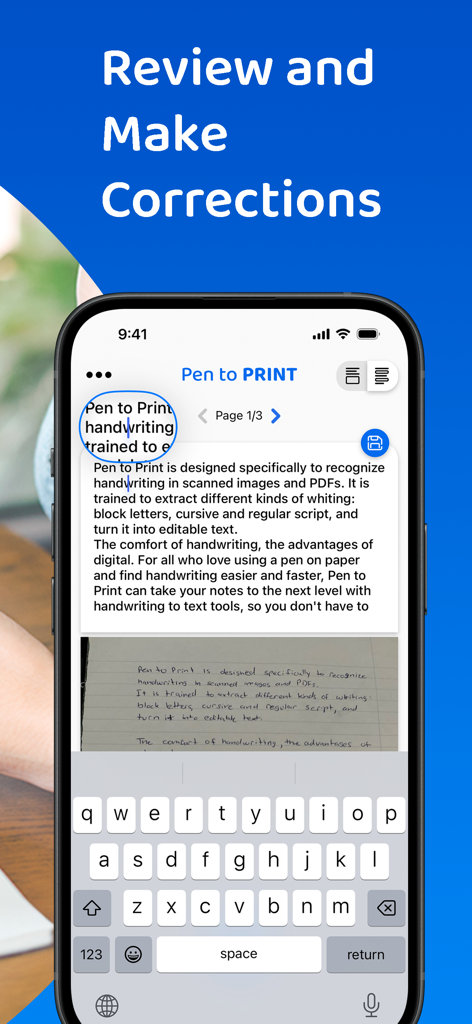
변환된 필기체를 편집 가능한 디지털 텍스트로 검토하고 수정하는 기능을 보여주는 PenToPRINT 앱의 인터페이스
변환된 필기체를 편집 가능한 디지털 텍스트로 검토하고 수정하는 기능을 보여주는 PenToPRINT 앱의 인터페이스

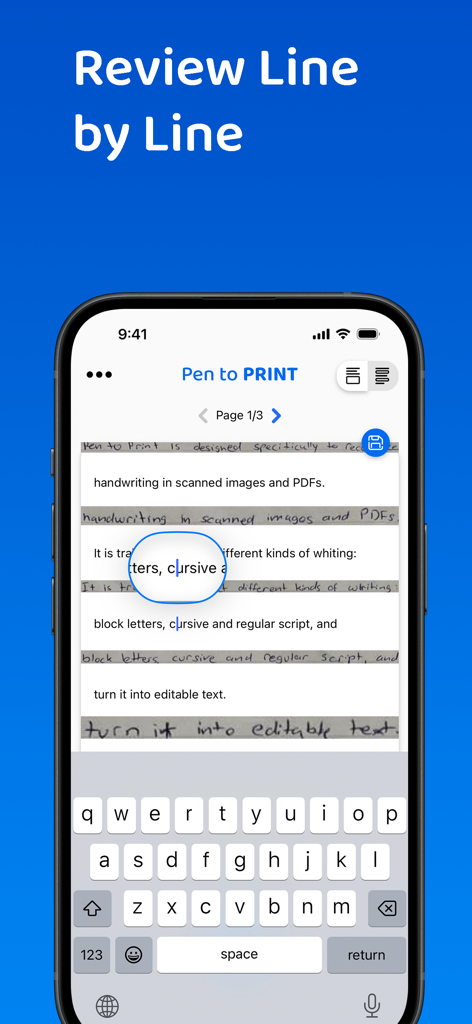
스마트폰에 PenToPRINT 앱 인터페이스가 표시되어 필기 노트를 변환한 후 줄 단위로 검토 및 편집 중

스마트폰에 PenToPRINT 앱 인터페이스가 표시되어 필기 노트를 변환한 후 줄 단위로 검토 및 편집 중

종이와 화면의 격차 해소

이 앱을 돋보이게 하는 도구, 765K+ 명의 사용자가 선택.

🖋️

필기체를 쉽게 해독

저희 전문 OCR 엔진은 지저분한 스크립트와 필기체를 읽어 몇 시간 동안 좋아하는 노트북에서 수동으로 다시 입력하는 시간을 절약해 줍니다.

🚀

간소화된 디지털 워크플로우

변환된 텍스트를 Word 또는 이메일로 직접 내보내어 필기 인사이트를 전문적이거나 학업 프로젝트에 통합하세요.

🔍

검색 가능한 디지털 아카이브

수많은 종이를 검색 가능한 데이터베이스로 변환하세요. 수많은 물리적 페이지를 넘기지 않고도 필요한 것을 정확하게 찾으세요.

앱 소개

에 대해 알아야 할 모든 것 PenToPRINT Handwriting to Text.

설명

Pen to Print, the leading handwriting to text OCR platform, is converting scanned handwritten notes into editable, searchable, and shareable digital text. Leveraging advanced Handwriting OCR (Optical Character Recognition) technology, Pen to Print is your go-to solution for digitizing handwritten notes, enhancing your productivity by bridging the gap between traditional handwriting and the digital world. Our unique handwriting to text OCR (Optical character recognition) engine extracts handwritten texts from scanned paper notes and turns them into digital editable text. Unlike other OCR scanner apps, it is designed specifically to recognize handwriting and works great as a cursive reader and deciphering illegible handwriting. Elevate your experience by opting for our premium plan, which allows you to export your text or share it effortlessly with others. With a premium subscription, you gain the flexibility to export your text in either txt or Word formats to any compatible applications on your device. Additionally, premium subscribers have the convenience of sharing their texts with others through email, messaging platforms, or social media networks. We suggest starting with assessing our handwriting recognition capability and the app's effectiveness in transforming handwriting to text before deciding to upgrade to the premium plan. Although Digital text is easier to edit, search and store, handwriting on paper notes is still commonly used, since it's fast, easy, and accessible. Pen to Print's handwriting recognition (OCR) is an excellent solution for those who still like the feel of pen on paper, but want to enjoy the benefits of digital. It is easy to use, fast and affordable. Converting handwriting to text with Pen to Print is a perfect solution for cursive reading and illegible writing, for students, for sharing meeting minutes, protocols, and other handwritten documents with multiple participants. Please note: The success of handwriting recognition relates directly to the quality of your scan. For best results scan your document in a well-lighted area, and make sure the paper is straightened and not folded or skewed. If unsuccessful, just try scanning again, it might make all the difference. The app currently supports Latin script only. Our handwriting recognition system can convert different kinds of handwriting to text: block letters, cursive, and regular script. Significant time and effort are invested in this app in order to provide an efficient quality handwriting to text OCR tool. We hope you find this app useful and enjoy using it to convert your handwritten notes to text. We welcome all feedback and are always happy to hear from our users. If you like our app, an app review will be well appreciated :-) If you encounter a problem, please contact us at: contact@serendi.me, so we can provide you assistance and support. For more information, visit our website: https://www.pen-to-print.com Download Pen to Print now, and start converting your handwriting to text! The Yearly Plan and Monthly Plan are auto-renewing subscriptions, providing an unlimited amount of text exports for a year/a month respectively, therefore: Payment will be charged to iTunes Account at confirmation of purchase. Subscription automatically renews unless auto-renew is turned off at least 24 hours before the end of the current period. Account will be charged for renewal within 24 hours prior to the end of the current period, and identify the cost of the renewal. Subscriptions may be managed by the user and auto-renewal may be turned off by going to the user's Account Settings after purchase. Any unused portion of a free trial period, if offered, will be forfeited when the user purchases a subscription to that publication, where applicable. Check out our terms & conditions at: https://www.serendi.me/p2p-terms-and-conditions

최신 버전

2.13

크기

31.2 MB

출시일

2017년 11월 7일

필기 노트를 디지털 세계로 가져오세요

수동으로 회의록과 강의를 입력하는 데 몇 시간을 낭비하지 마세요. 765,000명 이상의 사용자와 함께 필기체를 즉시 편집 가능한 텍스트로 변환하세요.

다운로드: App Store

App information, icons, screenshots, and descriptions displayed on this page are sourced from the Apple App Store and are the property of their respective developers. Download estimates and rankings are based on MWM's proprietary models and may not reflect actual figures. This page is provided for informational and analytical purposes only.

Believe this page infringes your intellectual property? File a dispute