Picture To Text: Image To Text
다운로드: App Store

이 페이지는 앱이나 개발자의 공식 페이지가 아니며, 정보 제공 및 논평을 목적으로 작성된 독립 편집 간행물입니다. 명시적으로 달리 언급되지 않는 한, 해당 앱이나 개발자는 MWM, Apple, Google Play, 앱 퍼블리셔 또는 앱 개발자와 제휴, 보증, 후원, 승인 또는 공식적으로 연결되어 있지 않으며, 이 페이지의 어떤 내용도 해당 앱이 MWM의 서비스를 사용하여 개발되었음을 의미하지 않습니다. 모든 상표, 로고, 스크린샷 및 기타 콘텐츠는 해당 소유자의 자산입니다.

로고: Picture To Text: Image To Text
다운로드: App Store

Picture To Text: Image To Text

학생 및 전문가를 위한 궁극의 OCR 도구입니다. 문서, 필기 또는 웹 URL에서 텍스트를 추출하고 내장 편집기로 콘텐츠를 다듬으세요.

주요 수치

다운로드

1K+

사용자 평점

4.7/5

총 평가 수

0

개발사

CRECODE IT PROFESSIONALS (Private) Limited

카테고리

Productivity

지원 언어

33

최신 버전

2.3

크기

21.5 MB

출시일

2024년 12월 3일
기능

스마트 추출로 워크플로 마스터하기

학생 및 전문가를 위한 궁극의 생산성 도구로, 이미지, 필기, 웹 콘텐츠를 즉시 편집 가능한 문서로 변환할 수 있습니다.

필기를 디지털 텍스트로

강의 노트나 회의 브레인스토밍을 한 단어도 다시 입력하지 않고 깔끔하고 검색 가능한 텍스트로 즉시 변환하세요.

즉각적인 웹 추출

스크린샷은 건너뛰세요. URL을 붙여넣기만 하면 온라인 이미지 및 조사 자료에서 몇 초 만에 텍스트를 직접 추출할 수 있습니다.

다음 스크린샷과 설명은 앱의 공식 스토어 목록에서 직접 가져온 것이며 앱 개발자의 자산입니다.

앱 스토어

스크린샷
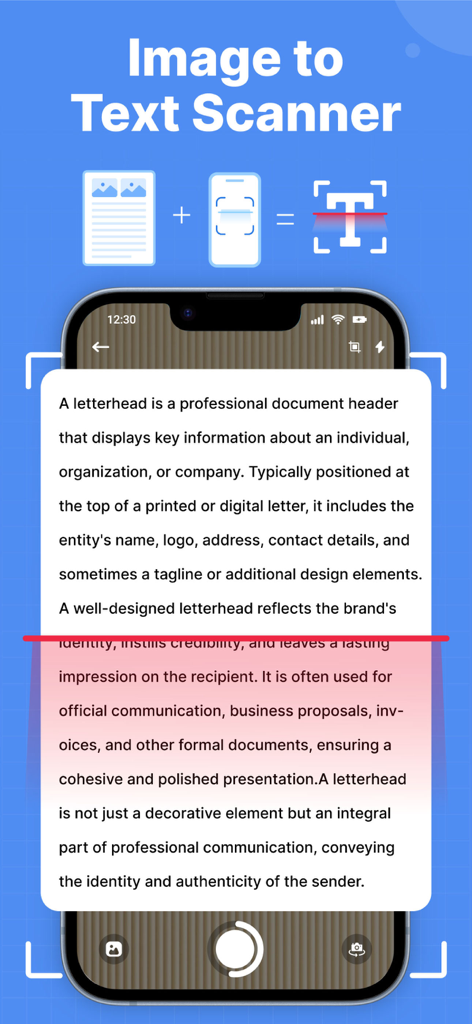
Picture To Text: Image To Text - 인쇄된 문서를 스캔하여 이미지에서 편집 가능한 디지털 텍스트로 변환하는 휴대폰 인터페이스
인쇄된 문서를 스캔하여 이미지에서 편집 가능한 디지털 텍스트로 변환하는 휴대폰 인터페이스

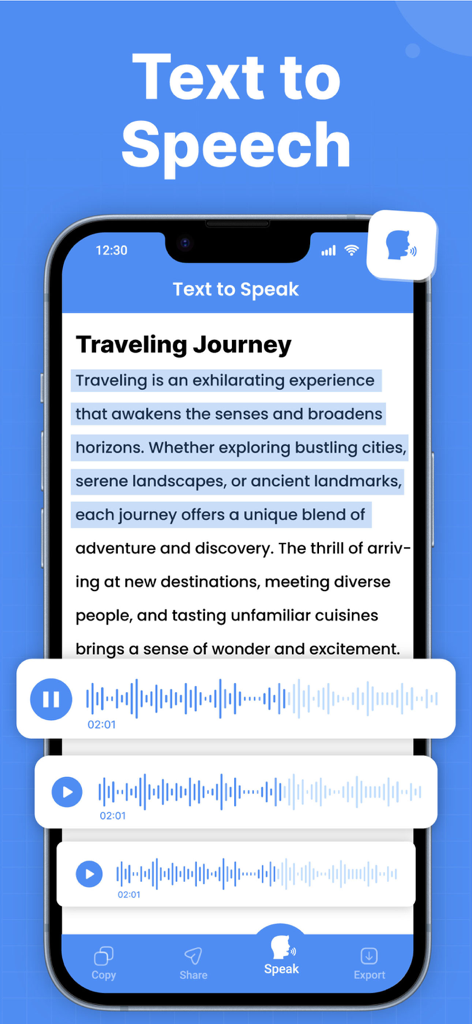
Picture To Text: Image To Text - Picture To Text 앱에서 오디오 파형과 함께 텍스트 음성 변환을 보여주는 인터페이스
Picture To Text 앱에서 오디오 파형과 함께 텍스트 음성 변환을 보여주는 인터페이스

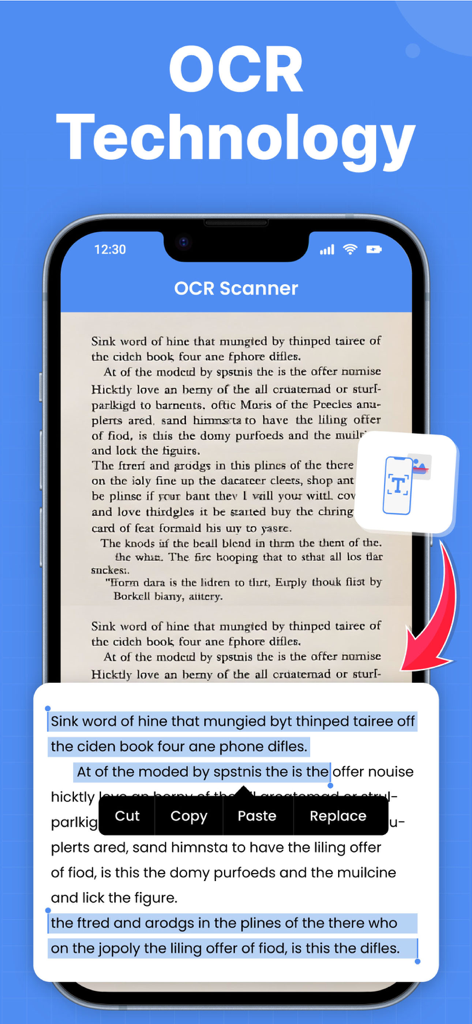
Picture To Text: Image To Text - 책 페이지를 스캔하고 편집 가능한 디지털 텍스트로 변환하는 OCR 기술을 보여주는 모바일 앱 인터페이스
책 페이지를 스캔하고 편집 가능한 디지털 텍스트로 변환하는 OCR 기술을 보여주는 모바일 앱 인터페이스

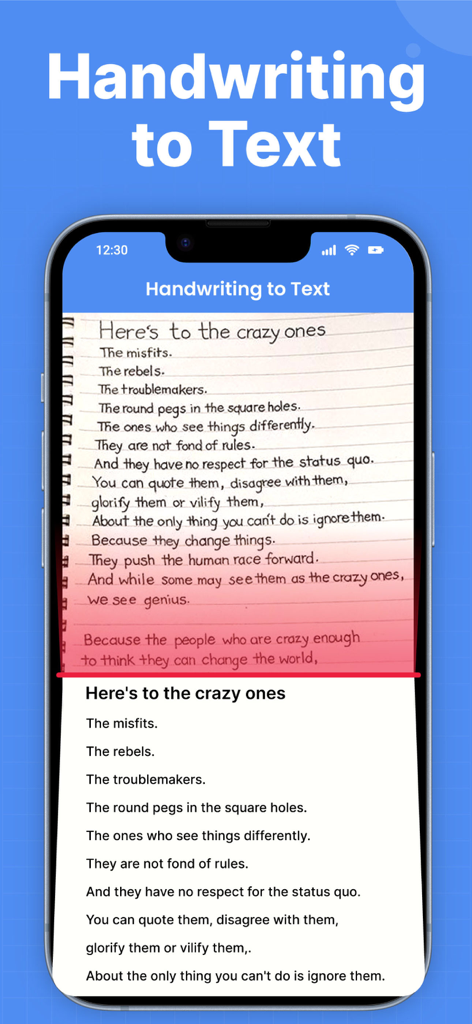
Picture To Text: Image To Text - iPhone 화면에서 디지털 텍스트로 변환되는 필기 노트

iPhone 화면에서 디지털 텍스트로 변환되는 필기 노트

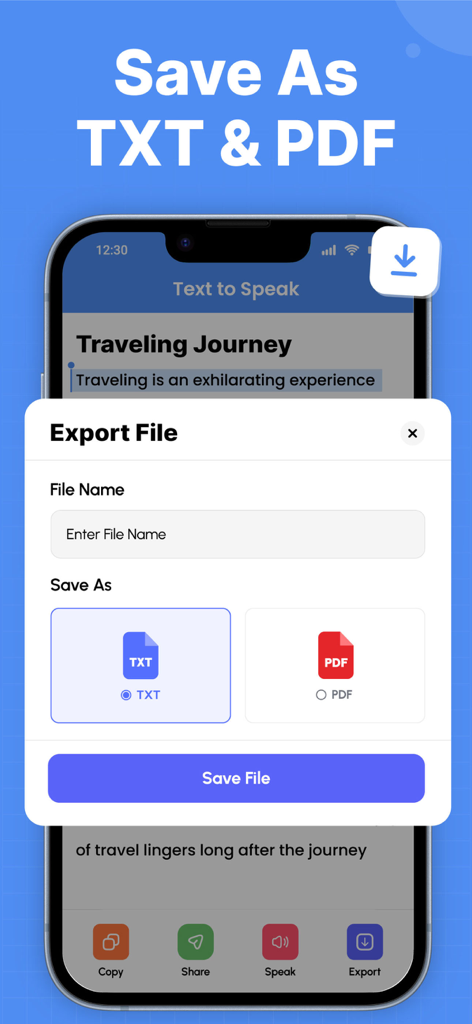
Picture To Text: Image To Text - 스캔된 텍스트를 TXT 또는 PDF 파일로 저장하고 내보내는 옵션을 보여주는 인터페이스
스캔된 텍스트를 TXT 또는 PDF 파일로 저장하고 내보내는 옵션을 보여주는 인터페이스

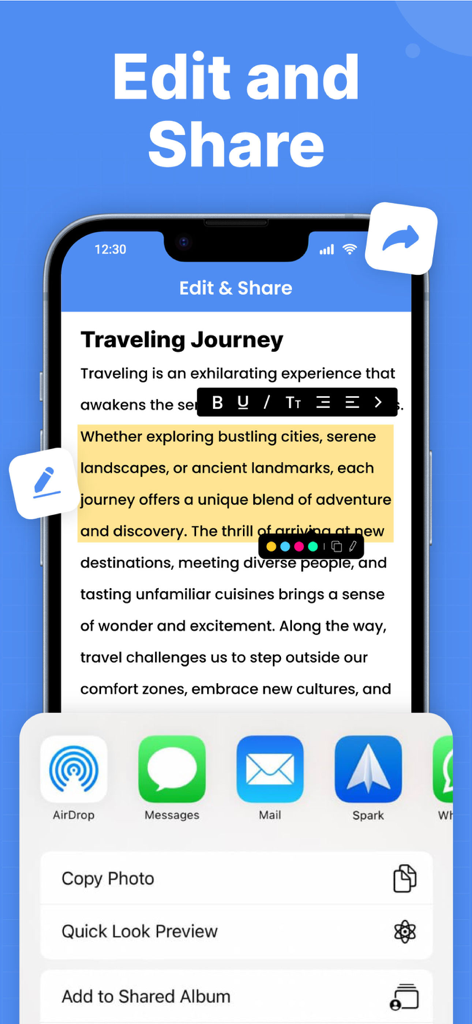
Picture To Text: Image To Text - 추출된 OCR 텍스트에 대한 텍스트 편집 도구 및 공유 옵션을 보여주는 모바일 앱 인터페이스
추출된 OCR 텍스트에 대한 텍스트 편집 도구 및 공유 옵션을 보여주는 모바일 앱 인터페이스

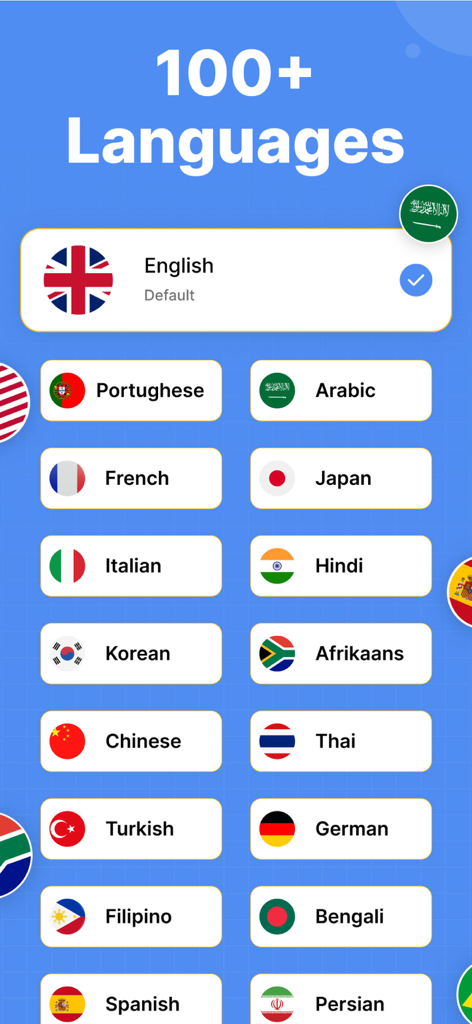
Picture To Text: Image To Text - 다양한 국가 국기와 함께 OCR 텍스트 변환을 위한 100개 이상의 지원 언어를 보여주는 화면

다양한 국가 국기와 함께 OCR 텍스트 변환을 위한 100개 이상의 지원 언어를 보여주는 화면

설명

Discover a better way to capture and convert information from images into editable, searchable text in seconds. With our smart image to text, you can easily extract text from any printed documents, Handwriting To Text, scanned books, receipts, posters, and more. Stop wasting time typing manually, capture a photo, fetch any web picture from a URL or upload from your gallery, and see the text appear. ● OCR Text Scanner — Your Personal Pocket Scanner Picture scanner allows you to insert a picture from your gallery to scan and extract text. Moreover, you can also capture photos directly from the camera to Scan Text by using this OCR image to text app. This picture to text scan enables you to extract the specific text from the image by cropping the image. Extracted text is also editable which you can save and share with your friends easily. ● Handwriting to Text — Capture Your Ideas, Digitally Tired of typing your handwritten notes? Use the Scan Text feature to instantly convert your notes, meeting ideas, lectures, or journal entries into clean digital text. Keep your handwriting alive but enjoy the convenience of searchable and editable content in no time. If you need to make a quick change to your paper notes, scan to text in seconds and edit them to your liking. Save your thoughts before they get lost and keep all your notes neatly organized in one place. ● Image Scan with URL — From Web Image to Words Need to extract text from an image you found online on the web? Our picture scanner with URL lets you easily extract text by adding its link in just a few taps. No messy downloads or screenshots required. ● Edit Text — Personalize Your Content Effortlessly Once your text is extracted, you can easily edit and make changes to it right within the image to text app. Fix texts before saving or sharing. Style the text, bold, italic, text alignment, text size, or highlight specific parts with different colors. The built-in edit text feature lets you instantly polish your content without the need for any additional apps or tools. ▶ Smart Features That Make Scan Text Easy - Scan and quickly extract text from the photo - Provide the history of your scanned images - Quickly scan Handwriting To Text, edit and save - Add an image link from any online web and extract text in seconds. - Instantly modify extracted text within the OCR Text Scanner app. - Listen to your extracted text notes, whenever you want, with the built-in text-to-speech feature. - Supports multiple languages and different text styles in image to text app - Save, copy, share or export the extracted text to PDF, Word and TXT file. Whether you're a student, professional, or creative thinker, this picture scanner empowers you to stay organized, save time, and never miss important details again. Download now and experience the magic of easy text conversion at your fingertips! Privacy policy: https://crecode.uk/privacy-policy/ Terms of use: https://crecode.uk/terms-of-use/

Download

다운로드: App Store

이 페이지는 앱이나 개발자의 공식 페이지가 아니며, 정보 제공 및 논평을 목적으로 작성된 독립 편집 간행물입니다. 명시적으로 달리 언급되지 않는 한, 해당 앱이나 개발자는 MWM, Apple, Google Play, 앱 퍼블리셔 또는 앱 개발자와 제휴, 보증, 후원, 승인 또는 공식적으로 연결되어 있지 않으며, 이 페이지의 어떤 내용도 해당 앱이 MWM의 서비스를 사용하여 개발되었음을 의미하지 않습니다. 모든 상표, 로고, 스크린샷 및 기타 콘텐츠는 해당 소유자의 자산입니다.